
 Bitaigen Research
 We approach this guide from a practical standpoint, outlining the complete process for depositing Chinese yuan (CNY) into Gate.io using a bank card. It covers pre‑deposit preparations, the app navigation path, and security tips, helping newcomers get started quickly while avoiding common pitfalls. Read on to master each step of the recharge procedure.
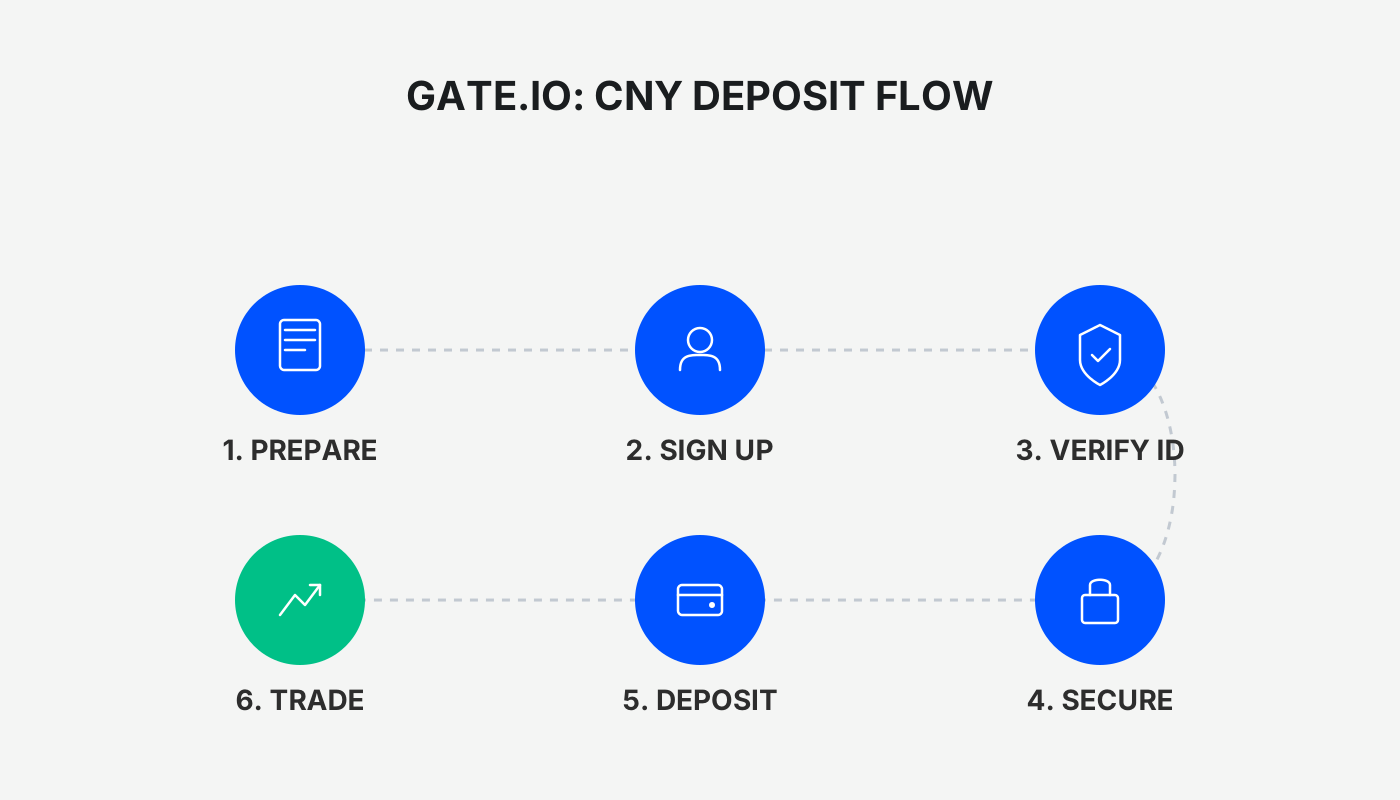
How to Deposit Funds into Gate.io via Bank Card? A Complete Walk‑through for Beginners
In the Gate.io mobile app, select C2C, filter for Bank Card payments, choose a merchant protected by Shield (神盾), enter the desired amount, and complete the bank transfer. The US‑based audience should note that, for Binance services, they must use Binance.US rather than the global Binance platform.
Gate.io (also known as Sesame Exchange) currently offers four CNY deposit channels: Bank Card, Alipay, WeChat Pay, and on‑chain transfers. This article is written specifically for users who are depositing on Gate.io for the first time and provides a detailed, step‑by‑step demonstration of the bank‑card method. Please read carefully.
Pre‑deposit Preparations
- Download and install the official Gate.io app from the official website (official registration | official download).
- Complete account registration, identity verification (KYC), and security settings.
Reference Guide: Gate.io download, registration, verification, buying crypto, and trading – a 5‑step beginner tutorial (App version)
After finishing the steps above, you can proceed to the deposit workflow.
Access the C2C Purchase Page
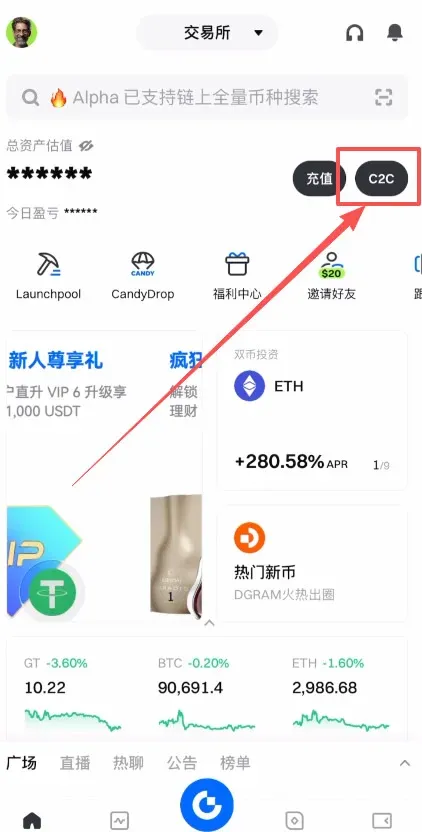
Open the Gate.io app. In the upper‑left corner of the home screen you’ll see two buttons: “Deposit” and C2C. The “Deposit” label actually refers to buying crypto for funding your account. Tap C2C to enter the trading page.
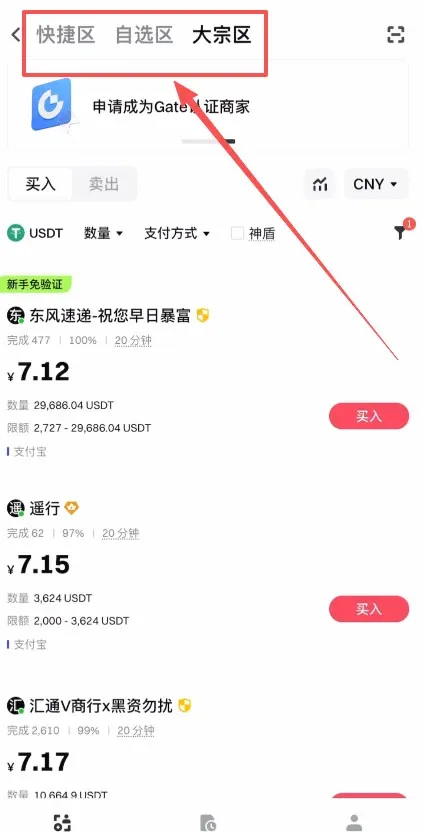
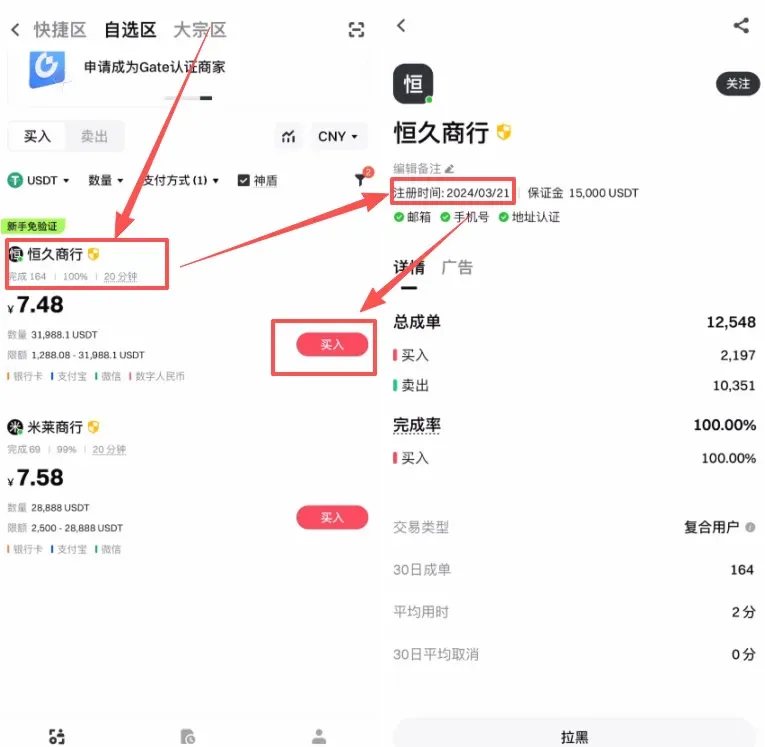
The page is divided into three sections: Quick, Custom, and Bulk.
- Quick: System‑recommended high‑liquidity merchants, suitable for small, fast trades.
- Custom: Merchants selected by the user, generally offering higher security.
- Bulk: Designed for large‑volume trades, with higher limits.
Most beginners can safely use either the Custom or Quick sections.
Choose Payment Method and Amount
Within the Custom area, first set the purchase amount (e.g., 100 USDT). Then, under Payment Method, tick the Bank Card option.
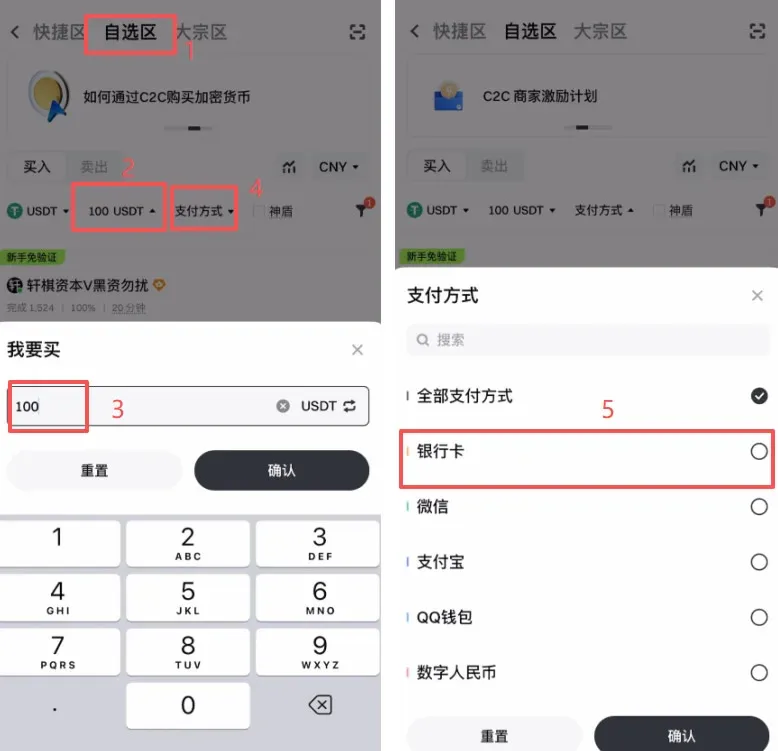
If you desire additional transaction protection, you can also enable Shield. “Shield” indicates that the merchant has posted a substantial deposit on the platform; in the event of a dispute, the platform will freeze that deposit and compensate the user.
Select an Appropriate Merchant
The system will display a list of merchants that meet your criteria. Pay special attention to the following metrics:
- Order Volume and Order Completion Rate: Higher numbers suggest a greater likelihood of successful trades.
- Registration Age: It is advisable to pick merchants that have been registered for more than one year; longer account history usually correlates with better asset safety.
- Deposit Amount and Verification Status: Ensure the merchant’s posted deposit is sufficient and that they have completed all required platform verifications.
When you are satisfied, click the merchant’s Buy button.
Fill in the Order and Choose Your Bank Card
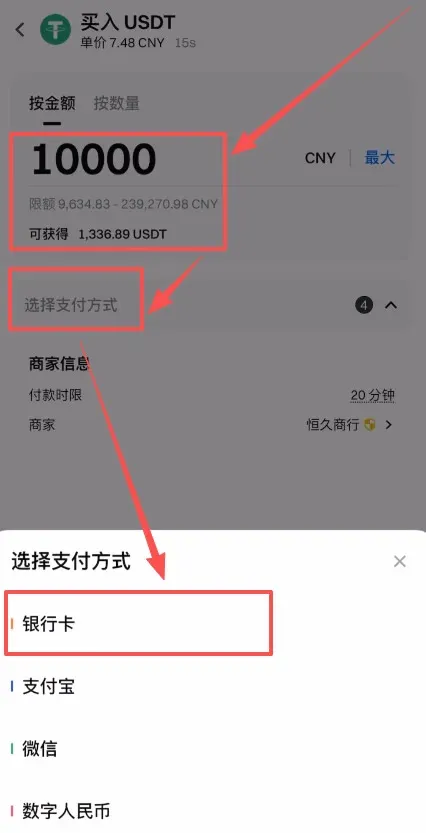
A pop‑up order page will appear. Enter either the fiat amount you wish to spend or the equivalent USDT quantity (e.g., 1,000 CNY). Then click Select Payment Method and choose Bank Card.
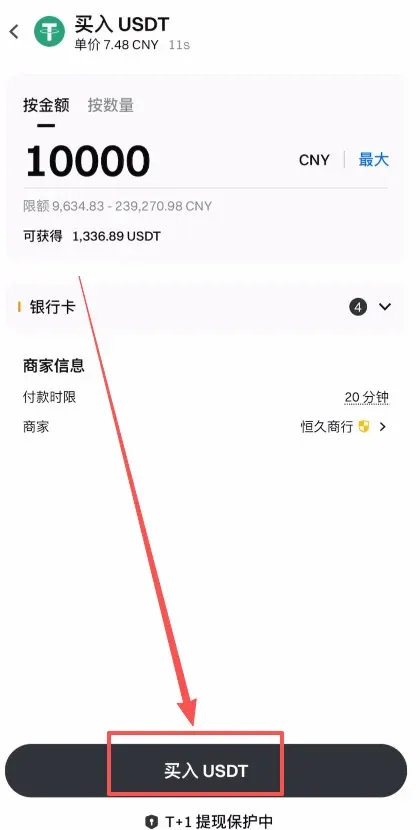
After confirming the details, tap Buy USDT.
Communicate with the Merchant for Confirmation
Once the order is generated, you can click Chat to view the merchant’s specific instructions. Common requirements include:
- Real‑name payment (the sender’s name must match the account holder).
- Do not add any extra notes in the “Remarks” field.
- No delayed settlement; the payment should be immediate.
Following these guidelines improves the success rate and protects your assets. Afterward, click Get Payment Details.
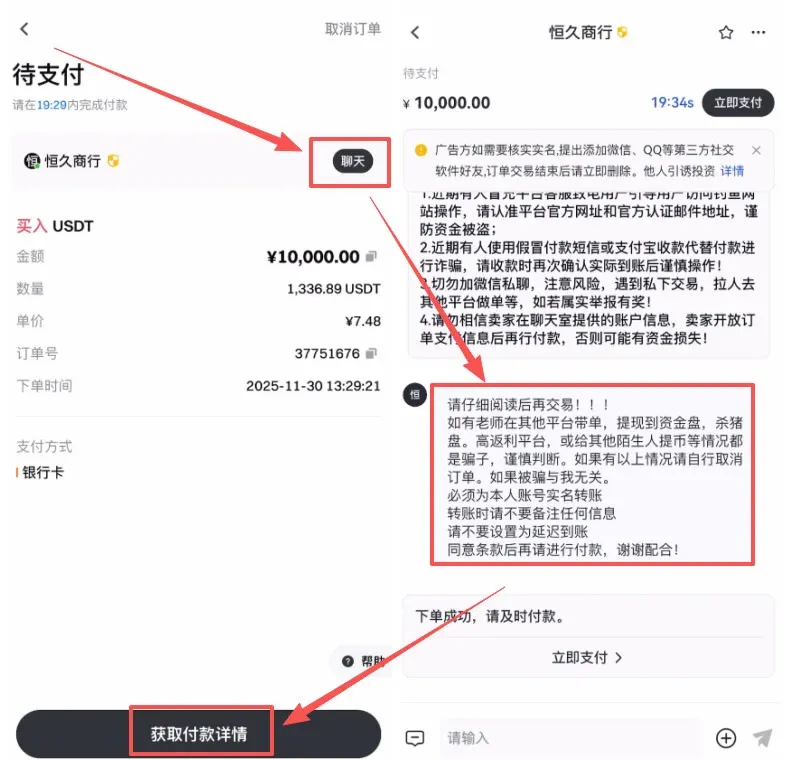
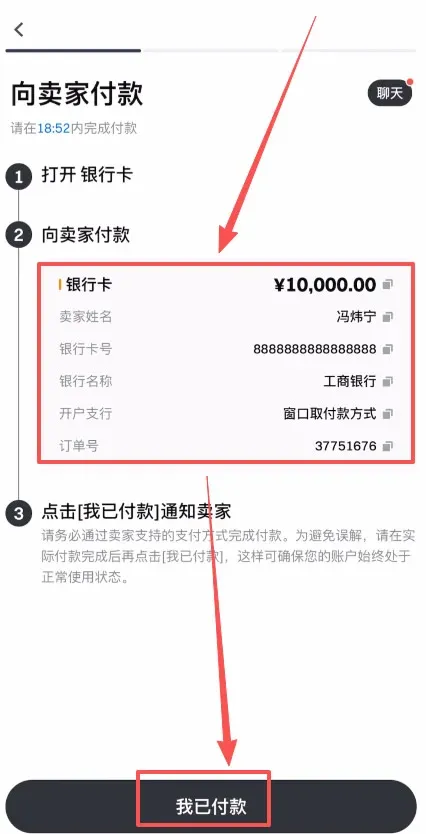
The payment‑details page will display the merchant’s name, bank account number, bank name, and branch information. If any piece of information is missing, you may request it directly in the chat window.
Complete the Transfer and Confirm
Using the bank information supplied by the merchant, perform an offline bank transfer (via SEPA, SWIFT, or domestic ACH depending on your location). Once the transfer is sent, return to the app and press I Have Paid to notify the seller that the funds have been transferred. After the seller verifies receipt, they will release the USDT to your Gate.io account, completing the entire deposit process.
Note: Cryptocurrency transactions may be subject to tax in your jurisdiction. Be sure to consult local tax regulations and consider reporting any gains or losses accordingly.
---
The steps above constitute the complete guide to depositing funds into Gate.io using a bank card. For additional Gate.io funding tips and advanced strategies, follow the other articles published by Bitaigen (比特根).
Related Reading
- BitoPro Account Opening Guide: Registration, Verification, Fees & Tips
- How to Deposit USDT On‑Chain Using OKX Mobile App
- Gate.io: Download App, Verify, Buy Crypto & Withdraw Fiat
💡 Register on Binance with referral code B2345 for the maximum trading fee discount. See Binance complete guide.



