
 Bitaigen Research
 We examine mainstream Dogecoin wallets from the perspectives of security and usability, and provide a complete step‑by‑step guide covering download, mnemonic backup, and sending/receiving. By reading this article, you can quickly grasp each wallet’s features and key usage points, avoid common risks, and make asset management easier. To master the details, keep reading!
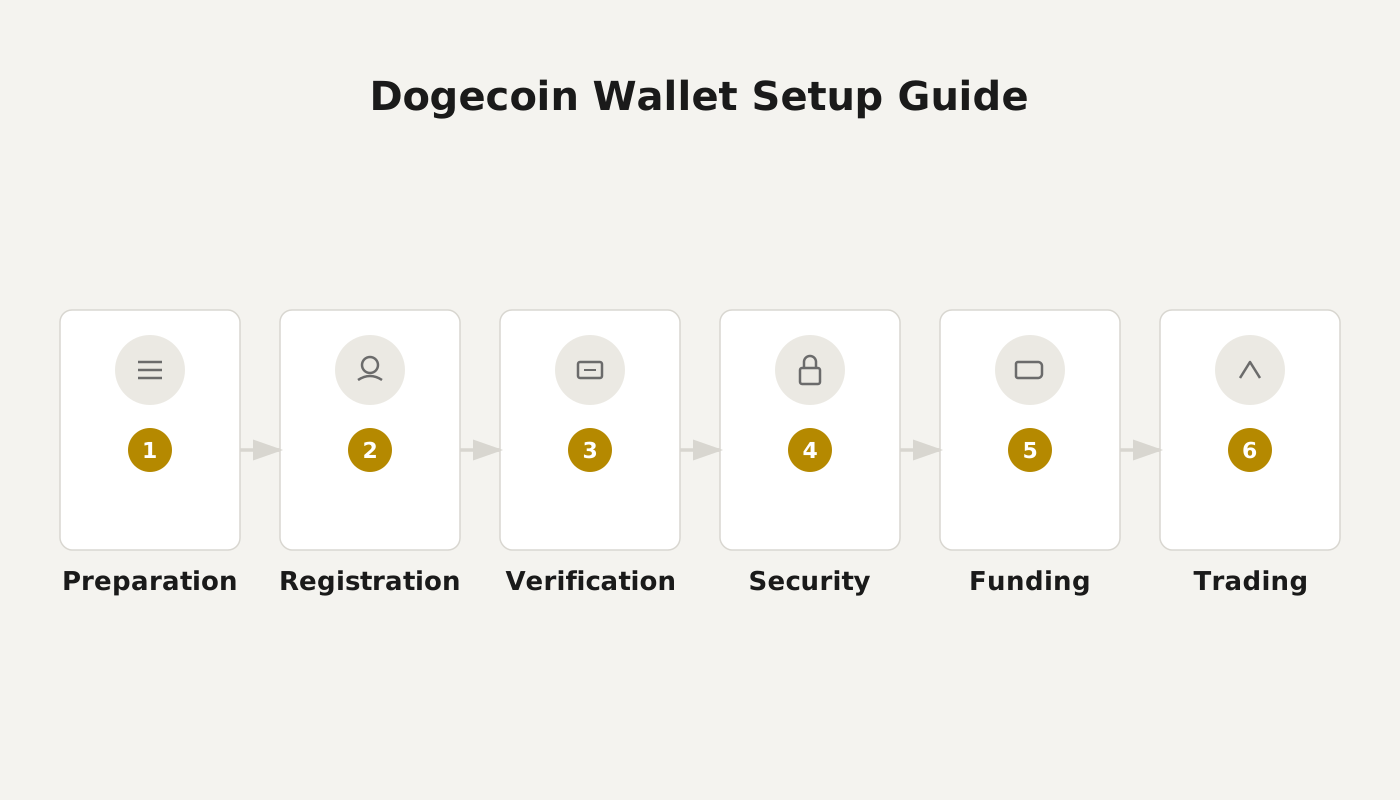
Dogecoin Wallet Usage Guide: Full Process for Download, Creation, Backup, and Transaction
- Download & Install: First, download the appropriate Dogecoin wallet for your platform from the official app store or the official website, then launch the application.
- Create a New Wallet: After opening the app, tap “Create New Wallet” and follow the prompts to enter a wallet name, set a strong password, and provide any other required information. Be sure to remember the password to prevent unauthorized access.
- Backup the Keys: Once the wallet is created, the system will generate a set of mnemonic words / private key, which functions like a bank account number. Store the backup in a secure location and never disclose it, otherwise you will lose the ability to recover your assets.
- Send & Receive Dogecoin: To send, click “Send”, enter the recipient’s address and the amount, verify the details, and submit. The system will charge a network fee to ensure the transaction is confirmed quickly. To receive, the “Receive” page displays a QR code or address that you can share.
- Check Balance & History: The main screen lets you view the current amount of Dogecoin you hold and the full history of incoming and outgoing transactions, helping you track asset flow.
- Security Tips:
- Never share your backup file or mnemonic phrase with anyone.
- Use a high‑strength password and change it regularly.
- Perform regular wallet backups and store them on offline or encrypted media.
- Beware of unknown links and phishing sites; only trade on reputable exchanges.
Once you master these steps, you can manage your Dogecoin holdings safely and conveniently.
Overview of Mainstream Dogecoin Wallets
1. Natrium (Sodium Wallet)
Natrium is a mobile wallet for Android and iOS developed by Appdito. It is open‑source, features a clean interface, and offers a user‑friendly experience. In addition to PIN protection, users can enable biometric authentication such as fingerprint or facial recognition for added security. The wallet includes a “Contacts” module where frequently used payment addresses can be saved; sharing a personal QR code makes receiving funds faster.
2. Ledger Hardware Wallet
Although the Ledger series shares the “Dogecoin” name, it is not otherwise affiliated with the cryptocurrency. The brand offers two dedicated Dogecoin devices: Dogecoin S and Dogecoin X. As an industry‑leading hardware wallet, Ledger employs dual‑button verification and two‑factor authentication, supporting more than 1,000 crypto assets. If you only need to store Dogecoin, the Dogecoin S is sufficient; if you want higher storage capacity and advanced features such as Bluetooth connectivity, choose the Dogecoin X.
3. Canoe Wallet
Canoe is a cross‑platform wallet recommended by the Dogecoin Foundation, compatible with desktop and mobile operating systems. It is also built on an open‑source protocol, giving users full control over their private keys. The wallet provides instant, zero‑fee transfers and has earned ratings above 4.5 stars on both the App Store and Google Play.
4. Exodus Wallet
Exodus is a third‑party multi‑chain wallet; after a free download you can manage hundreds of digital assets. It supports macOS, iOS, Android, and Windows, offering an intuitive interface that makes switching between different coins and monitoring an overall portfolio straightforward. The built‑in exchange feature lets users swap currencies without leaving the app, and Exodus also provides responsive customer support, enhancing the overall user experience.
Conclusion
Through this article you have become familiar with several mainstream Dogecoin wallets and their basic usage procedures. For deeper comparative information or additional related content, feel free to search the historical articles of Bitaigen or continue browsing the related posts below. Thank you for your interest and support of Bitaigen!
Related Reading
- SafePal Wallet Review: Security, UX, and Rewards Explained
- Block.io Multi-Chain Web Wallet for Bitcoin, Litecoin & Dogecoin
- imToken Wallet Asset Safety: Multi‑Layer Security Explained
💡 Register on Binance with referral code B2345 for the maximum trading fee discount. See Binance complete guide.



