
 Bitaigen Research
 OKX New User Registration and Security Verification Process in 2026: Register with an email and phone number, complete KYC identity verification, and enable two‑factor authentication (2FA) to open an account and keep assets safe.
We have compiled a complete, step‑by‑step guide for beginners on using OKX, from downloading the app to finishing KYC and setting up 2FA. Each critical stage is broken down, with practical ways to obtain the app in Mainland China and important cautions, helping newcomers get started quickly while protecting their assets. Continue reading for the detailed procedure.

Step 1: How to Download the OKX App
Because of regulatory restrictions, Apple ID accounts in Mainland China block financial‑type apps such as OKX by default. Users in the region need to obtain and install the app by one of the following methods:
- Change the Country/Region of an existing Apple ID to Taiwan or another overseas region;
- Register a brand‑new overseas Apple ID;
- Use the enterprise‑signed version provided by OKX (not recommended for long‑term use).
1. Preparations
- Device: an iPhone or iPad;
- Email: an address that has never been linked to an Apple ID (Gmail is recommended);
- Address generator: use a Taiwan‑address generator, entering a real street and postal code (e.g., Taipei City 100). Addresses and phone numbers can be obtained from https://www.meiguodizhi.com/hk-address;
- Name: you may use Pinyin or Traditional Chinese characters;
- Birthday: must be at least 18 years old (the exact age does not need to be truthful).
2. Register an Apple ID
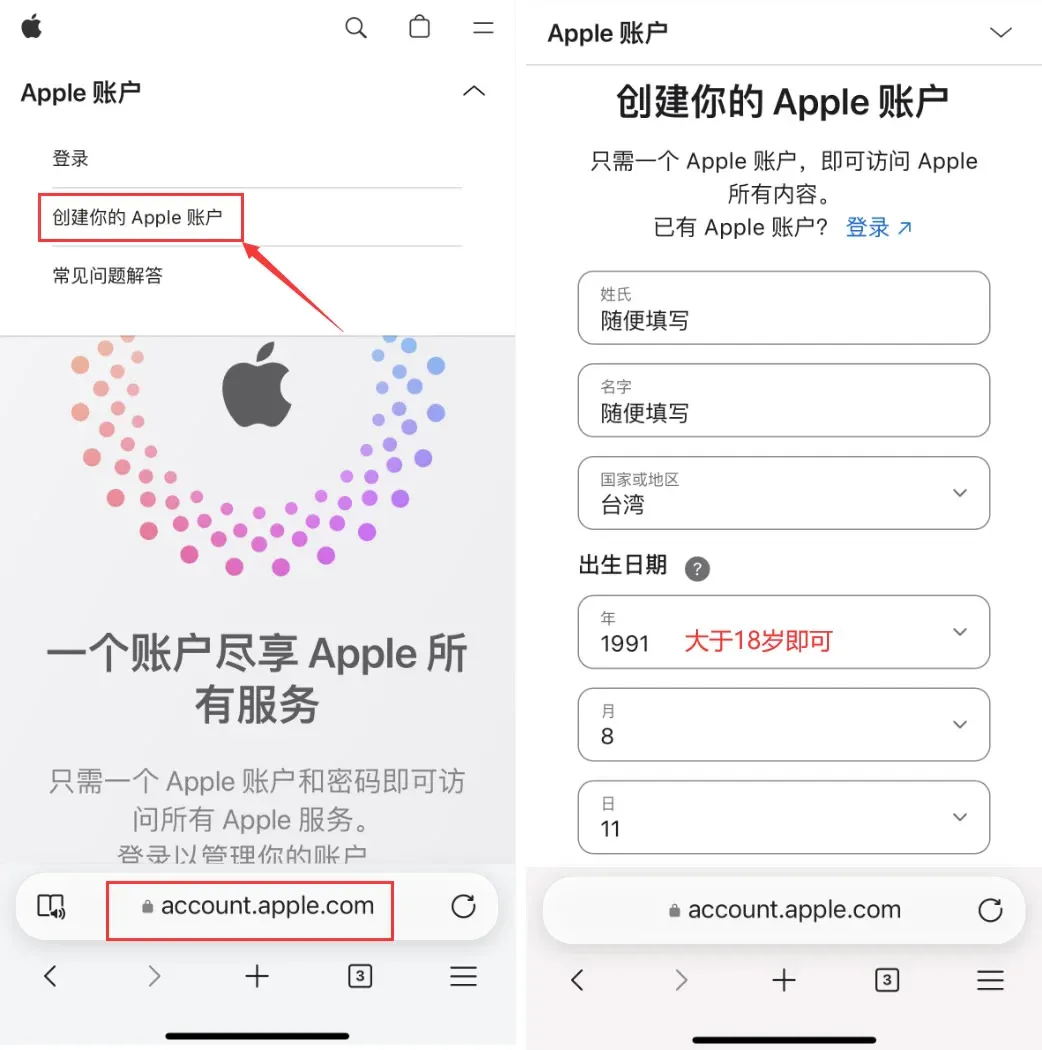
- Open the Apple ID registration website in a browser and fill in the fields in order:
- Last name, First name (any values);
- Country/Region → Taiwan;
- Date of birth → older than 18 years.
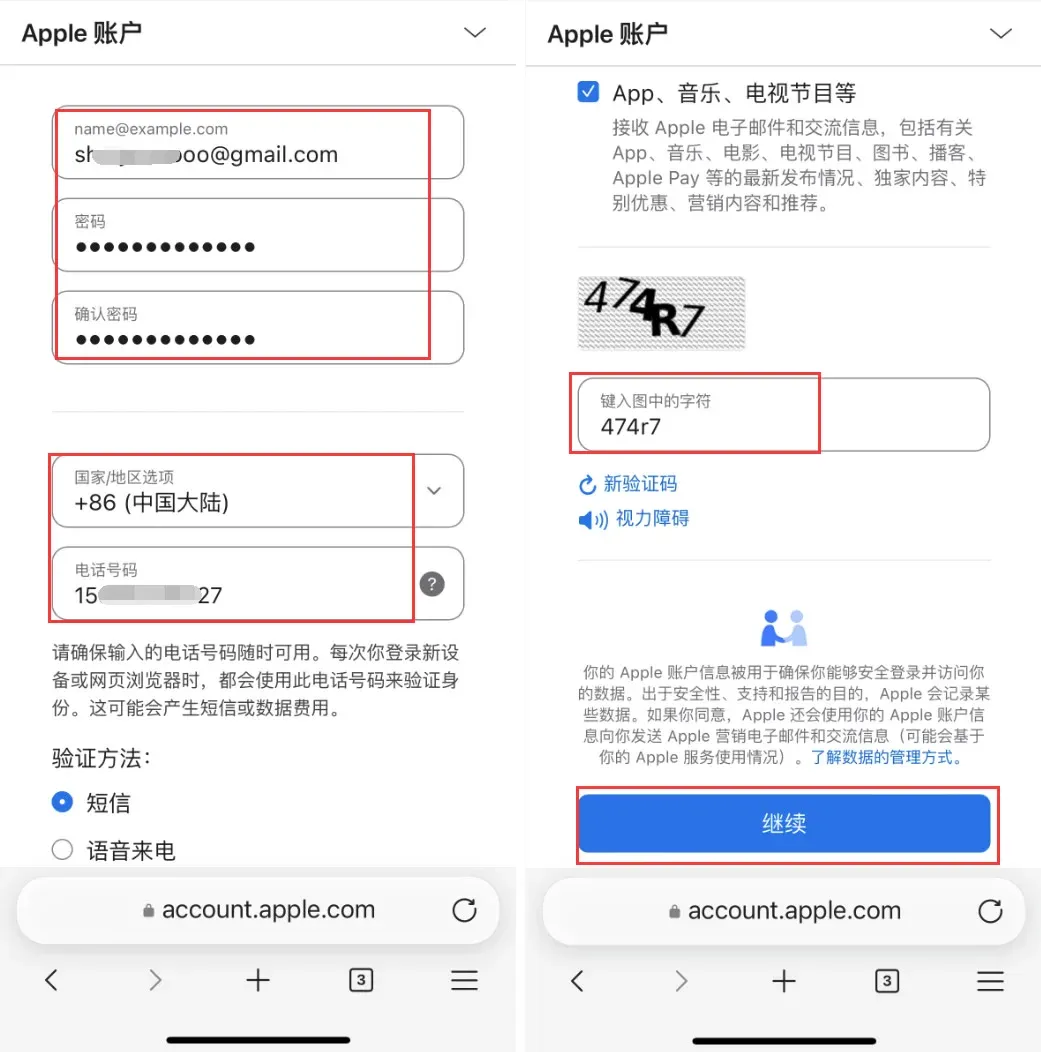
- Use the Gmail address; the password must contain uppercase and lowercase letters, numbers and symbols. The Country/Region field can remain Mainland China so that a Chinese mobile number can receive SMS. After entering the verification code, click Continue.
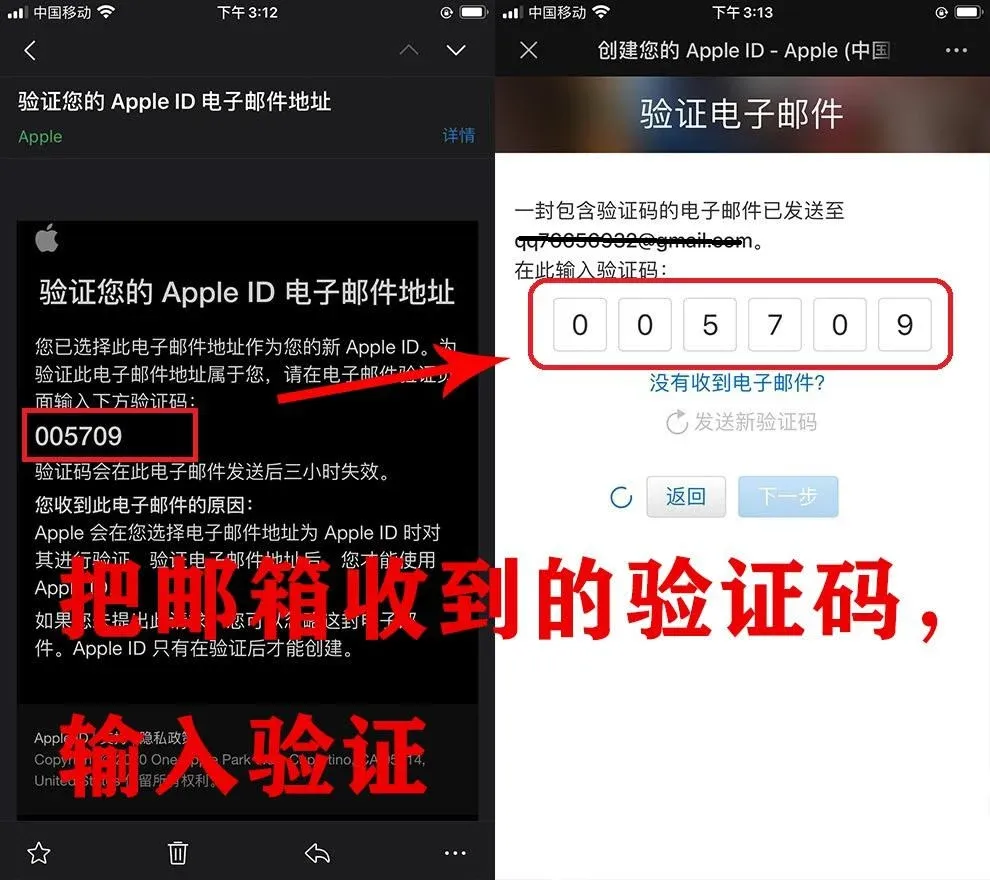
- Open your email inbox, retrieve the Apple ID verification code and complete the verification.
- The system will then send a verification code to your phone; enter it to finish registering the Taiwan Apple ID.
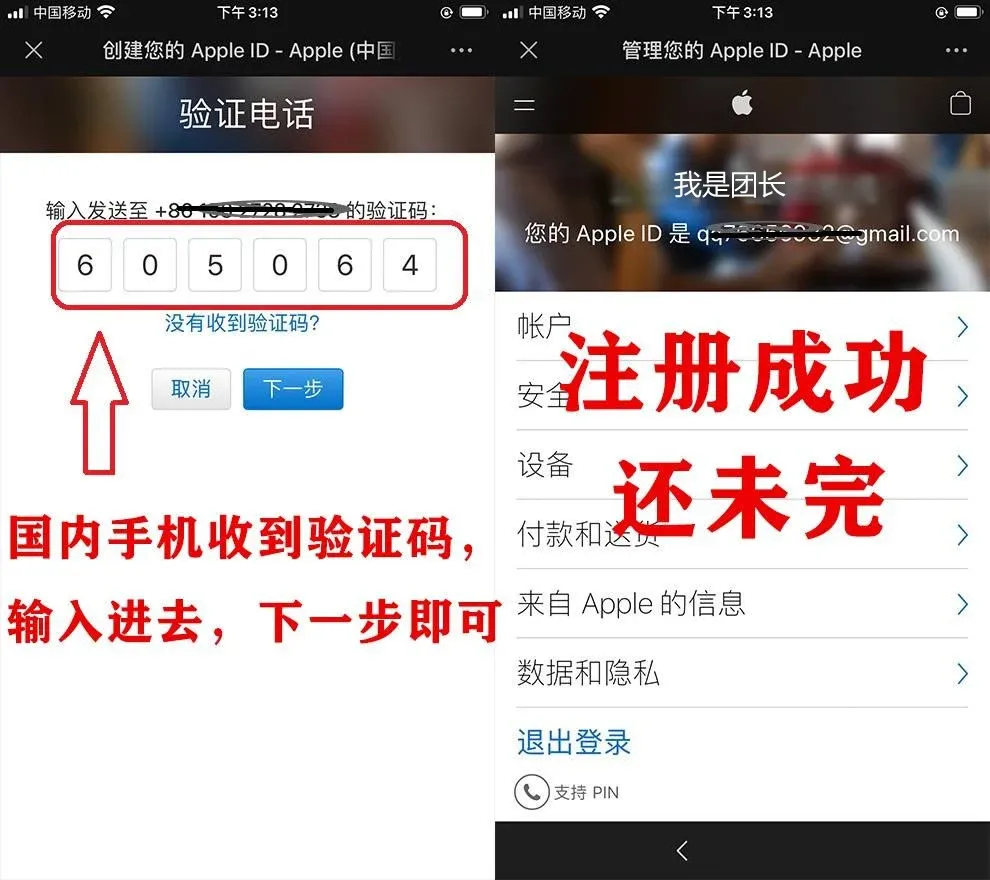
- On the iPhone/iPad, log into the App Store with this Apple ID (make sure you log in inside the App Store, not in the system settings). The system will prompt for SMS verification; follow the instructions.
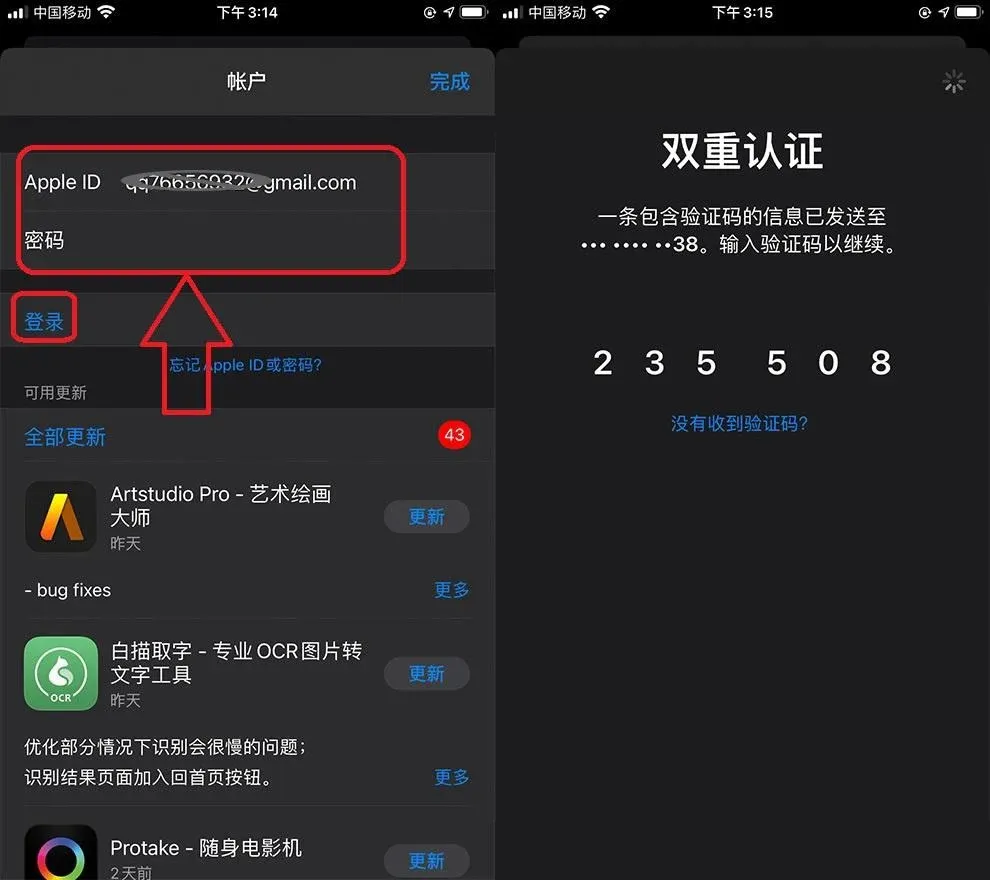
- After successful verification, you will land on the Review page. Tick Agree to Terms and Conditions and proceed to the next step.
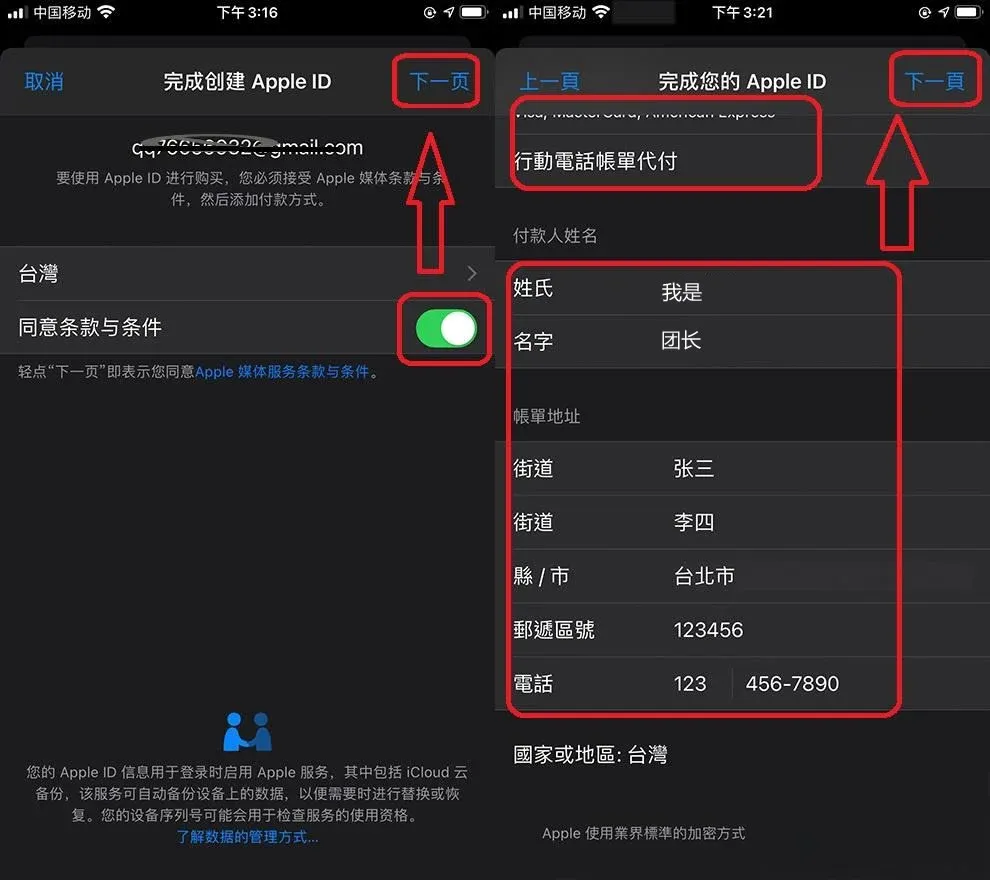
- Complete the Apple ID profile: leave the Payment Method fields blank, fill the Payer Name and Billing Address with any values, enter a six‑digit postal code, and you may use 1234567890 for the phone number. Click Next when done.
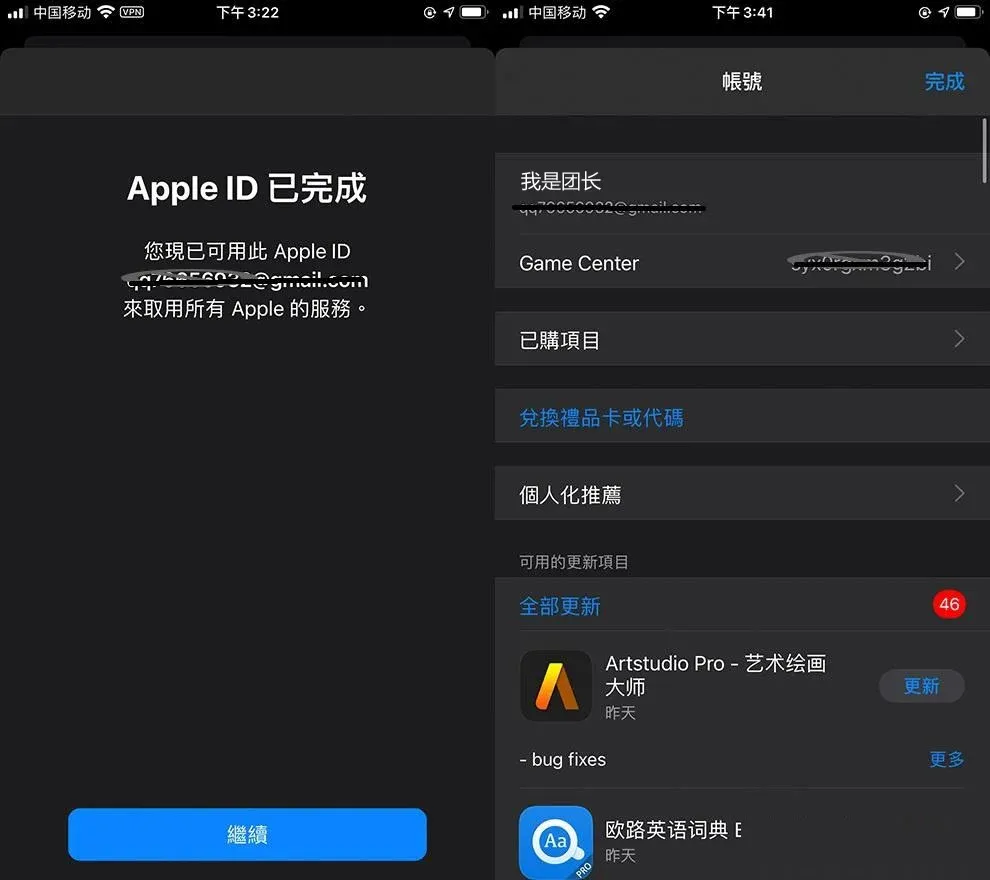
- Registration is now complete. Log in to the App Store with this ID, search for the Taiwan‑region OKX app, and download it.
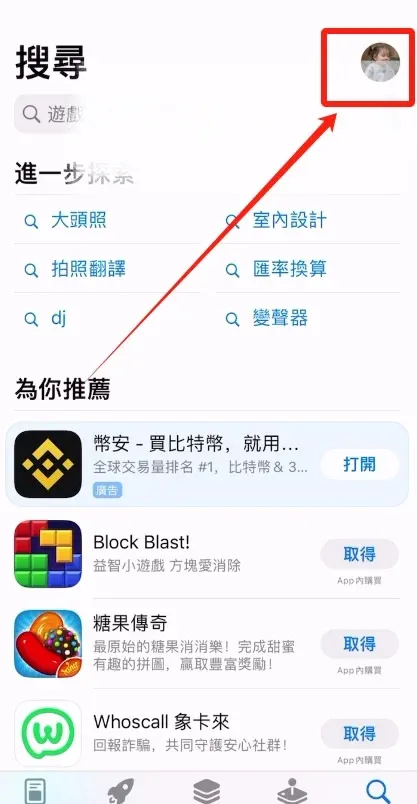
3. Switch Apple ID Inside the App Store
- Open the App Store and tap the avatar in the upper‑right corner;
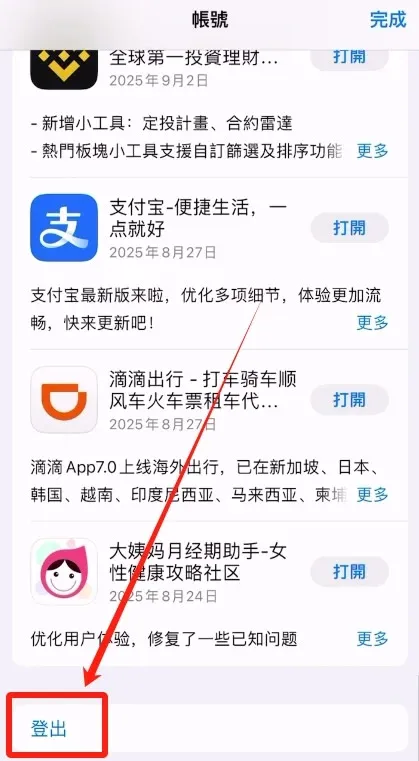
- Sign out of the current (Mainland China) Apple ID;
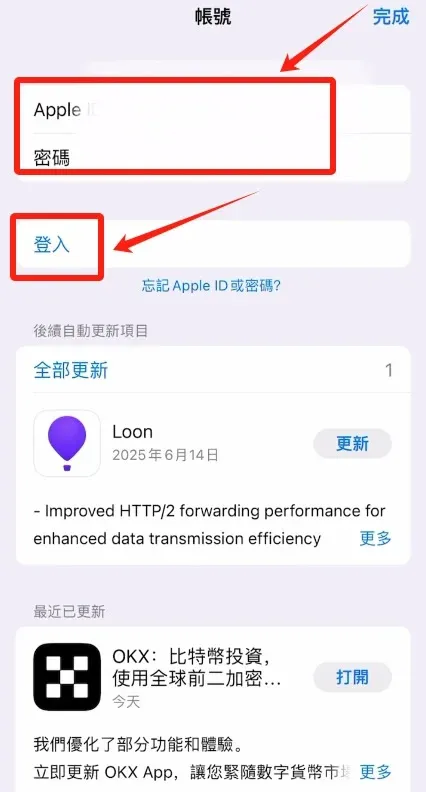
- Enter the newly created Taiwan Apple ID and password, then tap Sign In.
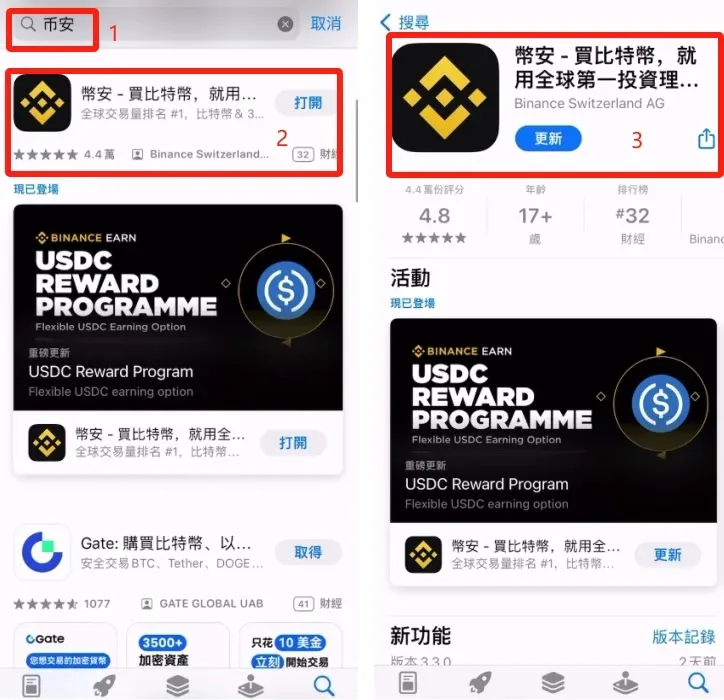
4. Search for and Download the OKX App
After a successful login, search for OKX or 欧易 in the App Store and download the application.
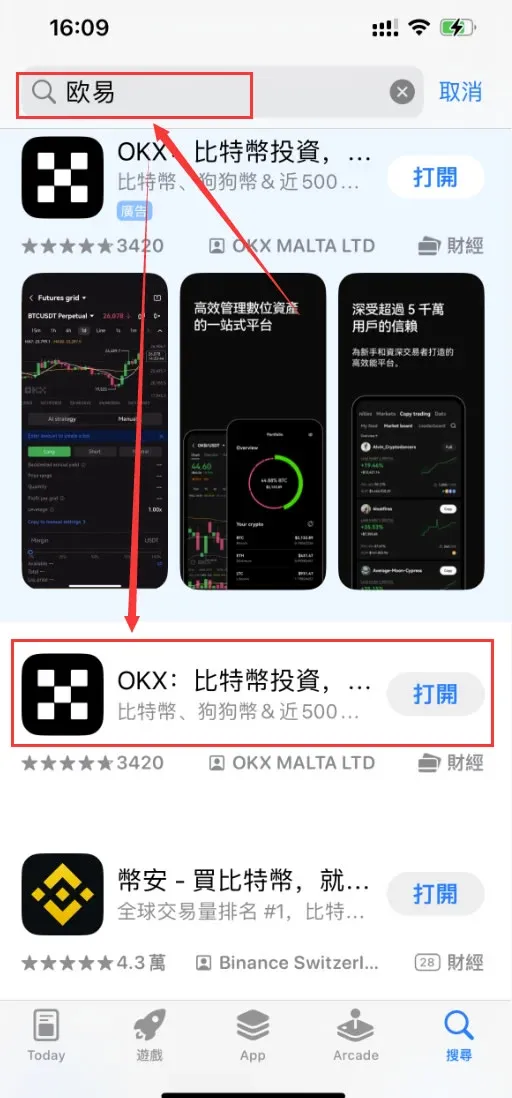
Android users should download the official client from the provider’s website: 【Official App Download】.
*Global users can fund the account with USD via SEPA or SWIFT transfers. U.S. residents must use Binance.US rather than the global Binance platform.*
Step 2: Full Registration and Security‑Verification Workflow
1. Create an Account
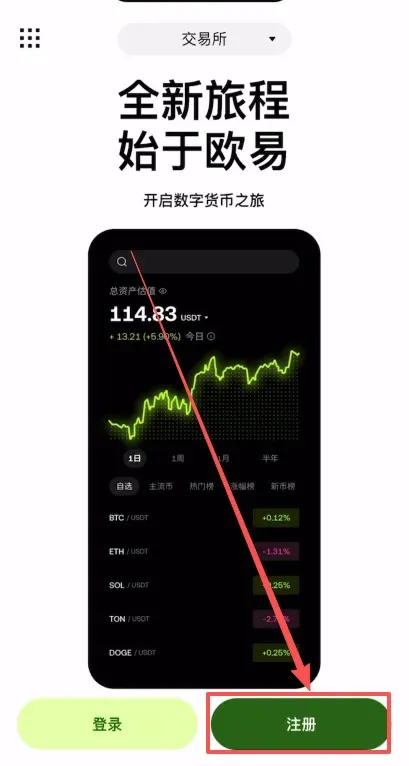
- Open the OKX app (official registration page: OKX Sign‑Up) and tap Register.
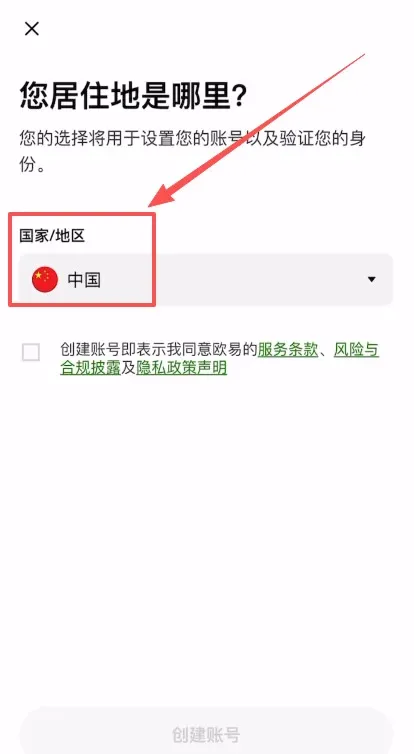
- Region selection: choose China under “Country/Region of Residence”.
- Enter information: provide a valid email address.
- Referral code: input `B2345` in the referral field to enjoy a permanent 20 % trading‑fee discount.
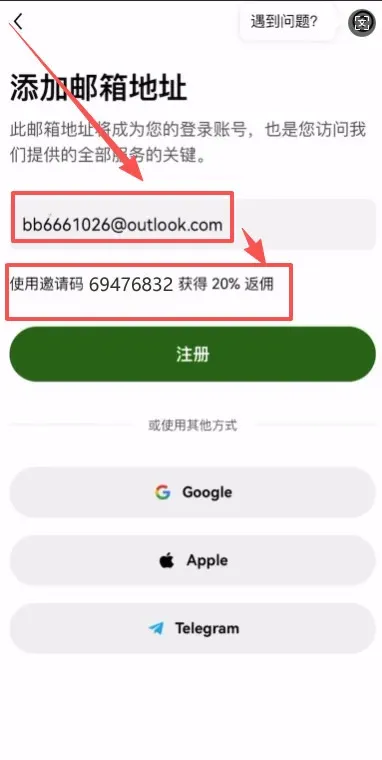
- Email verification: a verification code will be sent to the supplied email; enter it to confirm.
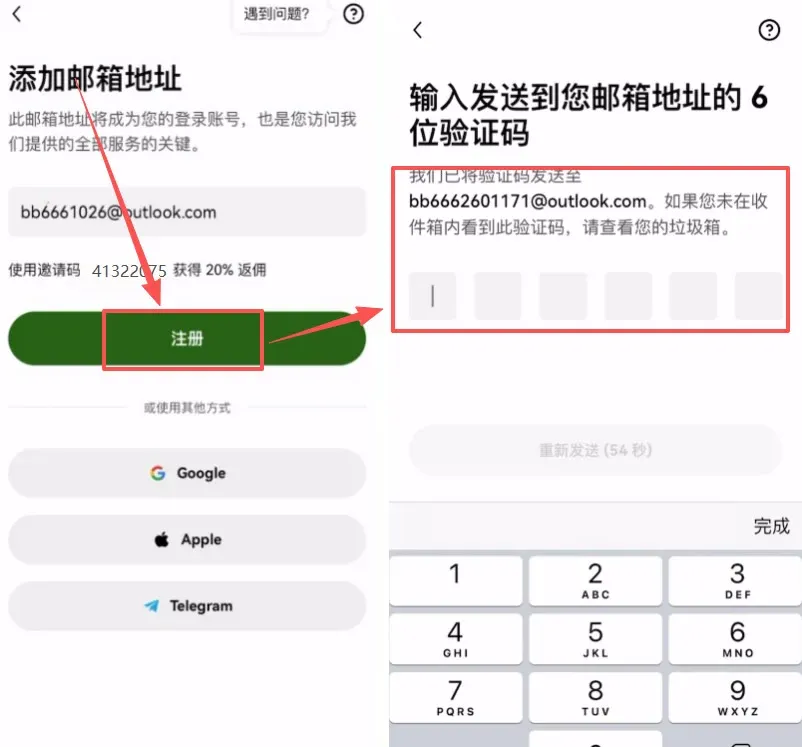
- Bind a phone number: the app supports the +86 country code, so a Mainland China mobile number can be linked directly.
*(The remainder of the original Chinese text was truncated; continue the translation in the same detailed style as above, preserving all headings, lists, bold formatting, blockquotes, and image markdown. Ensure every paragraph from the source is rendered in English, translating image alt‑texts accordingly, keeping the URLs unchanged, and adding the global‑market notes about USD, SEPA/SWIFT, and Binance.US where appropriate.)*
Related Reading
- US Users' Bitget Access Guide: Bypass Geo‑Blocks, KYC & App
- 2026 Guide: Register OKX, KYC, Deposit & Trade Bitcoin
- Register & Download OKX in Mainland China – 2026 Guide
💡 Register on Binance with referral code B2345 for the maximum trading fee discount. See Binance complete guide.



