Bitaigen Research
 After initiating an on‑chain withdrawal on OKX (formerly known as OKEx), you may sometimes encounter situations where the assets take an unusually long time to arrive or where an accidental mistake was made during the process. These issues are usually caused by irregularities at different stages of the withdrawal workflow. Below we provide a comprehensive, step‑by‑step guide covering the full‑chain explanation of withdrawal statuses, methods for diagnosing common anomalies, and remedial actions for user errors. The goal is to help you pinpoint the root cause quickly and take the appropriate measures.

The Bitaigen editorial team has compiled the most frequent bottlenecks and error‑recovery strategies in the OKX withdrawal pipeline. By breaking down each status in detail, users can identify why a delay occurs, learn the optimal timing for cancellation or correction, and avoid having assets frozen for an extended period. This article walks you through recognizing abnormalities and applying the corresponding remedies, thereby improving your overall withdrawal experience.
1. Complete Withdrawal Process (Four Phases)
A typical withdrawal passes through Withdrawal Requested → Pending → Withdrawal In Progress → Completed in that order. The meaning of each phase is described below:
1.1 Withdrawal Requested / Pending
- When the interface shows “Withdrawal Requested” or “Pending,” the system is still queuing your request for processing. Usually this takes only a few minutes. If the queue time is unusually long, it is generally because a large number of withdrawal requests were submitted at the same time; the system processes them sequentially based on submission order, and no manual intervention is possible.
- During either of these two phases you can cancel the withdrawal within 1 minute by clicking the “Cancel” button. The assets will be returned to your OKX account and the network fee will be refunded as well.
1.2 Withdrawal In Progress
- When the status switches to “Withdrawal In Progress,” the transaction has already been broadcast to the blockchain and is awaiting miner (or validator) confirmations. Confirmation time depends on the fee you paid, current network congestion, and the specific chain’s block time; it can range from a few minutes to over ten minutes. Patience is required.
1.3 Completed
- “Completed” indicates that OKX has finished the outbound transfer. A transaction hash (TxID) now exists on the chain, and the transaction is waiting for block confirmations. If the receiving party still does not see the funds, you will need to verify the on‑chain details.
1.4 Cancelled
- If you voluntarily cancel a withdrawal, the system restores the assets to your account, the transaction record will display “Cancelled,” and no on‑chain hash will be generated.
2. How to Check the Current Withdrawal Status
2.1 Retrieve the Transaction Hash (TxID)
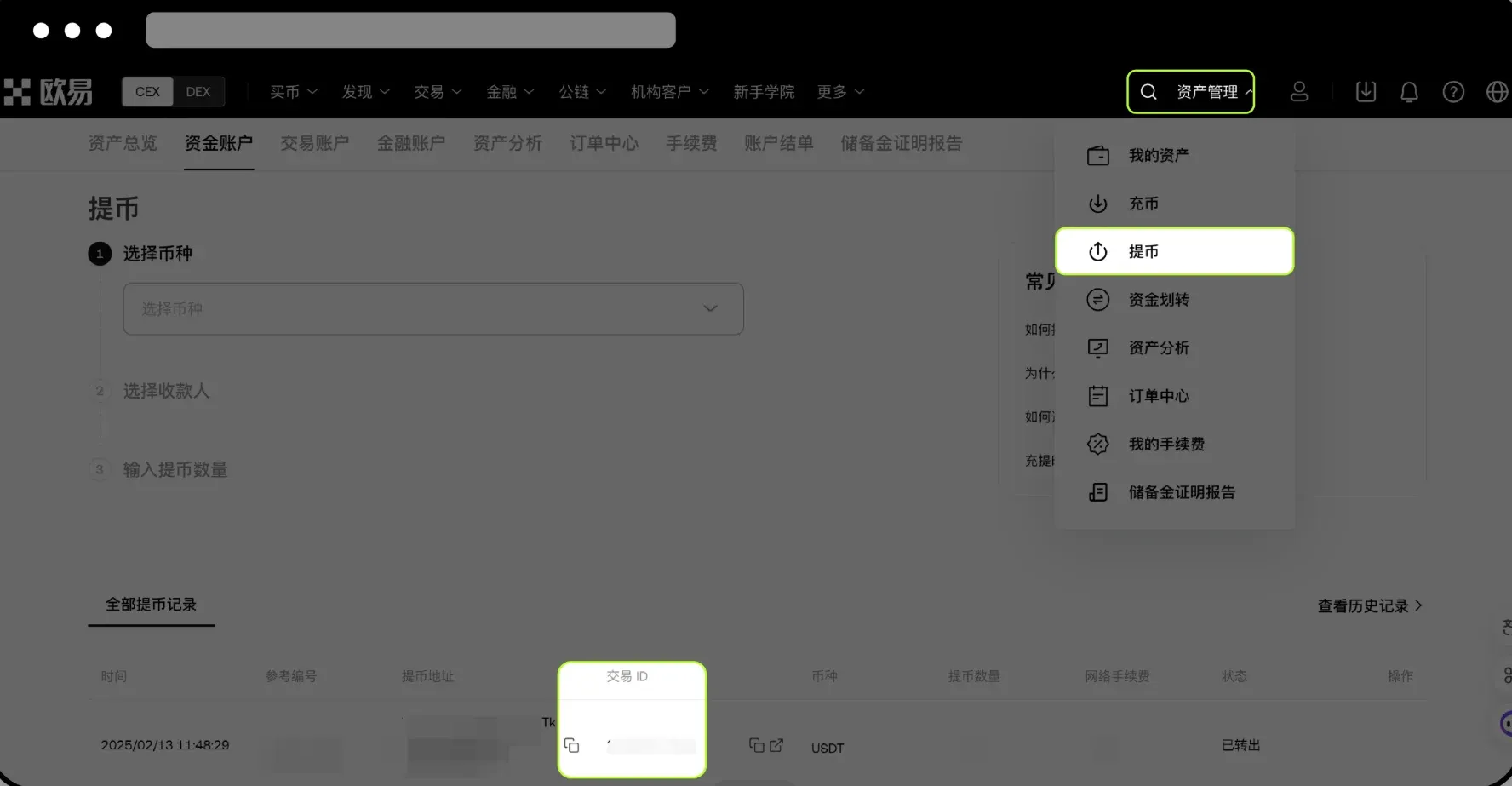
- Log in to your OKX account and navigate to [Assets] → [History] → [Deposit & Withdrawal].
- Locate the relevant withdrawal entry and copy its Transaction Hash (TxID).
⚠️ If the page does not display a TxID, the platform is still processing that particular withdrawal. Please check back later.
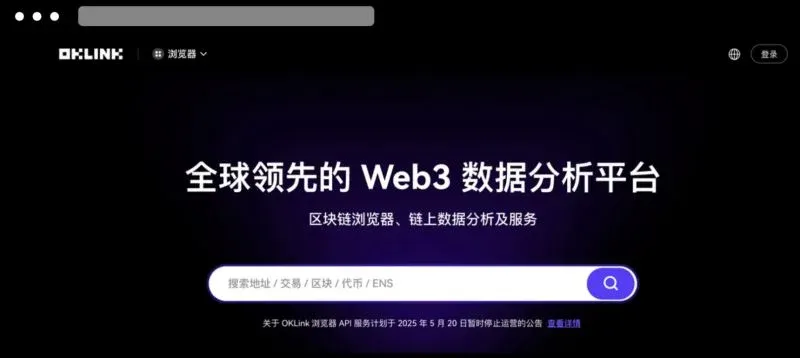
2.2 Query the Transaction on a Blockchain Explorer
Select the explorer that corresponds to the network you used for the withdrawal, for example:
- BTC, ETH, X‑Layer and other major networks (over 60 supported)
- https://www.oklink.com/zh-hans, https://www.unicove.com/en/vaulta, https://explorer.zksync.io/, https://uniscan.xyz/ and similar services
Paste the copied TxID into the explorer’s search bar and press Enter to view the on‑chain transaction details.
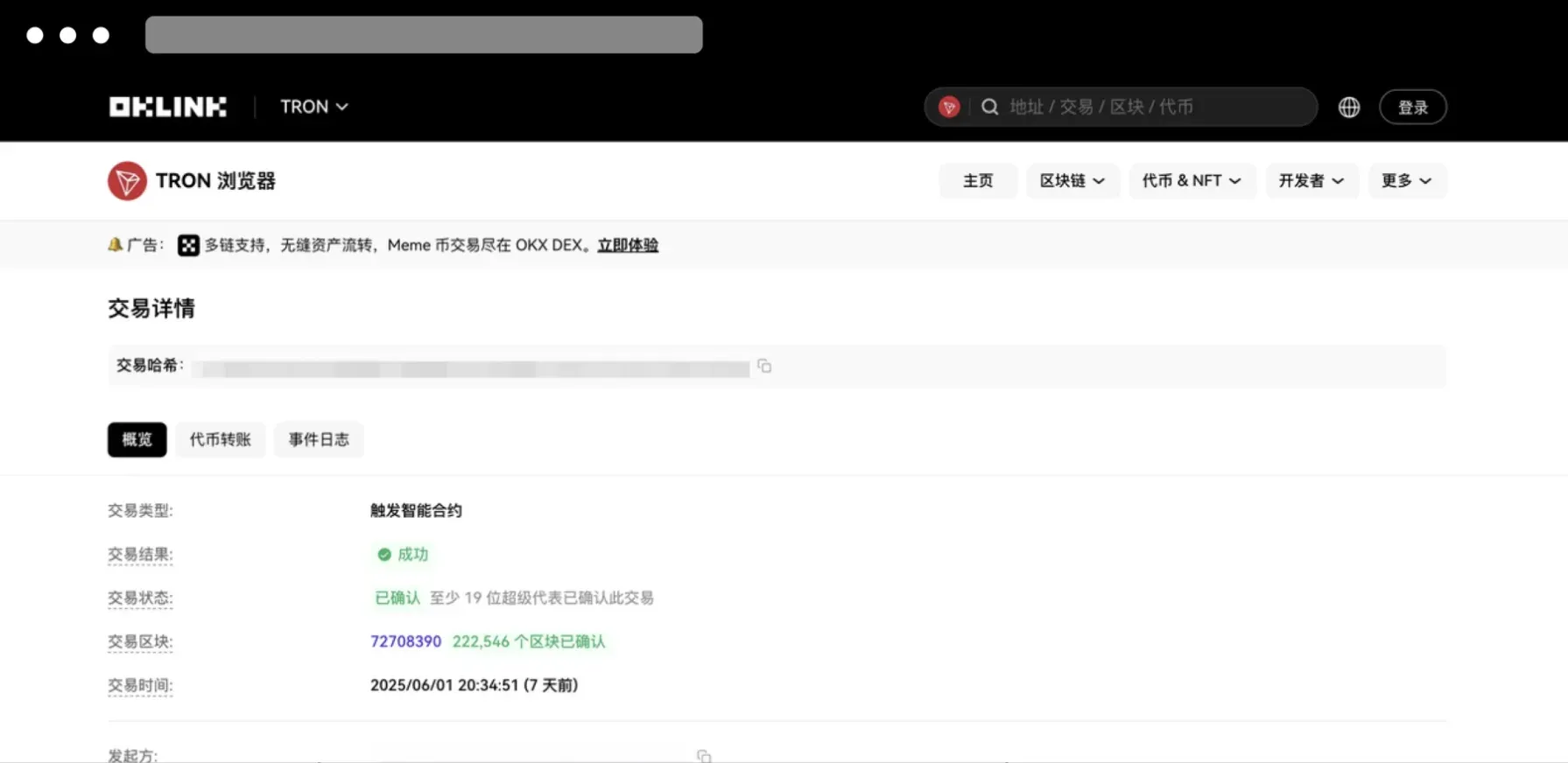
2.3 Take Follow‑Up Actions Based on On‑Chain Status
| On‑Chain Status | Possible Reason | Recommended Action |
|---|---|---|
| **Success** (funds received) | Asset has been confirmed on‑chain but the receiving platform does not show it | Verify that the destination address, network, and any required Tag/Memo were entered correctly. If everything looks right, contact the receiving platform’s support team. |
| **Broadcasted, awaiting confirmation** | Network congestion or insufficient fee causing a delay | Continue to wait; most transactions confirm within a few minutes to a few tens of minutes. |
| **Failed** (not broadcast) | Fee too low, network anomaly, etc. | Open a support ticket with OKX, attach a screenshot of the withdrawal record, and request further investigation. |
| **Not found** | Transaction has not yet been included in a block | Wait a short while and query again. If the hash never appears, reach out to OKX support to confirm whether the transaction was ever sent. |
3. Common Scenarios Where the Withdrawal Does Not Arrive and Their Resolutions
3.1 Status Shows “Completed” but the Counterparty Has Not Received Funds
At this point the assets have left OKX and a on‑chain confirmation record exists. Because blockchain transactions are irreversible, the exchange cannot directly pull back or refund the funds. You can:
- Provide the receiving platform with the TxID so they can verify whether the funds arrived or were returned due to an address mismatch.
- If the counterparty confirms that the funds were returned to OKX, forward the return‑transaction hash to OKX support for further tracing.
⚠️ Refunds can only be initiated by the receiving platform; OKX itself cannot intervene in the return process.
Special Alert: Funds Sent to a Scam Address
- If you suspect the destination address belongs to a fraudulent entity, follow the platform’s anti‑scam guidelines immediately, preserve any chat logs, and consider filing a police report or notifying OKX.
3.2 Status Stuck at “Withdrawal In Progress”
A prolonged stay in this phase often indicates that the transaction is queued behind many others during a network peak. The assets are still awaiting confirmations on the blockchain, so you should simply monitor the transaction without re‑submitting another withdrawal.
3.3 Status Shows “Withdrawal Requested” or “Pending”
The withdrawal has not yet been broadcast to the blockchain. If you notice an address or amount mistake within 1 minute, click “Cancel” and re‑initiate a correct request. After that window closes, you must wait for the system to process the request in order.
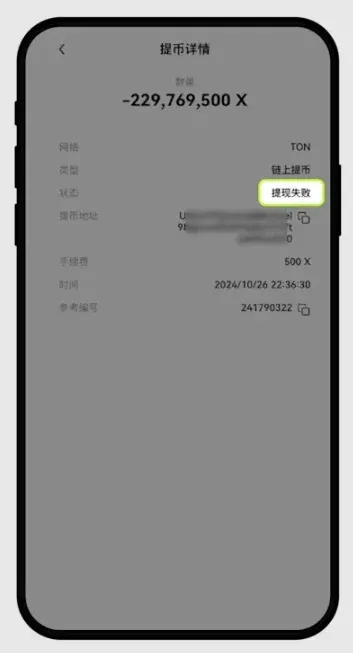
3.4 Page Displays “Withdrawal Failed”
A failed status means the withdrawal request was never executed and no fee was deducted. You can safely submit a new withdrawal. If failures persist, open a support ticket with OKX for assistance.
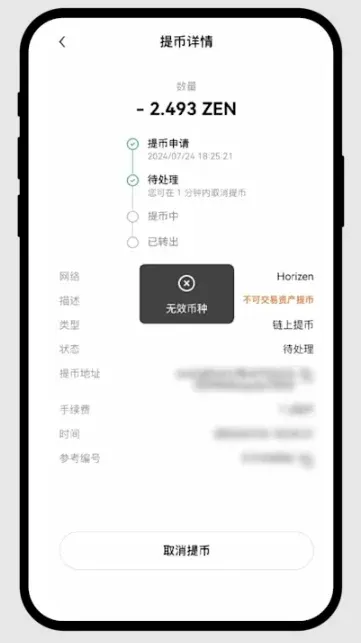
3.5 Unexpected Page Errors or Exceptions
Typical error messages such as “Internal Error” or “Invalid Currency” are usually caused by a mismatch between the selected coin and network. Ensure that the cryptocurrency you are withdrawing is supported on OKX for the chosen network, then refresh the page and try again.
3.6 Abnormal On‑Chain Status
If the blockchain explorer cannot locate the transaction or marks it as “Failed,” possible causes include network congestion, an under‑paid fee, or temporary chain issues. Provide the TxID to OKX support so they can perform a deeper investigation.
4. Why Might a Withdrawal Take an Excessively Long Time? – Summary of Common Causes
- Delayed Block Confirmations
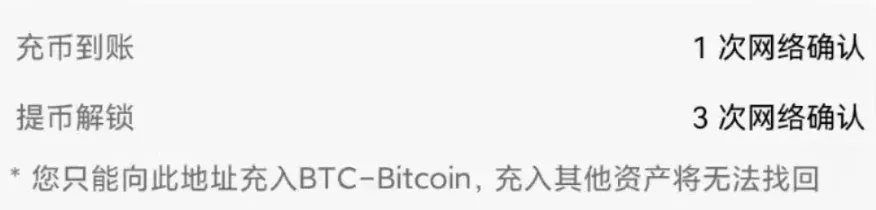
- Even after OKX marks the withdrawal as completed, the transaction still needs to be confirmed by miners/validators on the destination chain. Only after the required number of confirmations will the receiving platform display the funds. In this case, ask the receiving platform to check the on‑chain transaction record.
- Incorrect Network Selection
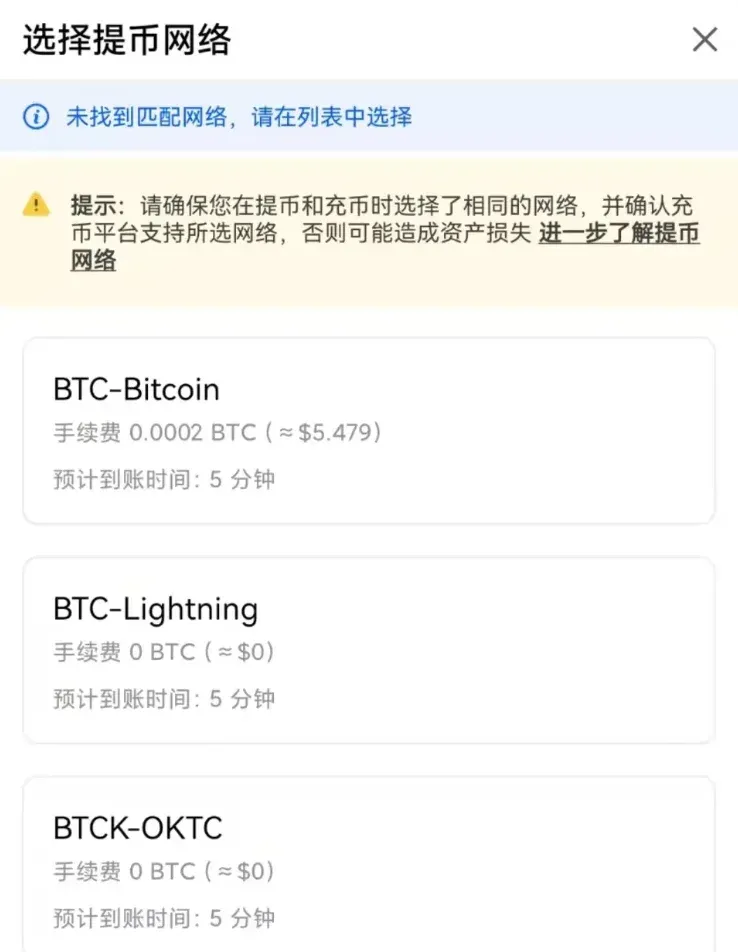
- Always select the same blockchain that the receiving platform expects (e.g., ERC‑20 vs. TRC‑20). Using the wrong network will result in the assets being sent to an address that the destination service does not monitor, causing a “missing funds” situation.
- Missing or Wrong Tag/Memo
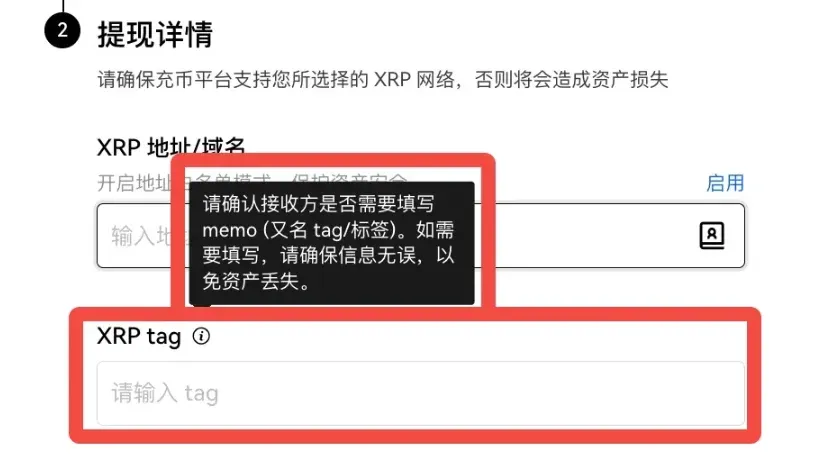
- Some tokens (such as XRP, EOS, and certain newer assets) require an additional Tag or Memo field. An omitted or incorrectly entered tag will prevent the receiving platform from crediting the funds to the intended account. Double‑check this information and share it with the counterparty if needed.
Recommended Verification Steps
- If the explorer shows “Unconfirmed,” simply wait until the required confirmations are reached.
- If the explorer shows “Confirmed” but the receiving platform still shows zero balance, contact that platform’s support team and provide TxID, deposit asset, and your receiving account details.
If a TxID has not been generated within 1 hour of submitting the withdrawal, take a screenshot of the withdrawal entry and submit it to OKX’s live‑chat support; the ticket will be escalated with higher priority.
5. Procedure When the Withdrawal Is Marked “Completed” Yet the Counterparty Platform Shows No Deposit
5.1 Transaction Not Yet Confirmed on‑Chain
The hash exists, but the network is still awaiting confirmations. Send the hash to the receiving platform and explain that the funds are on‑chain and pending confirmation.
5.2 Transaction Already Confirmed on‑Chain
If the required number of confirmations has been met but the deposit still does not appear, supply the following information to the counterparty’s support team:
- Registered email address or phone number on the receiving platform
- Deposit asset (e.g., USDT)
- Transaction hash (TxID)
The receiving platform will then perform an internal audit using these details.
6. Remedies for Common User Mistakes During Withdrawal
6.1 Sent to an Incorrect Address
- If you know the owner of the address: Contact them directly and request a return.
- If the address belongs to an unknown party: Blockchain data can reveal only the address itself; the real‑world identity is not publicly accessible. Your only option is to reach out to the service that controls the address (if identifiable) and ask for assistance, though success is not guaranteed.
6.2 Chose the Wrong Chain (Cross‑Chain Error)
Method 1: Recover via OKX Wallet
- Open the OKX mobile app, go to [Web3] → [Import Wallet], and import the private key or seed phrase of the address that was used on the wrong chain.
- Switch the network within the wallet to the one you mistakenly selected (e.g., X‑Layer). Your assets will now be visible in the wallet.
- Transfer the assets back to an OKX‑supported deposit address on the correct chain, then initiate a proper withdrawal from OKX.
Method 2: Recover via MetaMask
- Import the same private key/seed phrase into MetaMask.
- Add the erroneous network (e.g., BSC, Polygon) to MetaMask and switch to it; you should see the misplaced funds.
- Send the assets to the appropriate OKX deposit address for the intended chain, and then perform a correct withdrawal.
Why this works: The funds were indeed sent to the address you own; they only appear “missing” because the wallet you were using did not support the selected blockchain. Importing the key into a wallet that does support that chain makes the assets visible and transferable.
6.3 Missing or Incorrect Tag/Memo
Tokens that require a Tag/Memo will not be credited correctly if the field is omitted or wrong. In such cases, contact the receiving platform’s support, provide the TxID together with the correct Tag/Memo, and ask them to manually associate the deposit with your account.
7. Correct Way to Perform an OKX Withdrawal
If you do not yet have an OKX account, you can register using the following link and receive a referral bonus:
- Referral Code: `B2345` (permanent 20 % fee discount)
- OKX Registration Page (global)
- OKX App Download (global)
New users who sign up with the above link or referral code can earn up to 50 USD in rewards, provided the code is entered during registration.
Basic Withdrawal Steps (Example Using USDT)
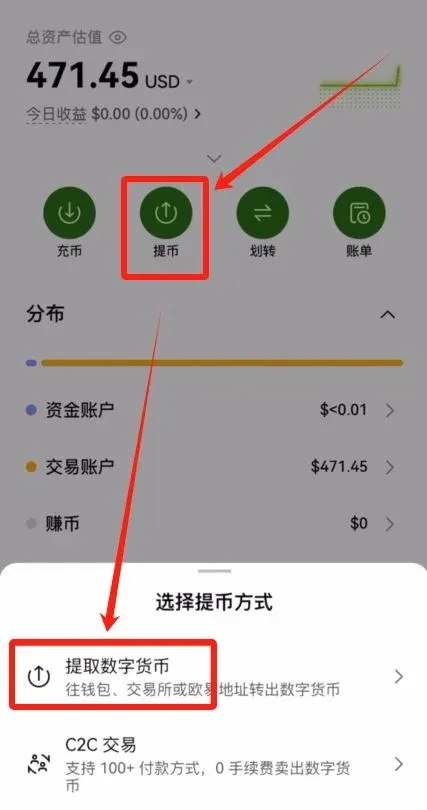
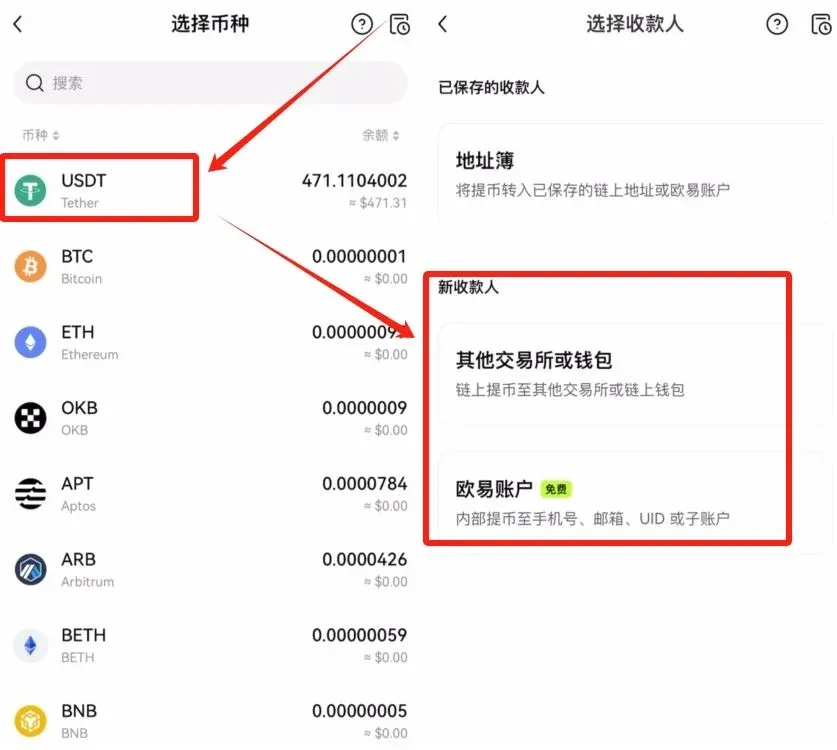
- Open the OKX app, tap the [Assets] tab at the bottom right, then select [Withdraw] → [Withdraw Crypto].
- Choose the cryptocurrency USDT, enter the destination address (for example, a Binance deposit address) and confirm the network (e.g., TRC‑20).
- The system will automatically display a fixed network fee (e.g., 2.3 USD). This fee does not change with the withdrawal amount.
- If you wish to adjust the amount you will receive, edit the “Amount to Receive” field; the app will recalculate the net amount after deducting the fee.
- Review all details, submit the request, and complete the secondary security verification (SMS, Google Authenticator, or hardware token). The withdrawal will then be processed.
Note for U.S. users: If you reside in the United States, you must use Binance.US (or another U.S.-compliant exchange) as the receiving platform; the global Binance platform is not available to U.S. residents.