
 Bitaigen Research
We have compiled the complete USDT‑selling workflow for the two leading platforms, Binance and OKX, with a focus on how to add a payout method, verify that the buyer’s payment is made from a personally‑verified (KYC) account, and avoid the risks associated with money‑laundering “caravan” accounts. Master these points and you can safely sell U and withdraw your funds without trouble. For a step‑by‑step walkthrough, continue reading.
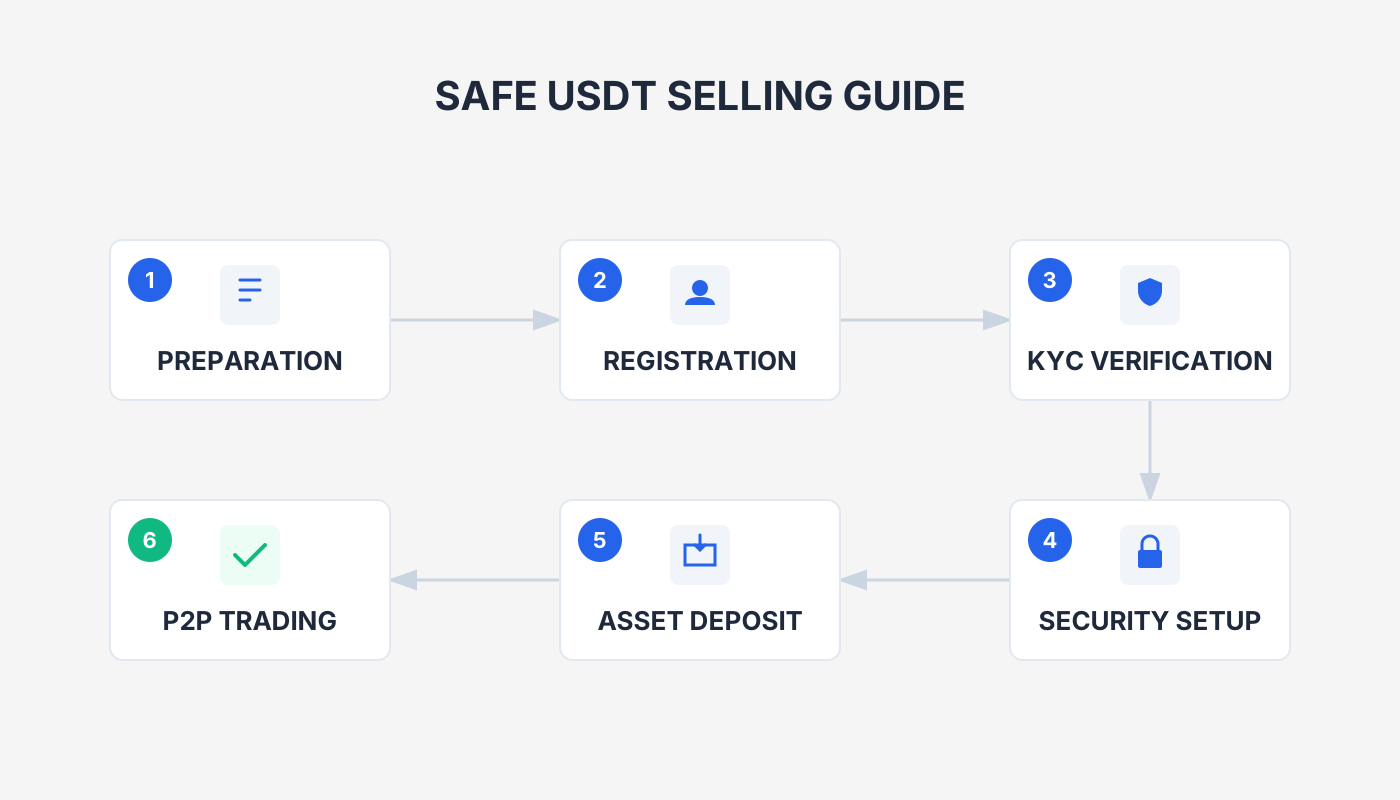
Binance & OKX (OKX) USDT‑Selling Guide
On Binance and OKX, first add a payout method, choose a merchant with a solid reputation, confirm that the payment comes from the merchant’s own verified account, and then follow the system prompts to place the order, confirm receipt, and release the assets. This allows you to sell USDT securely and withdraw or cash out without incident.
When you sell USDT (commonly called “U”) on Binance, OKX, or any other exchange, you must only accept payments that originate from the merchant’s own KYC‑verified account. Any transfer that originates from a third‑party account (e.g., a relative or friend) should be rejected immediately and reported to the platform.
Risk Warning: Funds that are not paid from the seller’s own verified account are often linked to money‑laundering caravans, and the likelihood of a frozen bank card is nearly a hundred times higher than with ordinary trades. The platform only offers freeze‑compensation for transactions up to 50,000 USDT when the payment is made by the merchant themselves; payments made from other accounts are excluded from compensation and carry very high risk.
Below is a demonstration of the safe selling process on Binance and OKX.
---
Binance Safe Withdrawal / Cash‑Out Tutorial
- Open the Binance app (global users: official registration – U.S. residents must use Binance.US; U.S. users: Binance.US registration | official download). On the home screen, tap Add Funds → C2C Trading.
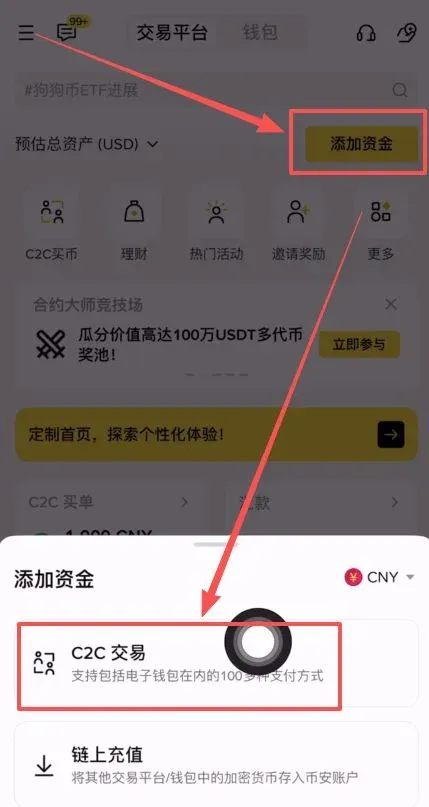
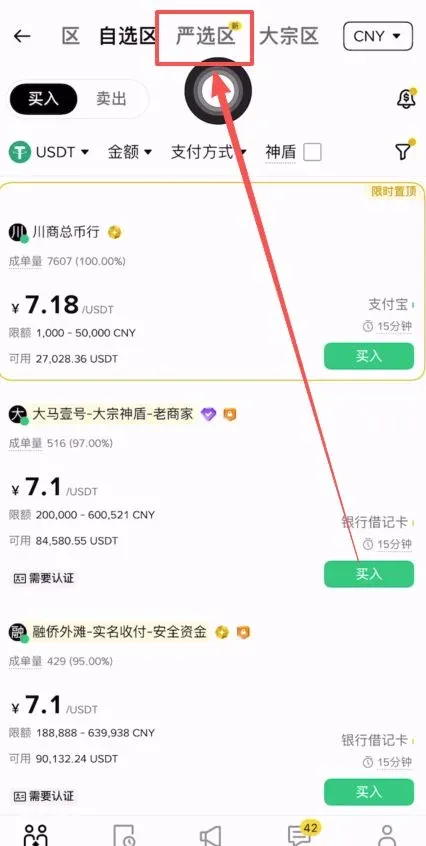
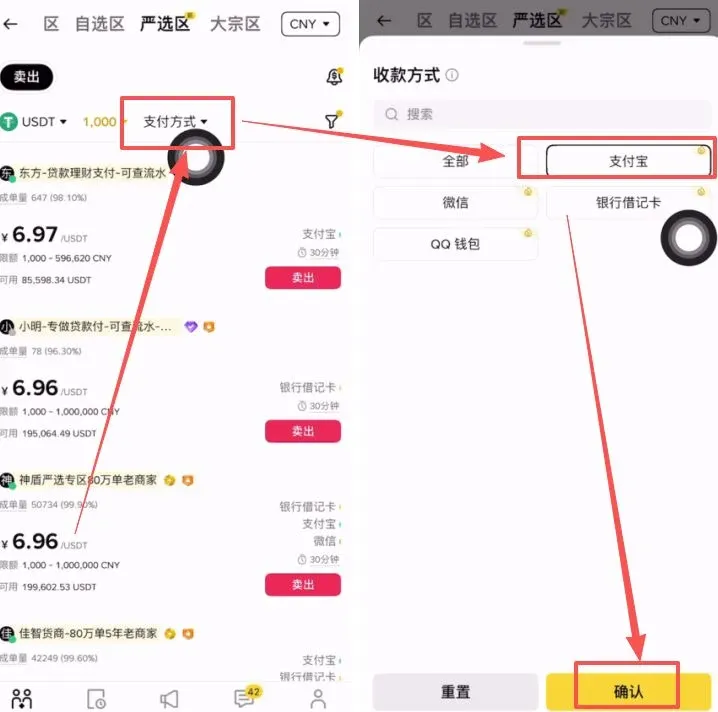
- Switch to the Premium Zone at the top of the page to filter for high‑quality merchants.
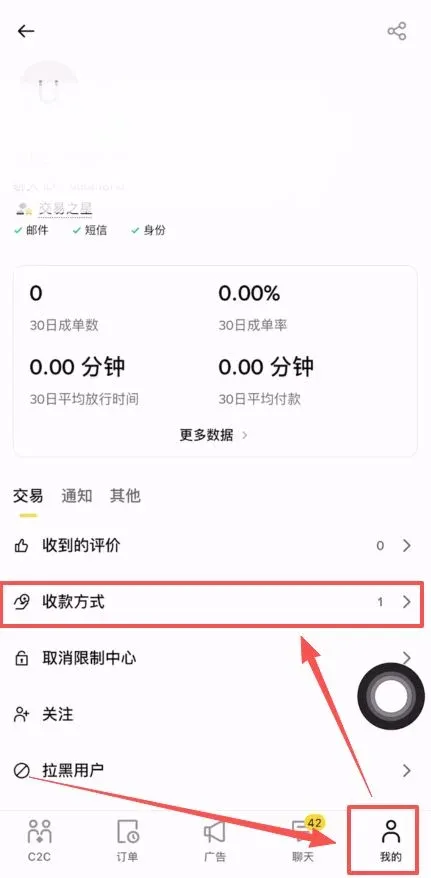
- If you have not added a payout method yet, tap the lower‑right Profile icon → Payout Methods → Add Payout Method.
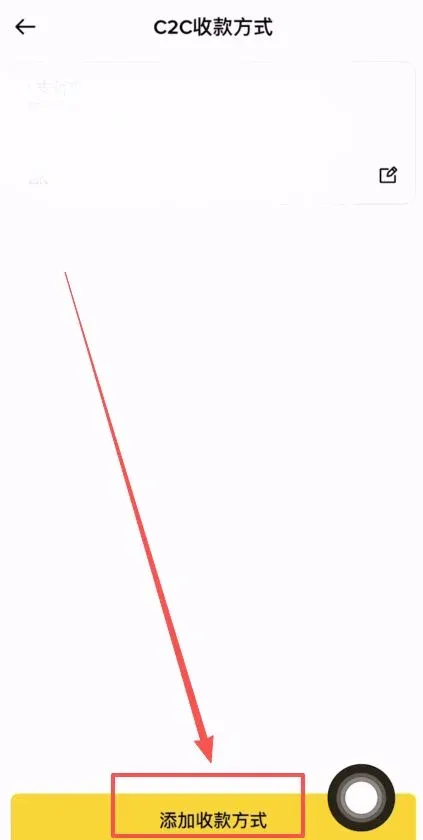
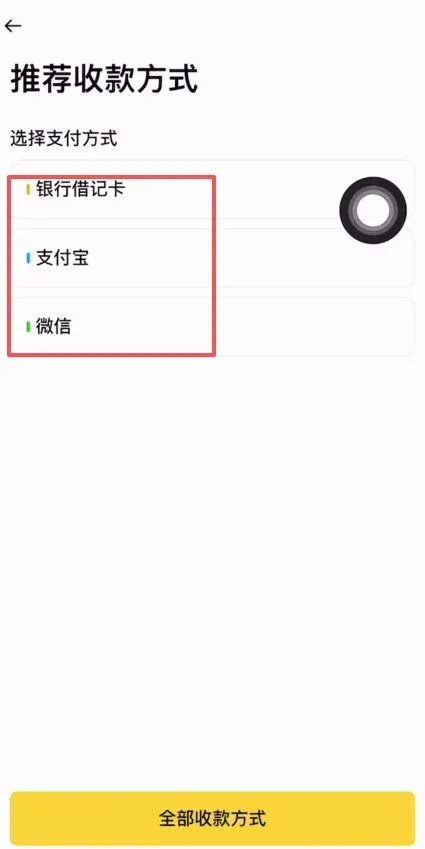
- Choose Bank Card, Alipay, or WeChat Pay, and upload the corresponding account details or QR code. It is advisable to use a dedicated account for each payment method to minimise risk.
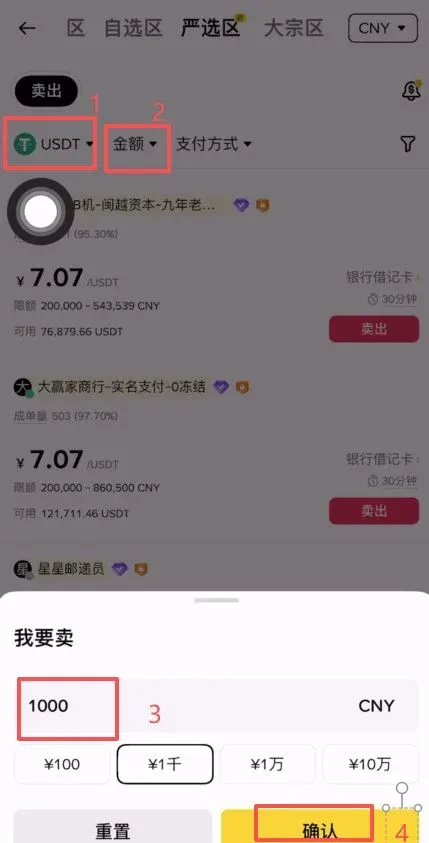
- Return to the C2C page, select the trading pair USDT, enter the amount you wish to sell (e.g., 1,000 USD), and tap Confirm.
- In the list of payout options, tick the method you added earlier (e.g., “Alipay”). After a second confirmation, tap Confirm again.
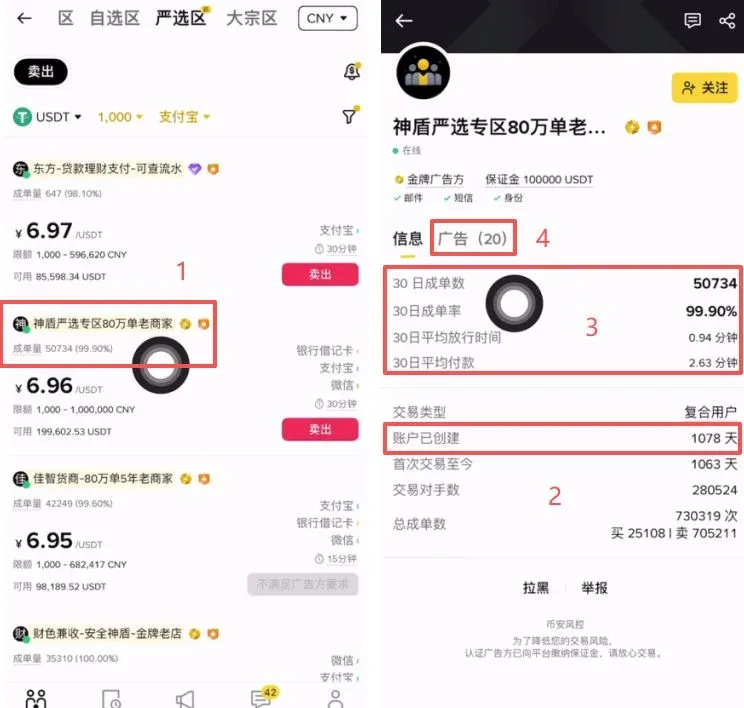
- Select a merchant: Prioritise merchants with high transaction volume, excellent rating, long registration history (over 1 year), and an average payment time of ≤ 3 minutes. The example merchant displayed has over 50,000 transactions, a 99.9 % positive rating, an average release time of 0.94 minutes in the last 30 days, and an average payment time of 2.63 minutes. Tap the merchant’s Ad to start the trade.
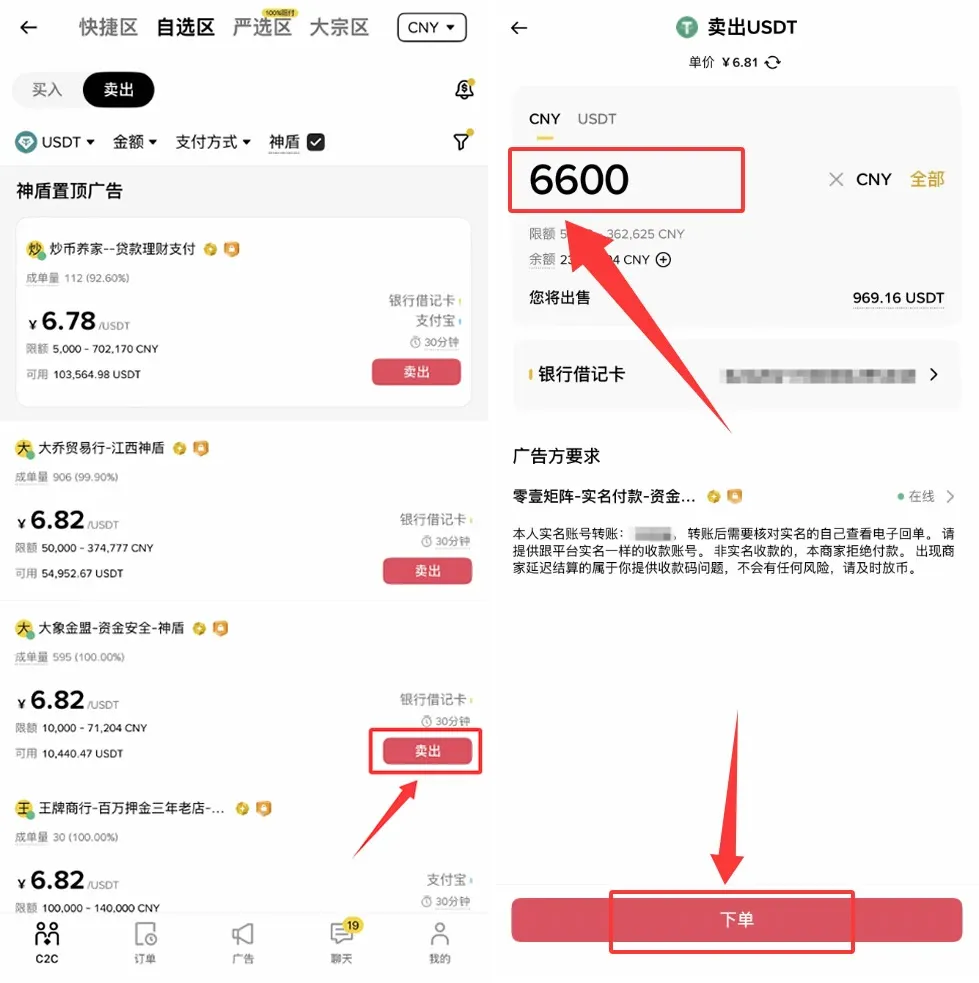
- On the merchant’s page, choose Sell → enter the quantity → tap Place Order.
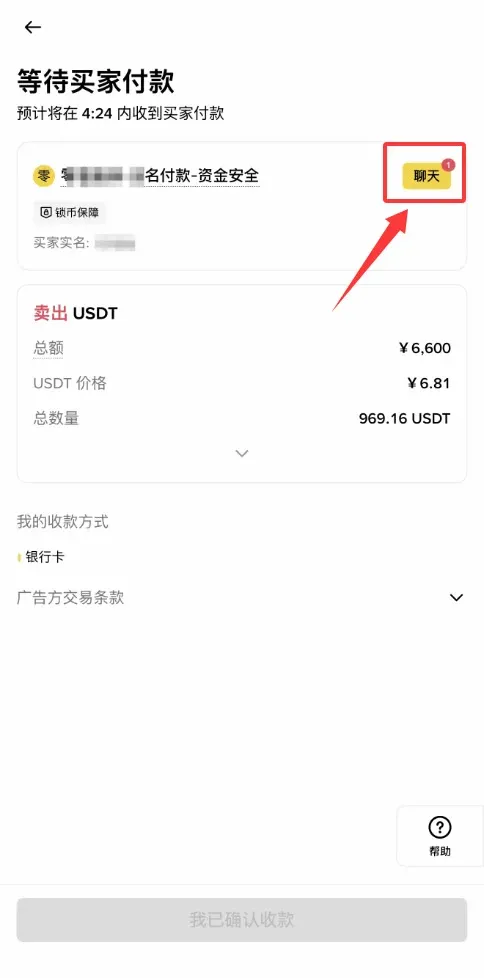
- Wait for the buyer to transfer the funds. Reject any transfer that originates from a non‑owner KYC account (e.g., a relative’s account). Confirm the buyer’s payment through the chat window. Until the payment is released, the I have received the funds button remains grey and cannot be clicked.
- Once the money arrives, the button turns yellow; tap I have received the funds. A verification screen will pop up—after confirming that the amount has been credited to your account, select I confirm the paid amount has arrived and then tap Confirm Release.
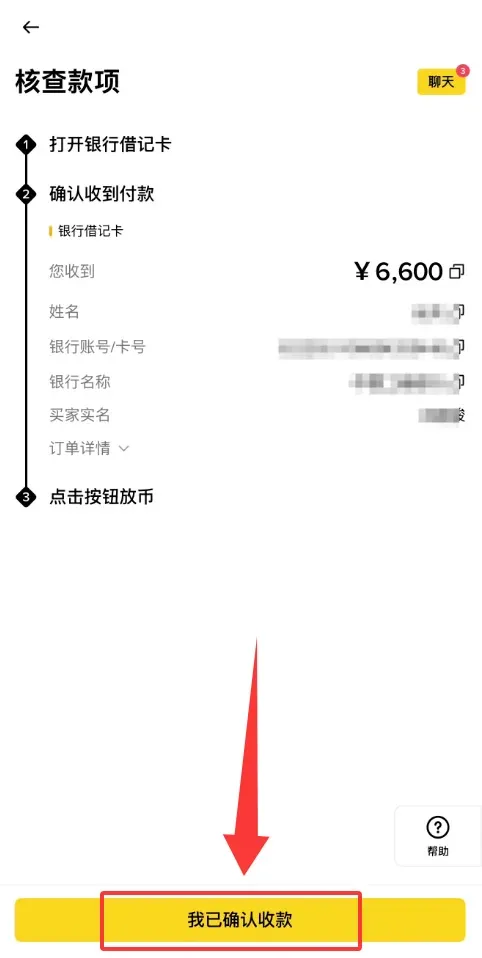
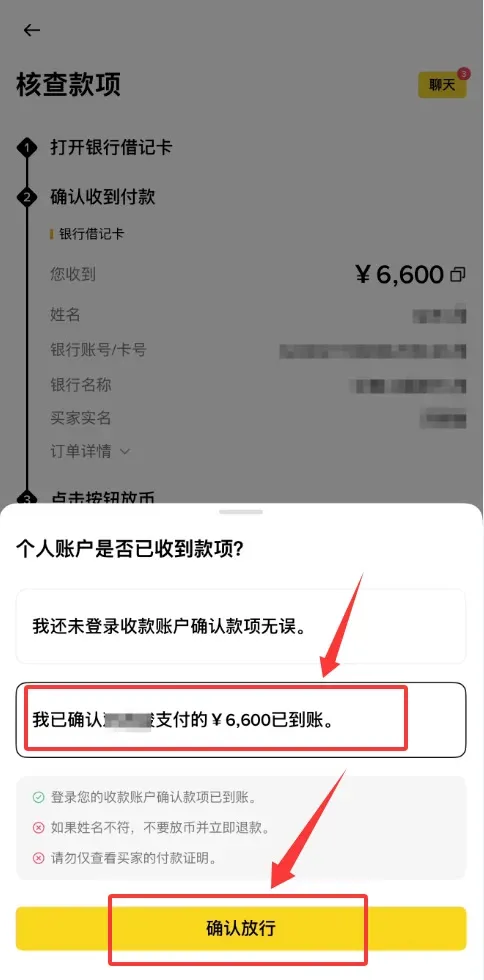
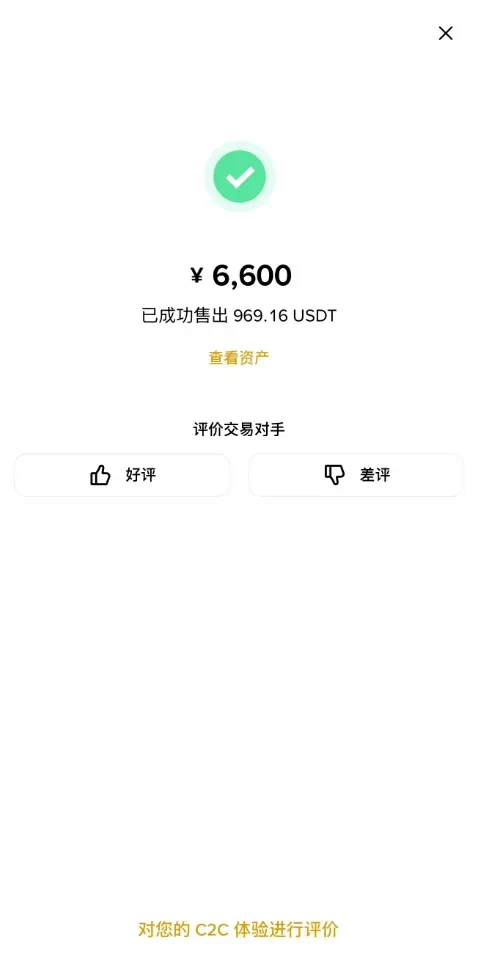
- After the entire process is finished, the system will display a Release Successful message. Make sure you have actually received the funds before confirming, as SMS spoofing can otherwise lead to accidental releases.
---
OKX (OKX) Safe Withdrawal / Cash‑Out Tutorial
- Open the OKX app (global registration: official registration – U.S. residents should use the US‑compatible version; download: official download). Tap C2C Buy at the top of the screen.
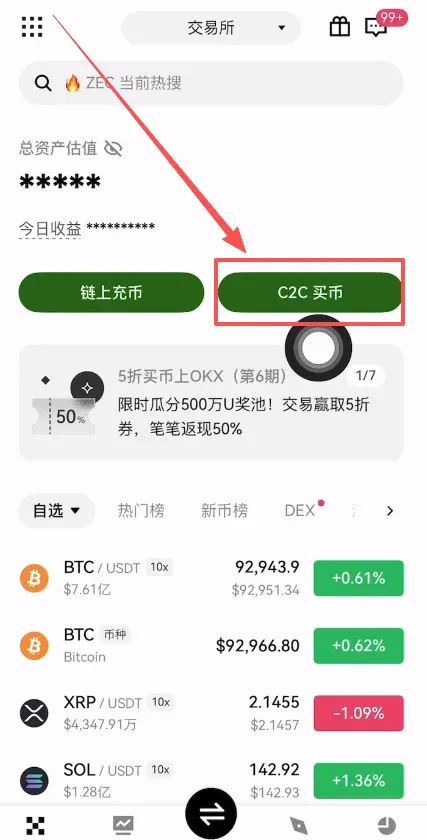
- In the C2C section, select Sell, set the cryptocurrency to USDT, and choose the amount you wish to sell (e.g., 100 USDT). It is recommended to tick Alipay or WeChat Pay as the payout method.
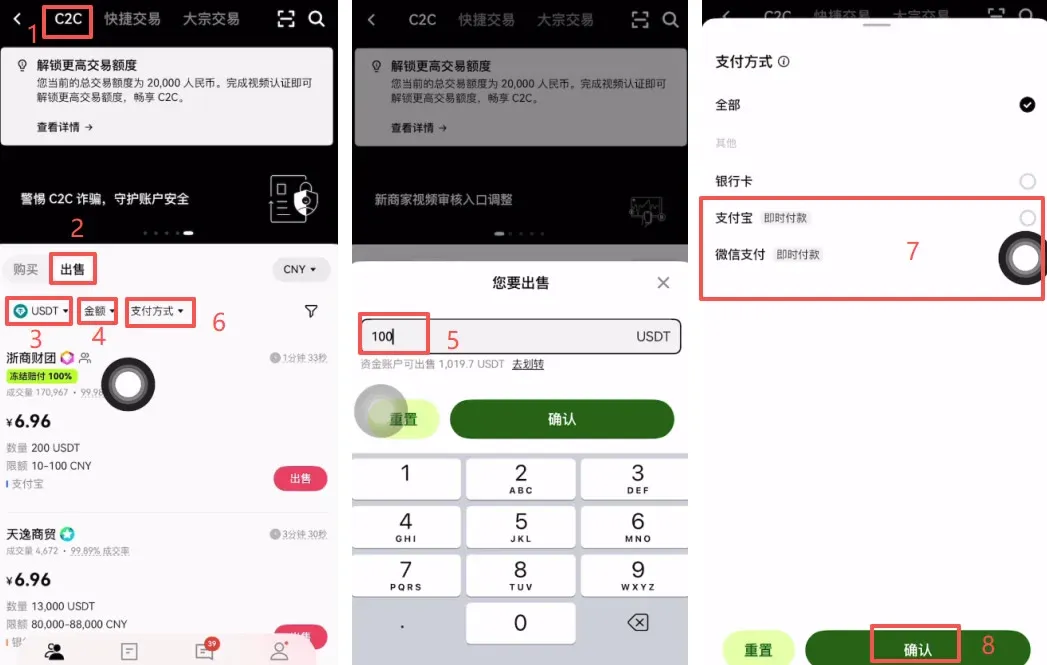
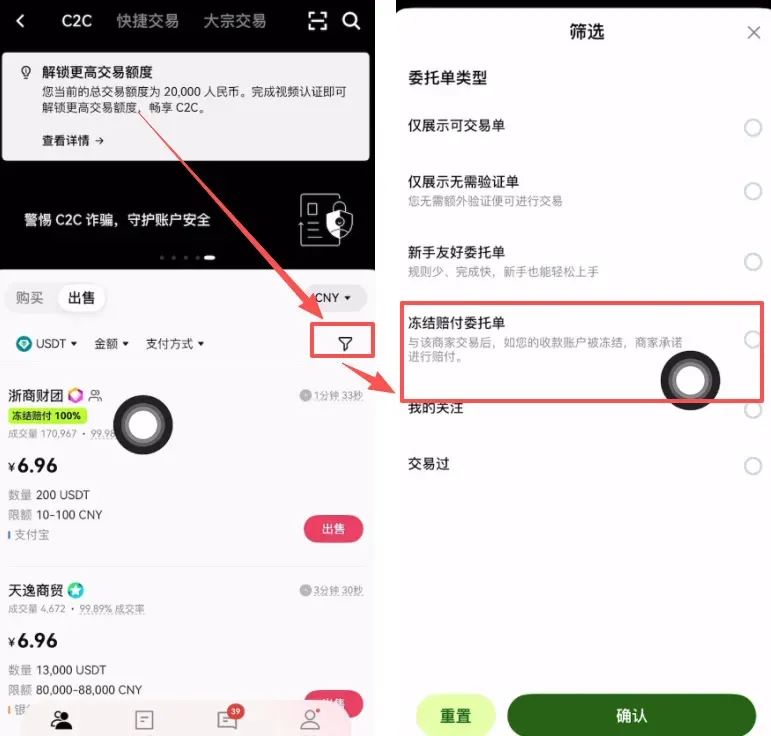
- Check the box for Freeze‑Compensation Order. This feature guarantees a 100 % compensation if your receiving account is frozen after the merchant has paid.
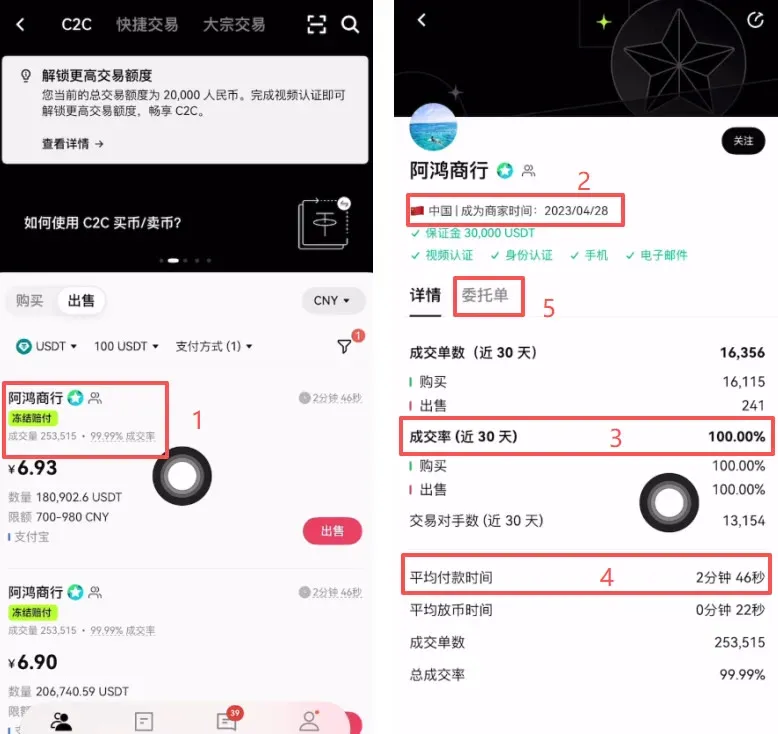
- The system will automatically filter merchants that meet the criteria. Continue to follow the “high volume, high rating, long registration, average payment ≤ 3 minutes” rule. The example merchant registered in April 2023, has a recent 100 % fulfillment rate, and meets the payment‑speed standards. Tap its Order button to proceed.
- Tap Sell to open the order‑placement page.
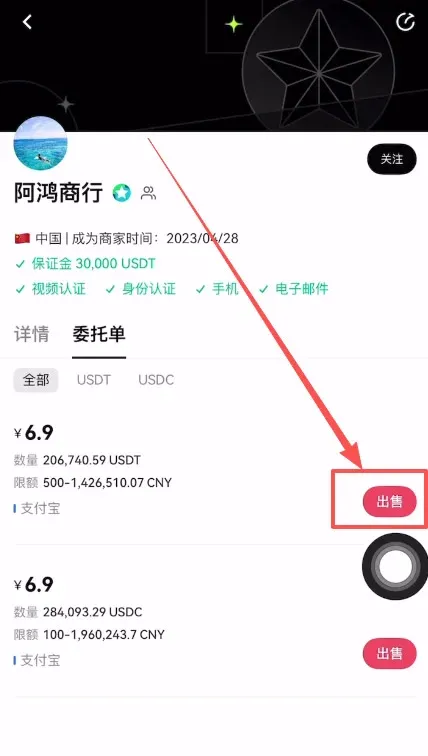
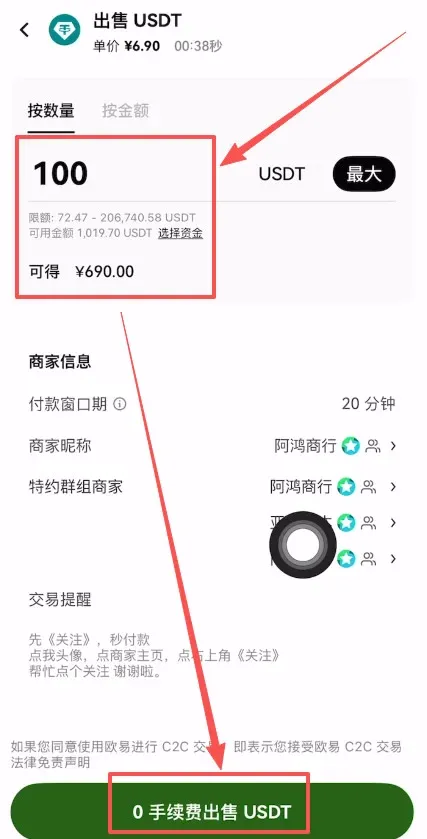
- Enter the amount you want to sell and tap 0‑Fee Sell USDT. As with Binance, reject any payment that does not come from the merchant’s own KYC‑verified account, and only release the USDT after you have confirmed that the fiat has actually landed in your account.
---
Common Crypto Cash‑Out Methods
| Method | Description | Advantages | Key Points to Watch |
|---|---|---|---|
| **On‑Chain Withdrawal** | Transfer coins to a hot wallet such as MetaMask, Trust Wallet, or to another exchange like Kraken or Bybit | Widely supported, secure, cross‑platform | Choose low‑fee, fast networks (e.g., TRC‑20, BSC); double‑check address and network |
| **Internal Transfer** | Zero‑fee transfer between accounts on the same platform (e.g., OKX internal) | Free, instantaneous | Useful for personal use or sending to friends on the same platform |
| **Fiat Cash‑Out (P2C/C2C & Third‑Party)** | Sell crypto on a P2C market for fiat, or use services like Alchemy Pay, Paxful, etc. | Directly deposits to bank accounts (SEPA/SWIFT) | Must use official matching; stay alert to scams; subject to regional regulations |
| **Regulated Cash‑Out (for overseas accounts)** | Platforms such as Kraken, Coinbase, Nexo that support same‑name overseas bank accounts, or crypto‑focused banks like XAPO Bank | Source‑of‑funds compliance, lower risk | Suited for large‑value users; requires full KYC |
Choosing the Right Method
- Low‑Cost: On‑chain withdrawal to a low‑fee network or internal transfer.
- Fast / Convenient: On‑chain withdrawal to a major exchange or wallet.
- Direct Fiat Conversion (higher risk): Use C2C channels, but always pick reputable merchants.
- Large‑Amount Safety: Leverage Binance, OKX, or similar regulated platforms that offer freeze‑compensation tools for deposits and withdrawals.
Safety Tips: Complete KYC verification and enable withdrawal whitelists; avoid clicking unknown links; never trust unsolicited transfer instructions from strangers.
Tax Note: Crypto transactions may be taxable in your jurisdiction. Be sure to report any capital gains or income according to local tax laws.
The above constitutes a complete step‑by‑step tutorial for selling USDT (often referred to as “U”) on Binance and OKX and safely completing the withdrawal or cash‑out process. For additional beginner guides, follow Bitaigen (比特根) and explore its other articles.
Related Reading
- 26.9 BTC Transfer from Binance to Bitcoin Genesis Wallet
- Binance Puts $300M Bitcoin into SAFU Reserve During Downturn
- Bitcoin Whale Deposits Spike on Binance, Recovery Looms
💡 Register on Binance with referral code B2345 for the maximum trading fee discount. See Binance complete guide.



