
 Bitaigen Research
 How to Use a Dogecoin Wallet?
To use the Dogecoin Core official wallet, first download and install the client. After synchronization is complete, you can fill in the recipient address and amount on the “Send” page to transfer funds, or generate a receiving address on the “Receive” page to collect payments.
In this article we break down the installation and usage process of the official Dogecoin wallet step by step, helping newcomers quickly complete download, synchronization, and send/receive operations. Detailed screenshots are included to help you avoid common pitfalls. Continue reading to master each key point.
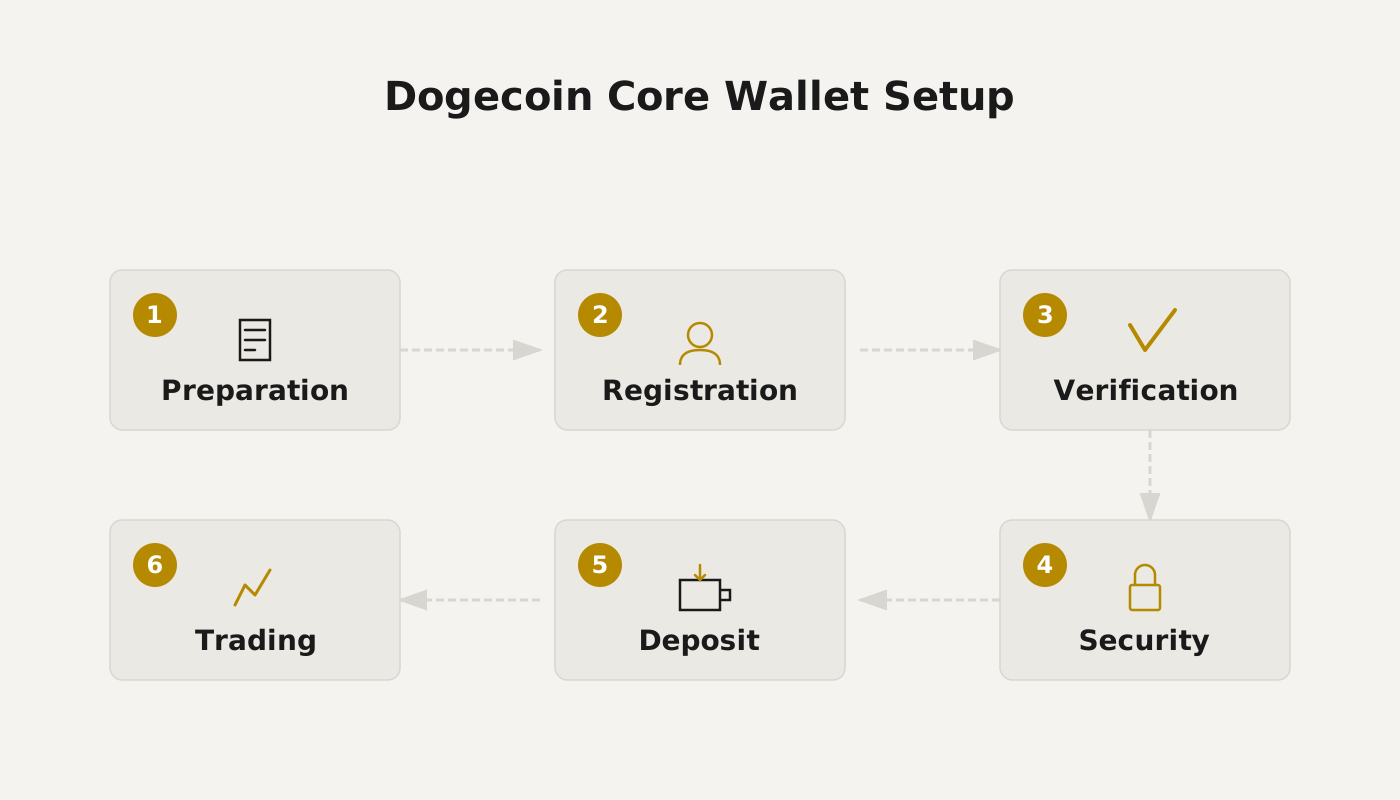
Dogecoin Wallet Usage Tutorial

Dogecoin Core (Dogecoin wallet) latest version v0.1.7
- Type: Financial management
- Size: 9.66 MB
- Language: Simplified Chinese (can be switched)
- Last updated: 2021‑08‑09
1. Download the Wallet
Visit the official Dogecoin website to download the client.
Dogecoin official site: https://dogecoin.com/
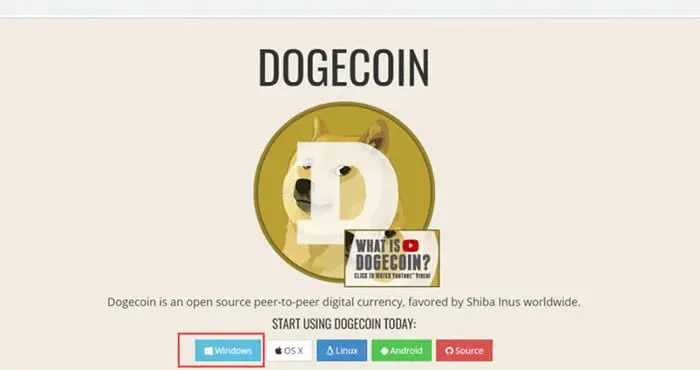
Select the Windows version of the Dogecoin wallet.
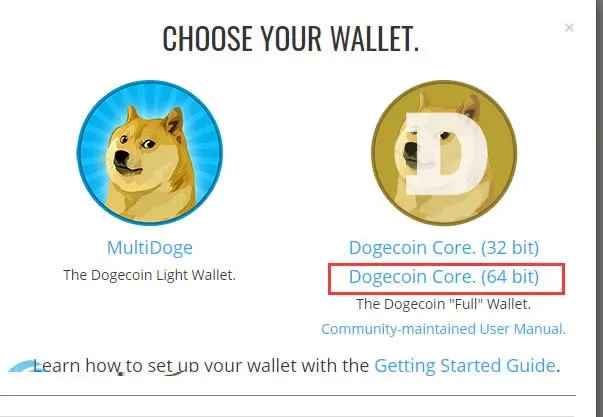
Download the dogecoin‑core‑64bit installer. If the download is slow, you can copy the link and accelerate it with a download manager such as Xunlei.
2. Install the Wallet
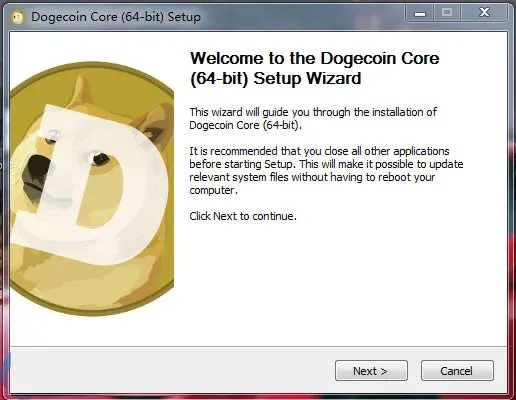
The installation process is straightforward—just keep clicking Next until it finishes.
3. First‑Launch Considerations
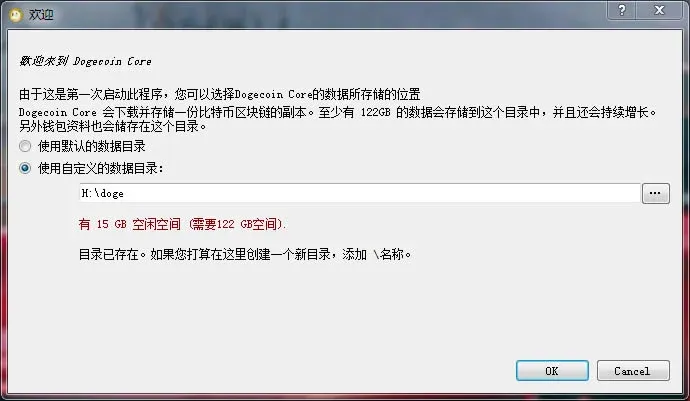
- The blockchain data files occupy roughly 20 GB. It is recommended to choose a disk with at least 500 GB of free space as the storage location.
- In Settings, switch the interface language to English (or any preferred language).
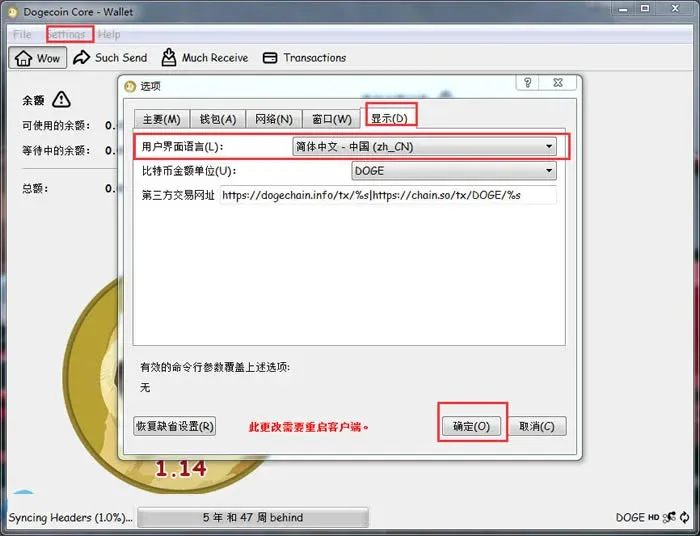
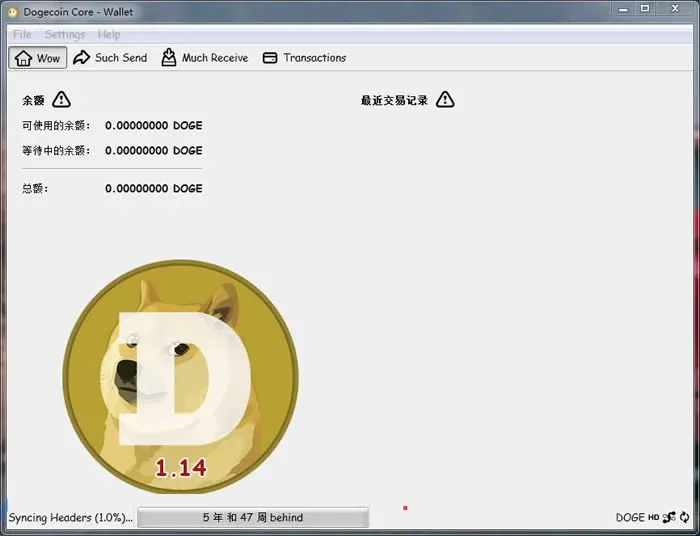
Wallet synchronization can take a considerable amount of time—typically about a week, depending on network conditions. It is advisable to wait until synchronization is complete before attempting to send or receive DOGE.
4. Basic Operations in Dogecoin Core
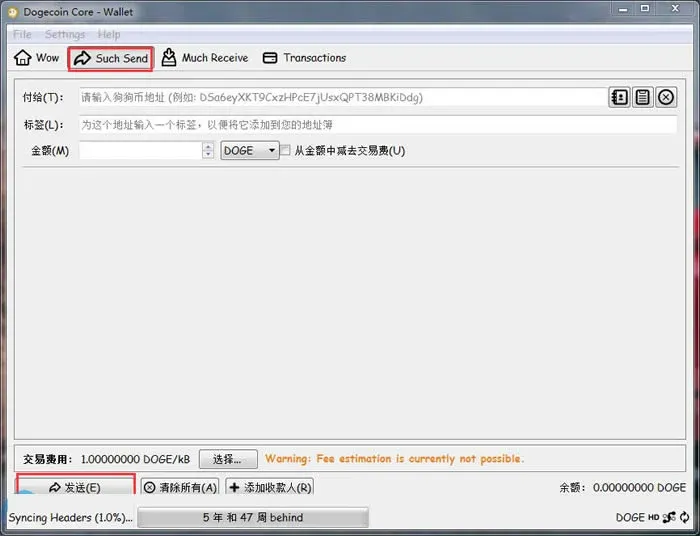
4.1 Sending DOGE
Enter the recipient address in the “Pay to” field, specify the amount, and click Send.
4.2 Receiving DOGE
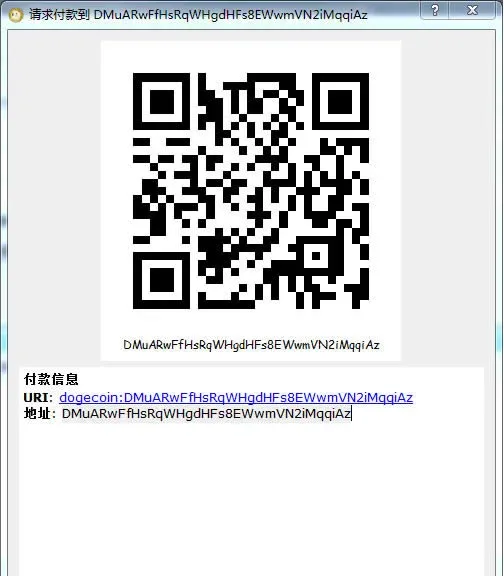
Click Request Payment and the system will generate a unique receiving address.
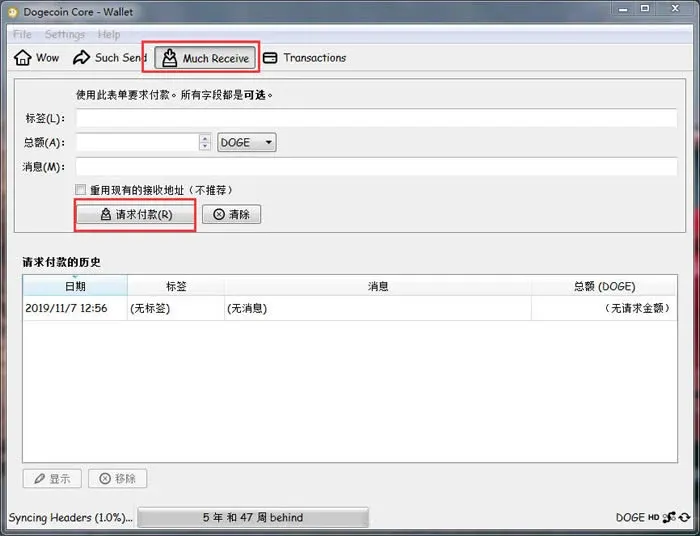
Send this address to the payer, and you will receive DOGE. *(Note: In many jurisdictions, crypto gains may be subject to tax. Please consult local tax regulations.)*
5. Setting a Password for Your Wallet
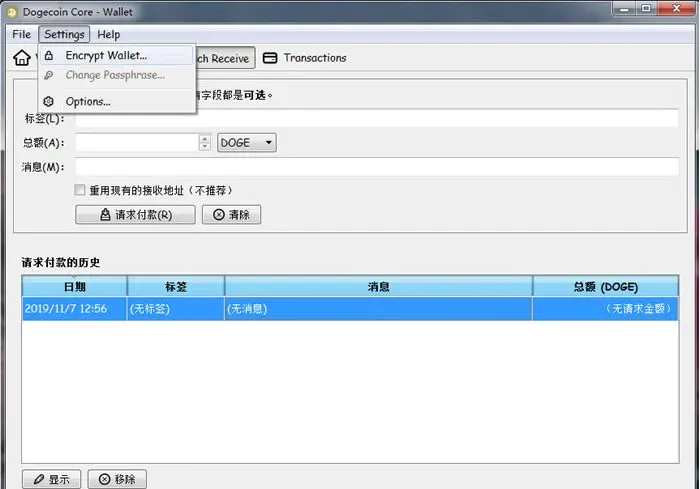
Navigate to Settings → Encrypt Wallet, then enter and confirm a strong password.
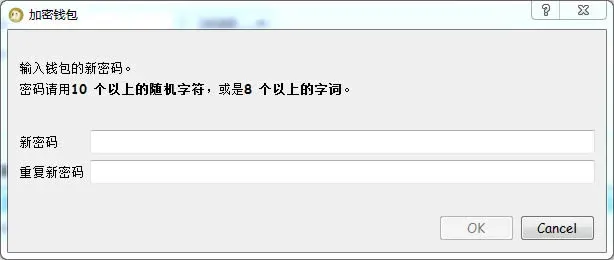
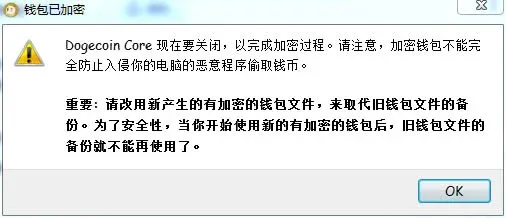
Important: After encryption, do not back up the unencrypted `wallet.dat` file, as doing so could create a security risk.
6. Wallet Backup and Recovery
6.1 Backup
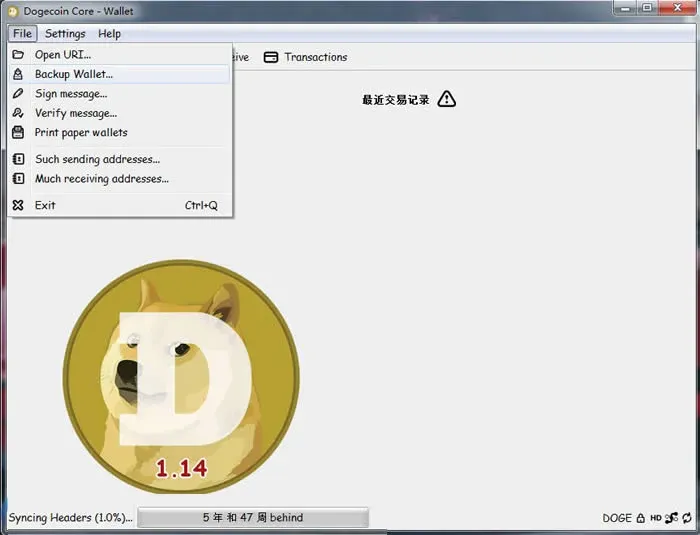
Select File → Backup Wallet, then save the generated `wallet.dat` file to a secure medium such as a USB flash drive.
6.2 Recovery
- Close Dogecoin Core.
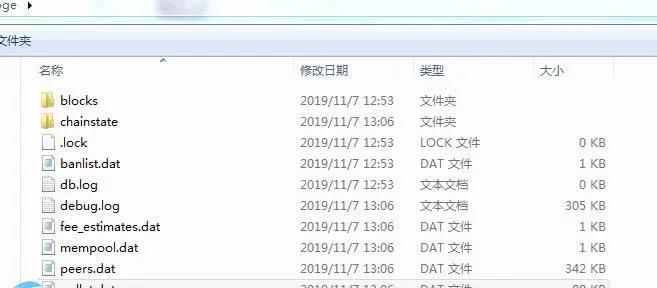
- Copy the backed‑up `wallet.dat` into the data directory you selected during the first launch, overwriting the existing file.
- Restart the client.
To mitigate data‑loss risk, it is recommended to perform the recovery on a different computer.
Commonly Recommended Dogecoin Wallets
In addition to the official Dogecoin Core, several third‑party wallets are available:
1. Natrium
- Supports Android and iOS.
- Clean UI with fingerprint or facial recognition options.
- Open‑source; QR codes enable fast send and receive.
2. Ledger (hardware wallet)
- Industry‑leading hardware solution with dual buttons and 2FA authentication.
- Supports over 1,000 crypto assets; Dogecoin models are Ledger Dogecoin S and Ledger Dogecoin X (the latter includes Bluetooth).
3. Canoe
- An open‑source, cross‑platform wallet officially recommended by the Dogecoin Foundation.
- Available on mobile and desktop, offering zero‑fee instantaneous transactions.
- Holds a rating of 4.5+ on both the App Store and Google Play.
4. Exodus
- Free to download; compatible with macOS, Windows, iOS, and Android.
- Supports more than 100 cryptocurrencies and includes a built‑in exchange feature.
- User‑friendly interface with responsive customer support.
This completes the full guide on how to use a Dogecoin wallet. For more Dogecoin‑related news and updates, follow the upcoming articles from Bitaigen.
Related Reading
- Deposit & Buy Dogecoin on OKX: Beginner Step‑by‑Step Guide
- How to Withdraw CNY on Huobi Global: Step‑by‑Step Guide
- Beginner’s Step‑by‑Step Guide to Using Huobi Wallet Safely
💡 Register on Binance with referral code B2345 for the maximum trading fee discount. See Binance complete guide.



