
 Bitaigen Research
From an industry‑wide perspective, we have outlined TWEX’s platform positioning, endorsement advantages, and a complete step‑by‑step guide for beginners. This helps readers quickly determine whether the service matches their investment needs. Continue reading for the full details. The article also provides illustrated demonstrations of the key steps for registration, depositing, and withdrawing, ensuring a safe and worry‑free experience.
What Is TWEX – Taiwan Mobile Giant Exchange?
TWEX is the first crypto‑exchange in Taiwan launched by a corporate subsidiary, Fu‑Sheng Digital, under Taiwan Mobile. It offers buying and selling services for Bitcoin and Ethereum.
Fu‑Sheng Digital, a wholly‑owned subsidiary of Taiwan Mobile, officially launched the Taiwan Virtual Asset Exchange (TWEX) on May 22, 2025. It is Taiwan’s first virtual‑asset exchange backed and operated by a large enterprise group.
From the platform’s official standpoint, TWEX inherits Taiwan Mobile’s deep expertise in information security, risk control, and customer service, and receives financial‑resource support from the Fubon Group. Fubon Group Chairman Cai Ming‑Chung personally endorses the platform, purchasing the first Bitcoin on TWEX to demonstrate his high confidence in its safety.
From an ordinary user’s perspective, TWEX feels more like a “crypto beginner village” specially crafted for Taiwan Mobile customers. For users who are new to cryptocurrencies or worried about scams, the brand endorsement dramatically lowers the psychological barrier to entering the blockchain world.
TWEX Basic Information
| Item | Details |
|---|---|
| Official Name | **Taiwan Virtual Asset Exchange** |
| Operating Company | **Fu‑Sheng Digital** (wholly‑owned subsidiary of Taiwan Mobile) |
| Launch Date | May 22 2025 |
| Supported Coins | Bitcoin (BTC), Ethereum (ETH) |
| Minimum Investment | NT$100 (≈ USD 3) |
| Registration Restriction | Limited to Taiwan Mobile “door‑number” (SIM) users only |
Although TWEX is guaranteed by a large enterprise, it charges relatively high trading fees—close to 3%—and currently does not allow withdrawals to external blockchain addresses, which significantly raises the cost of profit.
If you wish to avoid high fees or need to move crypto to another platform, consider other licensed Taiwanese exchanges such as MAX or HOYA BIT.
TWEX Features and Drawbacks
Core Strengths
- High Brand Trust: Taiwan Mobile enjoys a massive local user base. All New Taiwan Dollar (NTD) deposits are held in a trust account at Fubon Bank in Taipei, ensuring that assets are completely separated from the company’s operating funds.
- Robust Security: The platform employs industry‑first HSM (Hardware Security Module) technology to build offline cold wallets, combined with multi‑signature and distributed storage techniques to fend off hacking attempts.
- User‑Friendly Interface: The trading flow consists of only three steps—“Select Coin → Enter Amount → Confirm Purchase”. A demo‑trade feature is also available to help newcomers practice order placement.
- Low Entry Barrier: With a minimum purchase of just NT$100 (roughly the price of a lunch box), the platform is accessible to beginners.
Main Limitations
| Limitation | Details |
|---|---|
| User Restriction | Currently only Taiwan Mobile “door‑number” users can register |
| Coin Selection | Supports only BTC and ETH |
| Functional Restriction | No on‑chain transfers; withdrawals to external wallets are unavailable |
| Relatively High Fees | Buying fee 1.2%‑1.5%; selling fee about 1% |
| Verification Time | Identity verification takes 5‑7 business days |
Overall, TWEX’s advantages lie in security and simplicity, making it suitable for newcomers who want to experiment with small amounts. More advanced investors seeking lower costs or richer functionalities may feel constrained by the above limitations.
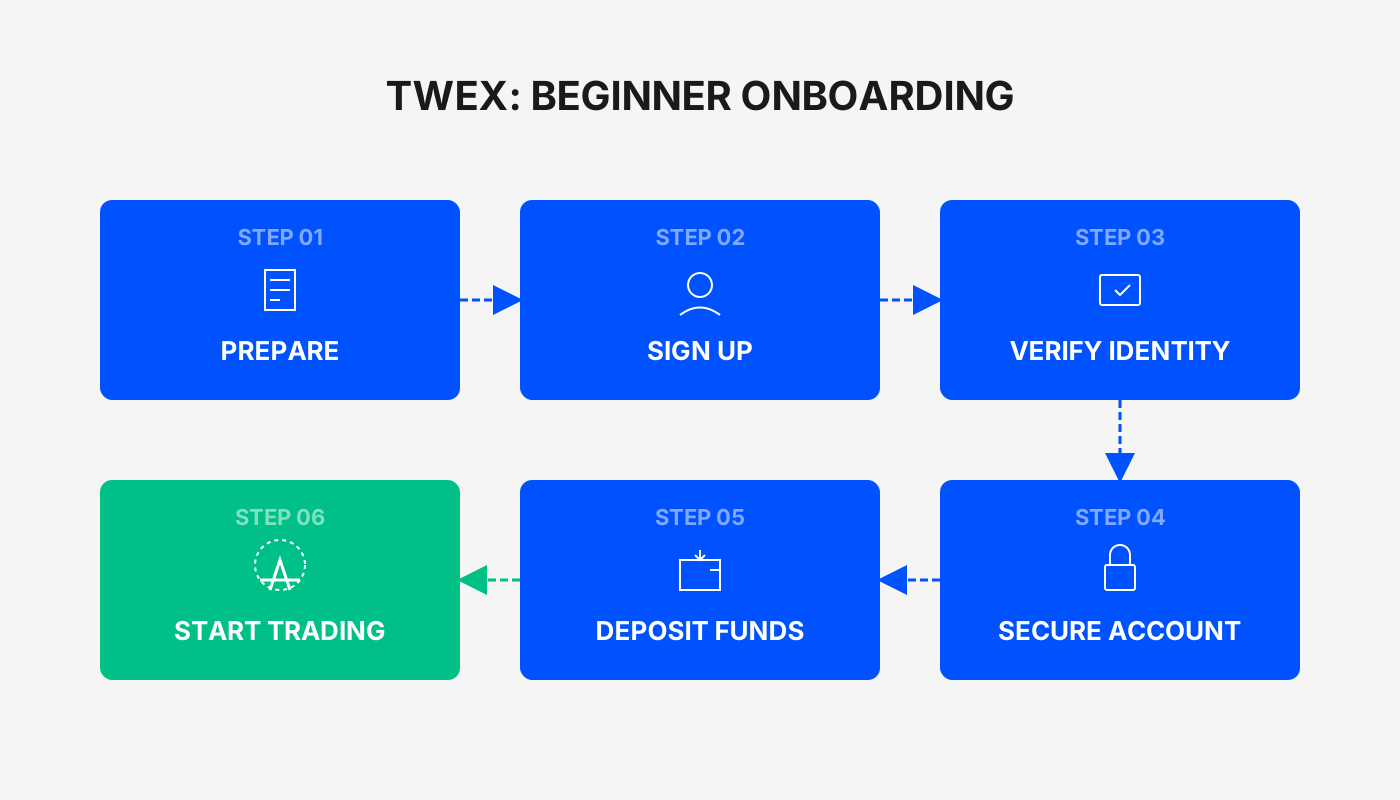
TWEX (Taiwan Mobile Giant Exchange) Registration Guide
To use TWEX, you first need to complete the registration and account opening process. TWEX is integrated into the Taiwan Mobile app, which simplifies the workflow, but you will still need the following documents:
Pre‑Registration Checklist
- Republic of China (Taiwan) National ID card
- Taiwan Mobile phone “door‑number” (SIM)
- A personal bank account in Taiwan
- An email address you regularly use
Detailed Registration Steps
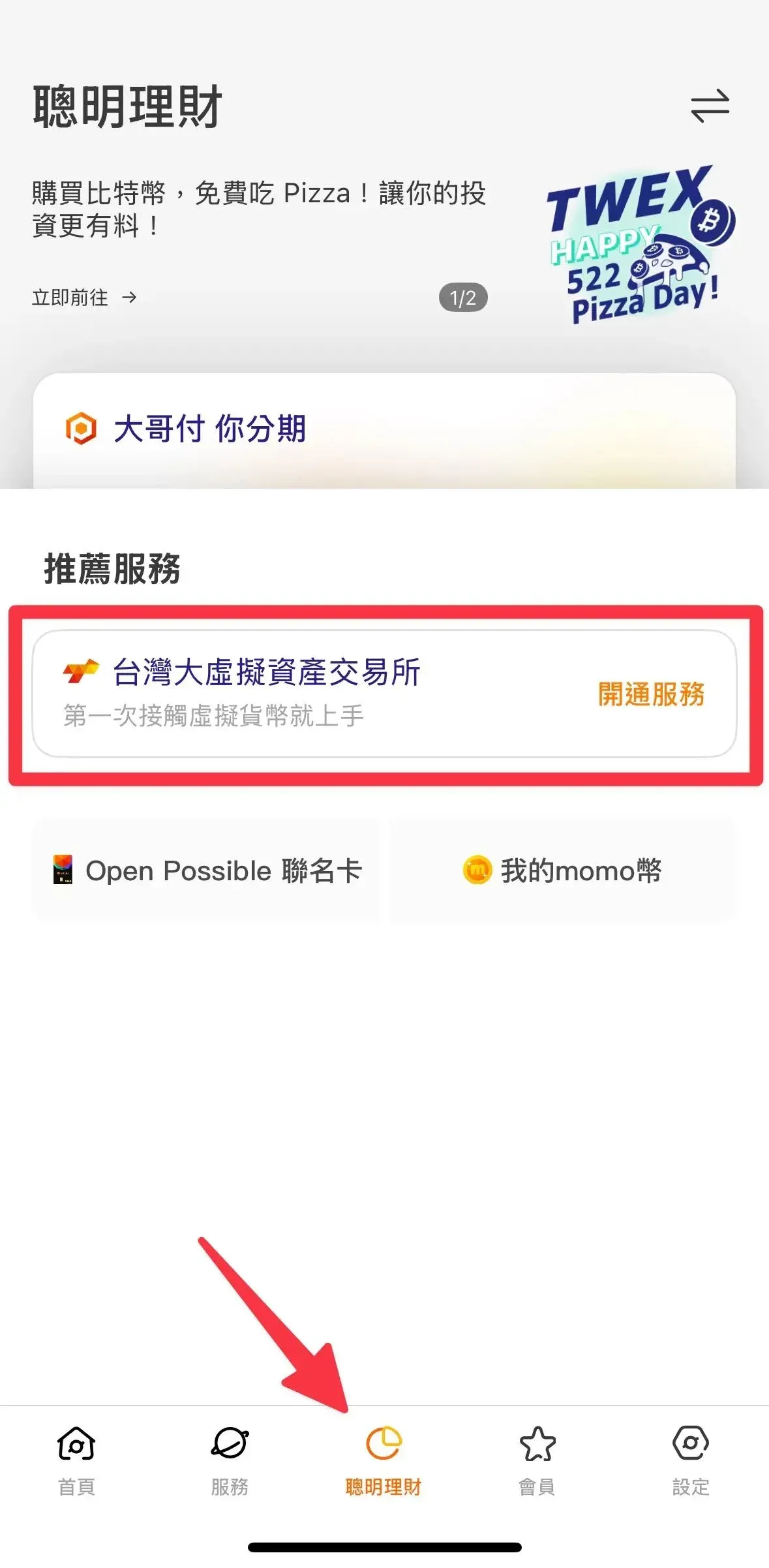
Step 1: Open the Registration Page
- Launch the Taiwan Mobile App.
- Tap the “Smart Finance” tab at the bottom.
- Select “Taiwan Virtual Asset Exchange”.
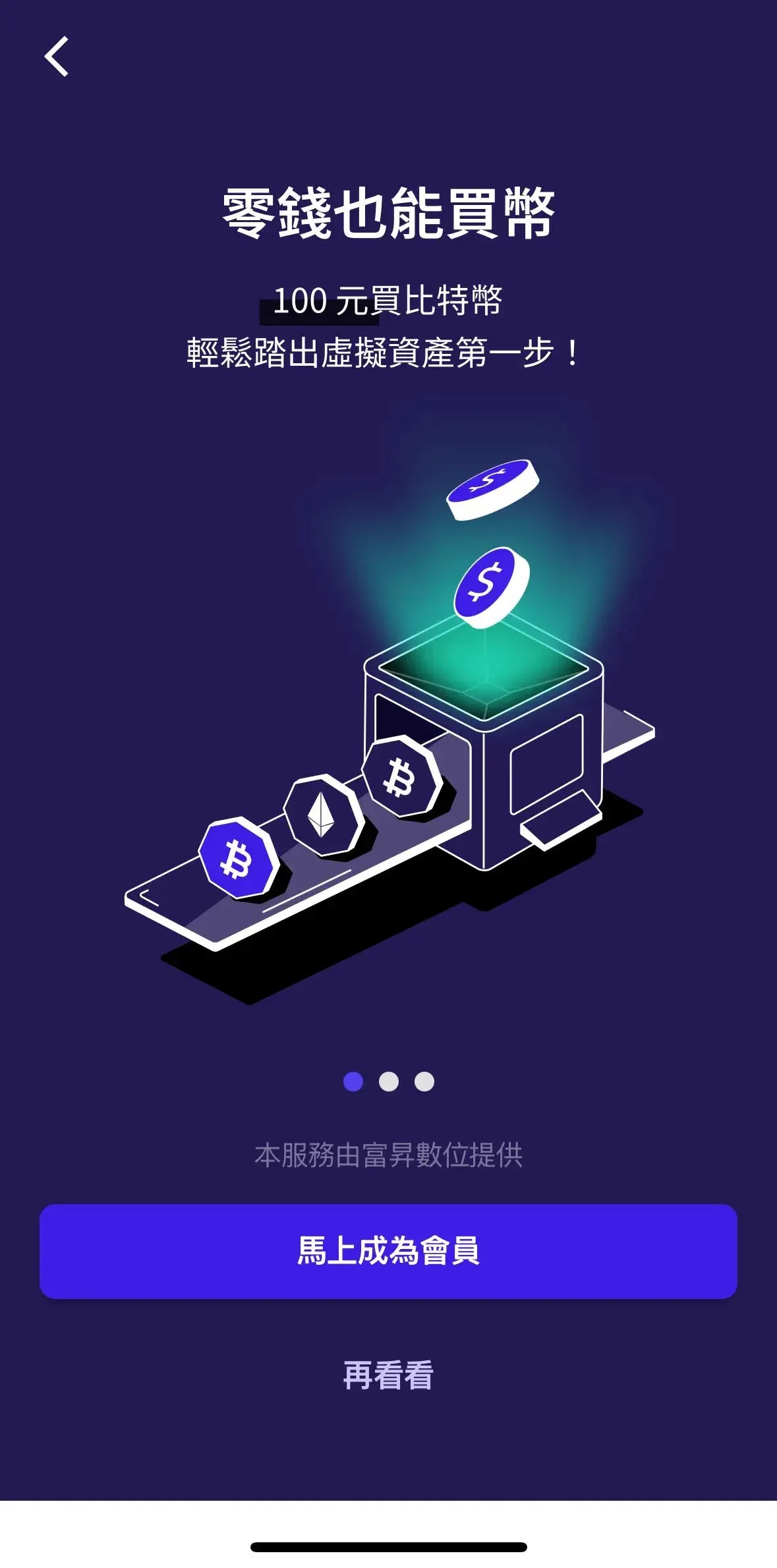
- Press “Register” to start the account opening.
⚠️ No extra app download is required; everything is done inside the Taiwan Mobile app.
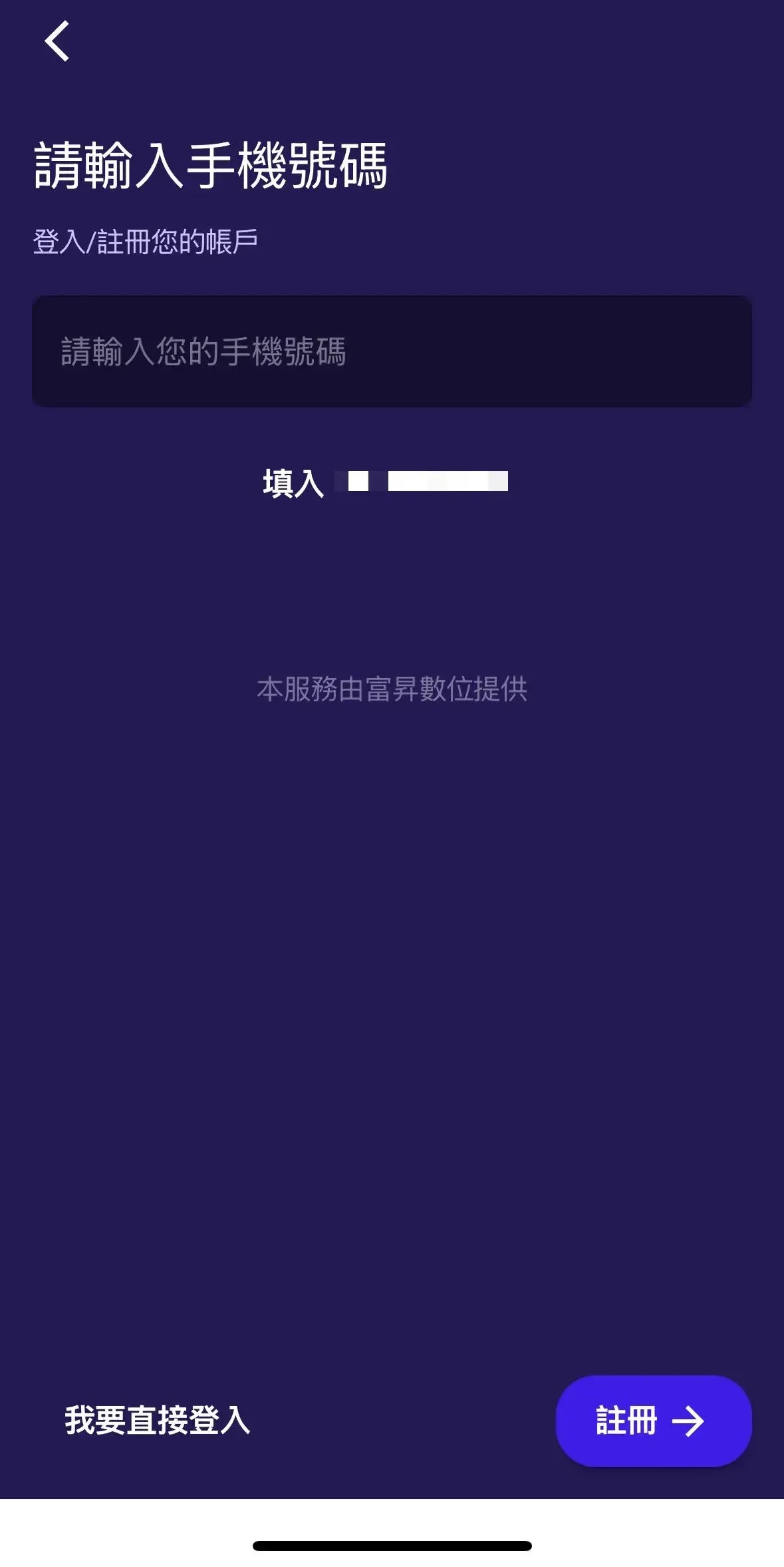
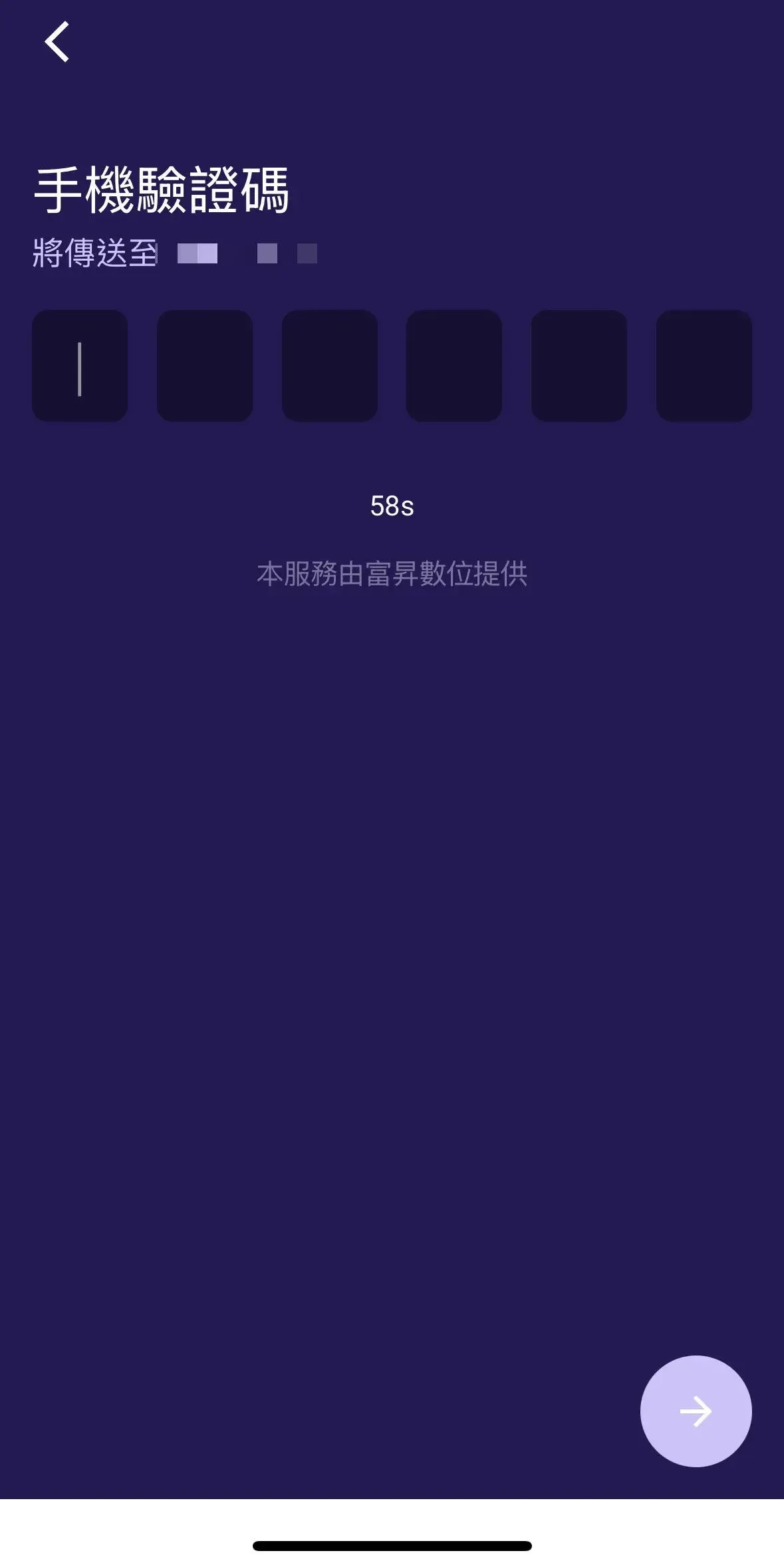
Step 2: Phone Number Verification
- The system automatically pulls your Taiwan Mobile door‑number.
- Tap Send SMS verification code.
- Enter the OTP you receive to complete verification.
⚠️ If you are using mobile data, this step may be skipped automatically.
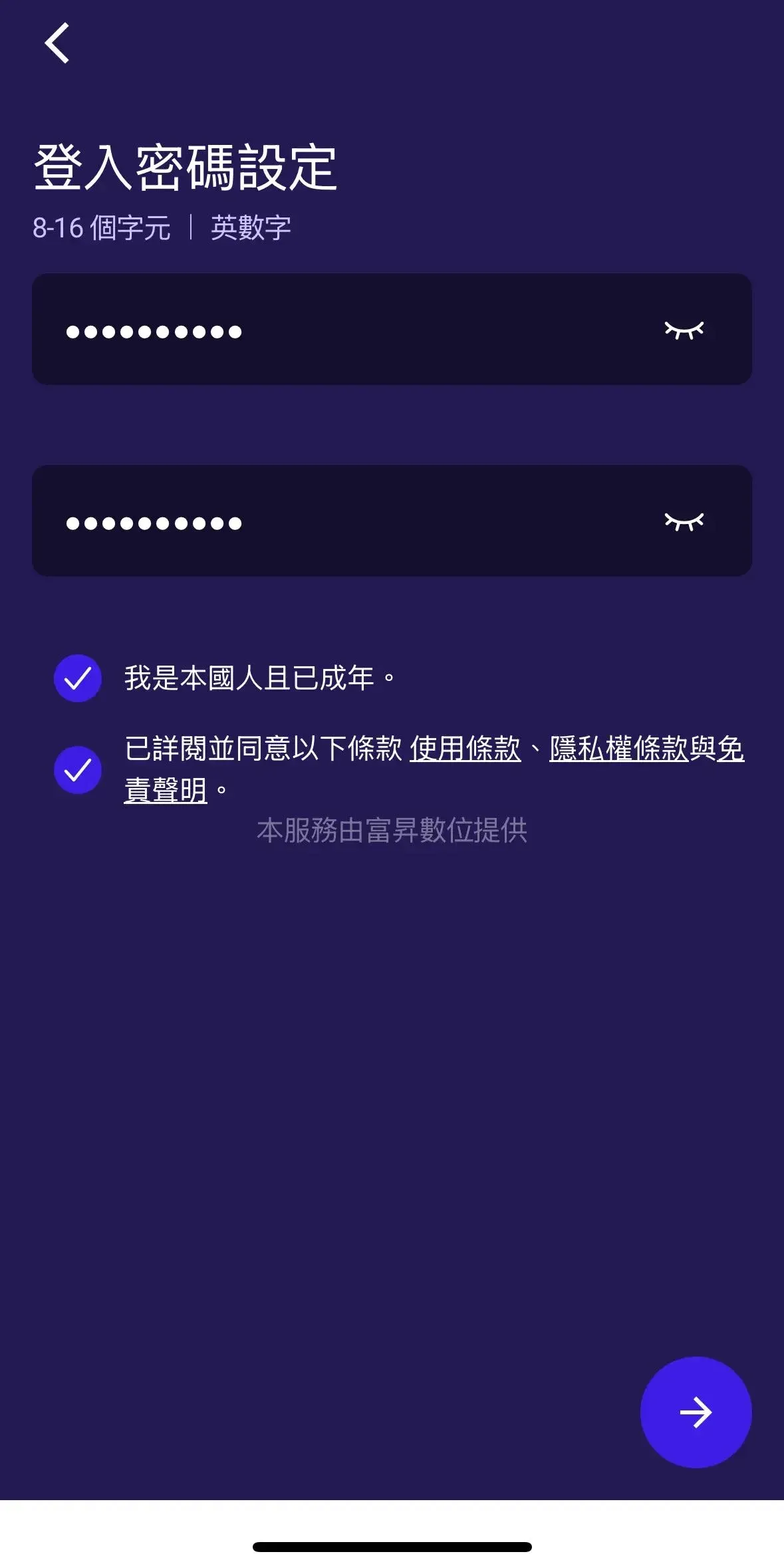
Step 3: Set a Login Password
- Password must be 8‑16 characters and contain both letters and numbers.
- Enter it twice for confirmation.
- Tick the box to agree to the terms of use.
⚠️ Avoid using birthdays, sequential numbers, or other easily guessable passwords.
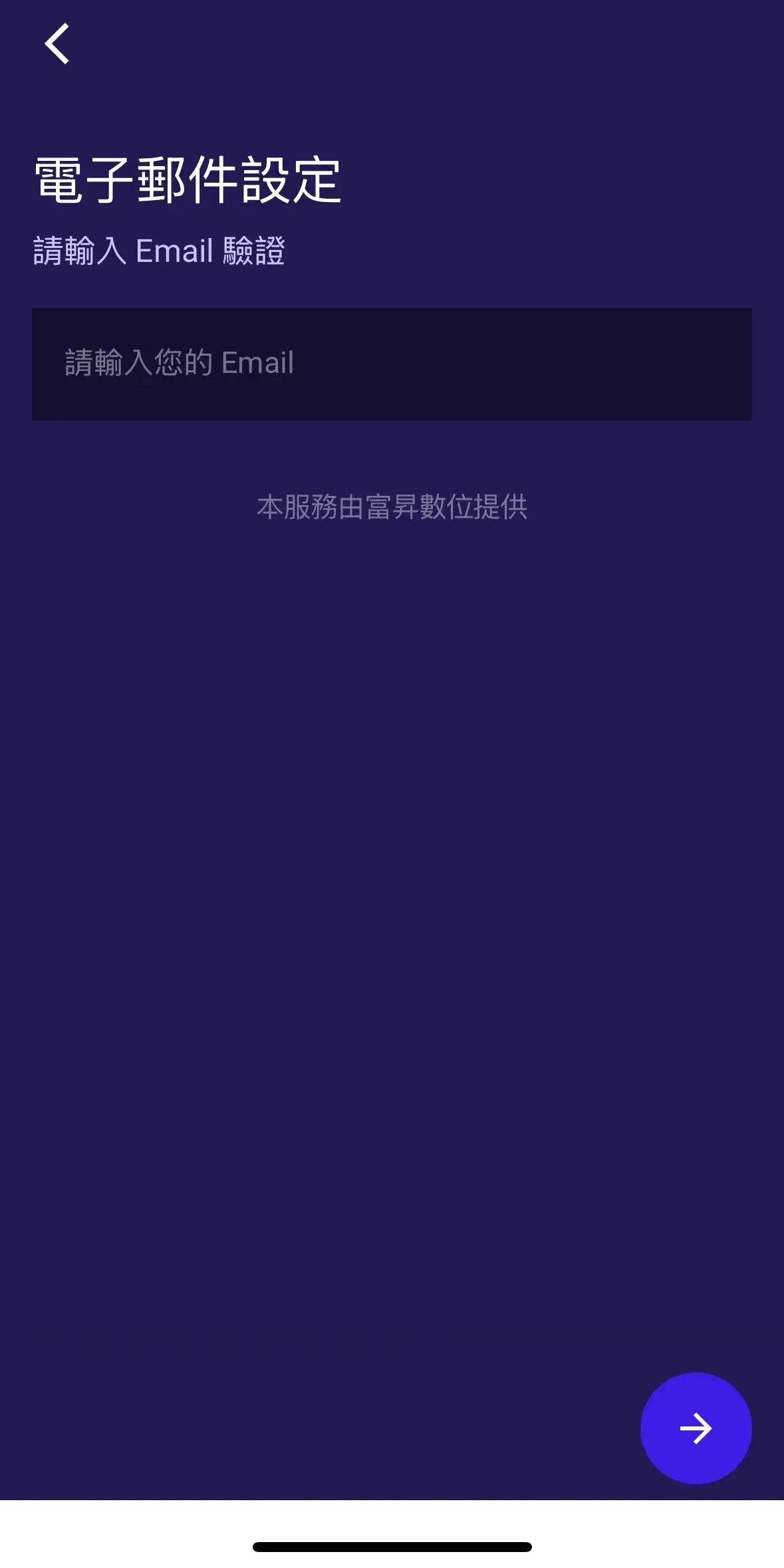
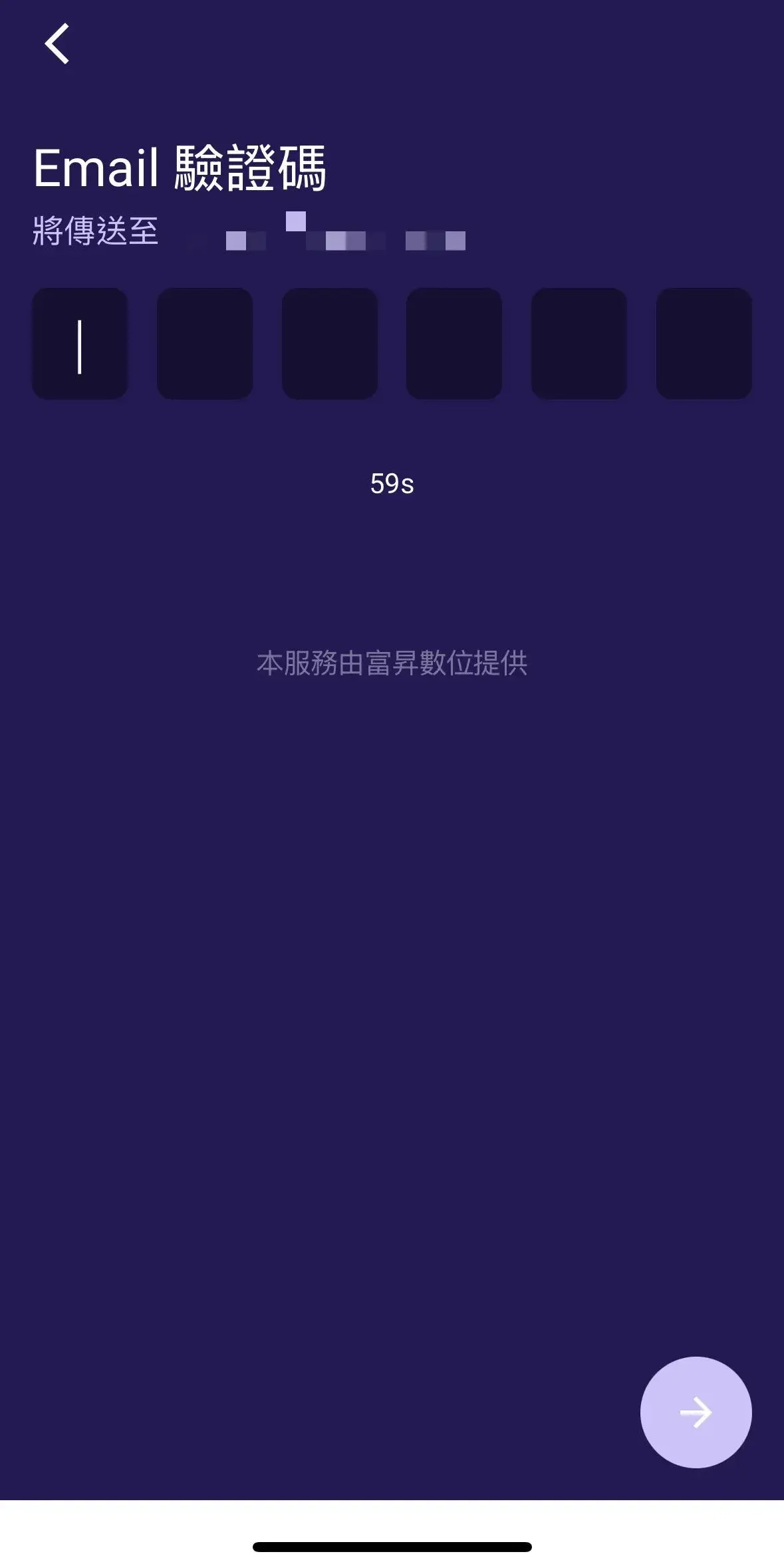
Step 4: Email Verification
- Input a frequently‑used email address.
- Check your inbox for the verification code.
- Enter the Email OTP in the app to finish verification.
⚠️ Make sure the mailbox you use can reliably receive messages.
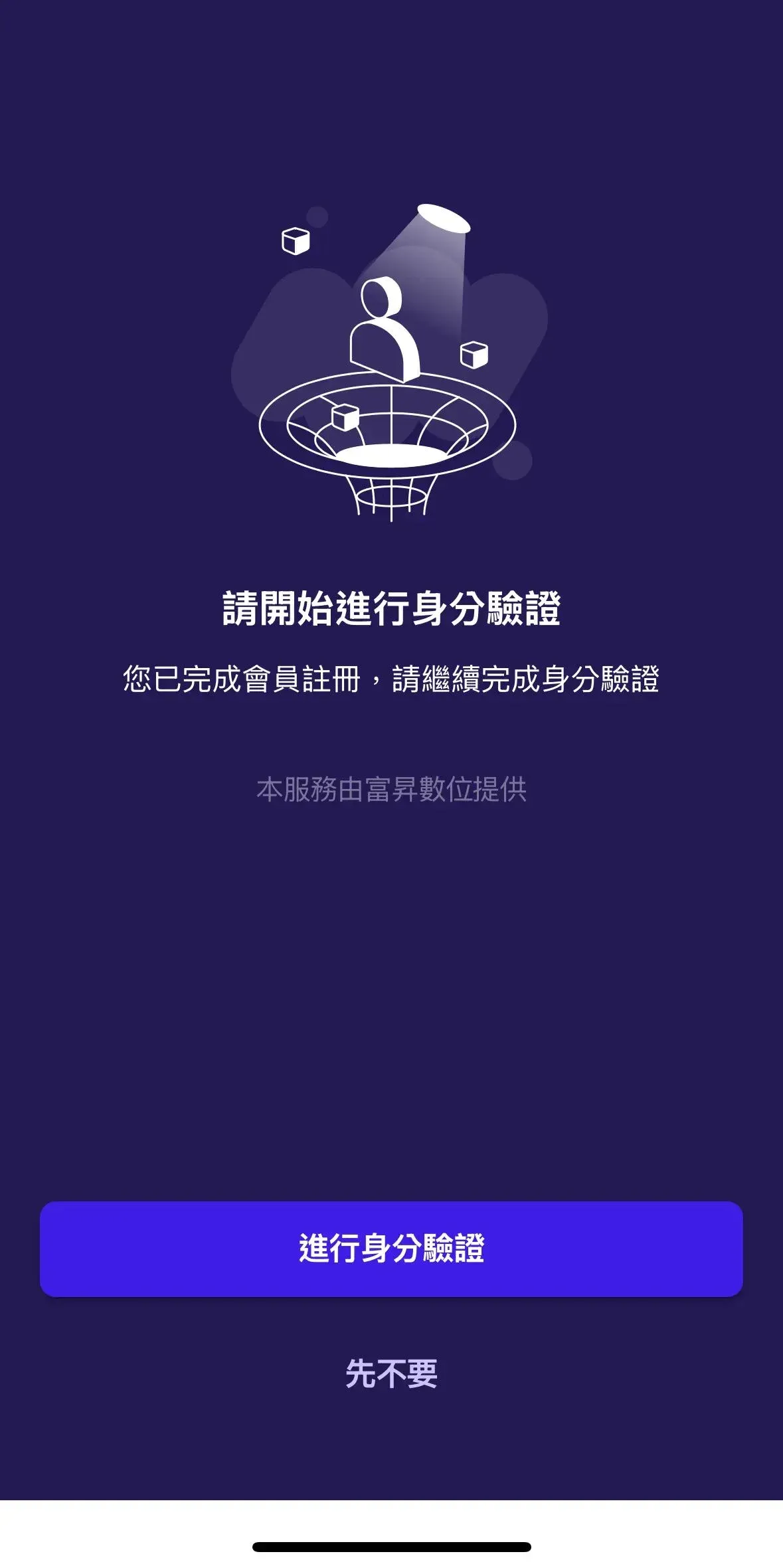
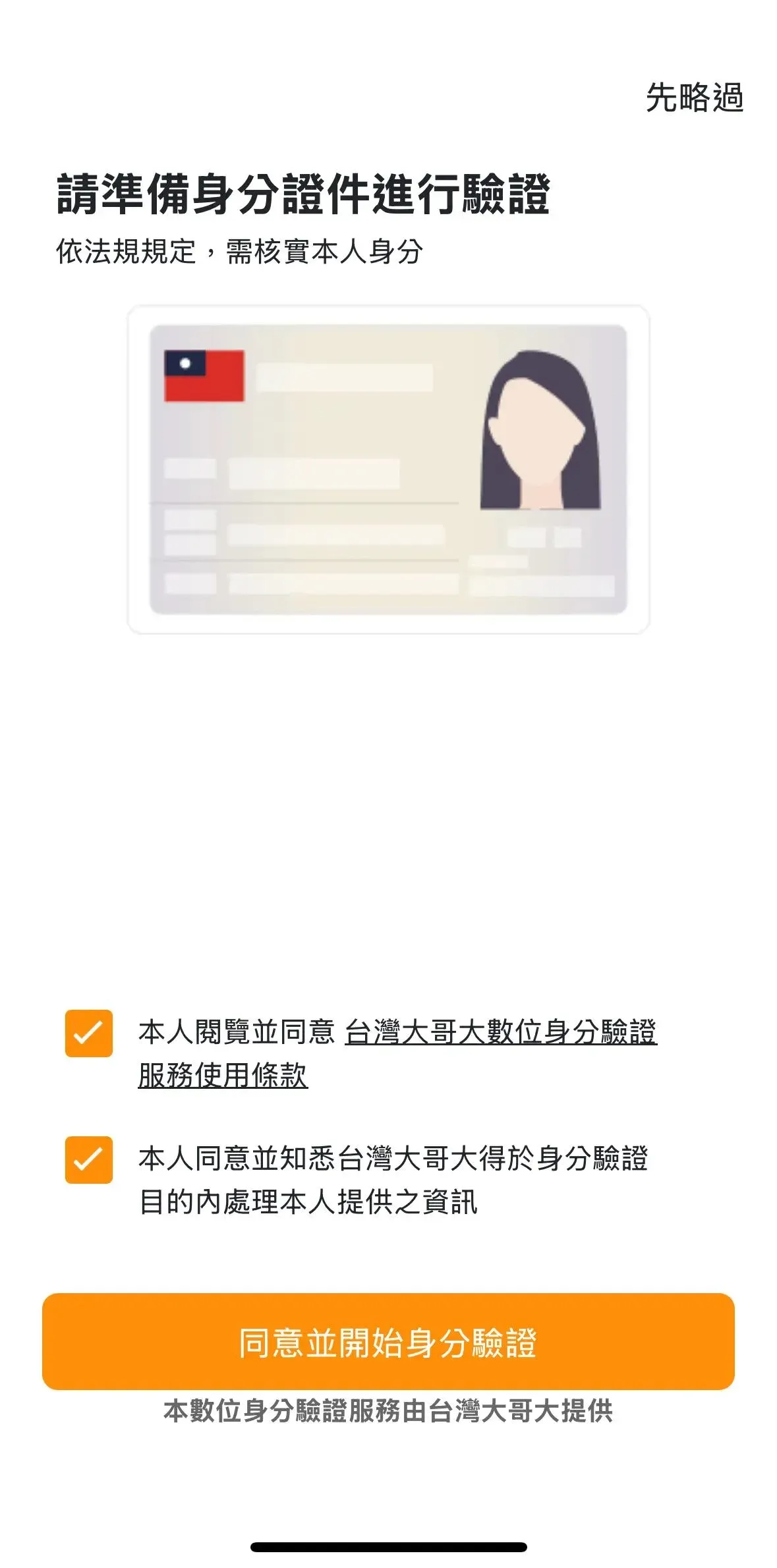
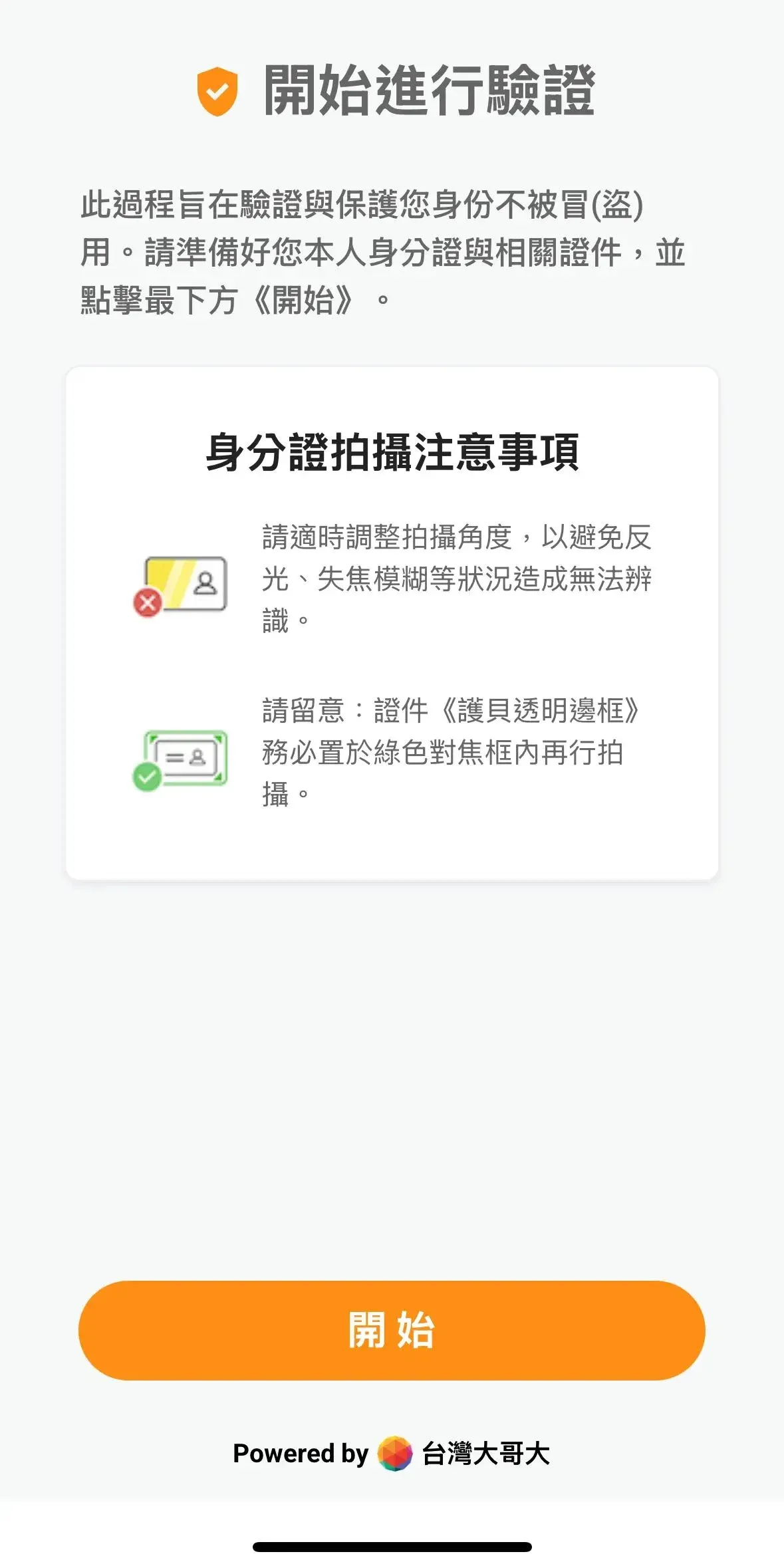
Step 5: Identity Verification (KYC)
- Tap Start Identity Verification.
- Capture photos of the front and back of your ID card.
- Complete a facial‑recognition selfie.
⚠️ Photos must be clear, glare‑free, and show the full facial features.
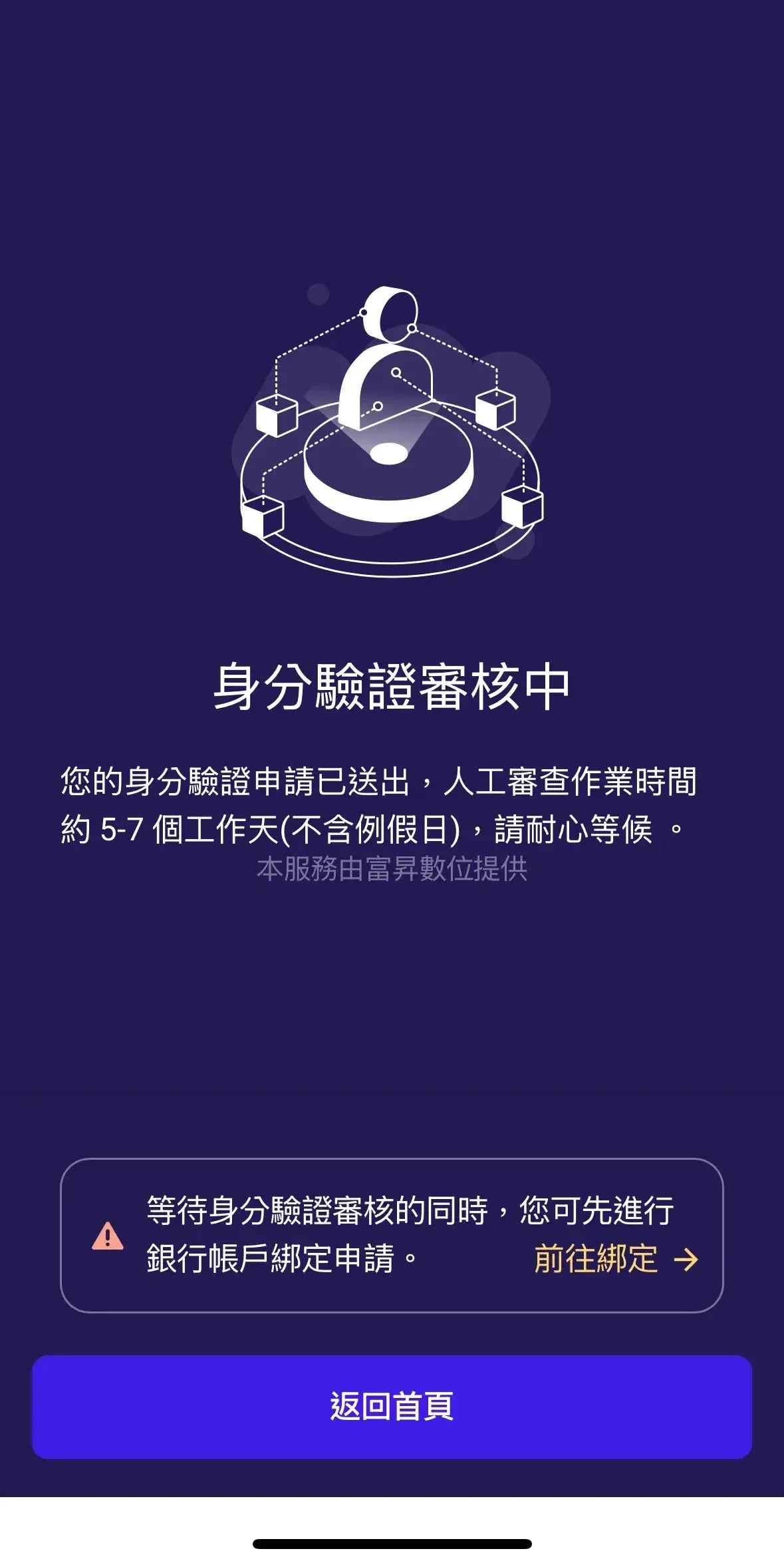
Step 6: Wait for Manual Review
- After submission, allow 5‑7 business days for verification.
- You can check the review status on the account page.
- If a supplemental‑document request is received, follow the instructions promptly.
⚠️ While waiting, you may bind a bank account.
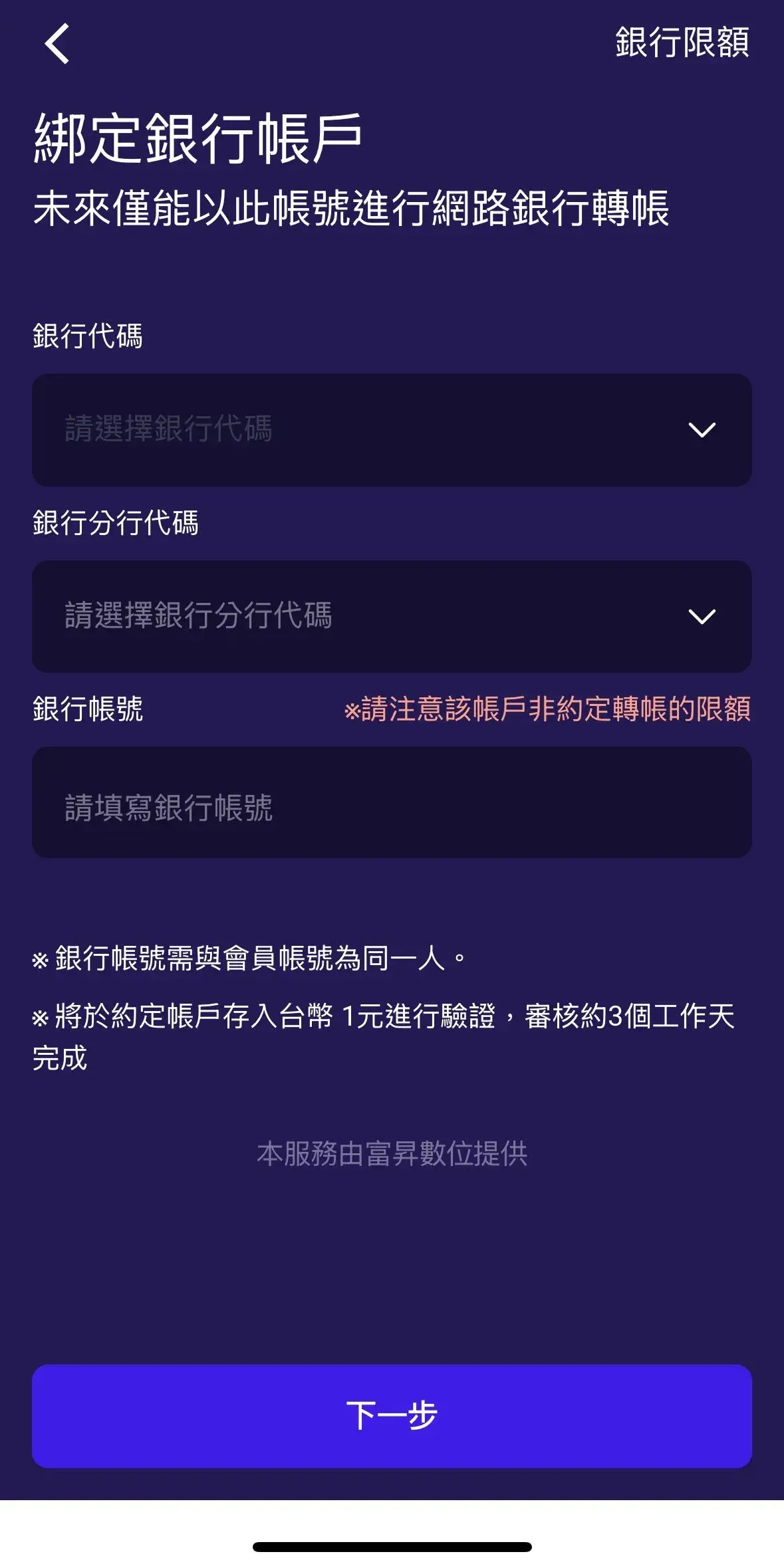
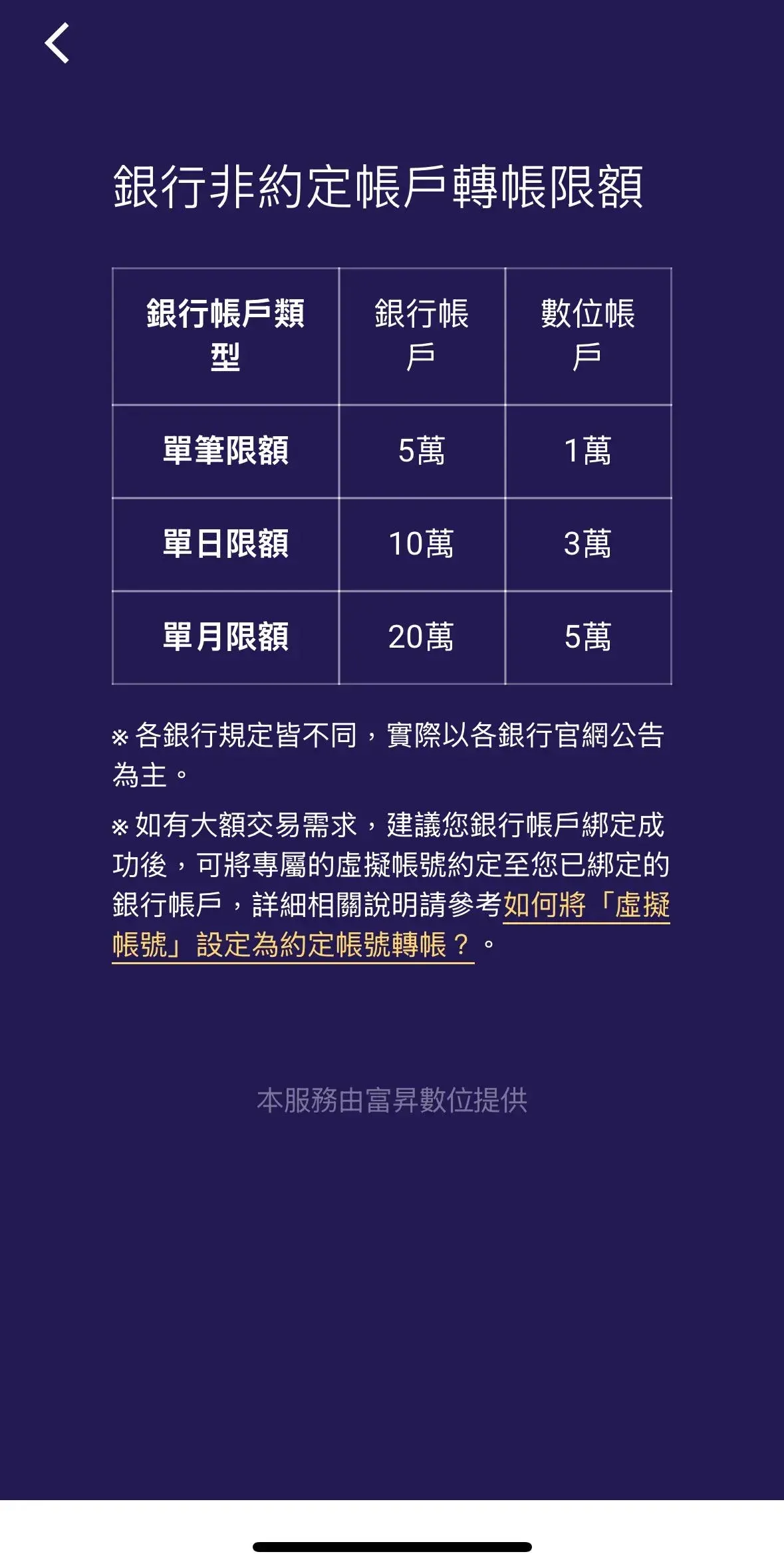
Step 7: Bind a Bank Account
- Go to Account Settings or follow the in‑app prompts.
- Enter your personal bank information (bank name, branch code, account number).
- Verification typically completes within ~3 business days.
⚠️ Each user may bind only one bank account.
Identity‑Verification Key Reminders
- ID card photos must be legible and free of glare.
- Ensure your face is fully visible for the selfie check.
- If you receive a “supplementary documents” notice, provide the requested items promptly.
Once all the above steps are completed, you will have successfully opened a TWEX account. Each email address can register only one TWEX account, so keep your login password and email credentials safe.
TWEX (Taiwan Mobile Giant Exchange) Deposit Guide
After registration, you need to fund your TWEX account with New Taiwan Dollars before you can trade. The platform offers two deposit methods; choose the one that best fits your preference.
Method 1: Pre‑Load Funds to Your Account Balance
Ideal for beginners who want to confirm that the money has arrived before placing an order:
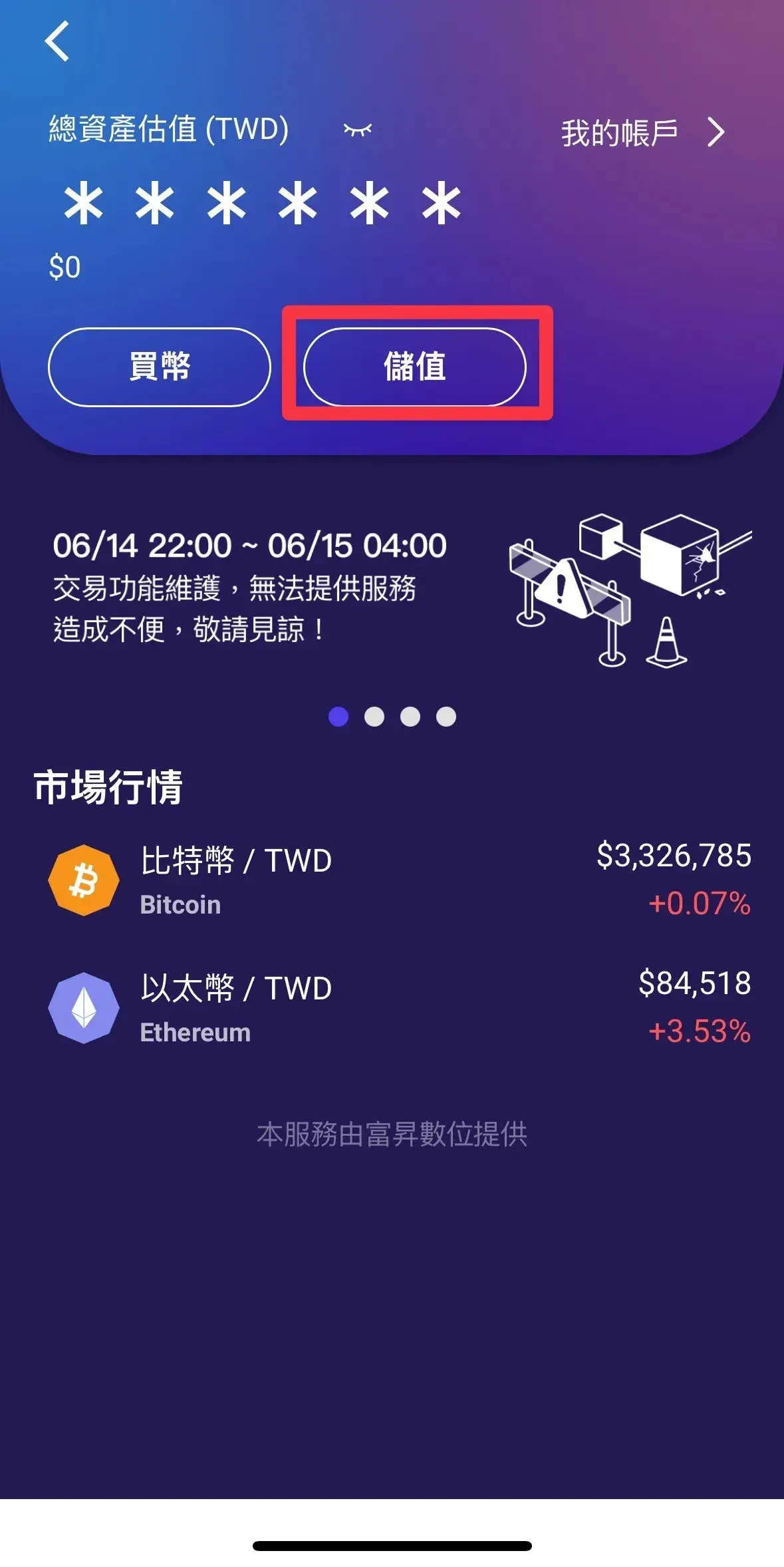
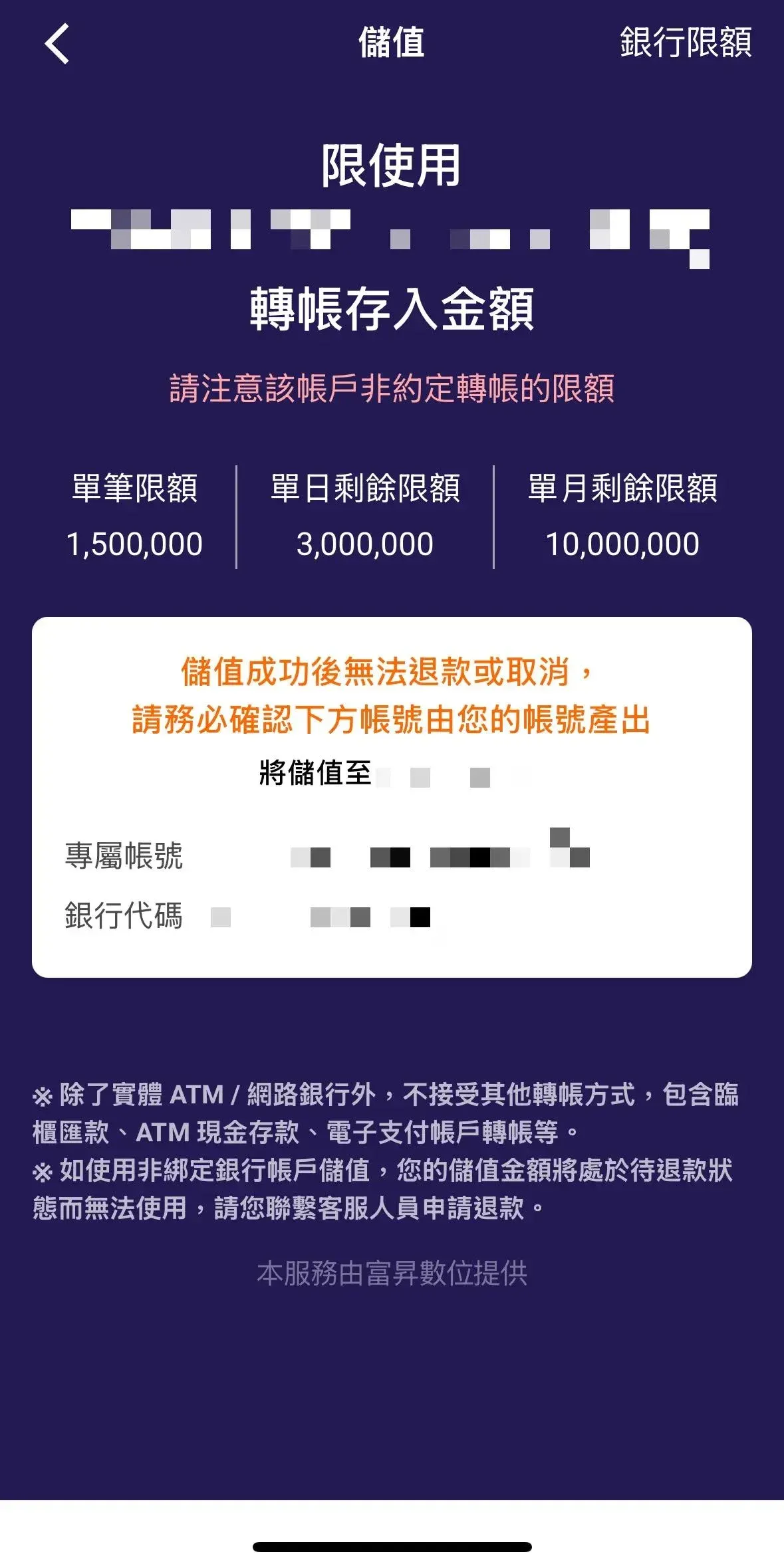
- Log in to TWEX → tap Deposit.
- The system generates a dedicated virtual account at Fubon Bank, Taipei.
- Transfer funds from the bank account you previously bound.
- Ensure the transfer originates from your bound account; otherwise the deposit will be rejected.
- Check the updated balance inside the TWEX app.
Method 2: Immediate Payment After Placing an Order
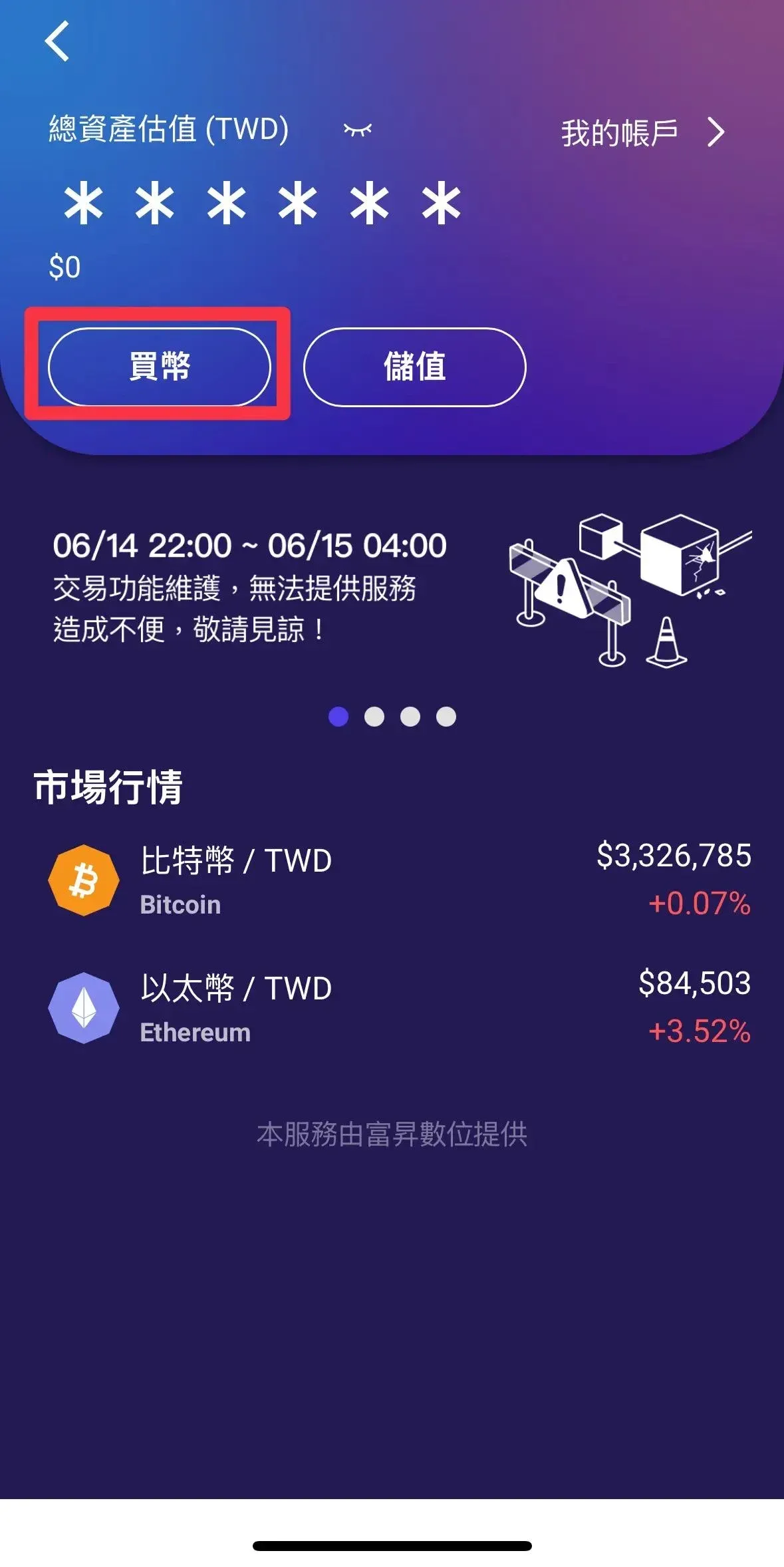
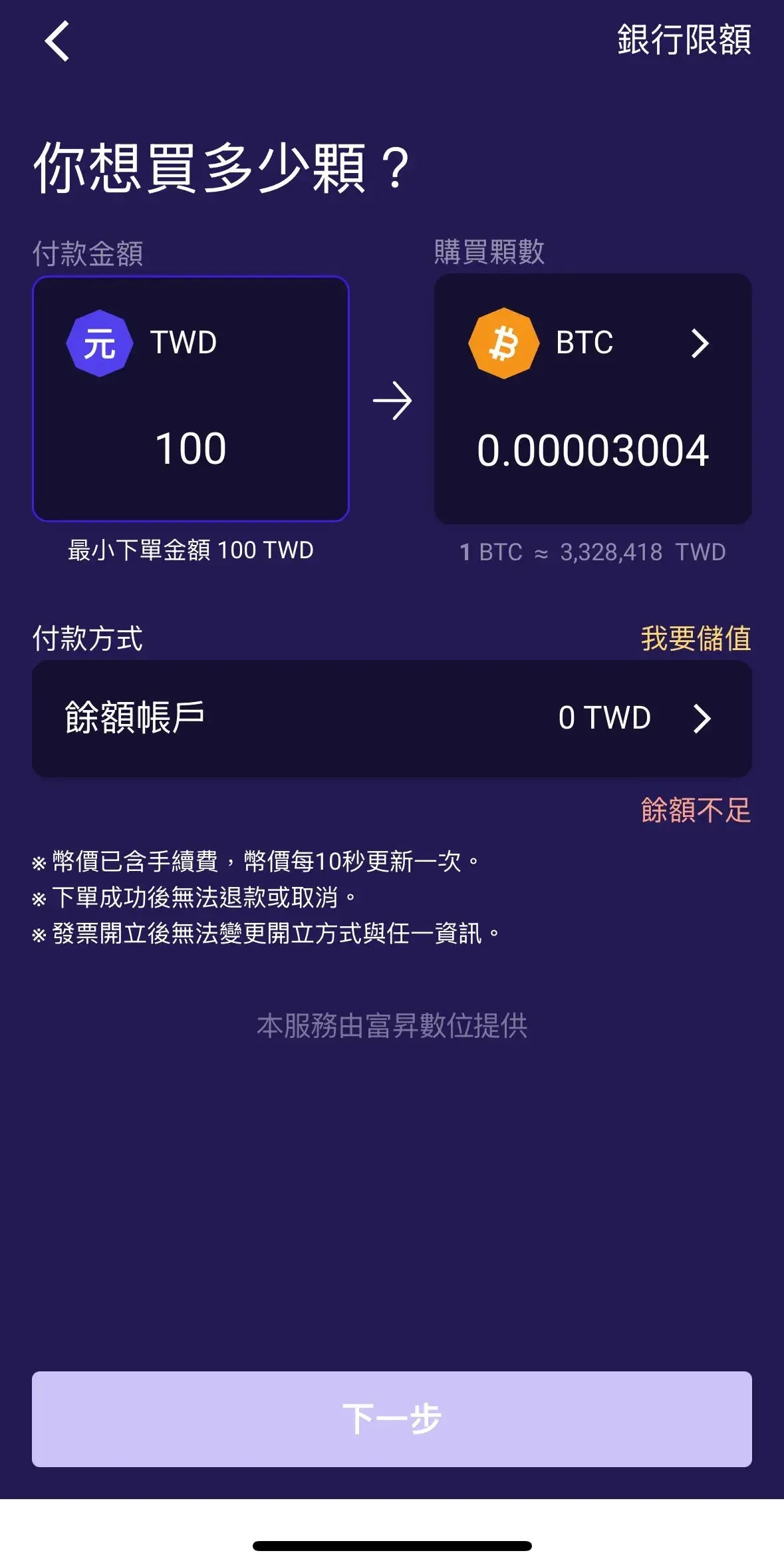
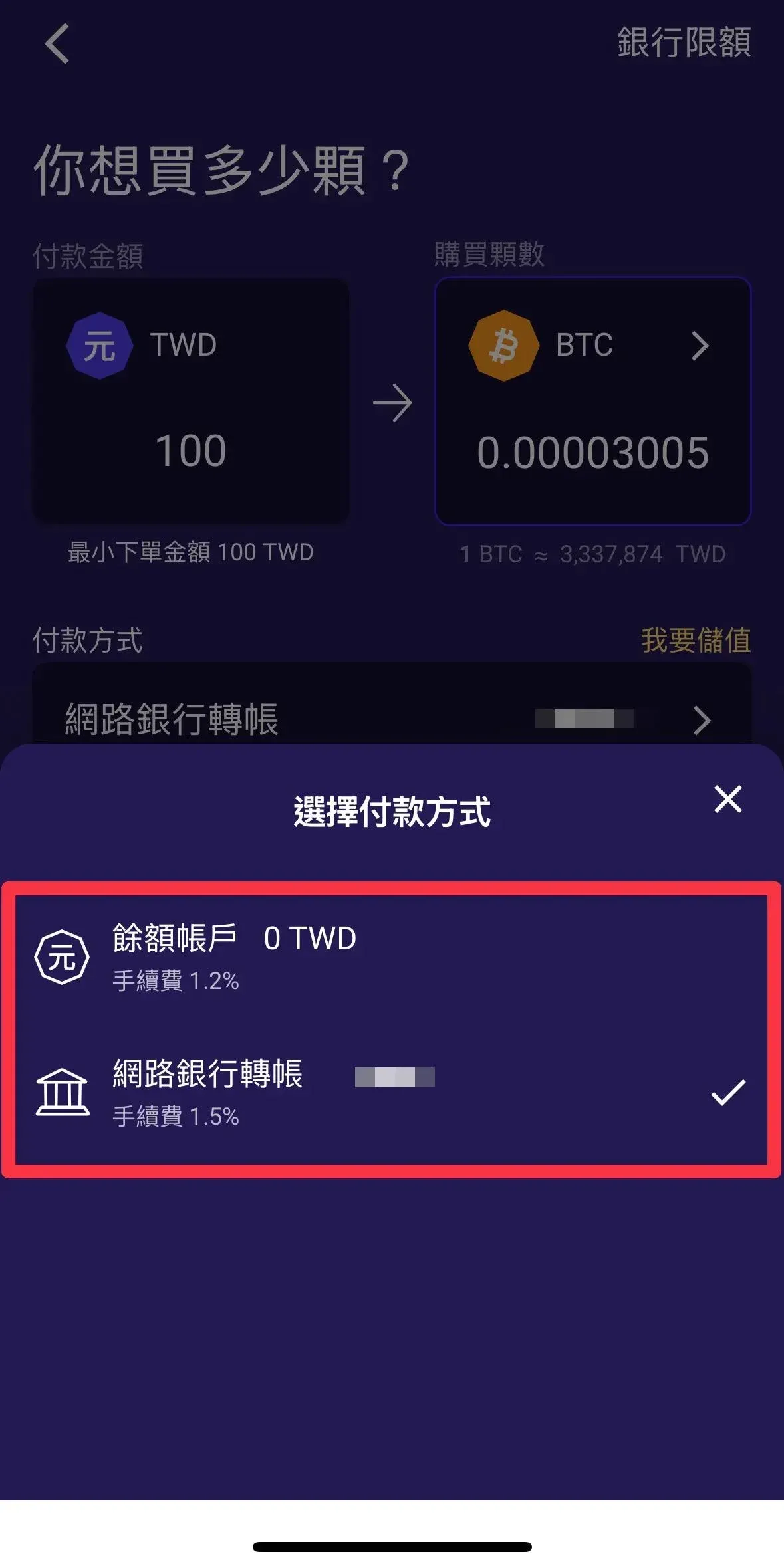
Suitable for experienced users who want to complete a purchase quickly (the fee is 1.5%, 0.3% higher than pre‑loading).
| Step | Action | Time Limit |
|---|---|---|
| Initiate Purchase | Choose coin → enter amount → select bank‑transfer quote (quotes refresh every 10 seconds) | — |
| Receive Payment Info | System generates a unique payment account and amount, then starts a countdown | — |
| Timed Transfer | Complete the bank transfer within the countdown and tap **Confirm** | Usually 5‑10 minutes |
| Trade Completion | Once the system confirms receipt, the crypto is credited automatically; if the timer expires, the order is cancelled | — |
Deposit Tips
- Pre‑loading NTD incurs no fee.
- Only transfers from the bound bank account are accepted; third‑party transfers will be returned.
TWEX (Taiwan Mobile Giant Exchange) Withdrawal Guide
When you wish to cash out profits, TWEX’s withdrawal process is relatively straightforward. The platform does not support on‑chain crypto withdrawals; you must first sell the assets for NTD and then withdraw the fiat to your bank account.
Withdrawal Process Steps
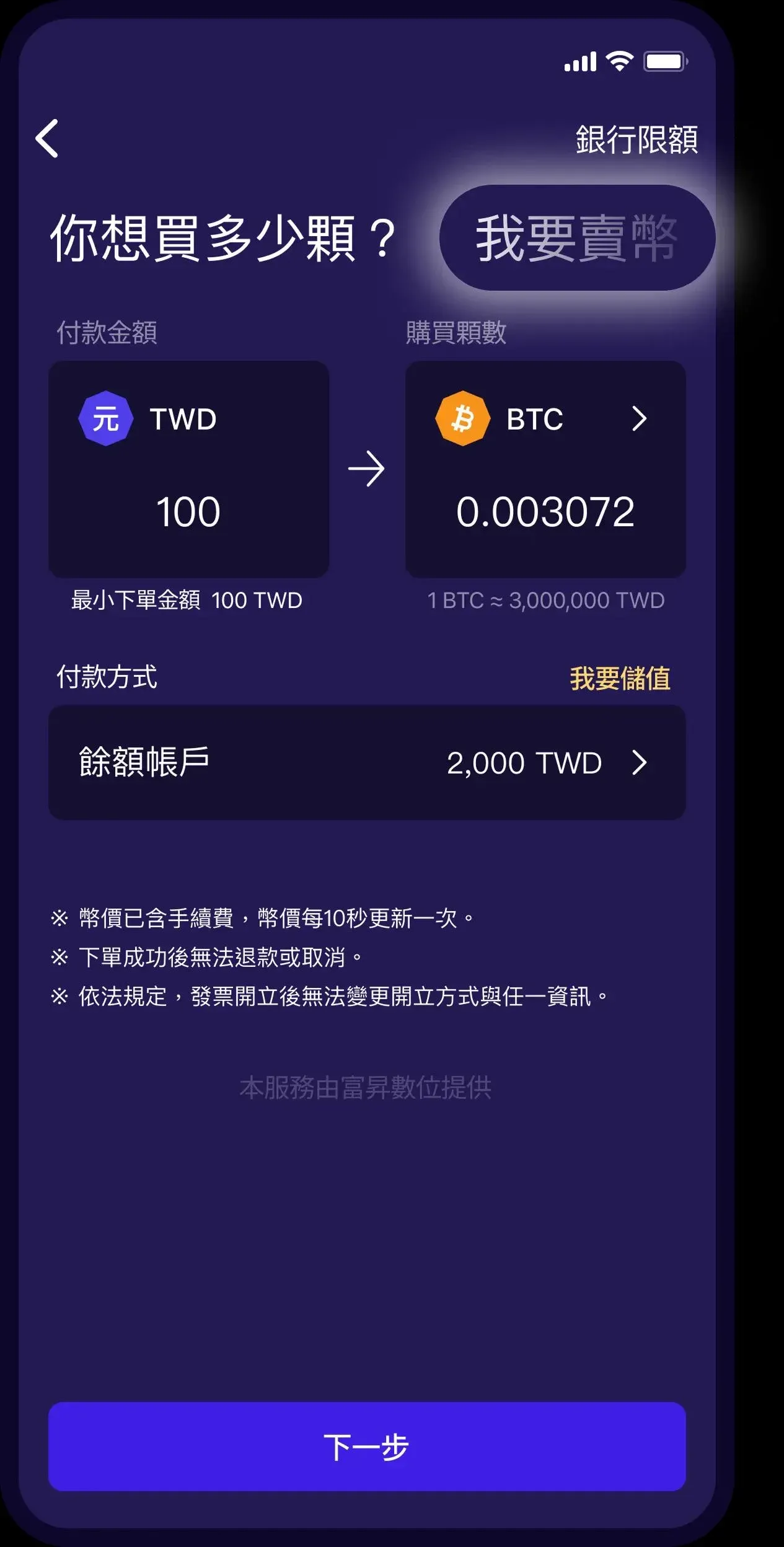
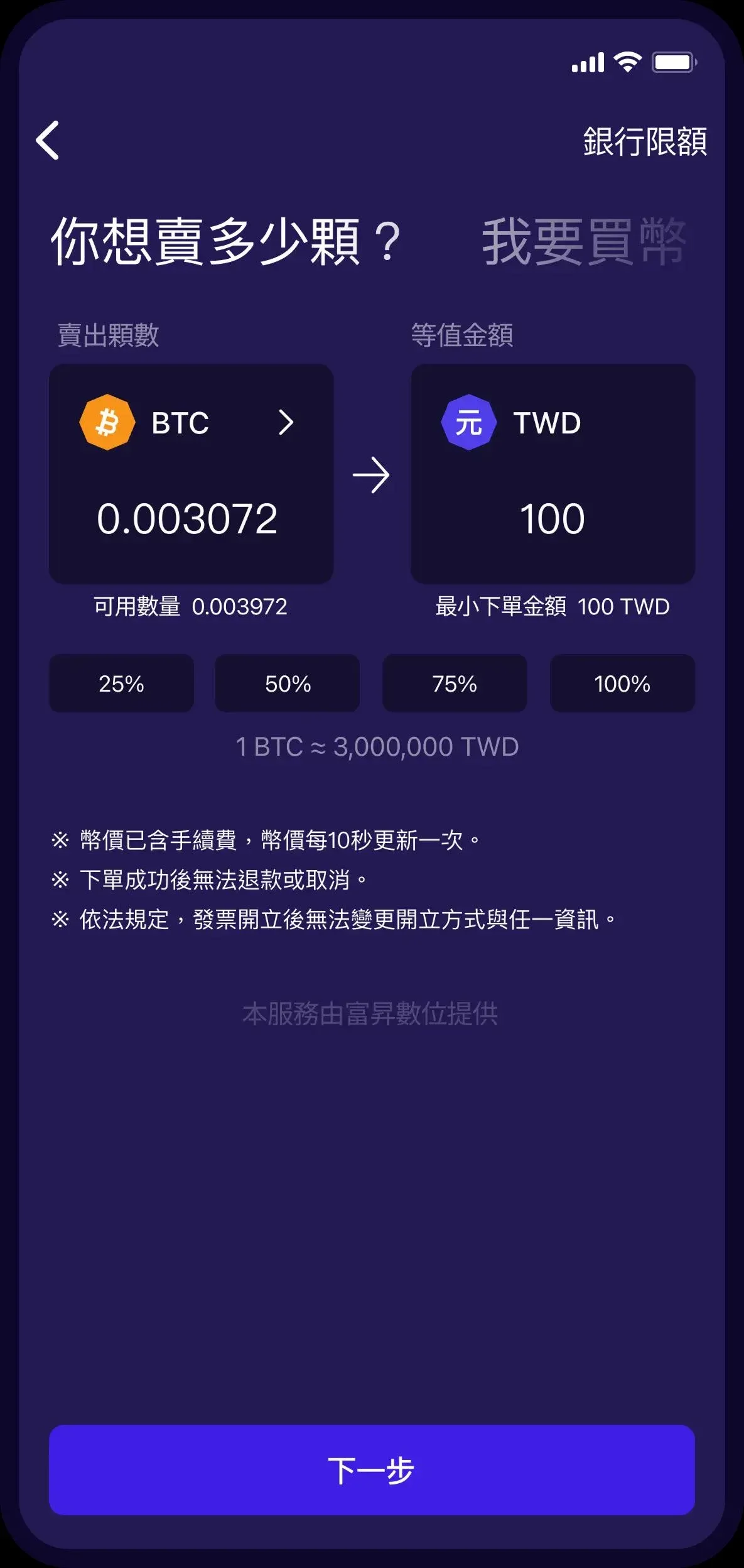
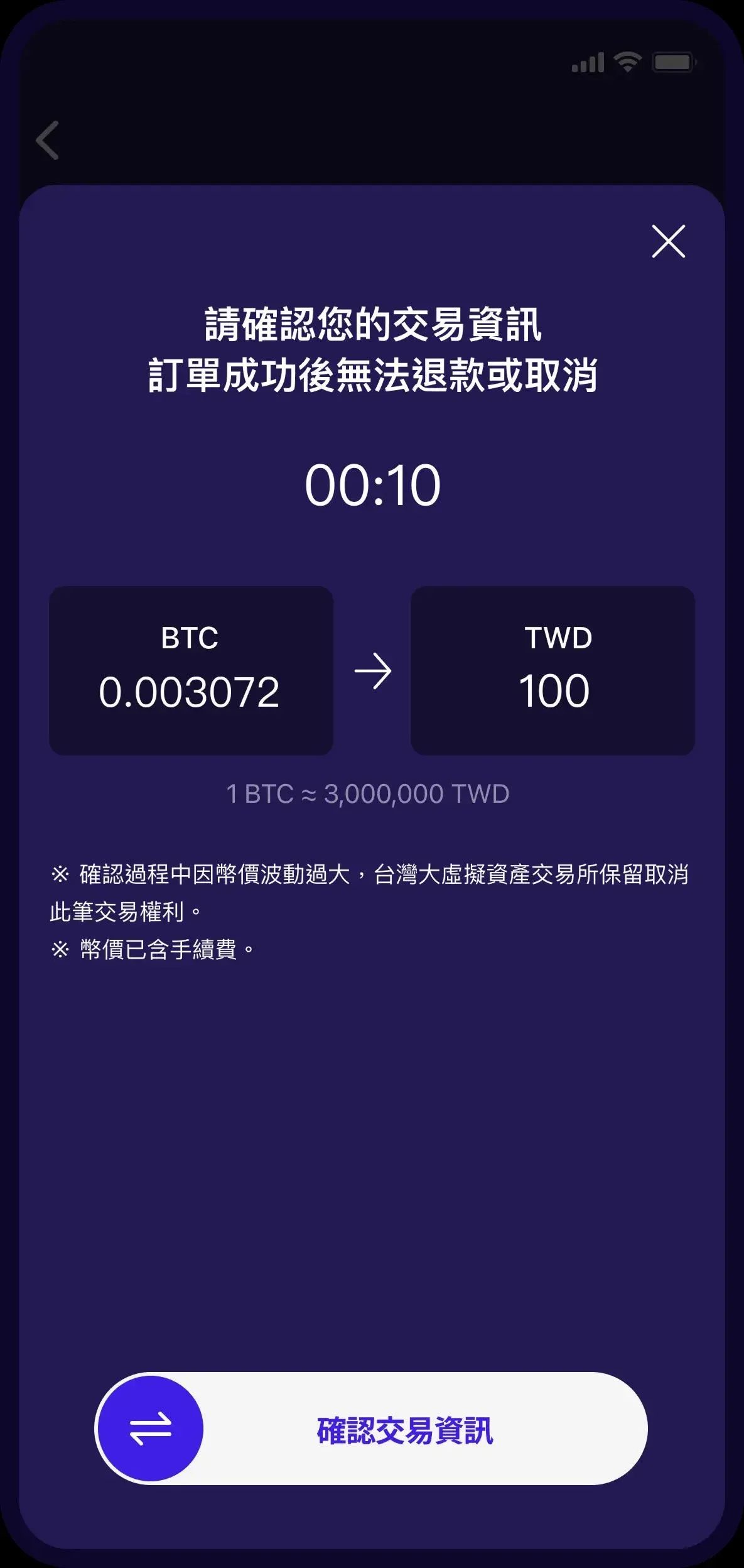
Step 1: Sell Your Crypto Assets
- Tap Sell → choose the coin (BTC or ETH).
- Enter the amount you want to sell (either quantity or NTD value).
- Review the real‑time quote, which already includes an approximate 1% fee.
- Confirm the sale; the transaction is executed instantly.
Step 2: Withdraw the Fiat
- Go to My Account → select Withdraw.
- The system displays the bank account you previously bound; withdrawals to other accounts are not permitted.
```
The system deducts a fixed fee of NT$18 (≈ USD
💡 Register on Binance with referral code B2345 for the maximum trading fee discount. See Binance complete guide.



