
 Bitaigen Research
 How to Download the OKB Exchange App? You can download the Android APK from the official OKX website, or on iOS devices log in to the App Store with a Taiwan Apple ID, search for OKX, and install it.
We have organized the complete download process for the OKX (formerly OKEx) application, covering both iOS and Android platforms with step‑by‑step screenshots, along with solutions to common issues and safety recommendations. By following this guide you can quickly get started, safely register an account, manage assets, and perform on‑chain operations. Later sections provide more detailed functional tutorials for you to explore.
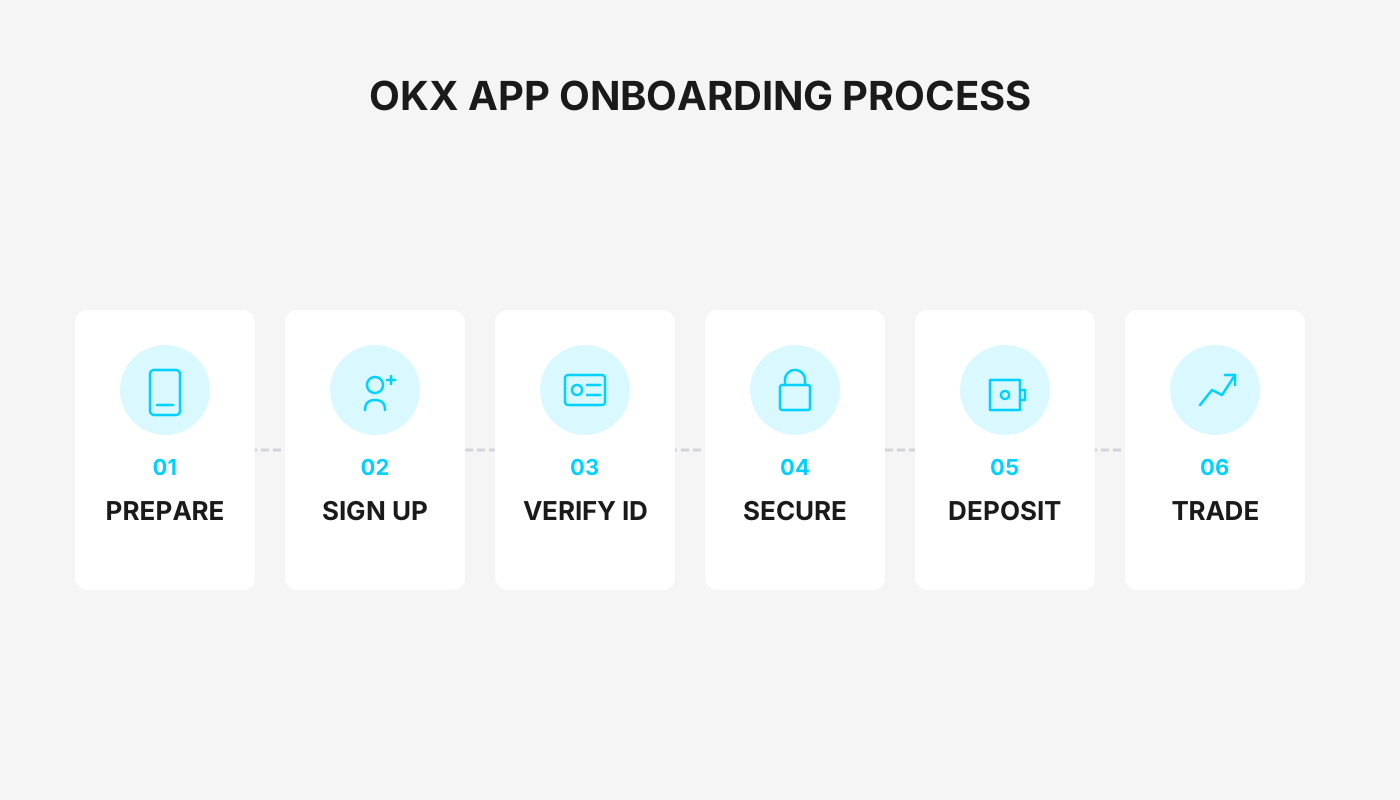
1. Android Users – Visual Guide to Downloading the OKX App
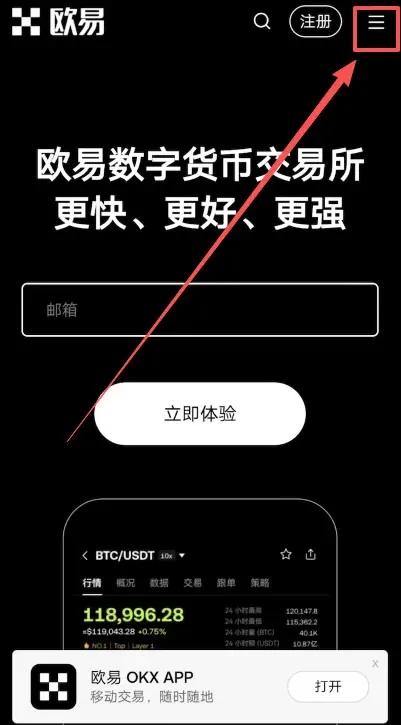
- Open a web browser, go to the OKX official website and click the link below to access the OKX homepage.
OKX registration page: https://www.okx.com/zh-hans/join/B2345
- Once the page loads, tap the three horizontal bars in the upper‑right corner.
- In the side menu select Download OKX APP.
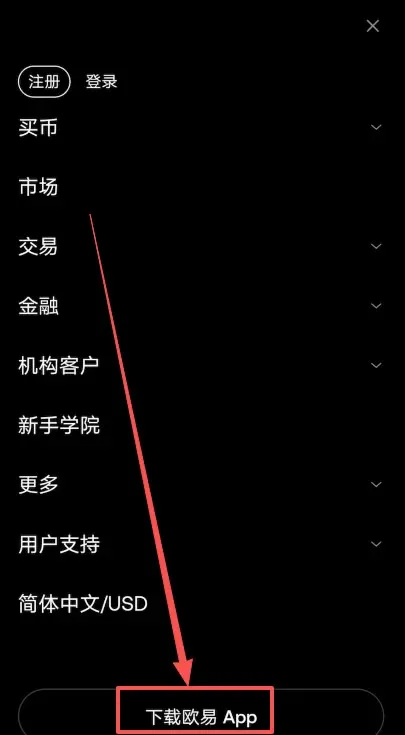
- Click Download OKX APP again to confirm the download.
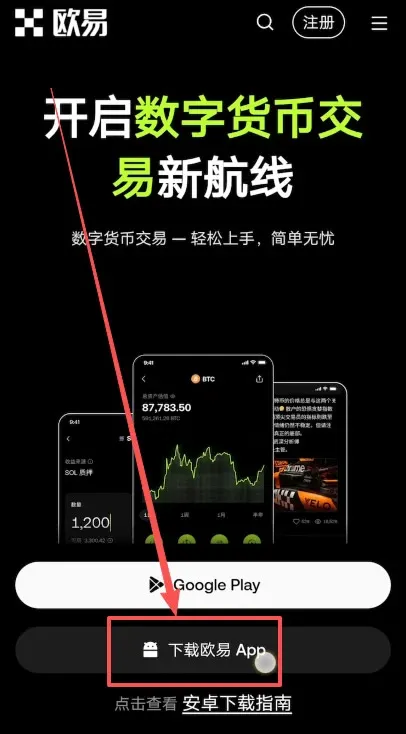
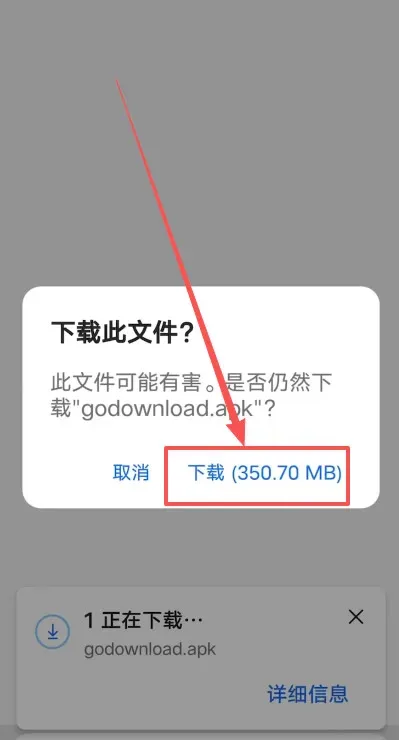
- A system prompt will appear asking whether to download the file; tap Download and wait for the installer package to finish downloading.
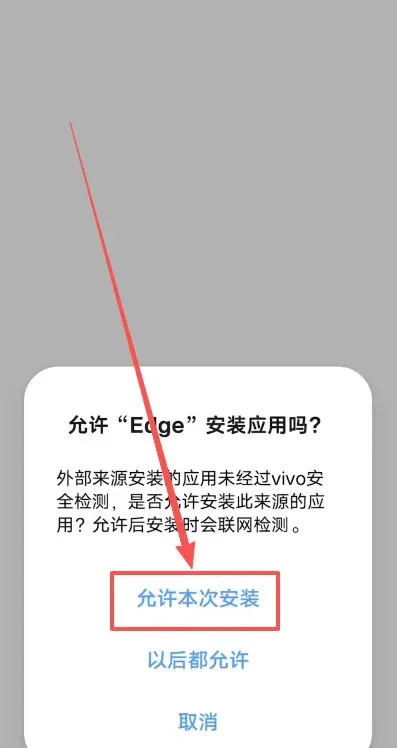
- After the download completes, tap Allow installation this time.
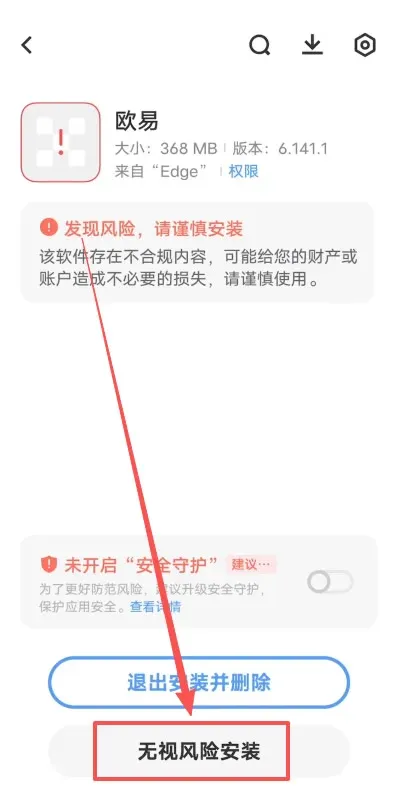
- Because the installer originates from a browser, the phone will display a risk warning. Verify that the source is the official website and then tap Install anyway.
- Once all steps are completed you will see that the OKX App has been installed successfully.
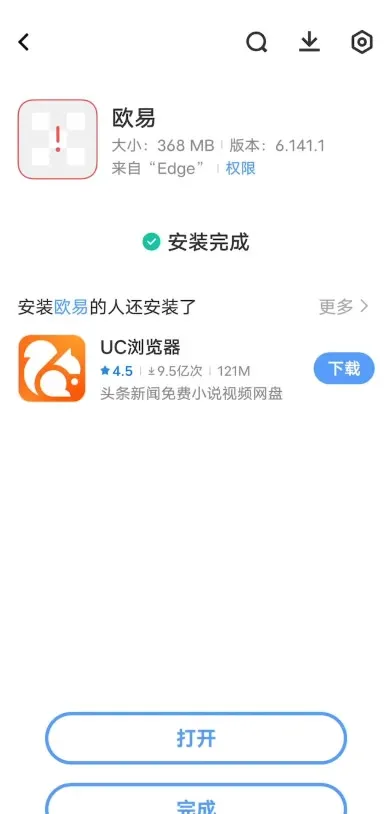
Three Common Reasons for Installation Failure and Their Fixes
| Possible Cause | Resolution Steps |
|---|---|
| Security monitoring blocks the file | ① Turn off Wi‑Fi and mobile data; <br>② Go to **Settings → System & updates → Pure mode** and disable enhanced protection. |
| System restricts installations from unknown sources | ③ In **Settings → Security → More security settings**, enable “Install apps from external sources”. |
Applying any of the above methods should generally allow the installation to succeed.
2. iOS Users – Visual Guide to Downloading the OKX App
1. Preparations
- Device: iPhone or iPad
- Email: an unused email address (Gmail is recommended)
- Address tool: Taiwan address generator (you must fill in a real street and postal code, e.g., Taipei City 100)
- Name: either Pinyin or Traditional Chinese; date of birth must be ≥ 18 years (does not need to be real)
2. Register a Taiwan Apple ID
- Open the Apple ID registration website (https://appleid.apple.com) in a browser and fill in the information: <br>• Name can be arbitrary <br>• Country/Region → Taiwan <br>• Birthdate ≥ 18 years
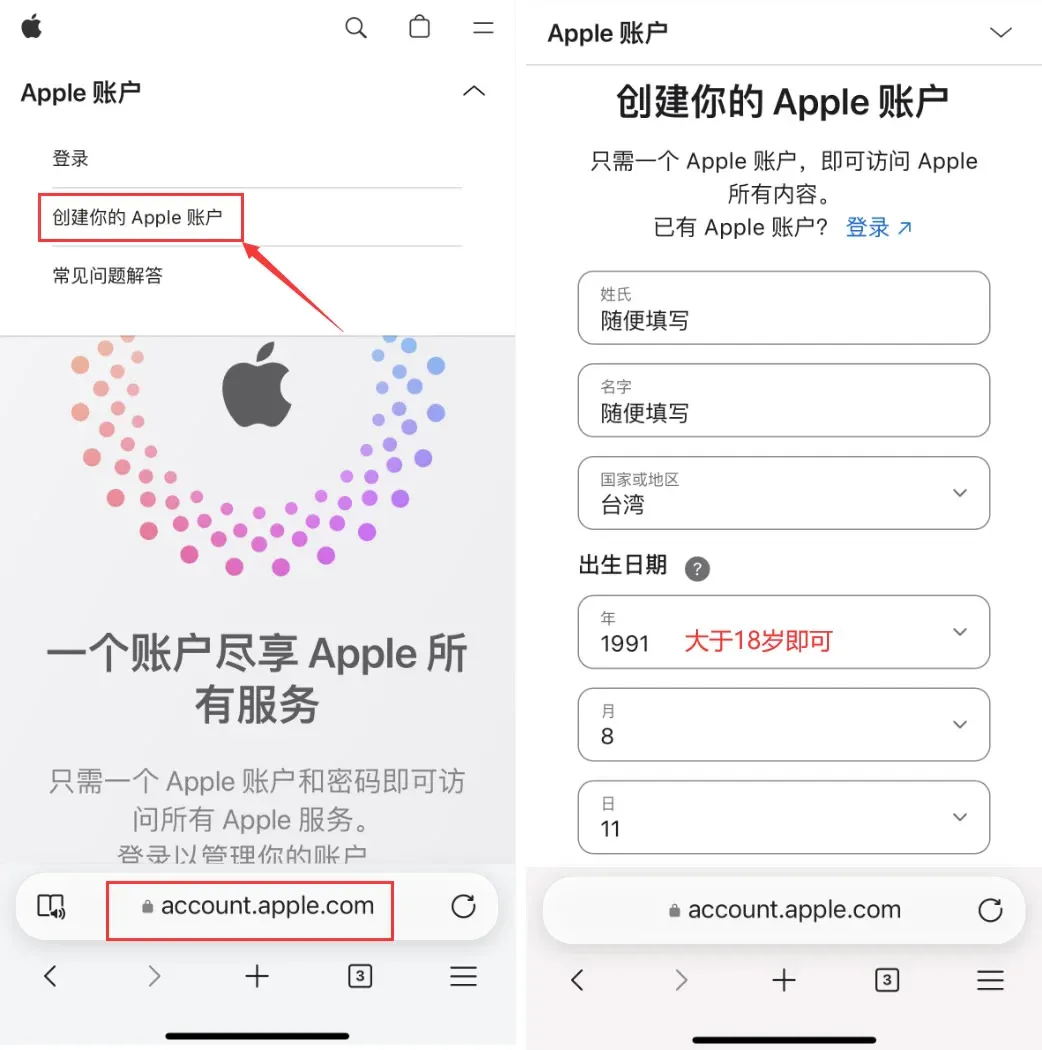
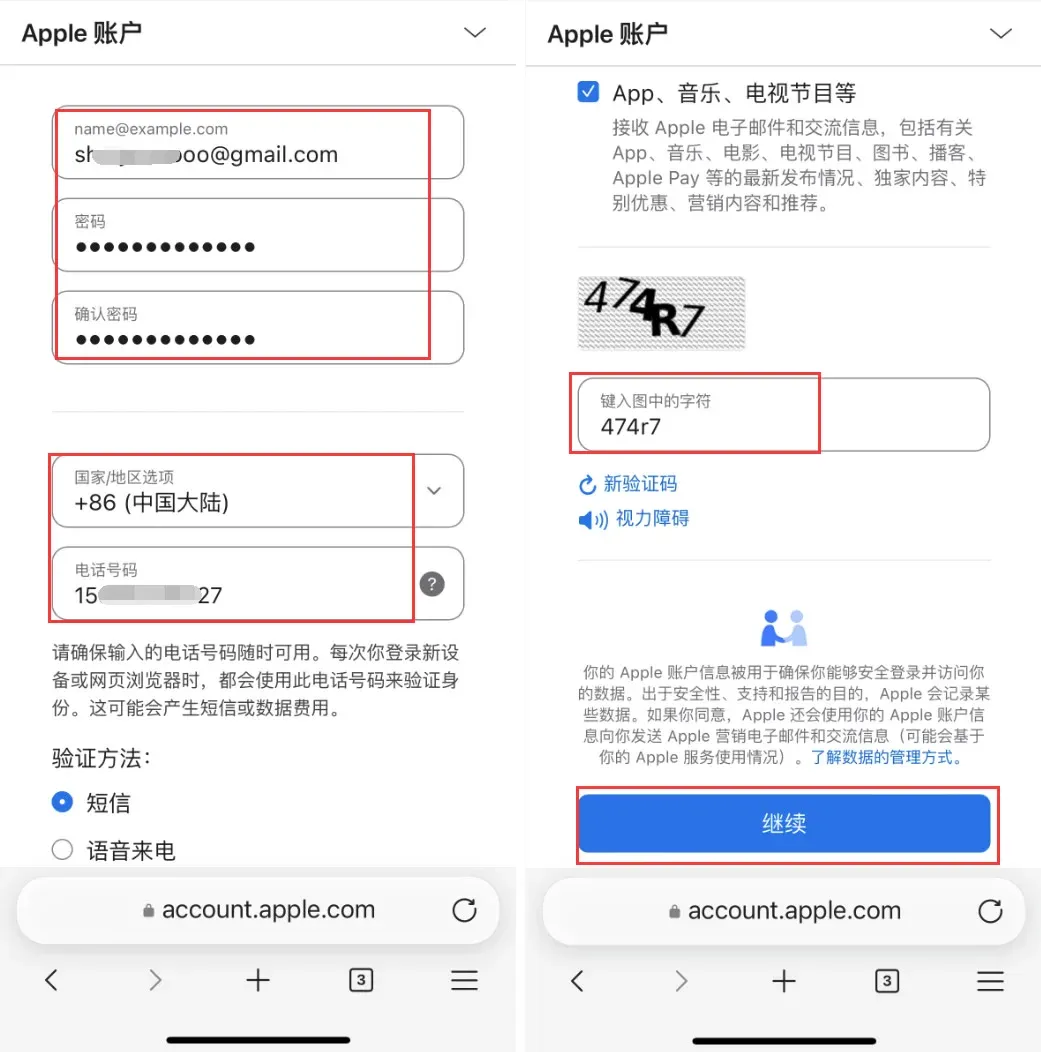
- Use a Gmail address; the password must contain uppercase, lowercase, numbers and symbols. You may select Mainland China as the country/region so you can receive verification codes on a Chinese mobile number. Click Continue when done.
- Open your email inbox and retrieve the verification code.
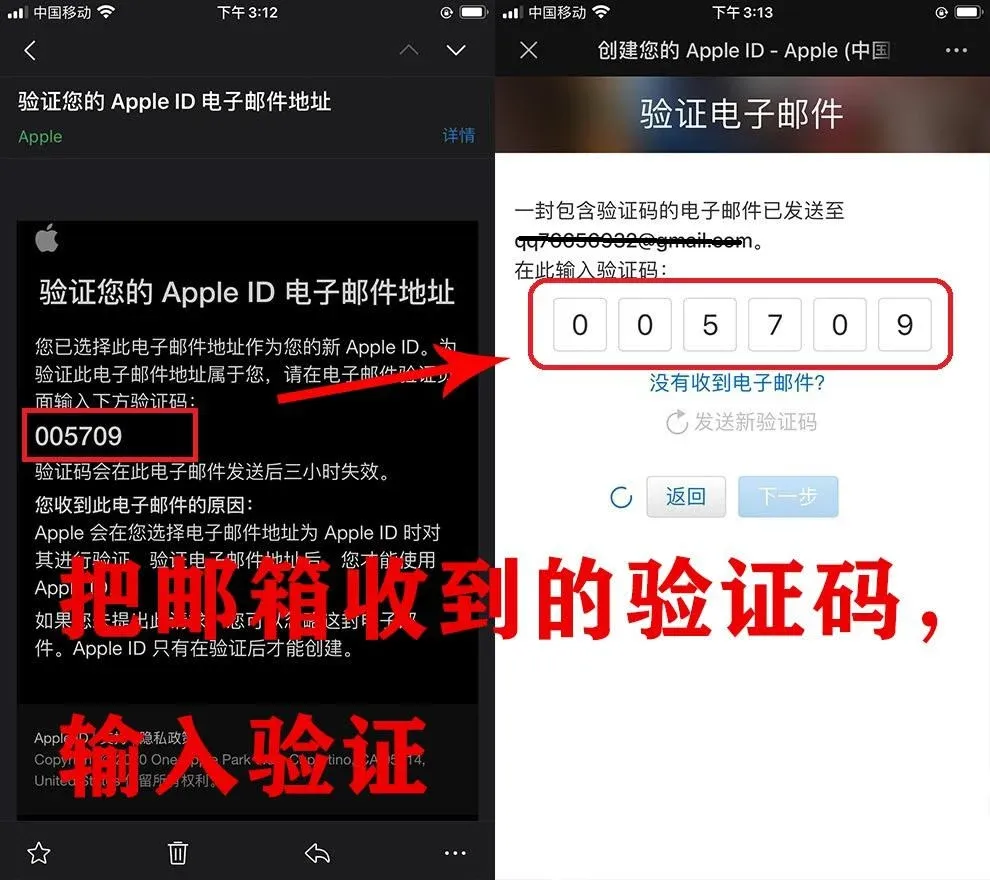
- The system will send a code to your phone; enter it to complete the Apple ID creation.
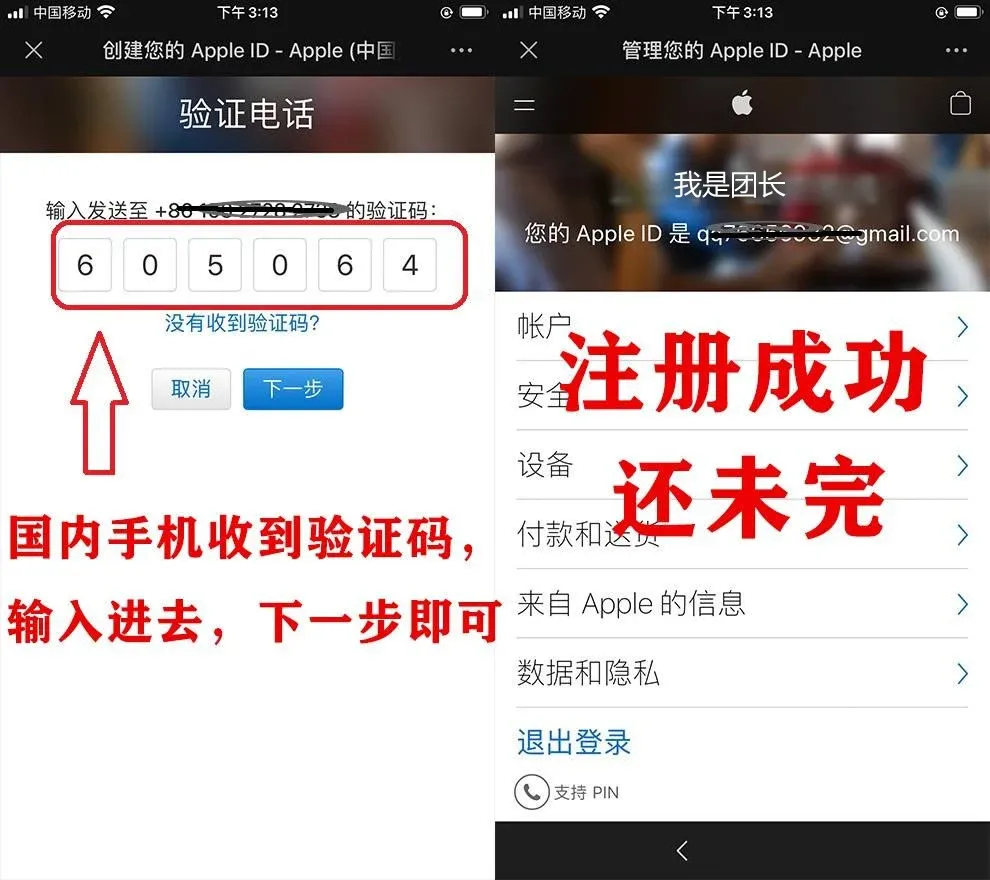
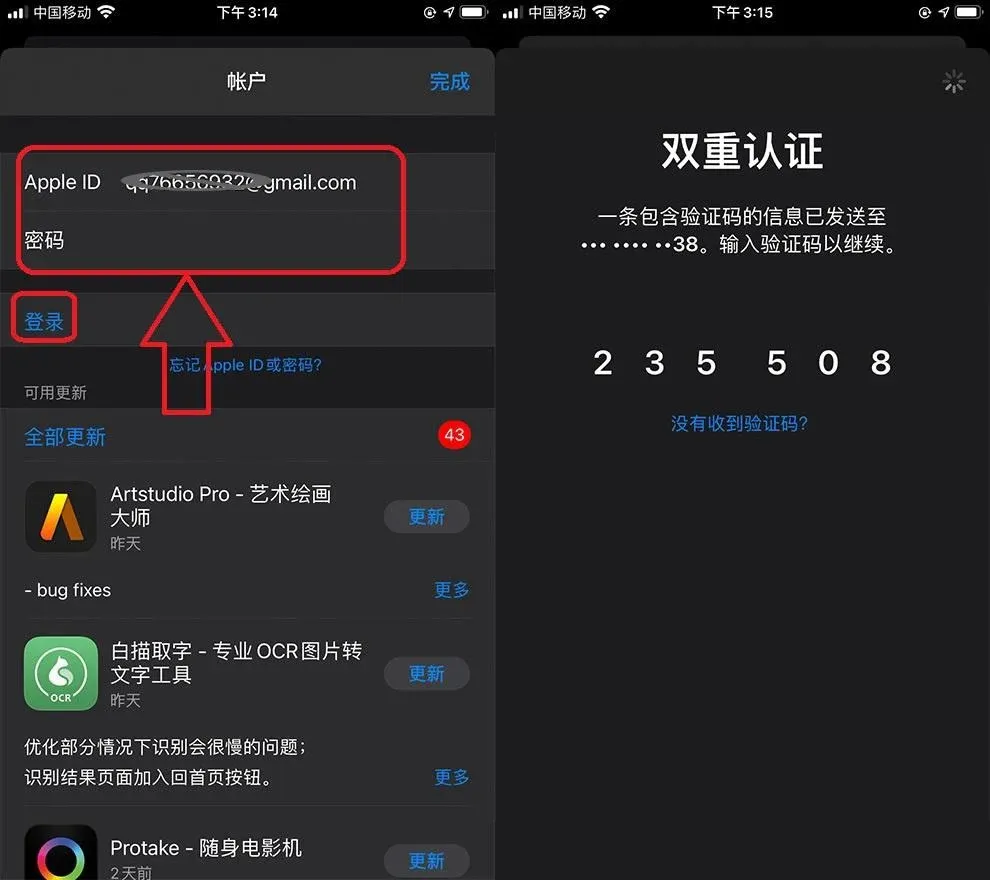
- On the iPhone/iPad, log in to the App Store with the newly created Apple ID (do not log in via Settings). After two‑factor authentication, you will reach a “Check” page; tick “Agree to Terms and Conditions” and continue.
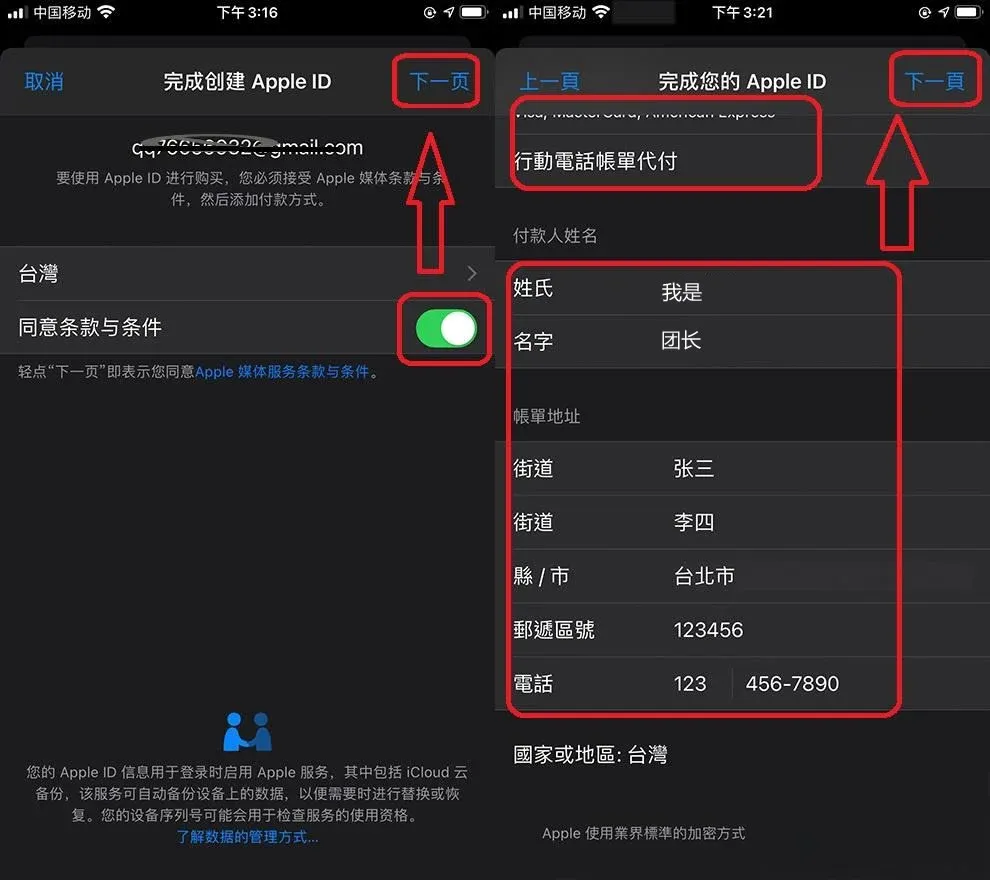
- On the payment‑method screen do not select any option, fill in a placeholder payer name, billing address, a 6‑digit postal code, and the phone number 1234567890, then tap Next to finish registration.
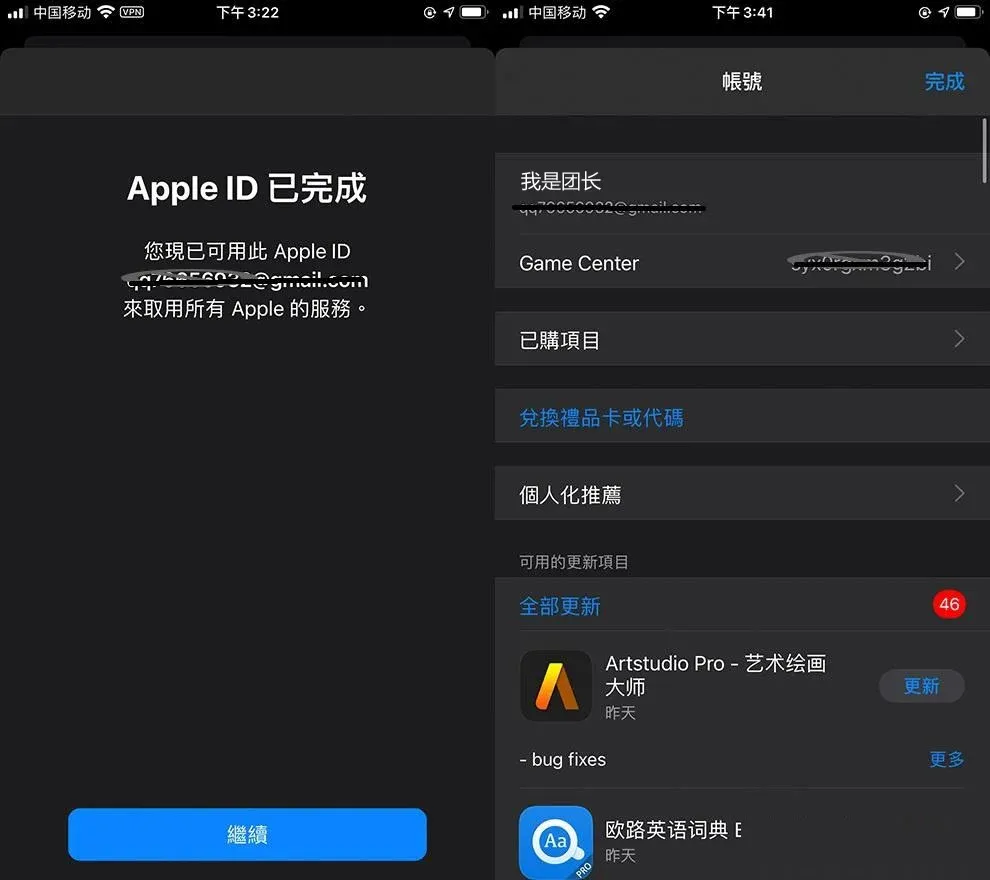
- After the Apple ID is successfully created, open the App Store, search for OKX, download, and launch the app.
3. Logging Into the App Store with the Apple ID
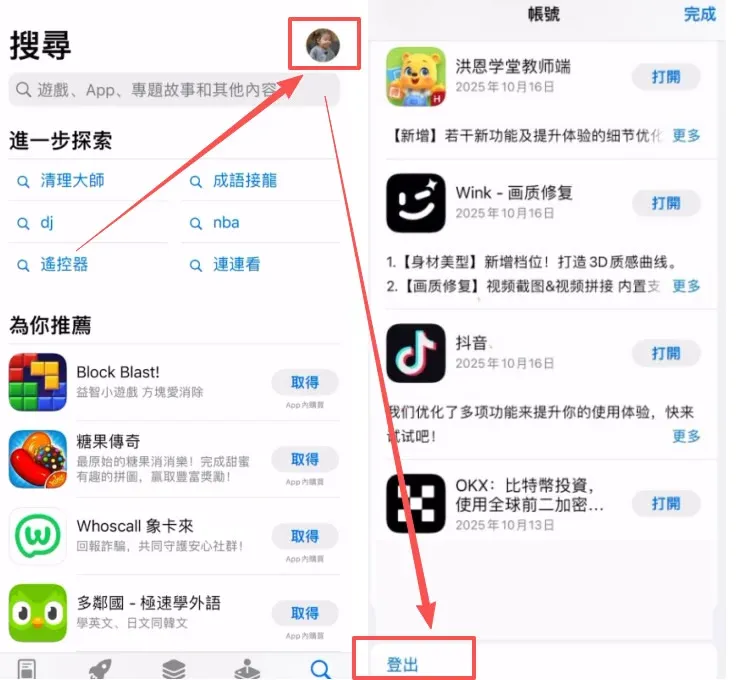
- Open the App Store, tap the profile icon in the upper‑right corner, and sign out of the existing Mainland China Apple ID.
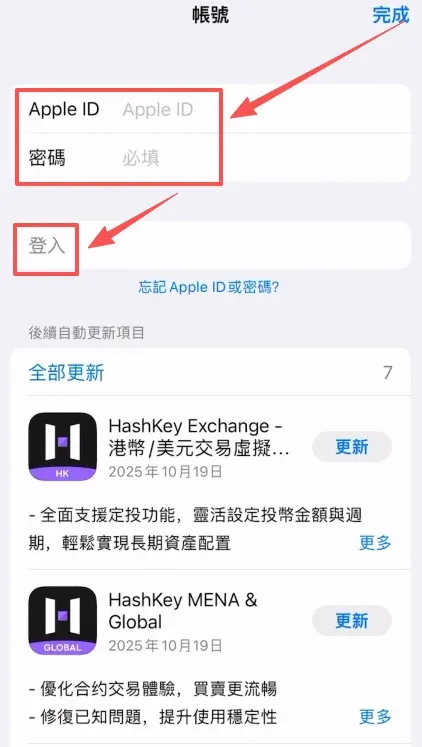
- Enter the purchased Taiwan Apple ID and password, then tap Log In.
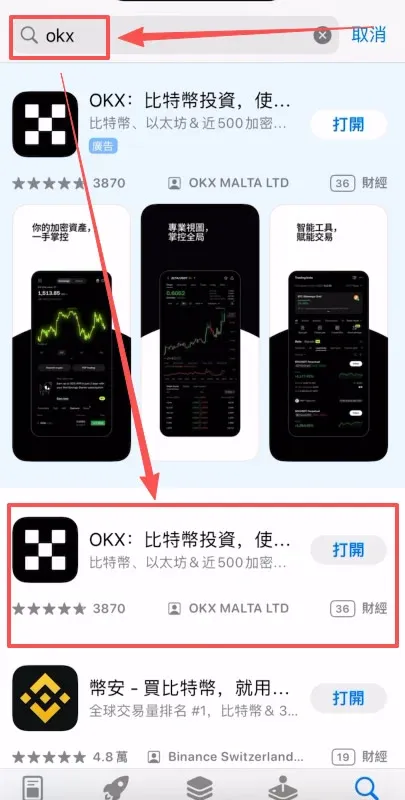
- Search for “OKX”, skip the first sponsored result, and download the official app that appears second.
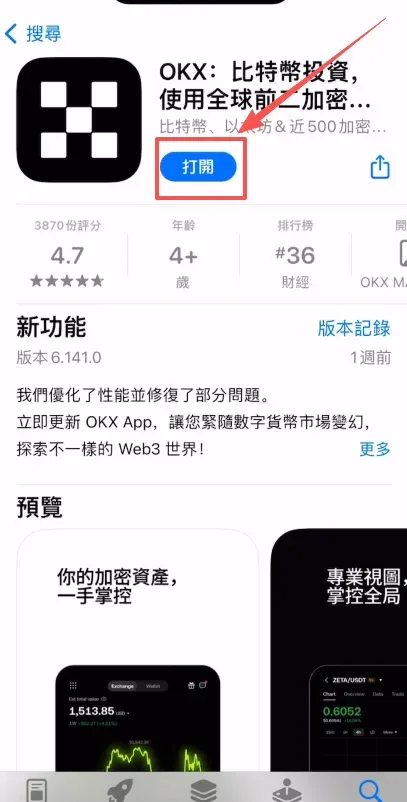
- Once the download finishes, tap Open to start using the app.
3. Step‑by‑Step Process to Register an OKX Account
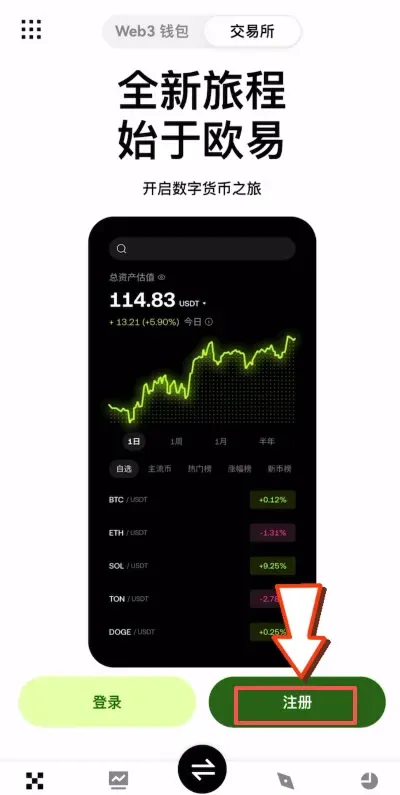
- Launch the OKX app and tap Register on the right side.
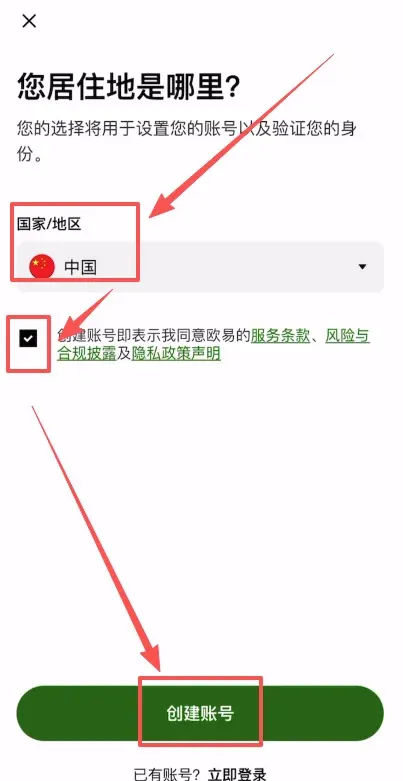
- Choose your country/region (e.g., China), tick the box to agree to the terms, then tap Create Account.
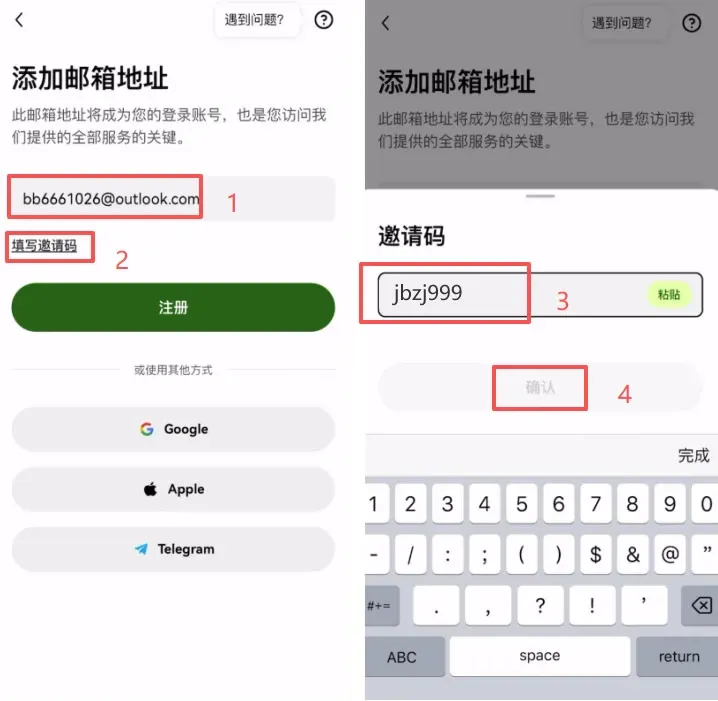
- Enter your email address, tap Enter invitation code, input B2345, and confirm. Using this invitation code grants a permanent 20 % trading‑fee discount on future transactions.
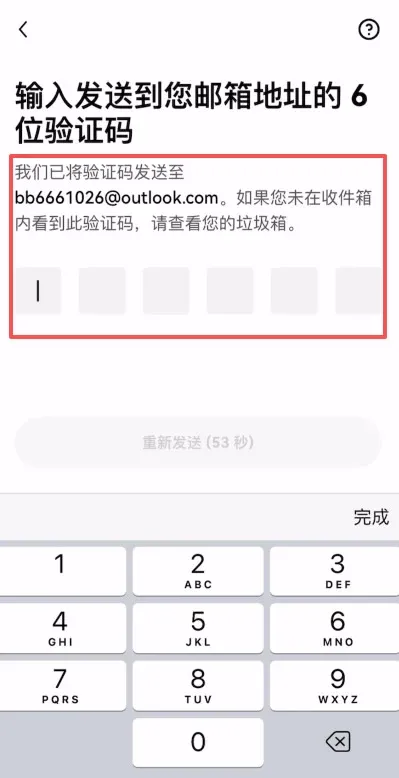
- Press Register; the system will send a verification code to your email. Retrieve it and fill it in.
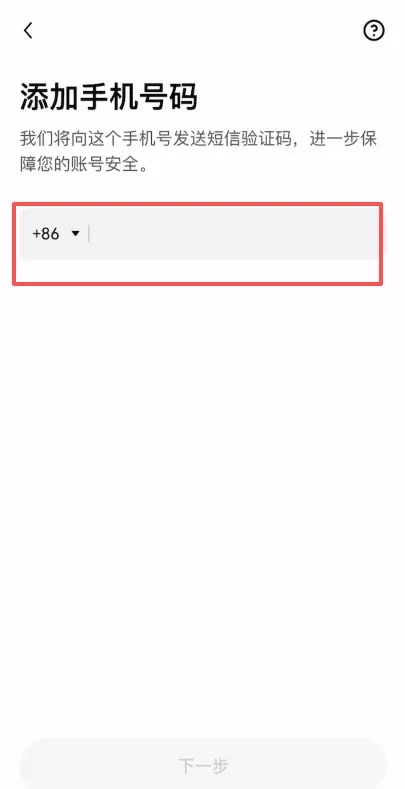
- Bind a mobile phone number (default country code +86). After completing this step the account is officially registered. Once identity verification (KYC) is finished you can access all of OKX’s trading features.
Additional Tutorials
- Complete OKX App guide: step‑by‑step registration, identity verification, and buying/selling crypto
- OKX iOS download tutorial
- 2025 comprehensive OKX account registration + KYC tutorial with screenshots
- Binance App download, installation, registration, deposit/withdrawal guide
- How to create an overseas Apple ID (Taiwan) – detailed instructions
Why Choose OKX?
- Secure and reliable: Multi‑layer, multi‑cluster architecture; hot‑ and cold‑wallet separation; private keys stored offline, meeting bank‑level security standards.
- Rich product suite: Spot trading, margin, futures, Earn (formerly “余币宝”), DeFi, Web3 wallet and other end‑to‑end services.
- High liquidity: Deep order books and large market depth ensure fast order execution.
- Chinese‑optimized: Full Chinese UI, customer support, and help documentation for a better experience among Chinese‑speaking users.
- Global footprint: Holds compliant licenses in multiple jurisdictions, providing regulated digital‑asset services worldwide.
OKX (formerly OKEx) was founded in 2017 and is headquartered in Seychelles. It offers spot, margin, derivatives, financial products, DeFi and Web3 wallet services for hundreds of digital assets such as Bitcoin, Ethereum, USDT, and more. Its core strengths lie in a robust security‑risk‑control system and a smooth trading experience.
OKB Token Development Milestones
- 20 Jan 2018: OKEx officially launches its native token OKB, issued by the OK Blockchain Foundation.
- 19 Jun 2018: Introduces the Open Trading Win‑Win Plan (later renamed OKEx Cloud Platform), opening matching, over‑the‑counter, and clearing systems to third parties.
- 02 Jul 2018: Relocates registration from Belize to Malta and opens an office there.
- 06 Nov 2018: Launches Earn (formerly “余币宝”), a flexible crypto‑savings product with on‑demand withdrawal.
- 10 Feb 2020: OKEx public chain OEC testnet goes live.
- June 2020: The first OEC “Hackathon” begins, with winning teams eligible for up to $5,000 USD in OKB rewards.
- 05 Sep 2019: Partners with Sina Finance to release the educational video series “OK Blockchain 60 Lectures”.
- Feb 2021: Rebrands to the Chinese name 欧易, adopting the mission “Make individual value more respected”.
Why Does the App Show a Risk Warning?
When you download the Android APK or the iOS enterprise version directly from the official website, the file is not sourced from an official app‑store channel, so the operating system displays a security warning. As long as you verify that the source is the OKX official site, you can safely proceed with the installation; this is normal system behavior.
Is Identity Verification Safe? Will My Personal Data Be Exposed?
OKX employs advanced encryption to protect user data and complies with global privacy regulations. The real‑name information you submit is used solely for regulatory compliance, and the platform implements strict internal data‑protection measures to prevent leakage.
What If I Don’t Receive the Email or SMS Verification Code After Register
Related Reading
- How to Download OKX App on iPhone with an Overseas Apple ID
- How to Download OKX App on iPhone with a Taiwan Apple ID
- 2026 Top Crypto Exchanges: Binance, OKX, Bitget, Bybit, Gate
💡 Register on Binance with referral code B2345 for the maximum trading fee discount. See Binance complete guide.



