
 Bitaigen Research
 How to Import a Wallet in the Huobi Wallet?
On the home screen of the Huobi Wallet app, tap “Import Wallet.” After reading and agreeing to the service agreement, set a security password of 8‑32 characters, then select the appropriate cryptocurrency and enter a BIP‑39‑compliant mnemonic phrase or private key. The import process will be completed and your wallet will appear in the app.
---
In this article we systematically outline the steps required to import a wallet into Huobi Wallet, enabling users to quickly recover and centrally manage their assets using either a mnemonic phrase or a private key. The guide explains why importing is necessary, provides annotated screenshots, and highlights key considerations so that beginners can proceed with confidence, saving both time and effort. Continue reading to master the full workflow.
Why Import a Wallet?
- After backing up your mnemonic phrase, you can use the import function to restore your assets instantly.
- Importing a wallet is a convenient way to consolidate the management of multiple wallets and multi‑chain digital assets; you only need the corresponding mnemonic phrase or private key.
---
Overview of the Import Process
1. First Time Opening the “Huobi Wallet” App
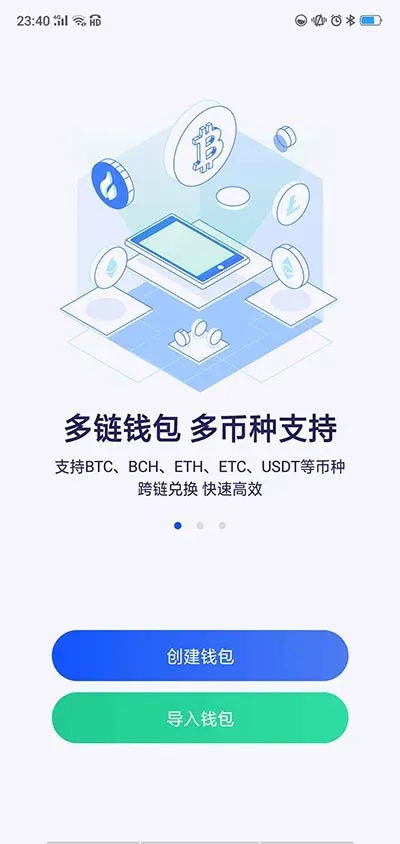
- Launch the application and tap “Import Wallet.”
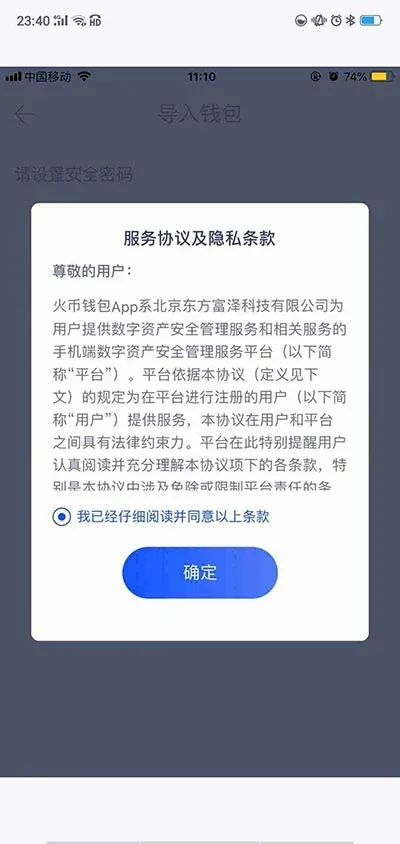
- Read the “Service Agreement and Privacy Policy,” tick the box “I have read and agree to the above terms,” then press “Confirm.”
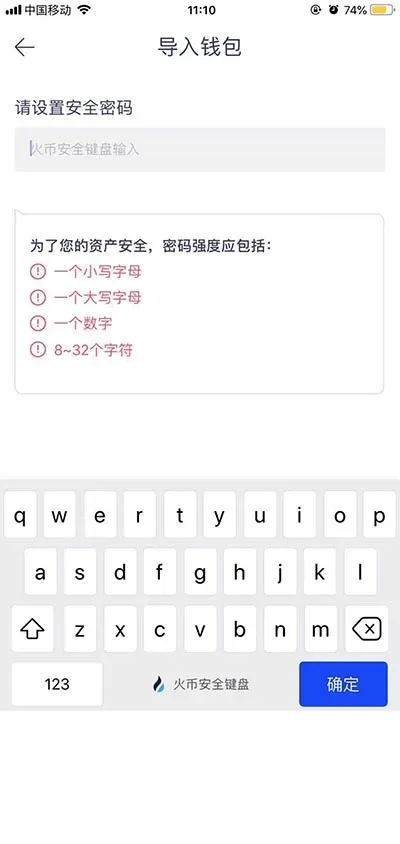
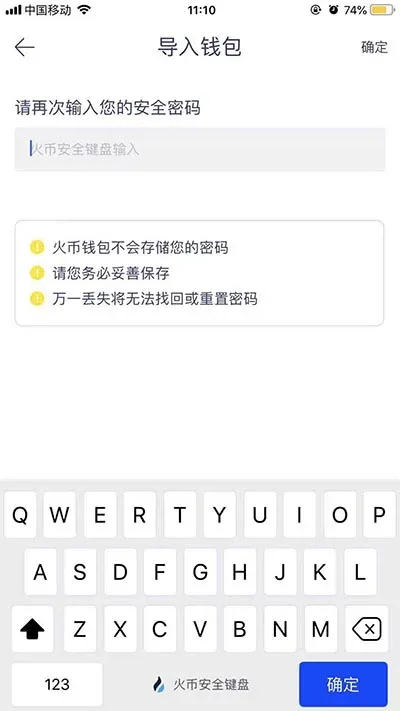
- Set a security password – the password must be between 8 and 32 characters. After the first entry, you will be asked to confirm it by typing it again.
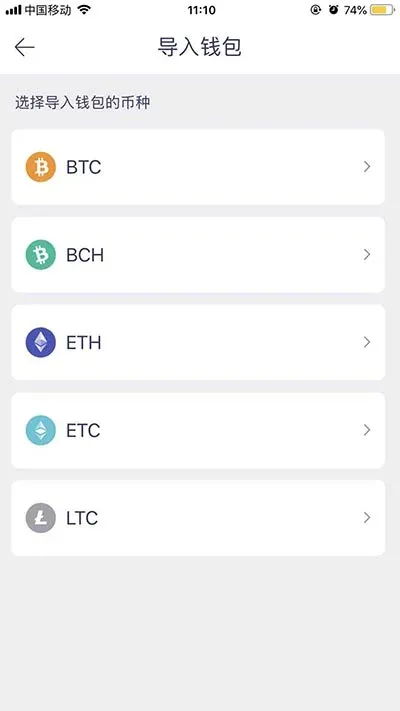
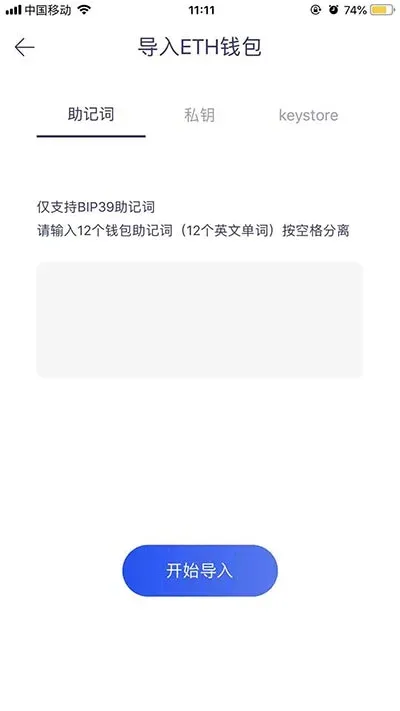
- Choose the cryptocurrency you wish to import, then complete the import by providing either the mnemonic phrase or the private key.
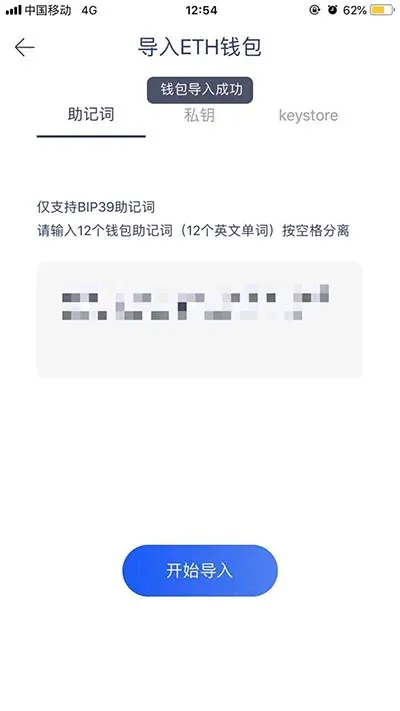
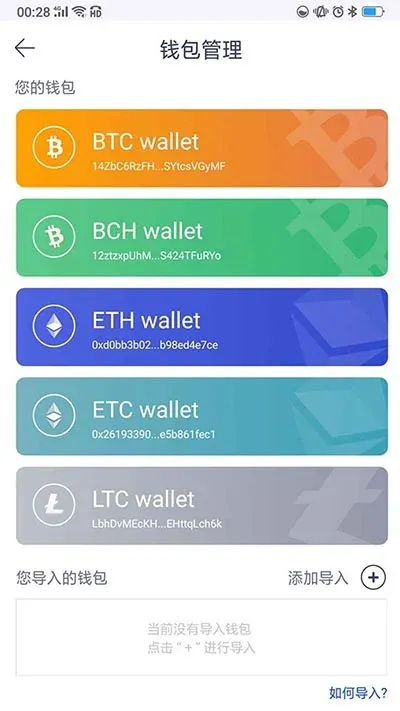
- Once the import succeeds, the newly added wallet will appear on the “Wallet Management” screen.
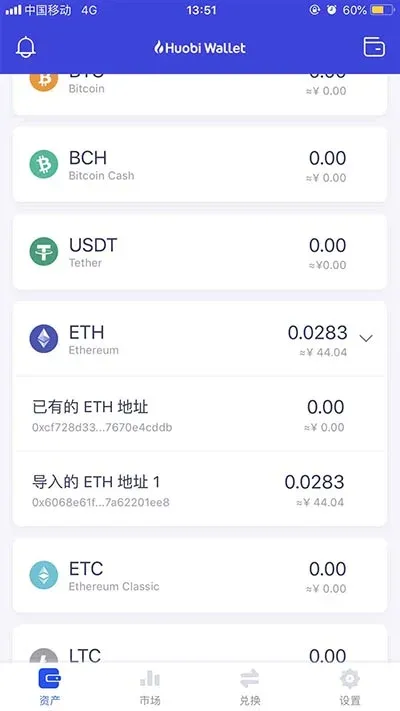
- Return to the home page to view your asset balances.
2. Importing When You Already Have the “Huobi Wallet” App Installed
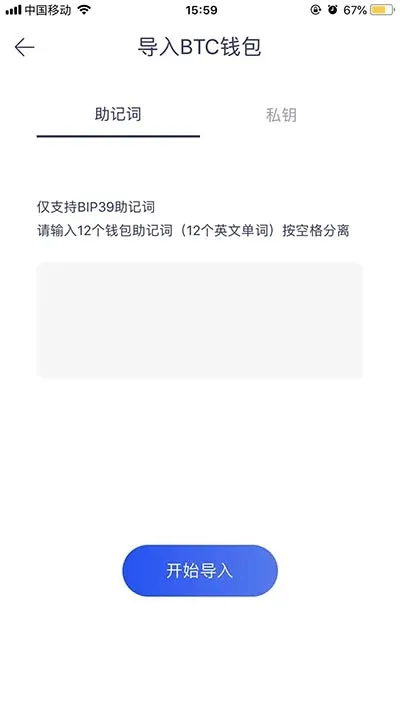
- On the “Wallet Management” page, tap the “+” button in the upper‑right corner to open the “Import Wallet” interface.
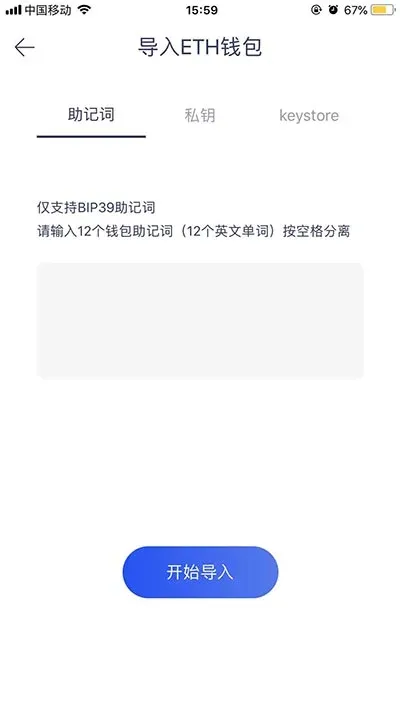
- Select the cryptocurrency you wish to import.
- Import Methods:
- BTC, BCH, LTC support both mnemonic phrase and private‑key imports.
- ETH, ETC support mnemonic phrase, private key, and Keystore‑file imports.
---
Supported Mnemonic Standards
- Huobi Wallet is compatible with any BIP‑39‑compliant mnemonic phrase, including the backup phrases used by popular wallets such as imToken, Cobo Wallet, Kcash, AToken and others.
For more information about downloading the Huobi Wallet, usage tips, and security best practices, please refer to the relevant topic articles on the Bitaigen platform.
Note for Global Users:
- When converting fiat to cryptocurrency or vice‑versa, the platform typically supports USD transfers via SEPA (for Euro) or SWIFT for other currencies.
- U.S. residents should use Binance.US rather than the global Binance platform to stay compliant with local regulations.
- Cryptocurrency gains may be subject to tax in your jurisdiction; consult a tax professional to ensure proper reporting.
---
Related Reading
- How to Safely Withdraw USDT from an Exchange to a Huobi Wallet
- Recover a Lost Huobi Wallet Mnemonic: Export Private Key
- BIP‑39 Mnemonic Security: Why Brute‑Force Is Impossible
💡 Register on Binance with referral code B2345 for the maximum trading fee discount. See Binance complete guide.



