
 Bitaigen Research
 When it comes to Hotbit exchange, if you want to complete registration quickly and master every step of depositing, withdrawing, transferring out, and transferring in, simply follow the procedures outlined in this article in order.
In this guide we have organized the full account‑opening process for Hotbit exchange and provide a detailed walkthrough of each action for deposits, withdrawals, transfers out, and transfers in. With illustrated instructions, even first‑time users can get up to speed rapidly, ensuring the safety of their assets and smooth trading. If you want to save time and effort while completing all settings, keep reading for the complete tutorial.
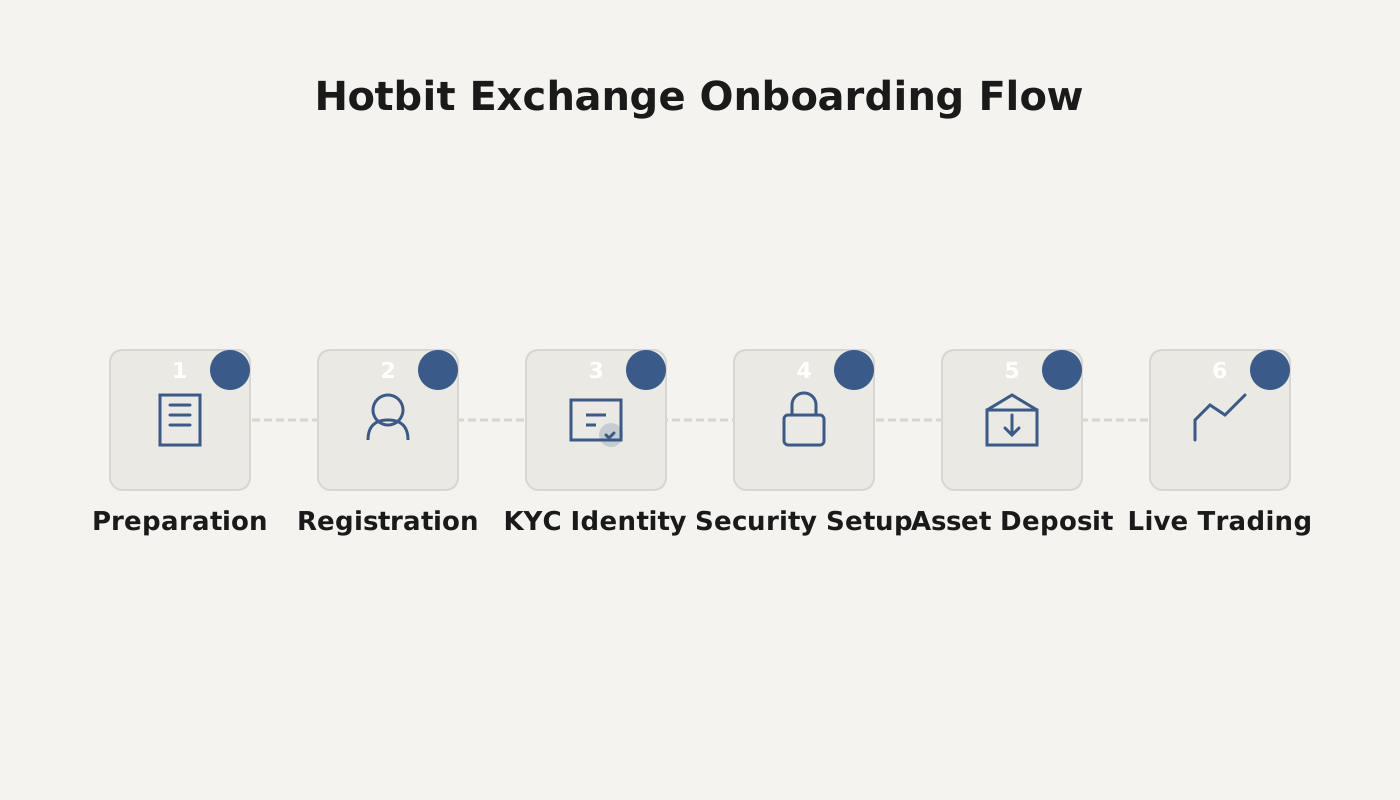
How to register on Hotbit exchange?
1. Registration
- Visit the official Hotbit website (see screenshot below)

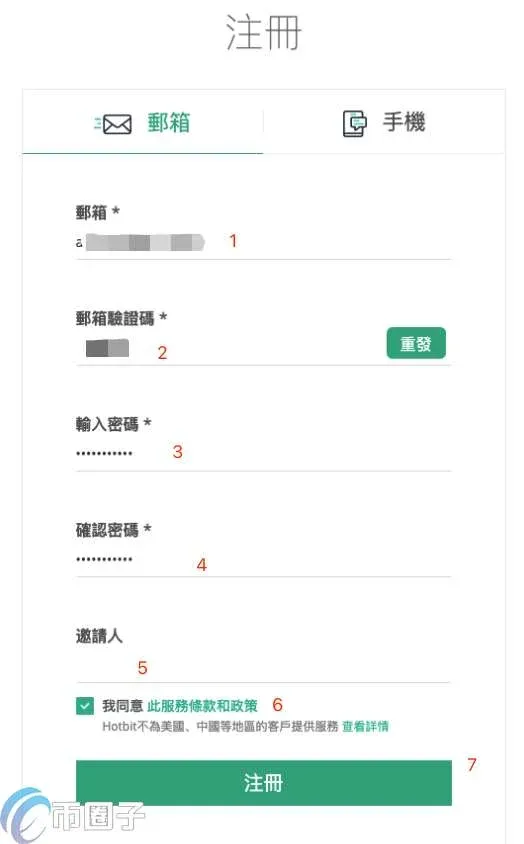
- Choose Email registration or Phone number registration (if you cannot find your country code in the list, local users are currently not supported). The following example uses email registration:
- Open the registration page → fill in the email address and set a login password in the indicated order.
2. Login
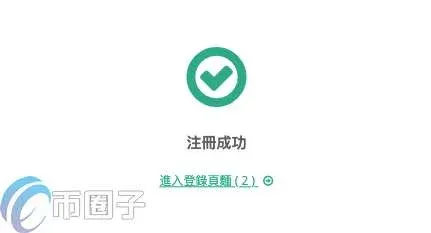
- After completing registration, log in for the first time using your email and password.
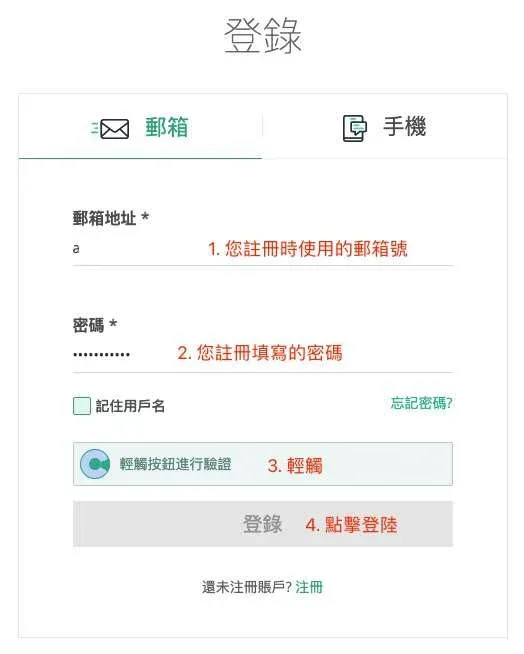
- Upon successful login the system automatically redirects you to the Personal Assets page.
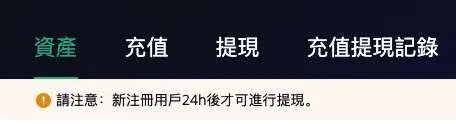
Enable two‑factor authentication (protect your funds)
Hotbit recommends using Google Authenticator or SMS codes for two‑factor authentication (2FA). The steps below illustrate binding Google Authenticator:
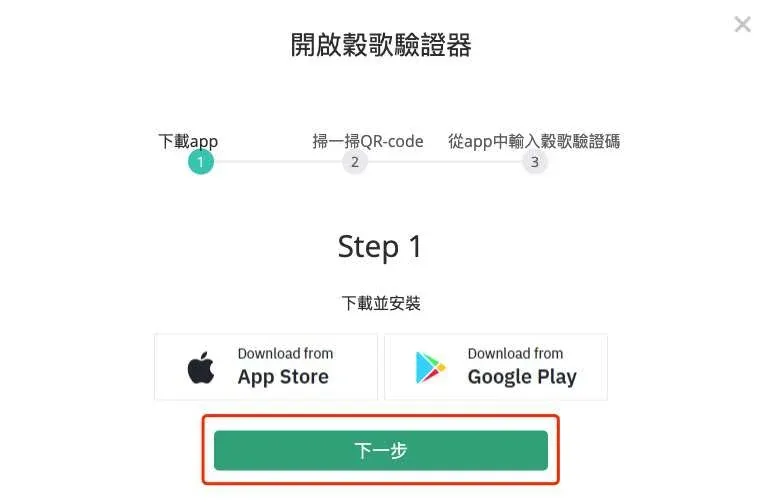
- Download Google Authenticator (iOS reference <https://help.hotbit.io/hc/zh-cn/articles/IOS>, Android reference <https://help.hotbit.io/hc/zh-cn/articles/Android>).
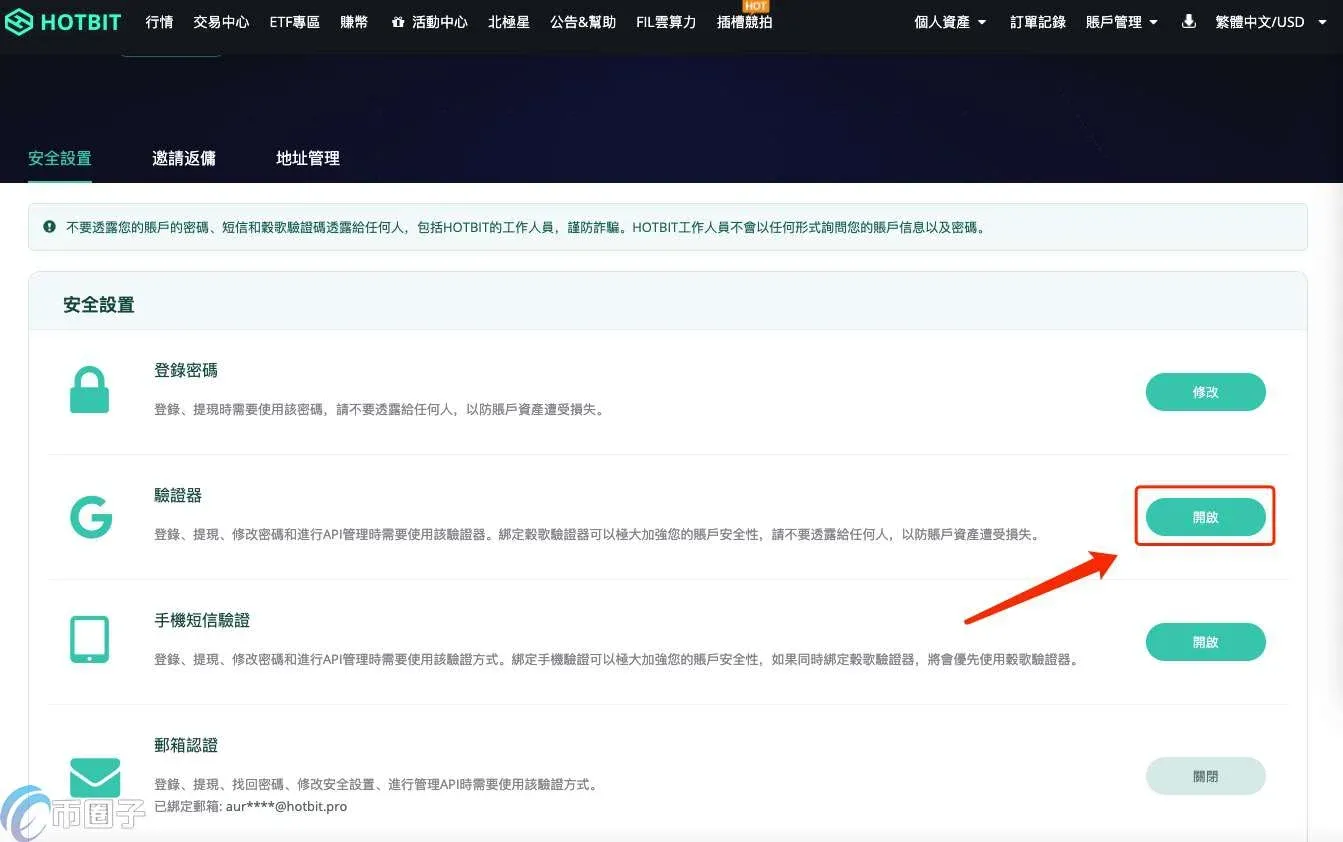
- Navigate to Account Management → Security Settings → Enable Authenticator.
- Scan the QR code on the left side of the page; the app will generate a 6‑digit code that refreshes every 30 seconds. The 16‑character string on the right side of the QR code is your 2FA secret key—store it securely.
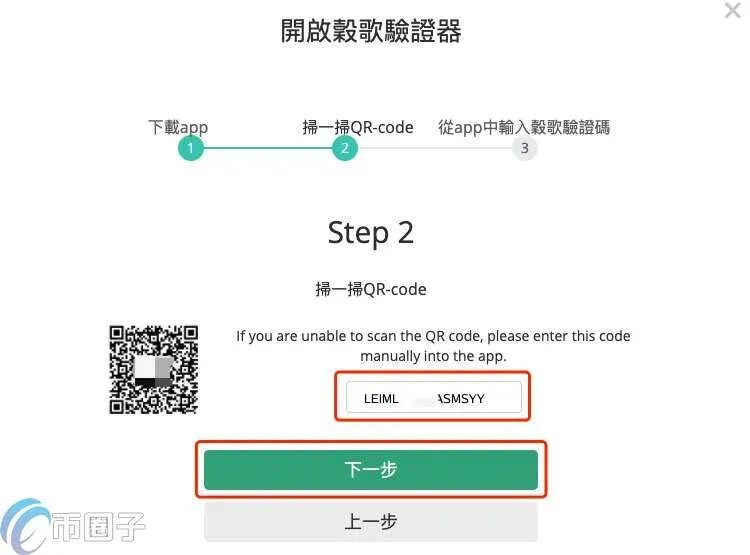
- Enter your login password together with the 6‑digit code displayed in the app, then click Confirm to finish the binding.
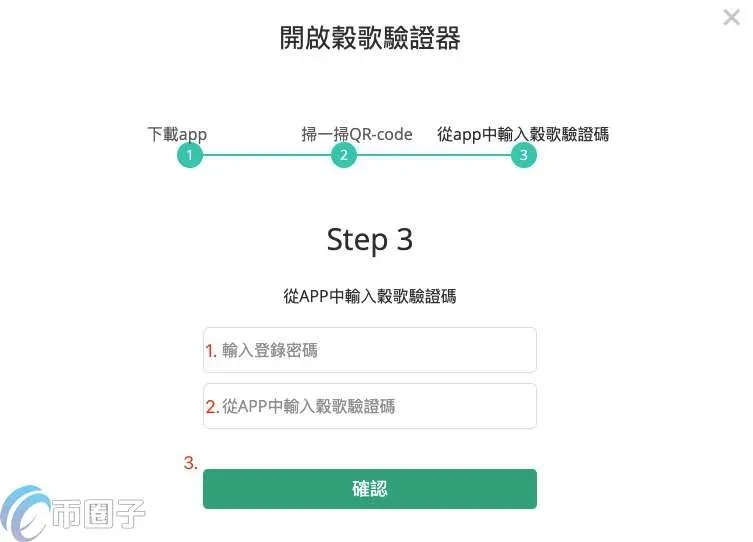
After binding, future logins require you to enter email, password, and Google Authenticator code in that order.
---
Complete Hotbit guide: Deposit, Withdrawal, Transfer Out, Transfer In
A. Deposit
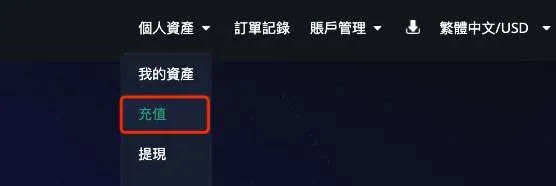
- Go to Personal Assets → Deposit.
- Select the cryptocurrency you wish to deposit (e.g., ETH), confirm the network (e.g., ERC‑20), then copy the deposit address or scan the QR code to complete the transfer.

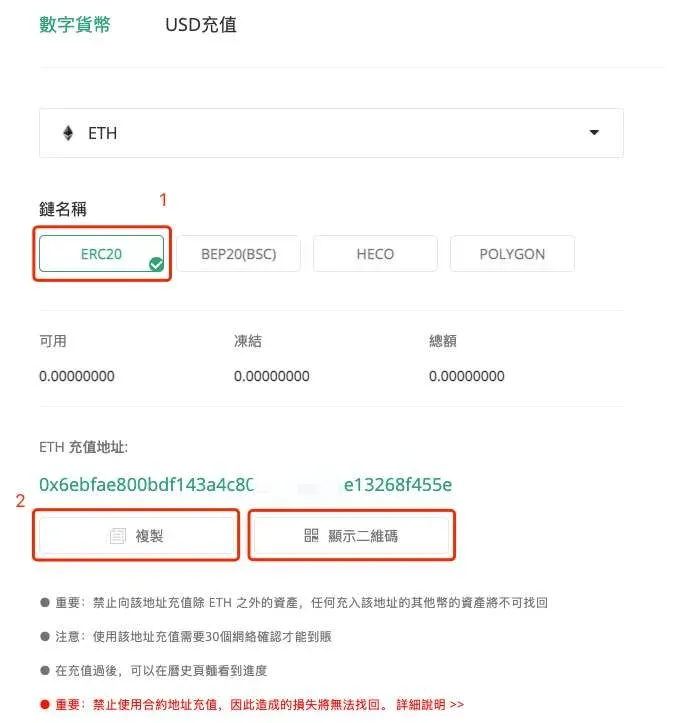
Friendly reminder: Always send the exact same token to the displayed address. Sending a different token cannot be recovered.
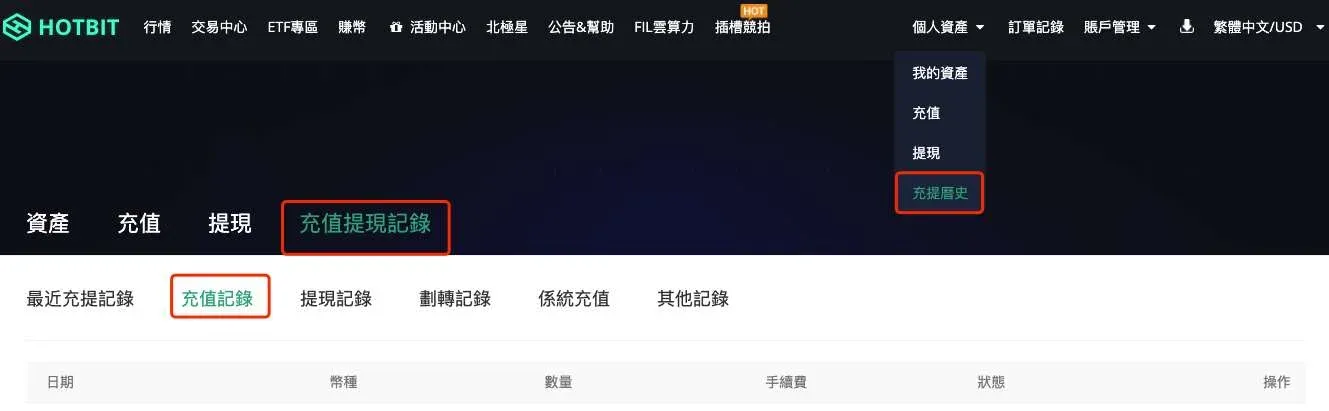
- After the transfer, you can check the transaction status on the blockchain explorer (e.g., Etherscan). Once the transaction reaches 30 confirmations, the funds will appear in the Deposit/Withdrawal History or beside the respective asset.
B. Withdrawal
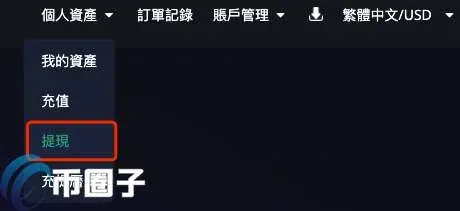
- Navigate to Personal Assets → Withdrawal.
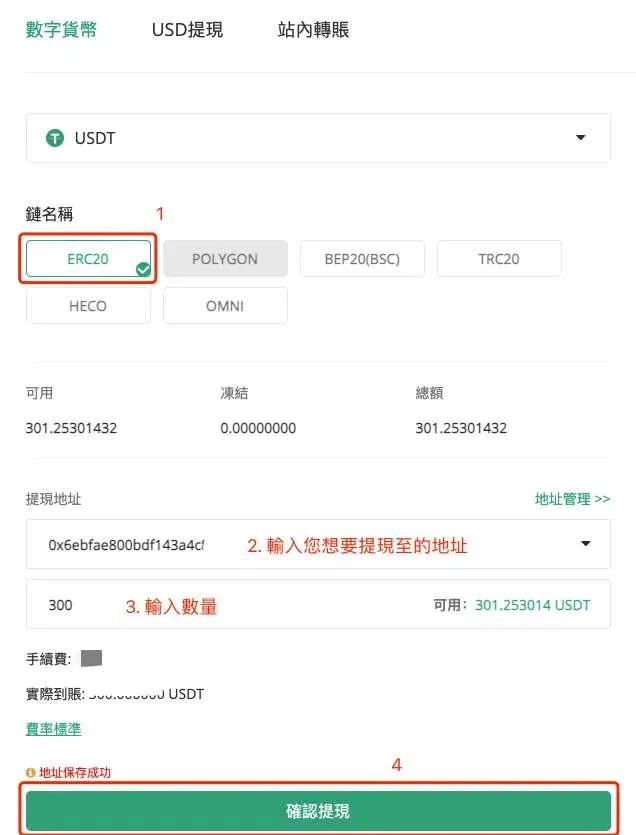
- Using USDT as an example, select the network (ERC‑20), either type in a new address or add one under Address Management, specify the withdrawal amount, click Confirm Withdrawal, and then enter the verification code to complete the process.
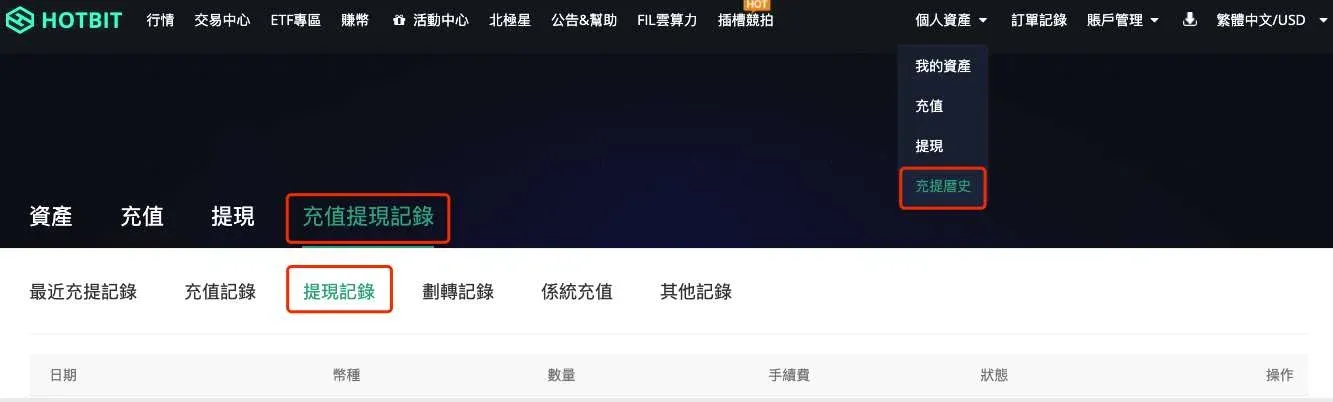
- After the withdrawal request is submitted, you can monitor its progress in the Deposit/Withdrawal History or beside the relevant asset. Click Detail for a deeper view.
C. Trading
- Open the Trading Center.
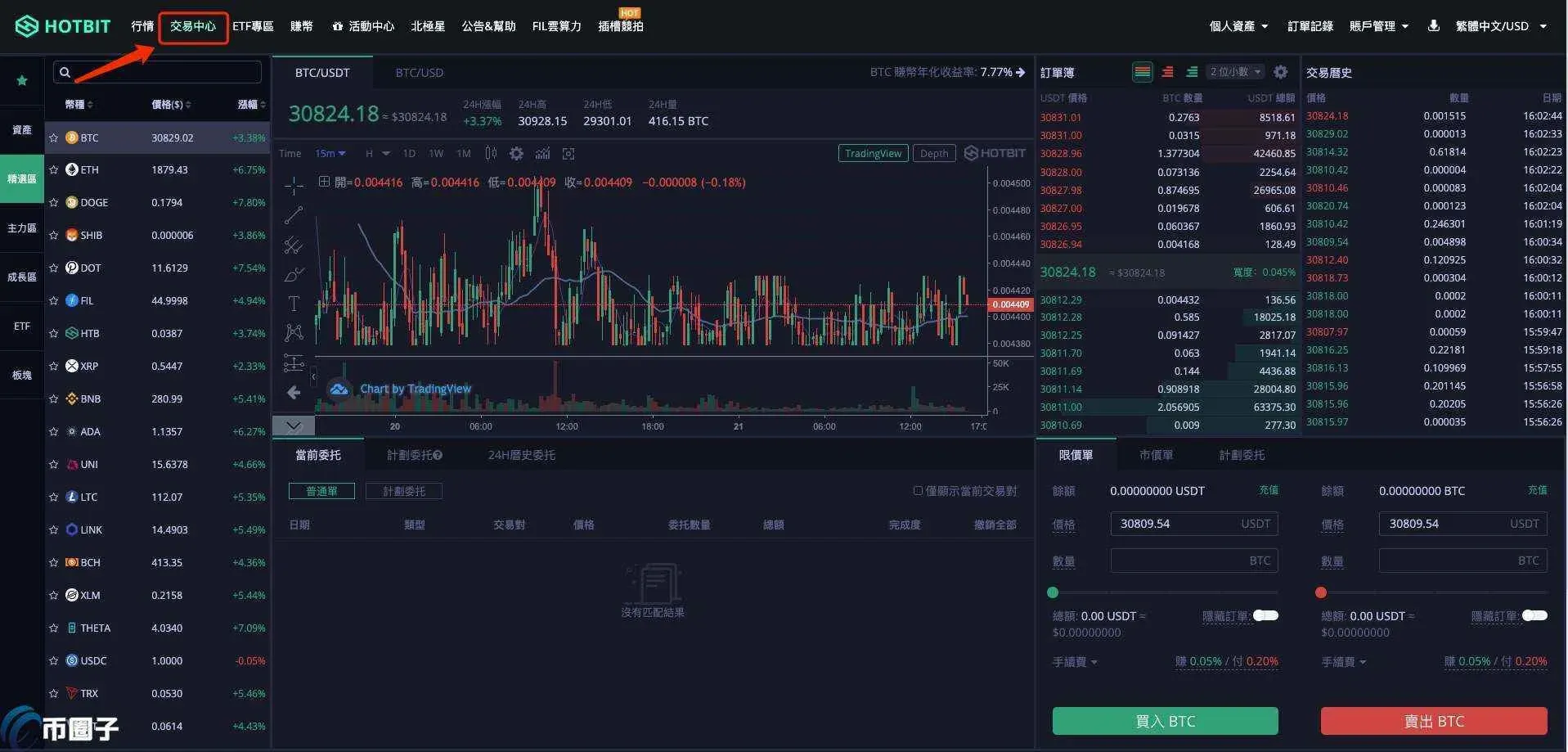
- Type the target cryptocurrency (e.g., ETH) into the search bar and select the appropriate trading pair.
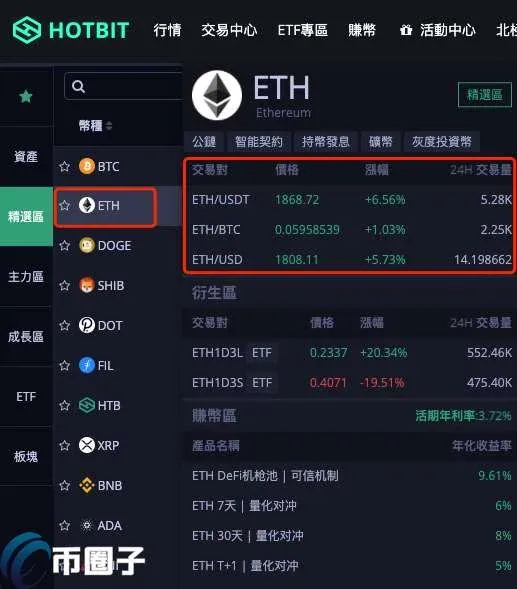
- The platform supports limit orders, market orders, and scheduled orders. Choose the type that fits your strategy. Example of a limit order:
- Enter the buy price and quantity.
- Optionally tick Hidden Order (the order will not appear in the order book).
- Click Buy to place the order.
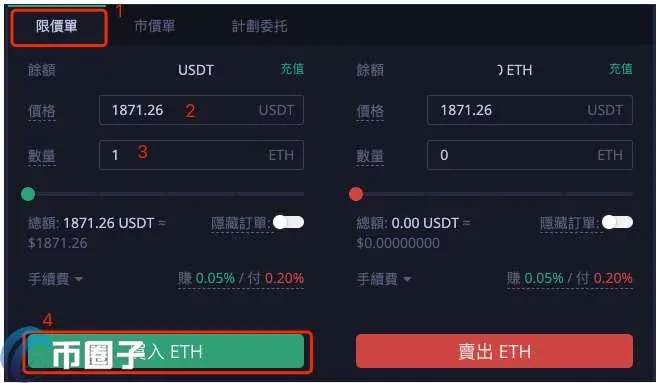
- Once placed, you can view execution progress under Current Open Orders and cancel the order if needed.

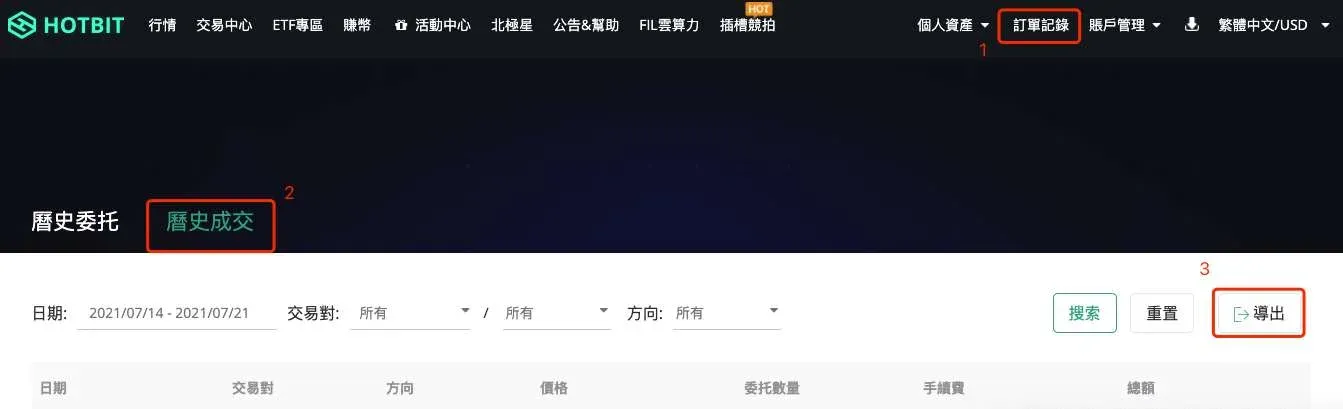
- After a trade is filled, the Order History button in the upper‑right corner displays past orders. You can filter by date, trading pair, and even export the data to Excel (only the most recent month is retained; for special requests contact support).

---
The sections above constitute the full process for registering, depositing, withdrawing, transferring out, and transferring in on Hotbit exchange. For more Hotbit‑related news and tutorials, feel free to follow Bitaigen (比特根) and explore their other topic‑specific articles.
Related Reading
- How to Use the Dogecoin Core Wallet: Step‑by‑Step Guide
- Deposit & Buy Dogecoin on OKX: Beginner Step‑by‑Step Guide
- How to Withdraw CNY on Huobi Global: Step‑by‑Step Guide
💡 Register on Binance with referral code B2345 for the maximum trading fee discount. See Binance complete guide.



