
 Bitaigen Research
 Many friends living in the United States go straight to the Apple Store and search for the app, only to end up with the heavily feature‑restricted Binance.US.
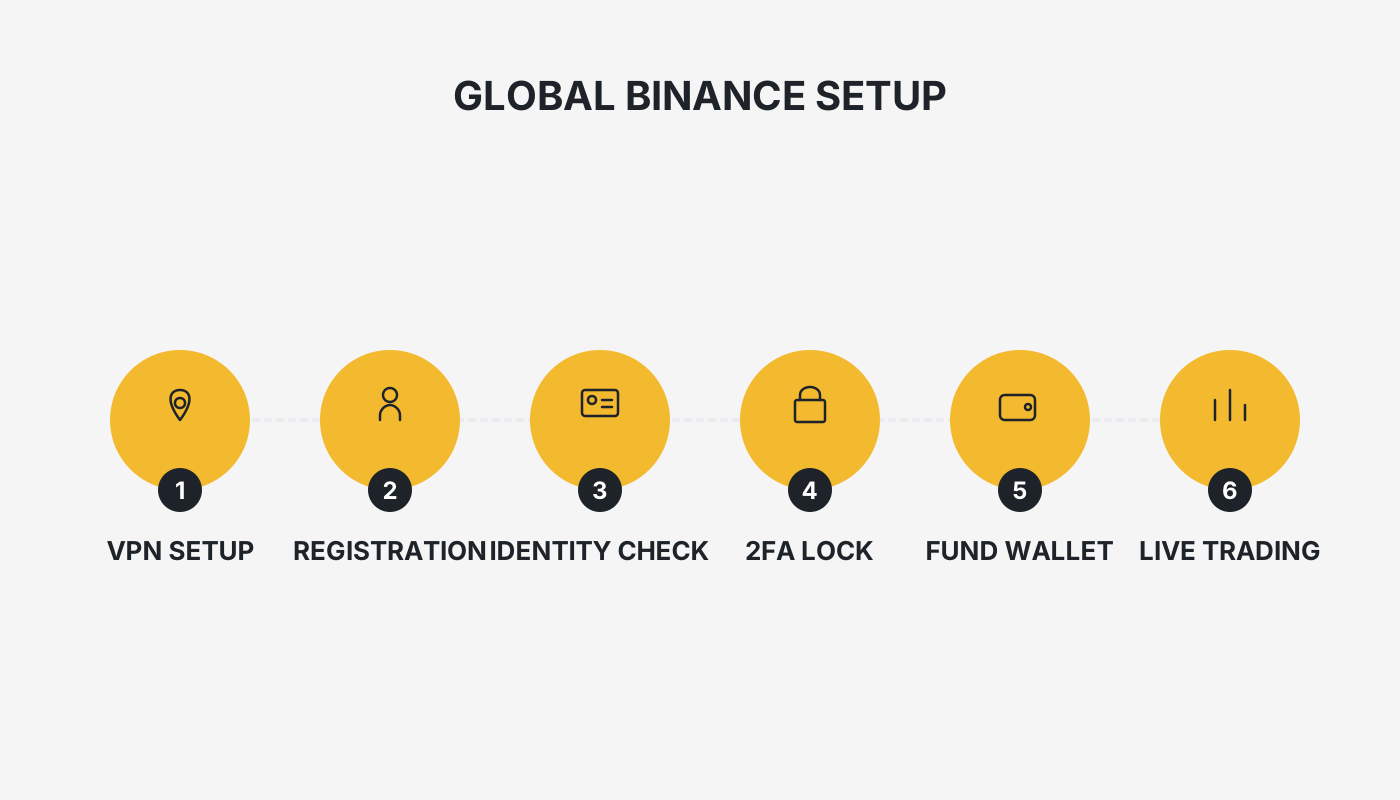
To use the global Binance platform while in the U.S., you must first create a non‑U.S. Apple ID, switch your network environment, complete KYC with a Chinese identity, and download the Binance app (without the “.us” suffix) from the Taiwan App Store.
Below, the entire process is laid out across four core sections – network environment, registration flow, identity verification, and app download – with step‑by‑step screenshots and key tips to help you bypass the limited Binance.US and start trading worldwide with confidence.
In this article we map out the complete path for U.S. users to access the global Binance platform: creating an overseas Apple ID, switching network settings, completing identity verification, and obtaining the app that lacks the “.us” suffix. Every step is illustrated with screenshots and practical notes, so you can quickly avoid the restricted Binance.US and trade on the global market safely.
Detailed Tutorial for Registering an Overseas Apple ID
Step 1: Register an Overseas Apple ID on an iPhone or iPad
1. Preparations
- An iPhone or iPad
- An email address that has never been used for an Apple ID (Gmail is recommended)
- An address generator: a Taiwan address tool where you must fill in a realistic street name and postal code (e.g., Taipei City 100). Street address and phone number can be obtained from a U.S. address generator.
- Name can be in Pinyin or Traditional Chinese; the birthdate must be older than 18 years (the exact age does not need to be genuine).
2. Begin Registration
- Open the Apple ID registration website in a browser and fill in the form:
- Last name / First name – any values are acceptable
- Country/Region – select Taiwan
- Date of birth – must be over 18 years (see screenshot below)
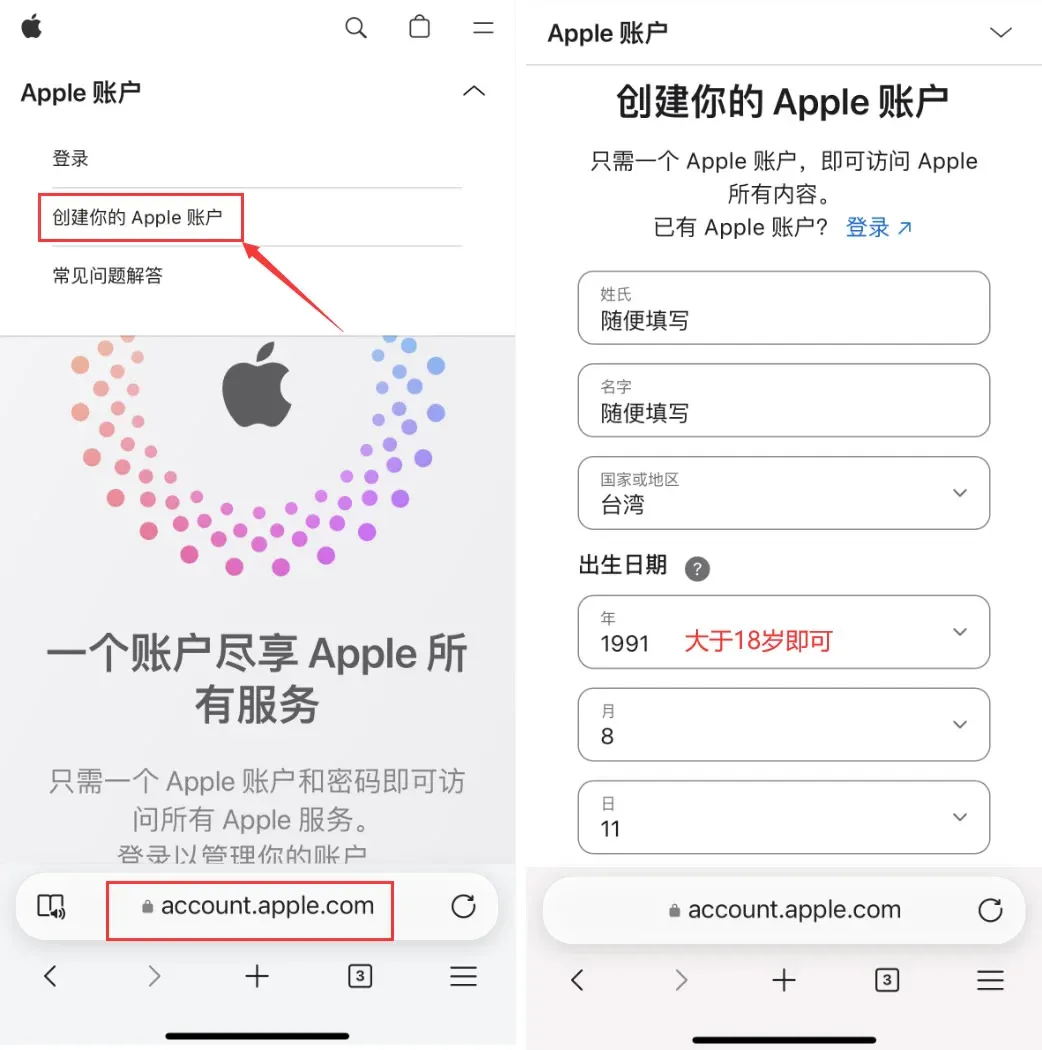
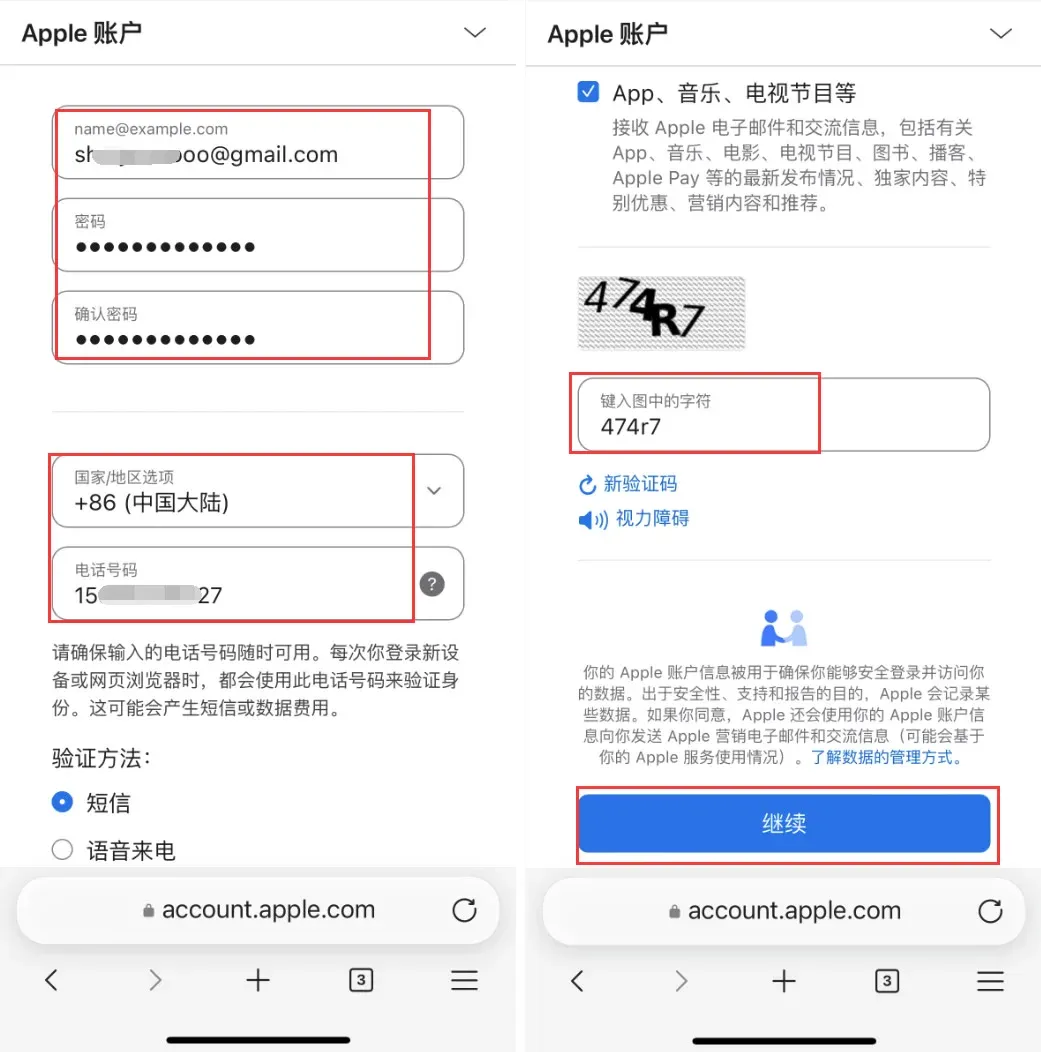
- Use the Gmail address; the password must contain uppercase, lowercase, numbers, and symbols. For Country/Region you may also choose Mainland China so you can receive SMS on a Chinese mobile number. After entering the verification code, click Continue.
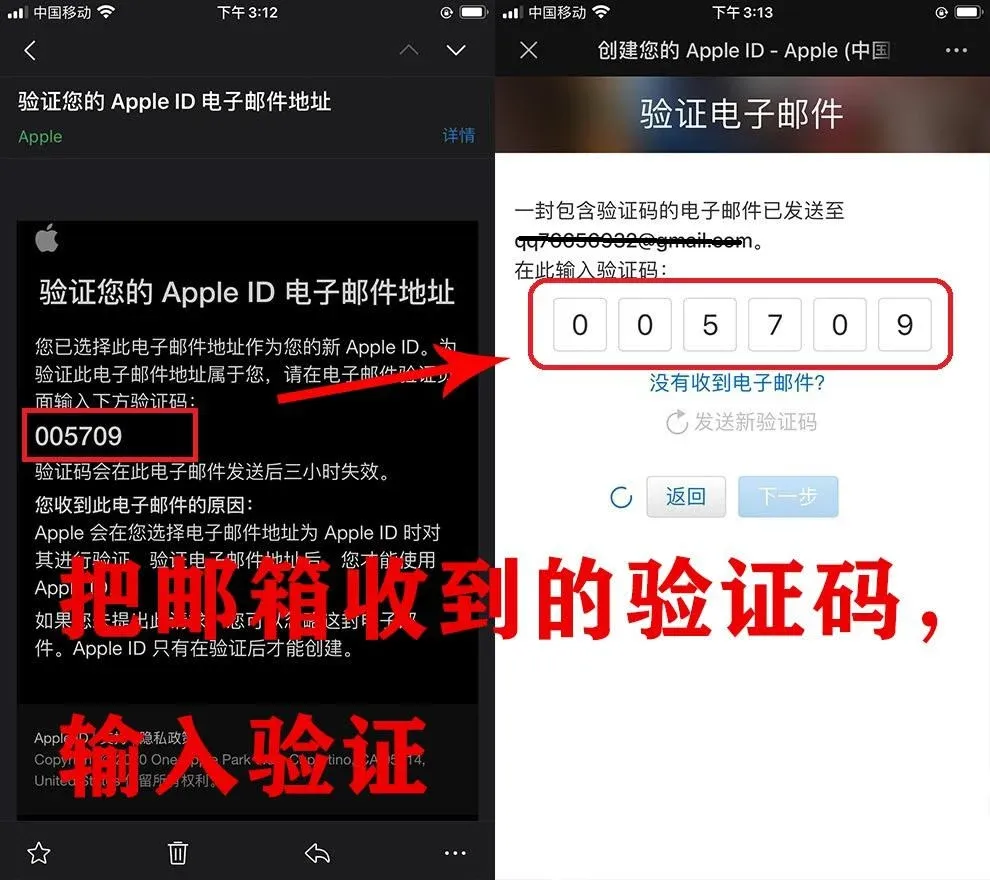
- Open your email inbox, retrieve the verification code, and complete the verification step.
- A text message with a code will be sent to the phone number you entered; input it to finish the initial registration. At this point you own a Taiwan Apple ID, but further setup is still required.
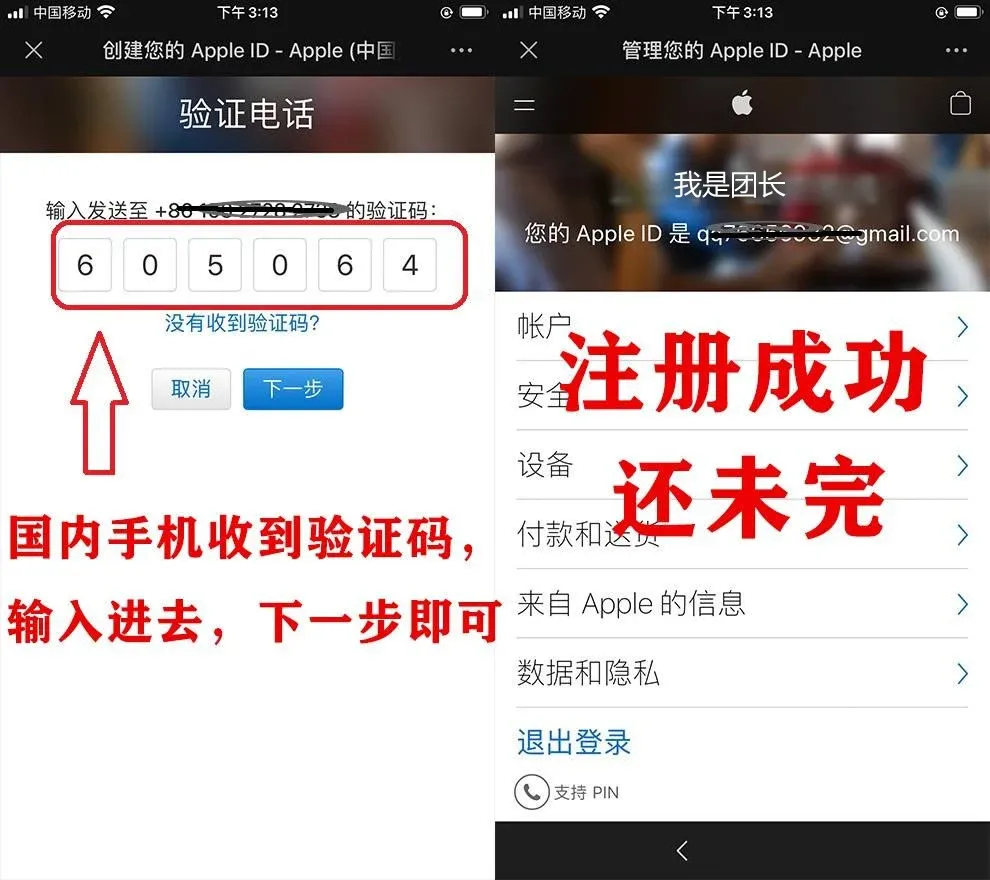
- On the iPhone/iPad App Store, sign in with this Apple ID (do not sign in via Settings). The system will request SMS verification; complete it and proceed to the next step.
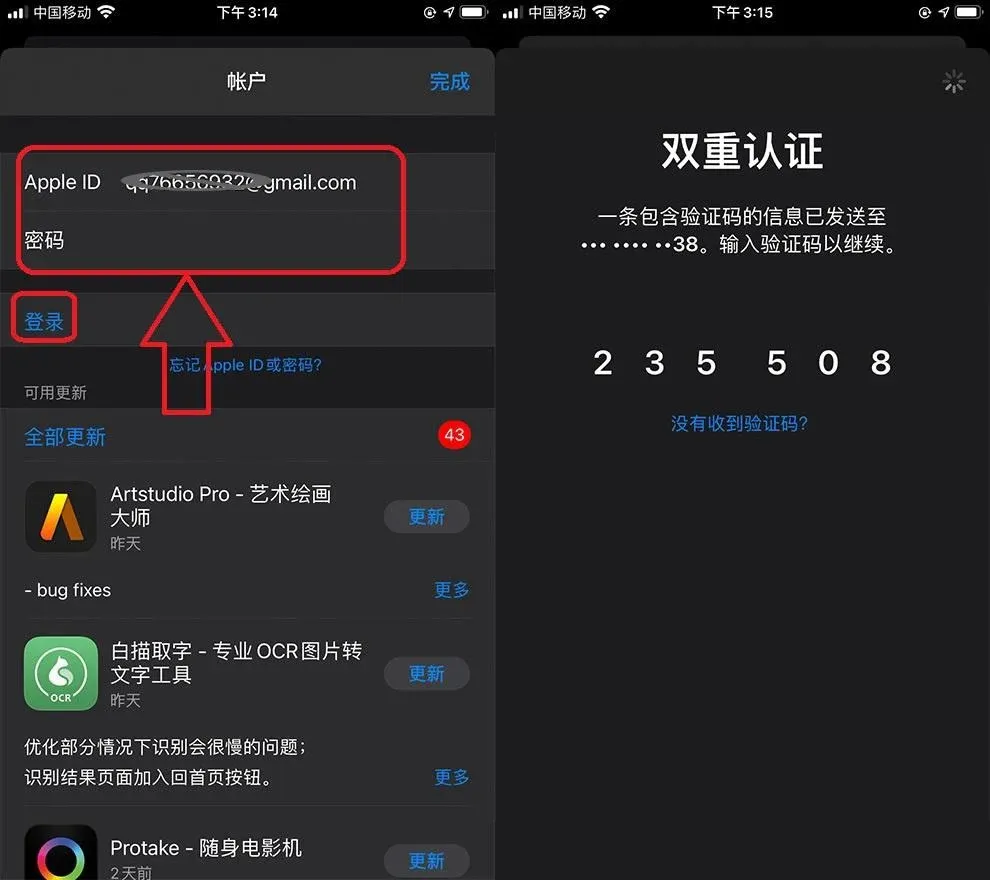
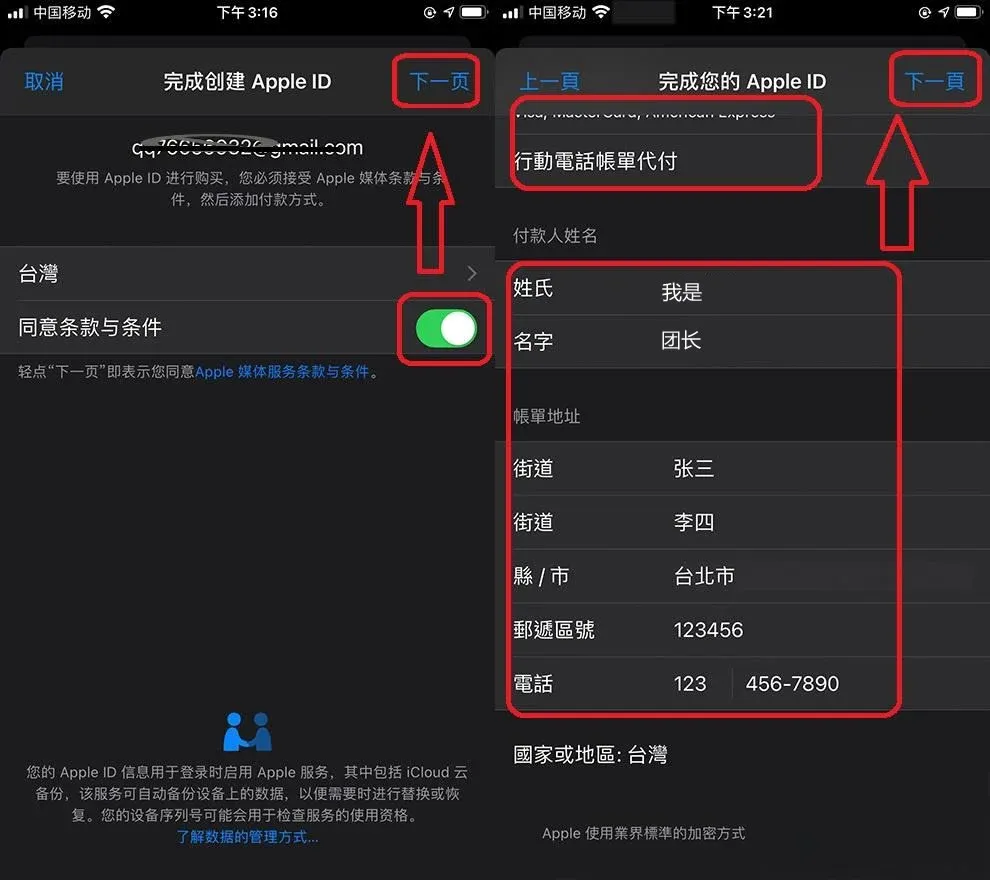
- After two‑factor authentication, the system shows “Checking”. Tap Agree to Terms and Conditions to move forward.
- On the Payment Method page, do not select any payment method. You can fill the payer’s name and billing address arbitrarily; the postal code should be a six‑digit number, and the phone number can be 1234567890. Then click Next to finish registration.
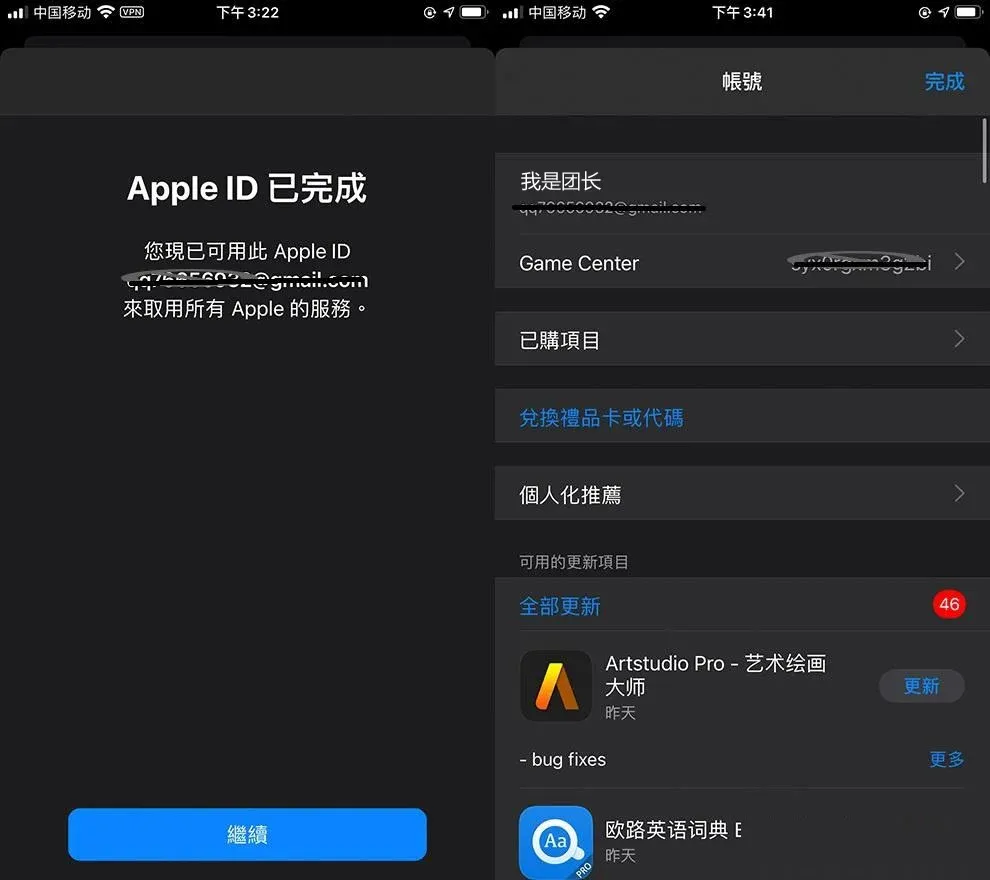
- Once registration succeeds, stay inside the App Store and sign in with the newly created ID; you can now search for and download apps that are specific to the selected region.
Step 2: Switch Apple ID
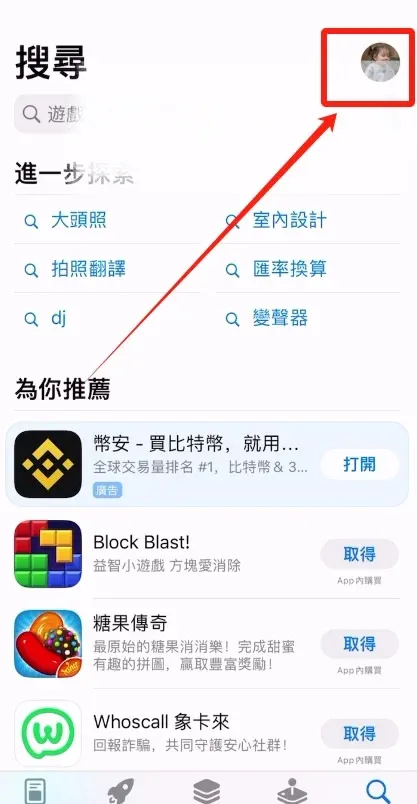
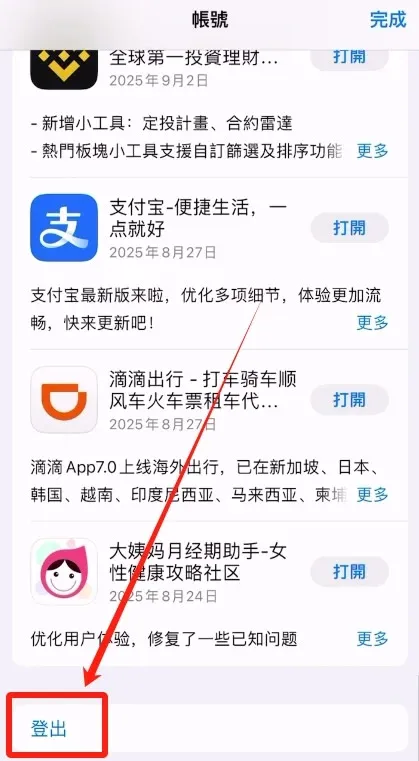
- Open App Store, tap the avatar in the top‑right corner, and sign out of the current (Mainland China) Apple ID.
→
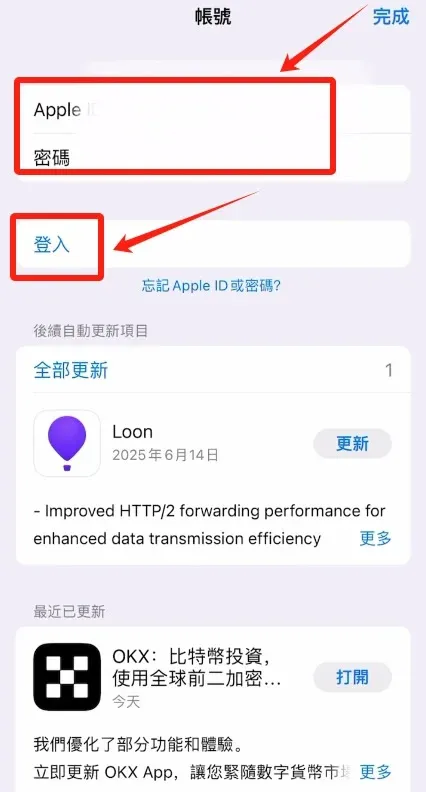
- Enter the Taiwan‑region Apple ID you prepared earlier, type the password, and tap Sign In.
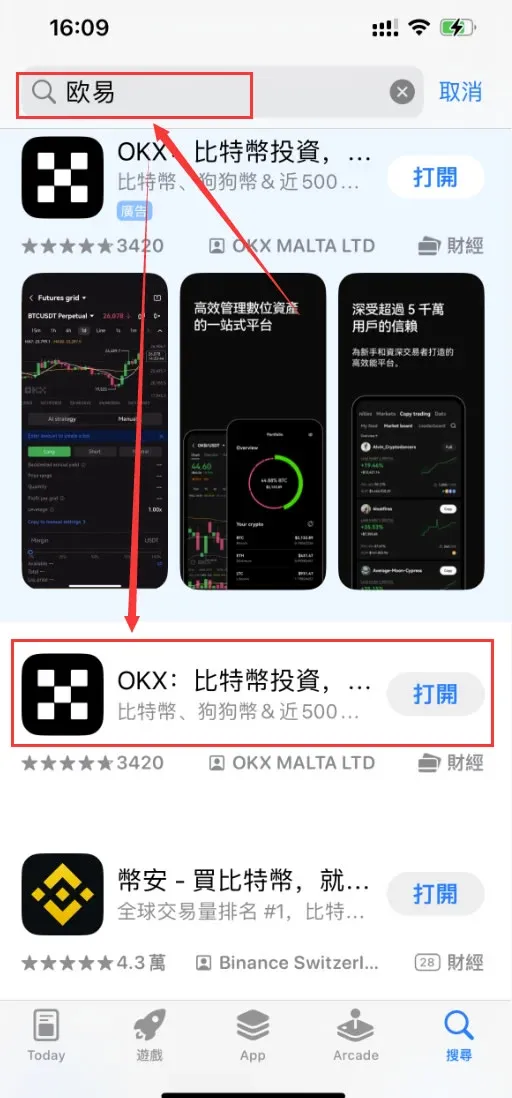
- After a successful login, you will be able to search for and see the OKX (or other international‑version exchange) app in the App Store.
Step 1: Get the Network Environment Right (Critical)
Once the network environment is ready, it is advisable to register via the web version because it tolerates errors more easily.
- Open the registration page: Visit Binance’s official download page or the sign‑up page, click “Register”, then choose “Create a Binance account”.
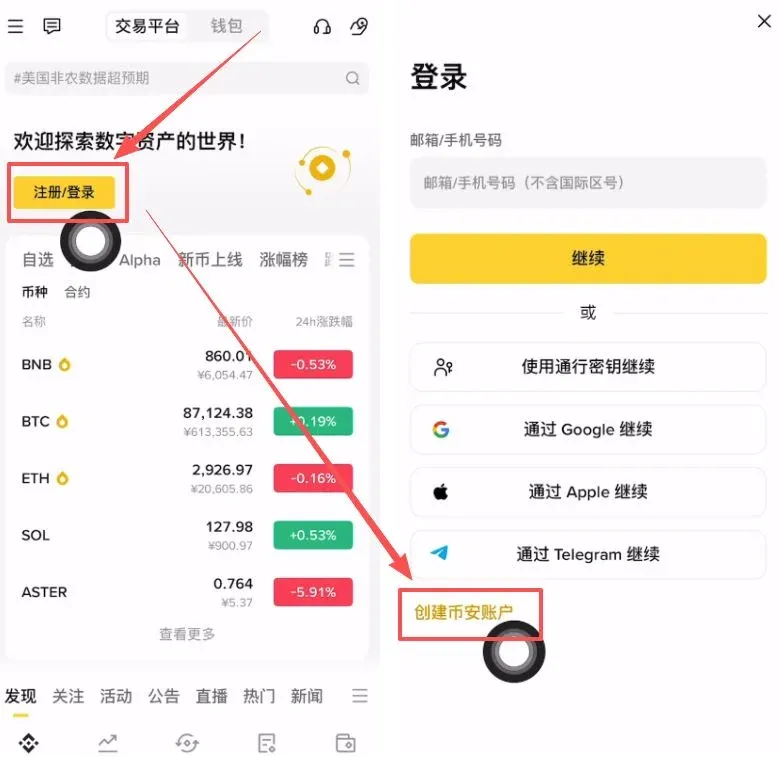
- Verification method: It is recommended to register with an email address (phone numbers may be restricted). Enter your email and tap Continue.
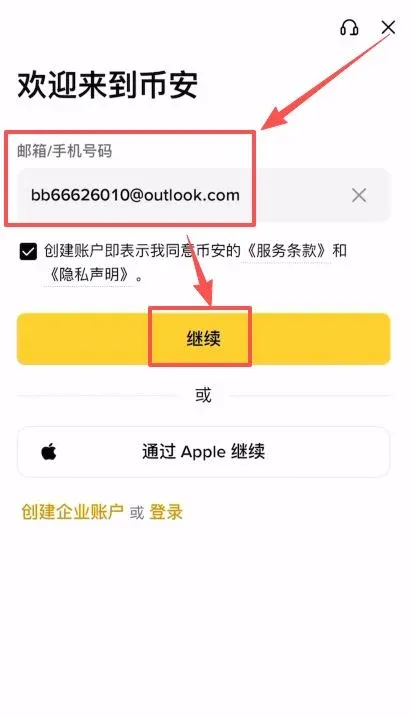
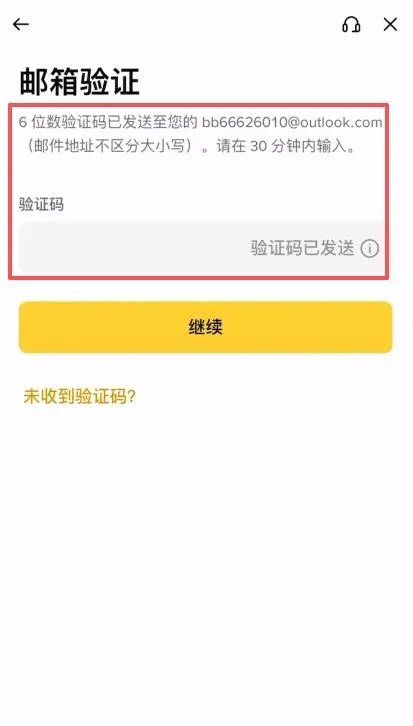
- Enter the code: Open your mailbox, retrieve the 6‑digit verification code, and input it.
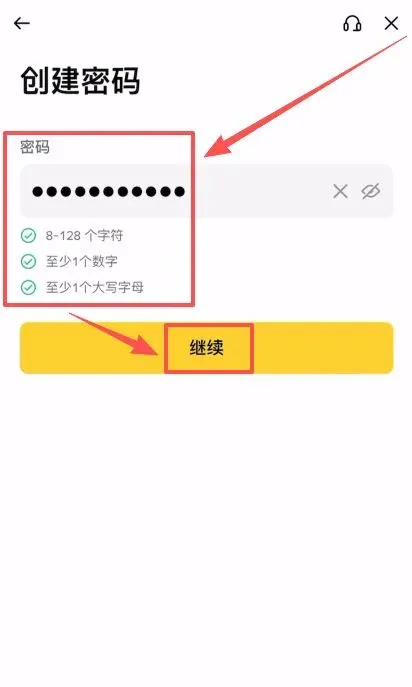
- Set a password: Follow the requirements for a strong password (uppercase, lowercase, numbers, special characters).
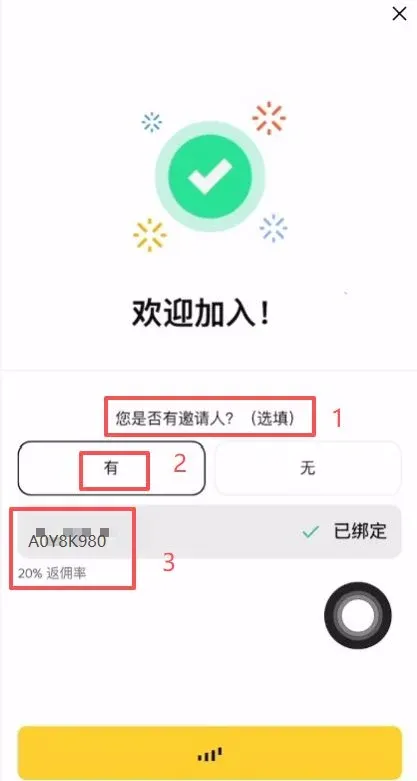
- Enter a referral code (important):
- When asked whether you have an inviter, select “Yes”.
- Input `B2345` in the inviter ID field.
- Benefit: After entering the code, the account will permanently enjoy a 20 % trading‑fee discount.
Step 2: Core KYC (Identity Verification) Tips
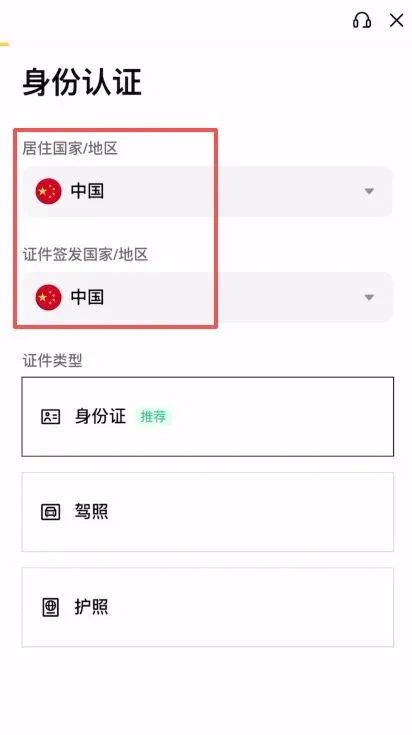
Even if you are physically in the United States, you must fill out the KYC section using a Chinese identity, otherwise the system will direct you to the U.S. version.
- Region selection
- Country/Region of residence: choose China.
- Country/Region of document issuance: also choose China.
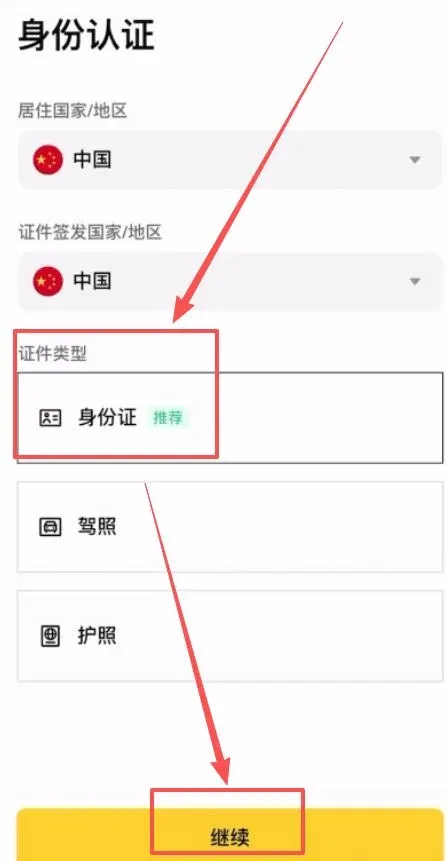
- Document upload
- Document type: select Identity Card.
- Upload both front and back of a Mainland China ID card.
→
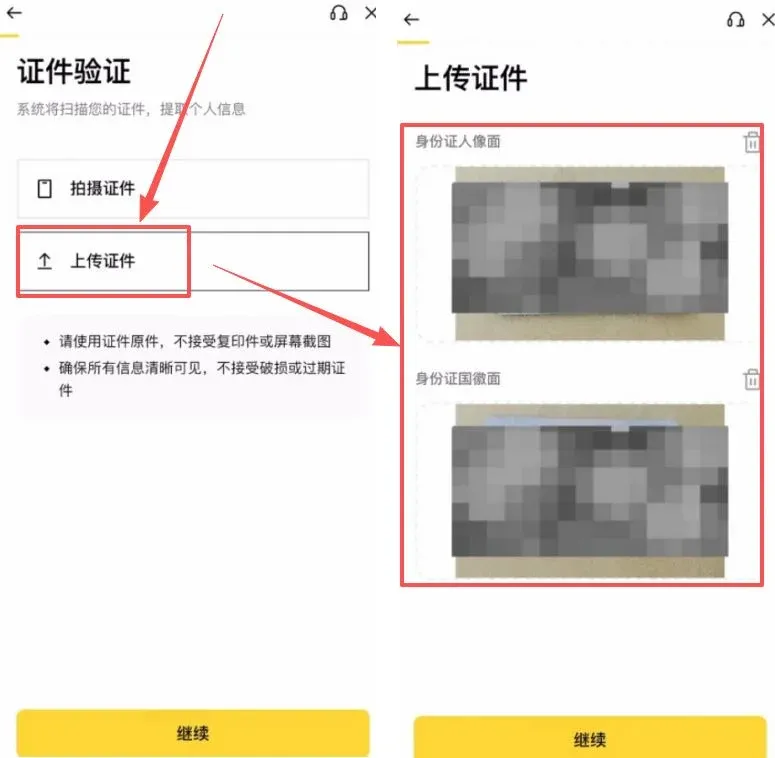
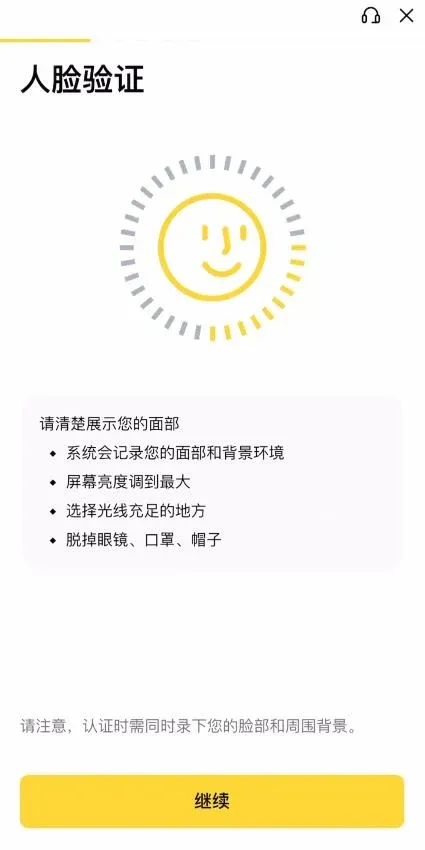
- Facial recognition: Follow the on‑screen prompts to complete the dynamic face‑verification step.
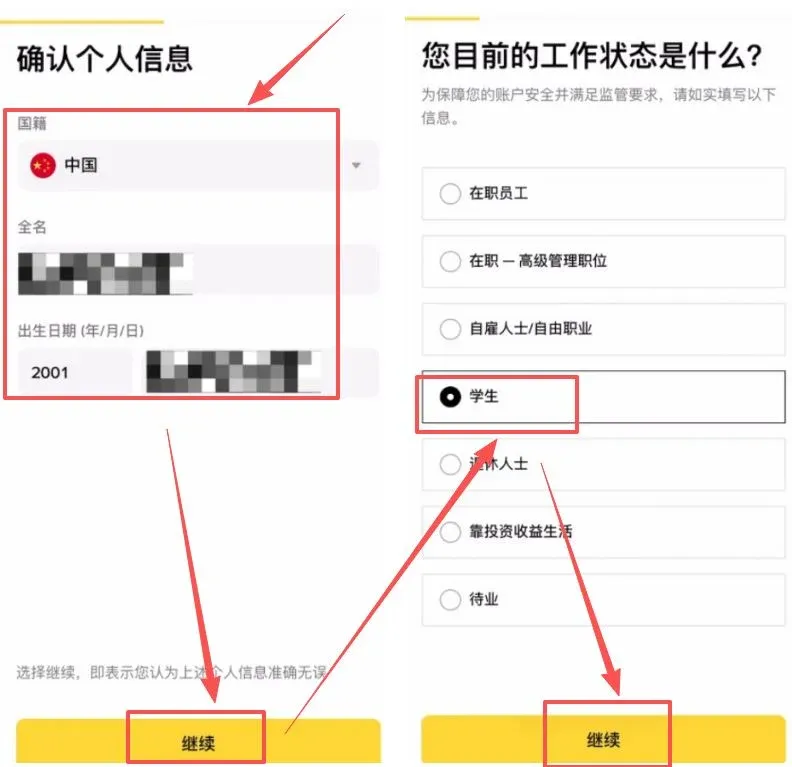
- Information confirmation: Verify nationality, name, date of birth, etc. Employment status can be entered truthfully. Submit and wait for the review.
Special Warning: Risk‑Control Precautions
- Risk tip: When trading on a daily basis, try to avoid US nodes and refrain from using a US IP address for extended periods while logged into the international account.
- Consequence: Frequent logins from a US IP may trigger Binance’s risk‑control system, potentially resulting in trading restrictions or account freezing.
Step 3: iOS Mobile Download Guide
The U.S. Apple ID cannot find the global Binance app; a non‑U.S. ID is required.
- Prepare an account: Purchase or create a Taiwan‑region Apple ID.
- Switch accounts: Open the App Store, tap the avatar in the top‑right corner, scroll to the bottom and select “Sign Out”.
→
- Log in with the Taiwan ID: Enter the credentials you prepared and sign in.
- Search and download: In the App Store, search for “Binance” and ensure the app icon does NOT have a “.us” suffix. Downloading that version gives you the full‑feature international platform.

Closing Perks: Referral Rebates on Major Platforms
| Platform | Referral Code | Rebate Rate | Official Registration Link |
|---|---|---|---|
| **OKX** (OKX) | `B2345` | 20 % | [Official sign‑up](https://www.bitaigen.com/binance) |
| **Binance** | `B2345` | 20 % | [Official download](https://www.bitaigen.com/binance/download) |
| **HTX** (Huobi) | `b6yq8223` |
Related Reading
- Binance C2C & Quick Buy: USDT Purchase Guide for Beginners
- Binance Review 2024: Register, Download & Trade Bitcoin, Ethereum, USDT, USDC
- Buy Ethereum (ETH) in Mainland China: Complete Guide
💡 Register on Binance with referral code B2345 for the maximum trading fee discount. See Binance complete guide.



