
 Bitaigen Research
In this article we walk you through the complete workflow on OKX (formerly known as OKEx). From downloading the app and completing identity verification, to using the C2C marketplace to purchase USDT or Bitcoin and finally withdrawing fiat (via SEPA/SWIFT). We also highlight recent security upgrades and common pitfalls, so newcomers can get started smoothly while staying compliant. Continue reading for step‑by‑step operational details.
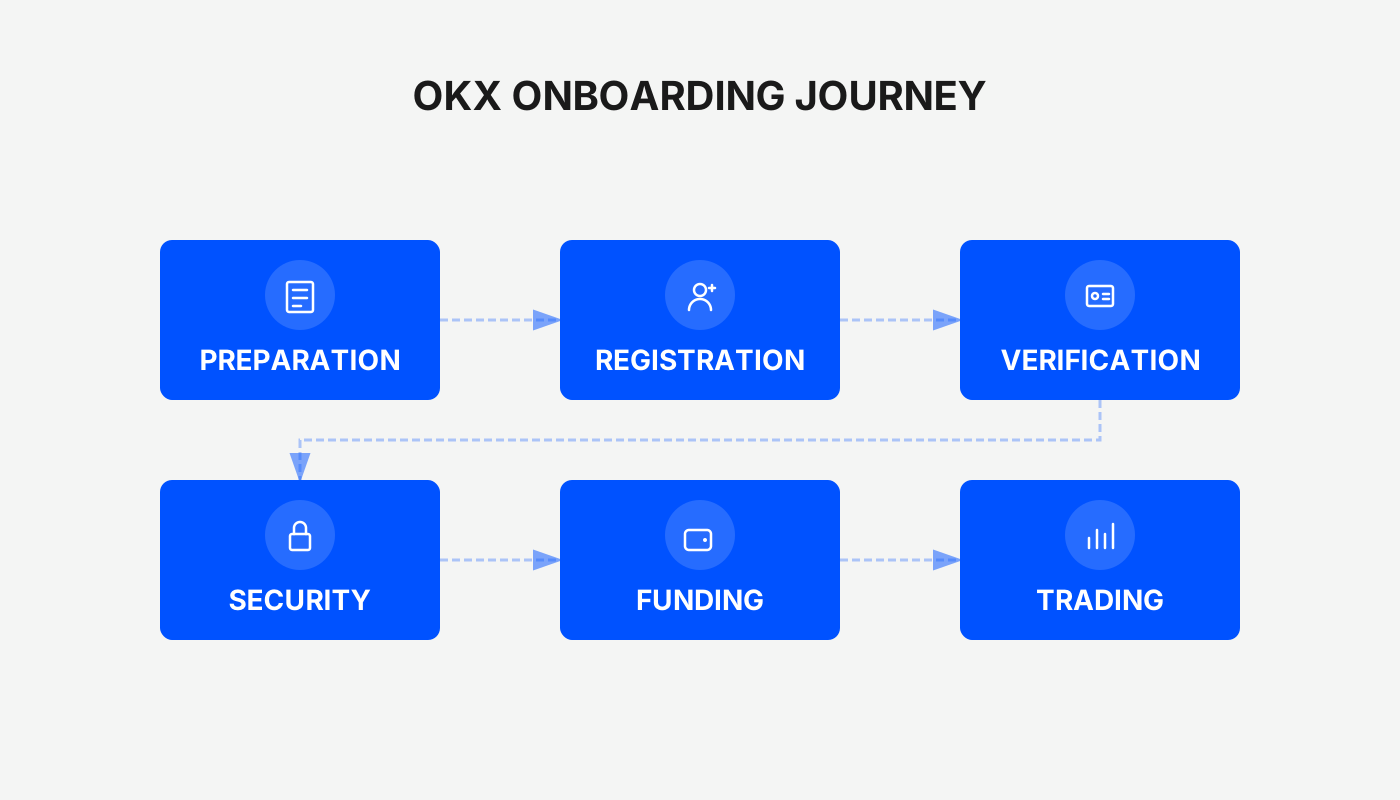
OKX Registration, Download and Full‑Guide: Buying USDT, Bitcoin and Withdrawing Fiat (USD/SEPA)
After registering on OKX and installing the mobile app, you can buy USDT or Bitcoin through the C2C (peer‑to‑peer) market, then sell the USDT via C2C to withdraw fiat currency to your bank account.
OKX is a tier‑2 cryptocurrency exchange that launched on 31 May 2017 under the name OKEx and rebranded to the Chinese‑language brand OKX in 2021. The platform serves more than 150 countries and regions, hosts tens of millions of users, and offers a full suite of products including spot trading, margin, options contracts, DeFi mining, and more. In 2025 the exchange plans to further harden its security framework by rolling out the “OKX Protect” program, which bundles nine security mechanisms such as AI‑driven monitoring, Proof‑of‑Reserve (PoR) audits, self‑custody wallets, independent Hacken audits, and Merkle‑tree‑based asset transparency.
The sections below will systematically answer the most common questions:
- How to buy Bitcoin and USDT
- Whether crypto trading is still possible from mainland China
- How to acquire crypto while residing in China
- The typical routes for cashing out crypto assets
Before you start the hands‑on steps, let’s clear up a few frequent misconceptions.
1. What is USDT?
USDT (full name Tether) is a stablecoin whose value is pegged 1 : 1 to the U.S. dollar. While USDT is not a fiat dollar itself, each token is designed to represent one dollar, providing a low‑volatility bridge for traders who want to avoid the price swings of other cryptocurrencies.
USDT can be stored in any crypto wallet—online, mobile, hardware, or even on‑exchange accounts. When you receive USDT you are given a wallet address (similar to a bank account number) that you can use to receive and hold the tokens.
Because it tracks the dollar closely, USDT’s price usually stays within a narrow band (e.g., $0.99 – $1.01). Its primary purpose is to act as a “gaming chip” that lets users move quickly between different crypto assets without repeatedly converting to fiat.
2. What is a Bitcoin exchange?
A Bitcoin exchange is a platform where you can buy, sell, and trade Bitcoin and other digital assets, much like a traditional stock exchange. Typical features include:
- Real‑time market data and price charts
- Integrated digital wallets for deposits and withdrawals
- Various order types (limit, stop‑loss, margin, etc.)
Exchanges employ cryptographic security, cold‑storage solutions, and other safeguards to protect user assets while facilitating trade execution and portfolio management.
3. Can crypto be converted back to cash?
Generally, crypto assets are first exchanged for USDT, then USDT is withdrawn as fiat currency. The entire workflow can be completed within the exchange itself, without needing any third‑party off‑ramp services.
Tax note: In many jurisdictions, gains from cryptocurrency transactions are taxable. Please consult local tax regulations or a qualified professional to understand your reporting obligations.
---
1️⃣ Registration
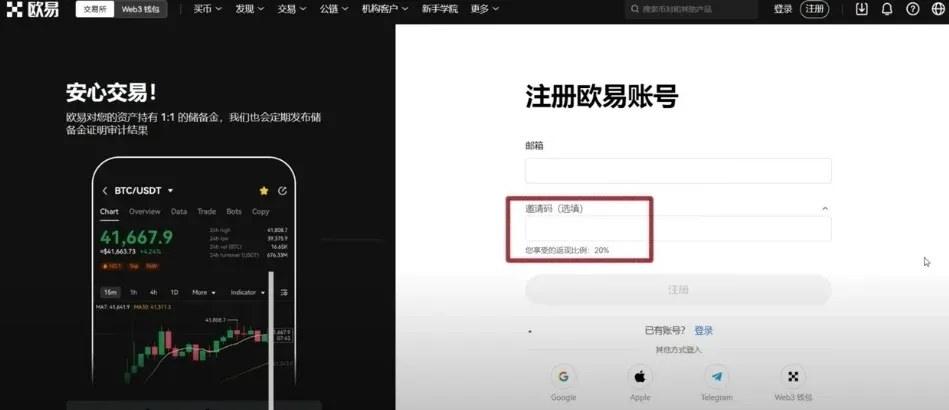
Click the link below and use the referral code to enjoy a 20 % reduction on trading fees.
OKX New‑User Registration: Register Here
Alternatively, enter the referral code `B2345` on the sign‑up page. We recommend using a QQ, Outlook, or Gmail address for registration and following the on‑screen prompts.
2️⃣ Identity Verification
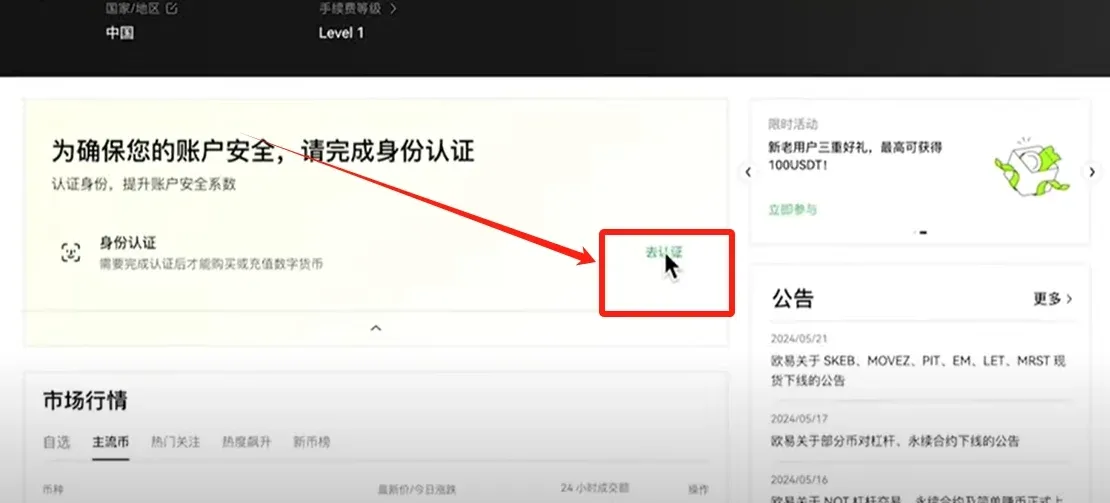
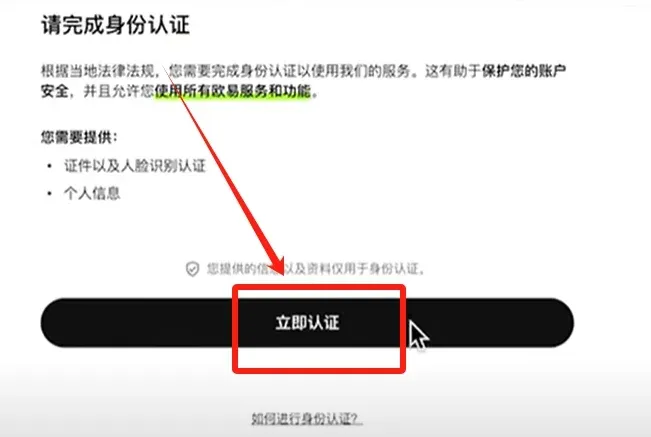
After creating your account, the system will request identity verification. Follow these steps:
- Tap [Go Verify] → [Verify Now]
- Choose Residence / Country = “China” (the platform still lists “China” for mainland users). For Document Type, select Identity Card (passport is also accepted).
- Complete the verification inside the OKX mobile app (download link provided below). Log in with your newly created account and press [Next].
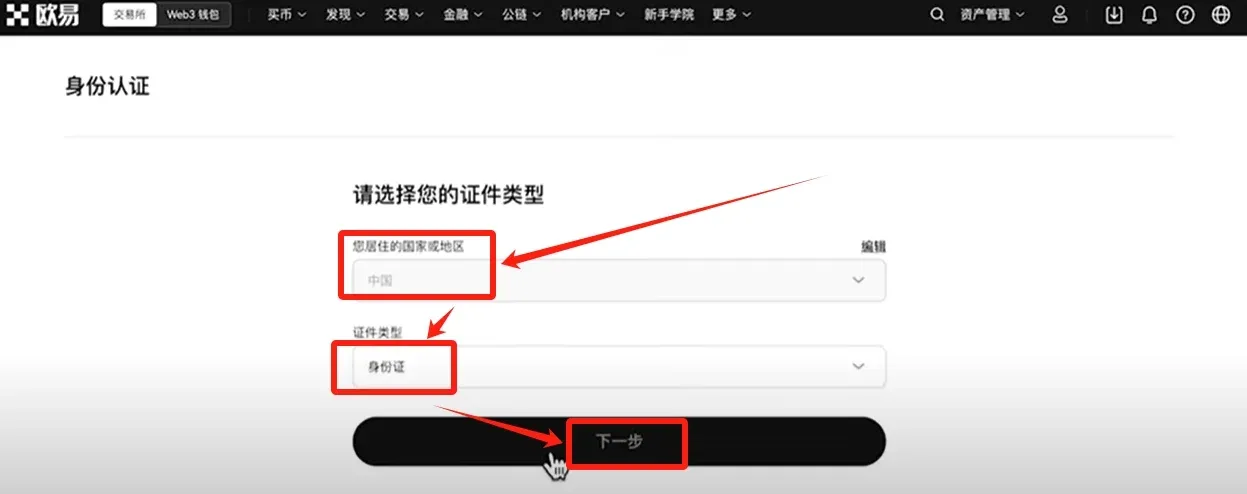
Download the OKX App
OKX App Download: Click to Download
After installing, log in, prepare clear photos of the front and back of your ID, tap [Start Verification], and upload the images. You will then be prompted to complete a short facial‑recognition check (head shake, mouth open, blink). The entire process typically takes 2–3 minutes.
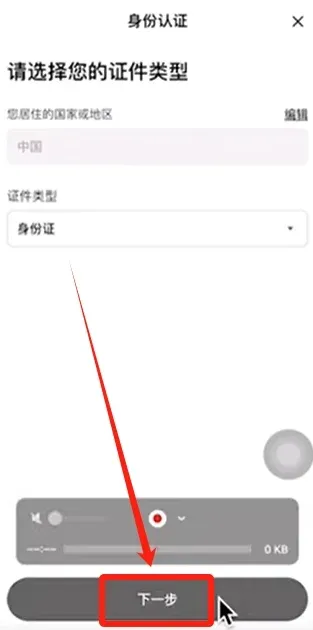
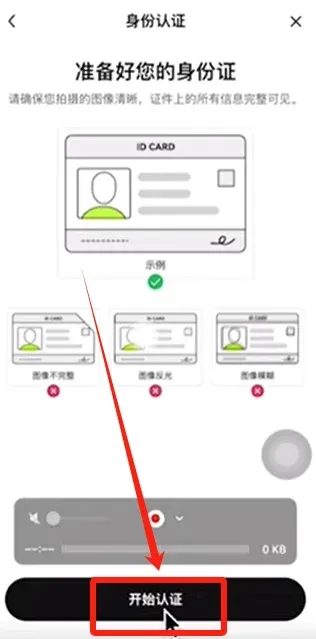
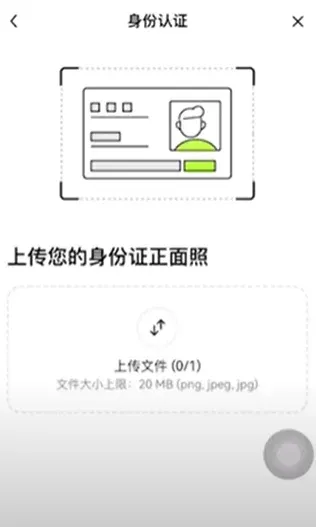
3️⃣ Buying USDT
Once verification is approved, navigate to the Buy Crypto section. Key steps:
- On the home screen, tap the [Buy] button (top‑left corner) → select C2C Buy (peer‑to‑peer).
- Choose the USDT token, then enter the amount you wish to spend (e.g., $70 USD, which roughly equals 500 CNY). The platform will automatically display the corresponding USDT quantity.
- Pick a payment method: bank transfer (SEPA/SWIFT), Alipay, or WeChat Pay (for users inside China). The app will list eligible sellers; prioritize those with high transaction volume and strong positive‑feedback scores.
For example, select the seller “Shuanglong Trading” (≈ 50 k completed orders, 99.93 % positive rating). After confirming the $70 USD payment, the system shows you will receive 68.49 USDT. Tap [Buy USDT with 0 % Fee] to finalize.
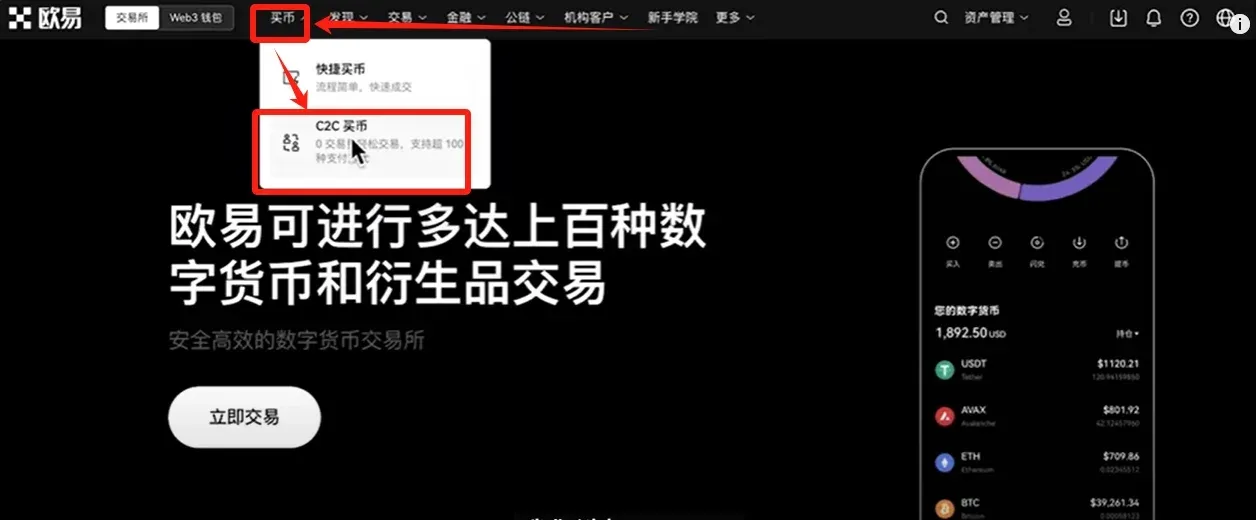
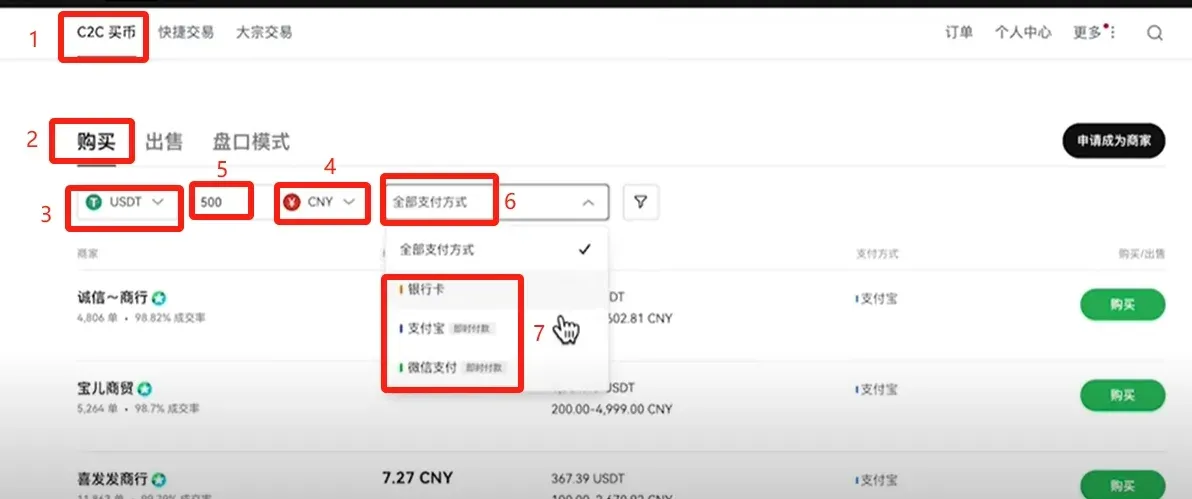
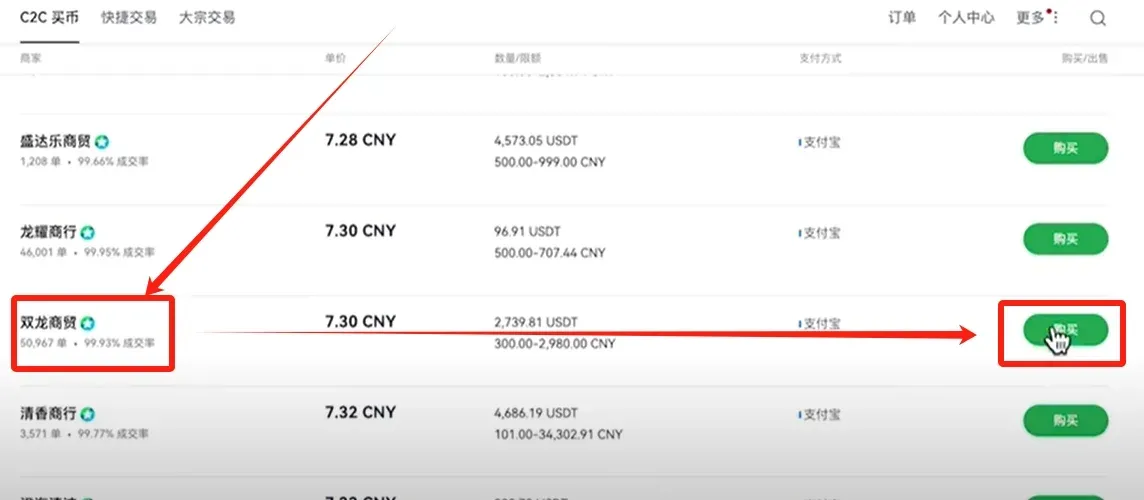
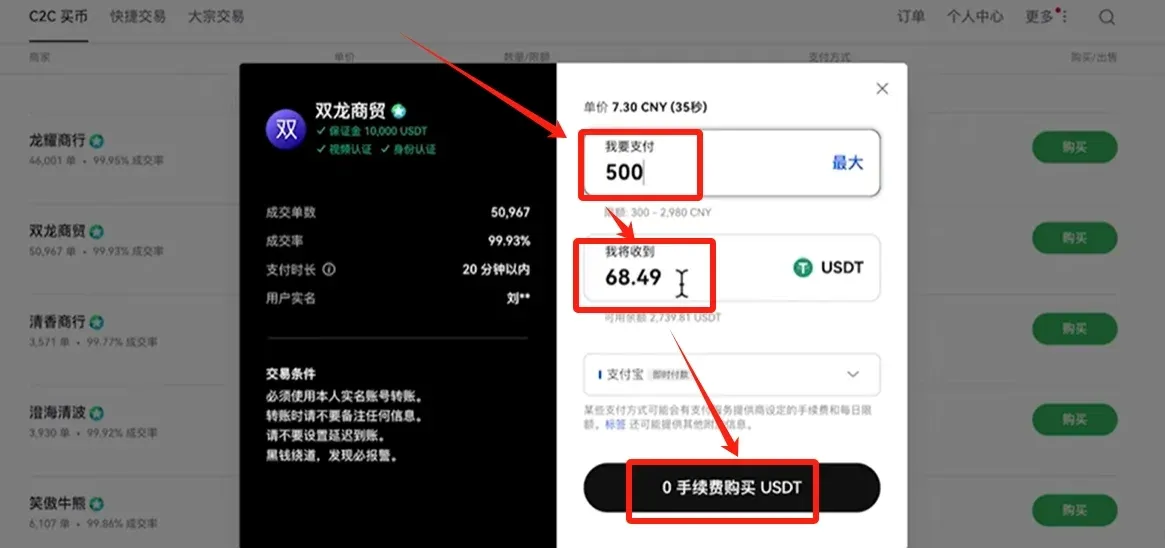
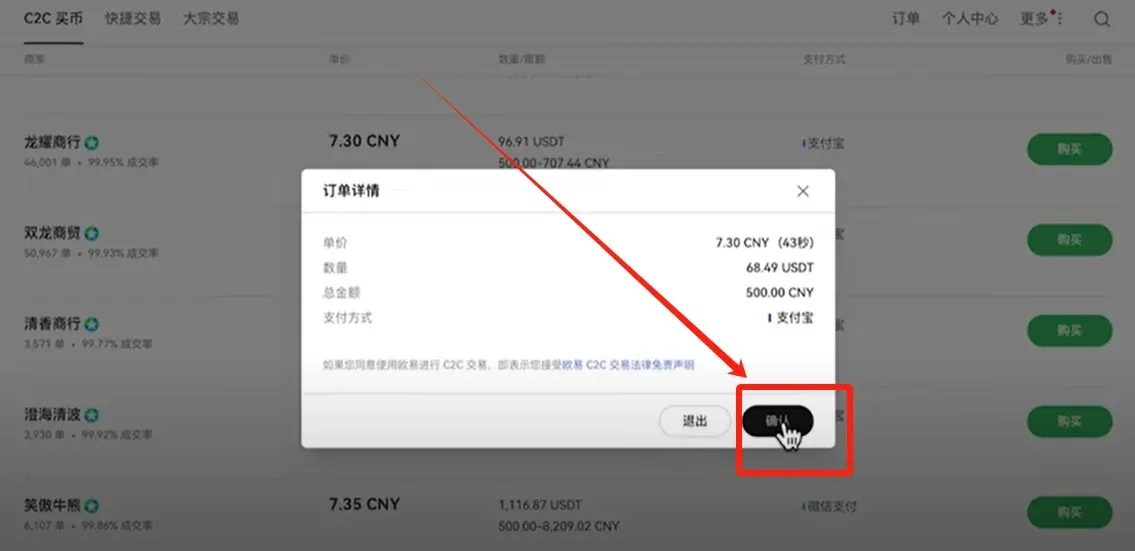
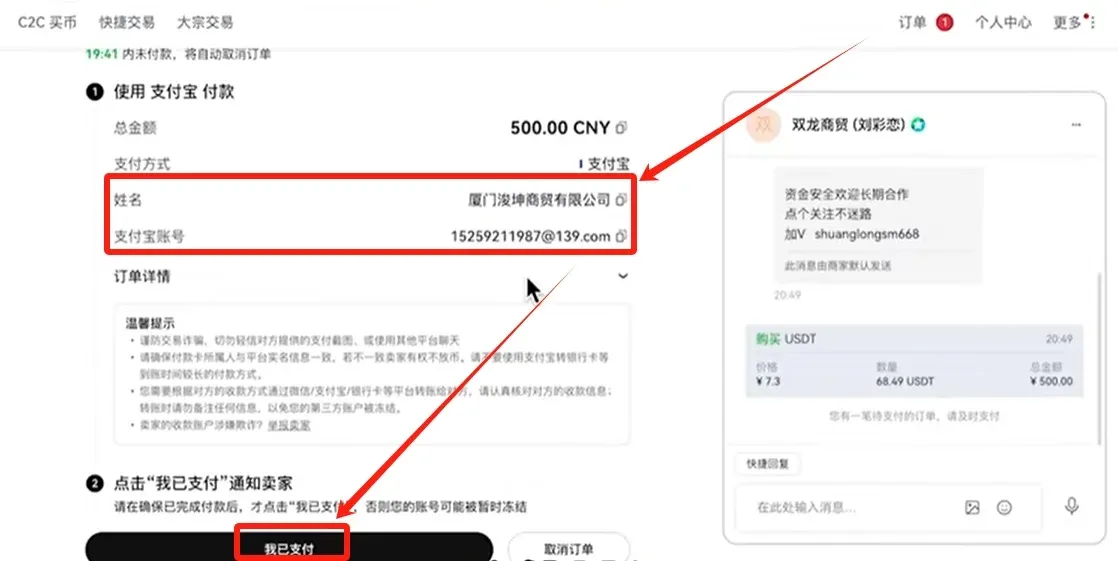
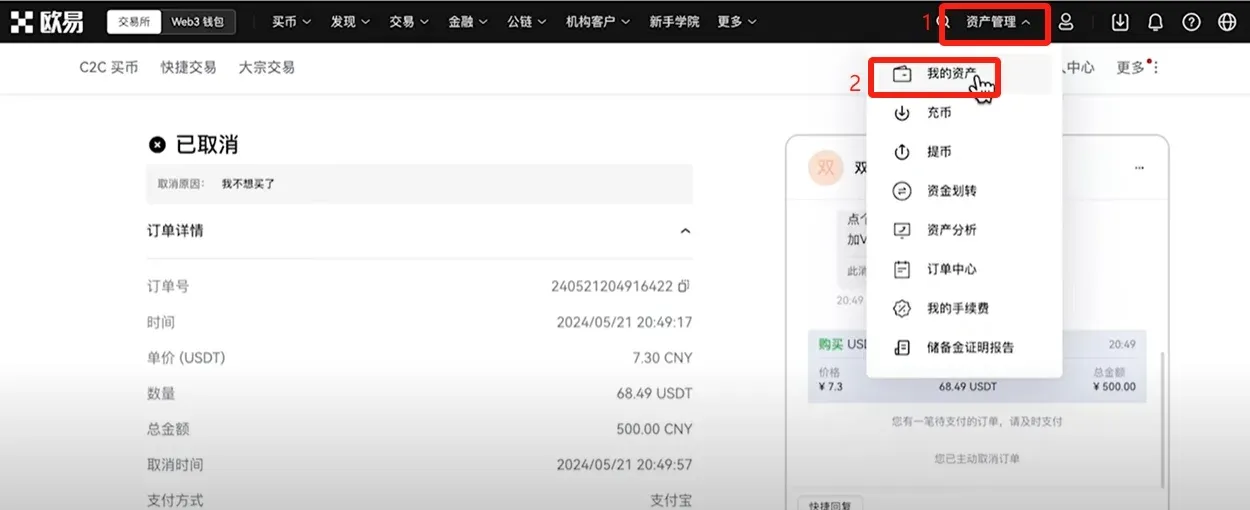
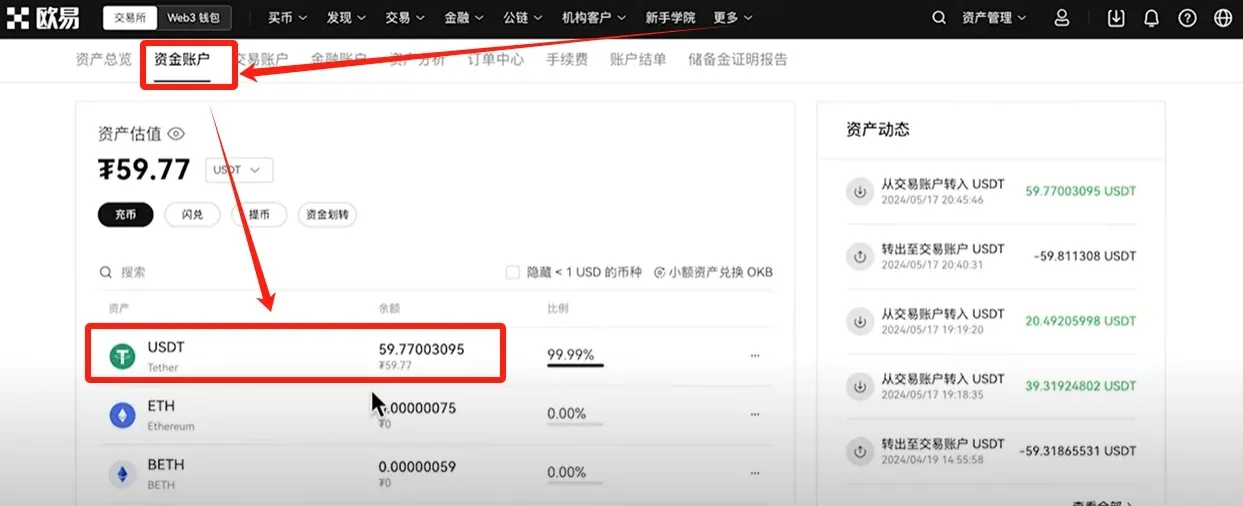
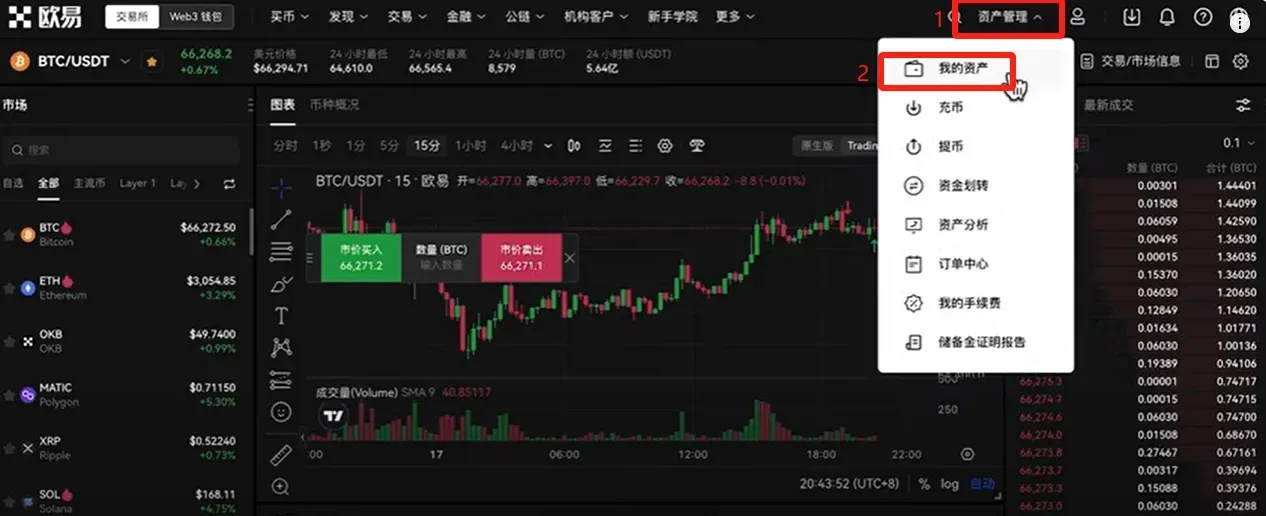
When the purchase is successful, go to [Asset Management] → [My Assets] → [Funding Account] to view the newly credited USDT balance.
4️⃣ Buying BTC (Bitcoin)
Before you can trade BTC, move the USDT from your Funding Account to the Spot Trading Account:
- Tap [Funds Transfer] → select USDT → transfer from Funding to Spot. Choose Maximum amount and confirm.
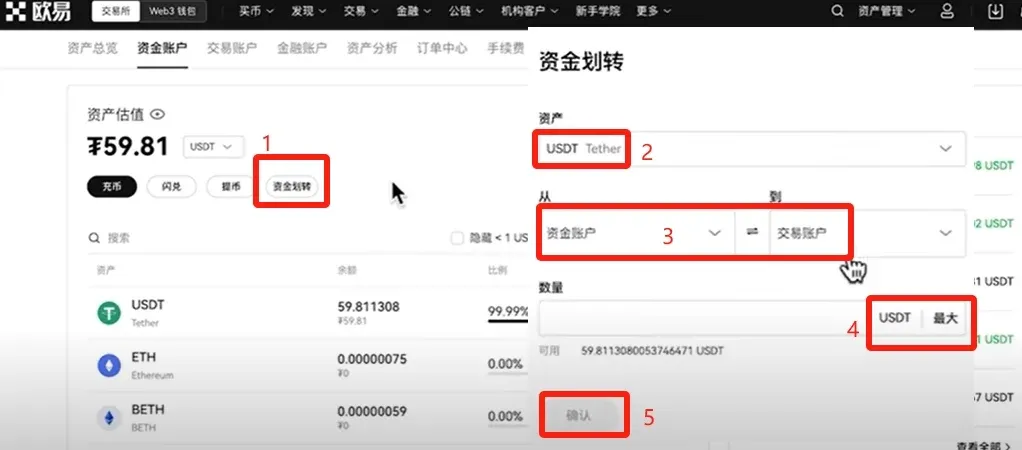
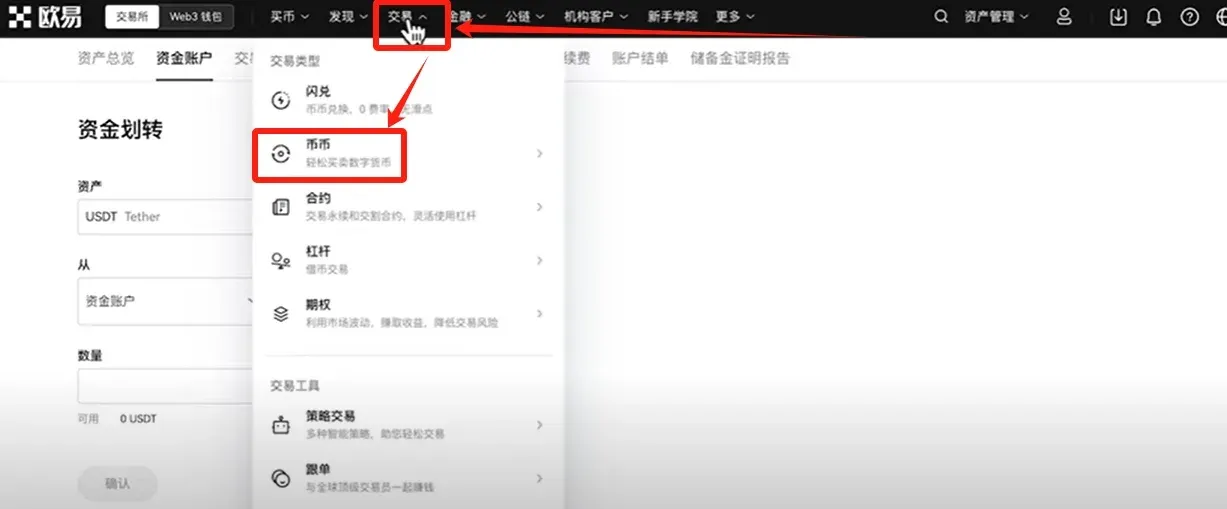
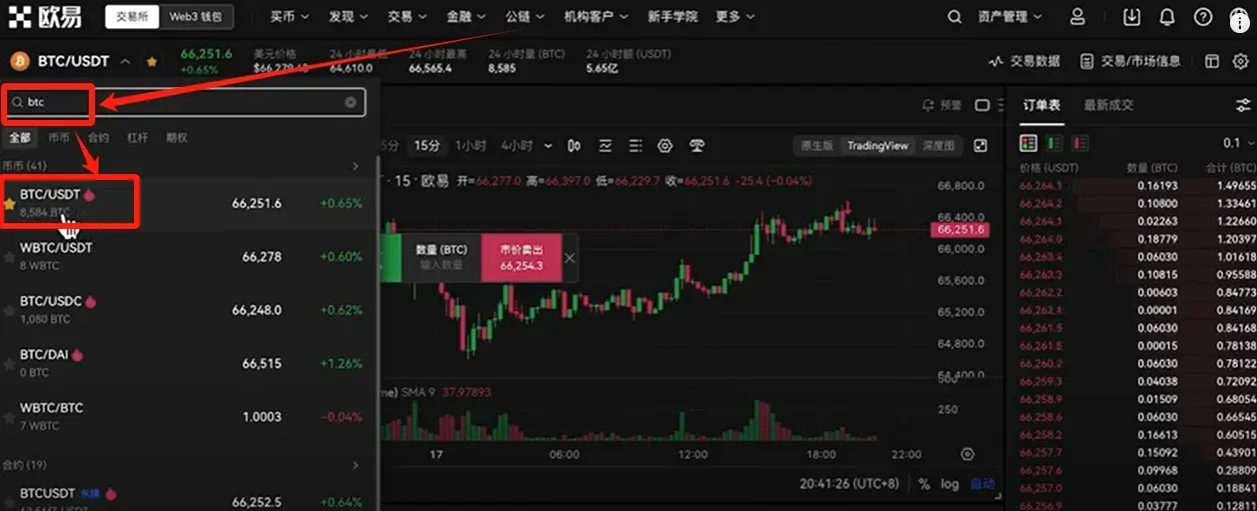
After the transfer, navigate to [Trade] → [Spot]:
- Search for BTC and pick the BTC/USDT trading pair.
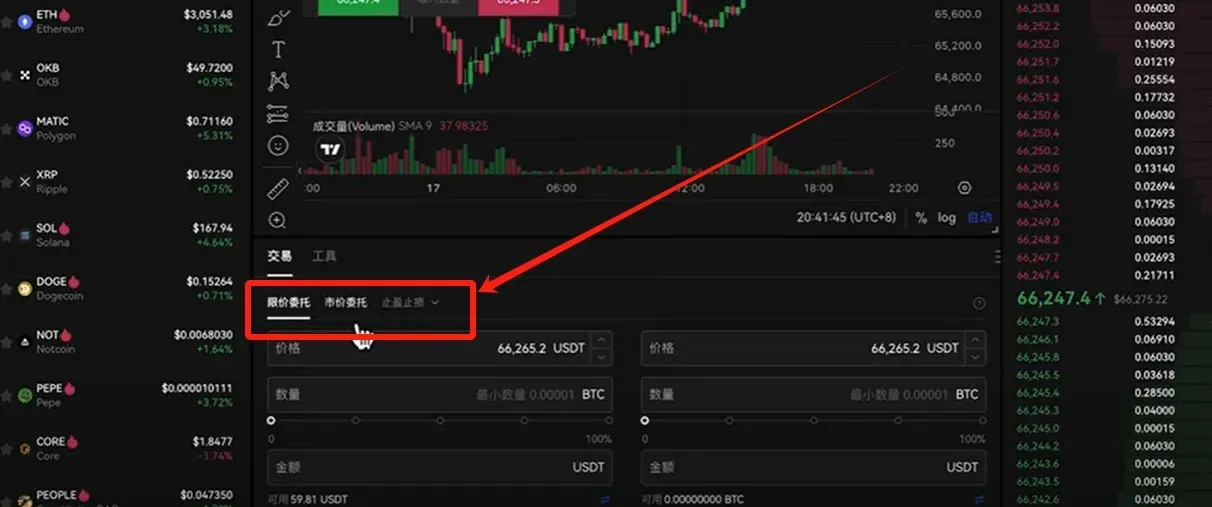
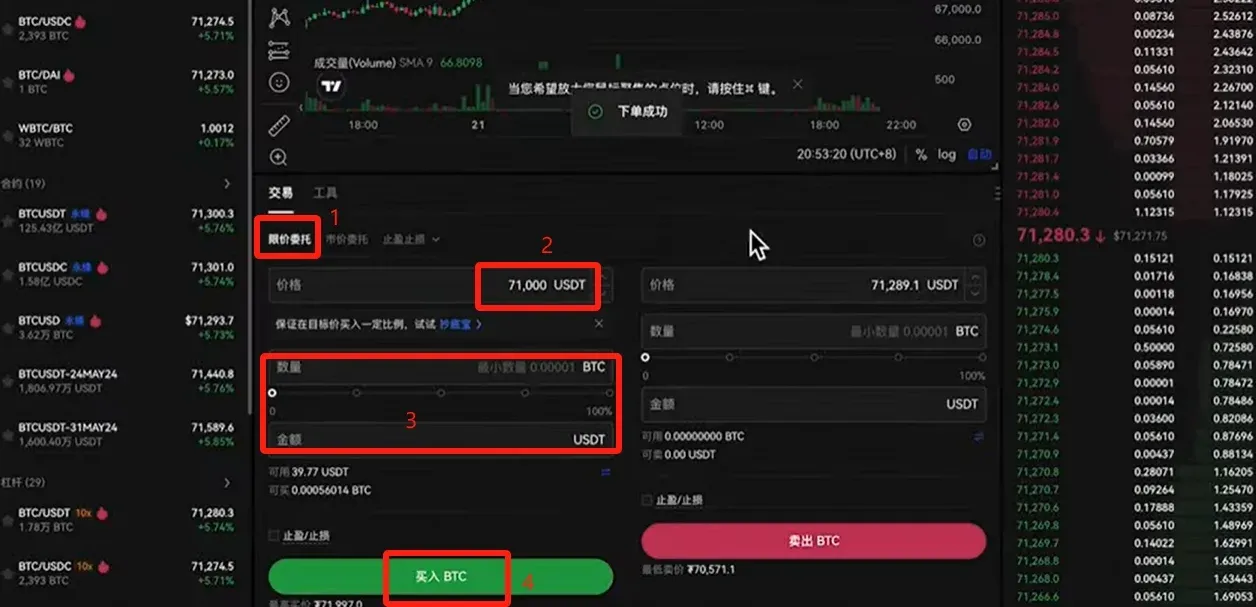
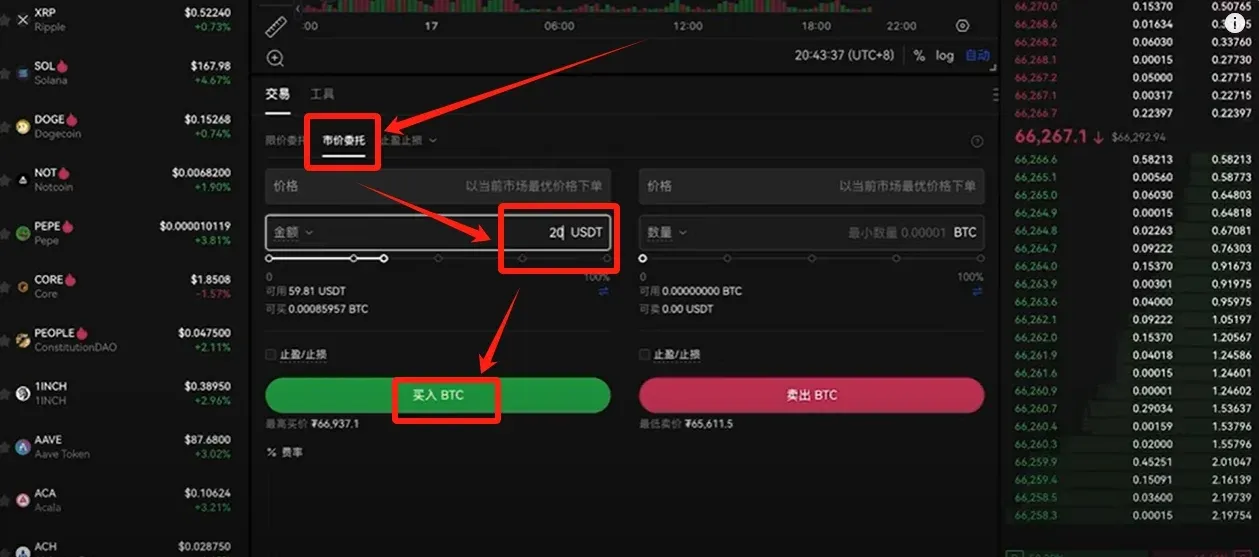
- Choose an order type: Limit Order (you set your own price) or Market Order (executed at the best available price).
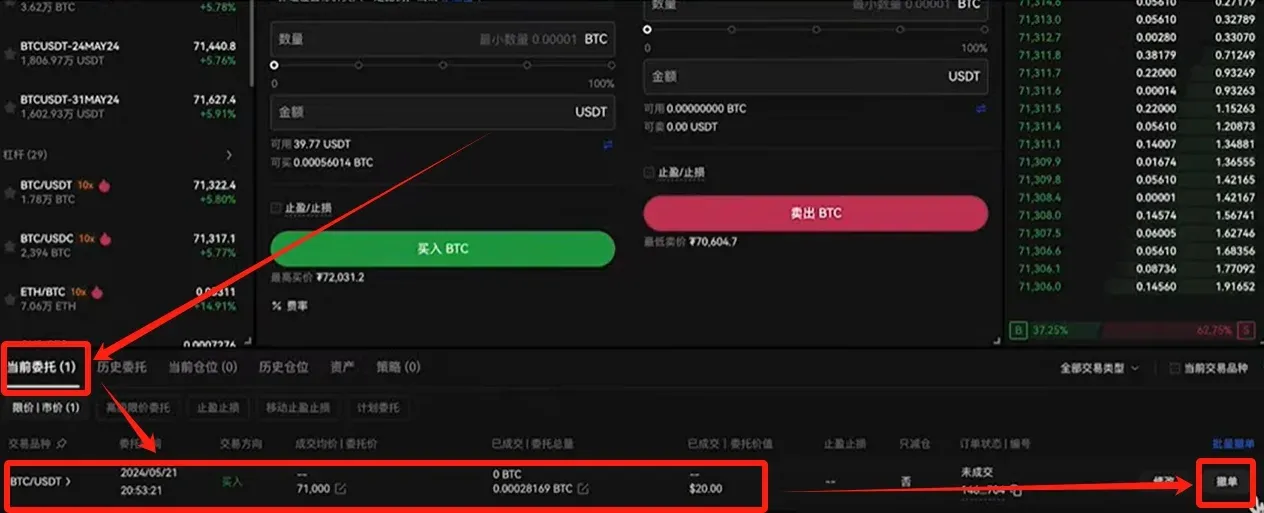
- Limit Order Example: Current price ≈ $9,900 USD (≈ 71,310 CNY). Set a buy price of $9,850 USD (≈ 71,000 CNY), enter the amount or total, then click [Buy BTC].
- Market Order Example: Directly input a purchase amount such as $2.80 USD (≈ 20 CNY) and hit [Buy BTC].
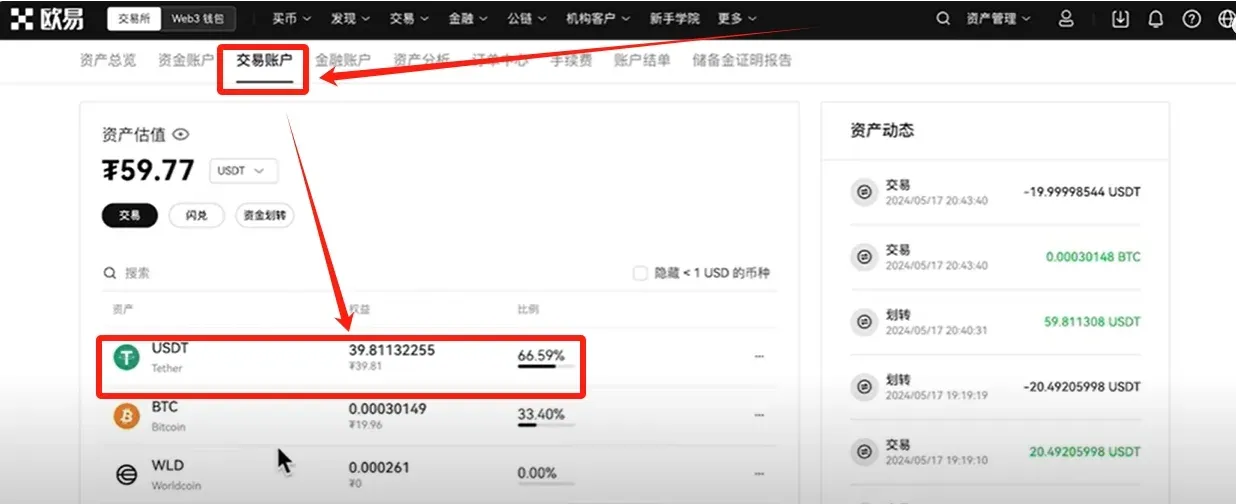
Once the order is placed, you can monitor it under [Open Orders]. If you wish to cancel before execution, simply tap Cancel. After a fill, return to [Asset Management] → [My Assets] → [Spot Account] to see your Bitcoin holdings.
5️⃣ Withdrawing Fiat (USD/SEPA)
Step 1 – Convert Bitcoin to USDT
- Go to [Trade] → [Spot], keep the BTC/USDT pair selected.
- Choose Market Order, sell your entire BTC balance, and receive USDT in return.


