
 Bitaigen Research
 In this article we provide a complete, step‑by‑step practical guide for beginners using the Huobi Wallet, covering security concepts, common reasons for transfer failures, and detailed receiving and sending procedures. By analyzing key points such as mnemonic‑phrase management and miner‑fee settings, we help you get started quickly while avoiding unnecessary risks. To master hassle‑free transfers, keep reading.
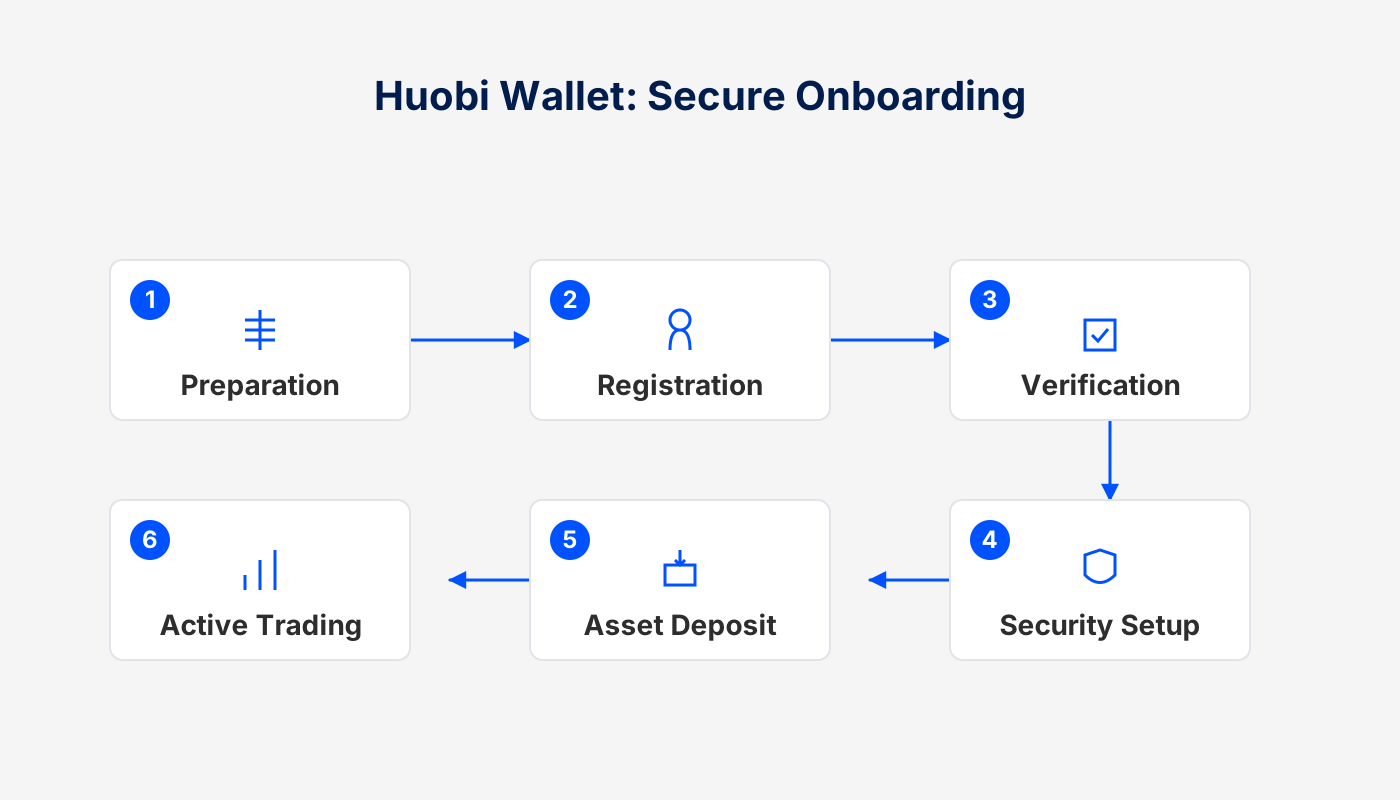
Overview of Huobi Wallet
Huobi Wallet is a decentralized digital‑asset management tool whose development team includes technical experts who have previously worked at Google, Intel, Tencent and other leading companies. Leveraging Huobi’s many years of research and development experience in the blockchain space, the product aims to deliver a secure, reliable and user‑friendly experience.
The wallet uses a single mnemonic phrase to manage addresses across multiple major blockchains and is compatible with mainstream cryptocurrencies such as BTC, ETH, EOS, USDT, LTC, as well as all ERC‑20 tokens for deposit, withdrawal and exchange functions.
Global‑market note: For fiat‑on‑ramp or off‑ramp operations, users typically transact in USD via SEPA or SWIFT networks. U.S. residents must use Binance.US rather than the global Binance platform. Crypto gains may be taxable under the regulations of the user’s local jurisdiction; please consult a tax professional for guidance.
Common Reasons for Transfer Failure
When performing on‑chain operations with Huobi Wallet, you may encounter transactions that do not succeed. The main causes are:
- Miner fee set too low
After a transaction is initiated, a miner fee must be paid. If the selected fee is below the network’s recommended level, miners may abandon the transaction midway due to insufficient compensation, resulting in failure. Even when the transaction fails, the fee already spent is not refunded.
- On‑chain validation errors
Once a transaction is submitted to the blockchain, errors such as contract call failures, node time‑outs, or other validation problems can cause the transaction to be rejected.
- Duplicate submissions
Submitting the same transaction a second time within a short interval will cause the later submission to be marked as failed, while the first successful record is retained.
After understanding these factors, it is advisable to double‑check the miner fee, recipient address and network status before sending any transaction in order to reduce the likelihood of failure.
Receiving Guide (Example: ETH)
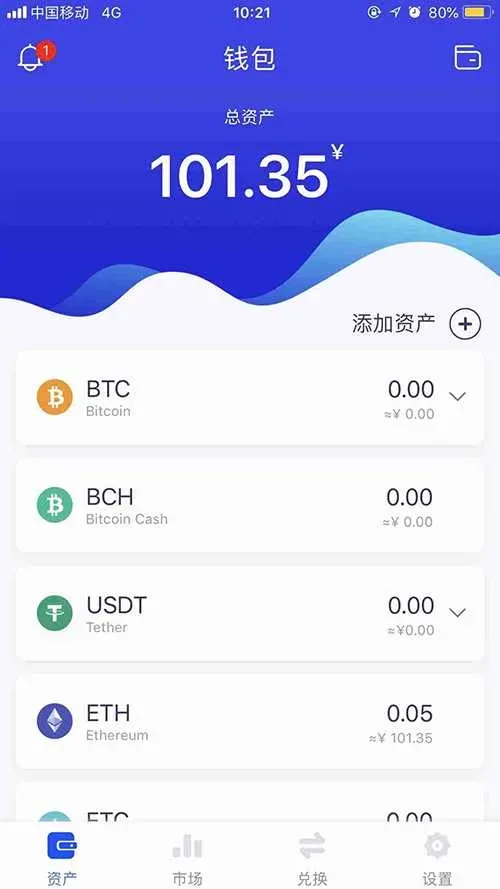
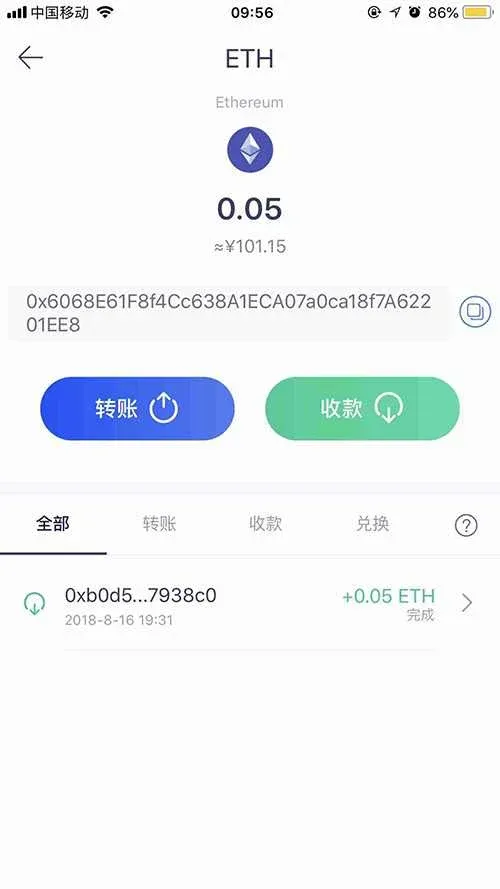
- Open the Assets page, tap ETH, and after entering the coin’s detail page select Receive to open the receiving interface.
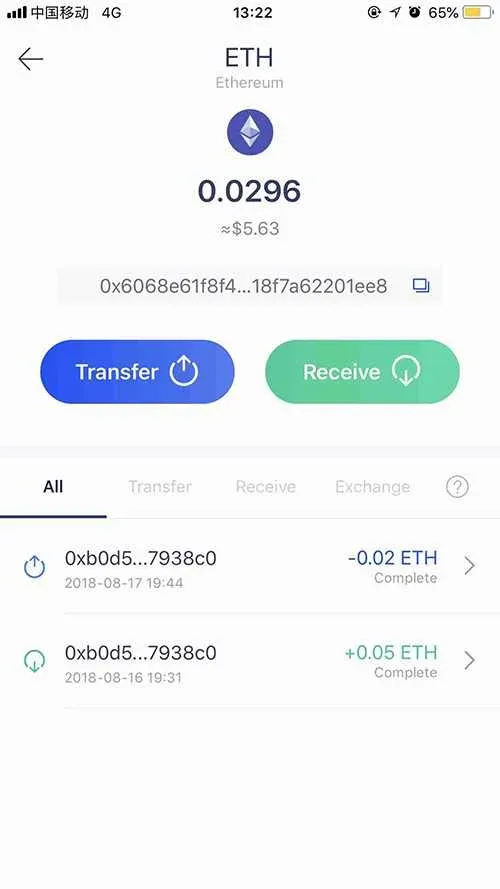
- On the receiving page you can tap the Copy button to obtain the deposit address, or use Share Address to generate a QR code for sharing.
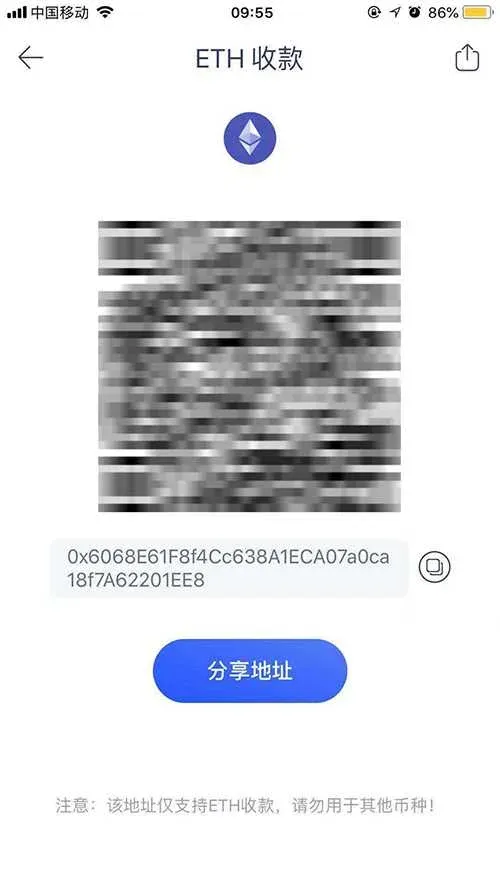
- All incoming ETH transactions are recorded in the ETH Transaction History section, where users can view the details of each deposit at any time.
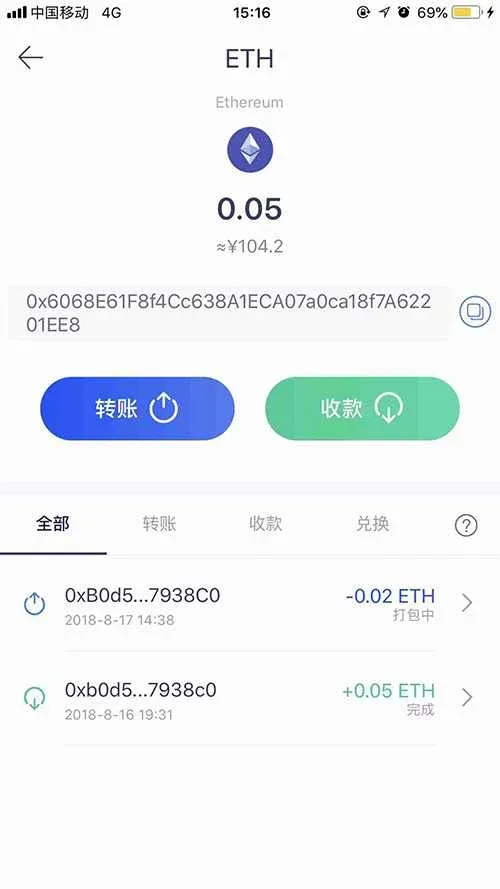
Transfer Procedure (Example: ETH)
- On the Assets page tap ETH, then after entering the coin’s detail page click Transfer to open the appropriate transfer screen.
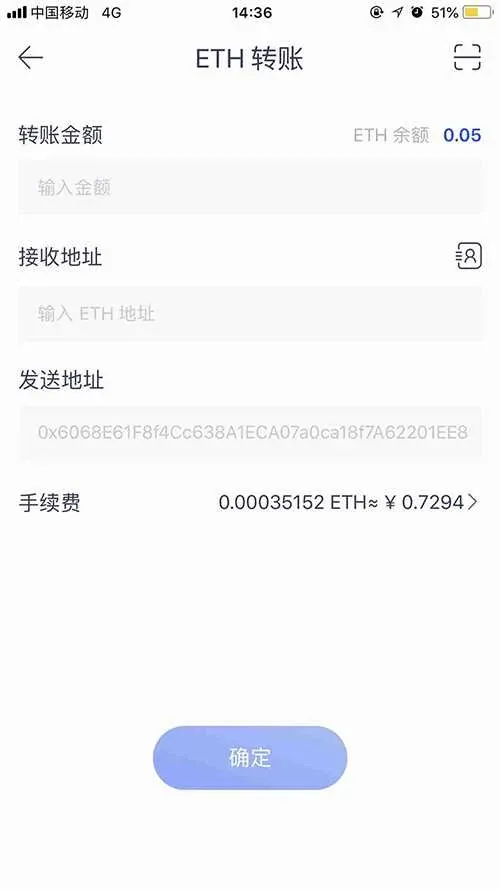
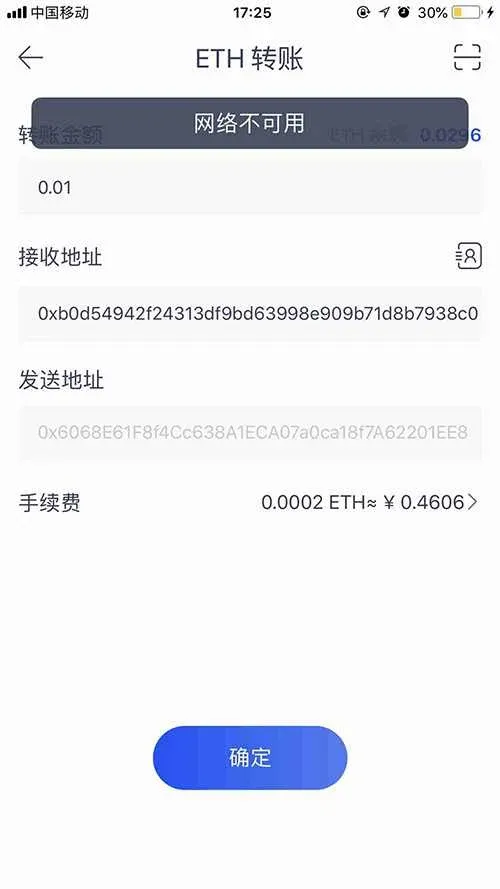
- Manually type or paste the recipient’s ETH address (verify it repeatedly). You can also use the Scan function to capture the address from a QR code. Next, enter the amount to send and select an appropriate miner fee based on the system’s recommendation—higher fees usually result in faster confirmation, while fees that are too low may cause the transaction to be delayed or to fail.
Reminder: Follow the miner‑fee suggestion provided by the system to avoid setting a fee that is too low, which could cause the network to drop the transaction.
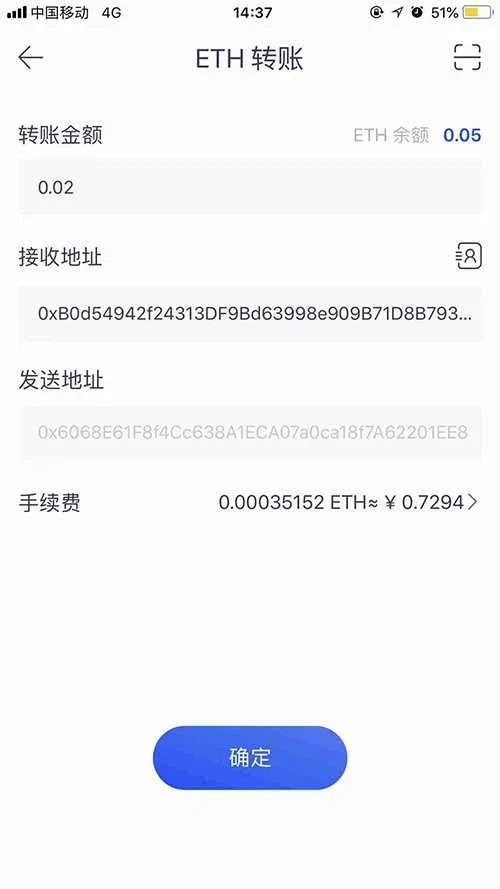
- After confirming that all information is correct, tap Confirm, enter your security password and confirm once more.
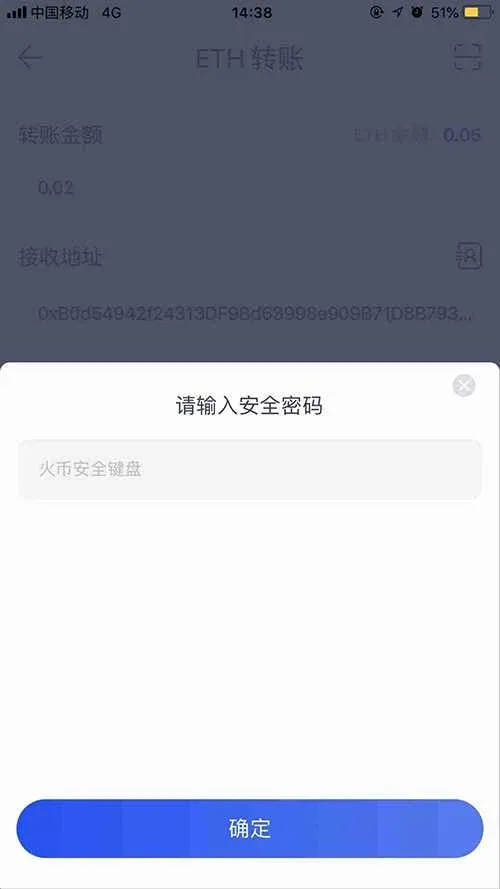
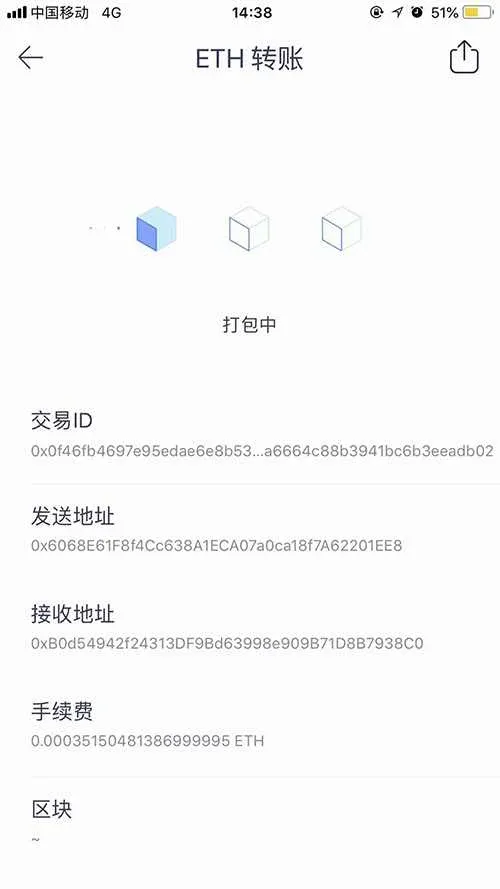
- The interface will automatically switch to Transferring, where you can monitor the transaction’s progress in real time while the network processes the confirmation.
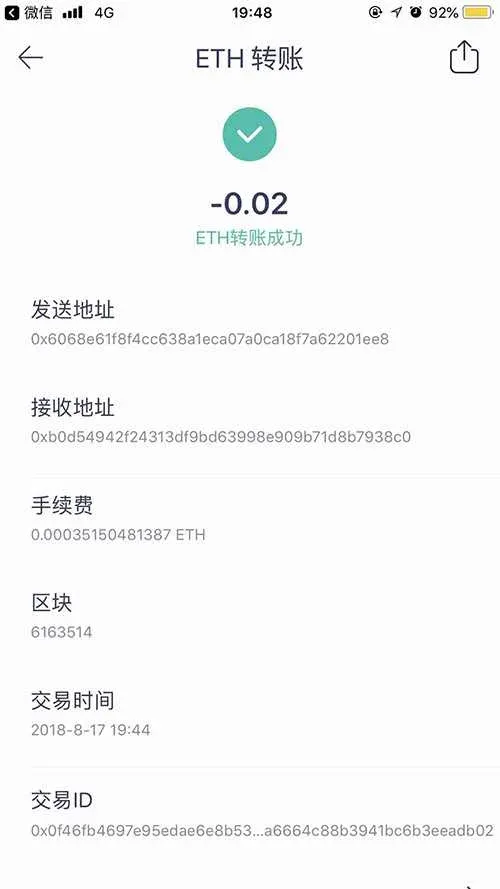
- If the transaction succeeds, the system displays a Transfer Successful page. If a Transaction Failed notice appears (e.g., “Transfer failed! Please retry!”), you can return to the transfer screen, adjust the parameters and resend.
Conclusion
By following the steps outlined above, first‑time users of Huobi Wallet can confidently complete both receipt and transfer operations for digital assets. For more detailed information about downloading and using Huobi Wallet, please refer to the relevant sections on the Bitaigen (BitRoot) platform.
*Note: Cryptocurrency transactions may be subject to tax obligations in your jurisdiction. Always consult a qualified tax advisor to ensure compliance.*
Related Reading
- Trust Wallet Review: Security, Decentralization, Multi‑Chain
- Buy Crypto on Huobi: Step‑by‑Step Guide for Beginners
- Dogecoin Mining Guide: Boost Profitability & Choose the Right Hardware
💡 Register on Binance with referral code B2345 for the maximum trading fee discount. See Binance complete guide.



