Bitaigen Research
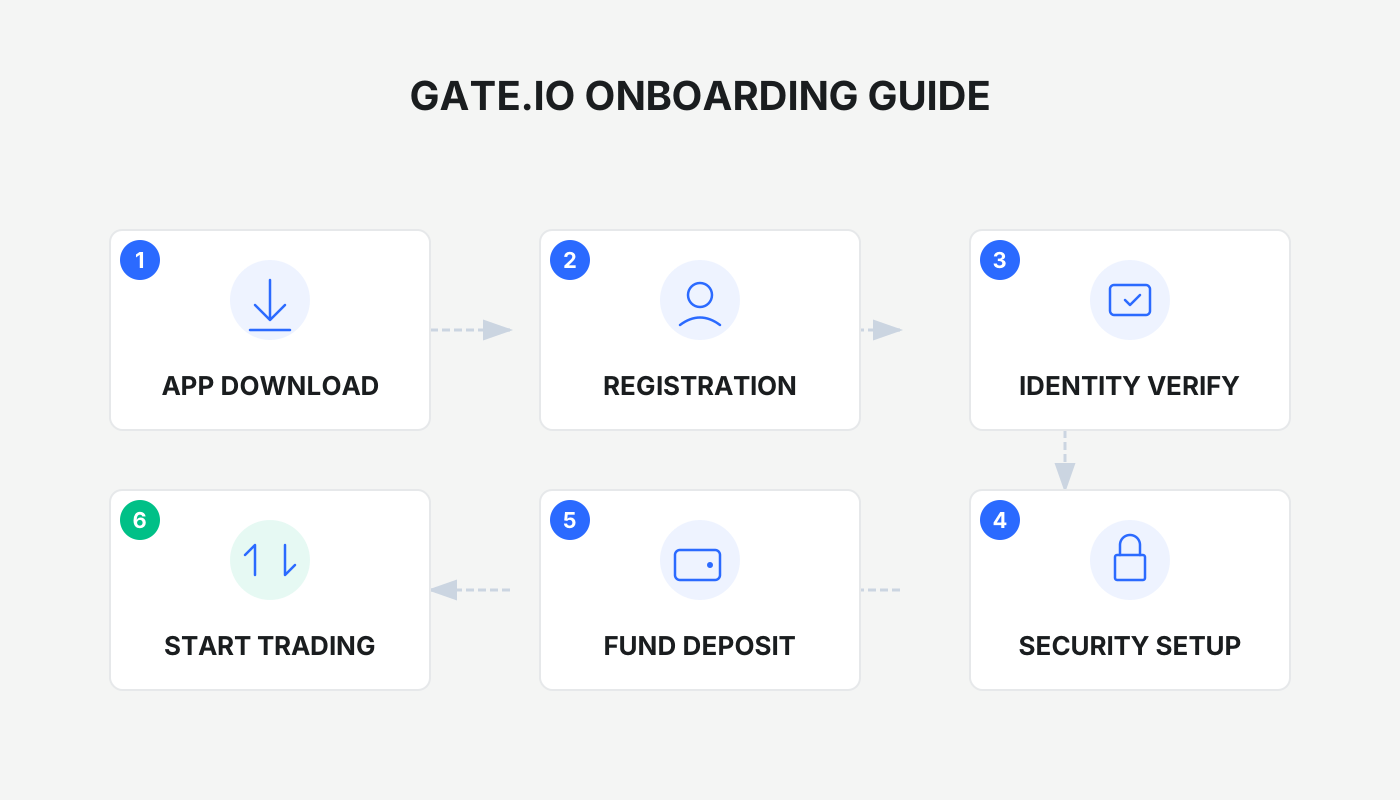
 If you want to quickly master the complete workflow of the Gate.io exchange—including downloading the app, registering an account, completing KYC identity verification, making deposits and withdrawals, and launching contract trading—this article will walk you through every step in detail.
We have prepared a full‑process guide for users who want to get up and running on Gate.io quickly. It covers everything from app download, account registration, and identity verification to fund deposits/withdrawals and contract trading. With illustrated instructions, you can avoid common pitfalls and start your digital‑asset journey with confidence. Keep reading to grasp the practical essentials.
What Is the Gate.io Exchange?
Gate.io (official registration link https://www.gate.com/share/vqnhawhe) is a global cryptocurrency exchange founded in 2013, originally known as “Sesame Open Door.” To date the platform serves more than 42 million users and offers a diversified suite of products such as spot trading, futures contracts, leveraged trading, staking, lending, copy‑trading, and an NFT marketplace. The exchange is widely recognized for its large number of listed assets (over 3,500), high trading volume (ranked #2 worldwide for 24‑hour spot turnover), and robust security (cold‑wallet storage, 2FA, 100 % reserve backing).
Core Features
- Wide‑range product lineup – spot, futures, leveraged, staking, lending, copy‑trading, NFT marketplace, and more.
- Extensive asset coverage – supports more than 3,500 cryptocurrencies and over 1,000 trading pairs.
- Strong security – cold‑wallet architecture, two‑factor authentication (2FA), and the first mainstream exchange to pledge a 100 % reserve.
- High liquidity – 24‑hour spot volume ranks second globally, ensuring deep order books.
- Advanced technology – zero‑knowledge proof (ZKP) guarantees that assets are 100 % verifiable, supplemented by transparent reserve‑proof reports.
Development Timeline
| Date | Milestone |
|---|---|
| 2013 | Founded by Dr. Han Lin, Chinese name “比特儿” (Bit’er). |
| 2020 | Renamed to Gate.io; withdrew from the mainland China market in response to regulatory changes and shifted focus overseas. |
| 2020‑present | Established offices in more than 130 jurisdictions, including the United States, Singapore, South Korea, and Malaysia. |
| 2025 | Chinese brand name upgraded to “大门” (The Gate), symbolizing trust and a gateway to the future. |
Localization note: All fiat‑currency references in this guide assume United States Dollars (USD) and SEPA/SWIFT transfers for cross‑border payments. U.S. residents who wish to trade on a Binance platform should use Binance.US rather than the global Binance site.
1. Gate App Download and Installation Guide
1. Android Users – Download and Install
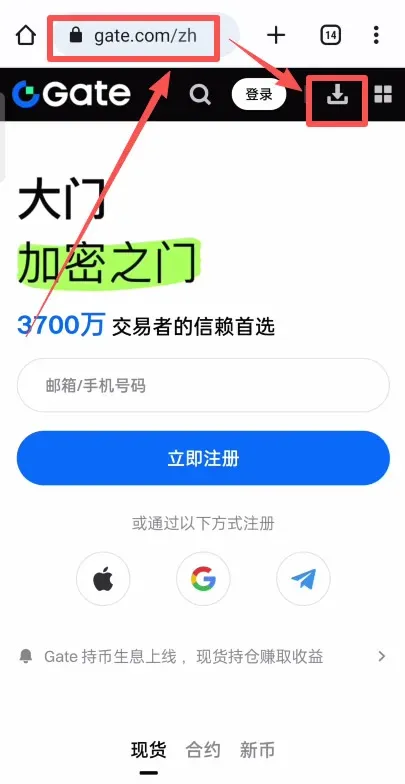
- Visit the Gate official registration page: `https://www.gate.com/share/vqnhawhe` (copy the link into your browser).
- Click the small downward‑pointing arrow at the top‑right of the page and select Android APK to start the download.
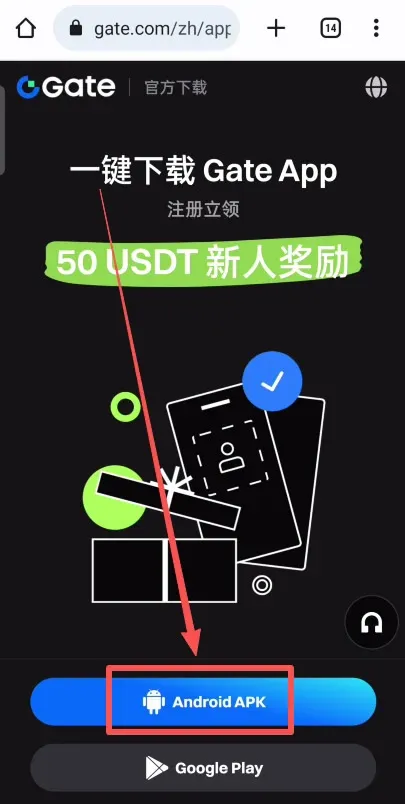
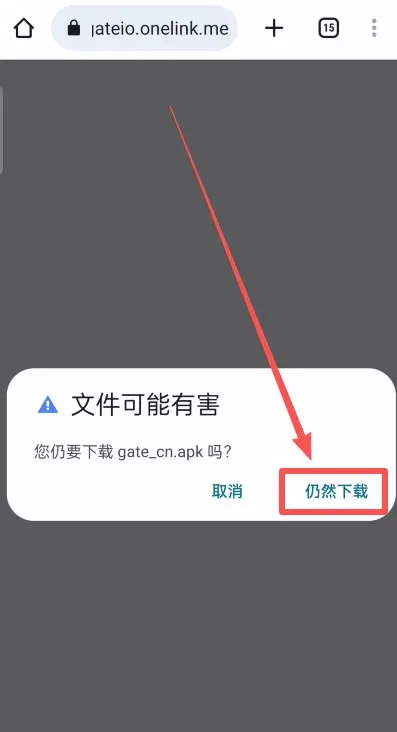
- If Android warns that the file may be harmful, ignore the warning and continue the download.
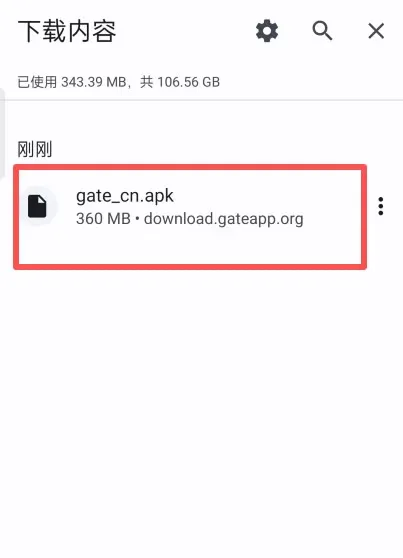
- Once the download finishes, tap the file and follow the prompts: “Allow this installation” → “Continue installing.”
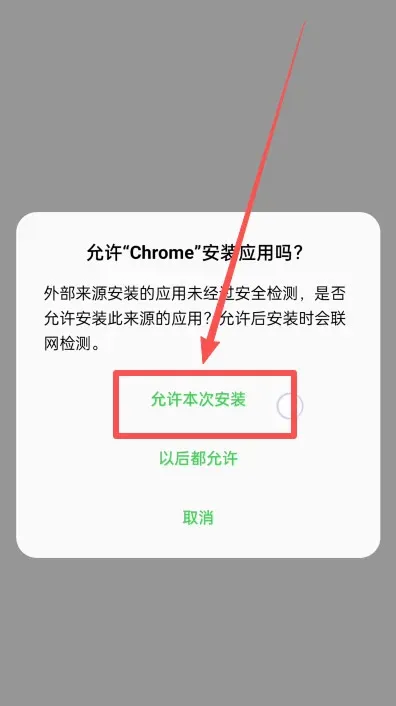
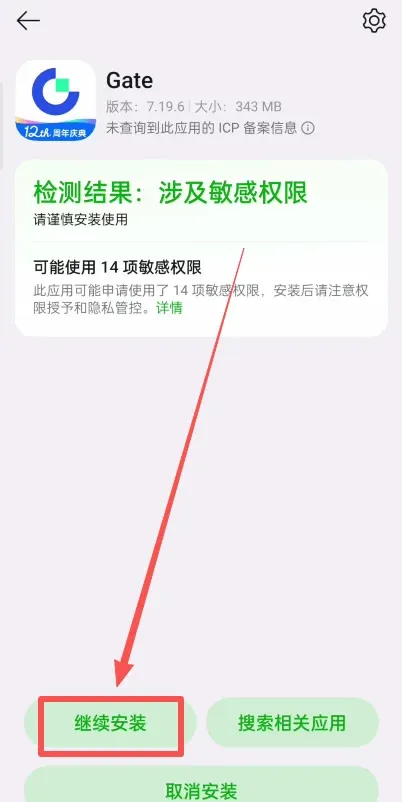
- After a successful installation, launch the Gate app and tap “Log In / Register” to proceed.
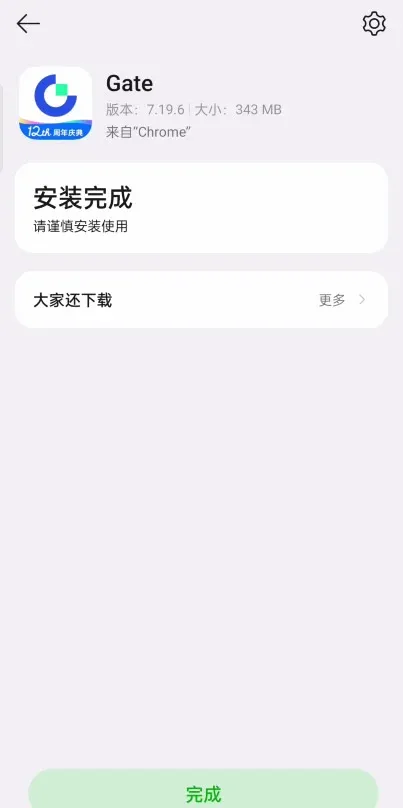
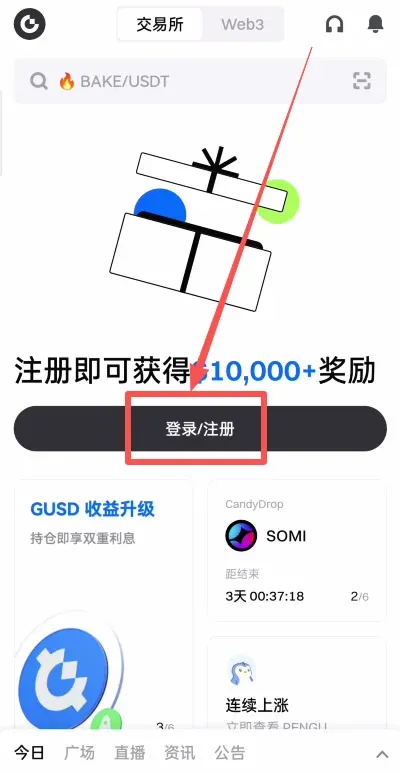
Note: If your Android device cannot update the app, try the following troubleshooting steps:
- Settings → Security → More security settings → enable “Install apps from unknown sources.”
- Disable the enhanced protection of “Pure mode” (Settings → System & updates → Pure mode → Enhanced protection → turn off).
- If the problem persists, enable Airplane mode, turn off all network connections, then re‑download and reinstall.
2. iOS Users – Download and Install
- You will need an overseas Apple ID (for example, a Taiwan‑region account). Search “Taiwan Apple ID purchase” on Google and follow the instructions to complete the $12 NT (≈ $0.40 USD) verification payment.
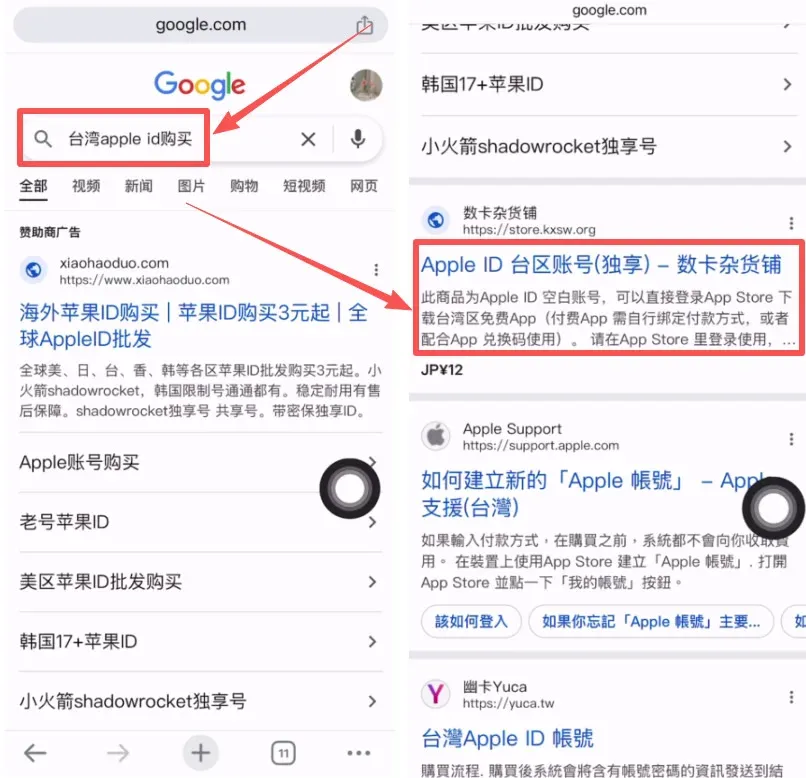
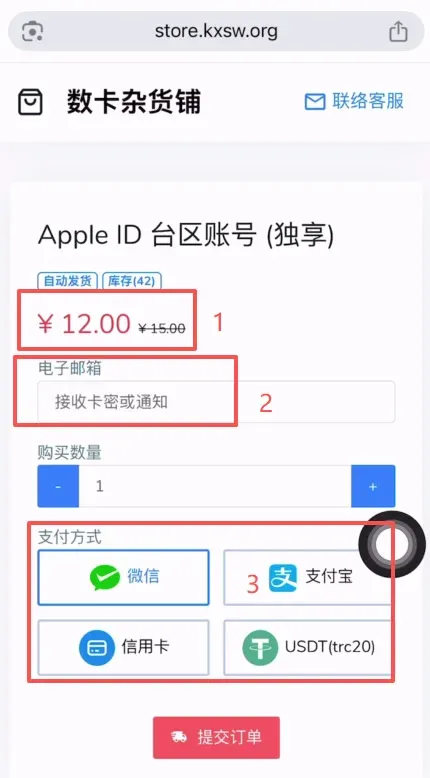
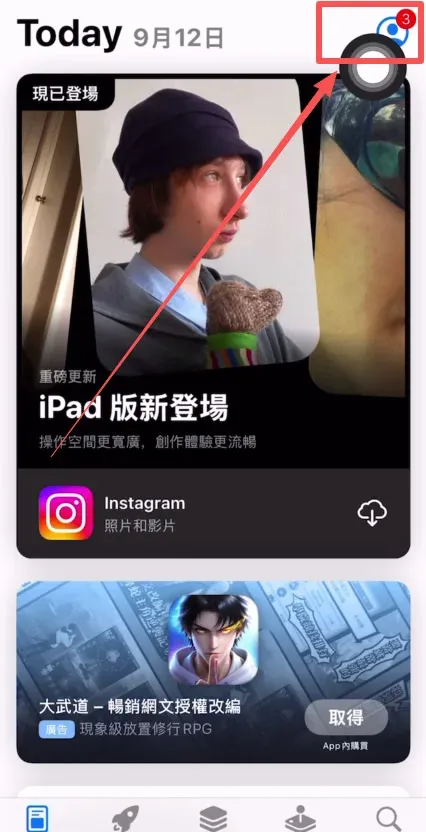
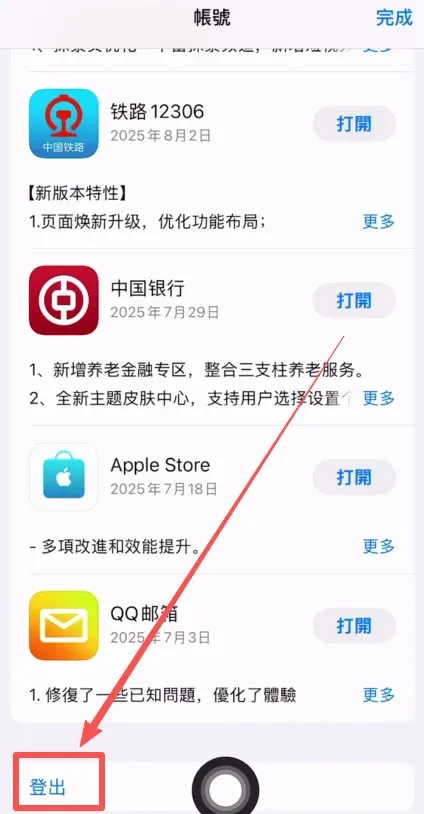
- In the App Store, tap the avatar icon at the top‑right, sign out of your current Apple ID, and sign in with the newly created overseas Apple ID.
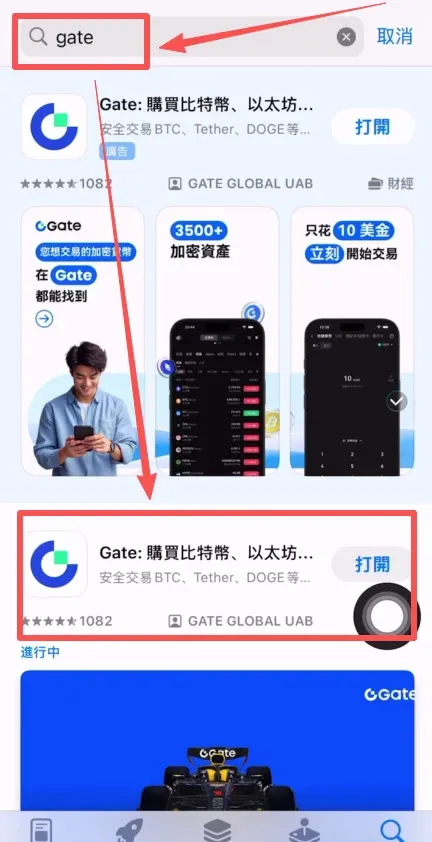
- Search for “gate” in the App Store, locate the second result (the first is a sponsored ad), and download it.
2. Register a Gate Account and Complete KYC Identity Verification
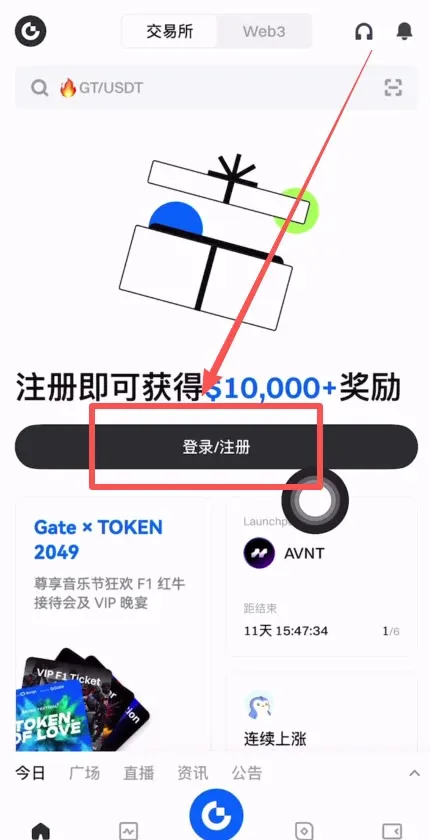
- Open the Gate app and tap “Register.”
- You can register using either an email address (Outlook, Gmail, etc.) or a mobile number (e.g., +86 for mainland China).
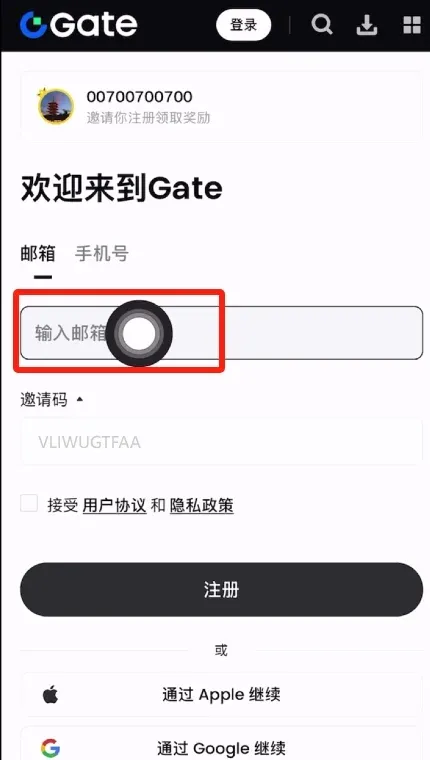
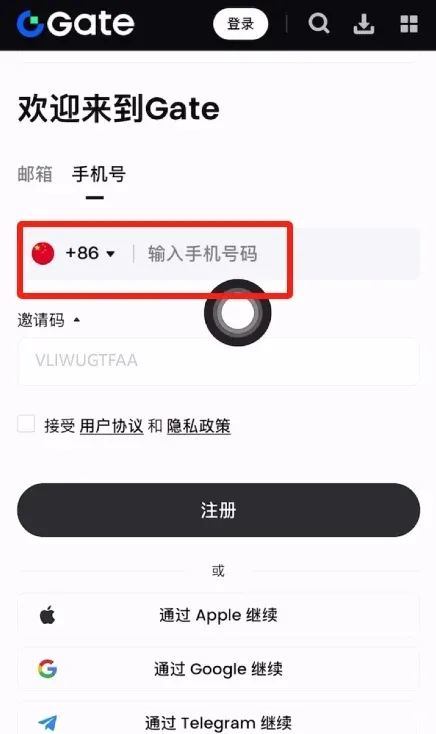
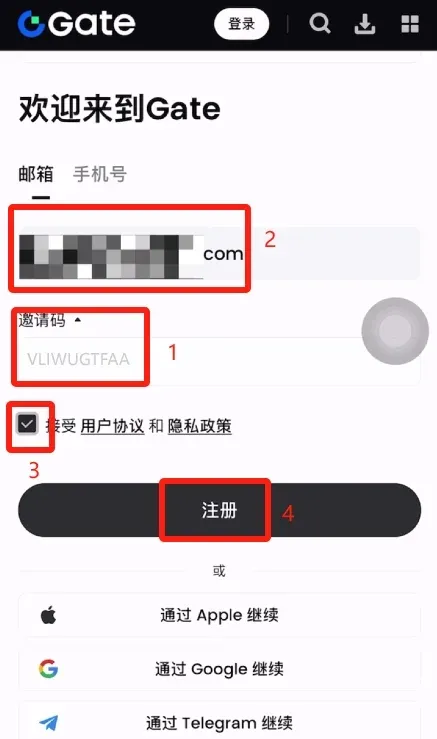
- If you have an invitation code, enter `VLIWUGTFAA` to enjoy a permanent 20 % fee discount.
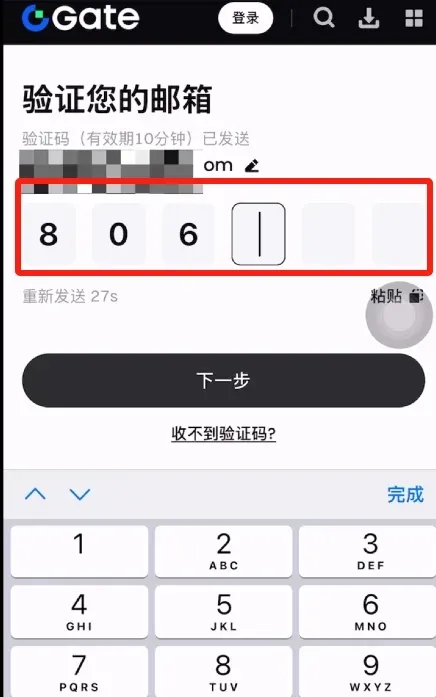
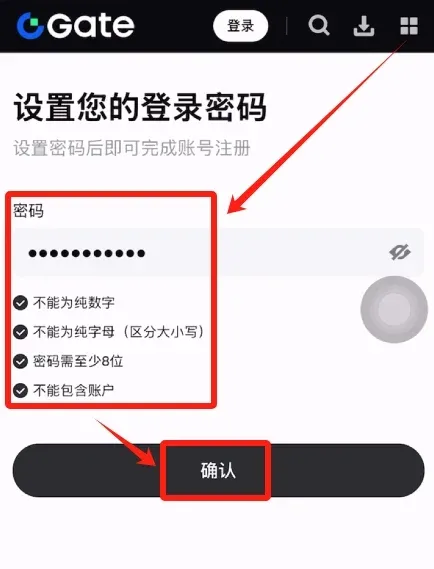
- After entering your email, tick the user‑agreement box and tap “Register.” Gate will send a six‑digit verification code to your inbox; enter it, then set a login password (minimum eight characters, cannot be all numbers or all letters, and must not contain personal account information).
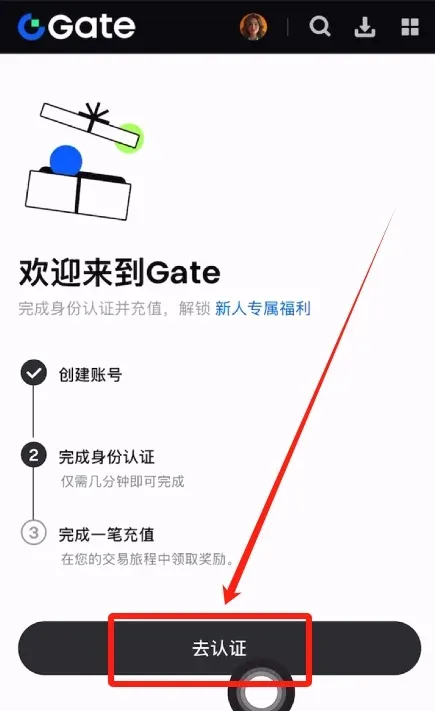
- Once the account is created, the system will prompt you to verify your identity; tap “Go Verify.”
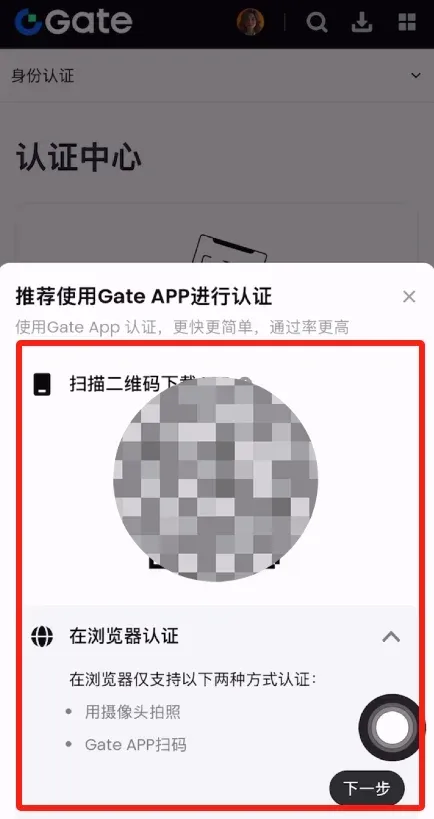
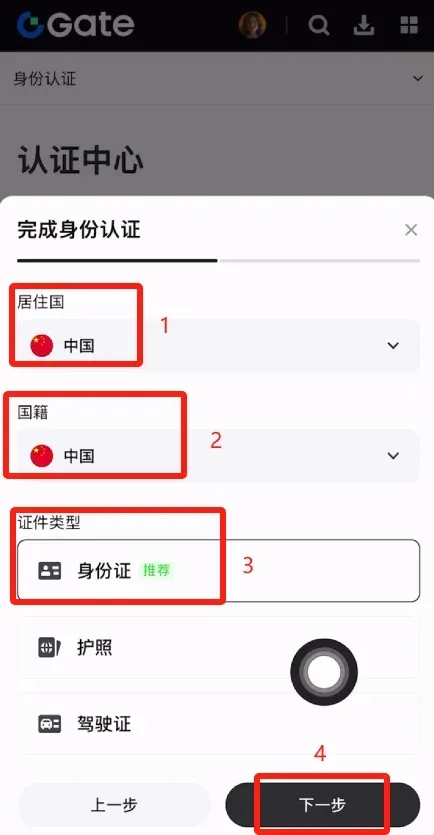
- On the verification screen select Country/Region: China, choose Document Type: Identity Card, fill in your name and ID number, and complete facial recognition (e.g., shaking head, blinking).
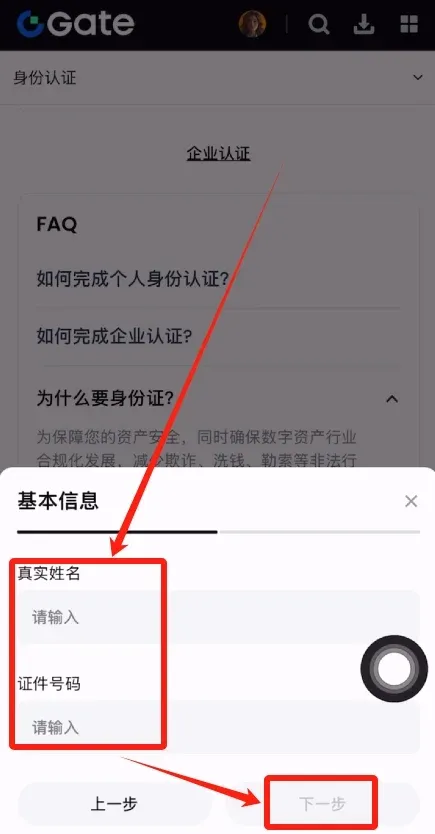
- Verification usually completes within a few minutes. Once approved, you can start trading.
Tax reminder: Crypto‑related gains may be taxable in your jurisdiction. Please consult a professional tax adviser for guidance.
3. Gate.io Security Settings
- Navigate to User Center → Settings → Security Center.
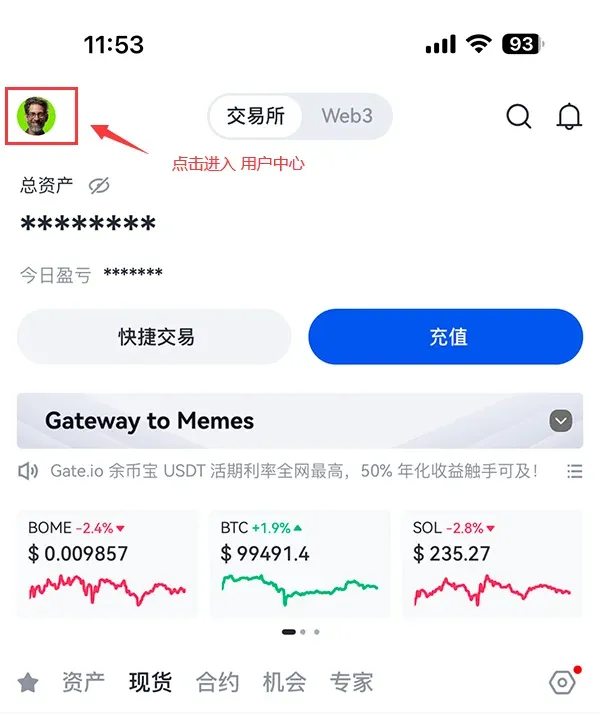
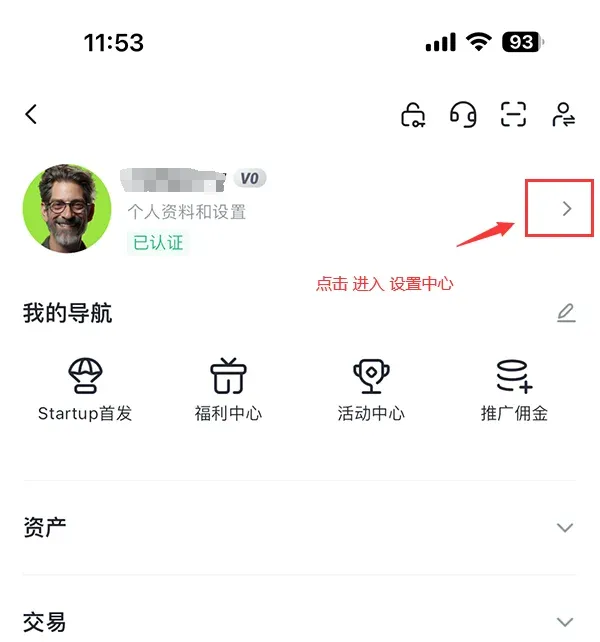
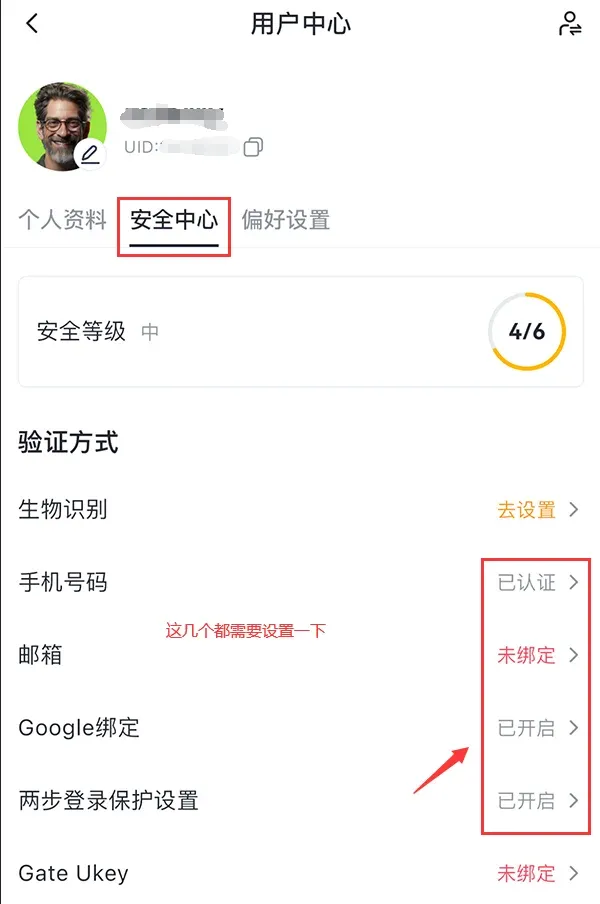
- You must complete four security measures, with Google binding and email binding being the most critical.
Bind an Authenticator (Google Authenticator / Gate Authenticator)
- Install the appropriate authenticator app. iOS users can search “Gate authenticator” directly in the App Store—no overseas Apple ID required.
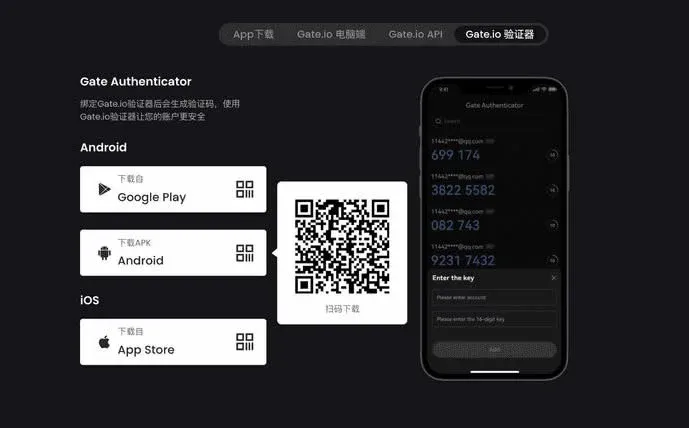
- In the authenticator, input the account name and secret key (the key can be copied from “Security Center → Google Binding” on Gate). Tap “Add Account.”