
 Bitaigen Research
 When transferring certain assets on Gate.io, the system will require you to fill in a Memo or Tag. Common coins that need a Memo include MOBI, XLM, BTS, GXS, EOS, and so on; the ones that require a Tag are mainly XRP.
---
In this article we systematically explain why some assets on Gate.io must include a Memo or Tag when you transfer them, and we walk you through the complete deposit and withdrawal procedures step by step. With a picture‑rich guide, users can avoid transfer failures or loss of funds caused by missing information, ensuring that every token movement is safe and reliable. If you want to get started quickly, keep reading.
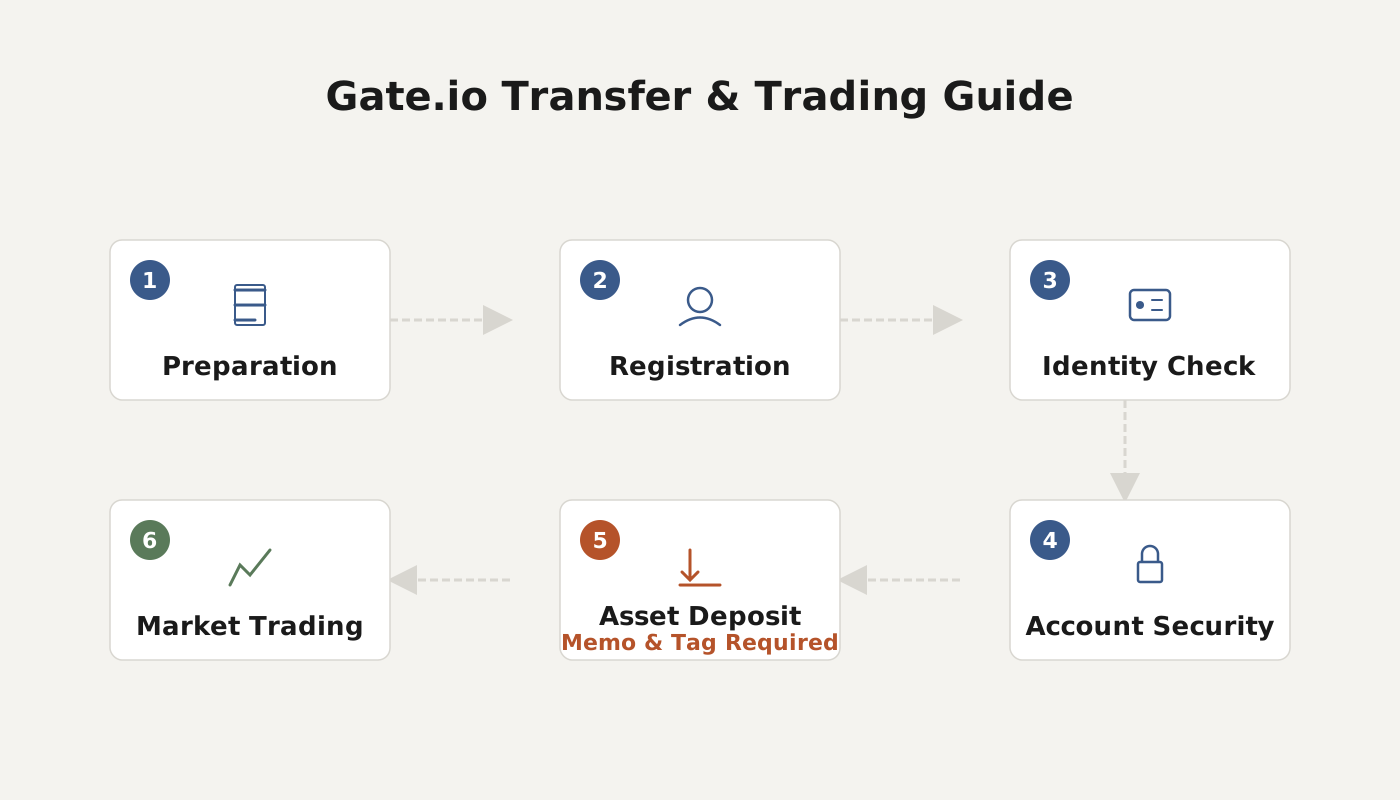
II. Withdrawal Process (using MOBI as an example)
- After logging in, go to My Wallet and open the withdrawal page for MOBI (link: https://gateio.co/myaccount/withdraw/MOBI).
- In the Address field, enter your destination address, then add a single space on the same line and type the corresponding Memo/Tag. The overall format should be address space Memo/Tag.
Example: `GBC6NRTTQLRCABQHIR5J4R4XXXXXXXXXXXXXXXXXXXXZ2HZ42RINW 3599XXXXX`
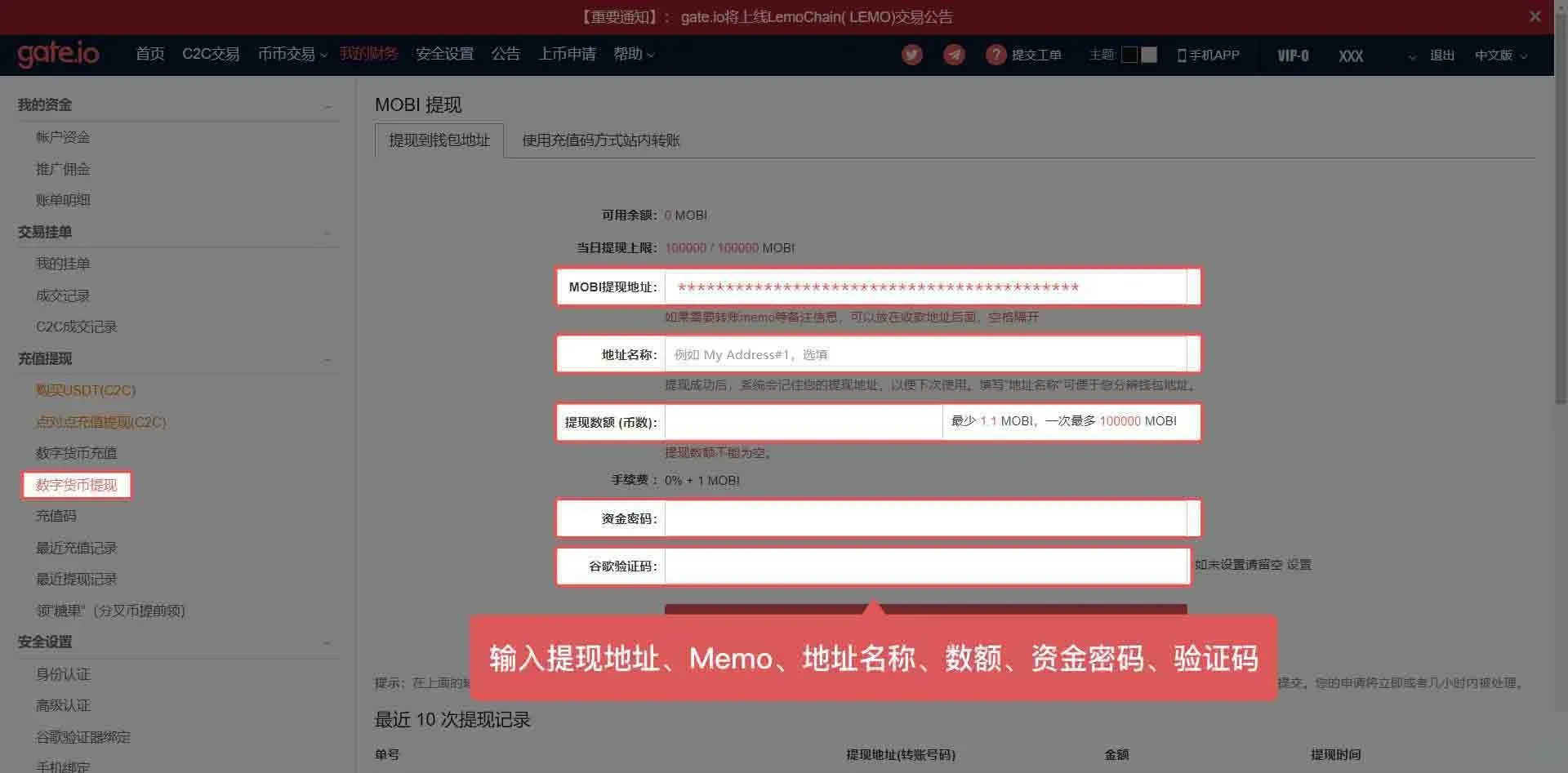
- After completing the information, submit the request. The system will process the transfer using the complete details you provided.
Tip: If you are using the Gate.io mobile app, enter the Memo/Tag in the Label field.
---
I. Deposit Steps (example: depositing XLM from Firewallet to Gate.io)
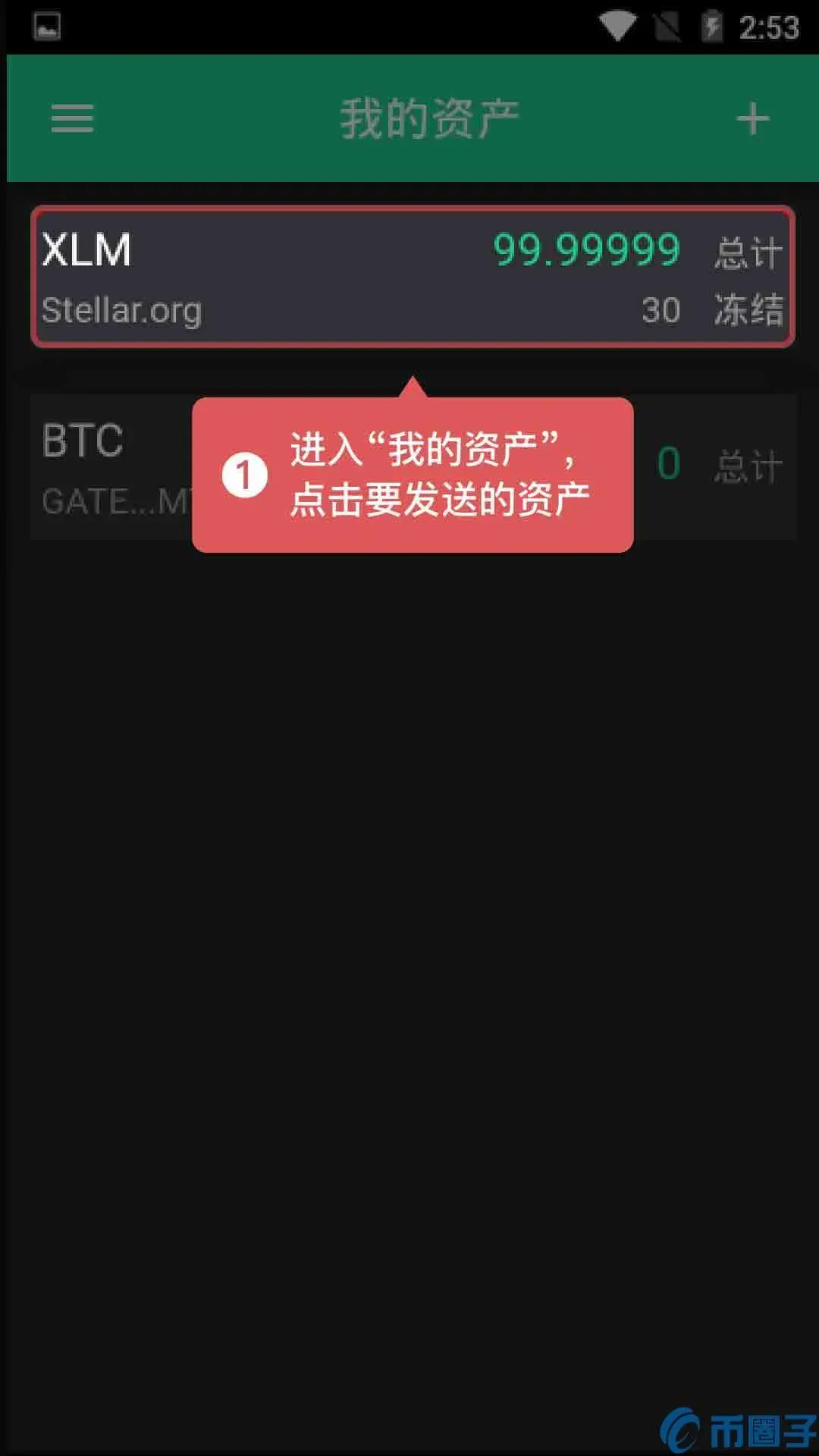
- Open Firewallet and navigate to the My Assets page, then select the coin you want to send.
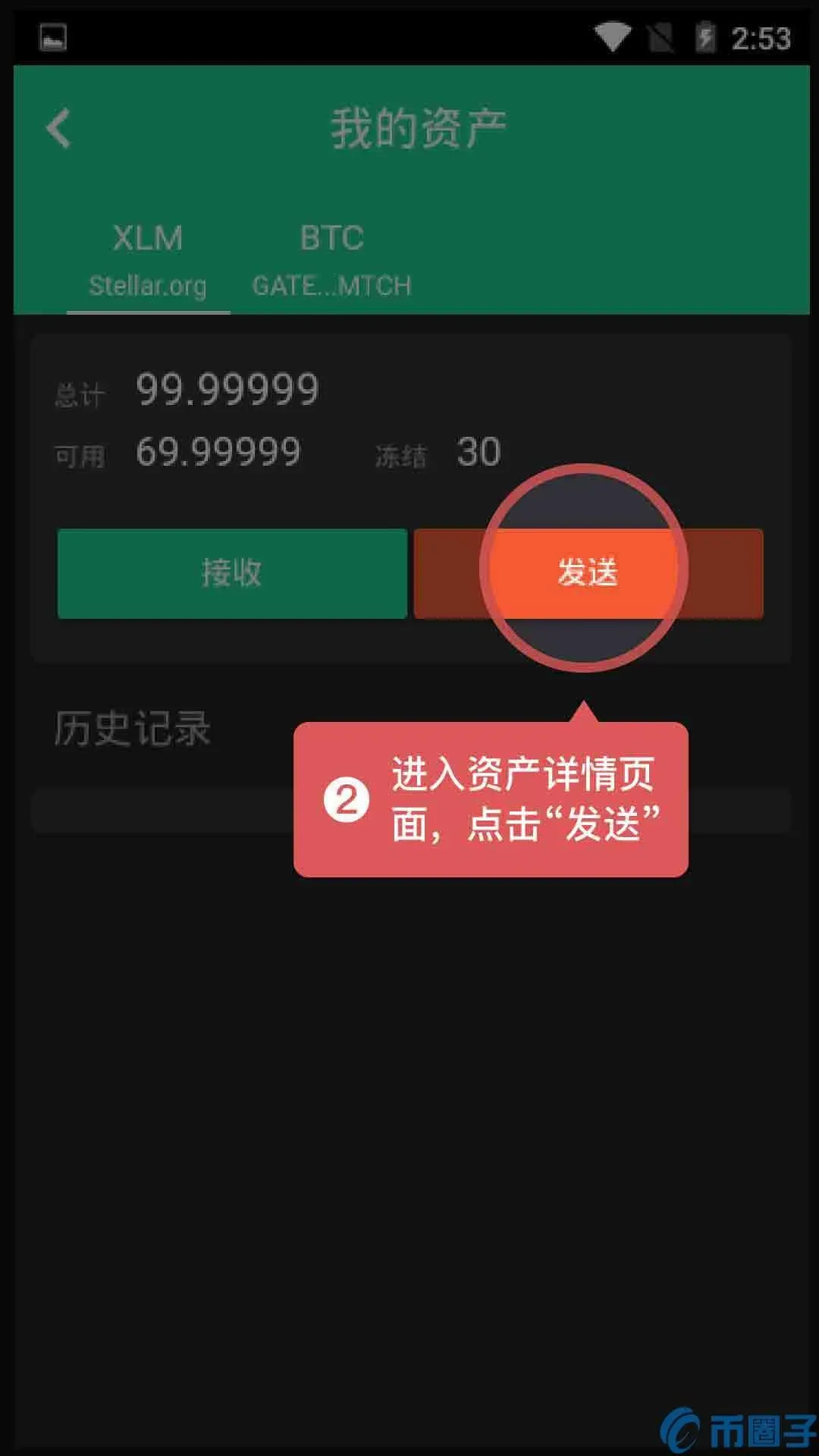
- After entering the asset’s detail page, tap the Send button.
- On the sending screen, prepare the deposit information provided by Gate.io.
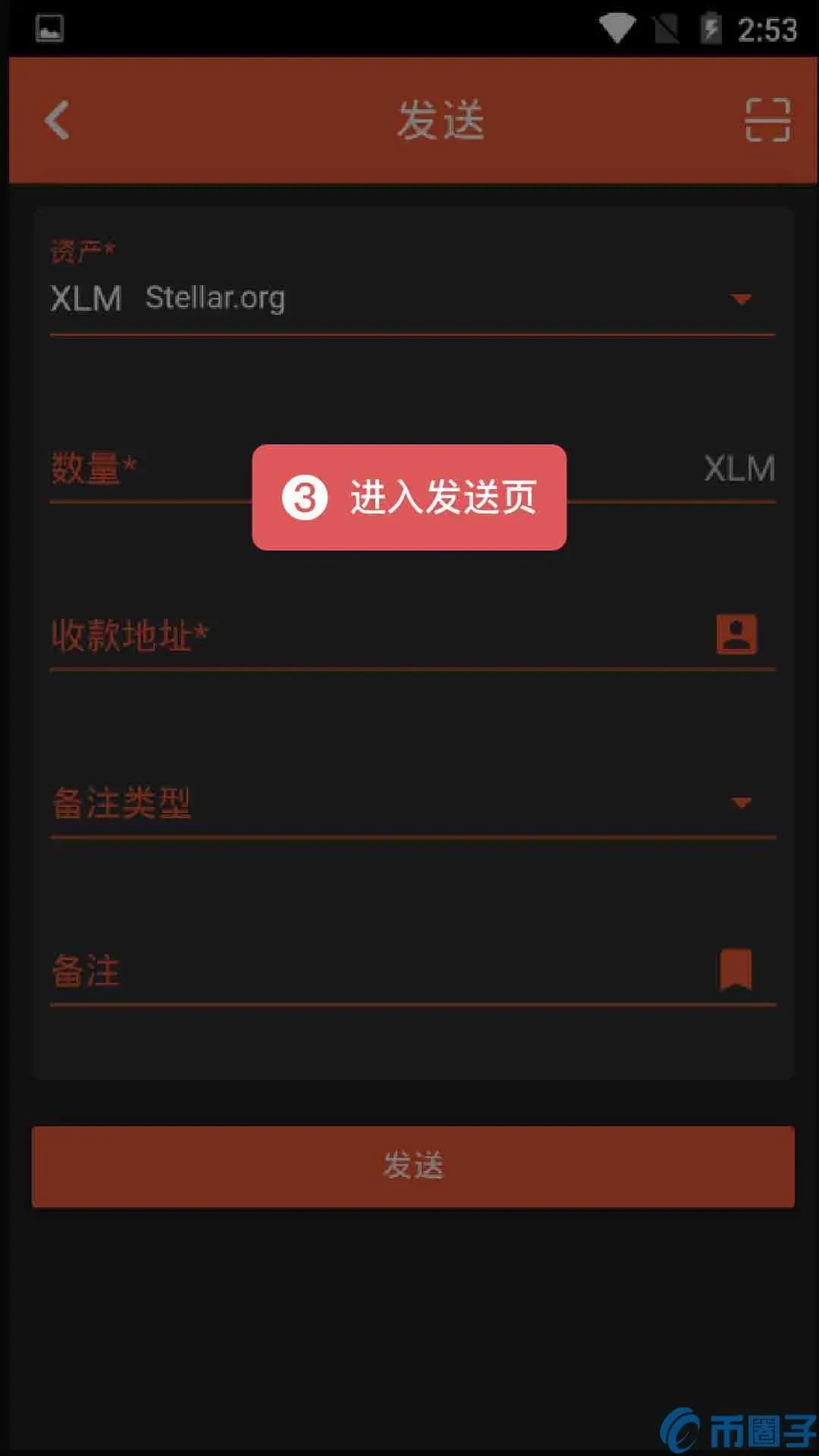
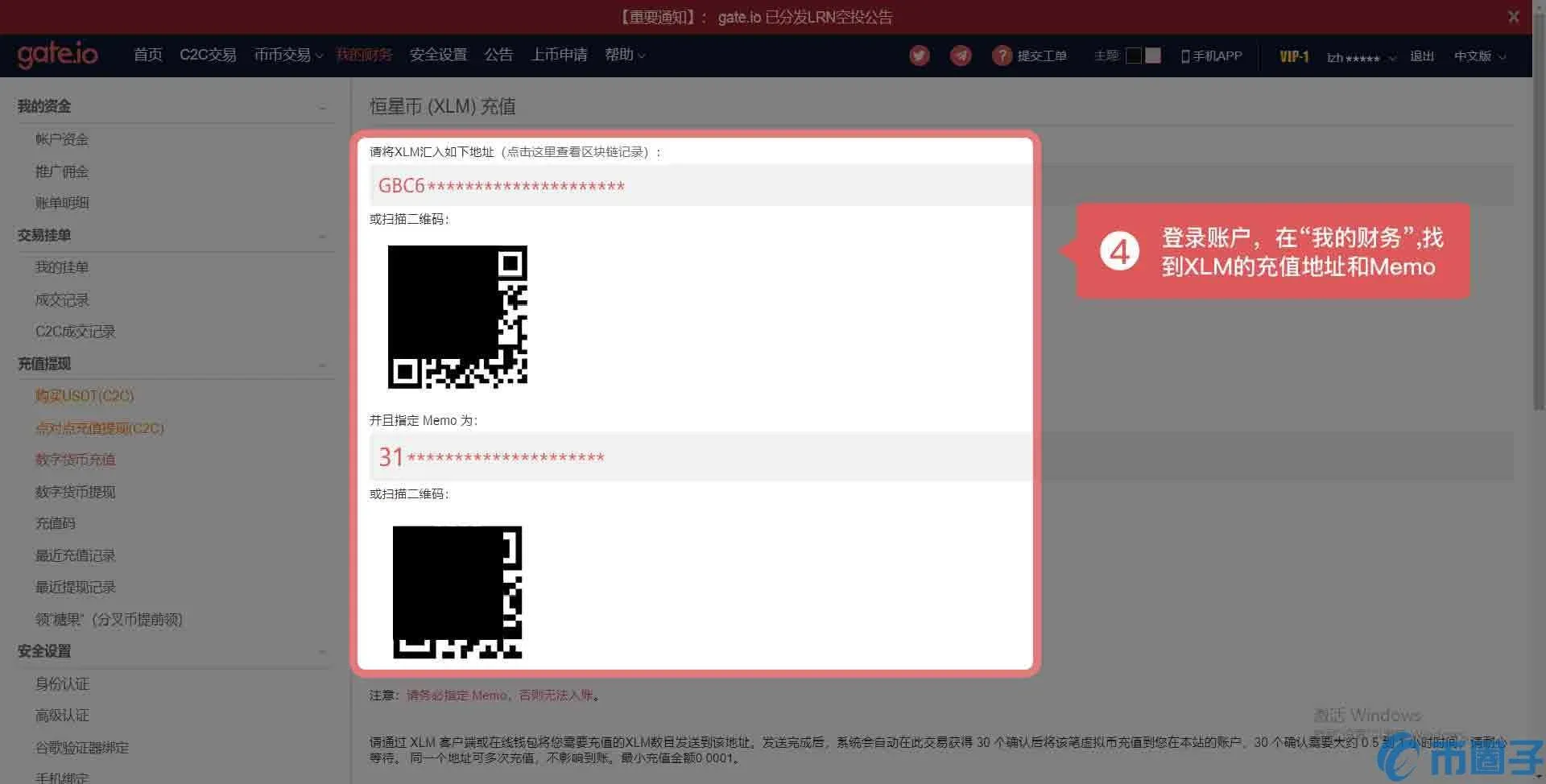
- Log in to Gate.io, go to My Wallet, and locate the XLM deposit address together with its associated Memo.
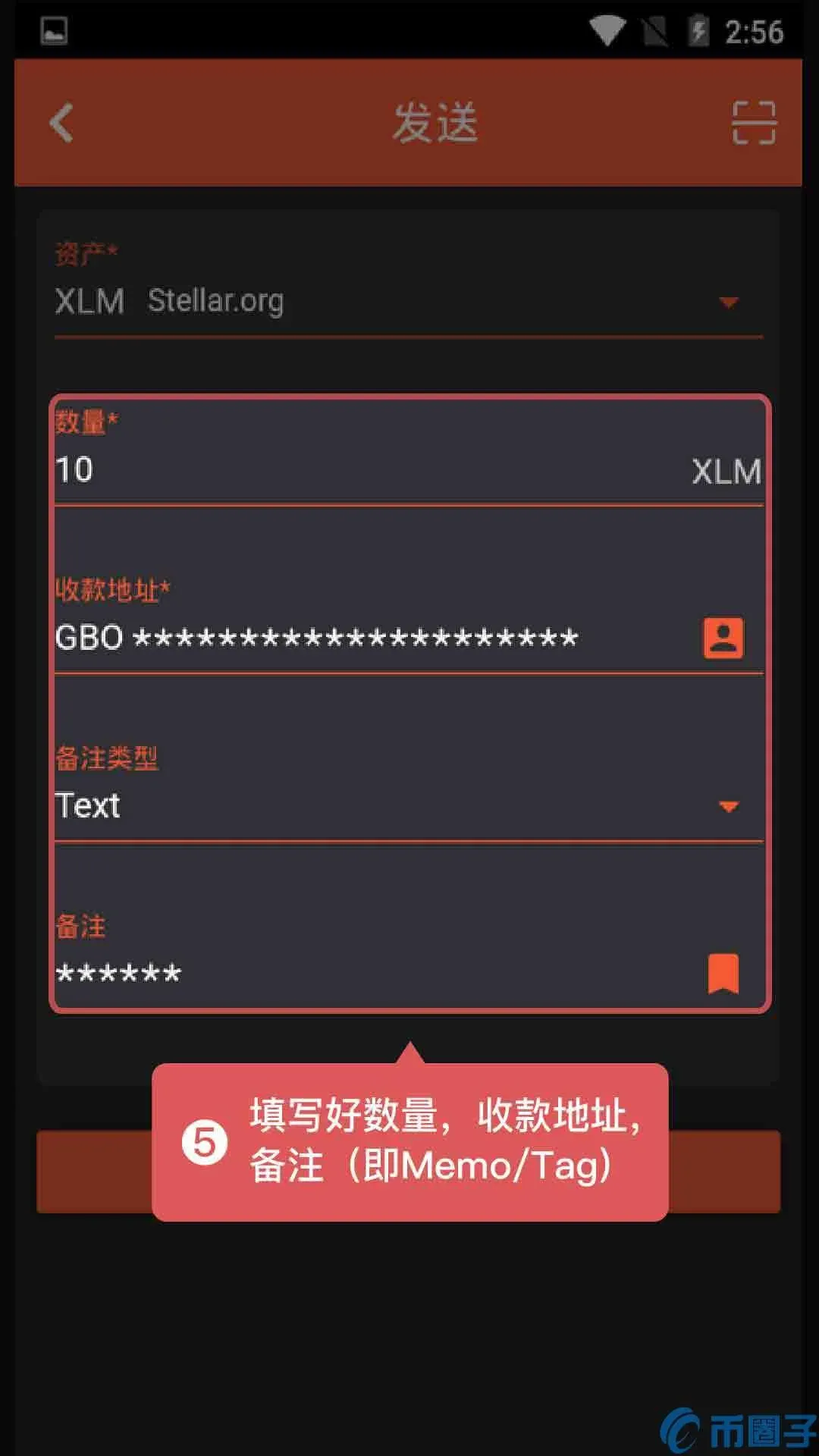
- Copy the address and Memo/Tag from the Gate.io page and fill them correctly into Firewallet’s sending screen, making sure the Memo is entered in the “Memo” or “Tag” field.
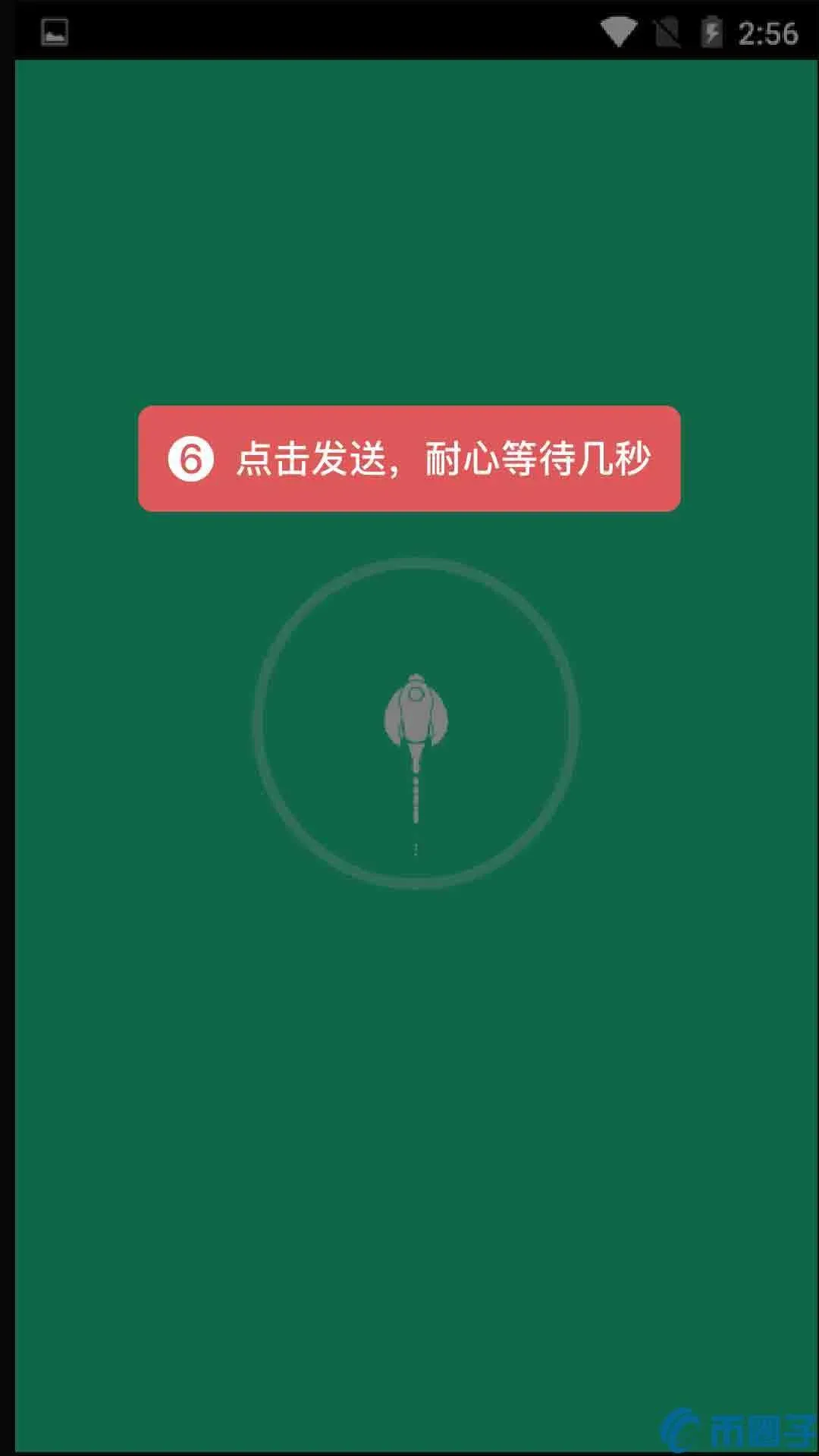
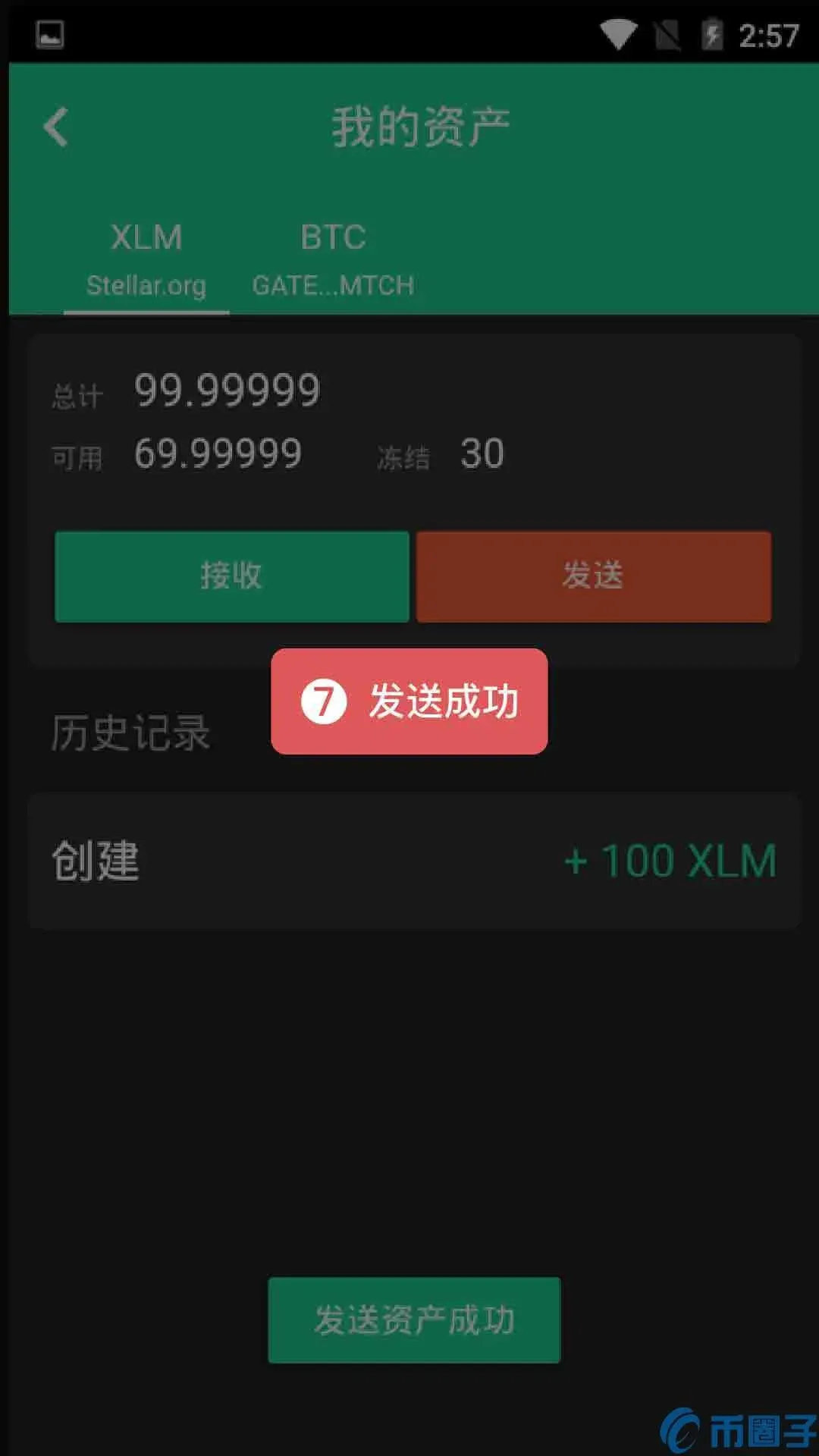
- Verify the information and tap Send, then wait briefly.
- A confirmation message will appear once the transaction is successful.
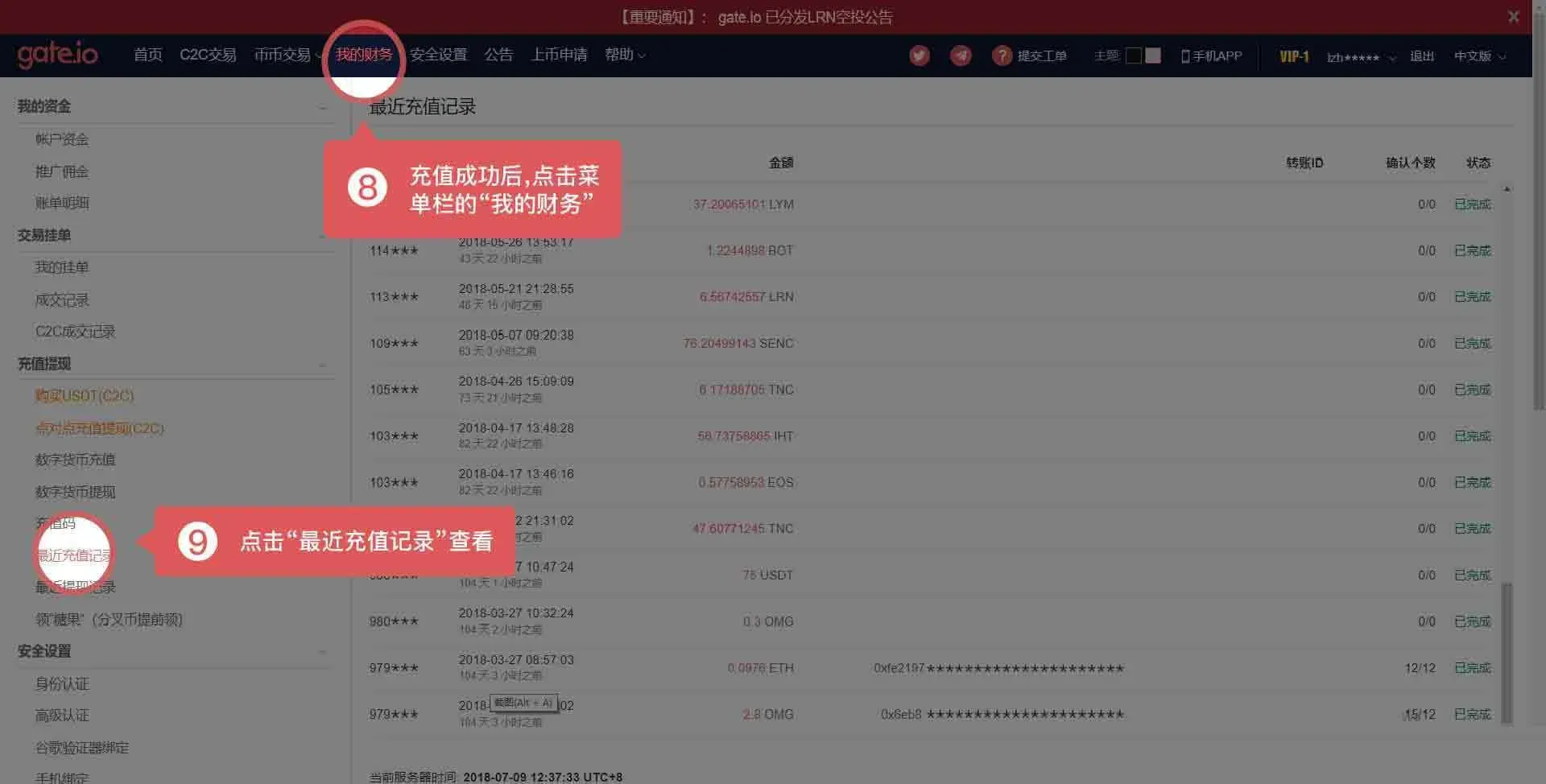
- After the deposit is processed, you can check the arrival status in Gate.io under My Wallet → Recent Deposit Records.
---
Important Notes
- APP operation: When withdrawing on a mobile device, the Memo/Tag must be entered in the “Label” field.
- Deposits without a Memo/Tag: If you forget to include the required Memo/Tag when sending funds to Gate.io, you will need to submit a support ticket and provide the relevant transaction proof. The platform will verify the information and handle the deposit accordingly.
The above constitutes a complete guide for depositing and withdrawing assets on Gate.io that involve a Memo or Tag. For more Gate.io usage tips, feel free to follow other articles published by Bitaigen.
Related Reading
- GT Token (GateChain) Overview: Price, Supply, and Use Cases
- How to Withdraw Bitcoin on Huobi: Step‑by‑Step Guide
- Gate.io Review: Security, Tech Upgrades & Product Ecosystem
💡 Register on Binance with referral code B2345 for the maximum trading fee discount. See Binance complete guide.



