
 Bitaigen Research
 We provide a complete step‑by‑step guide for investors whose assets have been removed from an exchange, showing how to quickly locate usable platforms, select a secure wallet, and perform the actual transfer. Mastering these practical techniques allows you to preserve value when assets become restricted. Continue reading for the finer details.
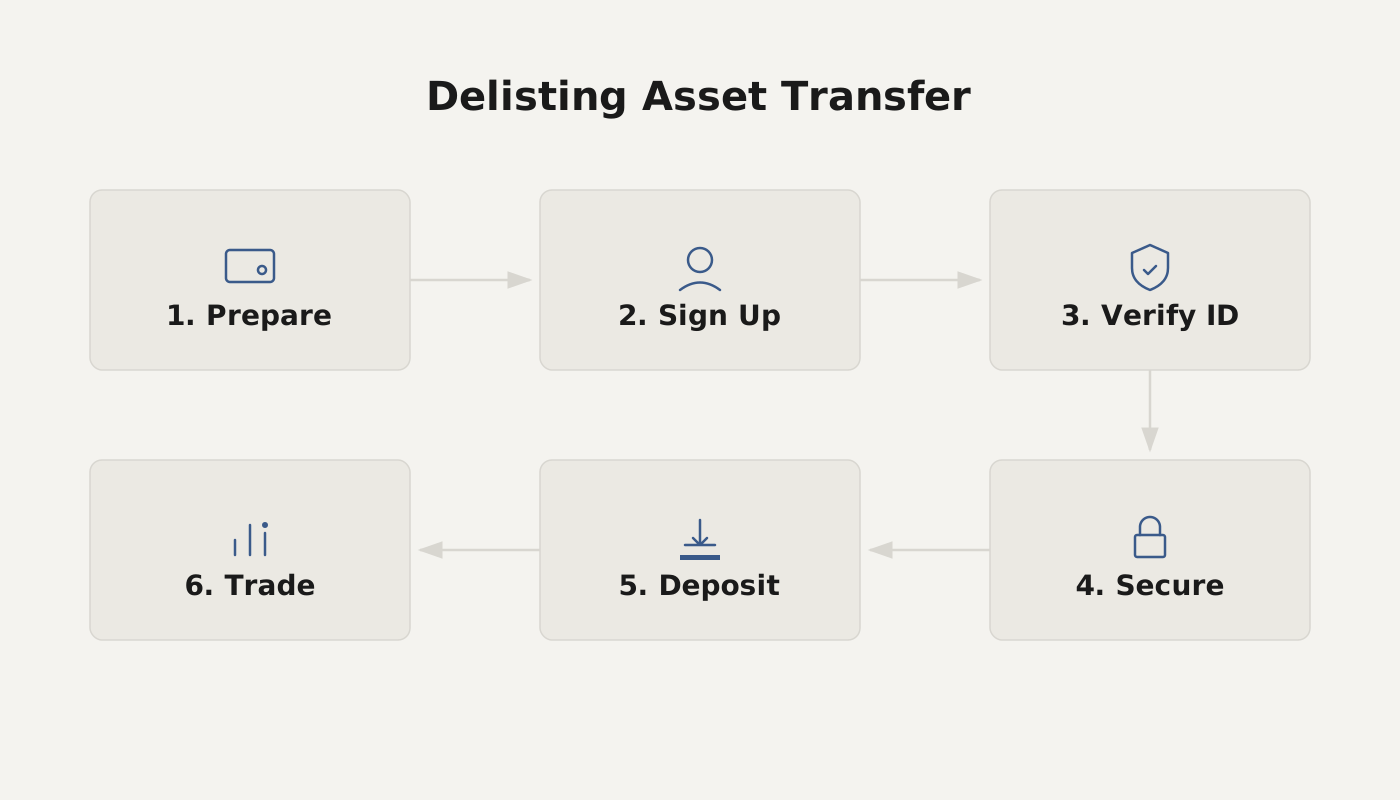
What to Do When an Exchange Delists a Token? What If a Token You Hold Gets Delisted?
Transfer the token to another exchange that still supports the asset or to an official wallet. If needed, first use FeiXiaoHao (non‑Xiaohao) to check which platforms are available, then complete the transfer, making sure the destination platform is secure and supports withdrawals before proceeding.
1. Where Can a Delisted Token Be Sent?
- Other Exchanges: Choose an exchange that still offers trading or withdrawal for the token.
- Official Wallet: If the token has an official wallet or a supported third‑party wallet, you can transfer it there for storage.
- Hold It In‑Place: If no suitable outbound channel exists at the moment, you may keep the token on the original platform until support is restored.
2. How to Quickly Find Exchanges or Wallets That Still Support the Token?
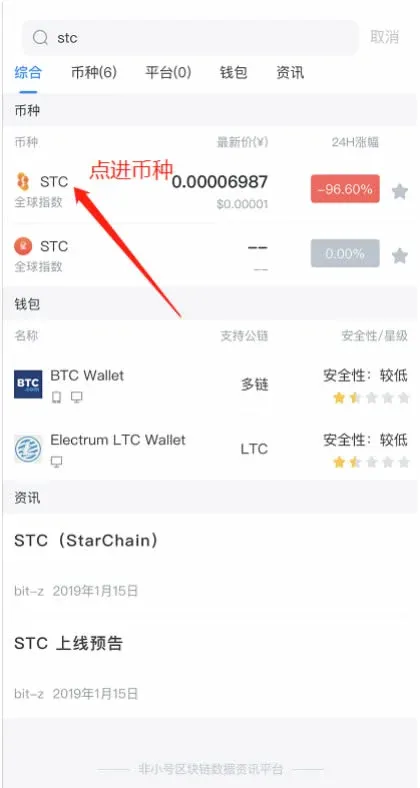
- Open the FeiXiaoHao APP, type the token name (e.g., “stc”) into the search bar, and verify the logo to avoid selecting a different coin with the same name.
- Tap the “Exchange” tab in the search results; the system will list every exchange that currently supports the token.
- If you need a wallet address, switch to the “Wallet” tab to view a list of official or third‑party wallets that support the token.
Tip: FeiXiaoHao’s search works like a web search engine, helping users quickly locate usable platforms without forcing a transfer into FeiXiaoHao itself.
3. Transfer Steps Using STC (StarChain) Delisted from OKEX as an Example
Step 1: Search for the Token in FeiXiaoHao
Step 2: View the List of Supported Exchanges
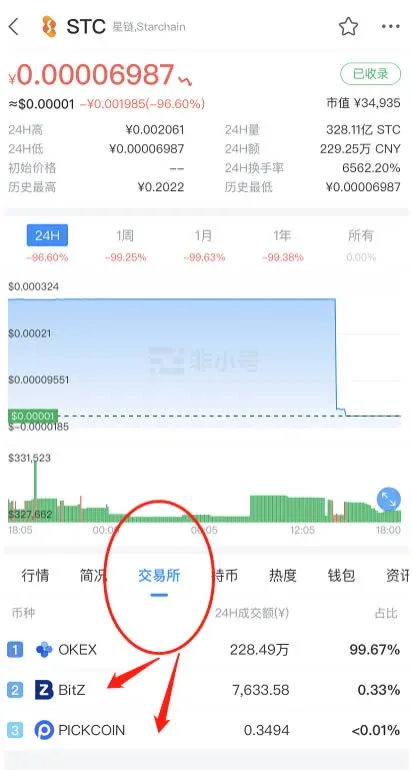
- The list may still show the now‑delisted OKEX because data updates can lag; the entry will disappear automatically after about 24 hours.
- Prefer exchanges that rank highly and have a Exchange Ranking label, as they tend to be more secure.
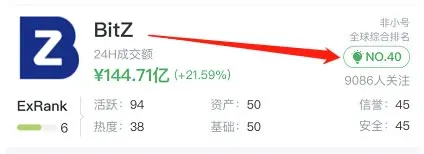
Exchange Ranking: If an exchange shows “No ranking,” it means there is no publicly available safety rating for that platform. Prioritize exchanges that do have a ranking.
Step 3: Visit the Target Exchange’s Official Website and Register
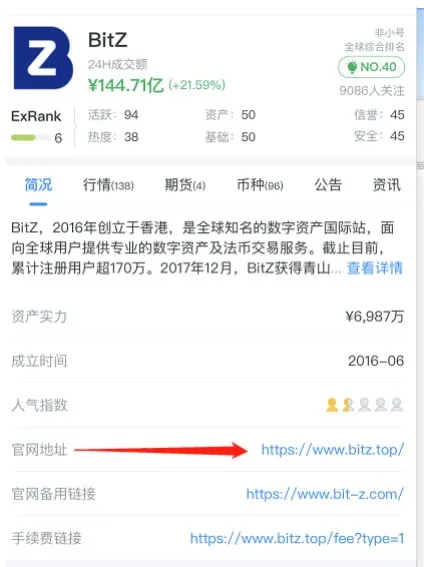
- Some official sites may require a VPN (often referred to as a “ladder”) to access; users must arrange this themselves.
- If the exchange offers a mobile app, it is recommended to download it for a smoother experience.
- When no app is available, you can complete registration on a desktop browser, obtain the withdrawal address, and then proceed with the transfer.
Step 4: Transfer to a Wallet (If Supported)
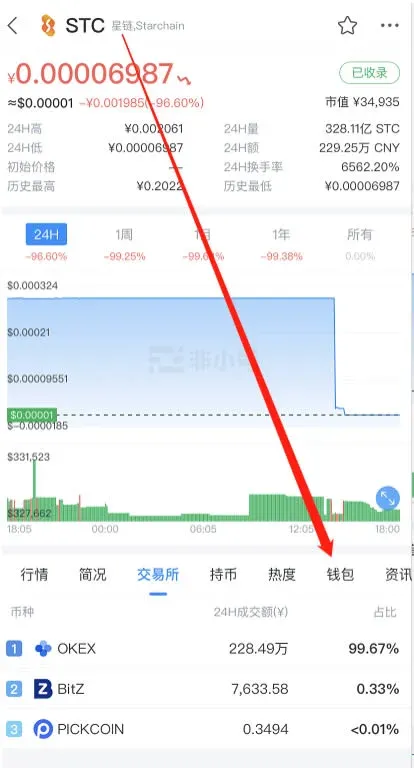
- After searching the token in FeiXiaoHao, switch to the “Wallet” tab to see which official wallets support it.
- Download the corresponding wallet app, follow the onboarding tutorial to generate a receiving address, and then send the tokens there.
- Note: At present FeiXiaoHao does not list a dedicated wallet for STC, so the token can only be transferred to a supporting exchange.
4. Frequently Asked Questions
| Question | Solution |
|---|---|
| **Cannot Find a Supporting Exchange** | Keep searching in FeiXiaoHao, or use other mainstream market data sites such as CoinMarketCap or CoinGecko to locate compatible platforms. |
| **Official Website Is Inaccessible** | Use a VPN or “ladder” to reach the site, or switch to a desktop browser if necessary. |
| **Transfer Shows No Arrival** | Verify that the withdrawal address was entered correctly and confirm that the destination platform has completed its withdrawal verification. |
| **Only a Small Amount Remains** | If no suitable platform is available, consider withdrawing the remainder to a personal wallet to avoid prolonged inactivity. |
5. Summary
- Step 1: Use FeiXiaoHao to confirm which exchanges or wallets currently support the token.
- Step 2: Prioritize platforms that rank highly and have a solid reputation before initiating a transfer.
- Step 3: After registration, obtain the correct withdrawal address and double‑check it before sending assets.
- Step 4: If the platform requires a VPN, arrange your own network solution.
For additional practical guides on handling delisted tokens, follow the upcoming articles from Bitaigen.
Global‑Market Note: When withdrawing fiat from an exchange, use USD and the appropriate SEPA/SWIFT corridors. U.S. residents should use Binance.US rather than the global Binance platform.
Tax Reminder: Cryptocurrency gains may be taxable in your local jurisdiction; consult a tax professional for advice.
Related Reading
💡 Register on Binance with referral code B2345 for the maximum trading fee discount. See Binance complete guide.



