
 Bitaigen Research
On Binance, an on‑chain deposit means moving assets from an external wallet or another exchange into your Binance account. An on‑chain withdrawal means sending assets from Binance out to an external address. Both actions require network confirmations and the payment of miner (network) fees.
Binance’s leading position in the cryptocurrency space is indisputable, with millions of users worldwide and a broad selection of digital assets. This article provides a complete step‑by‑step guide for on‑chain deposits and withdrawals on Binance, helping you navigate each stage while avoiding common pitfalls.
If you have not yet created a Binance account, you can register using the links and app download addresses below, together with the accompanying video tutorial.
Binance official registration page: <https://accounts.binance.com/register?ref=B2345> (copy the URL into your browser)
Binance Android app download: <https://www.bitaigen.com/binance/download>
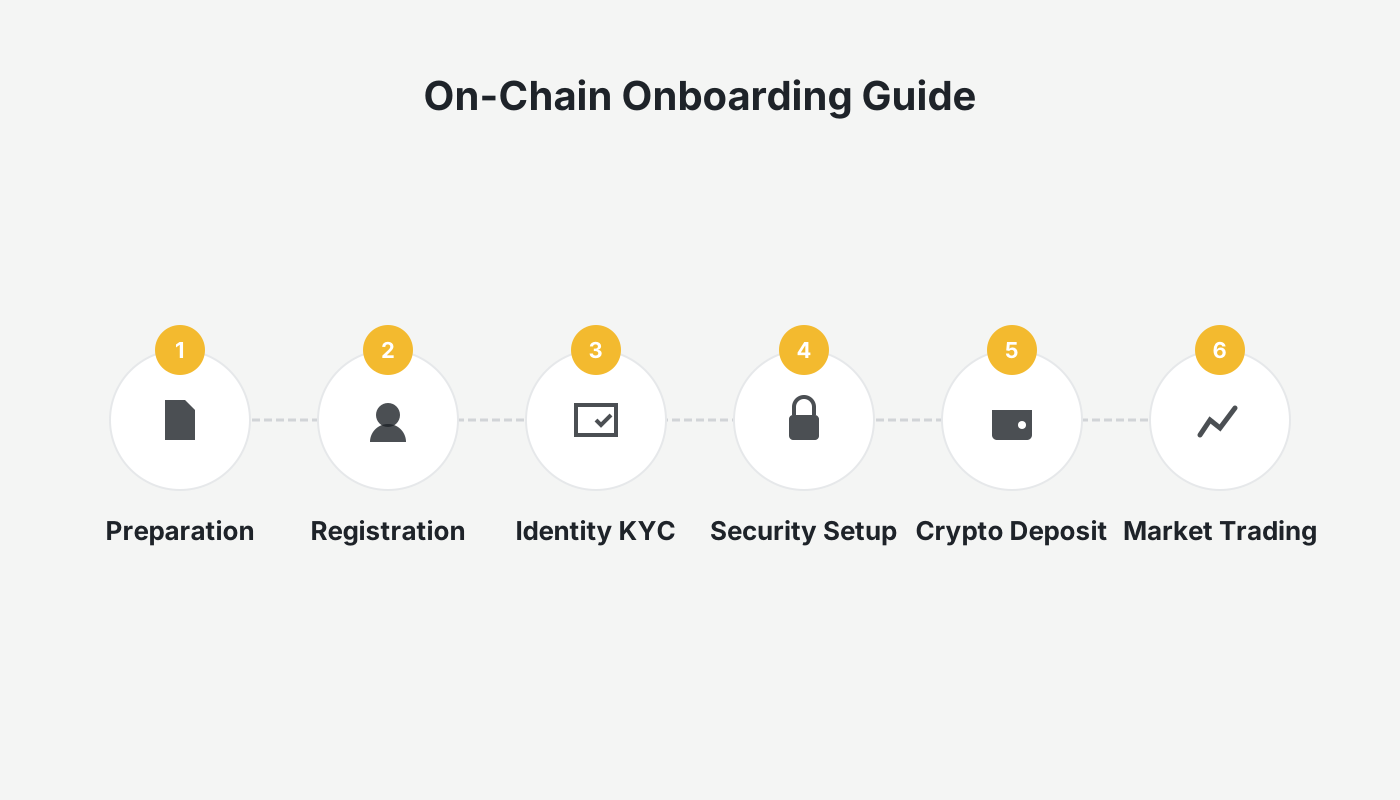
From a practical standpoint, we have broken down the entire on‑chain deposit and withdrawal workflow on Binance, covering account preparation, network selection, fee calculation, and typical risk mitigation. The illustrated, step‑by‑step instructions enable even first‑time users to get started quickly and ensure a safe transfer of assets. To master every detail and avoid operational mistakes, keep reading.
What Is an On‑Chain Deposit/Withdrawal?
Before performing any transfer, it is essential to distinguish on‑chain operations from internal transfers.
- On‑chain deposit/withdrawal: This refers to a transfer that occurs on a blockchain network. Whether you are moving assets from an external wallet (e.g., MetaMask, Trust Wallet) or another exchange (e.g., Coinbase, OKX) into your Binance account, or sending assets from Binance to those same destinations, the transaction is on‑chain. The process requires network confirmations, incurs miner fees, and the arrival time depends on network congestion.
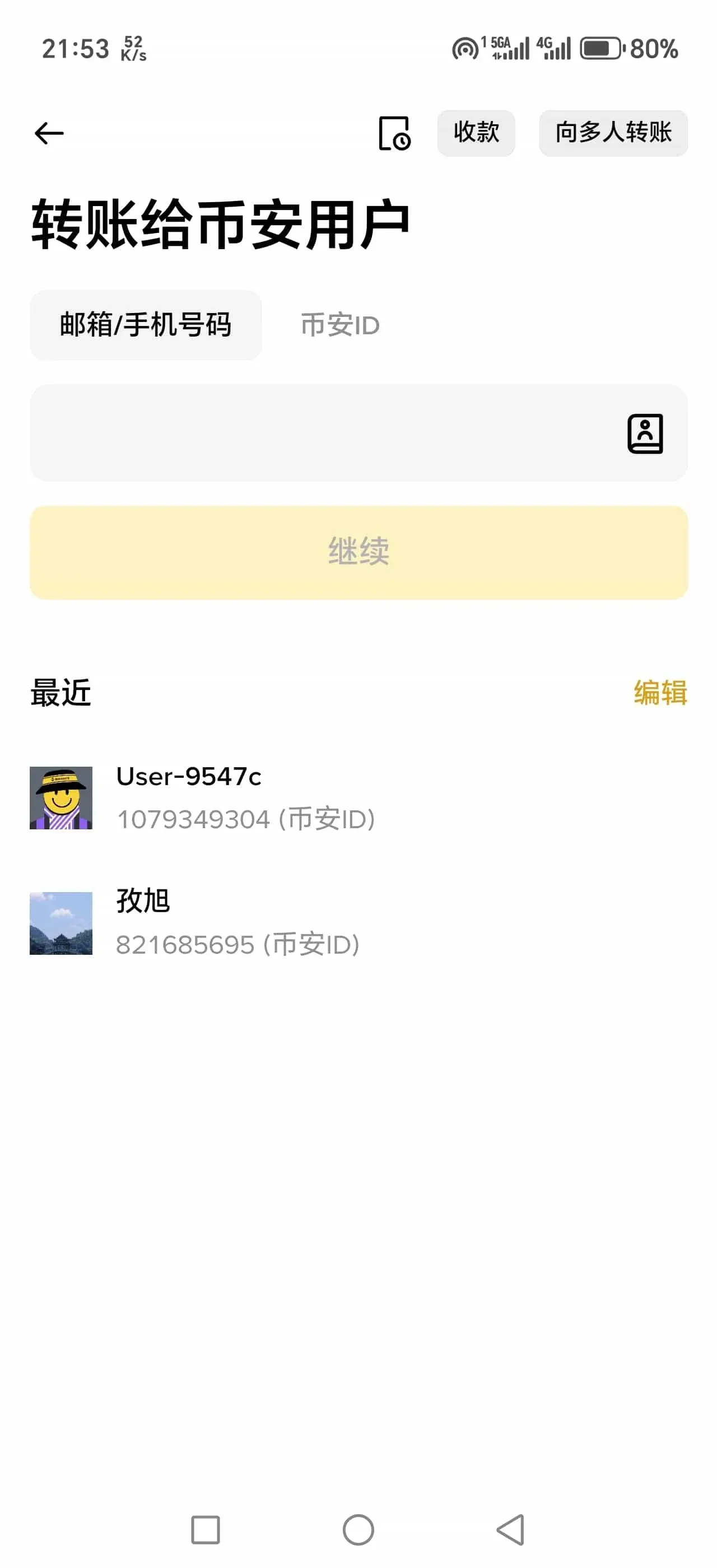
- Internal transfer: This refers to the movement of assets between users within the Binance ecosystem, such as sending directly to another Binance user. Internal transfers are instantaneous and fee‑free because they are recorded only in Binance’s internal database.
How to Deposit Digital Assets into Your Binance Account
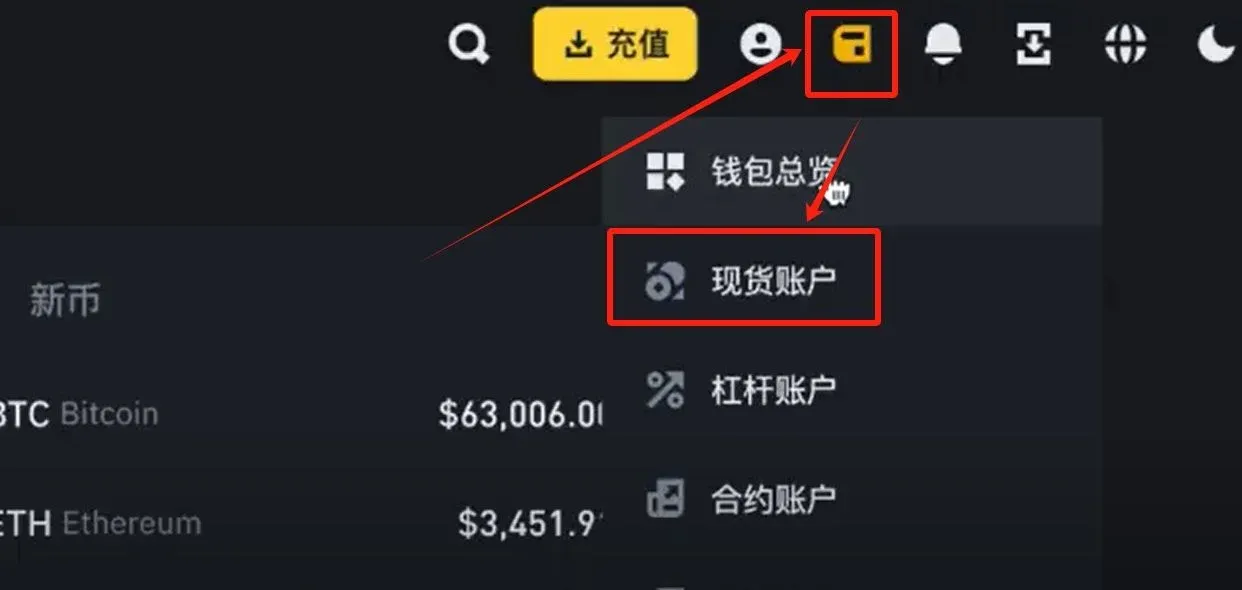
- Log in and navigate to the Spot Wallet
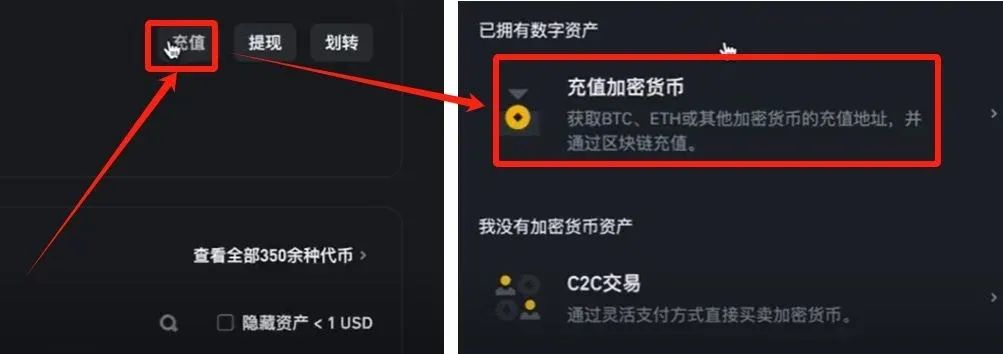
After logging in, click the “Wallet” dropdown in the upper‑left corner and select “Spot Wallet.”
- Open the Deposit page
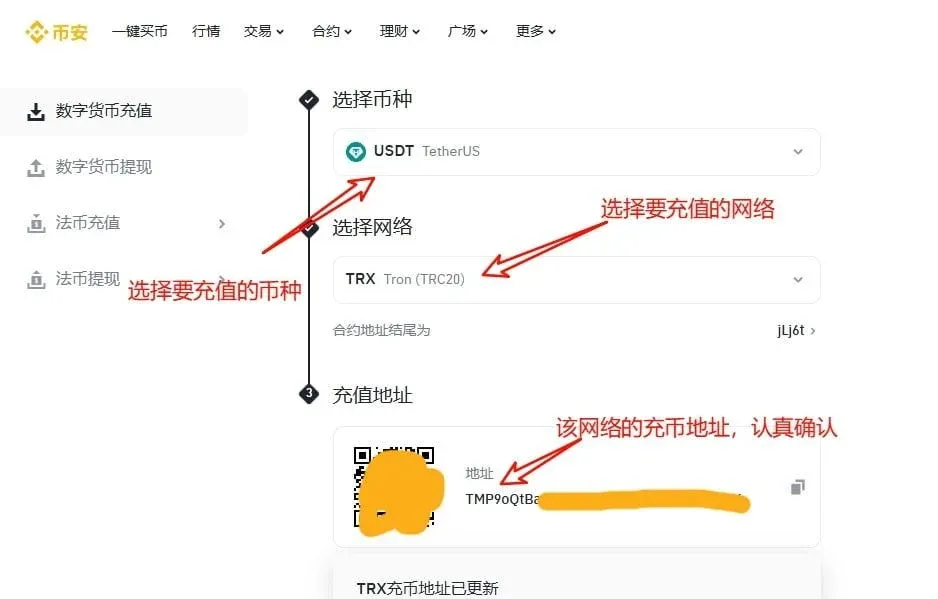
Click “Deposit,” then choose “Deposit Crypto.”
- Select the coin and network
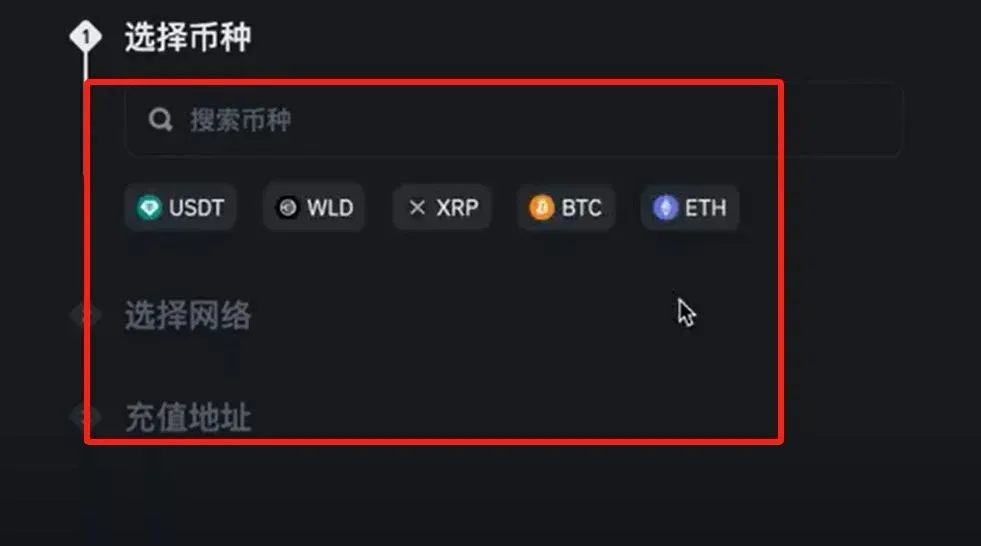
In the pop‑up window, pick the cryptocurrency you wish to deposit and the corresponding blockchain network. Binance will generate a unique deposit address for you; simply copy it.
- Fiat deposit entry point
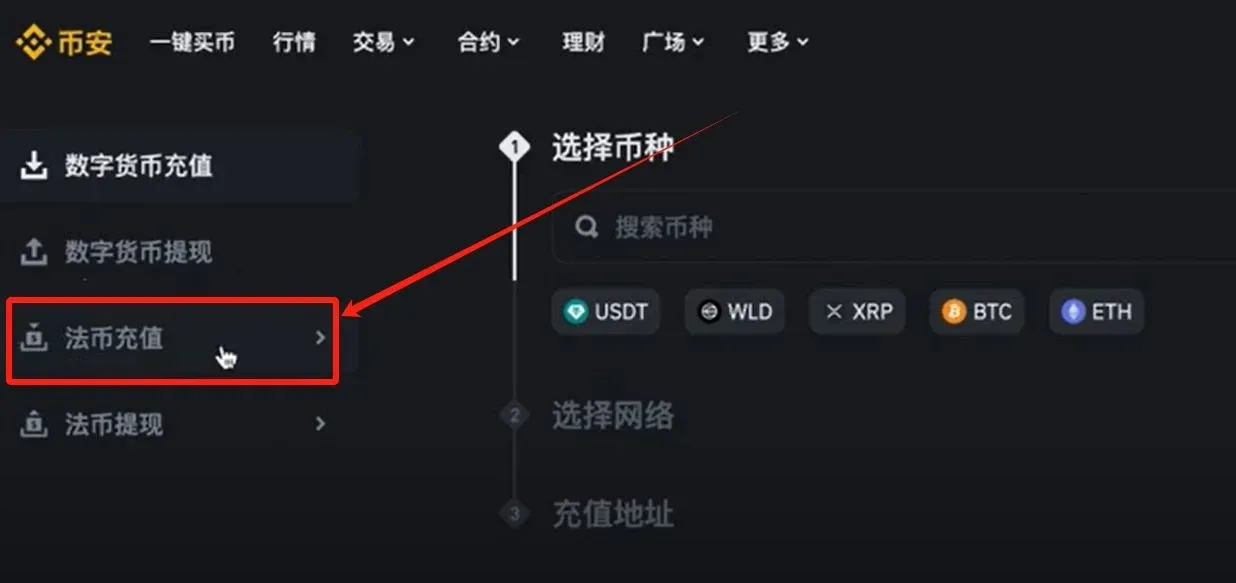
If you prefer to use a legal tender, click “Fiat Deposit” to go to the appropriate page.
- Complete the fiat funding
On the fiat deposit page, select the currency you wish to add (e.g., USD, EUR) and the payment method (e.g., SEPA, SWIFT, credit card). Binance will then display the bank account details or other receipt information. Follow the instructions to send the funds. Binance’s interface is user‑friendly and the fees are generally low; once the fiat is credited, you can immediately start trading.
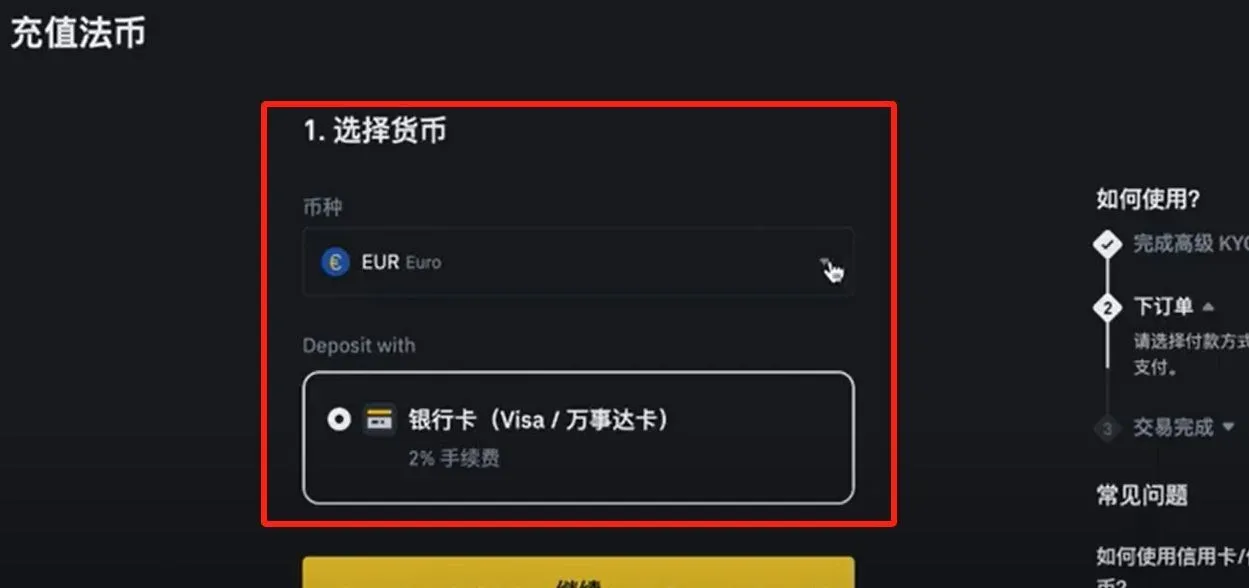
Whether you deposit crypto or fiat, the funds appear instantly in your Spot Wallet after the transaction is confirmed, and you can begin trading right away.
Initiating a Withdrawal from the Binance Platform
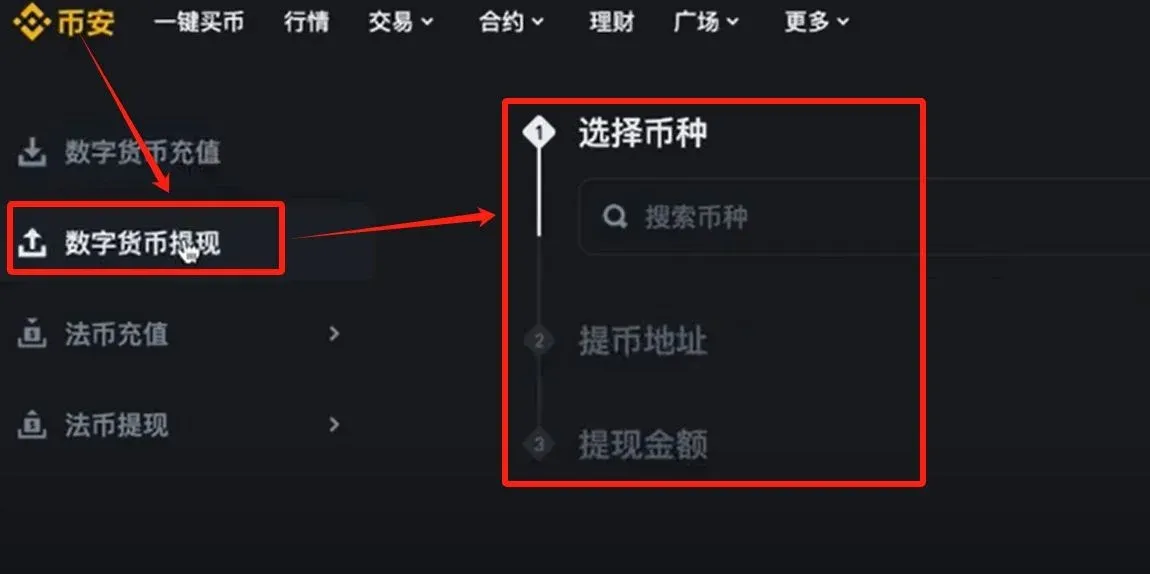
- Navigate to the Withdrawal page
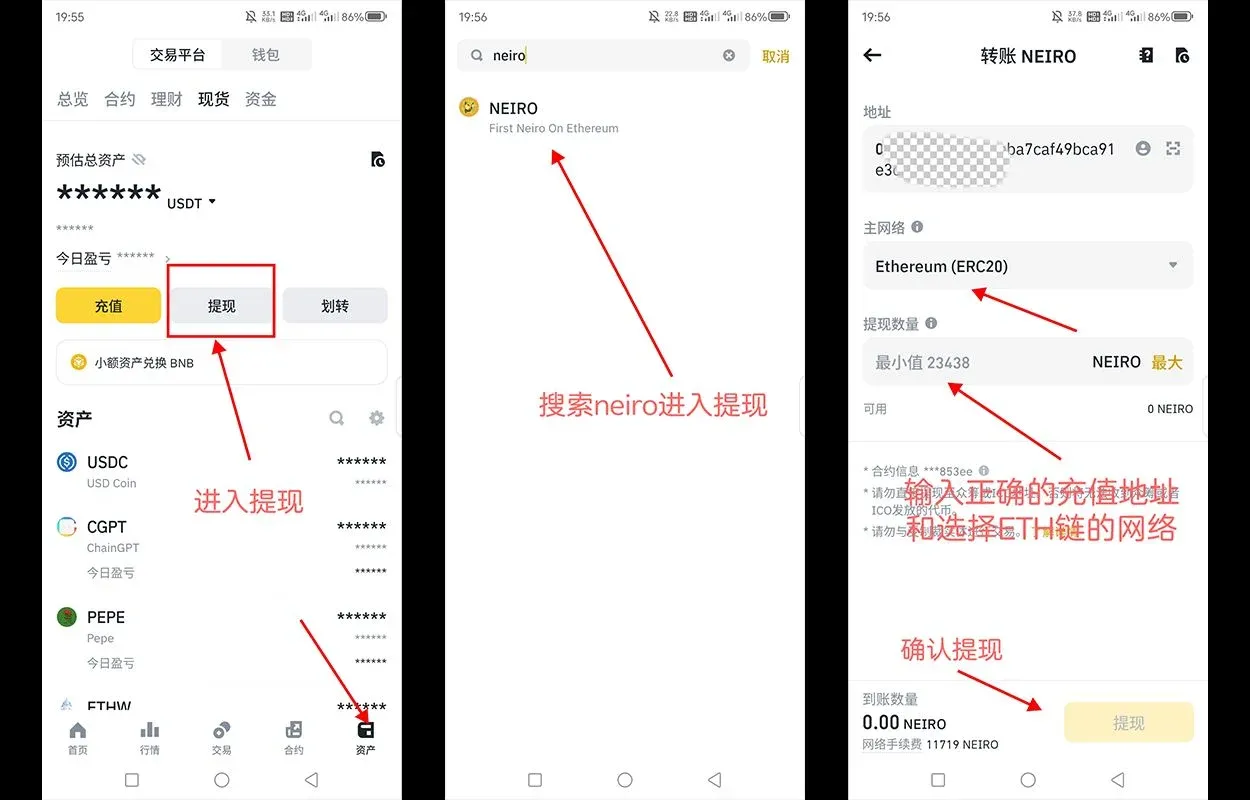
After logging in, go to the wallet section and select “Withdraw” to open the crypto withdrawal interface.
- Verify the receiving address
Make sure the chosen network matches the external address you are sending to. Copy the destination wallet or exchange address carefully—an incorrect address results in irreversible loss of assets.
- Enter the withdrawal details
Input the receiving address and the amount you wish to withdraw (the amount must meet Binance’s minimum withdrawal threshold). The system will automatically display the applicable network fee.
- Complete the security verification
Depending on your account’s security settings, you may need to confirm via SMS, email, or Google Authenticator (or another two‑factor method).
- Submit and monitor the withdrawal
After double‑checking all information, submit the request. Binance will perform a security review; once approved, the assets will leave Binance’s wallet and be broadcast to the blockchain. You can track the progress in Withdrawal History, where the real‑time status and transaction hash (TxID) are shown. Use the corresponding block explorer (e.g., BscScan, Etherscan) to view confirmations.
Precautions and Security Tips
- Address accuracy: Always double‑check the destination address before confirming a withdrawal. A typo can lead to permanent loss of funds.
- Network fees: On‑chain transfers incur miner fees that fluctuate with network congestion. Consider executing transactions when the network is less busy to reduce costs.
- Security review: Binance may manually review large or unusual withdrawals. Keep your linked phone number, email address, and authentication tools up to date to avoid delays.
- Record the transaction hash: Storing the TxID lets you quickly locate the transaction on a block explorer and verify its confirmation status.
Depositing and withdrawing are fundamental skills for entering the cryptocurrency market. While the workflow resembles traditional bank transfers, the irreversible and decentralized nature of blockchain demands greater attention to detail and heightened security awareness. By following every step in this guide and staying vigilant, you can achieve safe and smooth asset movements.
*Note*: Crypto gains may be taxable in your jurisdiction. Consult a tax professional to understand your local reporting obligations.
This article concludes here. For more practical Binance deposit and withdrawal tips, search for historic articles from Bitaigen or continue reading the related sections below. Thank you for supporting Bitaigen!
Related Reading
- Coinbase vs Binance: Which Crypto Exchange Is Right for You?
- Buy BNB on Binance with Alipay – Zero‑Fee C2C Guide
- Bitcoin Exchange Fees: Binance, Bybit & LBank Spot & Futures
💡 Register on Binance with referral code B2345 for the maximum trading fee discount. See Binance complete guide.



