Bitaigen Research
 How to Buy Bitcoin in Mainland China? A Step‑by‑Step Guide
Buying Bitcoin or other cryptocurrencies in mainland China is actually very straightforward. However, the crypto space is rife with scammers, so newcomers must be especially vigilant. This article explains how to spot fraudulent actors on exchanges, and provides a complete, secure workflow for buying and selling coins. If you are a beginner, read the entire Bitcoin buying and selling tutorial carefully!
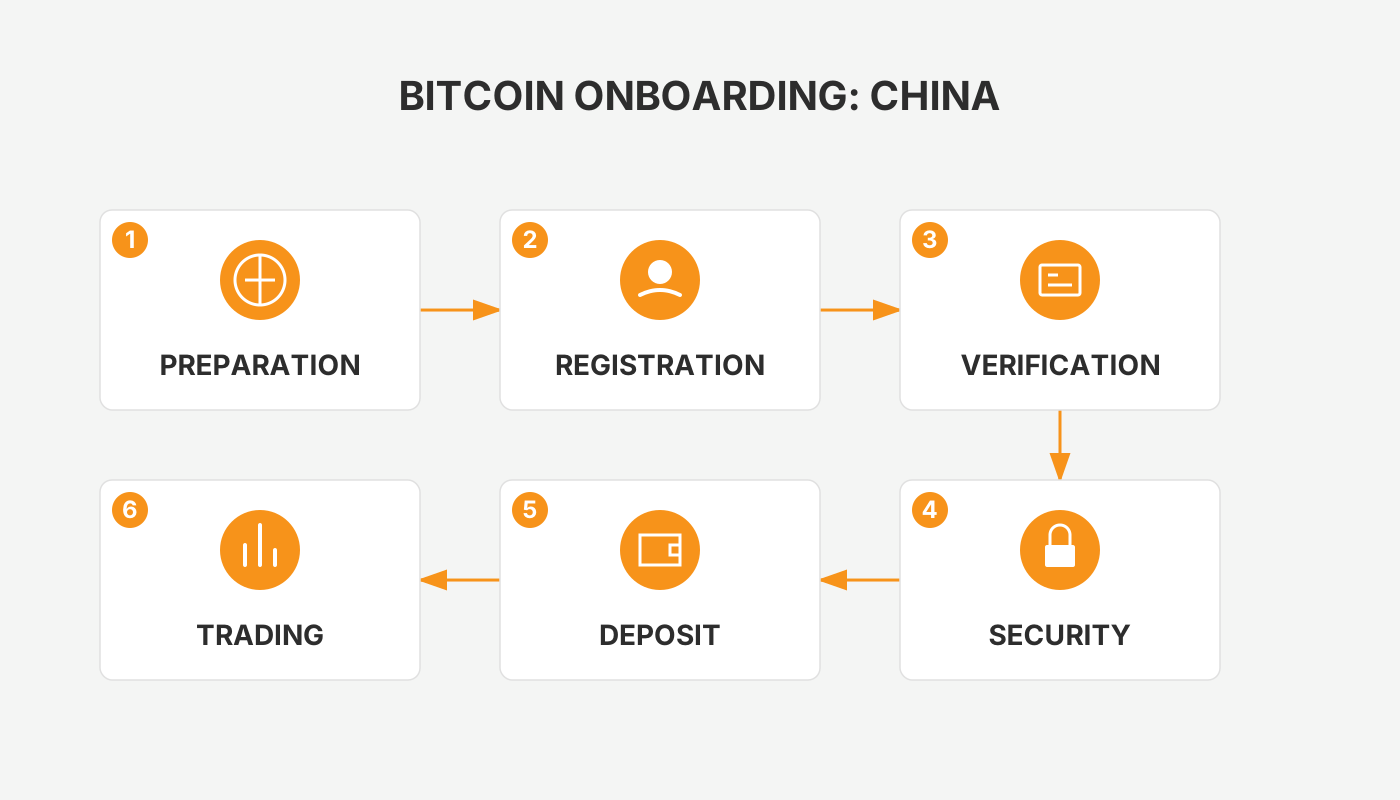
In mainland China, users can download a legitimate exchange app (such as OKX or Binance), complete real‑name verification, purchase Bitcoin via P2P or C2C channels, then transfer and trade on the platform, and finally store the coins safely in a wallet or withdraw them. The whole process is performed inside the app, making it simple and convenient.
Q1: Is purchasing BTC legal in mainland China?
Personal purchase and ownership of Bitcoin is legal, but mainland China bans the use of Bitcoin as a payment method and prohibits the operation of domestic cryptocurrency‑trading platforms.
Q2: Why hasn’t the seller confirmed my payment?
Make sure the payment details exactly match the order, and contact Binance support or the seller directly through the platform’s messaging system.
Q3: How can I ensure the transaction is safe?
Use Binance’s P2P marketplace. All trades are escrow‑protected by the platform, which helps keep your funds secure.
Below we take the OKX exchange as a concrete example!
We have compiled a full workflow for mainland beginners—from downloading a legitimate app, completing real‑name verification, to buying Bitcoin peer‑to‑peer. We also highlight how to spot platform risks and protect your capital. After reading, you will know the essential safety steps and can start your digital‑asset journey with confidence.
Should You Buy Bitcoin? Can It Make Money? What Returns Might Be Expected?
Bitcoin holders often invoke an “inflation‑hedge” argument: fiat money is continuously printed, whereas Bitcoin’s supply is capped, similar to gold. In theory, this scarcity gives Bitcoin long‑term appreciation potential. Below is a brief historical‑price snapshot:
- 2017 peak ≈ USD 20,000; 2019 trough ≈ USD 3,000 – a drop of about 80 %.
- 2021 peak ≈ USD 60,000, more than three times the previous high; the same year’s low ≈ USD 30,000 – a drop of about 50 %.
Takeaways
- Bitcoin is highly volatile; a 50 %‑80 % pull‑back from a peak is common. Timing the entry is a personal decision, and you should evaluate your own risk tolerance.
- Buying near a trough can generate sizable price‑movement gains and can serve as an alternative asset class alongside cash, real estate, and equities. For example, allocating 10 % of a portfolio could yield roughly 30 % price‑movement returns over a 1‑3 year horizon.
Note: Younger investors with modest assets may allocate a larger proportion, while more affluent investors might keep the allocation around 10 % to improve overall portfolio resilience.
Is It Currently a Good Time to Buy Bitcoin? When Is the Optimal Buying Moment?
- Consider buying when the price has fallen 50 % from its historical all‑time high; a 80 % decline could be a signal to go “all‑in.”
- Small‑scale investors should try to time purchases, whereas larger‑scale investors may prefer a staggered, dollar‑cost‑averaging approach.
Bitcoin Is Too Expensive for Me – What Can I Do?
Bitcoin is highly divisible; you can purchase as little as 0.01 BTC or even smaller fractions. With as little as CNY 100 (≈ USD 15) you can obtain a slice of Bitcoin. The key is simply the amount of capital you are willing to allocate.
Isn’t Digital‑Currency Trading Banned in China? How Can I Still Buy It? Is It Illegal?
Formally, China bans the operation of domestic cryptocurrency‑trading platforms, but offshore exchanges continue to serve Chinese users. Personal buying and selling of Bitcoin is considered a private investment activity and is not prohibited by law.
Is Buying Bitcoin Safe? Could the Platform Run Away? How Should I Store My Coins?
- For users who only trade, keeping assets on a reputable exchange is acceptable.
- Major exchanges have large operational scales and strict compliance regimes, so the risk of a “runaway” exchange is extremely low.
- If you prefer self‑custody, use a hardware wallet or a trusted software wallet, bearing the personal risk of loss or theft.
- Exchange custodial services generally do not charge extra fees and are convenient for long‑term holding.
OKX (formerly OKEx) Official Website + Official App Download
- OKX referral code: B2345
- Wallet referral code: B23459
- International OKX website: https://www.okx.com/
- China‑specific registration page: https://www.okx.com/zh-hans/join/B2345
- OKX app download link: https://www.bitaigen.com/binance/download
Binance, OKX, Huobi, Gate.io, Bitget, Bybit – iOS App Installation Guide
Why an Overseas Apple ID Is Useful
The App Store serves different apps based on the account’s region. Creating an overseas Apple ID lets you download exchange apps that are unavailable in the Chinese App Store (e.g., Binance, OKX). Users often pick Taiwan or Hong Kong as the region; the interface will appear in Traditional Chinese, which works fine.
Precautions When Using an Overseas Apple ID
- Register the ID yourself to avoid privacy leaks or device lockouts caused by shared accounts.
- Log in through the App Store app rather than the iOS system settings to reduce the chance of the account being banned.
- If region verification fails, you can first register with a domestic Apple ID and later switch the region in Settings.
Materials Needed for Registration
- Email address – QQ, 163, Gmail, 189, etc., are all acceptable.
- Phone number – a working mobile number to receive SMS verification codes.
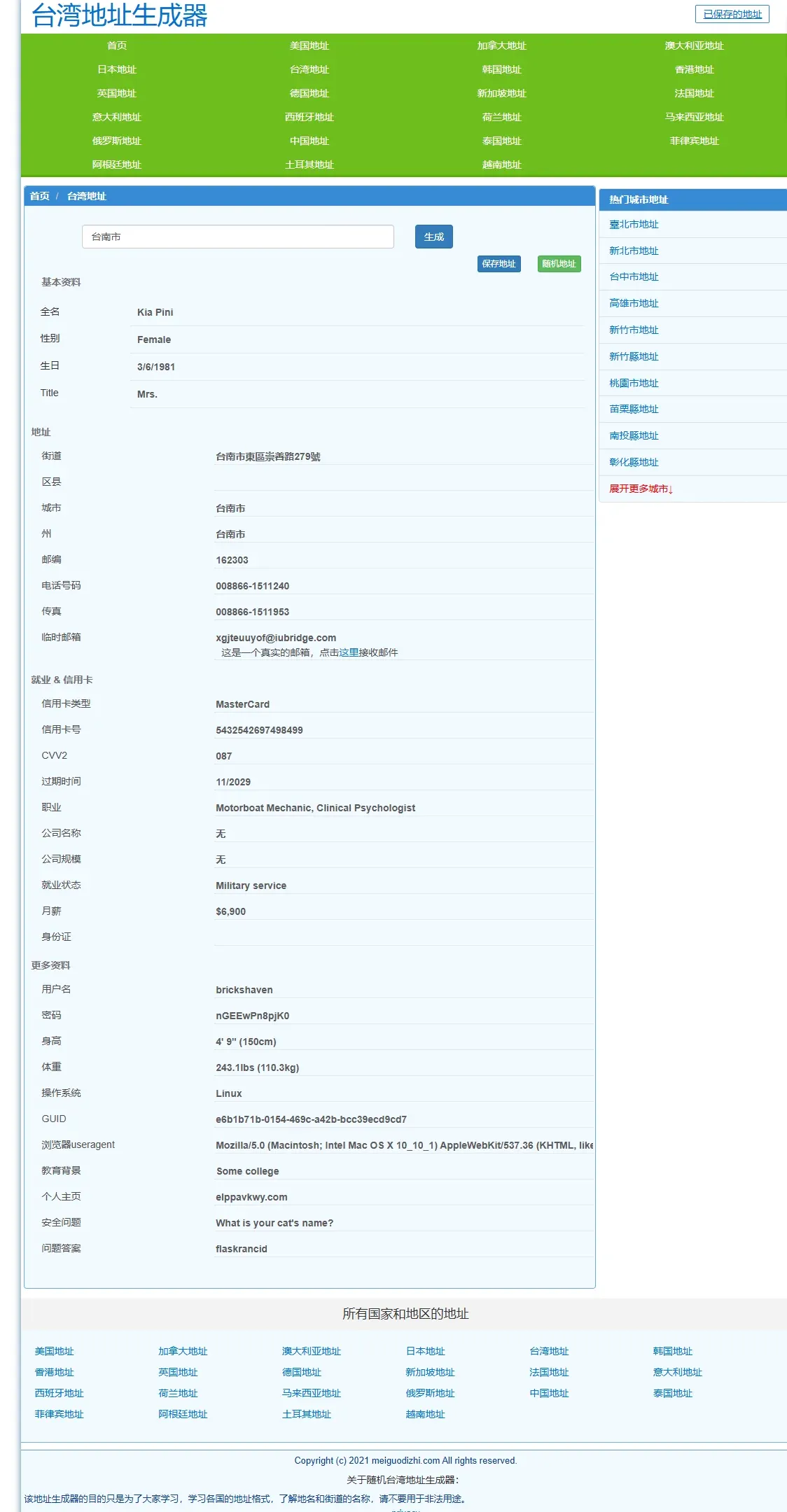
- Virtual address – generate a Taiwanese address using sites such as shenfendaquan.com or meiguodizhi.com.
Detailed Steps to Create an Overseas Apple ID
Warning: The following steps have been tested within mainland China and work reliably for downloading OKX, Binance, and other exchange apps.
- Open the virtual‑address generator, select Taiwan address, and input “Tainan City” to obtain a fake address.
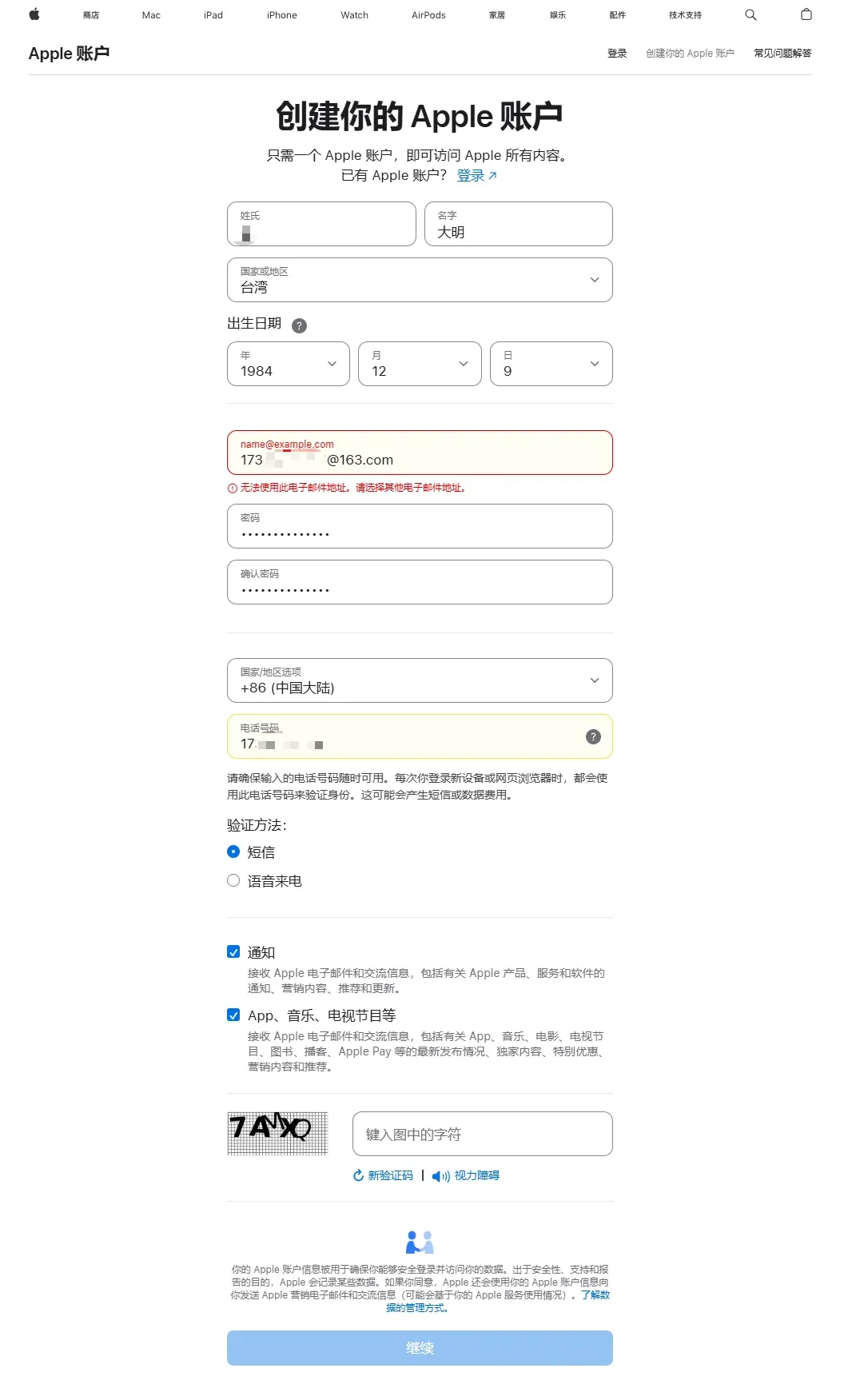
- Go to Apple’s official account page https://account.apple.com/account# and click Create Your Apple ID. Fill in the form:
- Name: any name you like
- Country/Region: Taiwan
- Date of Birth: must be 18 + years old
- Email: a real, accessible email address
- Password: choose and remember it
- Country/Region (for payment): Mainland China
- Phone Number: you can use a mainland number; choose SMS verification
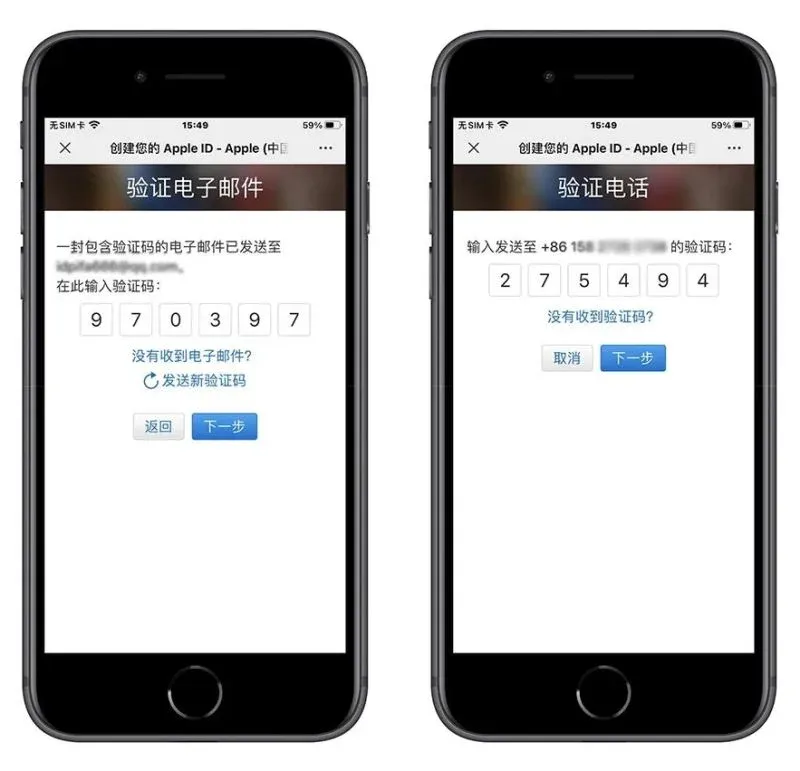
- Verify the email and the SMS code you received, then finish the registration.
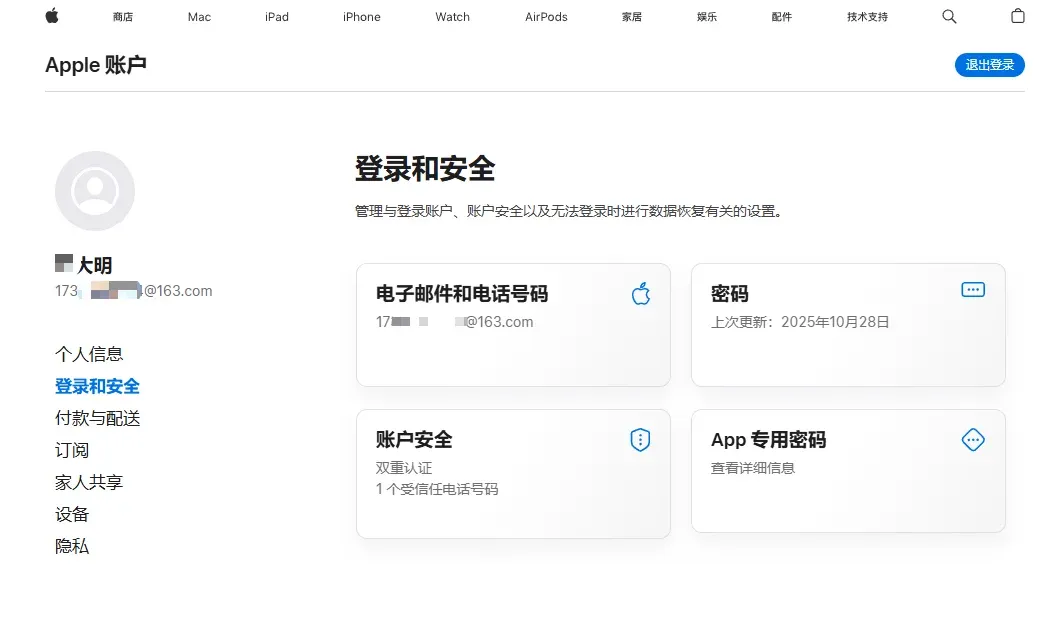
- After success, open App Store on your iPhone and sign in with the new Apple ID.
- If you are still logged in with the old account, tap the avatar icon in the top‑right corner, sign out, then sign in with the new ID.
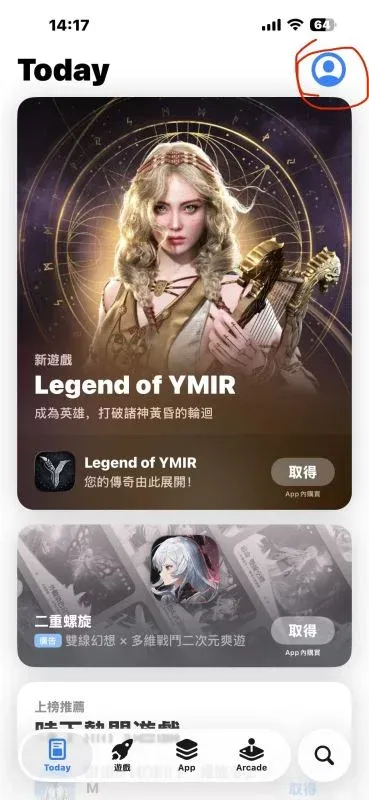
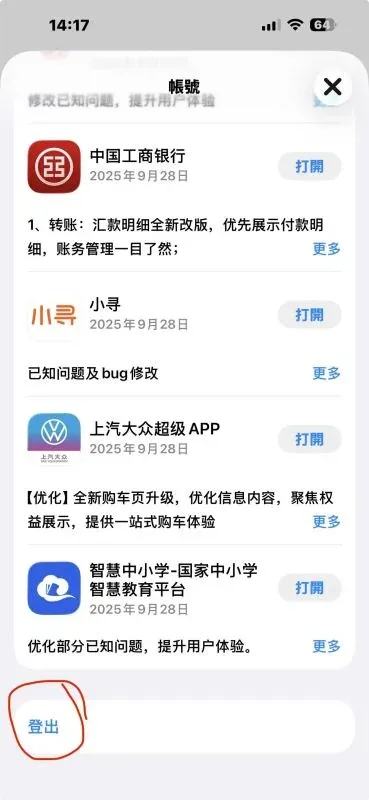
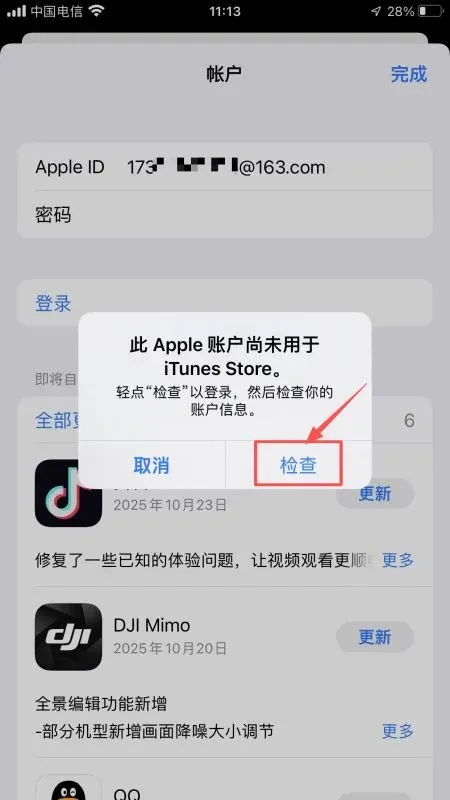
- The system will display “This Apple ID has not been used with iTunes Store” – tap Check to continue.
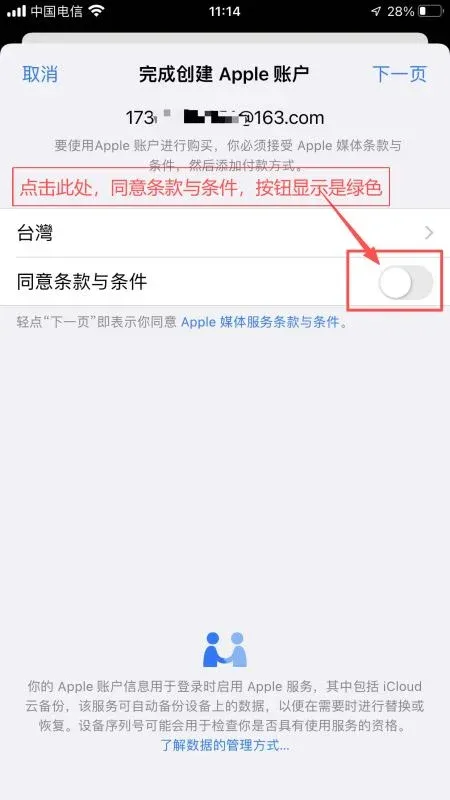
- Accept the Terms and Conditions and proceed to the next step.
- On the Address screen paste the street and city/county from the virtual address. If the postal code is rejected, look up the correct Taiwanese ZIP code on Baidu and enter it manually.
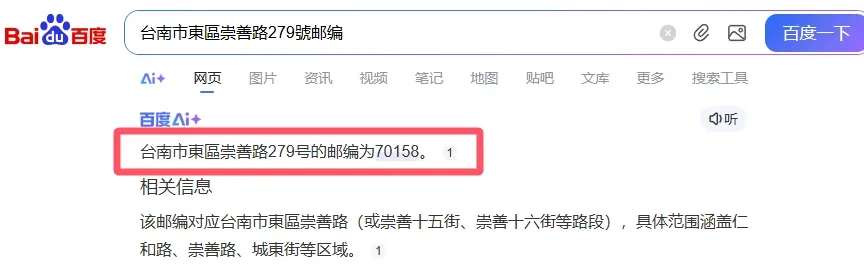
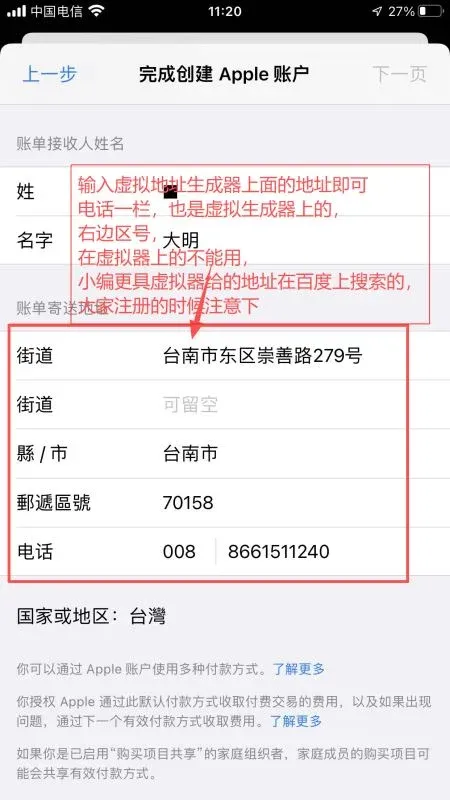
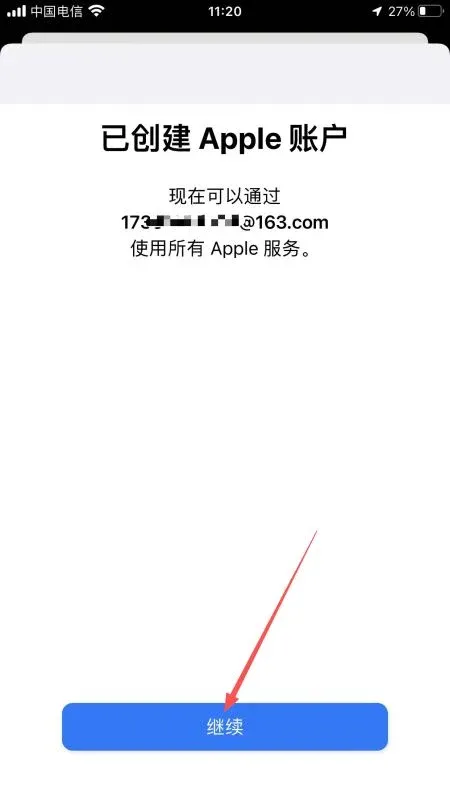
- After filling the address, tap Continue to finish creating the account.
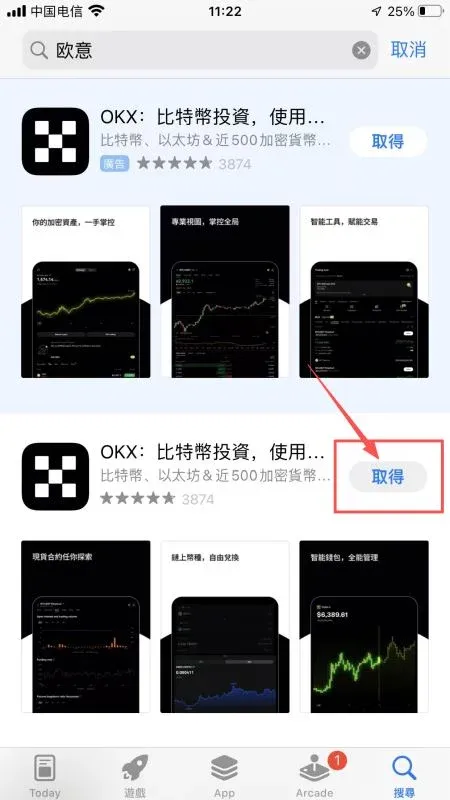
- Back on the App Store home page, search for “Binance”, “OKX”, etc., tap Get and enter your Apple ID password to download.
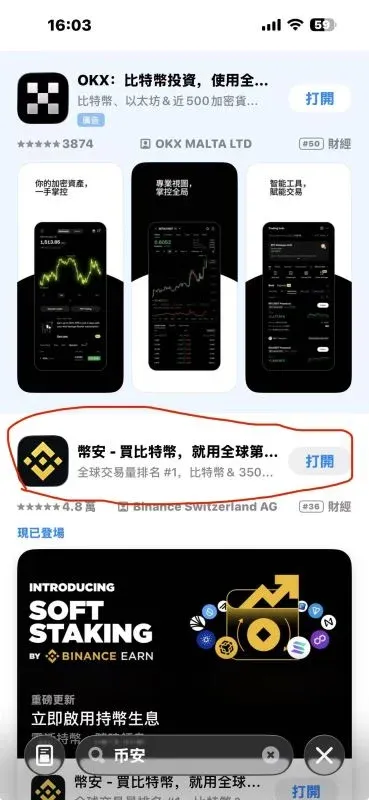
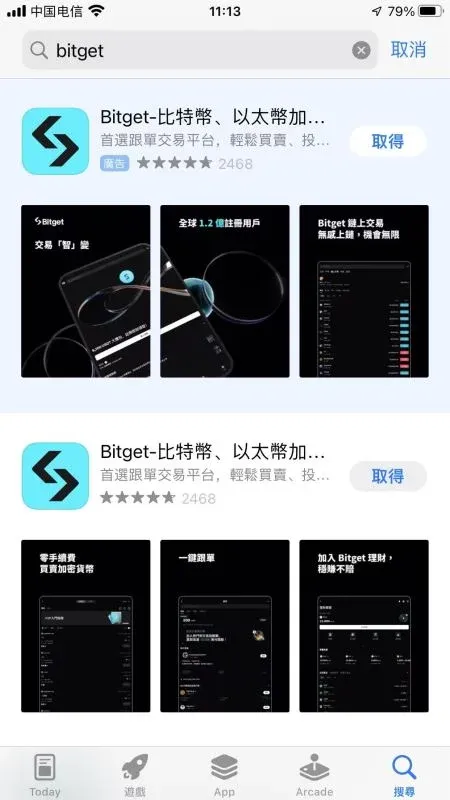
Registration Must Use a Referral Code
Entering a referral code grants a 20 % rebate on trading fees. Below are commonly used referral codes for major exchanges:
| Exchange | Referral Code | Rebate |
|---|---|---|
| OKX (formerly OKEx) | **B2345** | 20 % |
| Binance | **B2345** | 20 % |
| Huobi (HTX) | **b6yq8223** | 20 % |
| Gate.io (Sesame Open) | **JBZJGOOD** | 20 % |
| Bybit | **B2345** | 20 % |
| Bitget | **good9999** | 20 % |
All official download links point to the URLs provided on this page.
Setting Up Billing Information in the App Store
When prompted for a payment method you can select None or simply skip the step; a credit card is not required. Then enter the Taiwanese address you generated earlier.
OKX (OKEx) Official Android App Download Guide
Method 1: Direct Link Download
Copy the link below, open it in your mobile browser, and install the APK:
https://www.bitaigen.com/binance/download
- If the link fails to open, try a different browser or network.
- Before updating, back up your wallet’s mnemonic phrase or private key to avoid loss of assets.
Method 2: Scan the Official QR Code
- Visit the OKX website: https://www.okx.com/zh-hans/join/B2345
- Tap the download icon at the top‑right corner and scan the QR code with your phone to obtain the APK.
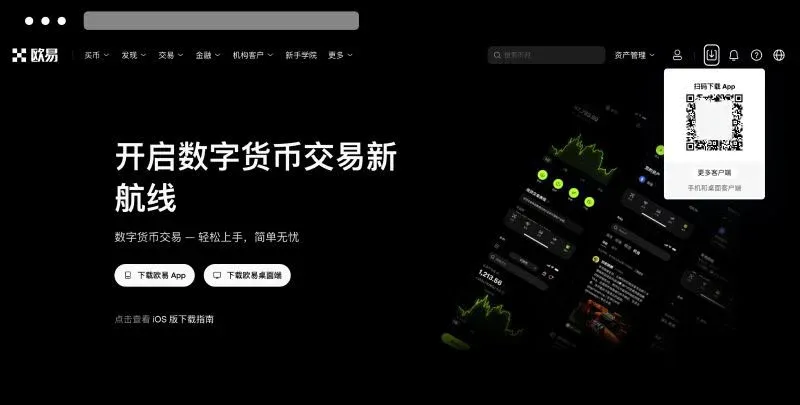
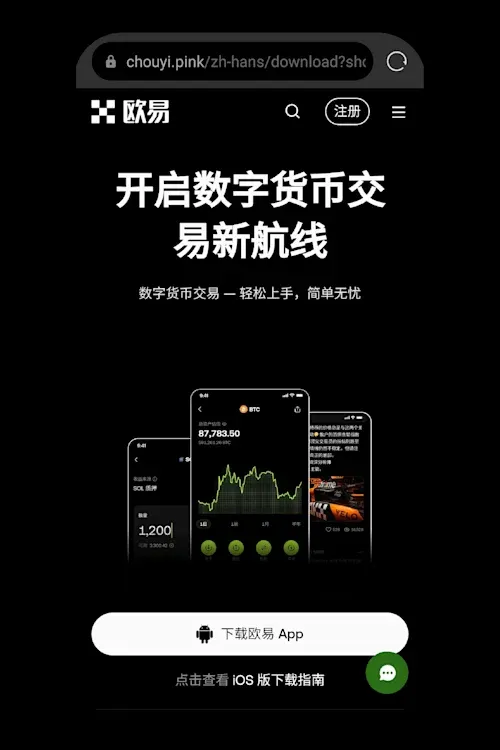
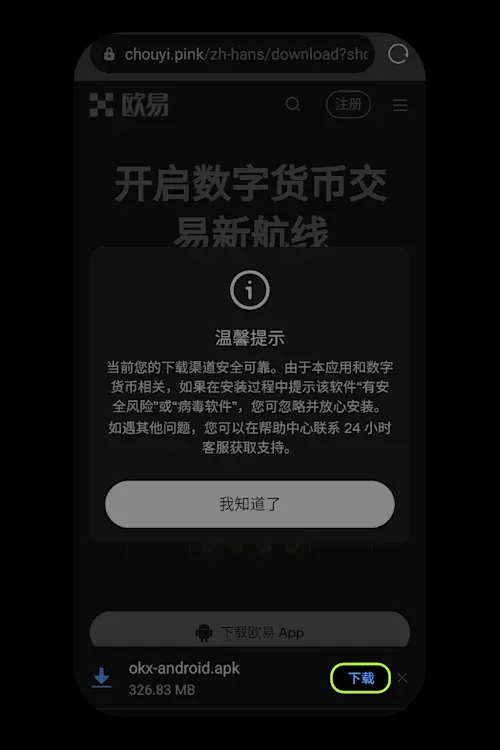
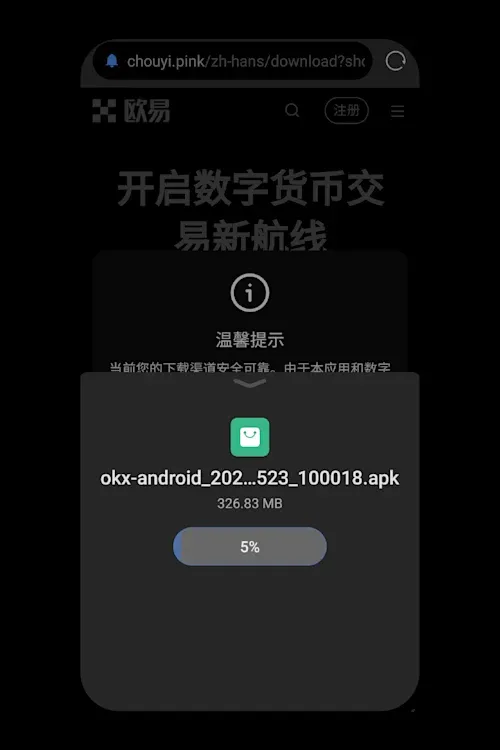
The exact download path may differ slightly across Android brands; follow on‑screen prompts.
Method 3: Local Download
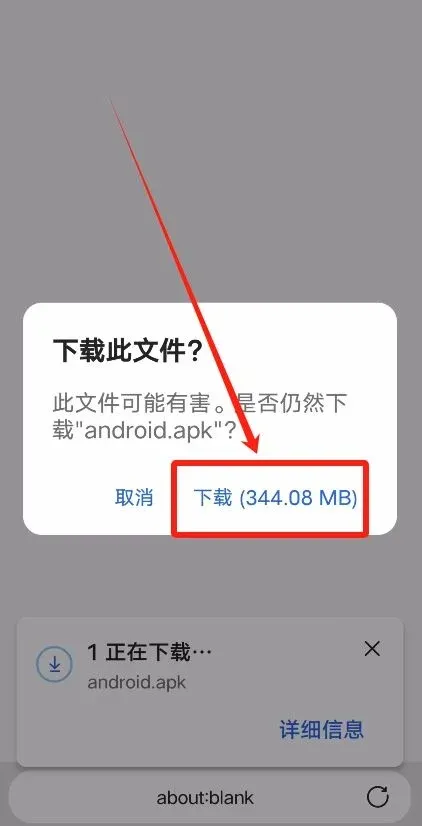
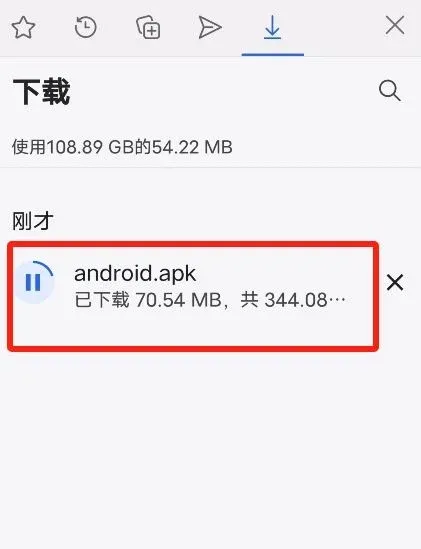
Open the same redirect link in a browser, tap Local Download to fetch the APK, then install as follows:
- After the download finishes, tap the APK file and select Allow this installation.
- When the system warns about potential risks, choose Proceed anyway.
- Once installed, tap Open.