
 Bitaigen Research
 Configuring Binance C2C Payment Methods in 2026
When conducting peer‑to‑peer (C2C) trades on Binance, correctly setting up your payment method is the key step that ensures a smooth transaction. If the payment information does not match the name used for identity verification, the platform’s risk‑control system may freeze assets or reject the trade. The following sections explain the importance, step‑by‑step procedures, configuration points for the most common payment channels, and troubleshooting tips, providing a comprehensive guide to the complete 2026 Binance C2C payment‑method configuration process.
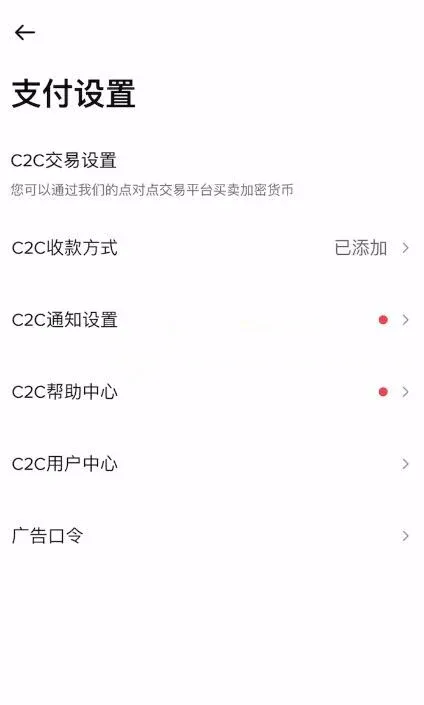
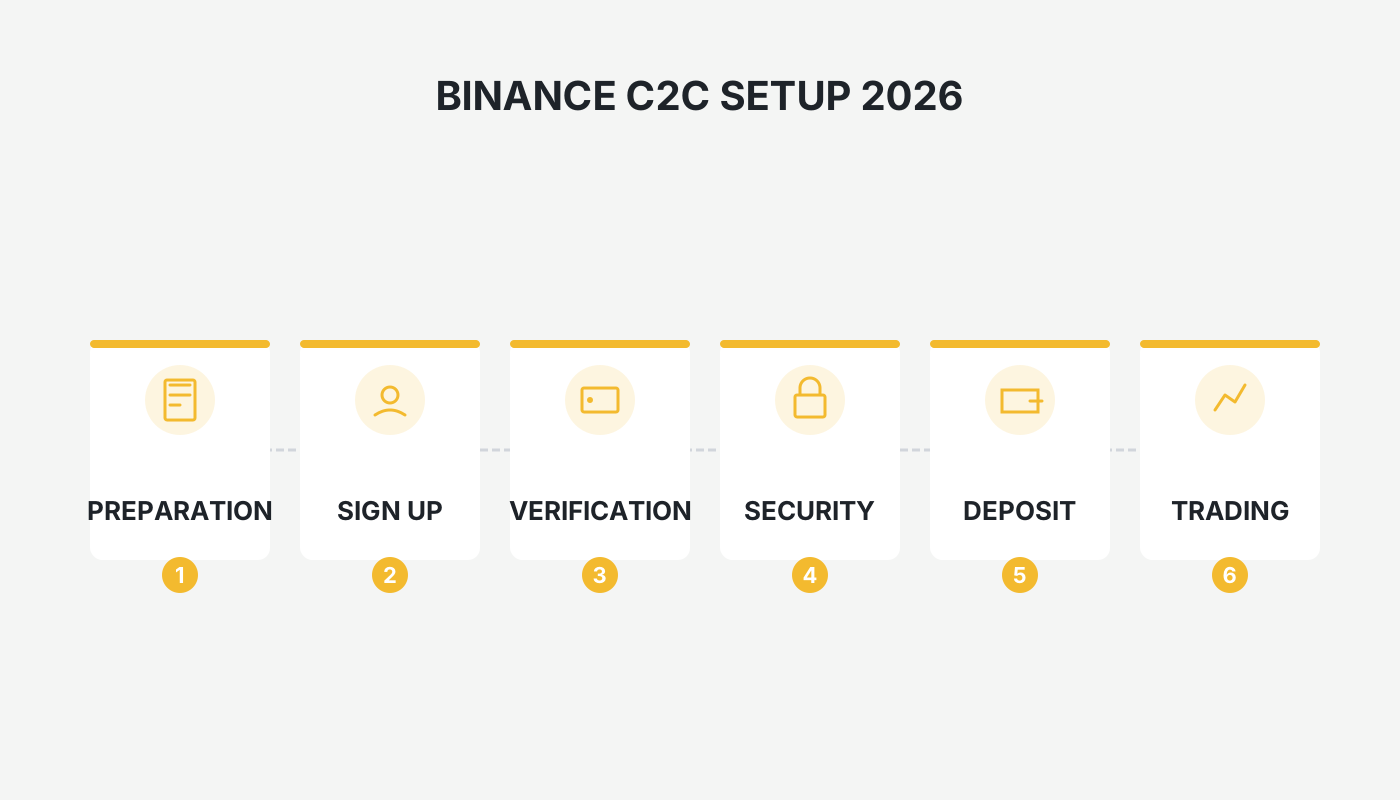
In this article we outline why the payment method is a critical component of Binance C2C trading and present the latest full‑setup workflow for 2026. By analysing name consistency, channel selection, and common risk factors in depth, we help users avoid risk‑control blocks and complete trades without friction. To keep your funds safe and improve operational efficiency, keep reading for each practical step.
Why Is the Payment‑Method Setup So Important?
When you are ready to sell digital assets and withdraw the proceeds, many users discover that they have not linked a bank card, or that the previously linked card has been deactivated, preventing the transaction from completing. Even more serious, if the recipient’s name does not match the name used for Binance’s identity verification, the platform will flag the activity as abnormal, which can cause the order to fail or the account to be placed under risk control. Consequently, mastering how to bind and modify payment methods is an essential skill for every Binance user.
Key Considerations When Configuring a Payment Method
- Name consistency is mandatory: The holder name entered for any newly added payment channel (WeChat, Alipay, bank card, etc.) must be exactly the same as the name on the identity‑verification record. Any deviation can trigger risk‑control measures.
- Choosing a bank card: It is advisable to designate a bank card that you do not use for salary deposits or loan repayments exclusively for C2C activity. Avoid using your primary payroll or mortgage card for crypto‑related inflows and outflows, as large or frequent transfers may attract scrutiny from the bank.
- Multiple channel binding: Bind at least three methods—WeChat, Alipay, and a debit card. This redundancy keeps transactions flowing during peak‑payment periods or when a particular channel becomes temporarily unavailable, thereby improving order‑completion rates.
Detailed Steps for Setting Up Binance C2C Payment Methods
The instructions below assume you are using the official Binance mobile app (global version – U.S. residents should use Binance.US). You can download the app via the links provided:
Proceed through the steps in the order presented.
1. Open the Settings Page
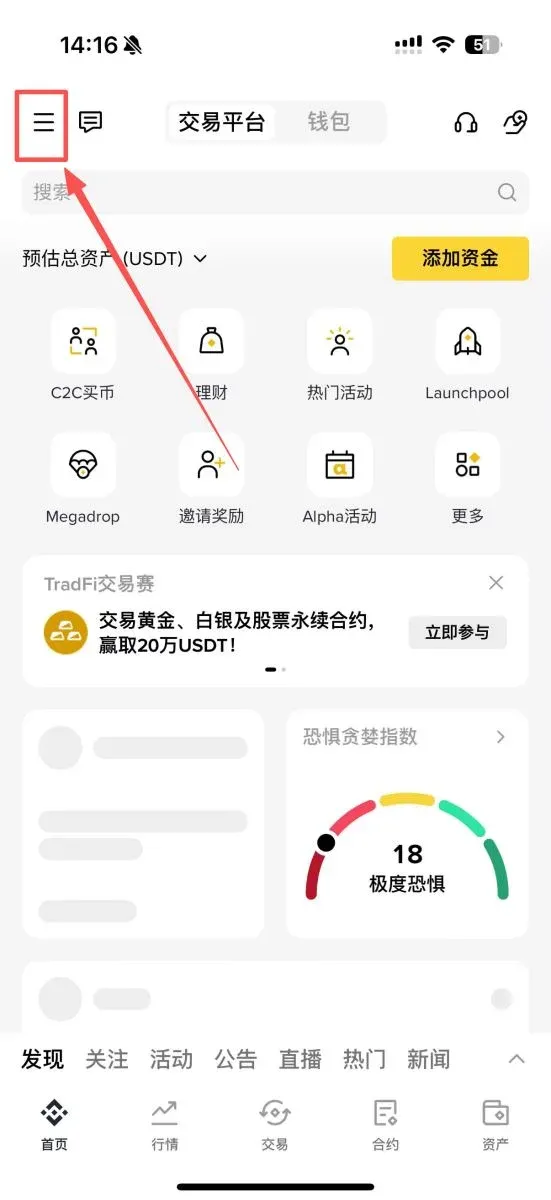
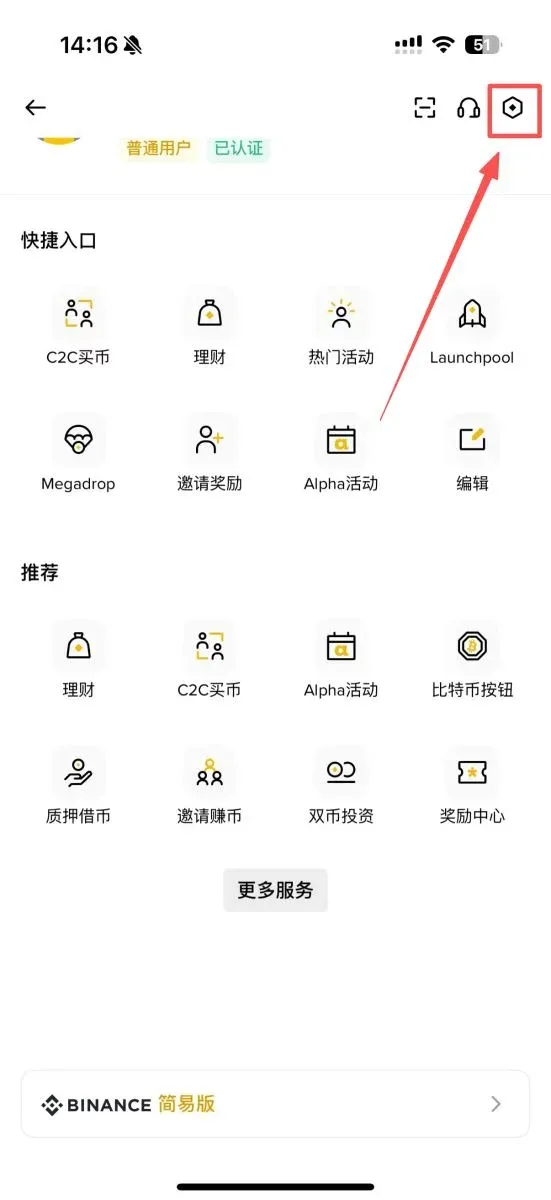
Launch the app, tap the three‑line menu icon in the upper‑left corner to expand the sidebar, then tap the gear icon in the upper‑right corner to enter the Settings screen.
2. Locate the Payment Settings
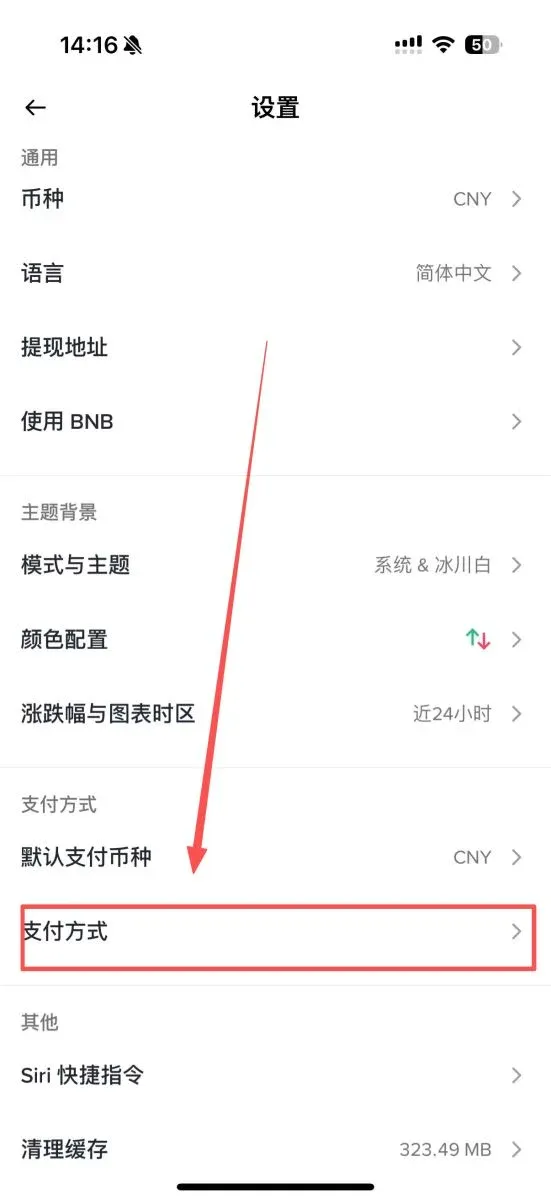
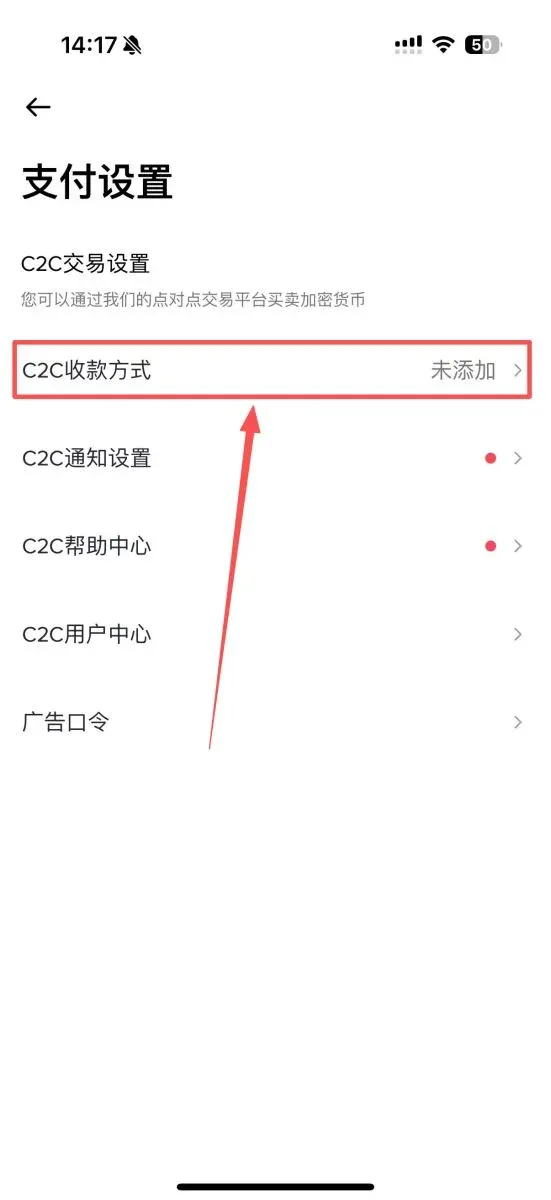
Scroll down on the Settings page until you find the “Payment Methods” section. Tap it and then select the first option, “C2C Payment Methods.”
3. Add a New Payment Method
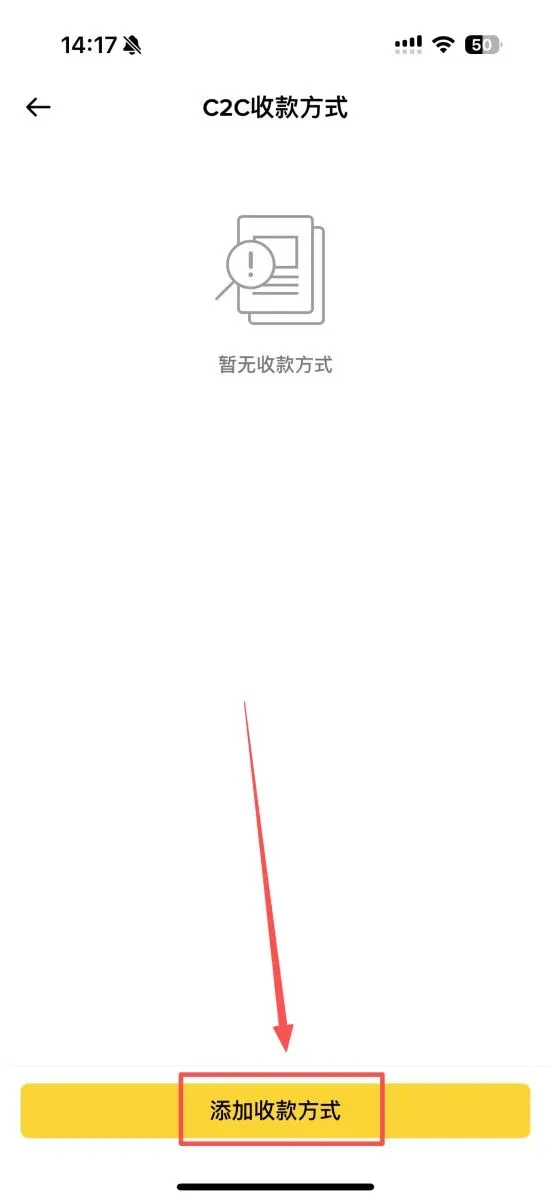
Tap the “Add Payment Method” button at the bottom of the screen to proceed to the next step.
4. Choose the Settlement Currency
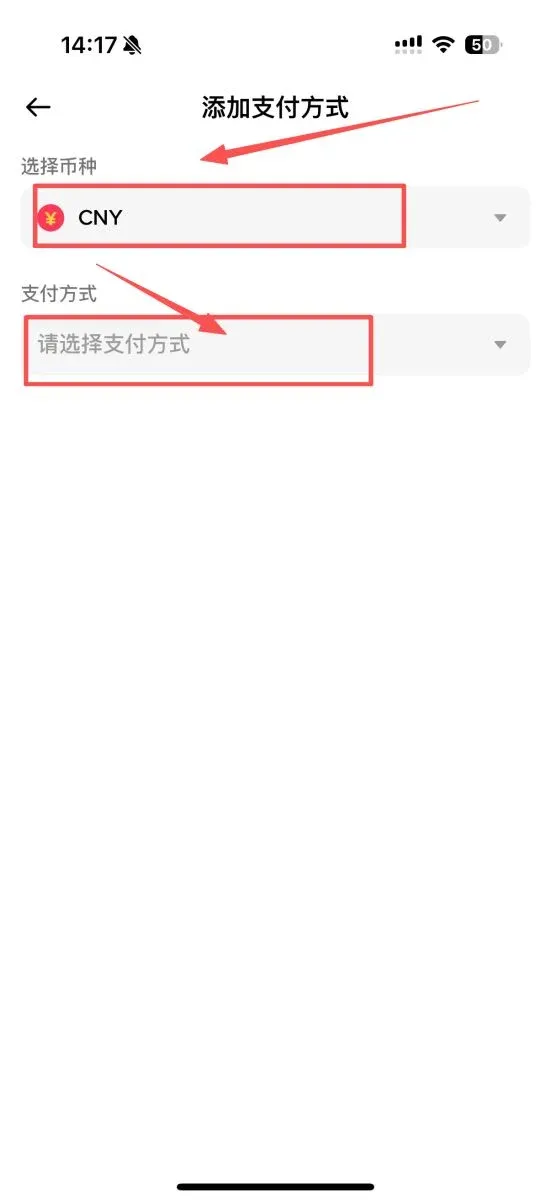
In the pop‑up window, select CNY (Chinese Yuan) as the settlement currency. For users outside China, the equivalent fiat is typically USD transferred via SEPA (for Euro‑zone) or SWIFT networks, depending on your bank.
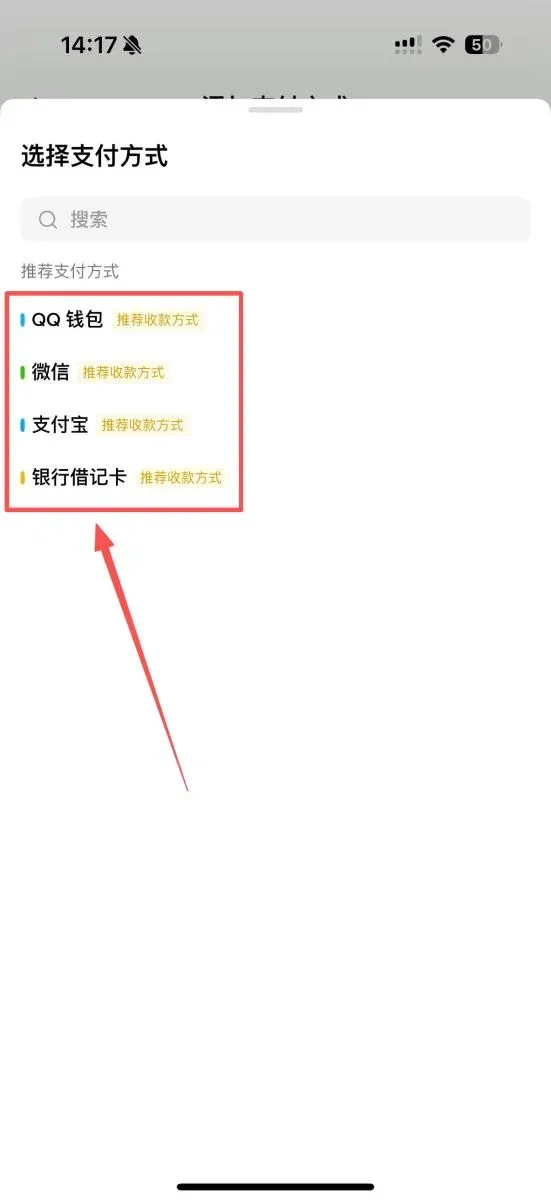
5. Select a Specific Payment Channel
From the list you can choose any of the following to bind: QQ Wallet, WeChat, Alipay, or a bank debit card.
How to Configure the Three Main Payment Channels
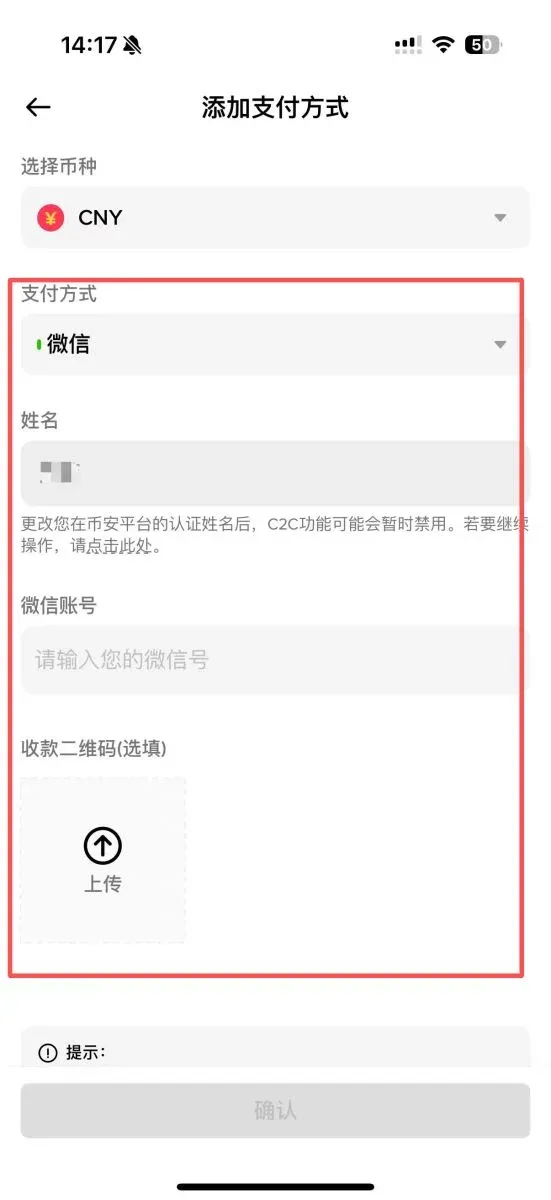
WeChat Pay
- In the payment‑method list, select “WeChat.”
- Enter your real name (must match the name used for identity verification).
- Provide either your WeChat ID or the phone number linked to the WeChat account.
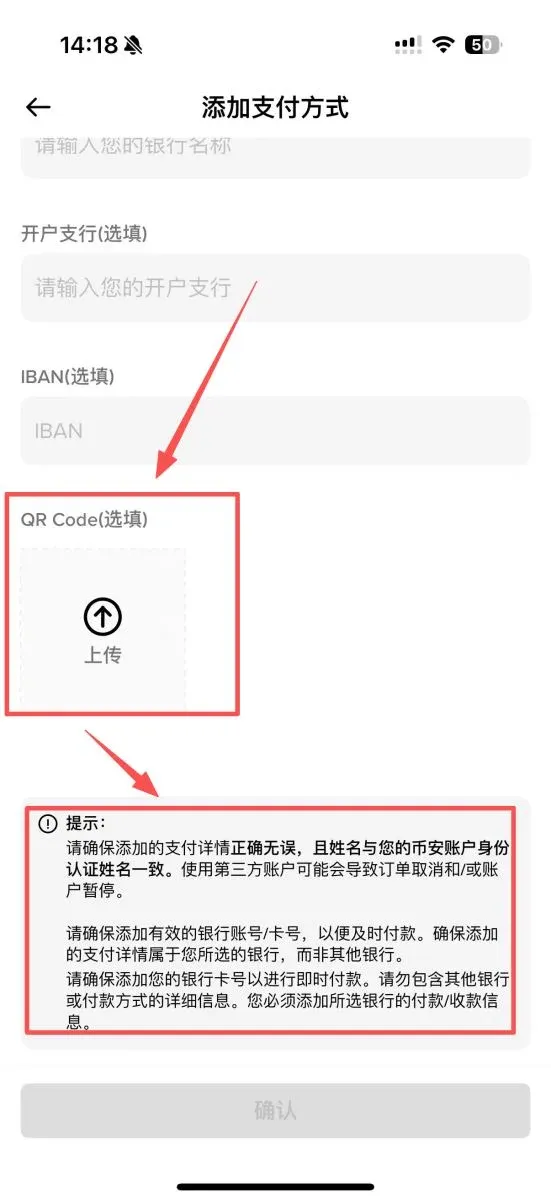
- Upload a clear image of your WeChat payment QR code; the QR code must display your name.
Alipay
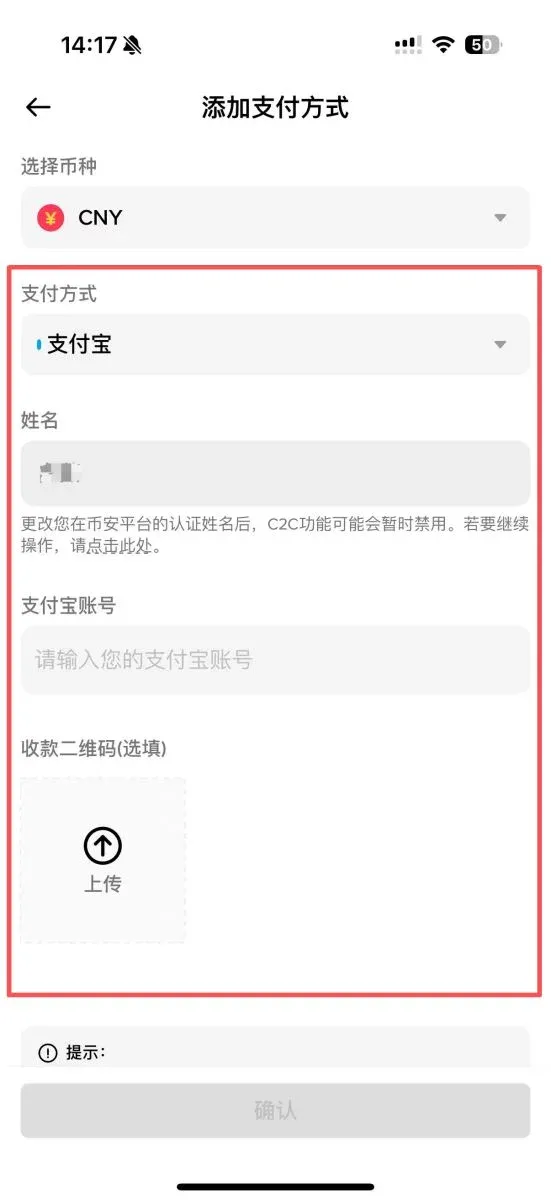
- After selecting “Alipay,” also fill in the name that matches your verified identity.
- Input your Alipay account (mobile number or email address).
- Upload a clear Alipay QR‑code image that shows the same name as your account.
Bank Debit Card
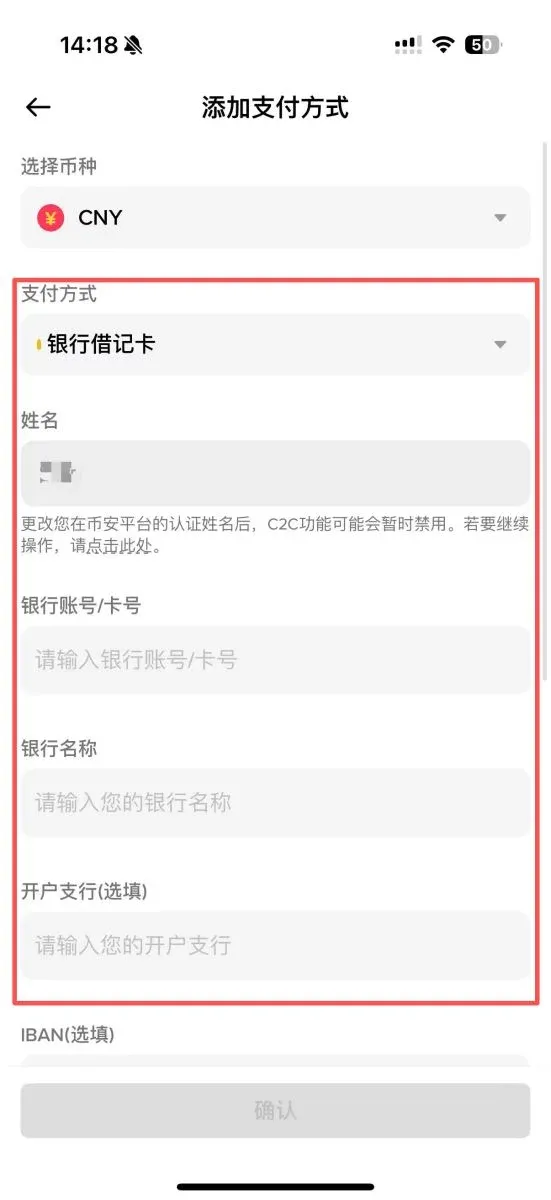
- Choose “Bank Card” and enter the cardholder’s name (identical to the verified name).
- Provide the full card number and select the issuing bank from the drop‑down list.
- Fill in the full name of the branch where the account was opened.
- Upload a photo of the front side of the card; the image must clearly show the card number, cardholder name, and bank name.
Frequently Asked Questions and Solutions
- How can I edit an existing payment method?
On the “C2C Payment Methods” page locate the channel you wish to change and tap the edit icon on the right. Note that frequent modifications may affect the platform’s assessment of your account’s reliability.
- How long does the verification of a new payment method take?
In most cases the review completes within a few minutes. If the status remains pending for an extended period, the information may have been entered incorrectly or the uploaded image might be blurry. Re‑check the details and submit again.
- What are the common reasons for a payment method being rejected?
Typical causes include: name mismatch with the verified identity, unclear or low‑resolution supporting documents, incorrect bank‑card information, or the use of a card type that Binance does not support. When you receive a rejection notice, verify each item carefully and resubmit.
Closing Remarks
Properly configuring Binance’s C2C payment methods is a prerequisite for any digital‑asset transaction. Although the process may appear detailed, following this guide step by step will allow you to bind the necessary channels quickly, keep your funds secure, and stay compliant with platform rules. For deeper tutorials or the latest updates, feel free to follow Bitaigen’s (比特根) dedicated articles.
Note: Crypto‑related gains may be subject to tax in your local jurisdiction. Consult a qualified tax professional to ensure compliance with applicable laws.
Related Reading
- OKX China 2026: Register, Download App, Buy USDT, Trade
- How to Sell Ethereum on Binance Spot Market: Order Types Explained
- 2026 Bybit PC-Client Setup, Verification & Trading Guide
💡 Register on Binance with referral code B2345 for the maximum trading fee discount. See Binance complete guide.



