
 Bitaigen Research
 From a practical usage perspective, we evaluate the cross‑platform experience, asset management, and security mechanisms of Dash Freewallet. This article breaks down its core features, top‑up and exchange processes, and the real‑world performance of fee‑free transactions, helping you decide whether the wallet meets everyday needs and is worth further exploration.
In the daily management of crypto assets, choosing a reliable mobile wallet is crucial. Dash Freewallet, a product of Freewallet, has attracted many users with its cross‑platform support and multiple security layers. Below we first discuss the wallet’s real‑world performance, then review its core functionalities and usage methods.
How does the Dash Freewallet perform?
Freewallet, a company focused on high‑end cryptocurrency wallet development, offers products that can manage over 100 crypto assets, covering Android, iOS, and web versions. Its lineup includes 30 independent single‑coin wallets (e.g., Multiwallet) and a lightweight mobile version called Freewallet Lite.
- Cross‑device synchronization: Whether you are on Windows, macOS, Ubuntu, or other Linux distributions, you can access the Dash wallet through the Freewallet website and achieve real‑time sync with the blockchain.
- Multi‑currency top‑up and exchange: Almost any fiat currency (via SEPA, SWIFT, or USD) or cryptocurrency can be used to fund the wallet, and users can directly swap Dash for other major coins.
- Live market data: The app displays the latest Dash price, charts, and balances denominated in fiat currencies.
- Fee‑free trading: Within the Freewallet ecosystem, all transactions are processed without paying network fees.
- Security safeguards: Multi‑signature, daily/weekly limits, two‑factor authentication (2FA), password and biometric (Touch ID) protections are combined to secure every transfer.
- Customer support: 24/7 assistance is available to help users resolve freezes or other anomalies quickly. If a transaction hangs, clearing the app cache or reinstalling often resolves the issue; otherwise, users can contact online support for further help.
Note: Crypto gains may be taxable in your jurisdiction; consult a tax professional for guidance.
What is Dash Freewallet?
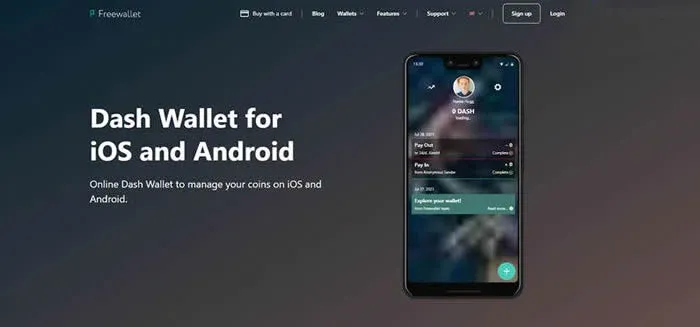
Dash Freewallet is a lightweight application built by the Freewallet team specifically for Dash, aiming to provide fast storage, sending, and receiving. Installation takes only a few seconds, and the app supports the following login methods:
- Email, Facebook, Google+, or phone number
- PIN code, Touch ID, and QR‑code scanning
- Sharing wallet addresses via email, Twitter, Facebook, and other channels
Inside the wallet, Dash holdings are kept in cold storage, and each transaction can be viewed directly on the Dash Block Explorer. The system sends email notifications whenever the balance changes, helping users monitor asset movements in real time. The interface is multilingual, covering Chinese, German, Spanish, Dutch, Russian, and more, offering a localized experience.
In addition, Freewallet provides a credit‑card or debit‑card purchase channel for Dash. Users in the United States should use Binance.US or other compliant platforms for card purchases, while users elsewhere can typically use SEPA, SWIFT, or USD transfers.
---
Considering the combination of features and security measures, Dash Freewallet offers a high level of usability and reliability among comparable products. For more details, follow Bitaigen (比特根) for upcoming related articles.
💡 Register on Binance with referral code B2345 for the maximum trading fee discount. See Binance complete guide.



