
 Bitaigen Research
 We provide a complete guide for iPhone users to obtain the official OKX App, covering alternative methods when the App Store download is unavailable, secure steps to create a brand‑new Apple ID, and key precautions when downloading via QR code. Illustrated screenshots help you finish registration quickly, access the digital‑asset trading platform, and continue reading for the full process.
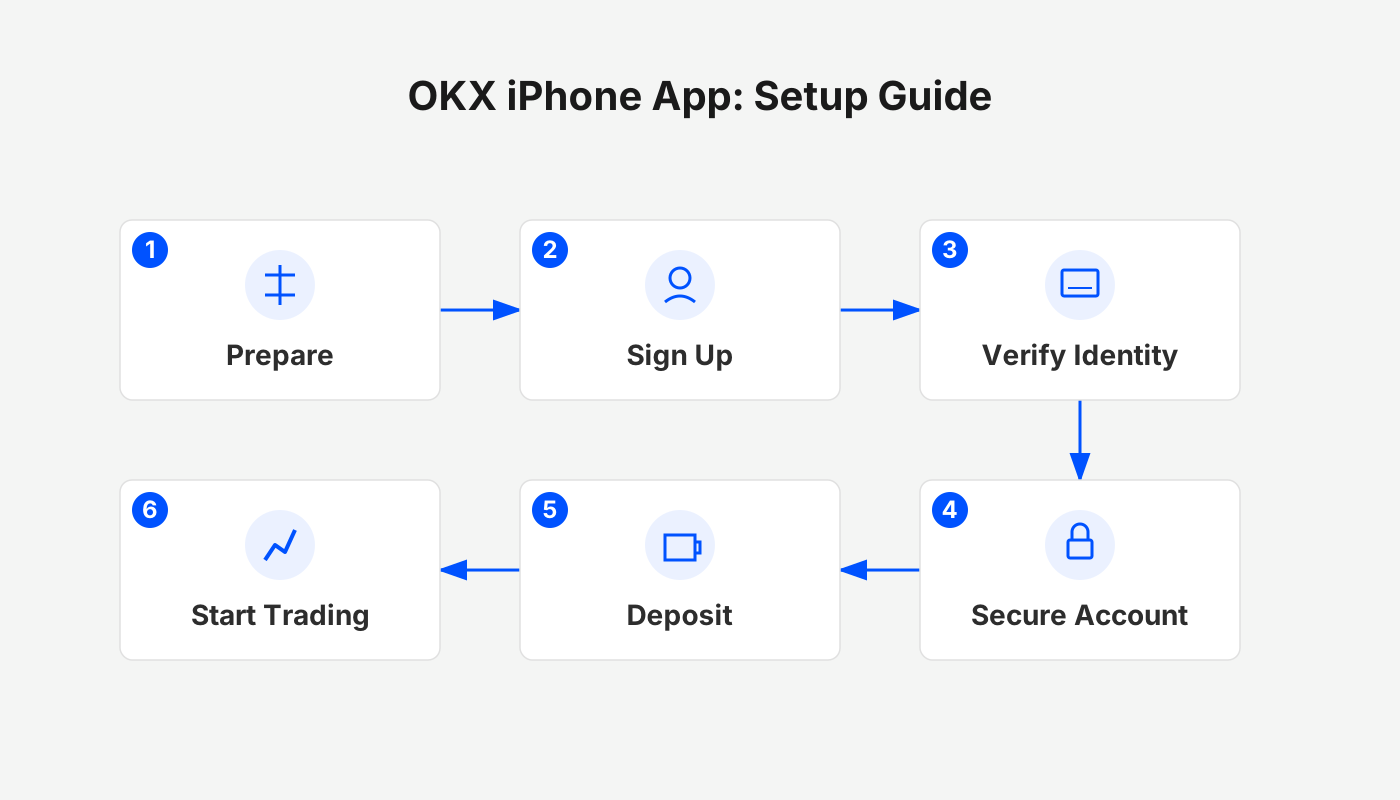
Overview of OKX
OKX (accessible through the official referral link or the official download page) is one of the world’s leading digital‑asset exchanges, ranking 4th on CoinMarketCap, serving over 50 million users, and handling roughly USD 400 billion in daily trading volume. The platform was founded in 2013, originally named OKcoin / OKEx, and has since expanded to cover spot, futures, options, and other trading products. It also offers a Web3 wallet (OKX Wallet), an NFT marketplace, DeFi tools, and a broader ecosystem of services.
---
Step 4 – Scan the Official QR Code to Download and Install
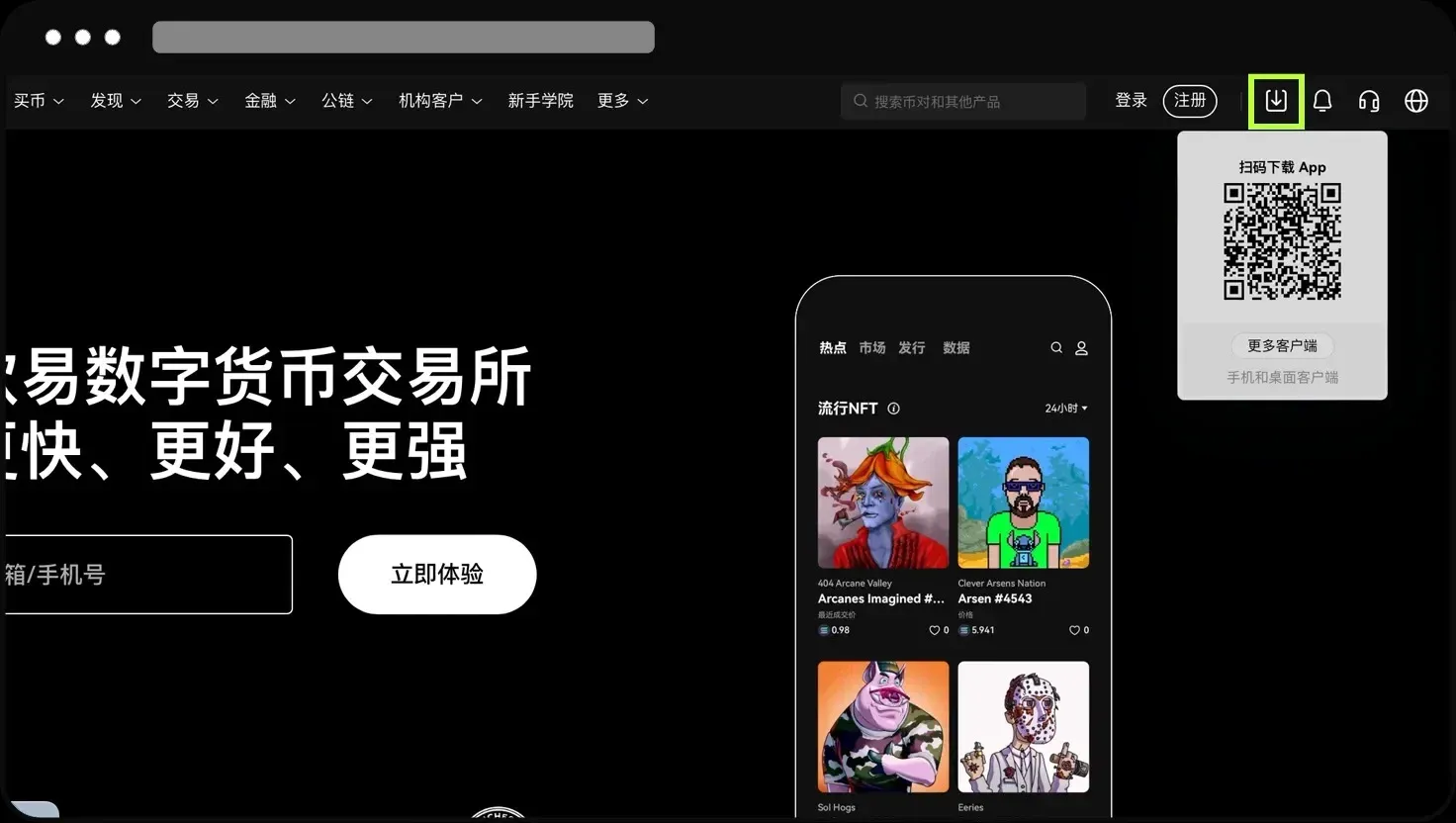
Visit the official OKX website (click here), locate the download button at the top‑right corner of the page, and use your phone’s built‑in browser or Google Chrome to scan the displayed QR code. This will take you straight to the iOS version of the OKX app. Avoid scanning the code with WeChat, as it can sometimes cause the page to fail to load correctly.
Friendly reminder
- If you encounter any difficulties during download or installation, you can contact official customer support for assistance at any time.
- Users with iPhone, iPad, or Apple Watch can obtain the official app through the method described above.
---
Step 1 – Download the Official App from the Apple Store
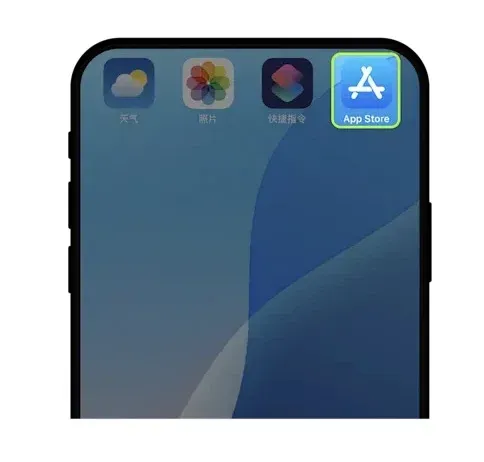
- Open App Store.
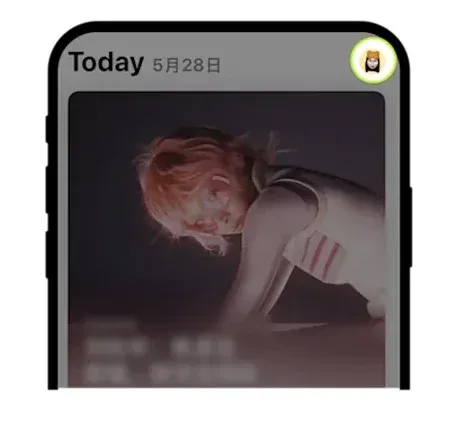
- Tap the personal avatar in the top‑right corner to enter the Apple ID account management page.
- Select the Country/Region item within your personal profile.
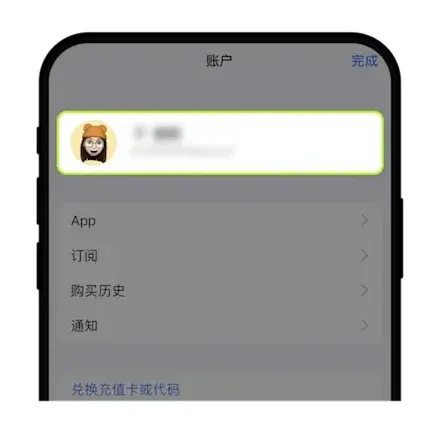
- Choose the country or region that matches your actual location.
*Tip:* You can refer to the list of countries and regions that support OKX App downloads.
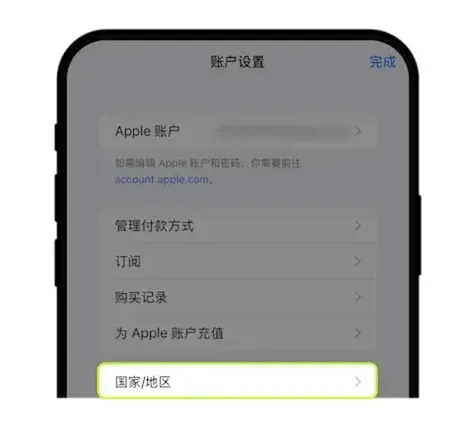
If you do not yet have an Apple ID, continue reading the registration guide below.
---
Step 2 – Register a New Apple ID
- Go to Apple’s official account‑creation page: <https://appleid.apple.com/account>.
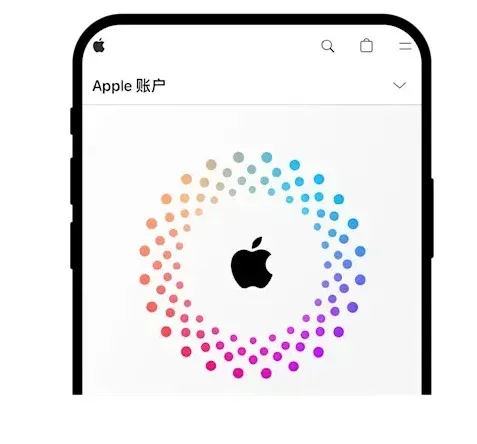
- Click the personal account icon at the top‑right corner to open the Apple ID settings.
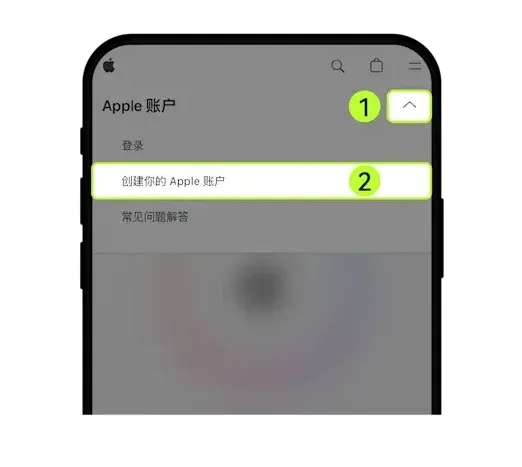
- Choose the Country/Region you reside in (again, you can refer to the list mentioned above).
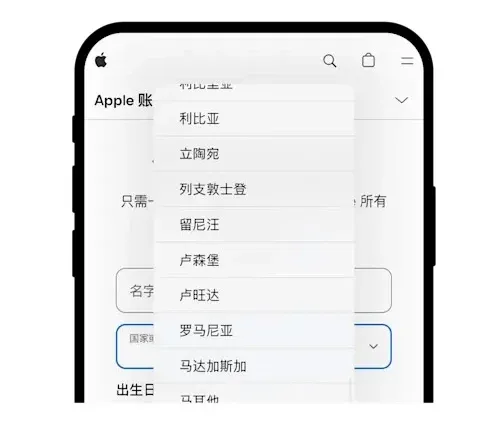
- Enter an email address that can receive verification codes and provide a mobile phone number as required.
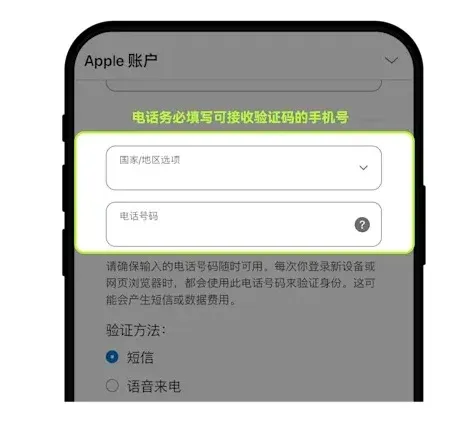
- After entering the received verification code, your Apple ID will be created.
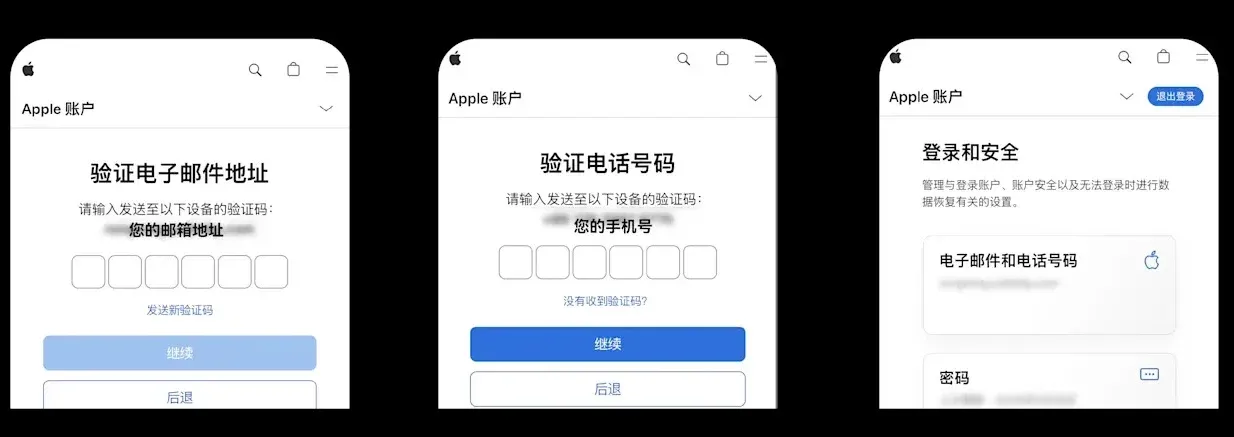
The registration process must comply with Apple’s Terms of Service; please read and confirm them carefully.
---
Step 3 – Search for and Download OKX in the App Store
- Launch App Store.
- Tap the personal avatar in the top‑right corner to open your Apple ID account page.

- In the account settings, locate the Country/Region option and confirm that it is set to a supported region.
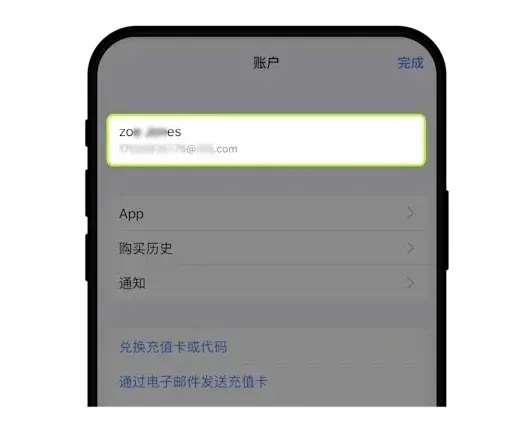
- Double‑check the country or region information displayed.
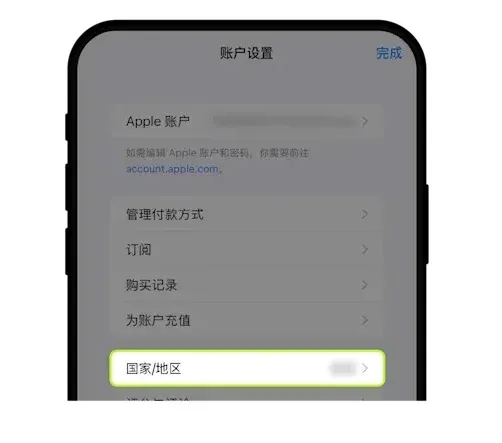
- In the search bar, type “OKX” (or “欧易” for Chinese users), locate the app published by OKX MALTA LTD, and download it.
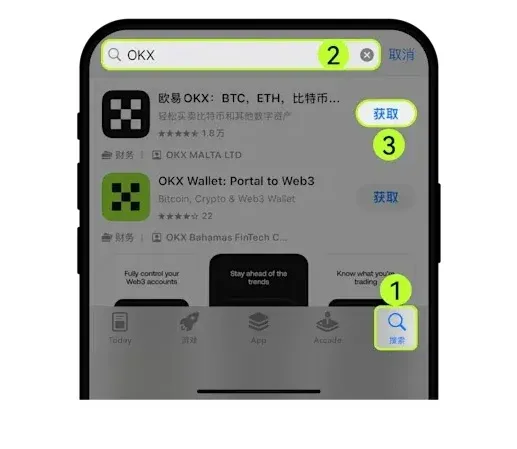
Be sure to verify the developer name; only the version labeled “OKX MALTA LTD” is the official app. Other apps with similar names may be counterfeit and could jeopardize the security of your assets.
Security reminder before using the app
- If you have already created a wallet inside the app, make sure to back up the entire wallet before updating or uninstalling; loss of the backup means you cannot recover the assets.
- For non‑private‑key (custodial) wallets, ensure that: ① the linked exchange account remains accessible; ② you remember the password for any cloud backup, because forgetting it makes cloud recovery impossible.
*Note for users in the United States:* OKX services may be limited due to regulatory restrictions. U.S. residents should consider using Binance.US or other regulated platforms for fiat on‑ramps via SEPA, SWIFT, or local ACH transfers.
*Tax disclaimer:* Gains from cryptocurrency trading may be taxable in your jurisdiction. Consult a tax professional to understand your local obligations.
---
OKX Feature Overview
- Spot, Futures and Options – The platform supports a wide range of products, from basic spot trading to leveraged contracts and options strategies, catering to multiple experience levels.
- Copy Trading (spot and perpetual contracts) – Beginners can automatically follow experienced traders, mirroring their orders in real time.
- OKX Wallet – A self‑custody multi‑chain wallet supporting more than 130 blockchains, offering secure storage, key management, token swaps, and portfolio tracking.
- Earn – Earn passive income by staking, participating in DeFi protocols, providing liquidity, etc. The “On‑chain Earn” feature delivers diversified rewards.
- Jumpstart – An early‑stage project incubation channel where users can acquire new tokens through mining or token‑sale events.
- Fiat Gateway – In most jurisdictions, the platform accepts credit/debit cards and bank transfers (SEPA, SWIFT) for fiat purchases; some regions also provide P2P trading.
- NFT Marketplace – Integrated within the OKX Wallet, enabling minting, buying, selling, and leasing of NFTs.
- Trading Bots – Offer automated strategies such as grid trading and dollar‑cost averaging (DCA) to help users trade around the clock.
- X‑Layer Network – An Ethereum layer‑2 scaling solution compatible with the OKX Wallet, delivering low‑fee, fast cross‑chain transactions and dApp access.
---
At this point, the entire process for downloading the OKX (欧易) App on Apple devices and creating an Apple ID has been fully presented. For additional tips on using OKX on iOS, you can search Bitaigen’s (比特根) archive of related articles or continue browsing the links below. Thank you for your attention, and we hope your trading journey on OKX proves satisfying and secure.
Related Reading
- Change Apple ID Country/Region on iPhone, iPad & Mac (2026)
- OKX Chinese Name “Ouyi”: Meaning, Brand Upgrade & Full Guide
- OKX Deposit Completed On‑Chain Yet Wallet Shows 0 – Fix
💡 Register on Binance with referral code B2345 for the maximum trading fee discount. See Binance complete guide.



