
 Bitaigen Research
 As cryptocurrencies become mainstream, digital wallets have turned into the core tools for managing and transacting crypto assets. MetaMask, often called the “fox” wallet, is an open‑source browser extension built on Ethereum. It is user‑friendly, feature‑rich, supports multiple chains, and offers a relatively high level of security, making it suitable for both individual users and developers.
In this article we outline MetaMask’s core functions and security mechanisms, helping newcomers get started quickly and evaluate its suitability for multi‑chain asset management. By dissecting the usage flow, privacy safeguards, and ecosystem support, you will gain a comprehensive view and can decide whether it meets your needs.
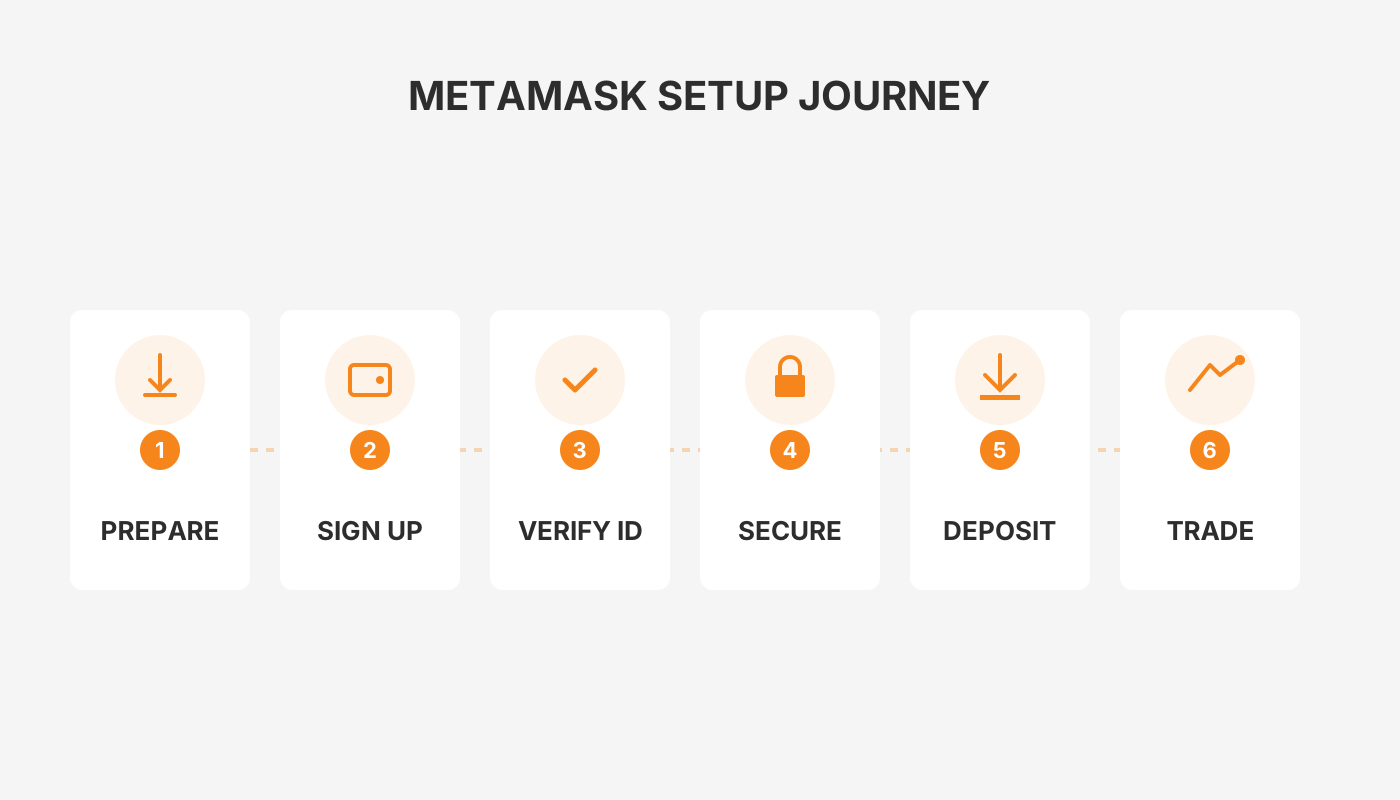
How good is the MetaMask “fox” wallet?
MetaMask is developed by ConsenSys and is currently one of the most popular Ethereum browser‑extension wallets. It provides a full solution for creating, managing, and trading Ethereum and compatible‑chain assets, while also giving developers a direct bridge to decentralized applications (DApps). Whether you are a retail investor or a corporate user, MetaMask can satisfy everyday usage as well as development requirements.
Main Features and Functions
| Feature | Description |
|---|---|
| **Simple and intuitive** | The interface is clean; after installing the extension you can create a wallet immediately, and accompanying tutorials help you get up to speed fast. |
| **Multi‑chain support** | In addition to the Ethereum mainnet, it works with numerous side‑chains and compatible blockchain networks, enabling “one wallet, many assets.” |
| **High security** | Private keys are stored locally and protected with strong encryption; keys never leave the device, reducing attack surface. |
| **DApp browser** | An integrated DApp browser lets you access decentralized applications directly within the extension, providing one‑click login. |
| **Community and ecosystem** | A vibrant user and developer community supplies APIs, tools, and ongoing technical support. |
Brief Overview of the Usage Flow
- Install the extension: Search for “MetaMask” in the Chrome, Firefox, or other supported browser’s extension store and click Install.
- Create a wallet: Follow the on‑screen prompts to generate a recovery phrase and set a password; the recovery phrase must be saved offline.
- Connect to a DApp: Open a supported DApp (e.g., MakerDAO), click Connect Wallet, select MetaMask, and grant permission. You are then logged in and can view your assets.
This flow has become the de‑facto standard for most Ethereum‑based DApps, greatly improving the user experience.
Is the “fox” wallet safe?
MetaMask’s security model relies primarily on local private‑key storage and user‑controlled seed‑phrase management. The following points are crucial when using the wallet:
- Keys never leave the device: All key material stays on the user’s hardware; the MetaMask servers only provide blockchain‑query services.
- Seed‑phrase backup: When you first create a wallet the system presents a 12‑ or 24‑word recovery phrase. It must be stored offline and never shared.
- Phishing protection: Since 2018 MetaMask displays a confirmation window before any transaction is signed, requiring a second user verification to block malicious sites from initiating transfers automatically.
- Open‑source auditability: MetaMask’s codebase is fully open source, allowing the community and security researchers to audit it at any time. Vulnerabilities discovered are rewarded through a bounty program administered by the development team.
Even with these safeguards, users should remain vigilant about the following risks:
- Phishing sites: Only download the extension from official browser stores or the official website; avoid third‑party “modified” versions.
- Malware: Keep your operating system and browser up to date to prevent trojans or keyloggers from stealing locally stored seed phrases.
- Social engineering: Never disclose your seed phrase or password on any platform, even if the requester claims to be official support.
Is MetaMask a scam?
MetaMask is not a scam. It is an open‑source project maintained by ConsenSys, a major enterprise in the Ethereum ecosystem, and it receives technical backing from the Ethereum Foundation. Its core strengths lie in:
- Transparent open source: Anyone can view and audit the source code on GitHub.
- Official distribution channels: The official website provides a single, verified download link, ensuring users obtain the genuine extension.
- Security‑focused features: Seed‑phrase protection, password encryption, and a two‑step transaction confirmation process are all designed to enhance asset safety.
Nevertheless, malicious actors may distribute counterfeit software or spoofed extensions. To avoid falling victim, always:
- Download or update the extension only through the official channel (https://metamask.io).
- Regularly check the extension’s version and apply the latest security patches.
- Pair MetaMask with a hardware wallet (such as Ledger or Trezor) to further isolate private keys from the browser environment.
Summary
Thanks to its clean user experience, extensive multi‑chain compatibility, and open‑source security model, MetaMask has become one of the most mainstream digital wallets in the Ethereum ecosystem. By following best‑practice security habits—safeguarding your seed phrase, steering clear of phishing links, and keeping the software up to date—you can enjoy a reliable asset‑management experience for everyday trades and DApp interactions.
The text above provides a complete answer to “How good is MetaMask and is it safe?” For deeper technical details, refer to the official documentation or join community discussions.
Related Reading
- Secure Your Blockchain Wallet: Private Keys & Seed Phrases
- Secure Ways to Store Seed Phrases and Private Keys
- WNXM Token Supply: 1.677 Million Total & Circulating on Ethereum
💡 Register on Binance with referral code B2345 for the maximum trading fee discount. See Binance complete guide.



