
 Bitaigen Research
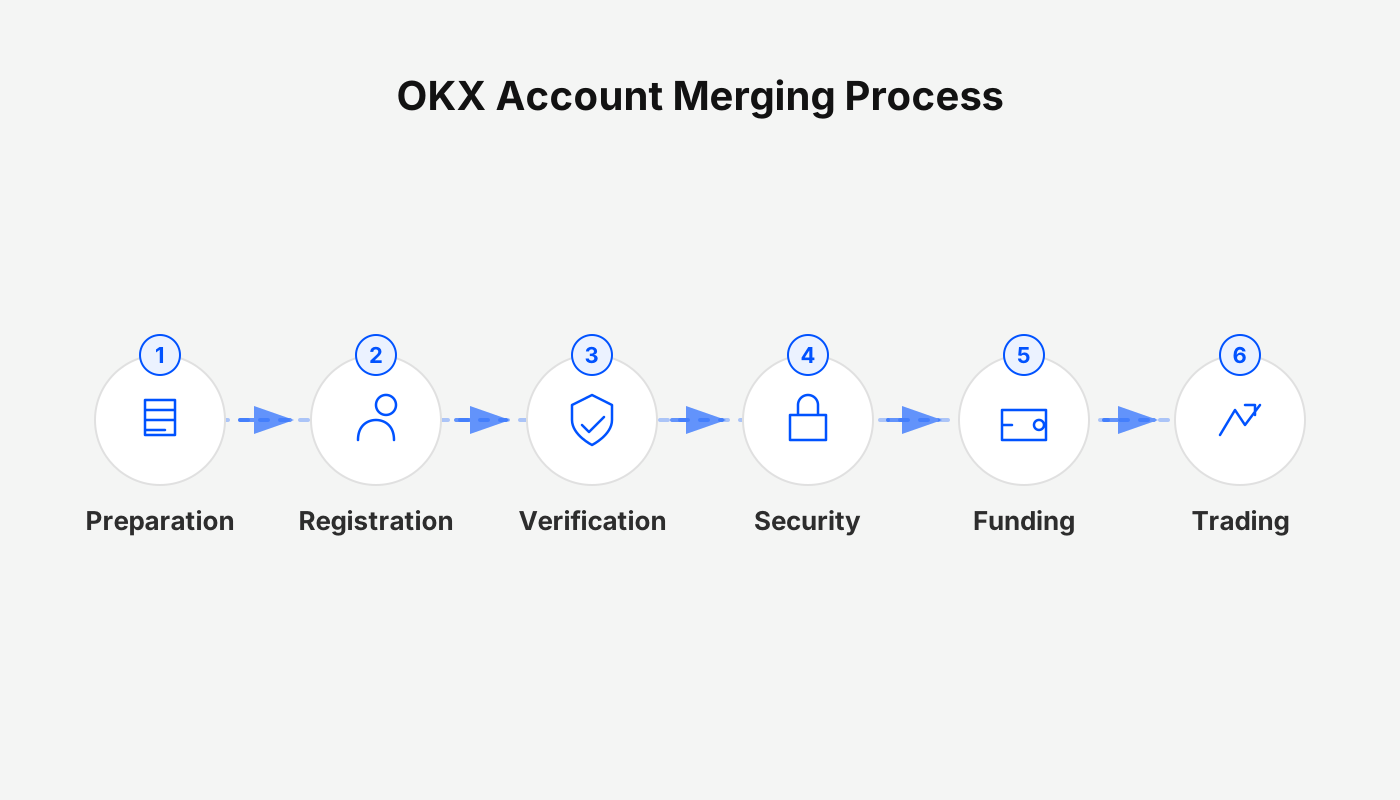
 OKX account merging is the process of transferring the binding information of an unverified account to an already verified primary account and then closing the former. The operation is performed through Security Settings to migrate either the phone number or email address.
In this article we outline the core concepts and operational points of OKX account merging, helping users clarify the migration path between unverified and verified accounts. By following the official security guidance, you can transfer a phone number or email step‑by‑step while avoiding common risks. To see the full procedure and precautions, keep reading.
Official Entry
When dealing with account security, binding information changes, or account merging, always access the platform through official channels before making any settings.
Whether you later modify a phone number or email on the web portal or the OKX APP, you should start from the links above to avoid landing on a non‑official page. *(U.S. users should use Binance.US rather than the global Binance platform for any related services.)*
What Is an OKX Account Merge
In OKX, an account merge refers to the system‑provided function that moves information and closes one of two accounts that share the same username.
- Account A: not yet completed identity verification
- Account B: identity verification completed
Using the merge function, the phone number or email bound to Account A is transferred to Account B. After the merge:
- Account A is closed
- Only Account B remains as the primary account
- All subsequent actions are performed on the verified account
Essentially, this is a binding‑information migration + account termination process, not a simple login merge.
Scenarios Where Merging Applies
| Scenario | Explanation |
|---|---|
| Changing phone number or email | The new contact information is already tied to another account and needs to be moved |
| Adding new binding information | The system reports that the information is already bound to a different account |
| Verification limitation | Only an **unverified account** can be merged into a **verified account**; the operation is irreversible |
Core Rules and Restrictions for Merging
- The account you are currently logged into is always treated as the primary account
- The new phone number/email you enter must belong to the account being merged
- If the account being merged has both a phone number and an email bound, the merge cannot be performed
- A verified account cannot be migrated to an unverified account
- The account being merged will be closed after the merge, so be sure to withdraw any assets beforehand
Merging via the Mobile App (Phone Number Example)
The steps below apply to mobile‑device operations.
Step 1: Go to Security Settings
- Open the OKX APP, log in, and tap the nine‑grid icon in the upper‑left corner of the home screen
- In the pop‑up page, tap the right‑hand arrow to enter Security Settings
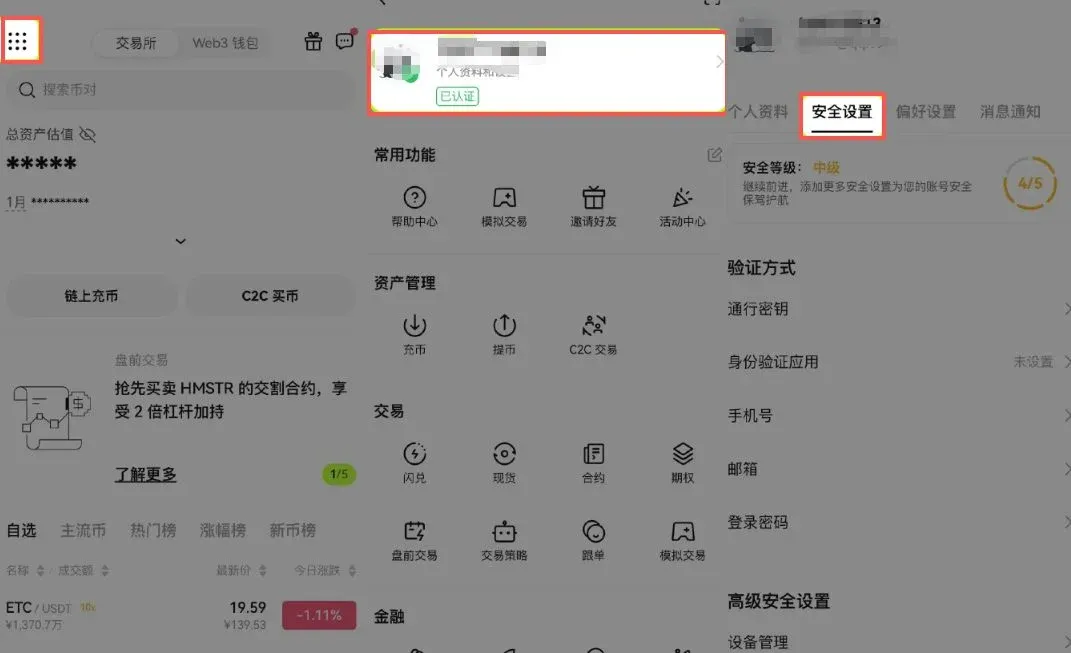
- Choose Phone Number → Bind Phone Number
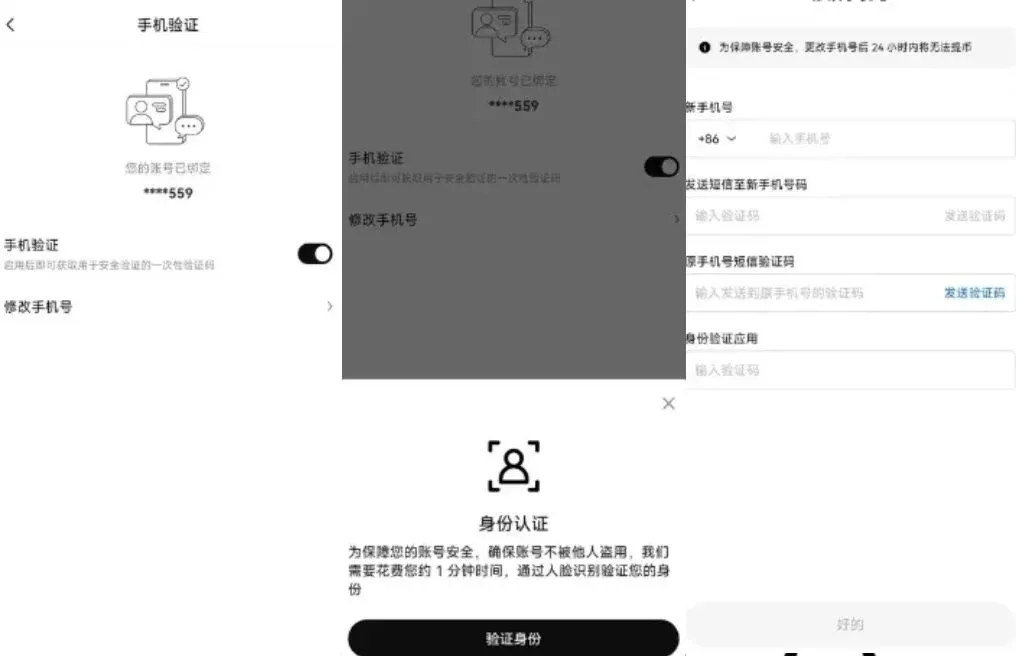
Step 2: Fill in Verification Information
Enter, in order:
- New phone number
- SMS verification code sent to the phone
- Email verification code
After confirming, tap OK → Migrate Phone Number.
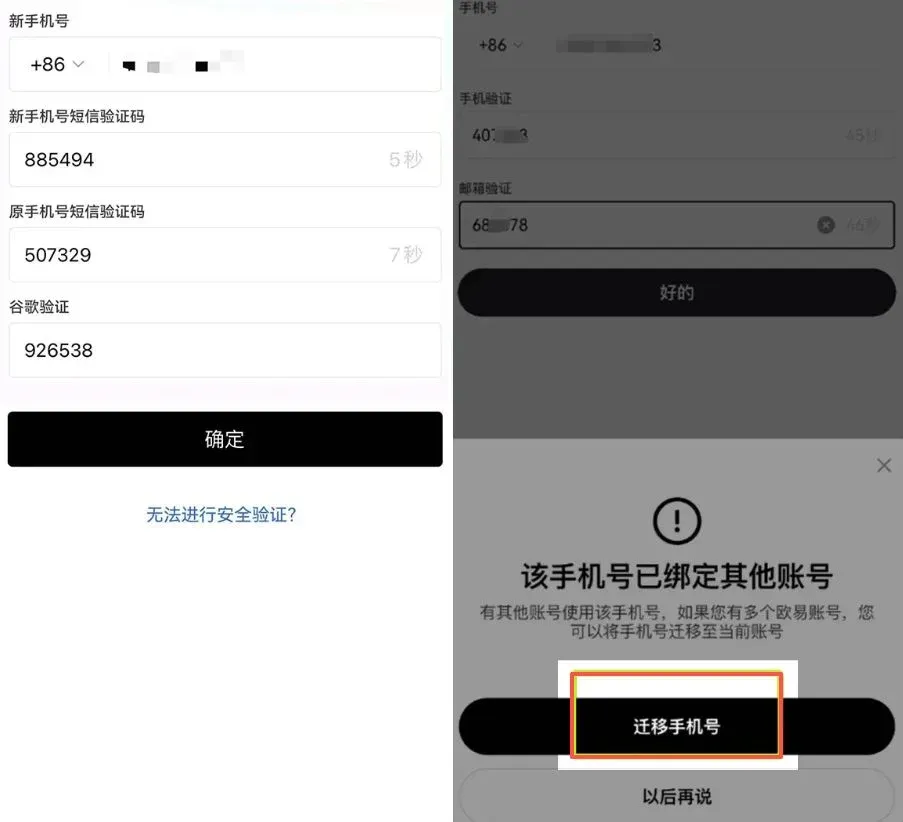
Step 3: Confirm the Migration
Follow the prompts and click, in sequence: Start → Correct → Next
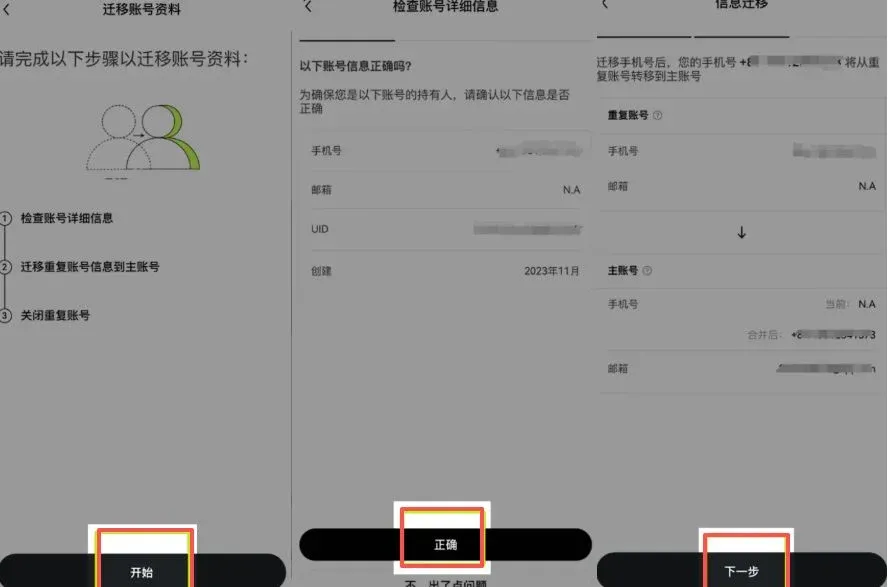
Step 4: Close the Merged‑Out Account
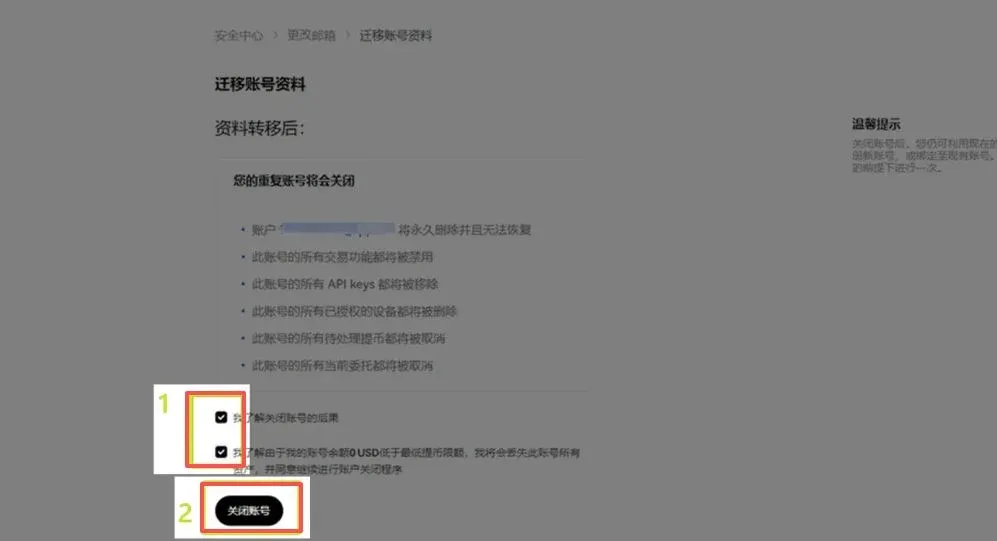
Check the “Account Closure Notice” box, then click in order: Close Account → Yes, Close Account → Finish
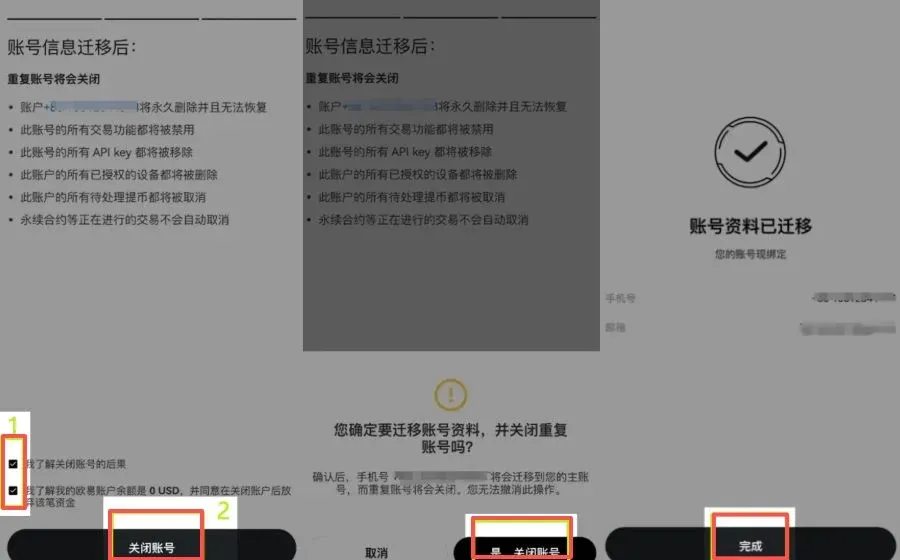
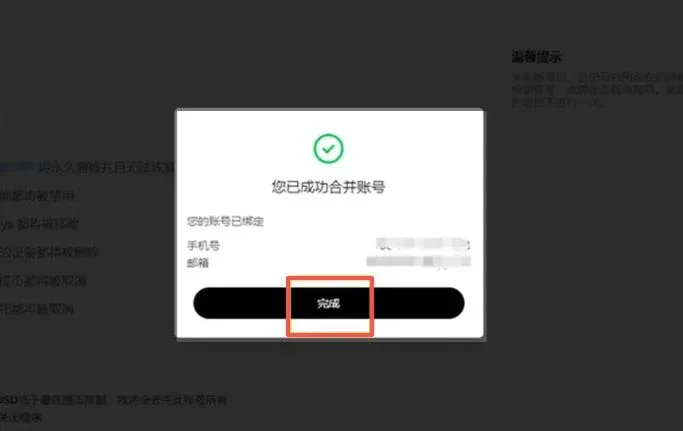
The page will display “Success”, indicating that the phone‑number merge is complete.
Merging via the Web Portal (Email Example)
The web interface is commonly used for email merges:
Step 1: Enter Security Center
- After logging into OKX, click the personal‑center icon at the top‑right corner
- Navigate to Security Center → Change Email

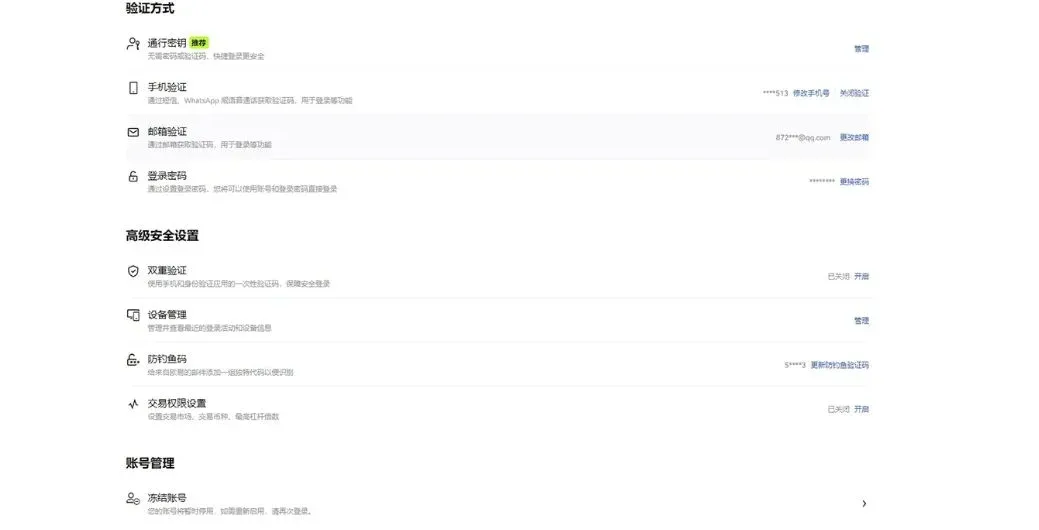
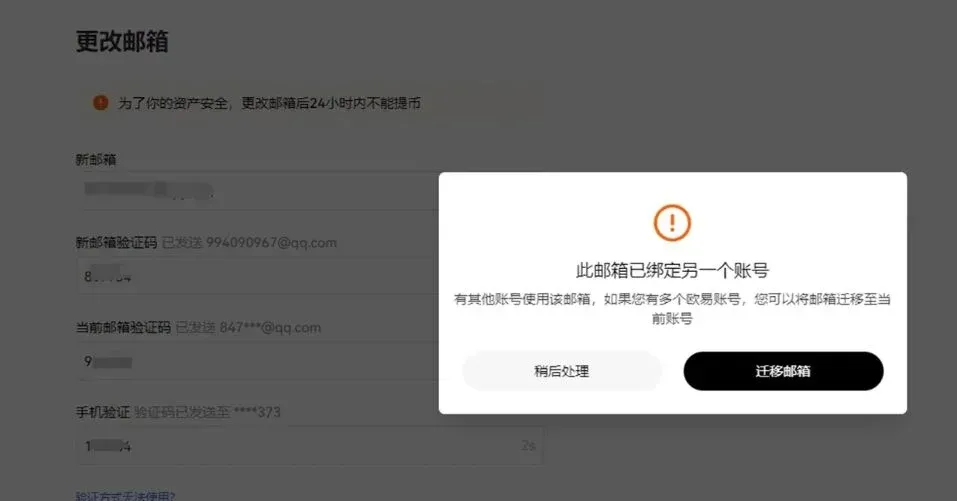
Step 2: Fill in Email Verification Details
Provide the following:
- New email address
- Verification code sent to the new email
- Verification code from the original email
- Google authenticator code
After confirming, tap Confirm → Merge Account.
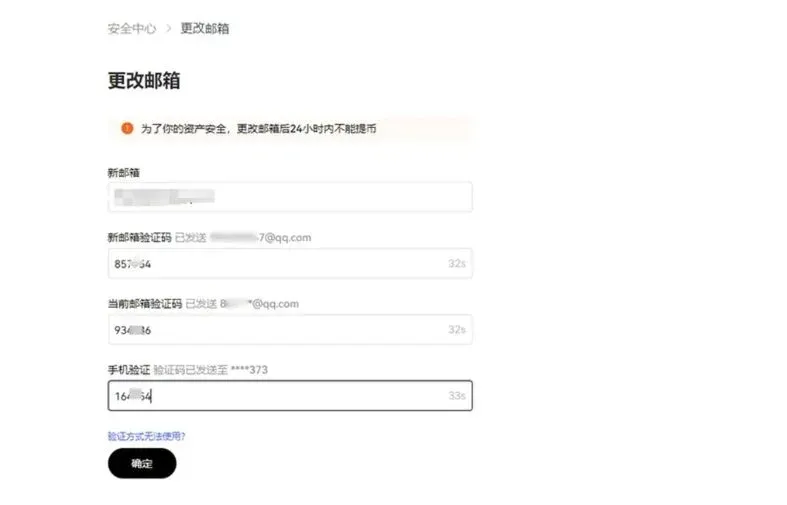
Step 3: Confirm the Process
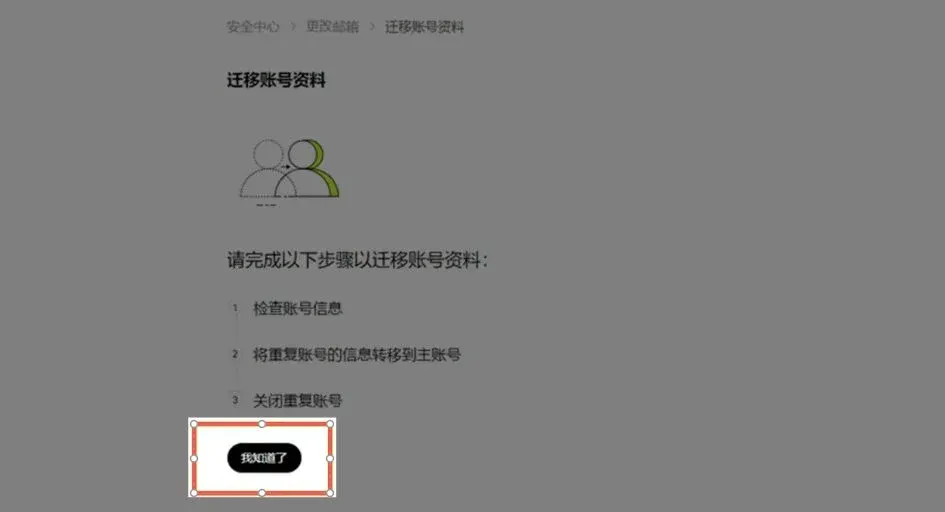
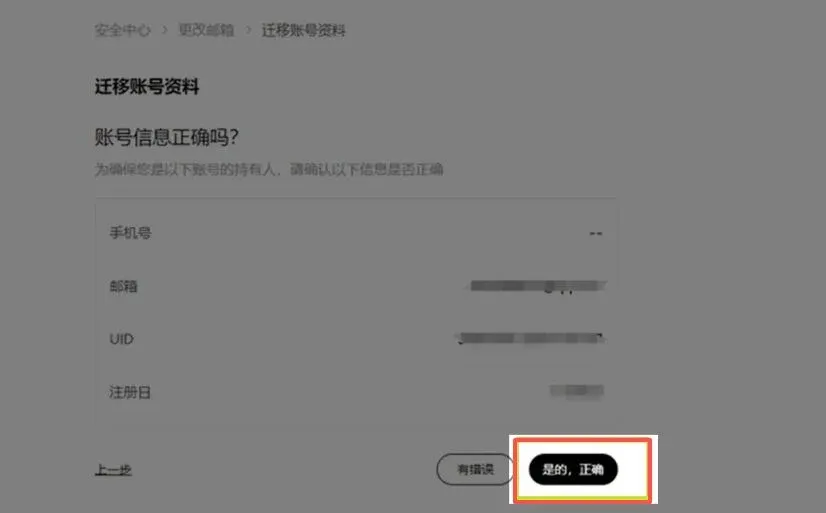
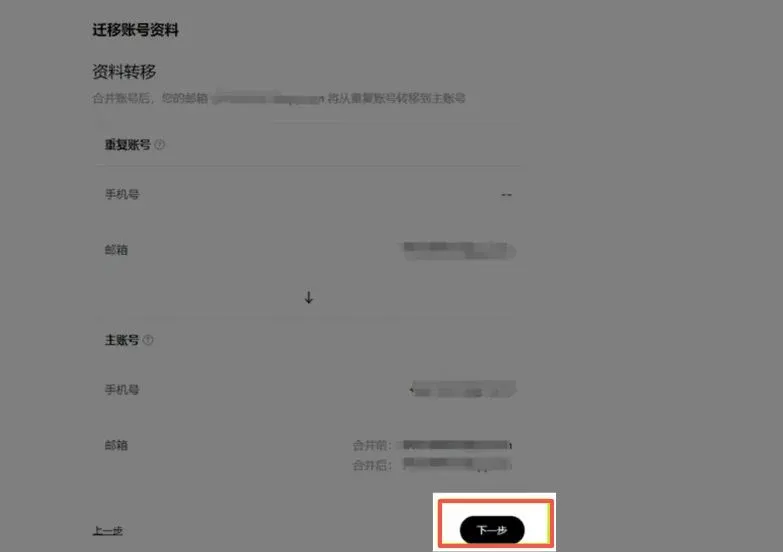
Follow the on‑screen prompts and click: I Understand → Yes, Correct → Next
Step 4: Complete Account Closure
Check the notice box, then click: Close Account → Yes, Confirm → Finish
The system will display a success message, confirming that the email merge is finished.
Preparations Before Merging
Before you start the merge, verify each of the following items:
- Whether the account to be merged still holds any assets; withdraw them in advance
- Whether there are any pending orders or restriction statuses
- Whether the account to be merged is bound to both a phone number and an email (this situation cannot be merged)
- Whether the currently logged‑in account has already completed identity verification
Make sure all the above conditions are satisfied before proceeding with the appropriate platform‑specific steps.
---
That concludes the tutorial and precautions for What is an OKX account merge? How to perform it? For more content about OKX account merging, you can search the Bitaigen (比特根) archive or continue browsing related articles below. We appreciate your continued interest and support for Bitaigen (比特根)!
*Please note that cryptocurrency gains may be subject to tax in your local jurisdiction; consult a tax professional for advice.*
💡 Register on Binance with referral code B2345 for the maximum trading fee discount. See Binance complete guide.



