
 Bitaigen Research
 In this article we provide an in‑depth analysis of OKX’s newly launched MPC keyless wallet, covering everything from the underlying technology to step‑by‑step usage. The guide shows how users can manage their assets securely without ever exposing a private key. If you want to learn the security advantages of this next‑generation wallet and pick up practical tips, keep reading for the complete instructions.
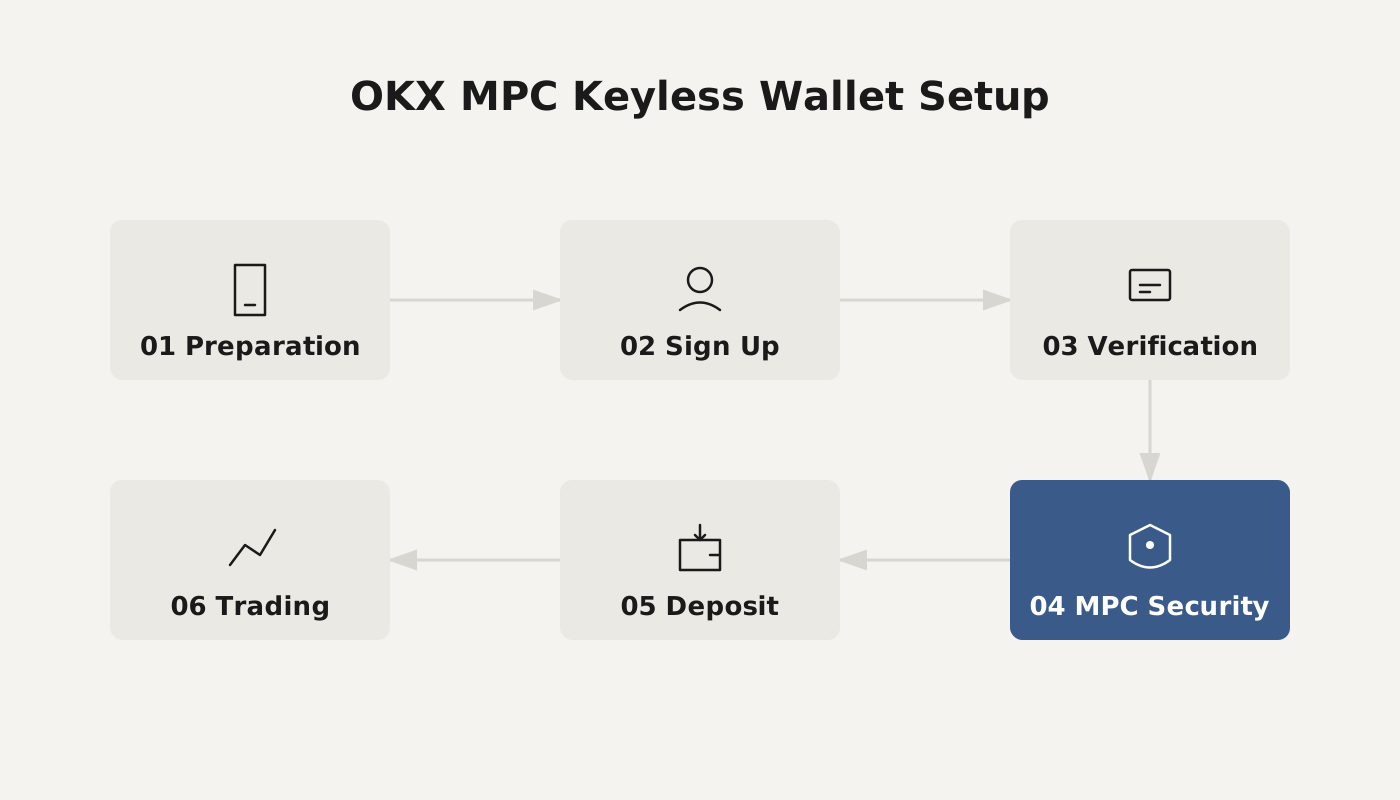
Why Choose a Keyless Wallet?
In blockchain applications, a private key or its mnemonic phrase has always been the sole credential for controlling assets. If the key is lost or leaked, the assets are usually gone forever, which is one of the biggest obstacles to mass adoption of Web 3. As on‑chain activities proliferate, thefts caused by private‑key leaks occur frequently. The industry therefore faces a pressing need to simplify the user experience while maintaining strong security. The introduction of MPC (Multi‑Party Computation) technology makes a keyless wallet possible: the full private key is split into several fragments, eliminating a single point of failure while preserving decentralisation.
How a Keyless Wallet Works
- Multi‑party computation: MPC allows multiple parties to jointly perform a computation without revealing their individual secret inputs. After a Distributed Key Generation (DKG) process, the complete private key is divided into three parts, each stored separately; any single part cannot reconstruct the full key.
- OKX’s implementation: In OKX’s design, the server generates private‑key fragment 1, while the user’s device creates private‑key fragment 2 and private‑key fragment 3. Fragment 2 is stored locally in encrypted form, and fragment 3 is encrypted and synced to iCloud or Google Drive. When a transaction needs to be signed, only fragment 1 + fragment 2 are combined; the system never assembles the full private key.
This architecture delivers a “no private key, no mnemonic” experience—users simply log in with their account to create a wallet, and the whole process finishes within seconds.
Core Benefits of Using a Keyless Wallet
- Eliminates single‑point risk
Because the complete private key never appears on a single device, any individual fragment that is stolen cannot be used to control the wallet. Even if an attacker obtains fragment 2, it remains an unusable piece.
- Improves user experience
Managing traditional mnemonics or raw private keys presents a high barrier for newcomers, often discouraging them from entering Web 3. A keyless wallet retains user‑controlled asset ownership while offering a Web 2‑style “one‑click login,” lowering the technical entry barrier.
- Lower recovery cost
If a fragment is lost or compromised, the system can “refresh” that fragment—replacing the compromised piece with a new one, analogous to a card‑loss replacement. The wallet itself does not need to be recreated.
How to Get Started Quickly with OKX’s Keyless Wallet
First‑time Use (Creating a New Wallet)
- Visit the official OKX website and download the client: <https://www.okx.com/download>
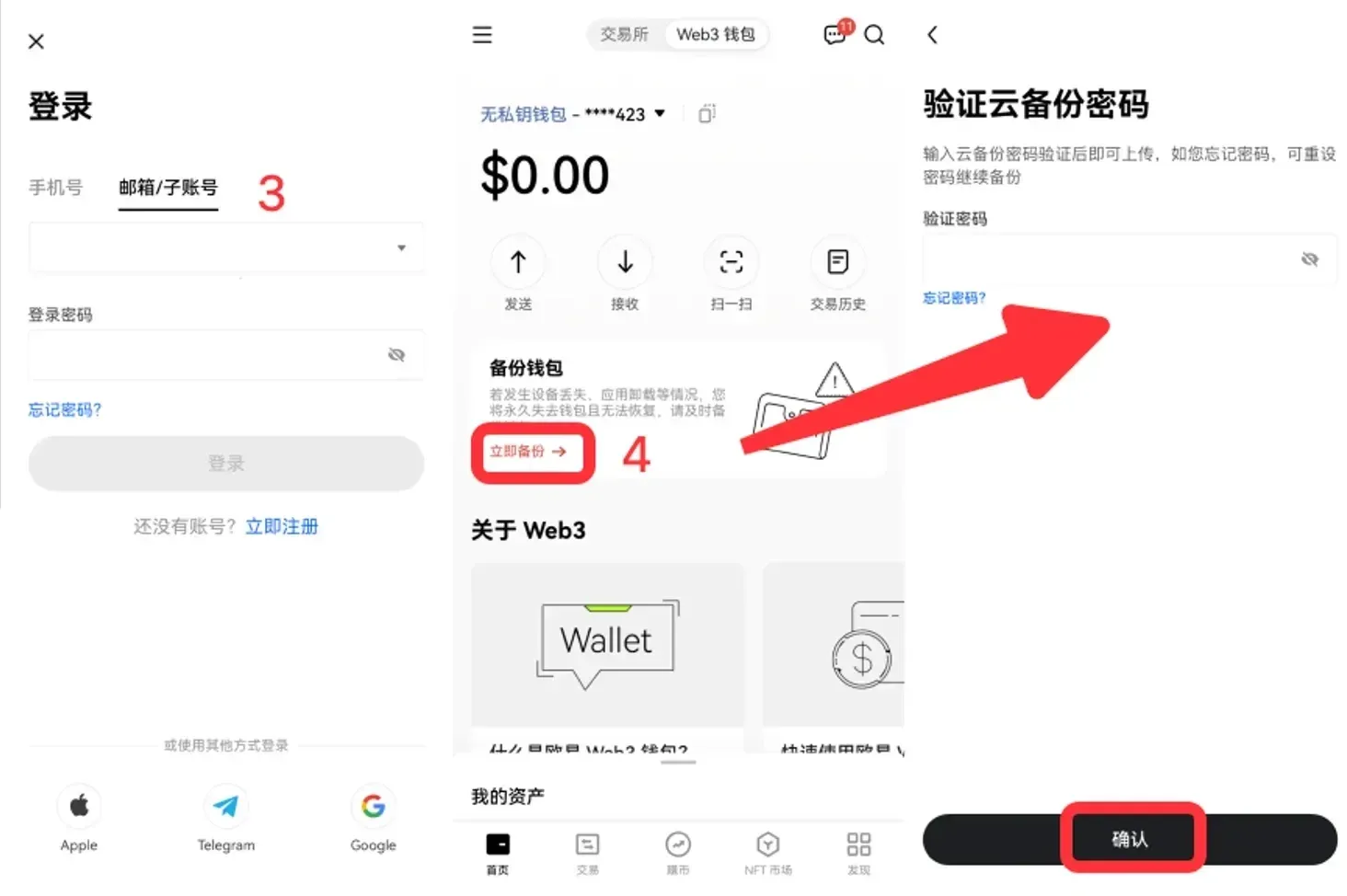
- Open the OKX app, switch to Web3 Wallet, and select I don’t have a wallet > Keyless Wallet.
- Tap Enable Now, enter your exchange account and password (skip if already logged in), then click Create.
- After creation, you’ll be taken to the Backup Wallet screen; set a password to complete the backup.
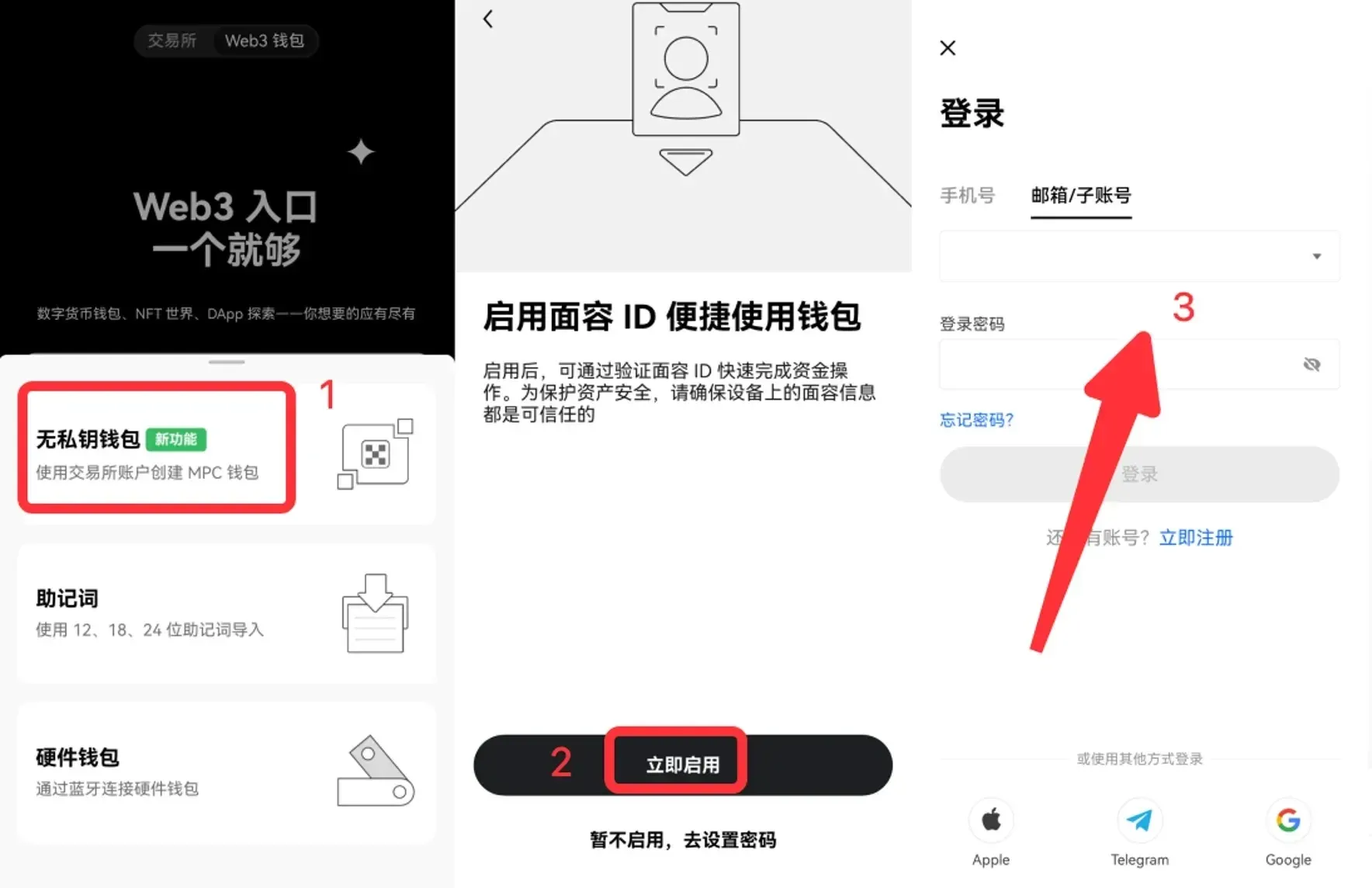
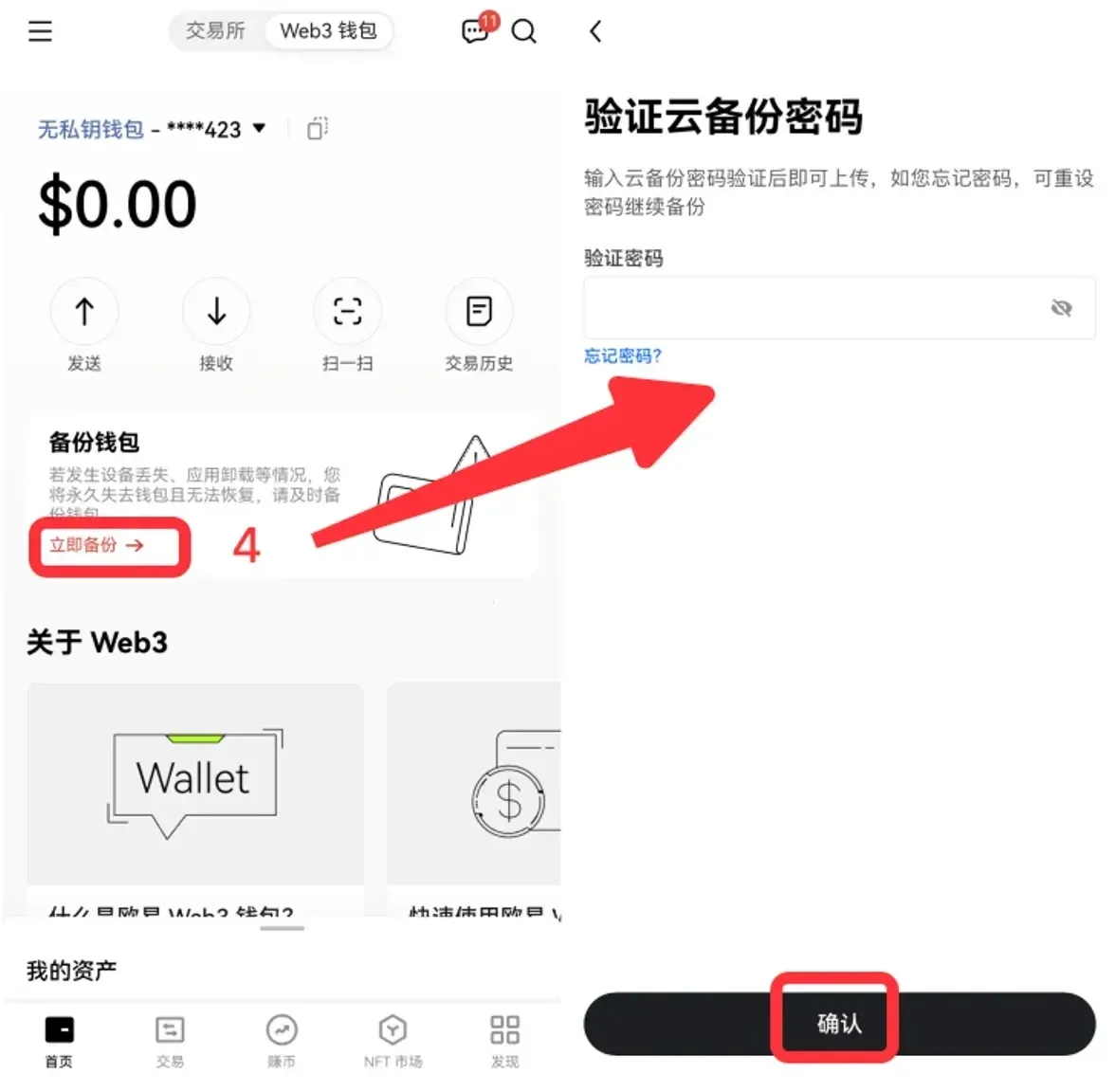
Migrating Existing Mnemonic/Private‑Key Users to a Keyless Wallet
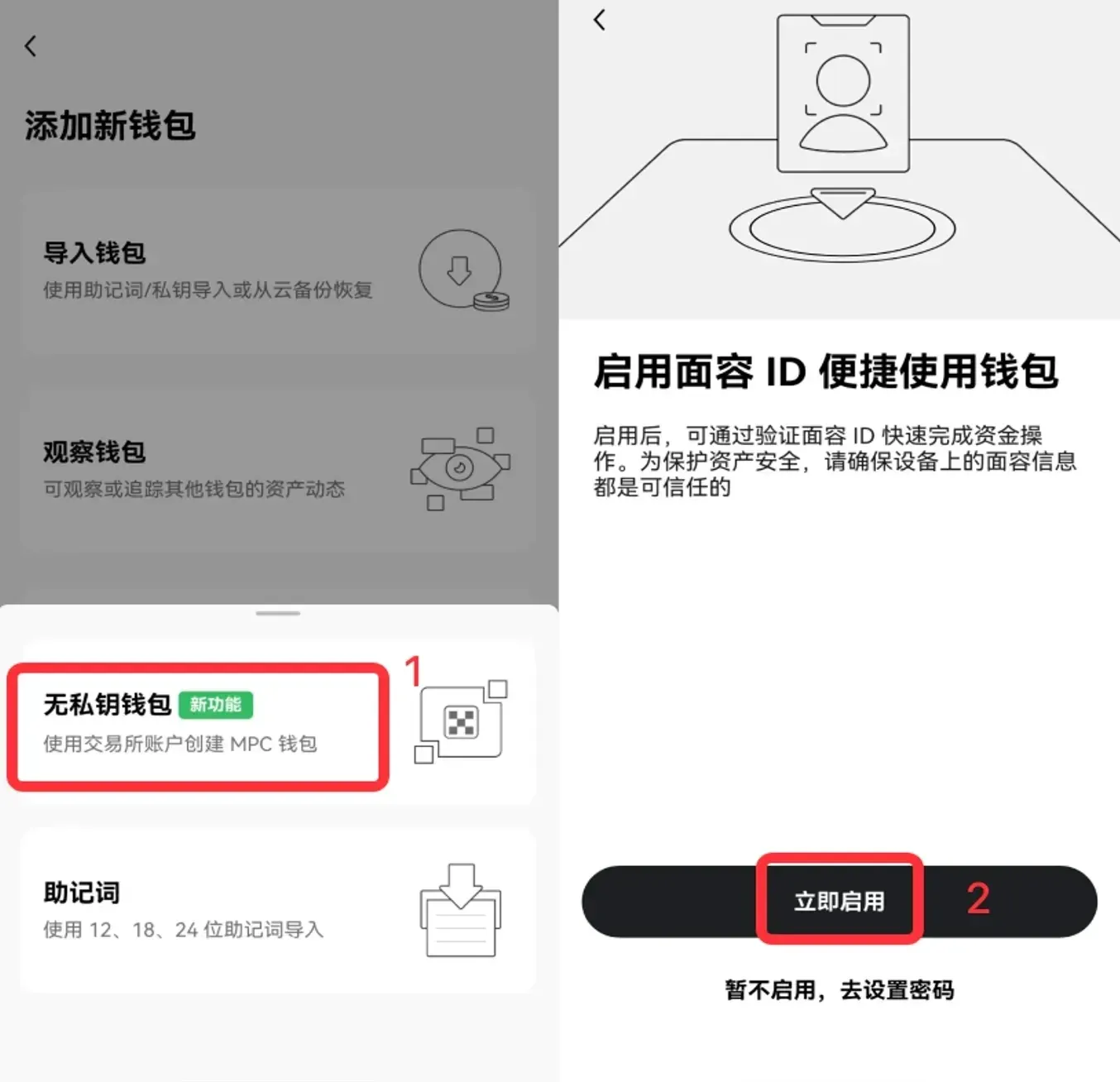
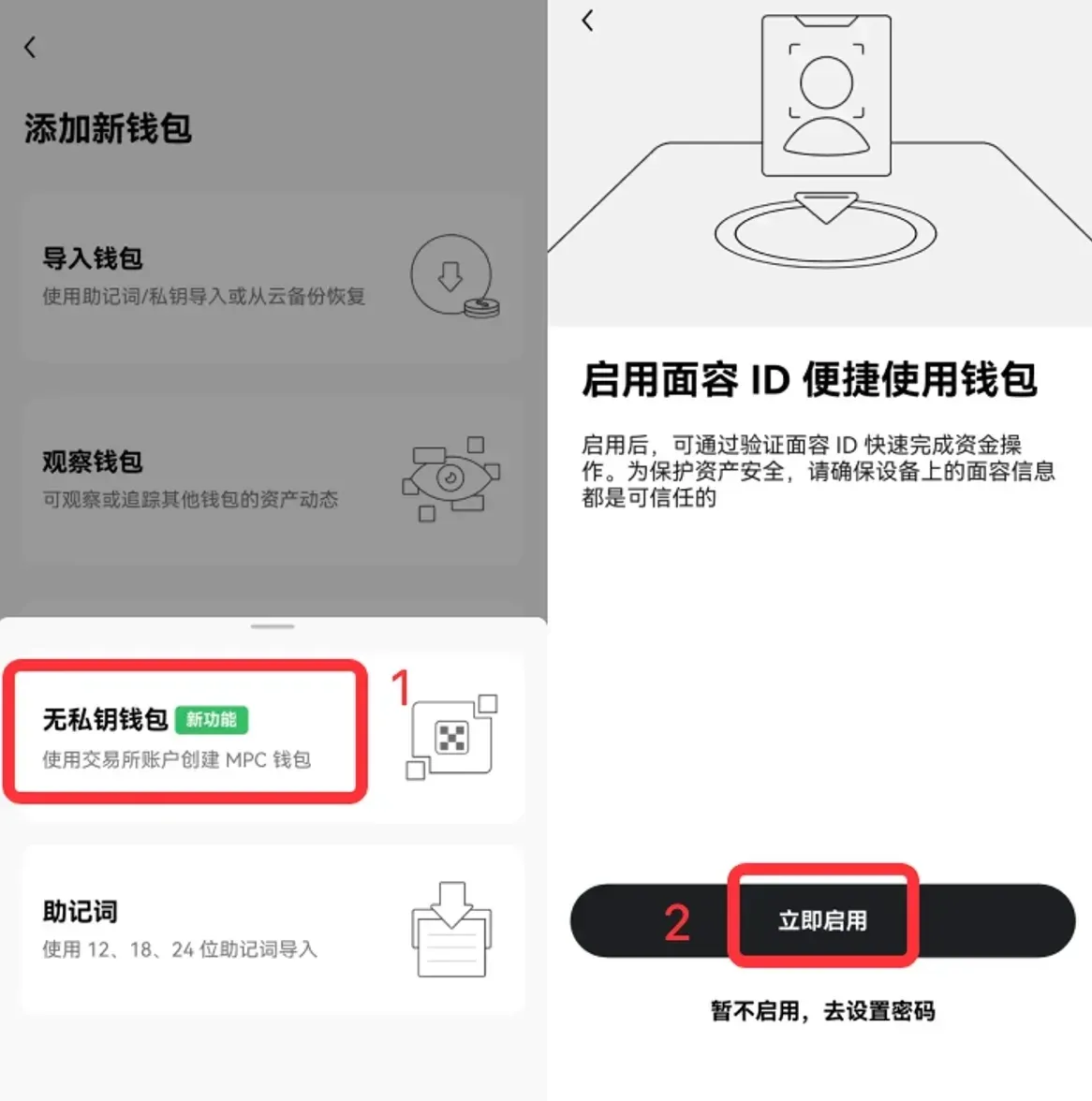
- On the OKX Web3 Wallet page, click the ▼ in the upper‑right corner → Wallet Management → Add Wallet.
- Choose Create Wallet > Keyless Wallet.
- After entering your account credentials, create the wallet and set a password during the Backup Wallet step.
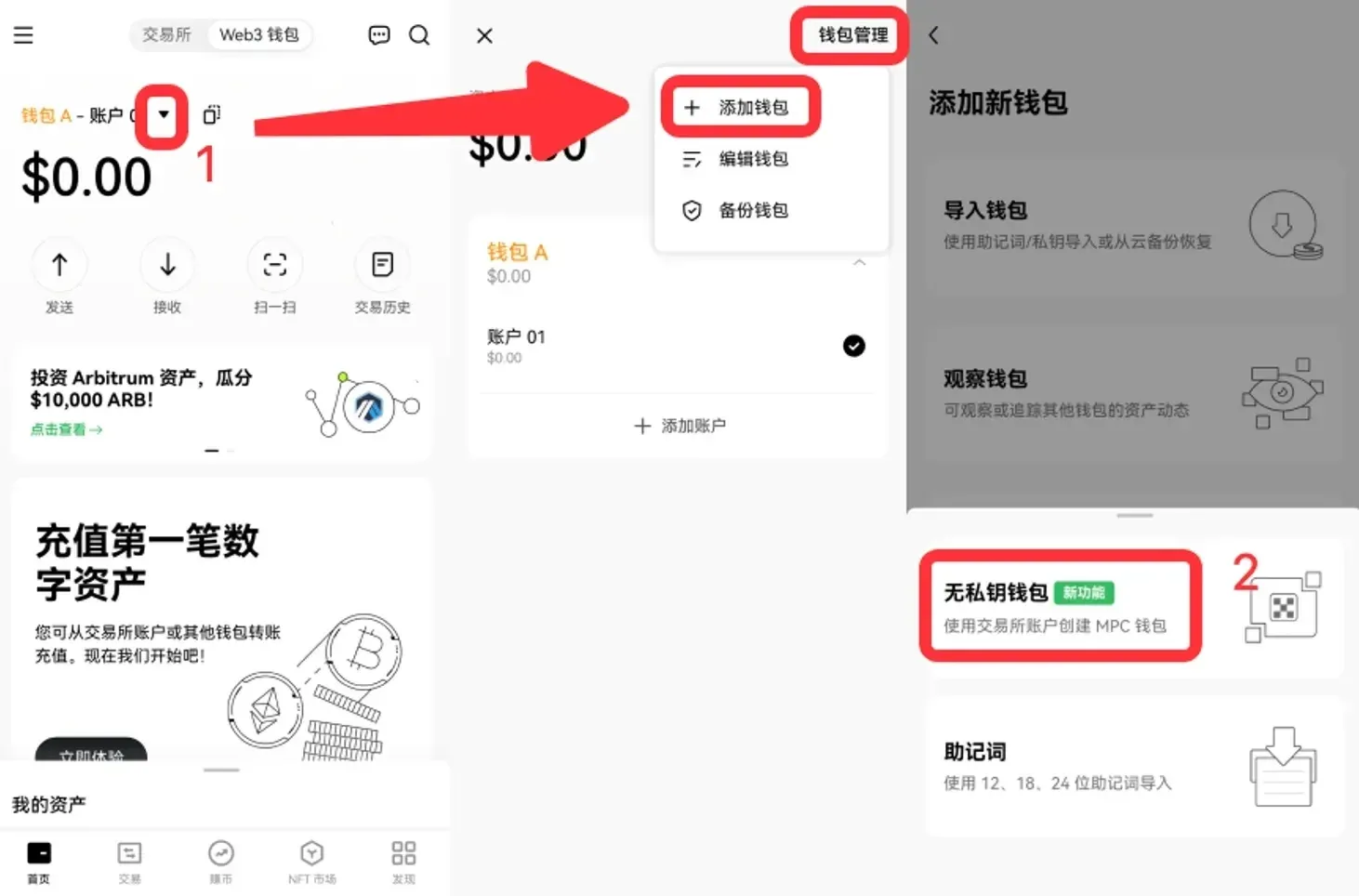
Wallet Recovery Methods
QR‑Code Recovery (When the Old Device Is Still Functional)
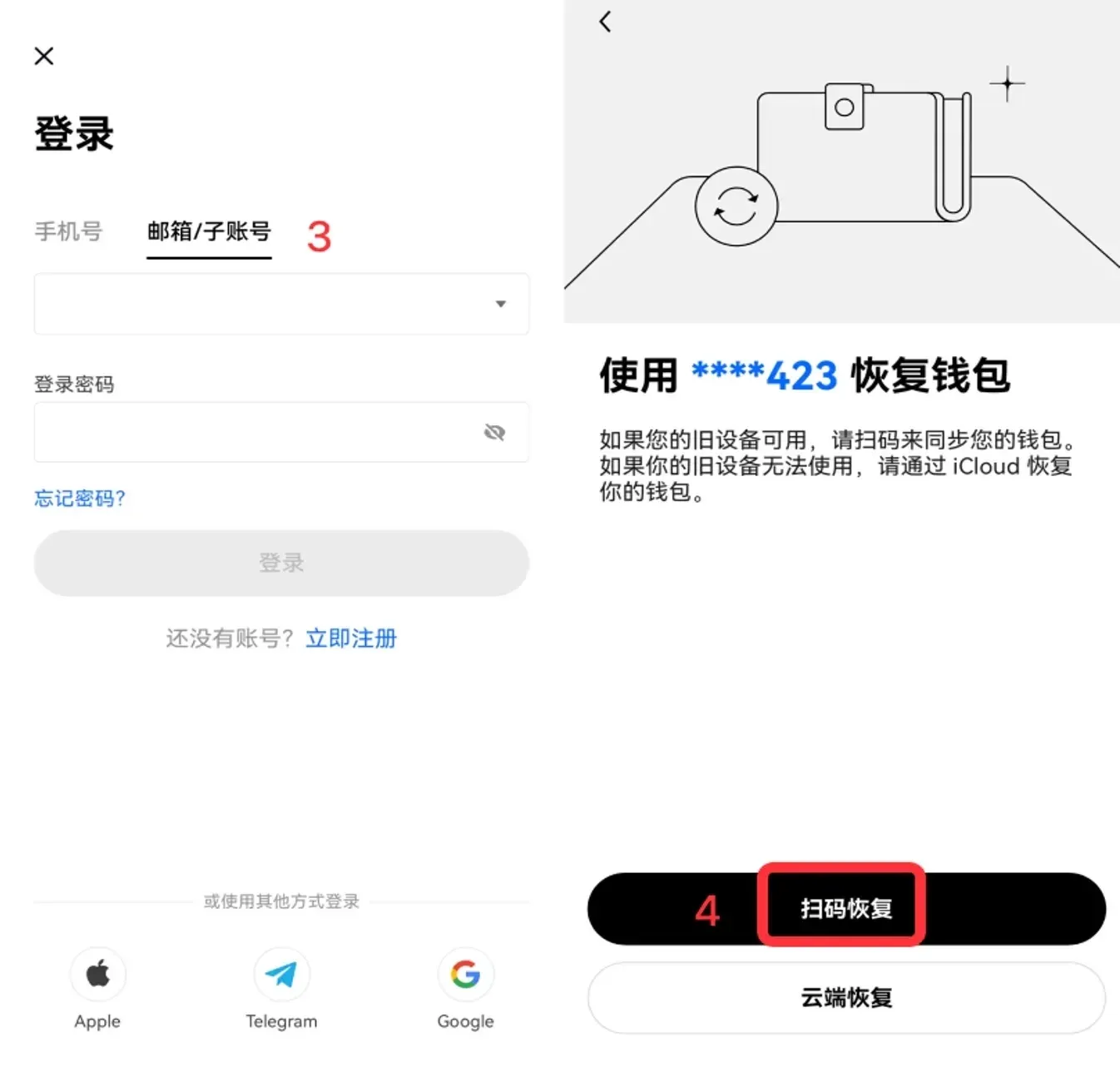
- On a new device, open the OKX app, switch to Web3 Wallet, and select I already have a wallet > Recover Keyless Wallet.
- Tap Enable Now, log in, then choose Scan QR to Recover.
- Use the old device to scan the displayed QR code; once syncing finishes, the wallet is restored.
Cloud‑Backup Recovery (When the Old Device Is Unavailable or a Fragment Is Compromised)
- Go to the Recover Keyless Wallet screen and tap Cloud Recovery.
- Select iCloud or Google Drive, then enter the backup password you set during creation. The system downloads private‑key fragment 3 and combines it with the locally stored fragment 2; all three fragments are then refreshed into new pieces to ensure security.
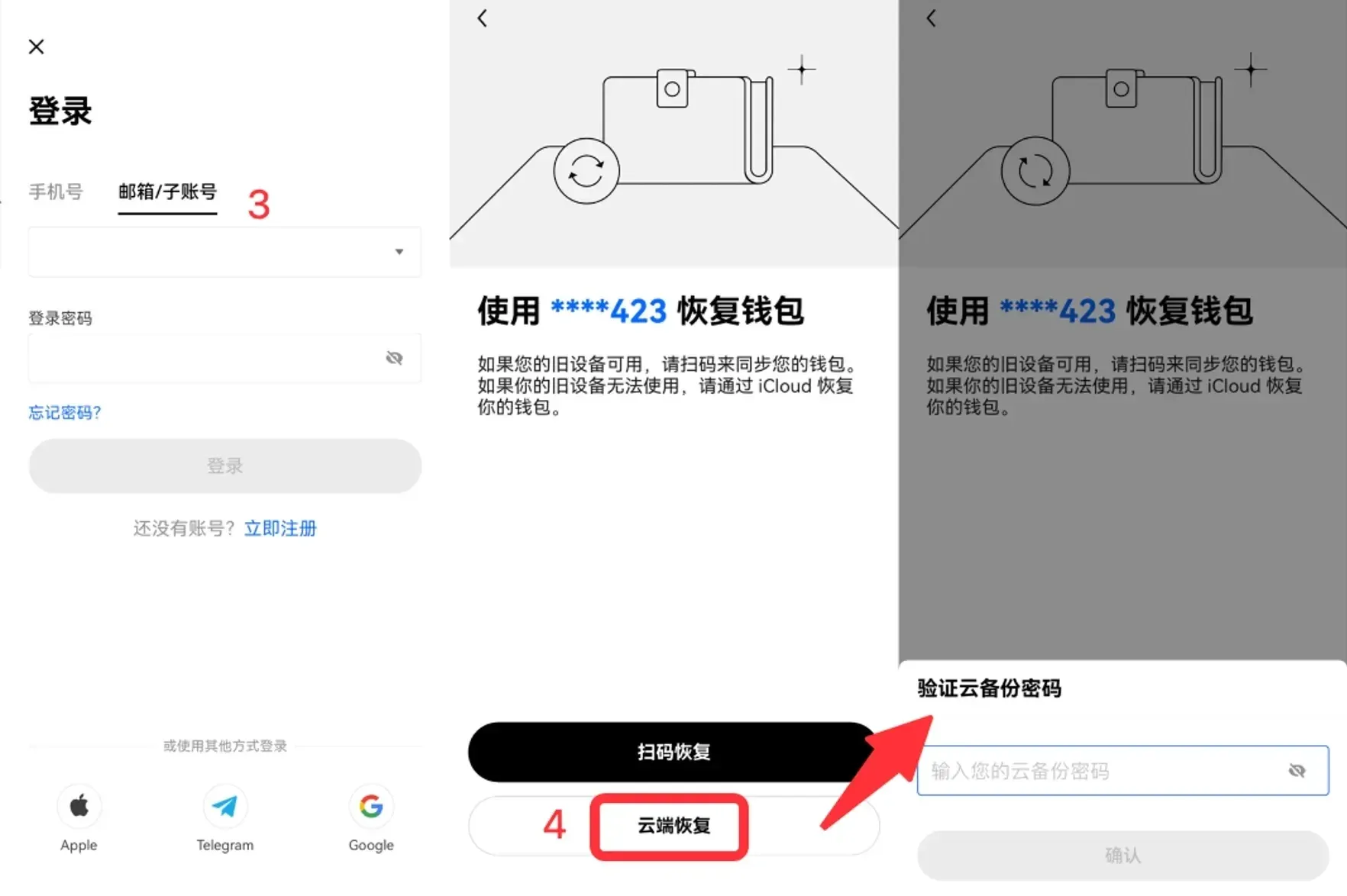
Note that after a cloud‑based recovery, the wallet on the old device is automatically deactivated; you must log in with the newly generated fragments on the new device to continue using the wallet.
Frequently Asked Questions
I’m accustomed to using a private key—does switching to a keyless wallet really make my assets safer?
The security of a keyless wallet stems from the fact that the full private key never appears in a single location. Even if an attacker obtains any individual fragment, they cannot construct a valid signature, effectively eliminating the traditional risk of asset theft due to private‑key exposure.
Can I migrate OKX’s keyless wallet to another MPC‑compatible wallet?
At present, the industry has not converged on a universal MPC standard, and OKX’s solution is a proprietary implementation. Therefore, direct import into other wallets is not supported. Users can, however, continue to use the OKX ecosystem for keyless operations.
Related Reading
- OKX Fund vs Trading Account: Key Differences Explained
- OKB Functions, Holder Rights & Roadmap in OKX
- Discover top regulated crypto exchanges—Binance, OKX, Bitget, and Bybit
💡 Register on Binance with referral code B2345 for the maximum trading fee discount. See Binance complete guide.



