
 Bitaigen Research
 In this article we outline the core features and navigation paths of the TRON Wallet, helping mobile users quickly get started managing TRX, participating in voting, and interacting with DApps. With detailed creation steps and interface explanations, you can confidently complete asset transfers, resource allocation, and DeFi interactions. Subsequent sections will present practical tips that are worth reading carefully.
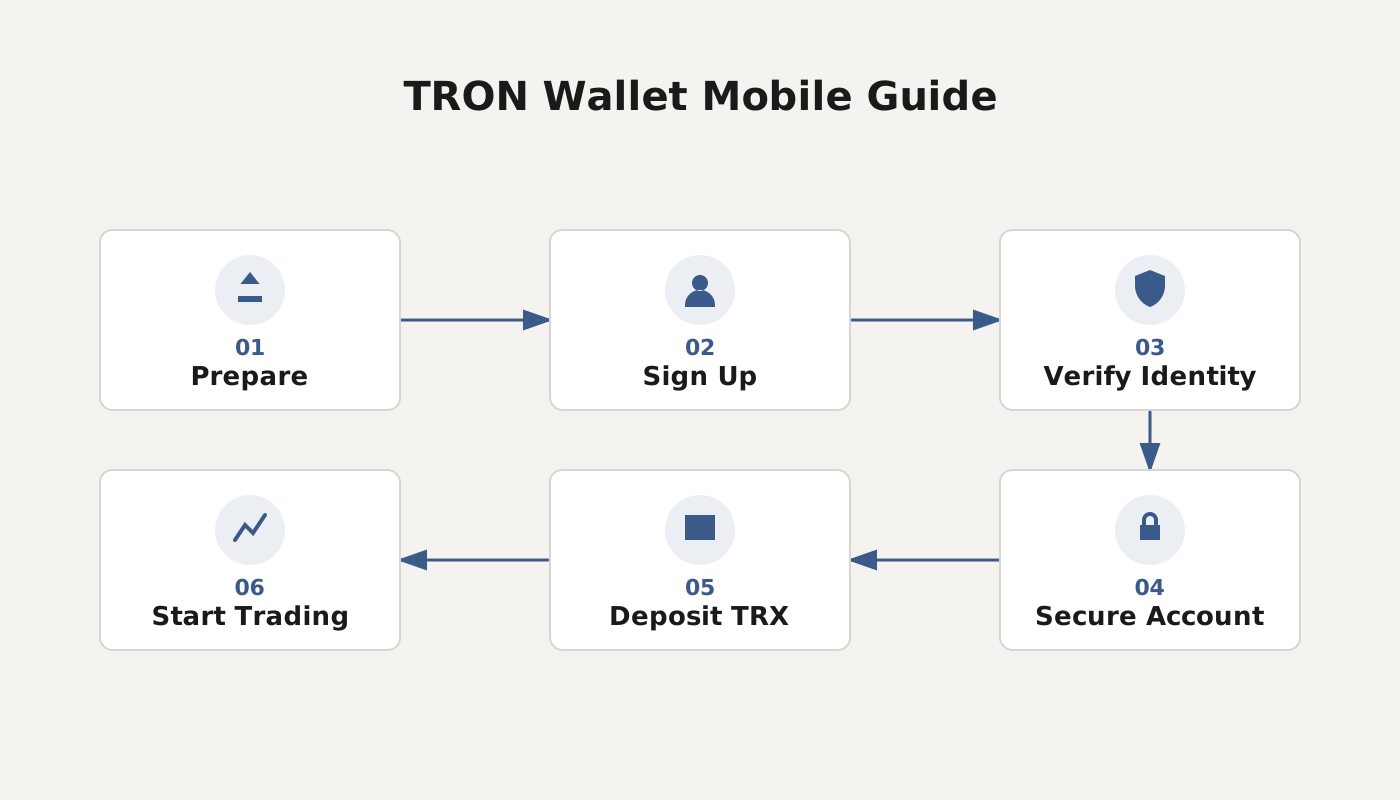
What Is TRON Wallet?
In today’s world of ubiquitous mobile internet, smartphones have become our primary tool for handling everyday tasks, and digital‑asset management is no exception. TRON Wallet is a blockchain wallet designed specifically for mobile devices; with just a phone you can connect to the TRON mainnet at any time and perform the full suite of actions such as sending transactions, voting, and interacting with DApps.
Originally it only handled address management and simple transfers, but it has since evolved to support fiat‑on‑ramp transactions (using USD via SEPA/SWIFT), instant swaps, decentralized exchanges, and direct access to a rich ecosystem of DApps inside the wallet. It also allows mining, DeFi, staking, and other asset‑growth services. In short, TRON Wallet has become an indispensable gateway to the TRON ecosystem.
On both Android and iOS, the interface resembles that of imToken and includes a built‑in DApp browser. Users can launch pre‑installed official DApps or manually enter a URL to access any decentralized application they wish. The bottom navigation bar lets you tap to switch between sections such as Transfer, Trade, Voting, and Resource Management, enabling a one‑stop experience for everything that happens on TRON.
---
TRON Wallet Tutorial
1. Create a TRON Wallet for Free
- Account structure: A TRON account is a 34‑character string composed of letters and numbers, generated randomly by the system during creation.
- Creation steps: For the first registration you only need to provide a wallet name, set a login password, and carefully record the displayed private key. After that, the account must be activated before it can be used—simply receive a small amount of TRX from any address and the activation is complete.
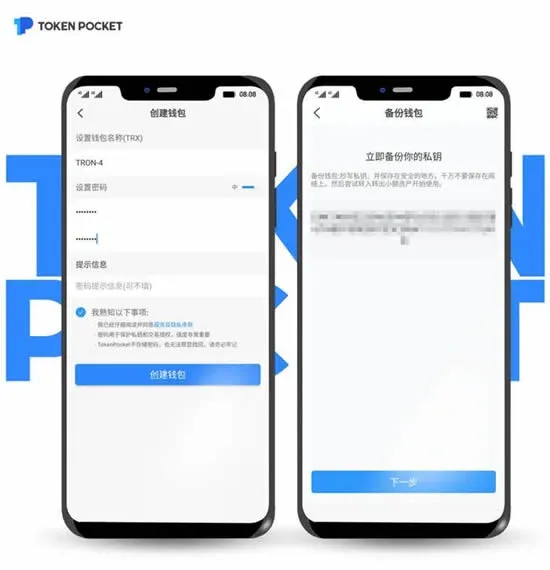
Illustration: TokenPocket TRON wallet creation screen
2. Import an Existing Account via Private Key
If you already own a TRON wallet elsewhere, you can choose “Import Private Key” in the TP wallet, then either type the plaintext private key or scan its QR code to bring the existing account into the current app.
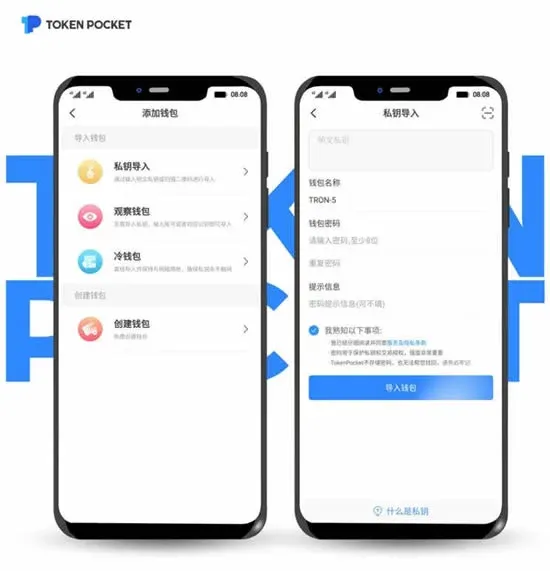
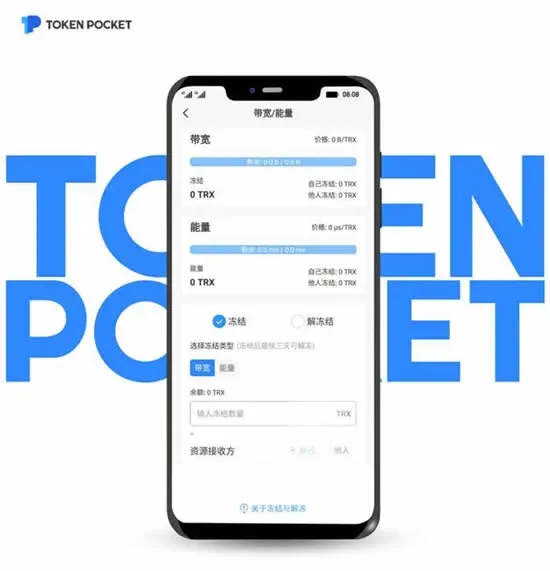
Illustration: Freezing / unfreezing bandwidth and energy for a TRON account
3. Overview of Bandwidth and Energy
Bandwidth (Bandwidth Points)
Bandwidth determines the daily byte allowance for sending transactions. The system automatically grants every activated account 5,000 BP per day. If you transact frequently, you can obtain extra bandwidth by freezing TRX. When bandwidth runs out, the protocol will deduct a small amount of TRX as a fee to keep the account operational.
Energy
Energy is the computational resource consumed when executing smart contracts. It is also obtainable by freezing TRX. Unlike bandwidth, the system does not provide a daily free energy allotment; using DApps consumes energy directly, or you can pay TRX to cover the corresponding cost.
4. Freezing and Delegating
Within the TRON ecosystem, users may freeze TRX to acquire bandwidth or energy. Frozen TRX retains its voting power, and the obtained resources (bandwidth or energy) can be delegated to another address. The minimum delegation period is also 3 days.
5. Unfreezing Procedure
After the mandatory 3‑day freeze, you may initiate an unfreeze. Once unfreezed, the associated bandwidth or energy is reclaimed and the TRX becomes freely spendable again. Note that if you have voted for Super Representatives during the freeze, the corresponding TRON Power will automatically be revoked when you unfreeze, and your votes will be withdrawn.
---
Usage Considerations
- Community Support: TRON Wallet is maintained by the community; the official team only provides the entry point and basic documentation. If you encounter issues, use the in‑app links to contact community developers for assistance.
- Security Precautions: Always keep your private key and mnemonic phrase safe. Avoid operating the wallet on untrusted devices or networks to prevent theft of assets.
Tax Note: Crypto gains may be taxable in your jurisdiction; consult local tax regulations for guidance.
---
This concludes the complete overview and user guide for TRON Wallet. For more in‑depth articles, stay tuned to the Bitaigen (比特根) platform.
💡 Register on Binance with referral code B2345 for the maximum trading fee discount. See Binance complete guide.



