
 Bitaigen Research
 On May 10, the OKExChain mainnet officially added EVM support, launching on‑chain ecosystem construction in tandem.
By using the MetaMask wallet, you can perform staking or liquidity mining on the OKExChain mainnet. The steps are: install MetaMask, add the OKExChain network, fund your wallet with OKT, and connect to the project contract.
We have outlined the complete workflow for using MetaMask on the OKExChain mainnet to carry out staking and liquidity mining—from wallet installation and network configuration to asset funding and contract interaction. Each step is illustrated with screenshots to help newcomers get started quickly and capture the first opportunities in the emerging EVM ecosystem. The following sections will walk you through the detailed operational steps, so keep reading.
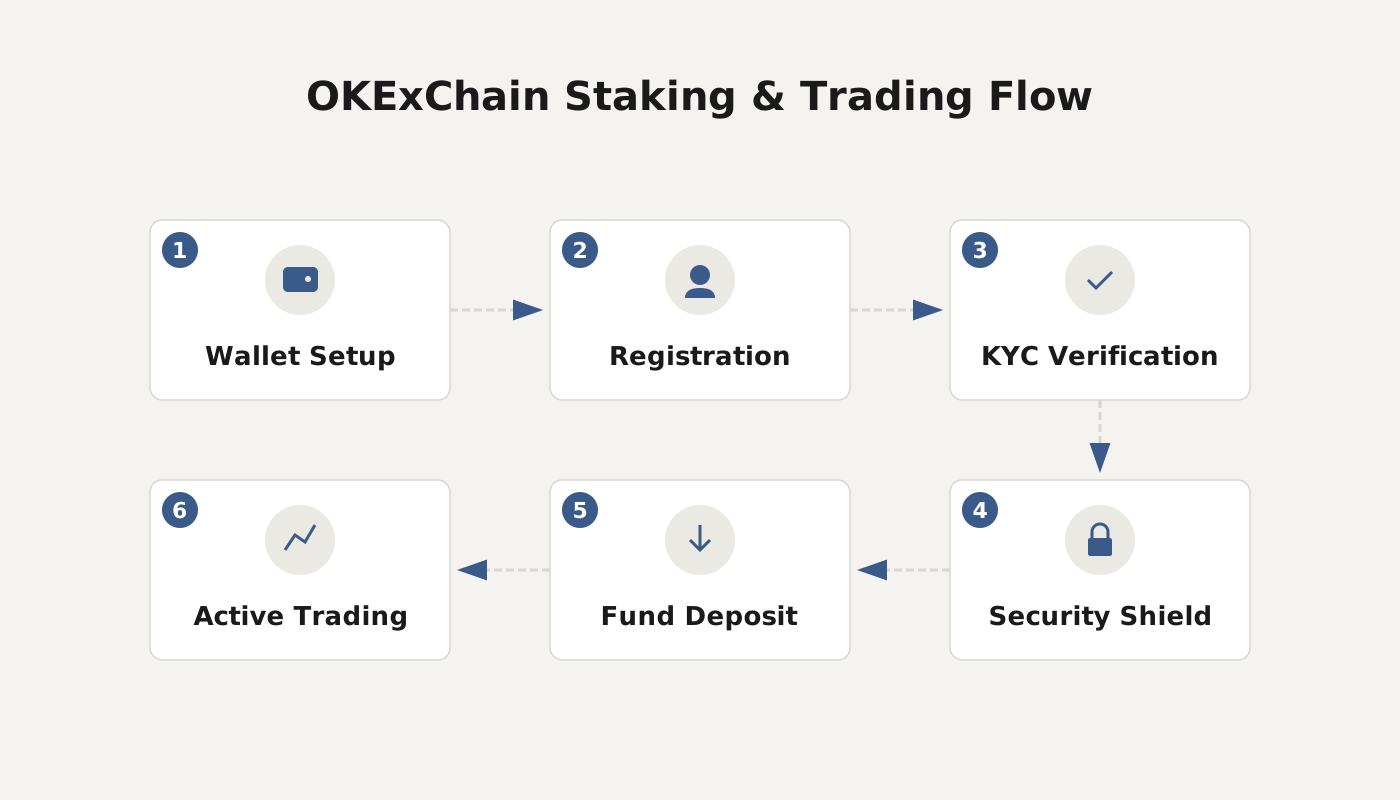
Step 1: Download and Register MetaMask
- If you already have MetaMask installed, you can skip directly to Step 2.
- If you do not have it yet, visit the official site https://metamask.io/ (access may require a VPN) and download the client for your platform.
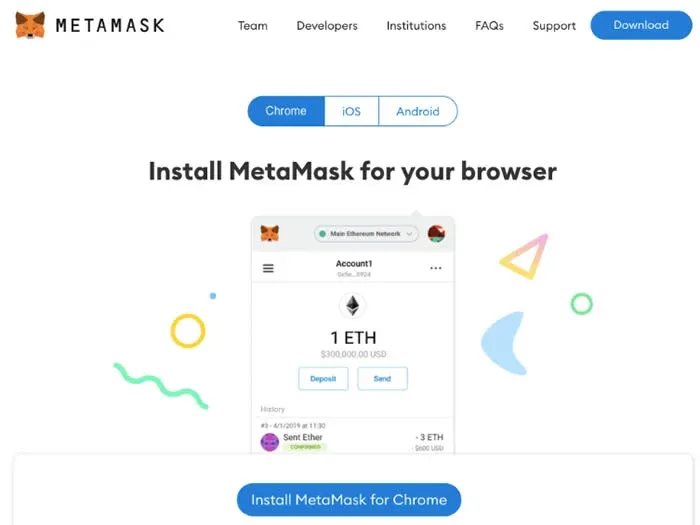
After the download finishes, follow the on‑screen prompts to create a login password and securely record the generated seed phrase.
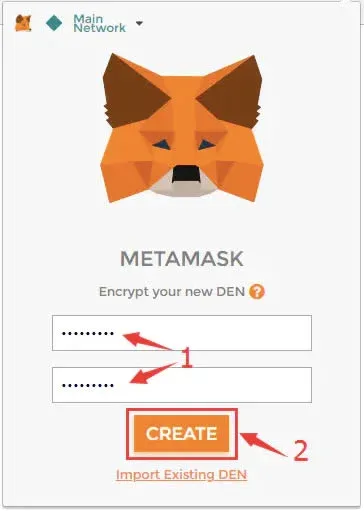
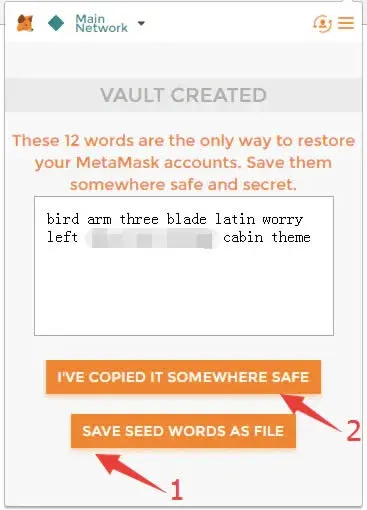
Important reminder: Back up the seed phrase in a safe location and never share it with anyone.
Step 2: Add the OKExChain Mainnet
- Open MetaMask; the default network will be Ethereum Mainnet.
- Click the network name dropdown and select “Custom RPC”.
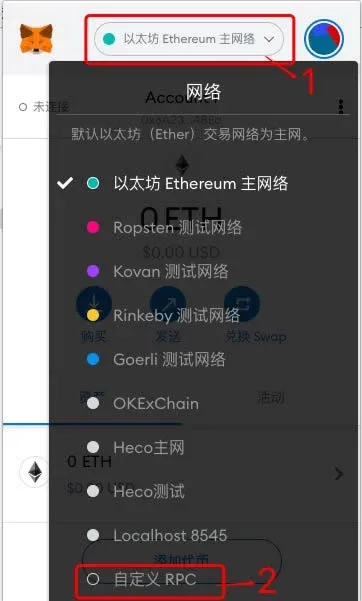
In the form that appears, fill in the following parameters:
| Parameter | Example value |
|---|---|
| Network Name | OKExChain Mainnet (you may rename) |
| New RPC URL | https://exchainrpc.okex.org |
| Chain ID | 66 |
| Symbol | **OKT** (if you encounter transfer issues on version 9.5.2, you may enter ETH; the gas will still be paid in OKT) |
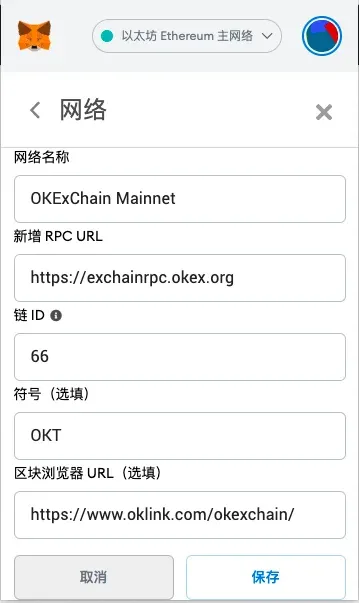
After completing the fields, click “Save” to finalize the network configuration.
Step 3: Fund and Transfer
- Switch MetaMask to the OKExChain mainnet and copy your wallet address.
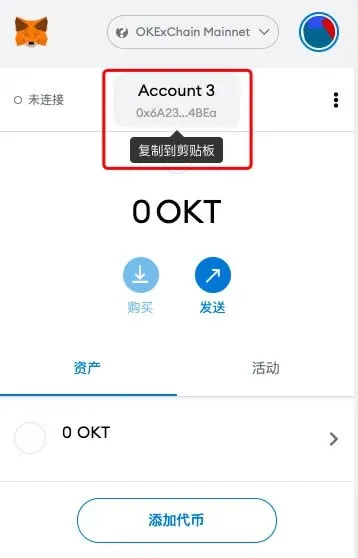
- If your assets are held on an exchange (using OKEx as an example), go to the withdrawal page, paste the copied address, and confirm the transfer. The withdrawal process for other tokens follows the same pattern.
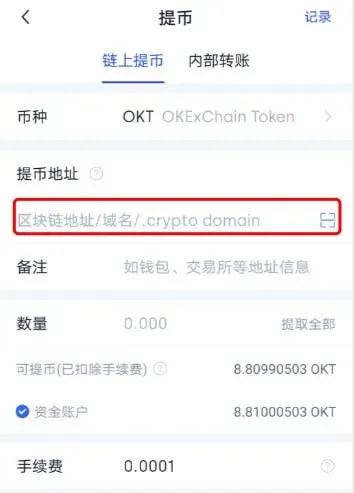
When funding your wallet, be sure to leave a small amount of OKT to cover future gas fees. If you need to acquire OKT with fiat, you can purchase it on global exchanges using USD via SEPA or SWIFT transfers (U.S. residents should use Binance.US or another compliant platform).
Step 4: Participate in Project Mining
The OKExChain ecosystem rollout is divided into three phases:
- Phase 1 (May 10 – May 20)
- Invitation of well‑known projects such as SushiSwap, Bounce, Chainlink, etc., to deploy contracts and conduct production‑grade testing.
- Phase 2 (starting May 21)
- Open deployment for innovative projects, which must obtain approval through a super‑node voting mechanism.
- Phase 3 (once the network stabilizes)
- Fully open; anyone can freely deploy contracts, marking a new stage of ecosystem growth.
To mine, connect MetaMask to the official website of the target project and follow the project’s announcement to complete staking or liquidity provision actions.
Risk warning: OKExChain is a fully decentralized public blockchain. The platform does not evaluate the risk of individual projects. Users should conduct their own due diligence, act prudently, and be aware that crypto assets can be volatile and may result in loss of capital. Additionally, cryptocurrency gains may be subject to tax in your local jurisdiction; consult a tax professional for guidance.
This guide provides the complete procedure for using the MetaMask wallet to engage in mining on the OKExChain mainnet. For further related articles, please follow Bitaigen (比特根).
Related Reading
- Crypto Wallets: imToken, Ledger, Trezor, MetaMask
- Top Tips to Secure Your Cryptocurrency Wallet in 2024
- AXS Review: Governance Token, Ecosystem & Industry Trends
💡 Register on Binance with referral code B2345 for the maximum trading fee discount. See Binance complete guide.



