
 Bitaigen Research
 For many people around the world, Bitcoin still feels both mysterious and a little unsettling.
The step‑by‑step process for buying Bitcoin for the first time includes: preparing disposable funds, registering an account and completing KYC, enabling two‑factor authentication, depositing USDT, buying BTC/USDT at market price, and confirming that the asset is in your possession.

In this article we walk newcomers through the entire workflow for a first‑time Bitcoin purchase, covering everything from fund preparation and account security to the actual order placement. Each step contains practical tips to help you overcome psychological barriers and enter the world of digital assets with confidence. We also provide platform selection guidance and risk warnings so you can complete your first trade within a legal and compliant framework.
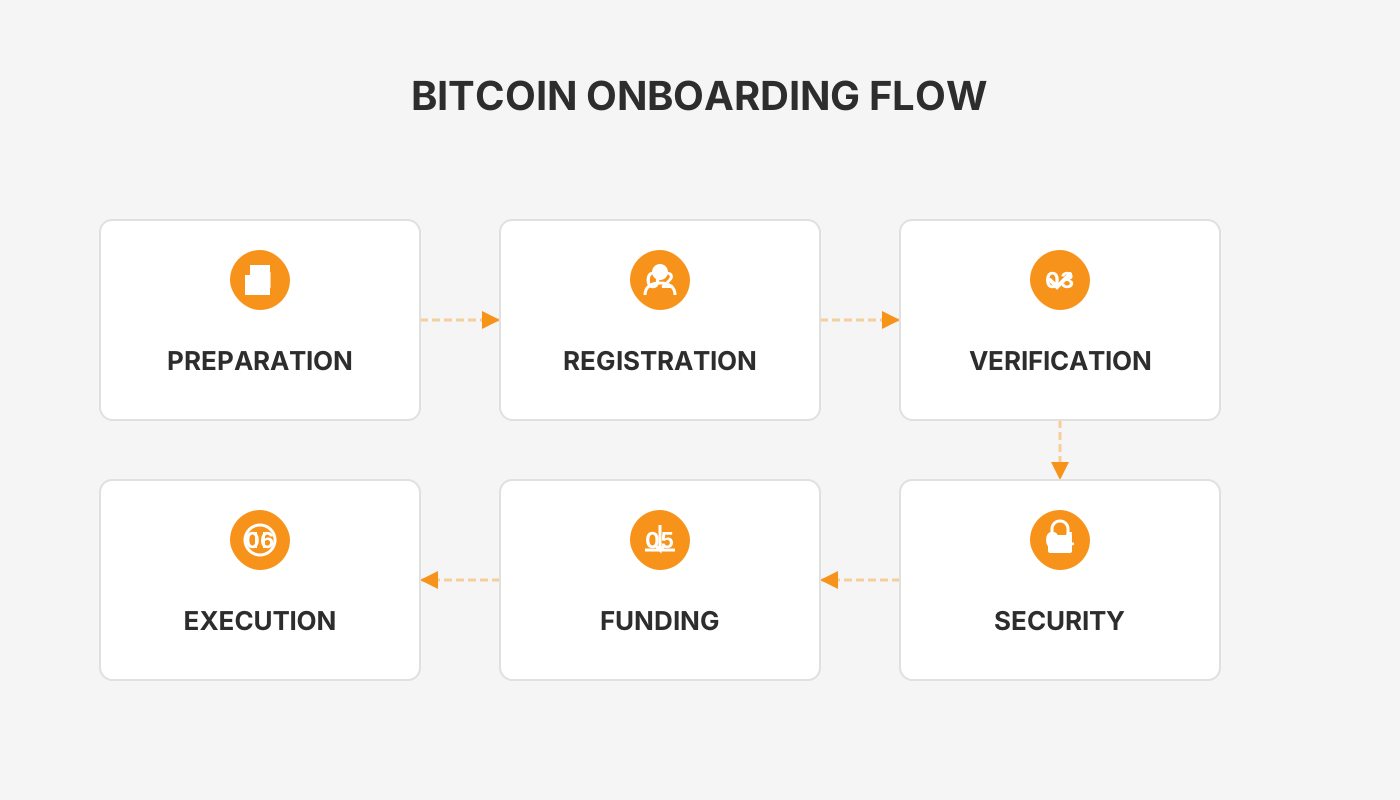
Preparation: Safety and Mindset for a First Purchase
The biggest obstacle when buying Bitcoin for the first time is rarely technical; it is usually the uncertainty in your mindset and the lack of preparation. Once you have done the groundwork, the subsequent actions become smooth and stress‑free.
1. Fund Preparation: Only Use “Emotion‑Isolated” Disposable Money
The capital you allocate to buying Bitcoin must be money you can afford to lose completely without affecting your everyday living expenses. This is a non‑negotiable rule.
- Why: Bitcoin’s price swings are far more extreme than those of traditional financial products, and sharp drops can occur over short periods. Using essential funds can cause emotional distress and lead to panic selling at low prices.
- Mindset: Treat this amount as a long‑term ticket. After purchase, “forget” about it and focus on the potential appreciation over five or ten years rather than short‑term gains.
2. Basic Security Setup Before Registration: Dedicated Email and Google Authenticator
Before you sign up for any exchange, build a “safebox” for your digital assets.
- Dedicated Email: Create an email address that you will use only for receiving notifications from exchanges (e.g., OKX, Binance, Bybit). Keep it separate from everyday shopping or social‑media accounts.
- Google Authenticator: Install the Google Authenticator app on your phone in advance; it will serve as the primary second‑factor authentication method later on.
3. Why Buy Only Bitcoin Right Now
For absolute beginners, there are thousands of cryptocurrencies on the market. The safest and least research‑intensive option for a first purchase is Bitcoin (BTC).
- Positioning: Bitcoin is the “digital gold” of the crypto world, offering the highest liquidity and the strongest consensus.
- Beginner Principle: Your initial goal should be a secure entry and familiarisation with the process, not the pursuit of rapid wealth. Once you have mastered buying Bitcoin, moving to other major coins such as Ethereum is equally straightforward.
Choosing a Safe and Reliable Trading Platform
A secure, reputable exchange is the cornerstone of a successful first purchase. For newcomers who value safety and efficiency, selecting a top‑tier exchange with a large global user base and deep liquidity is the most prudent approach.
Recommended Platforms
- Binance (global), Binance.US (for United States residents), OKX, Bybit, Bitget
- Liquidity Assurance: Massive trading volumes guarantee that orders are filled instantly at the best available price.
- Security Funds & Technology: These platforms operate dedicated security teams and maintain asset protection funds.
- Compliance First: Significant resources are invested in regulatory compliance and asset transparency, offering a reliable safety net.
Reference Guides
- Full OKX app guide: registration, identity verification, and trading tutorial
- 2026 updated guide for mainland Chinese users registering on the global Binance platform (U.S. residents should use Binance.US)
- Bybit app download and installation instructions for iOS/Android
- Bitget registration for users in mainland China and completion of KYC
From Registration, Identity Verification, Deposit to Bitcoin Purchase – Step‑by‑Step
The following example uses OKX (formerly known as OKEx) to illustrate the complete workflow.
Step 1 – Account Registration
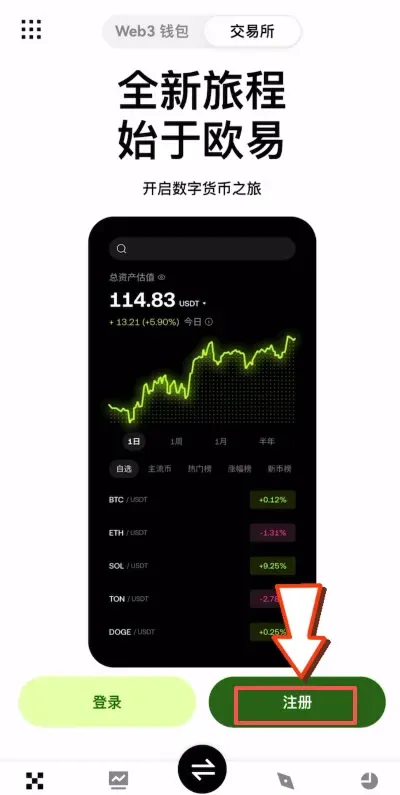
- Open the OKX app (official sign‑up link: <https://www.okx.com/zh-hans/join/B2345>) and tap Register on the right side.
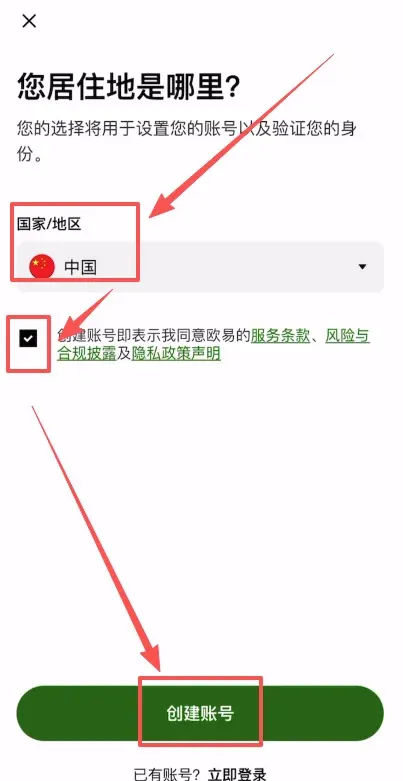
- Choose your country/region (e.g., “China”), agree to the terms, and click Create Account.
- Enter the dedicated email address, tap the invitation‑code field and input `B2345`, then press Confirm.
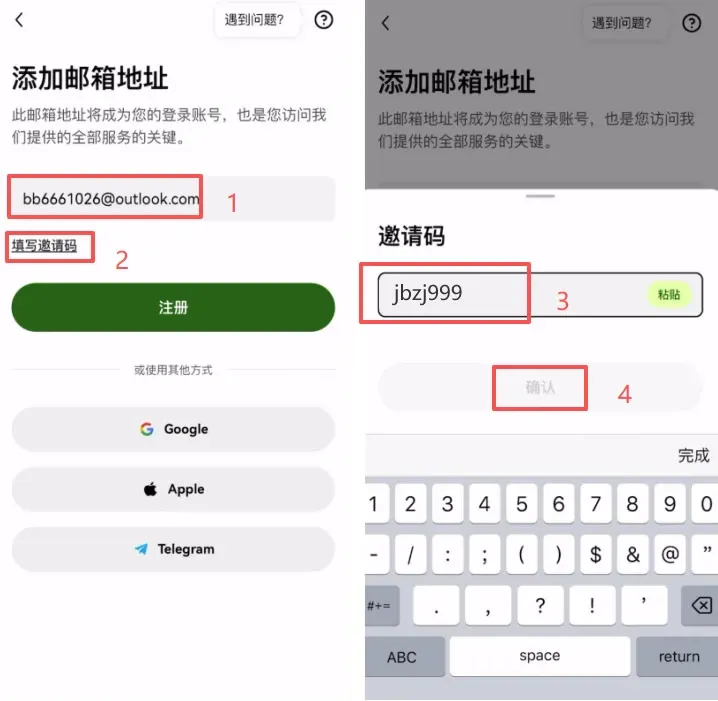
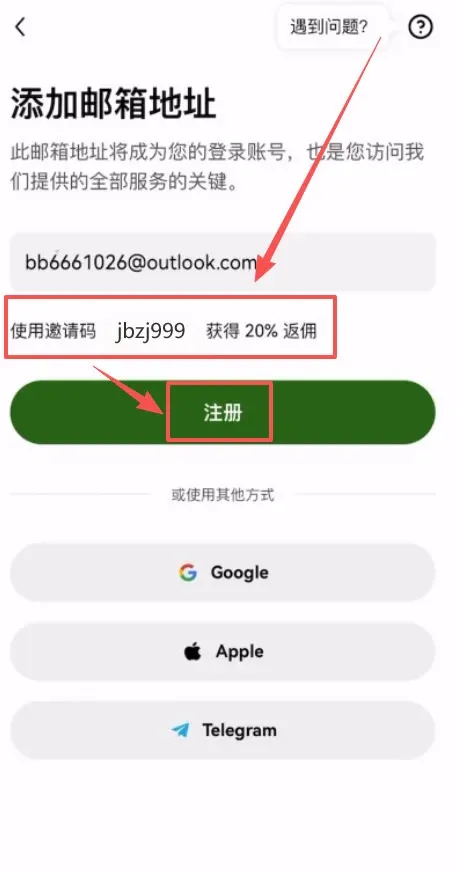
- Using the invitation code grants a permanent 20 % trading‑fee discount; the system will display a rebate prompt—click Register to claim it.
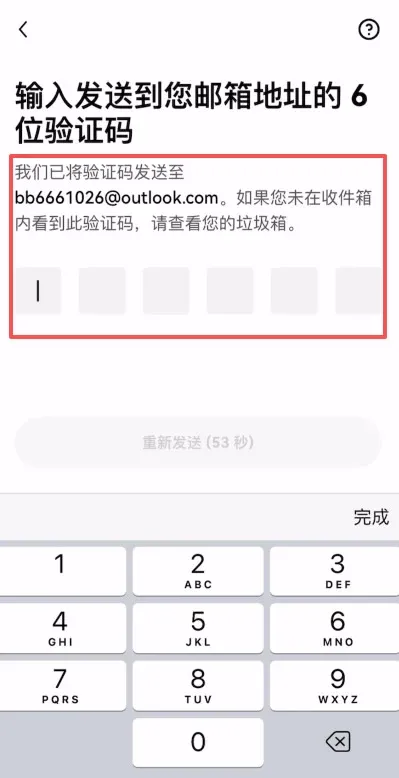
- Verify the email by entering the code you receive.
- Bind your mobile phone number (country code auto‑filled as +86 for China). After completion, the account registration is successful.
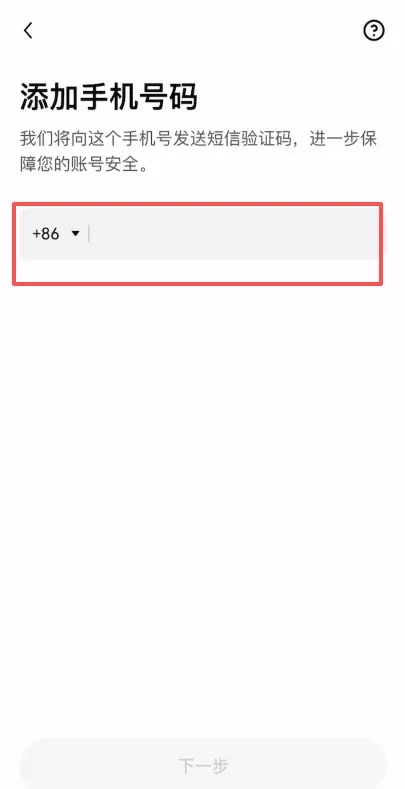
When registration succeeds, the app automatically redirects to the Identity Verification (KYC) page. You must finish KYC before any trading functions become available.
Step 2 – Complete Identity Verification (KYC)
- The KYC prompt can be triggered from the home screen of a new user or from any trading entry point.
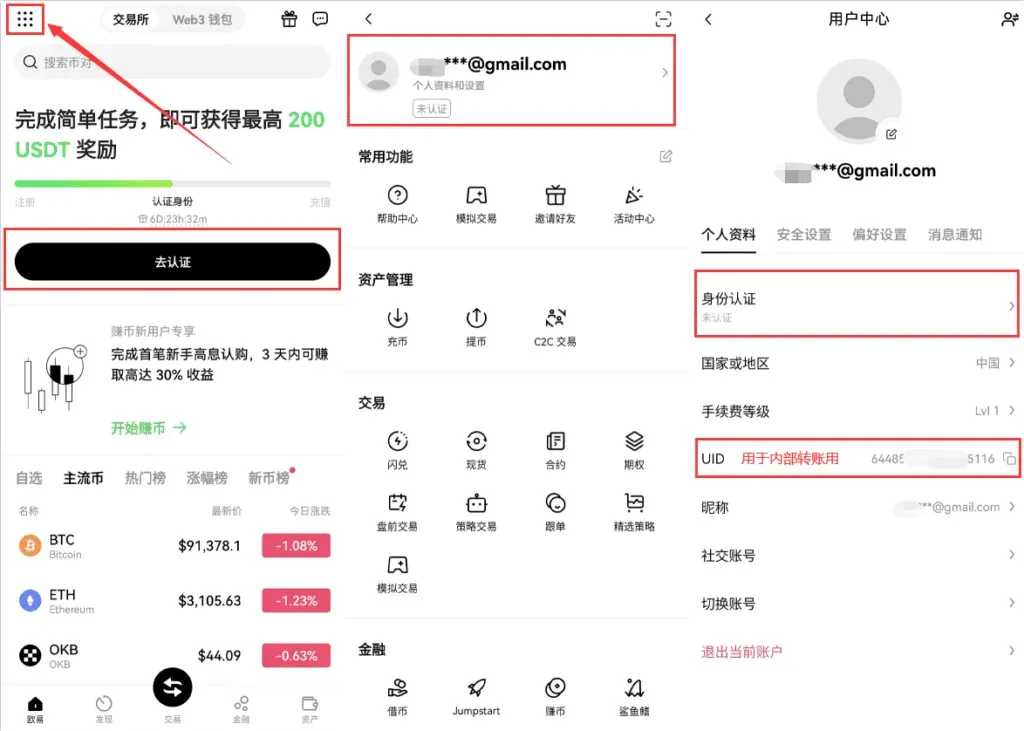
- Navigate: Menu → Profile & Settings → Identity Verification, then tap Verify Now.
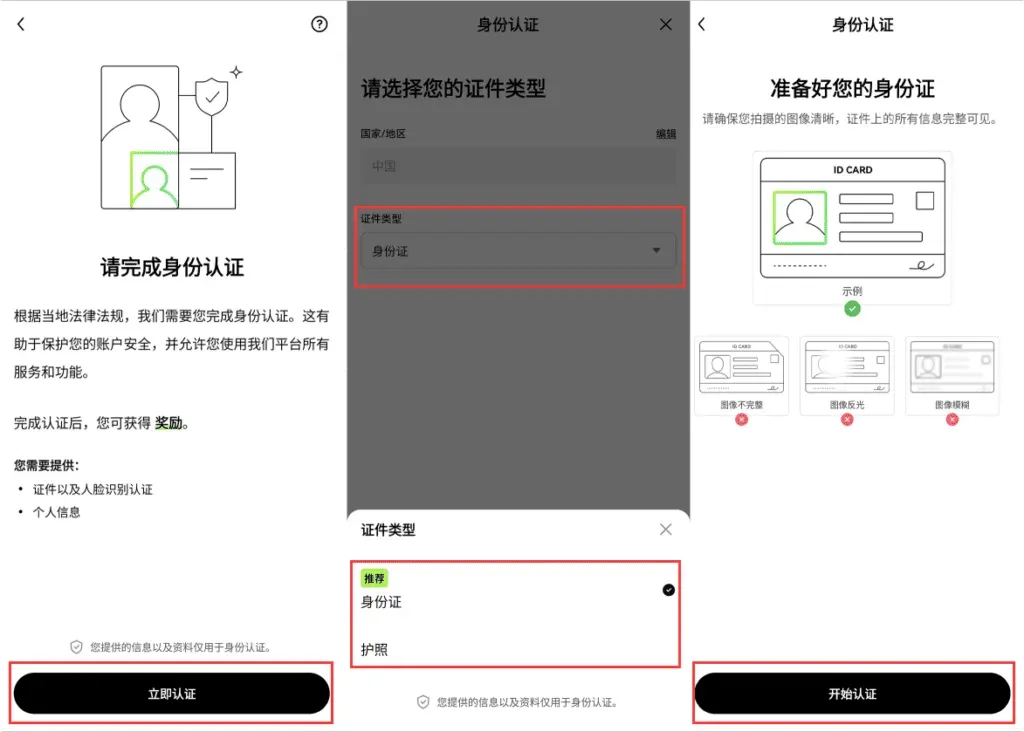
- Select the document type, upload the required files, and complete a facial‑recognition check. OKX currently uses a unified verification tier; once approved you can start trading immediately.
Tip: If a C2C video‑verification option appears, you can skip it unless you plan to execute very large trades.
Step 3 – Security Settings – Bind an Authenticator App
- In the OKX app go to Full‑Feature (top‑left) → Profile & Settings → Security Settings → Authenticator App.
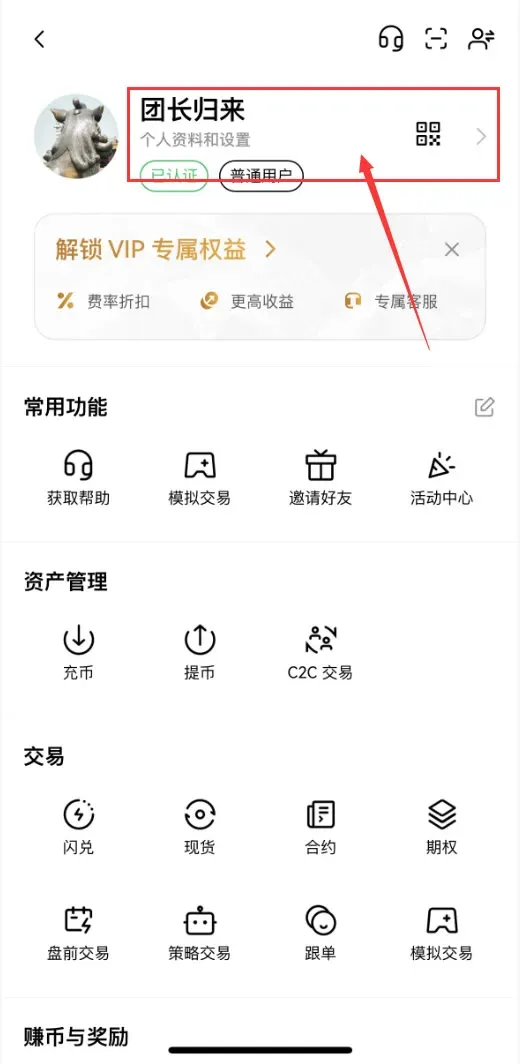
→
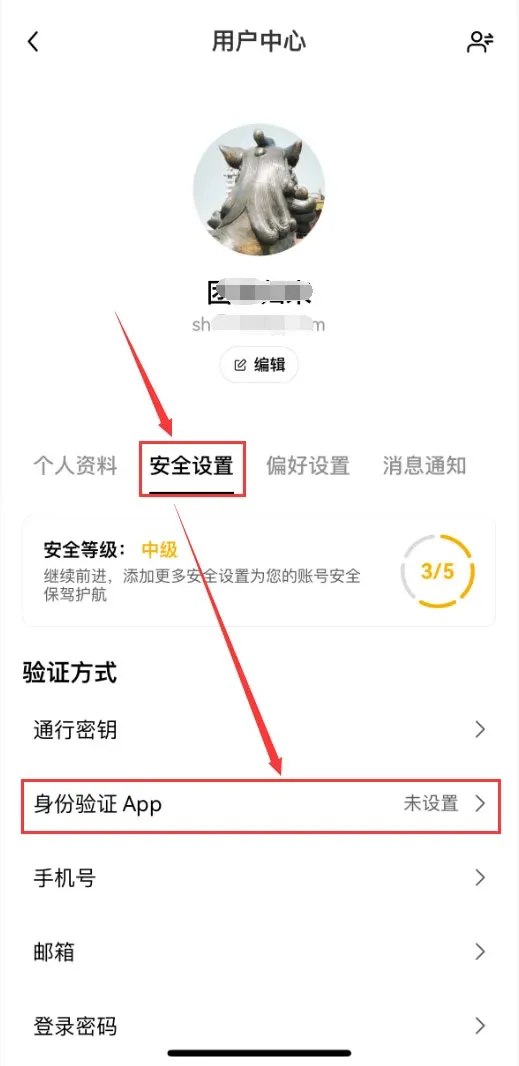
→
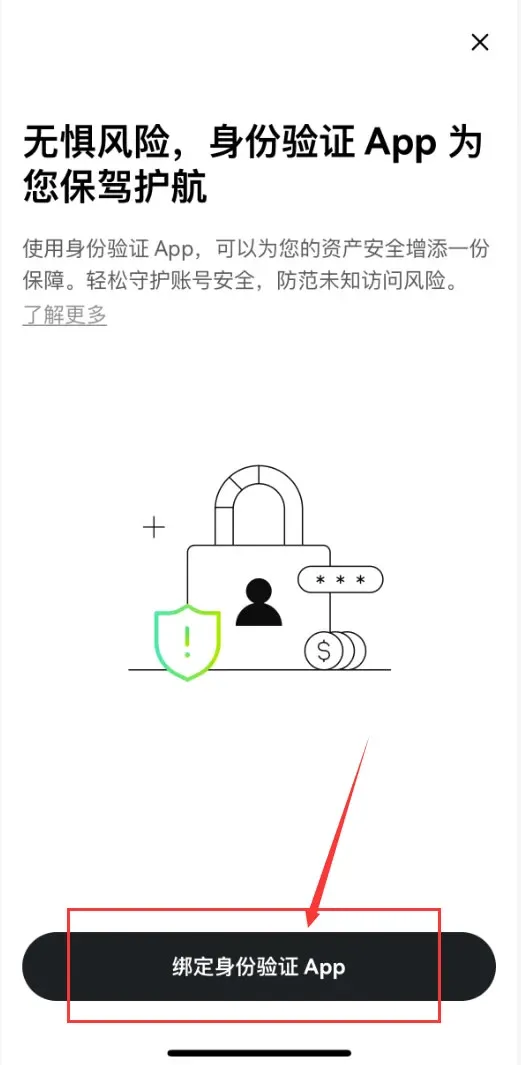
- Choose to download Google Authenticator or Microsoft Authenticator (or a hardware security key). The example below uses Google Authenticator.
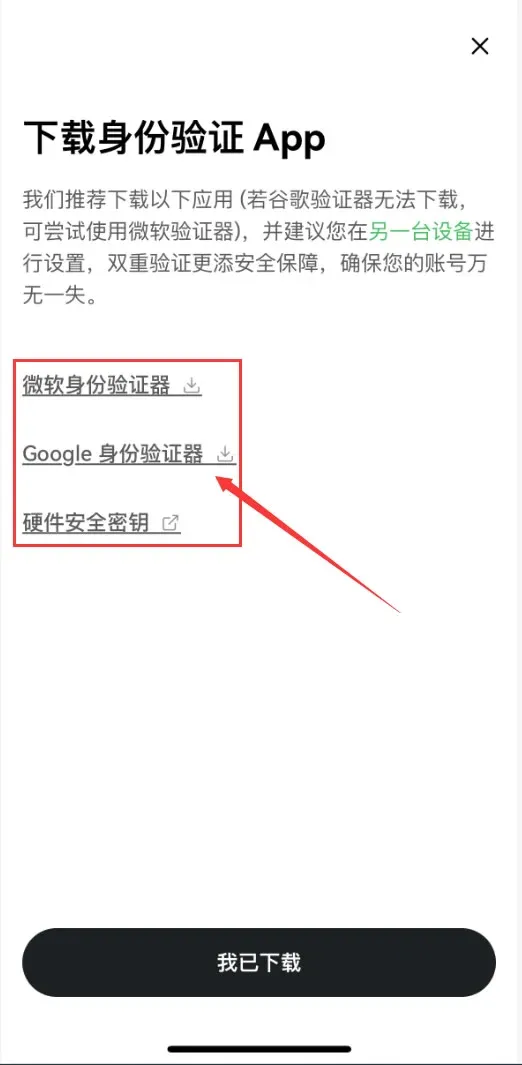
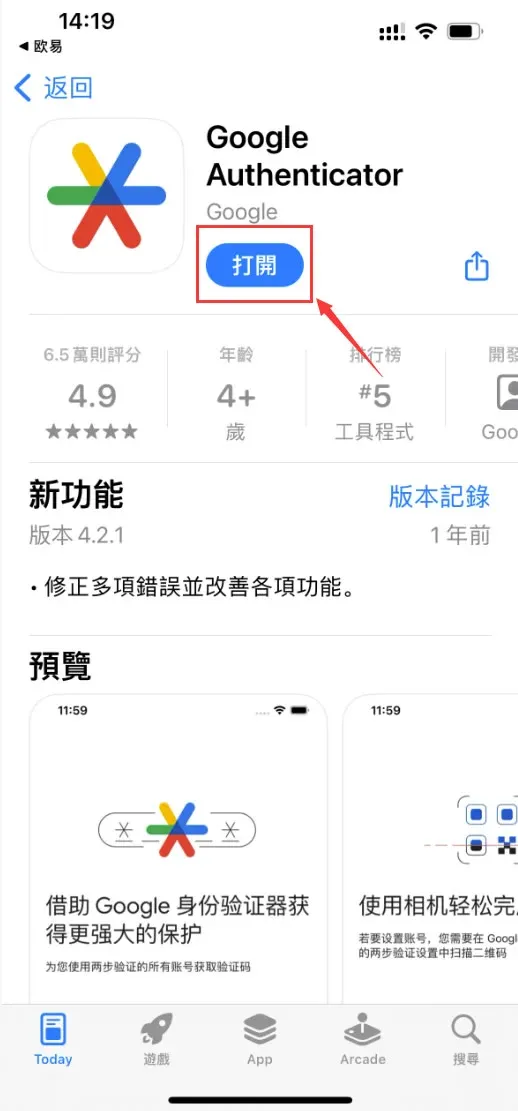
- If you download from an app store:
- iOS – search for Google Authenticator in the App Store.
- Android – download from Google Play (requires access to Google services).
- After installation, tap I have downloaded. The platform will display a QR code and a secret key. Open Google Authenticator, choose Scan QR code or Enter setup key to bind the app.
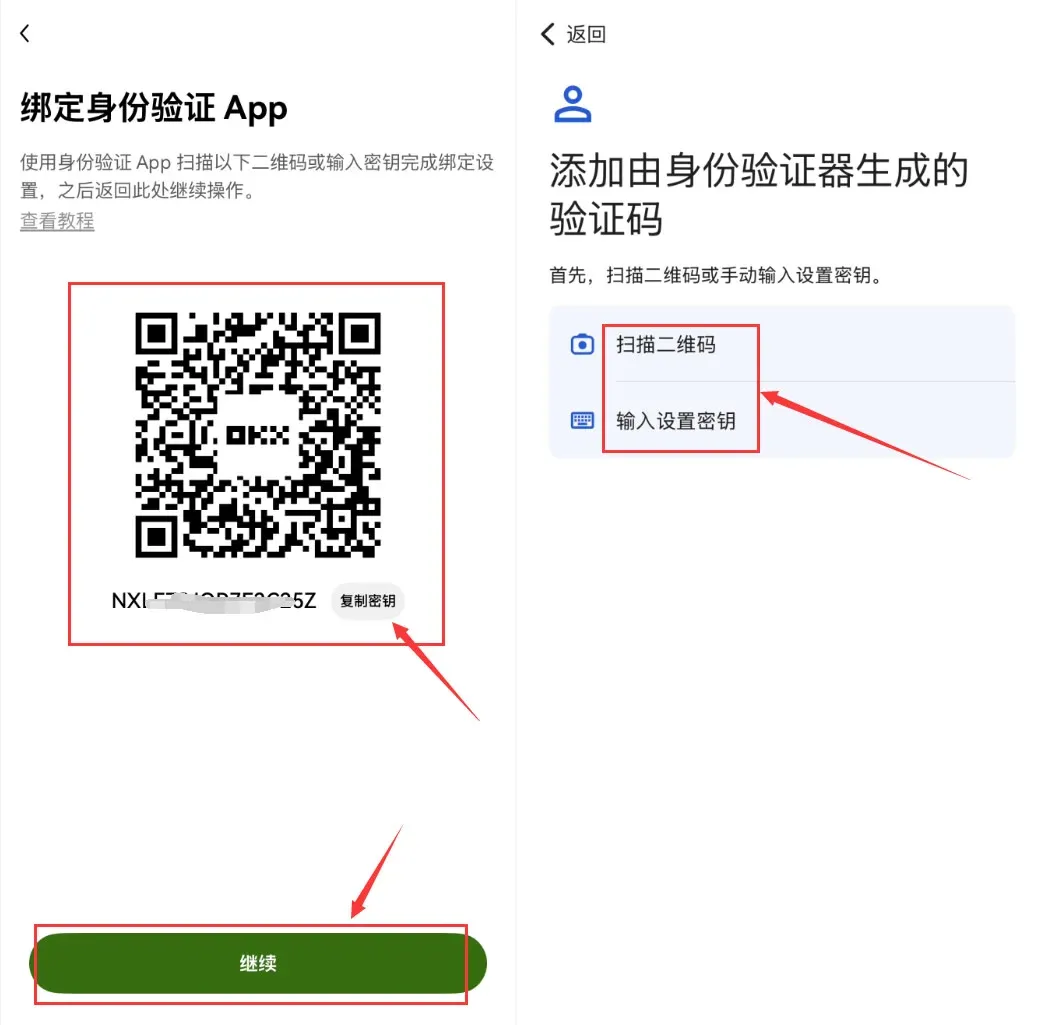
→
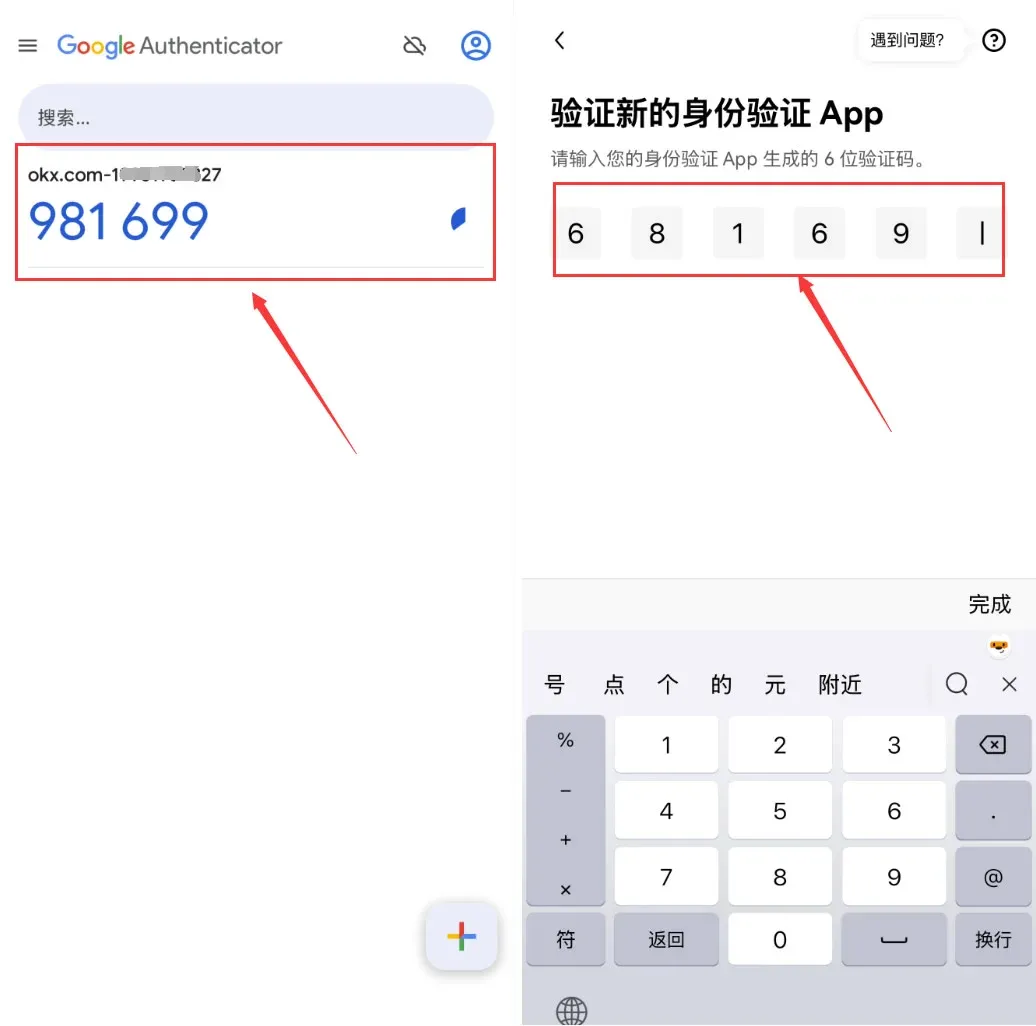
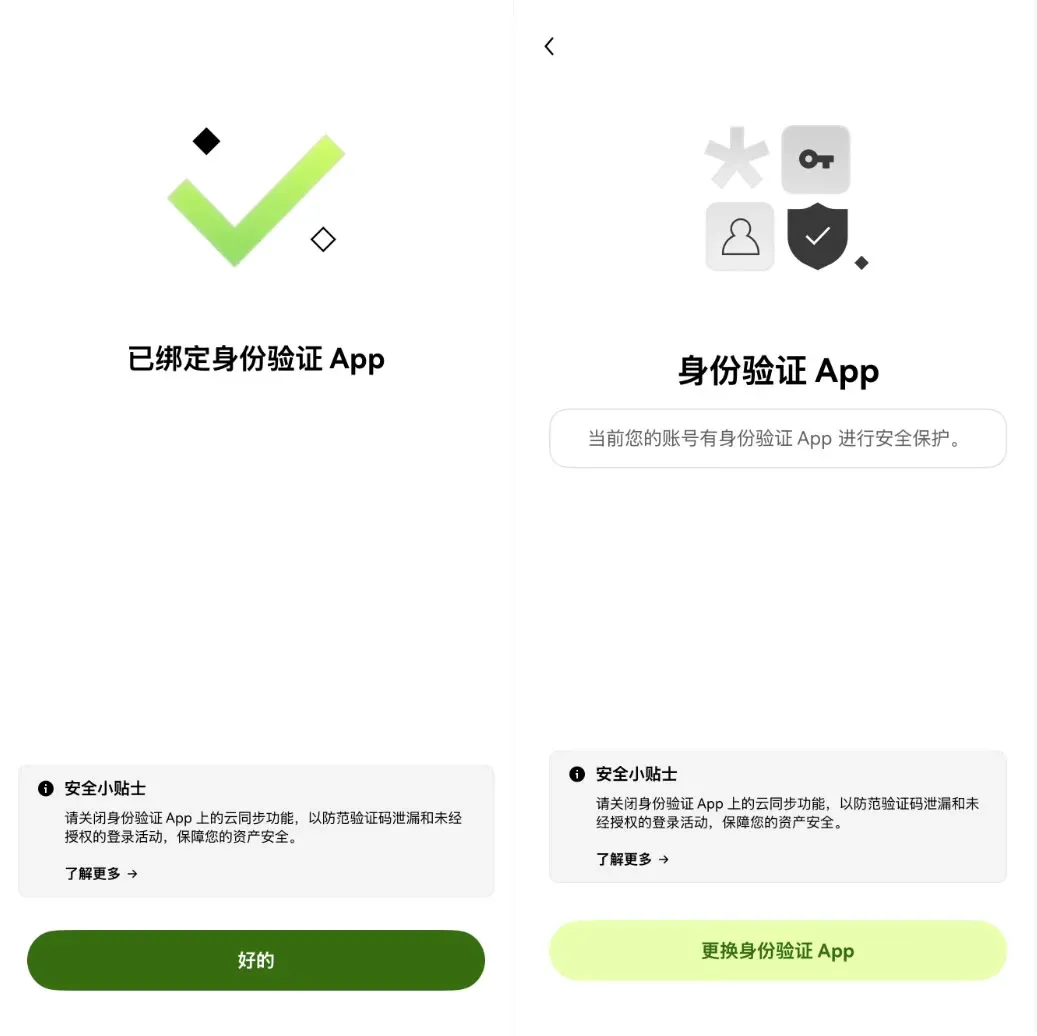
- Once the binding succeeds, the system will confirm. Keep the secret key in a secure place; losing your phone could lock you out of the account. After resetting Google Authenticator, withdrawals are blocked for 24 hours.
Step 4 – Security Settings – Set a Anti‑Phishing Code
- Go to Security Settings → Security Level. The platform will list any remaining steps you can take to strengthen protection.
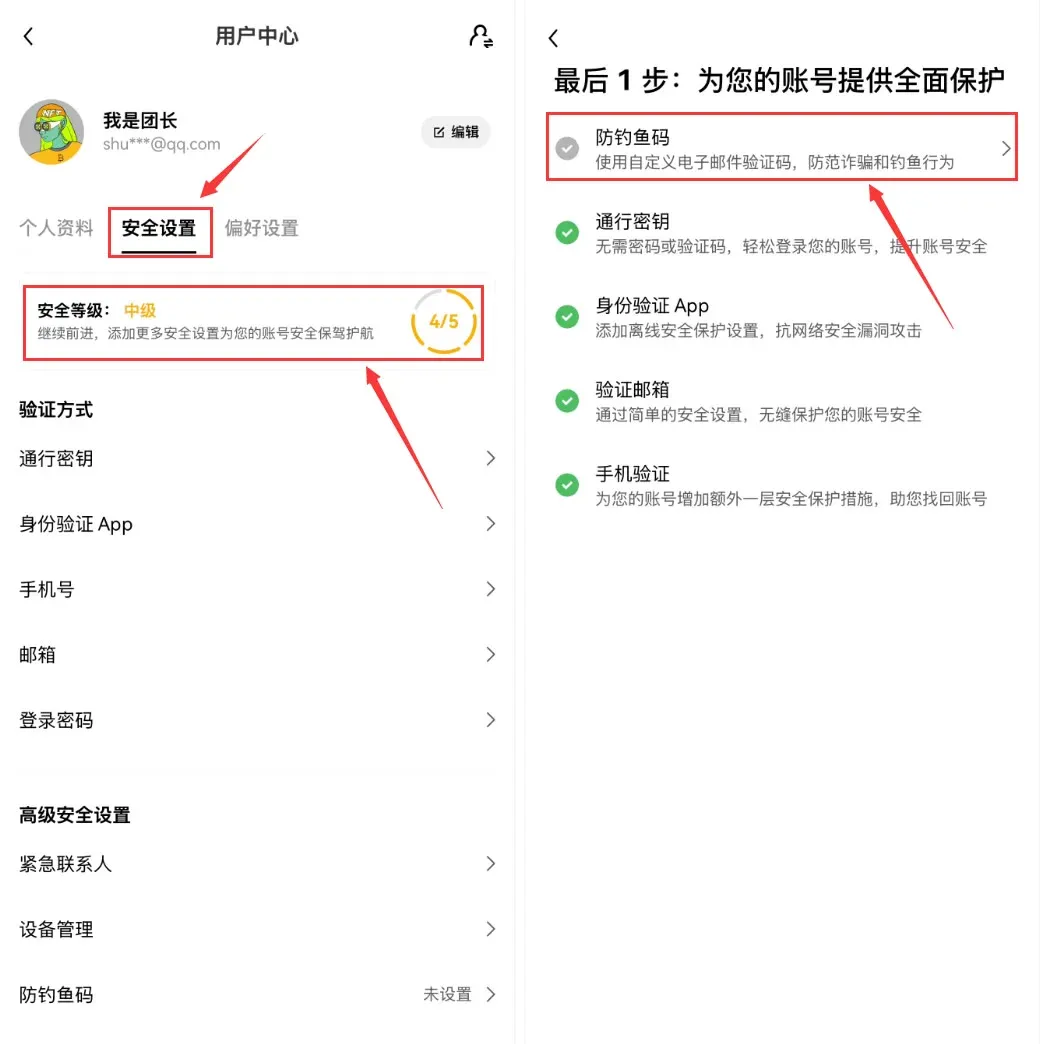
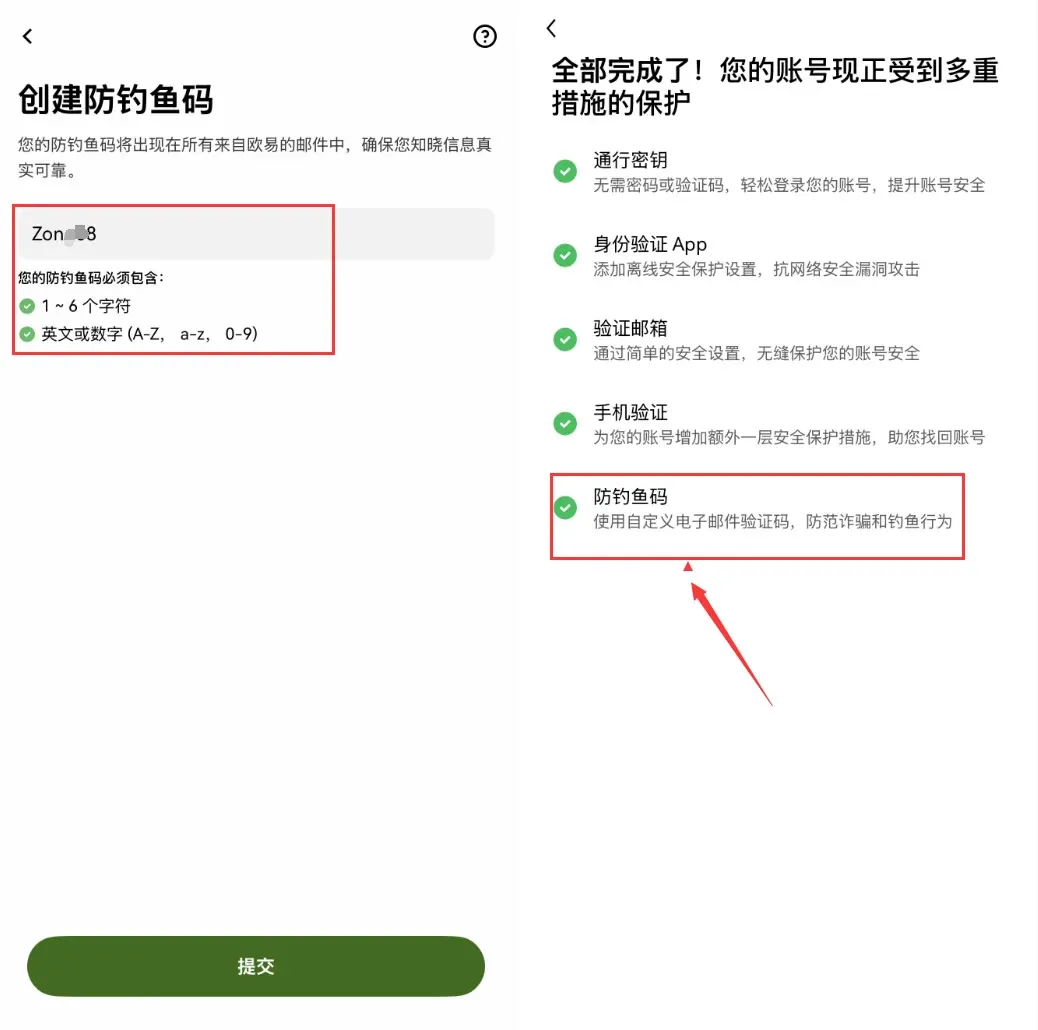
- Tap Create Anti‑Phishing Code and follow the password‑format guidelines provided by the exchange.
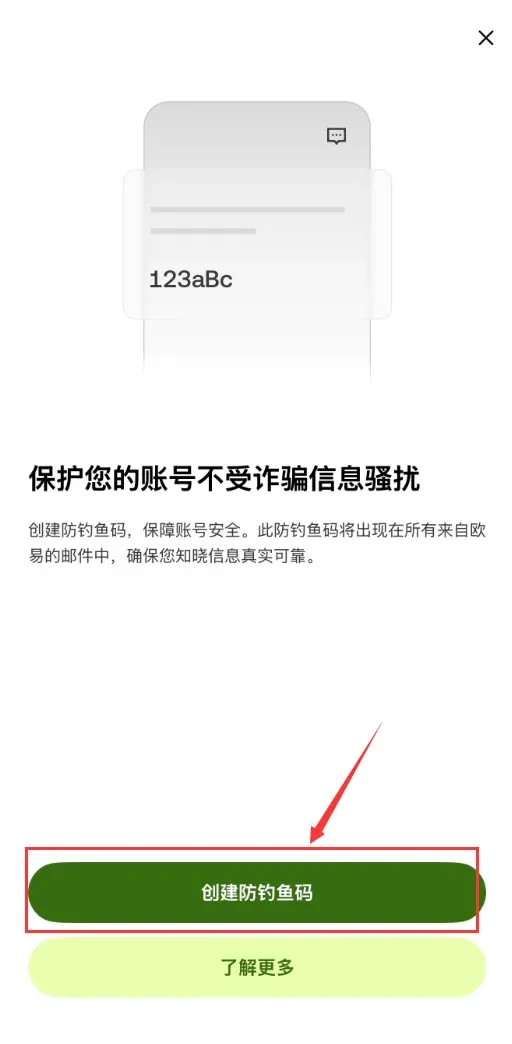
After the anti‑phishing code is set, your account’s security tier is upgraded, and the basic account creation and verification process is complete.
Step 5 – Deposit USDT
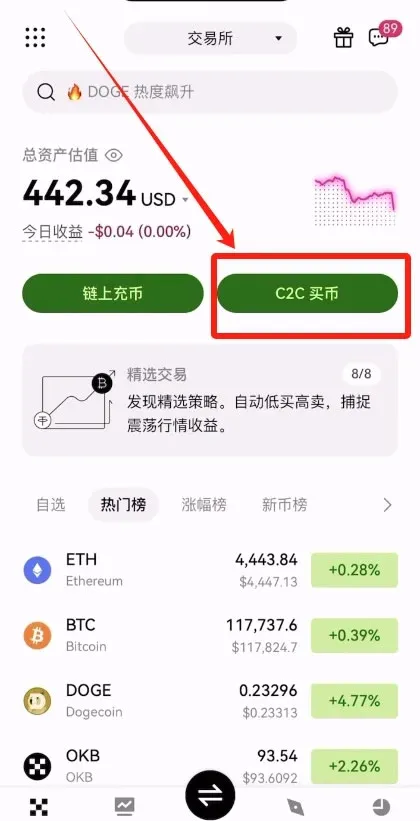
- Open the OKX app and tap C2C Buy on the home screen.
- In the popup, choose Quick Trade or C2C. For small amounts, Quick Trade is recommended.
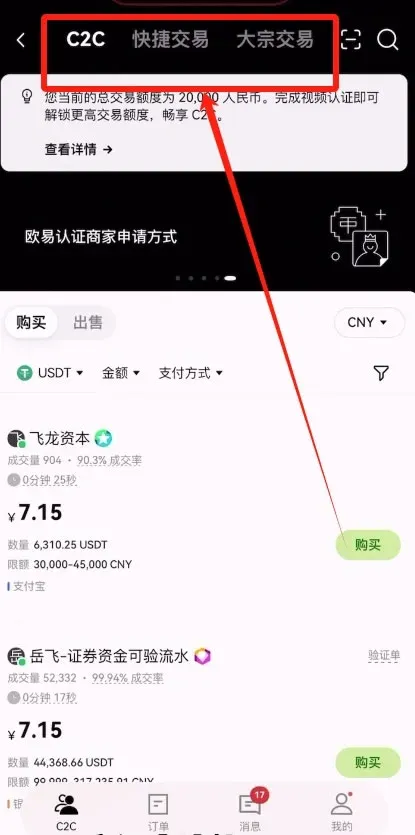
- Enter the amount you wish to spend (e.g., $150 USD). The platform will automatically calculate the corresponding USDT amount; then tap Select Payment Method.


