
 Bitaigen Research
 The core purpose of investing in digital assets is ultimately to be able to convert them into fiat currency. Whether a profit is realized depends on the amount received after withdrawal being greater than the initial investment, and every exchange charges a certain fee for this service—Binance is no exception. Below is a detailed guide to the Binance RMB withdrawal process.
After logging into the Binance website, go to Wallet → Spot Wallet → Withdraw, fill in the recipient address and complete the security verification, and you can transfer your digital assets to RMB or another Binance account.
In this article we outline the key steps and precautions for withdrawing RMB from Binance, helping you smoothly move your assets back into fiat after completing a trade. With a combination of screenshots and text, you can quickly locate the login, wallet and withdrawal entry points, and understand the essentials of the security checks. To master the full workflow, continue reading.
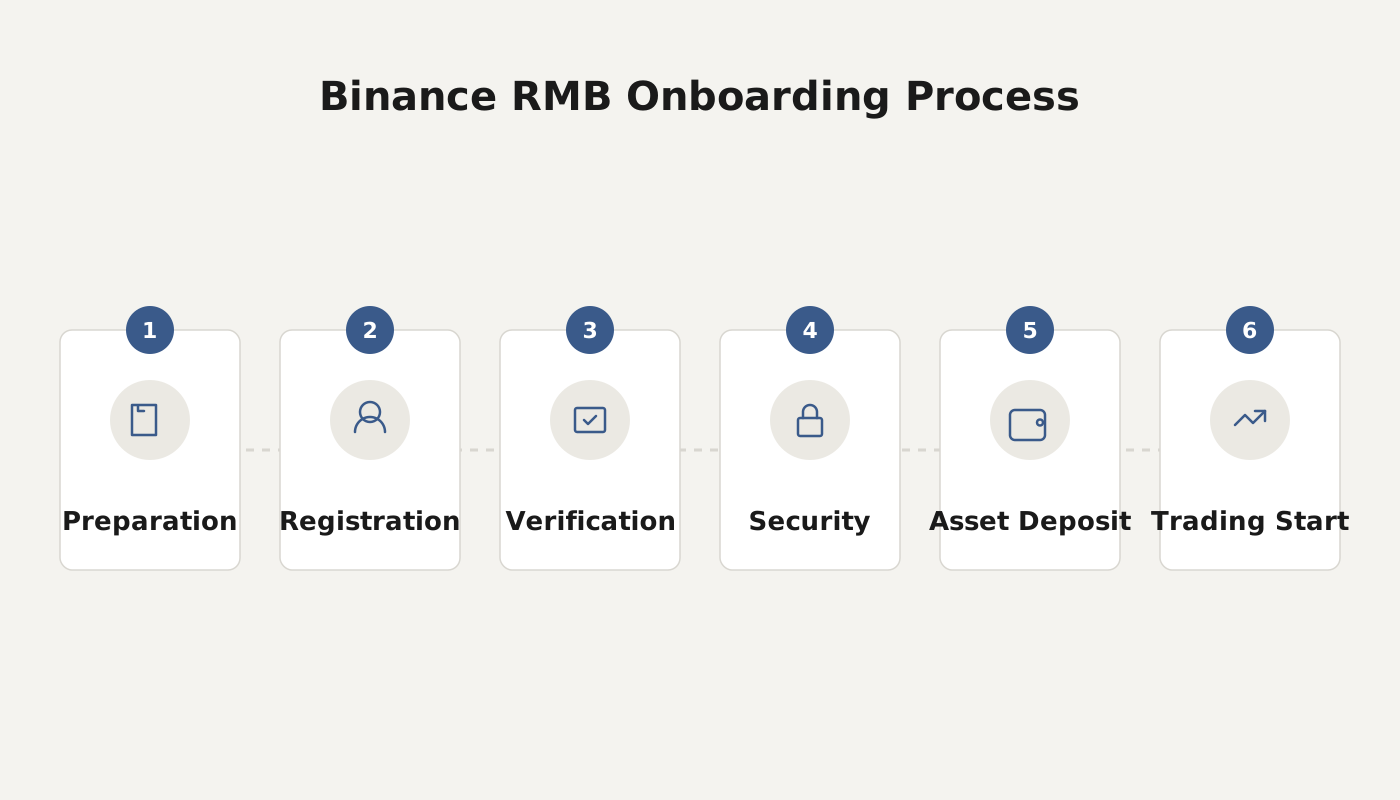
Binance RMB Withdrawal Tutorial – How Does Binance Exchange Withdraw RMB?
- Log in to the Binance website
Visit https://accounts.binancezh.io/ and enter your account credentials to log in.

- Navigate to the withdrawal page
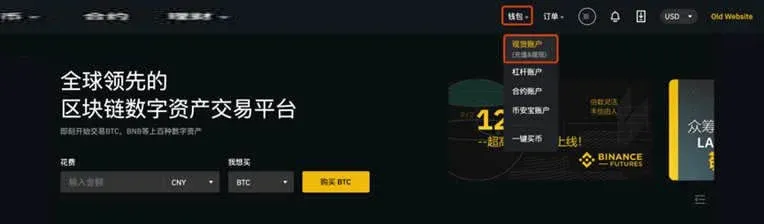
After a successful login, click the Wallet button at the top‑right corner → Spot Wallet, and then select Withdraw in the upper‑right corner of the page.
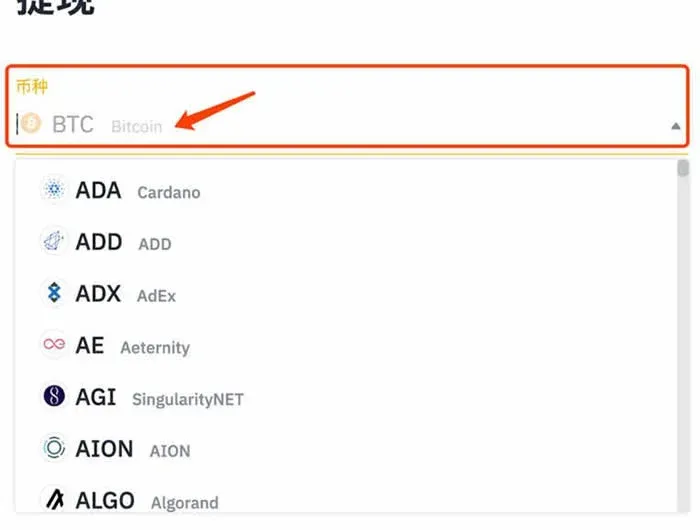
- Select the withdrawal currency and fill in the details
- Enter the recipient’s deposit address on the right side (this must be a Binance internal account).
- If the asset is a tag‑required coin (e.g., EOS, XRP, etc.), you must also fill in the corresponding memo/tag/payment ID field.
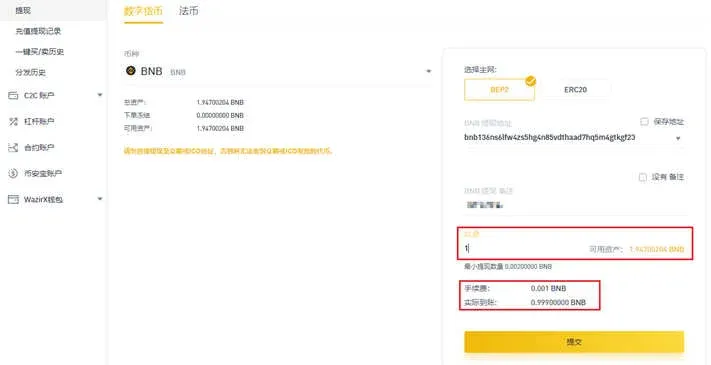
Note: When the address belongs to another Binance account, the system retains the network fee in the sender’s wallet, so the amount received by the beneficiary is not reduced. This fee‑saving arrangement only applies when both parties hold Binance accounts, so double‑check the address for accuracy.
- Submit and complete the security verification
- If you have not yet bound any security items, the platform will prompt you to do so.
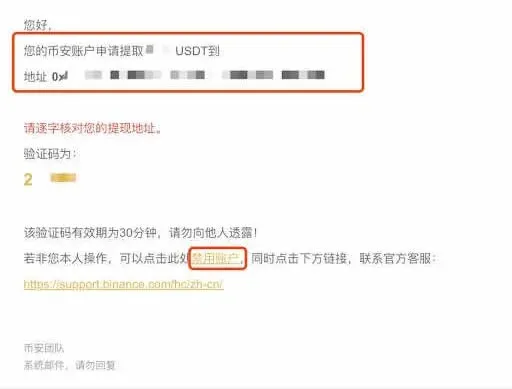
- Users who have already set up security can click Get Code and enter the verification codes sent to their phone, email, etc. The code is valid for 30 minutes, so act promptly.
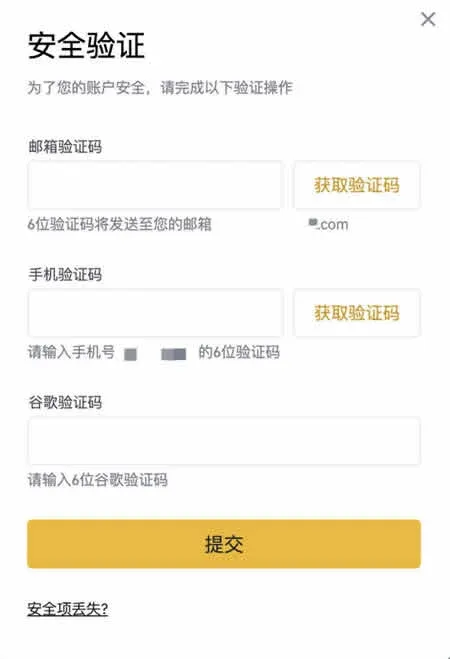
Caution: For internal transfers, if the required tag is omitted (by checking No Memo), the system will reject the request and display “Please provide the correct tag before trying again.”

- Review the withdrawal details
On the security verification page, reconfirm the currency, amount and address. If everything is correct, click Submit; if you suspect the request is not from you, immediately use the Disable Account link at the bottom of the email and contact Binance Support.
- Check the withdrawal record
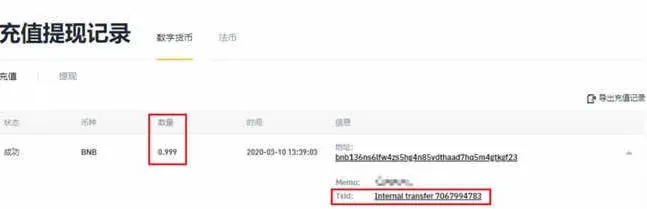
Once the withdrawal is processed, you can view it under User Center → Wallet → Deposit & Withdrawal History on the Binance website. Internal transfers do not generate an external TxID; instead they show Internal Transfer together with an Internal Transfer ID, which you can provide to support staff for verification.
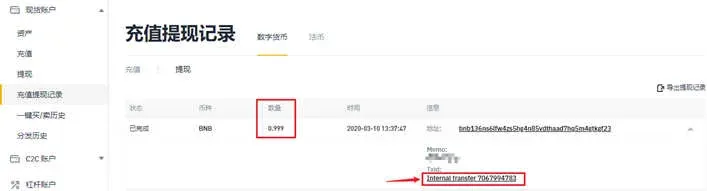
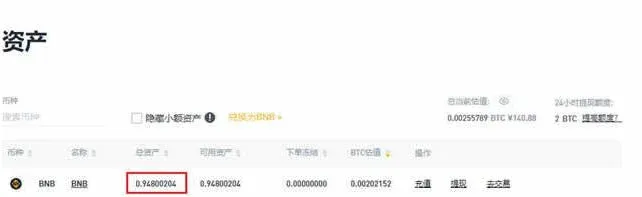
At the same time, you will notice a small amount (e.g., 0.001 BNB) that remains as a fee and is not deducted from your main balance.
- Recipient’s confirmation
The receiving Binance account will instantly reflect the deposit. The recipient can view the incoming amount in the Deposit section of their Deposit & Withdrawal History; the amount shown there is the “actual amount received.” The TxID column also displays Internal Transfer with the same Internal Transfer ID.
Why Has the Withdrawal Not Arrived?
- Transfer flow: Binance sends out the transaction → blockchain confirmation → recipient’s account credit.
- Blockchain confirmation time: Different blockchains require different numbers of confirmations. For example, Bitcoin typically needs 1 block confirmation before the funds are considered final.
---
Additional Localization Notes
- Fiat withdrawals: When converting crypto to fiat on Binance, you can choose to receive USD via SEPA (for European banks) or SWIFT (for international banks). The exact method will depend on the banking partner you select during the withdrawal process.
- U.S. users: Residents of the United States must use Binance.US (the U.S.-compliant platform) instead of the global Binance site for fiat withdrawals. The steps are analogous, but the interface and supported fiat corridors may differ.
- Tax considerations: Crypto gains may be subject to taxation in your local jurisdiction. It is advisable to keep records of all deposits, withdrawals, and conversion rates, and consult a qualified tax professional to ensure compliance with applicable tax laws.
By following the steps above, you should be able to move your digital assets from Binance to an RMB or USD fiat destination with confidence, while staying aware of fees, security checks, and regulatory requirements.
Related Reading
- Invest in Digital Assets on Binance: Step‑by‑Step Guide
- Binance Maintains Industry Leader Edge with $4.6B Net Inflow
- ATTN Token: Blockchain Esports Ecosystem & NFT Gaming
💡 Register on Binance with referral code B2345 for the maximum trading fee discount. See Binance complete guide.



