
 Bitaigen Research
This article teaches you how to buy and sell cryptocurrencies on Binance, covering the complete spot‑trading workflow.
On Binance you can first deposit USDT, then use that USDT for spot trading, and finally convert the USDT back to fiat (e.g., Chinese Yuan or other local currencies) via C2C or a withdrawal to your bank account.
If you have not yet created a Binance account, you can register using the referral link and download the app below, together with the video tutorial, to complete the registration yourself.
Binance new‑user registration: Click to register
Binance Android app download: Click to download
Before you start trading, you need to fund your Binance account. We usually deposit USDT, whose value is pegged to the U.S. dollar, effectively the same as depositing USD into Binance and then using it to buy crypto.
This guide has been carefully compiled by the Bitaigen editorial team to provide newcomers with a step‑by‑step, end‑to‑end workflow—from registration and USDT deposit to spot trading and finally C2C cash‑out. Illustrated with screenshots, it helps you get started quickly and safely complete the fiat ↔ crypto conversion. For detailed instructions on each step, keep reading.
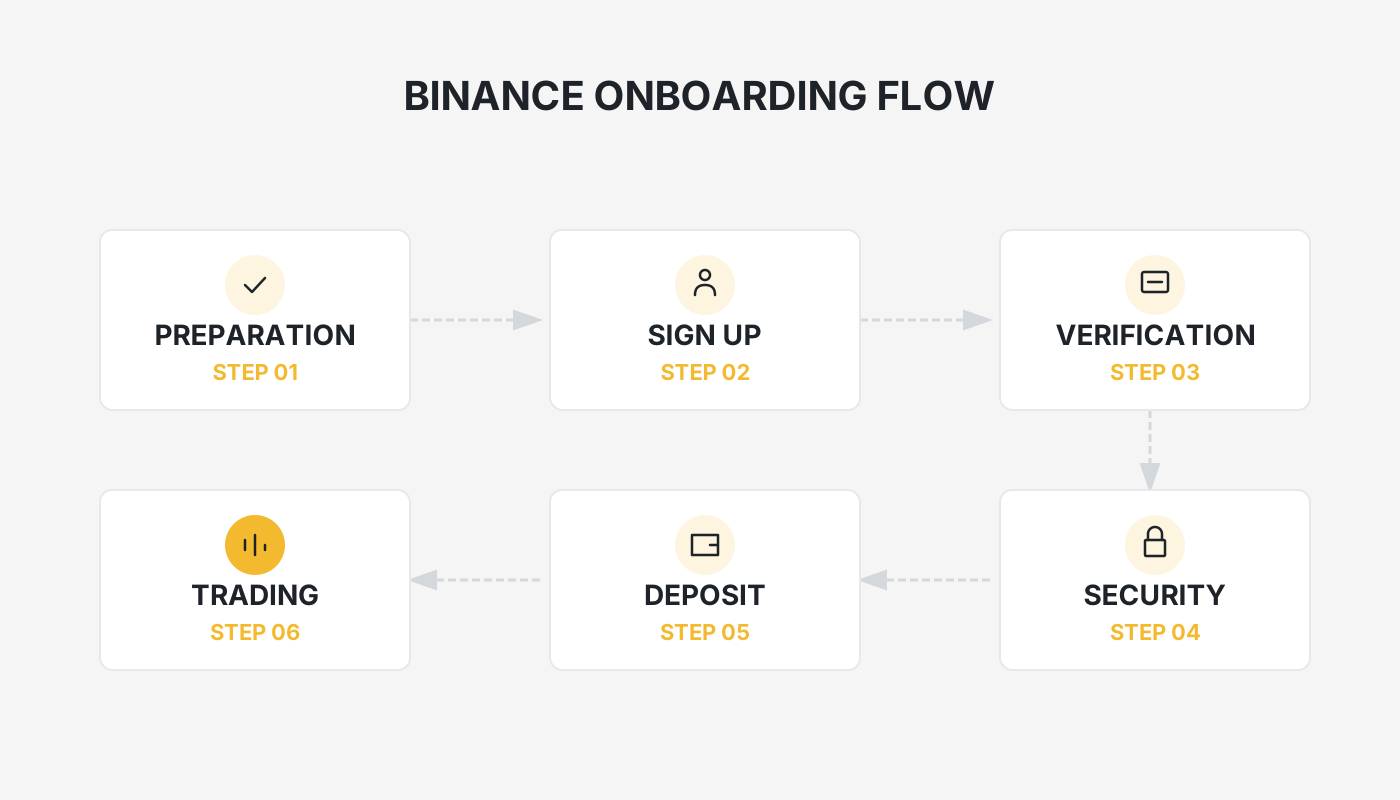
1. Buying / Depositing USDT
- How to purchase USDT with fiat
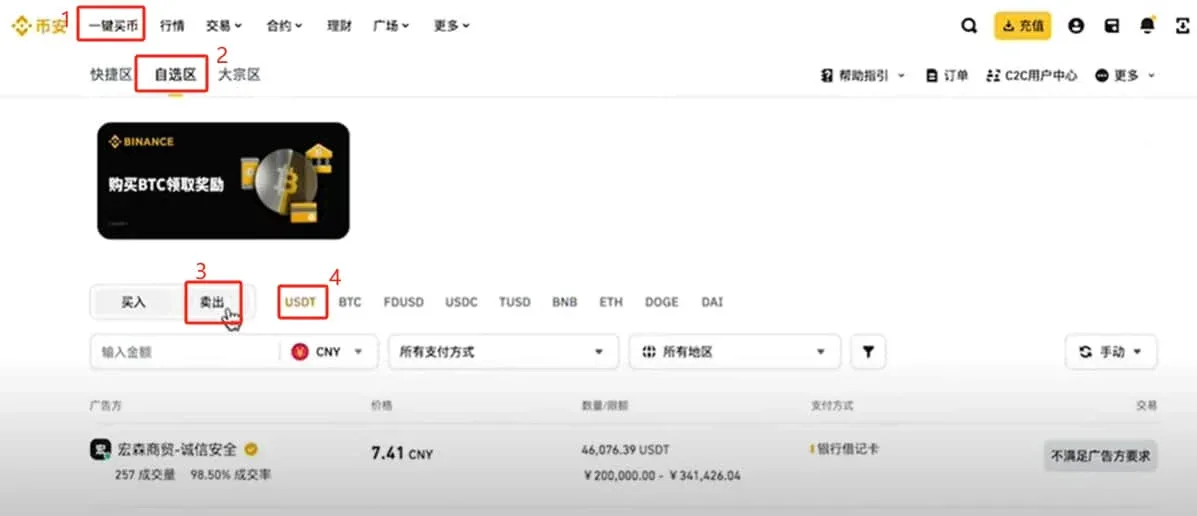
The fiat‑on‑ramp for Chinese Yuan is the C2C (peer‑to‑peer) marketplace. On the Binance homepage click the Buy Crypto button at the top.
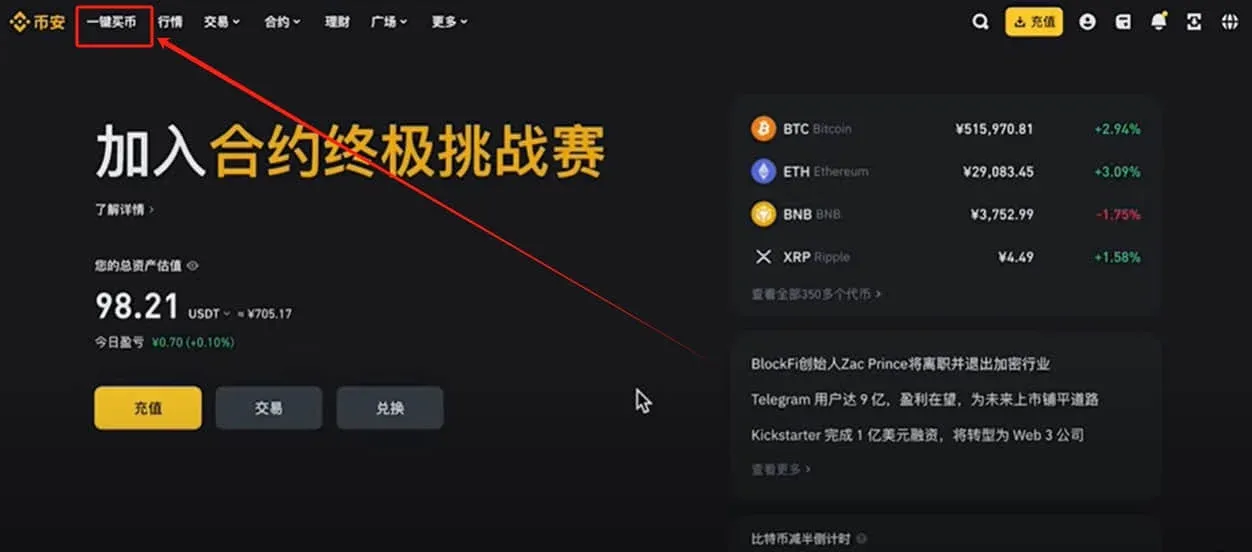
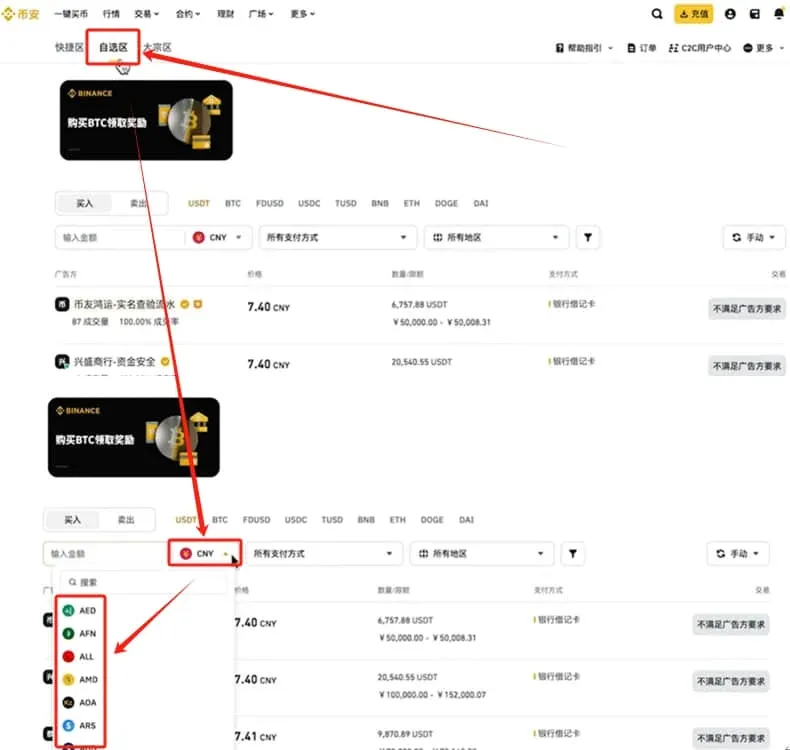
- Select a purchase channel
The page offers three zones: Quick‑Access, Custom and Bulk. The Custom zone is for person‑to‑person C2C trades and supports many fiat currencies such as Chinese Yuan (CNY), Taiwanese Dollar, Euro, etc. Buying USDT here is extremely convenient.
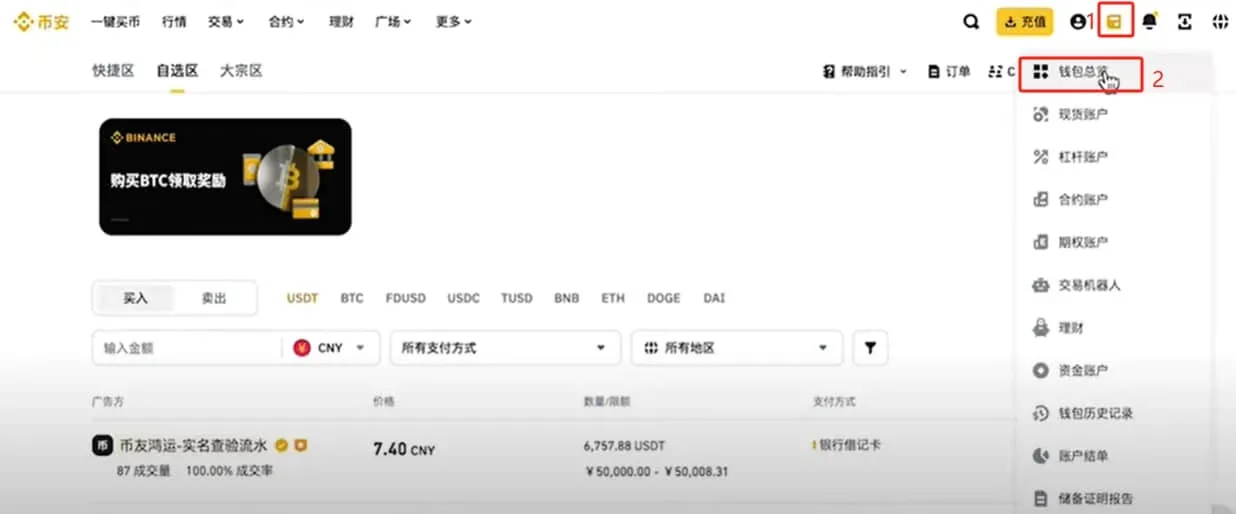
- Transfer USDT from another wallet or exchange
In the upper‑right corner click Wallet → Overview.
- Enter the deposit page
Click Deposit → choose “Deposit Crypto”.
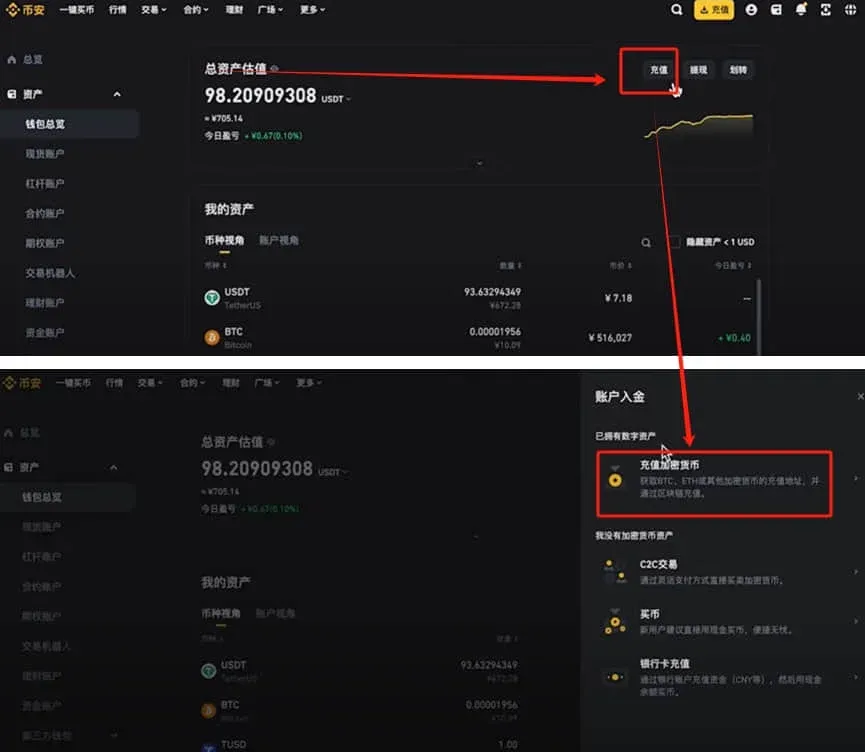
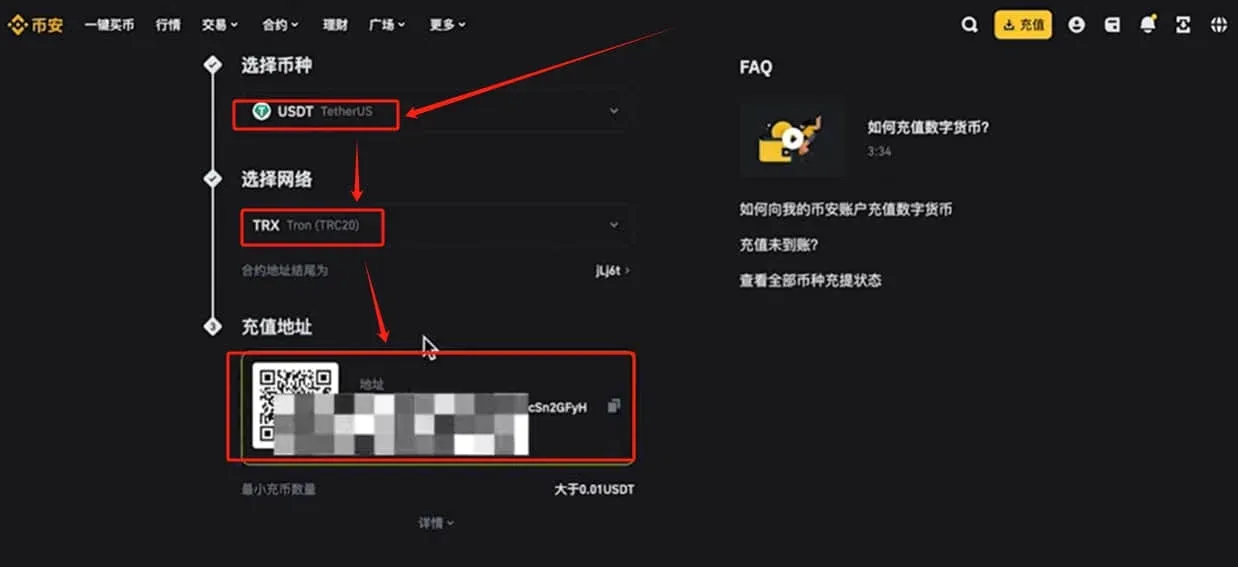
- Fill in the deposit details
- Asset: USDT
- Network: We recommend TRC20 (lowest fee). The page will display a QR code and a deposit address. Copy the address or save the QR code, then go to your original wallet or exchange, select the TRC20 network for withdrawal, and send USDT to Binance.
2. Spot Trading Cryptocurrencies
Once your USDT balance is loaded, you can start spot trading.
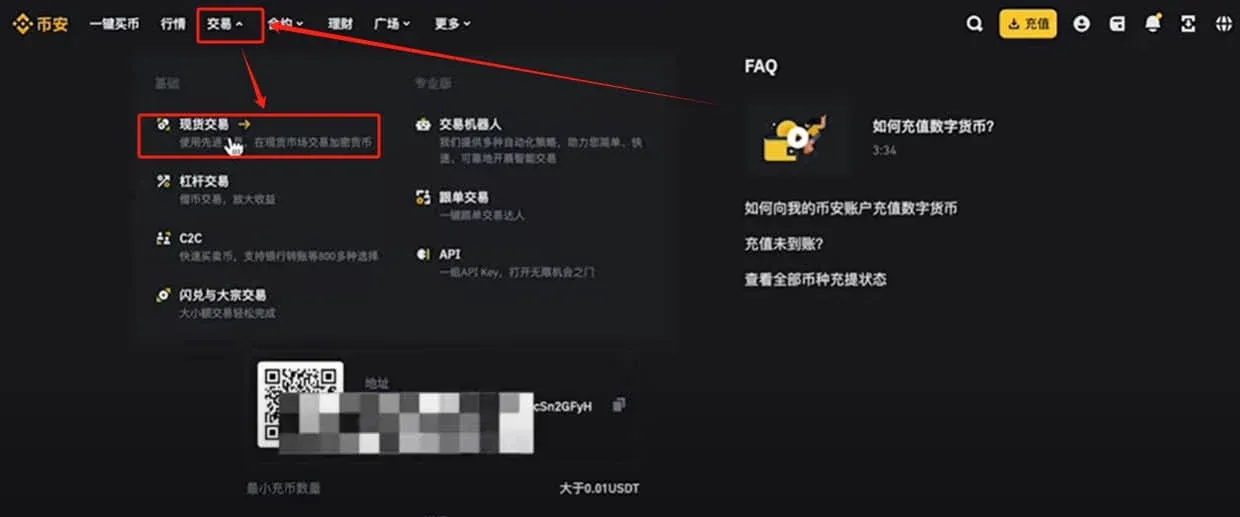
- Open the spot‑trading interface
Click the top‑menu Trade → Spot.
- Select a trading pair
By default the page loads BTC/USDT. The red column represents sell orders, the green column buy orders. Use the right‑hand panel to switch to other pairs (e.g., ETH/USDT, ADA/USDT, etc.). You can also type a symbol into the search box to locate a specific coin quickly.
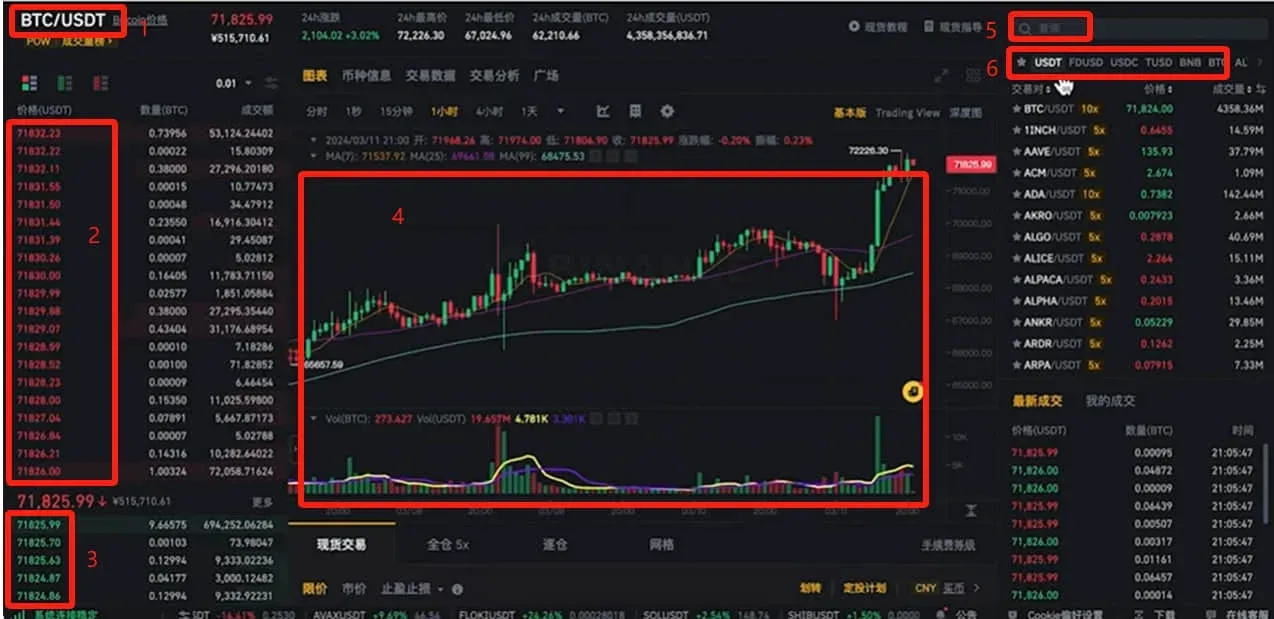
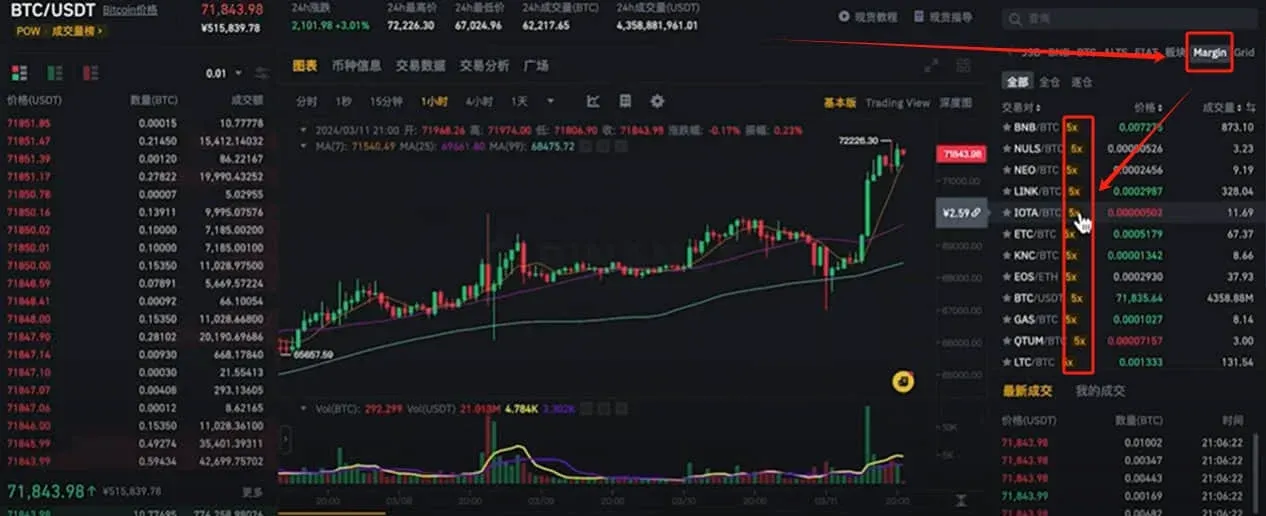
- Access leveraged trading
Beneath the trading‑pair name you may see a 5X badge. Clicking it opens the same pair with up to 5× leverage.
- Browse all USDT‑quoted pairs
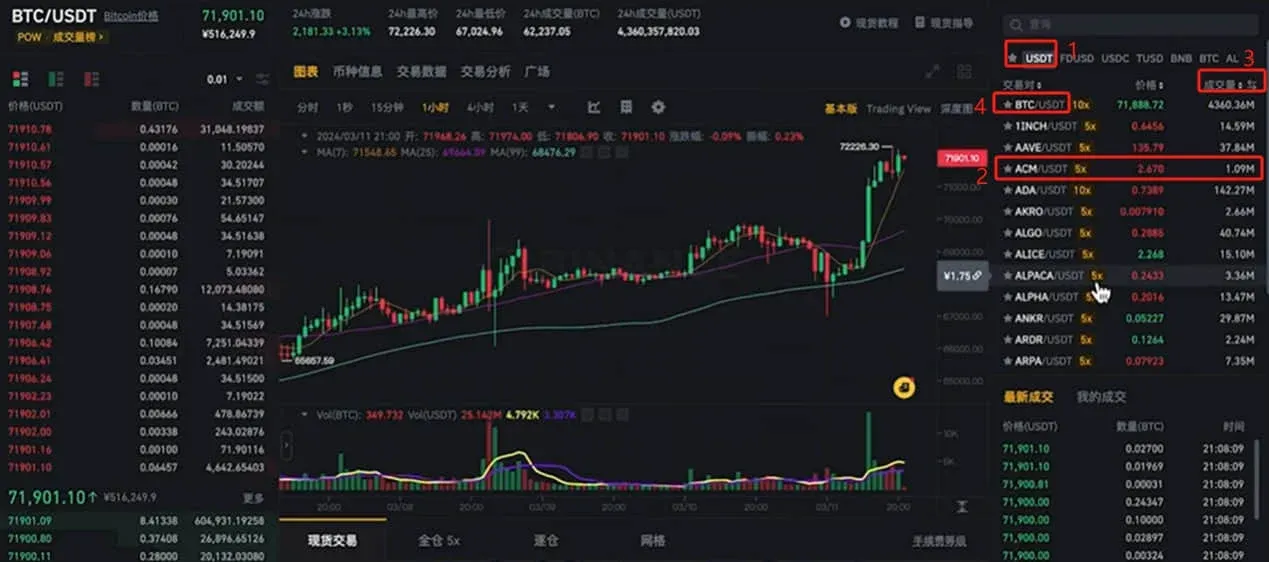
Click the USDT filter on the left. The system lists every market that uses USDT as the quote currency, such as ACM/USDT (1 ACM ≈ 2.67 USDT). You can sort by volume or price change; the highest‑volume pair is usually BTC/USDT.
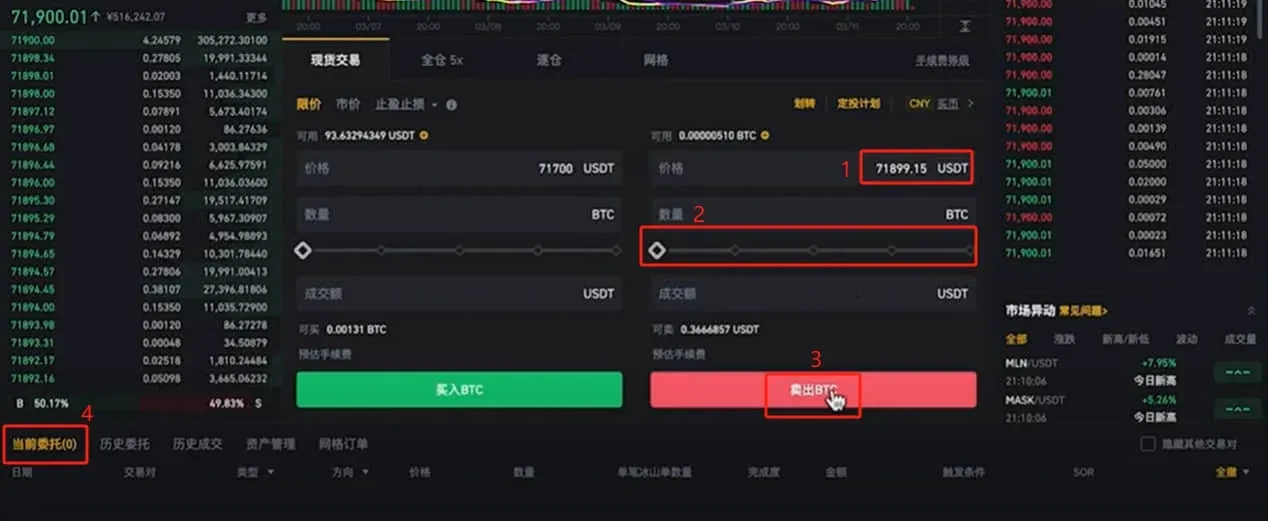
- Place a limit‑buy order
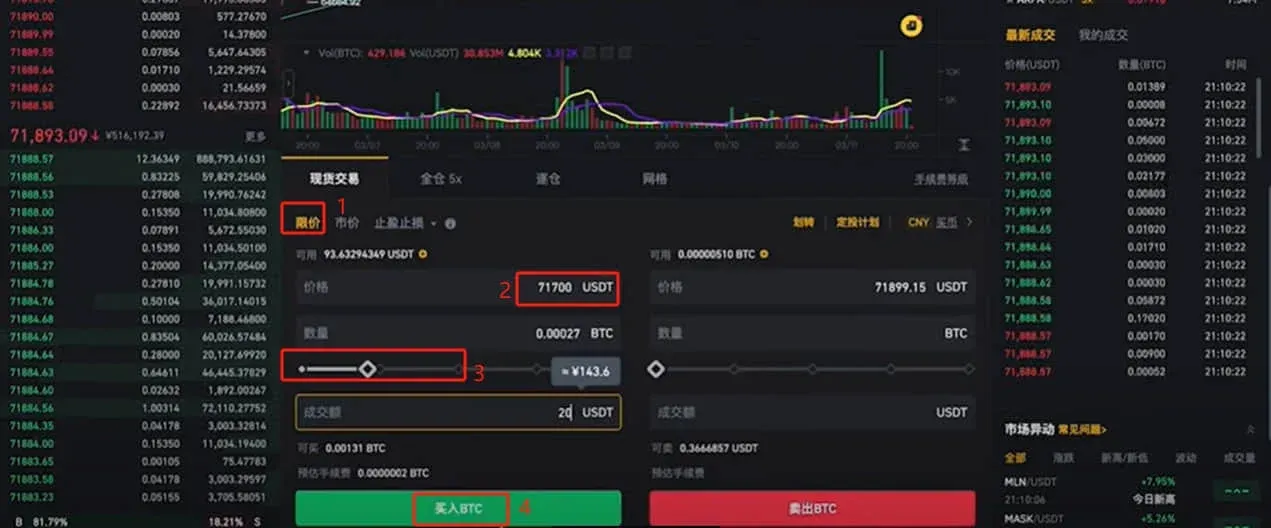
- Enter the price you wish to pay (e.g., 71 700) and the amount of BTC or the total USDT you want to spend.
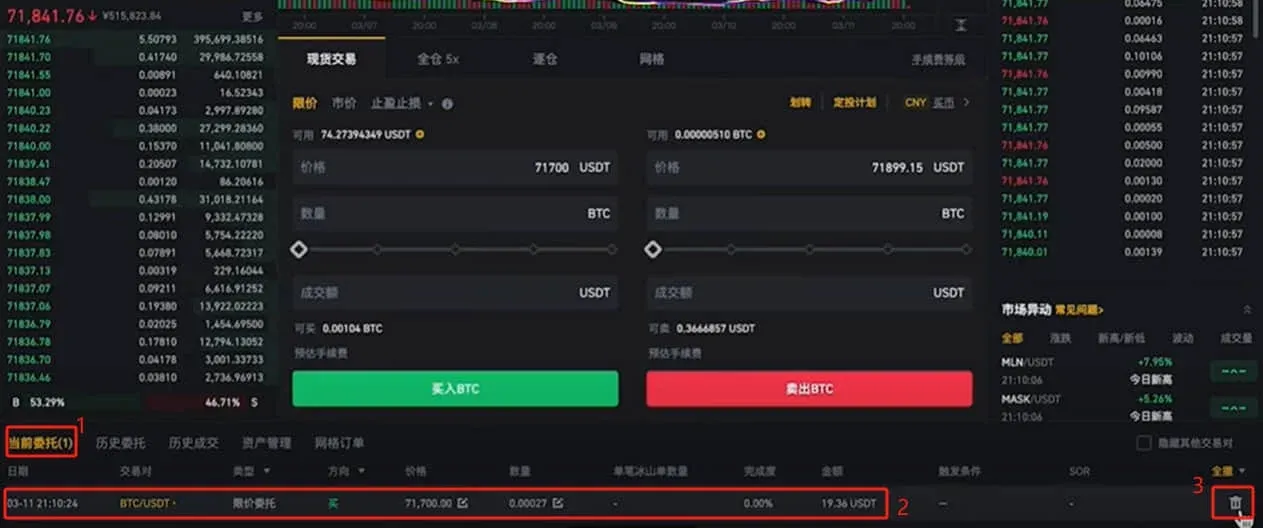
- Click Buy BTC; the order will sit on the book and execute automatically when the market reaches your price. You can cancel the order at any time; both placing and canceling limit orders are fee‑free.
- Place a limit‑sell order
The process mirrors the buy side: enter your desired selling price and quantity, then click Sell BTC to post the order.
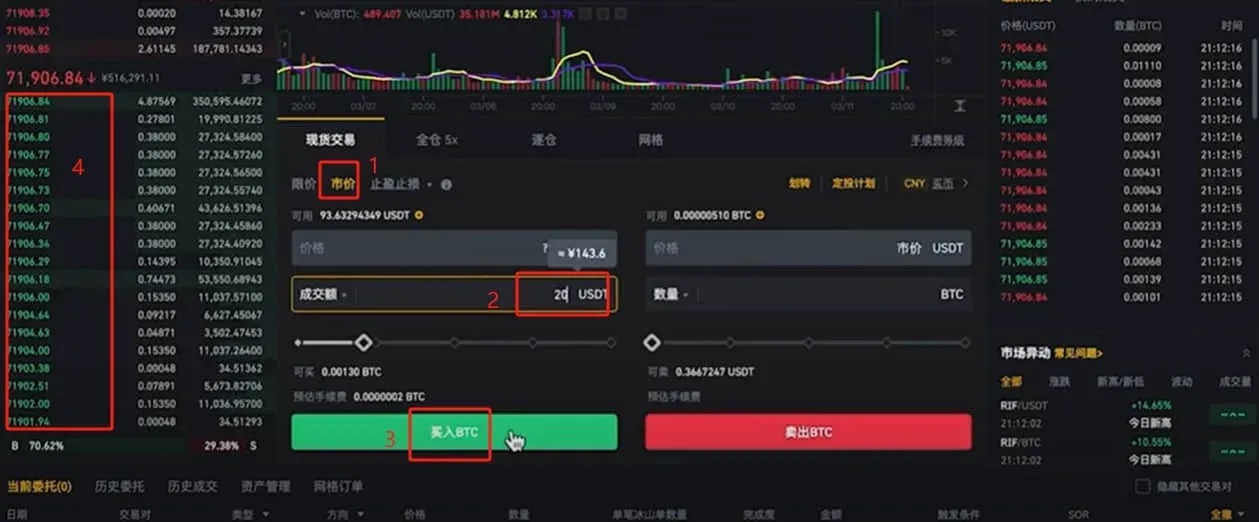
- Use market orders
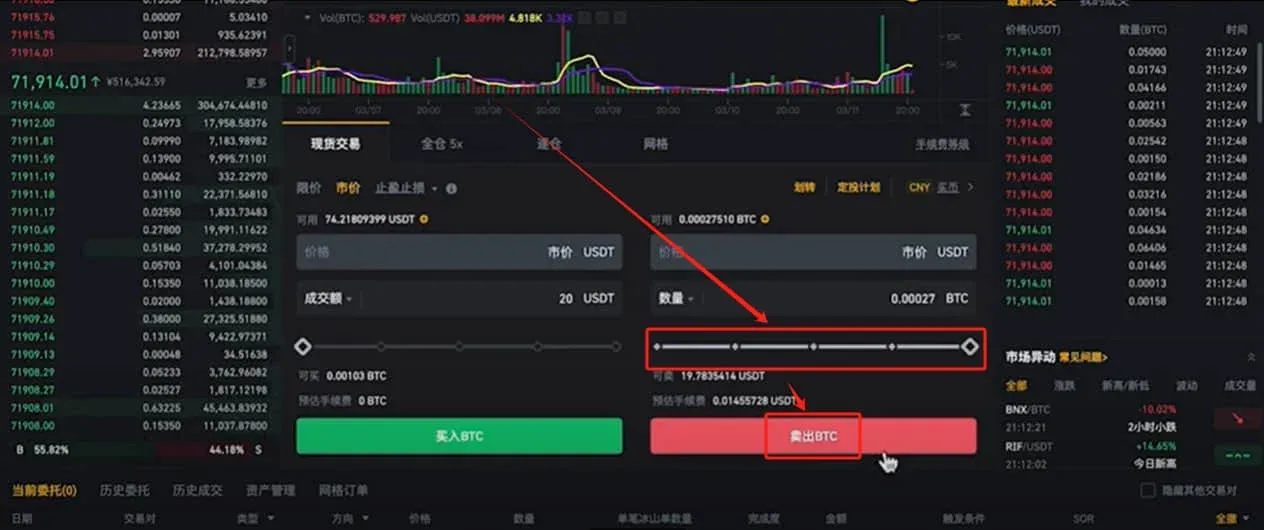
- Simply specify the amount of USDT you want to spend (for buying) or the amount of BTC you want to sell. The system will execute immediately at the best available price.
- Click Buy BTC for a market‑buy, or after entering the sell quantity click Sell BTC for a market‑sell.
- Set stop‑loss / take‑profit orders
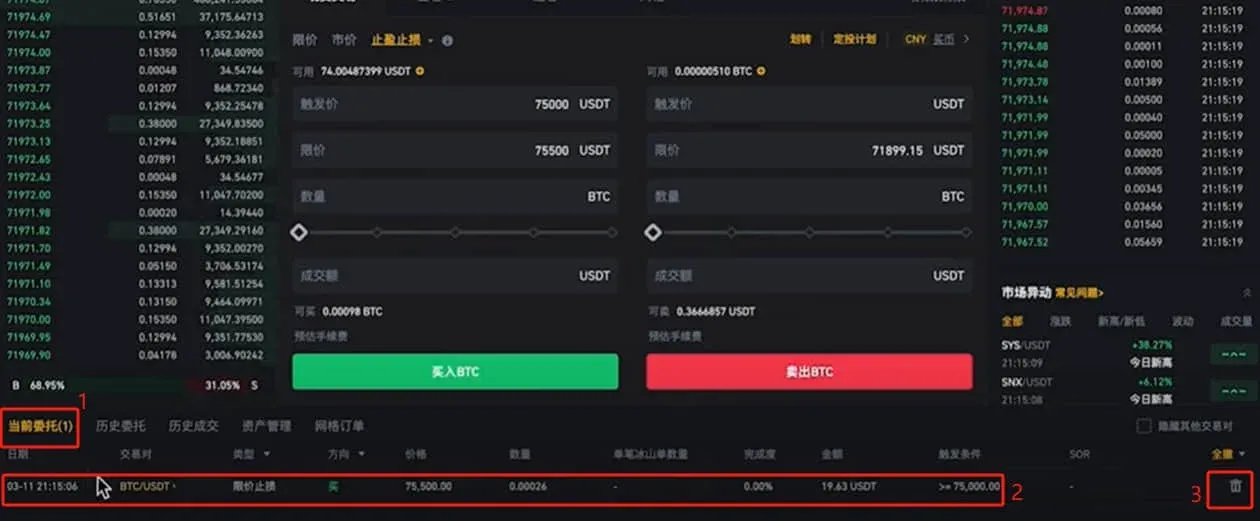
- Click Stop‑Loss/Take‑Profit. When the trigger price is reached, Binance will automatically place a limit order at the price you specify.
- Example: If you expect Bitcoin to break above 75 000 USD and continue rising, set a trigger at 75 000 USD and a limit price at 75 500 USD. Enter the amount you wish to spend, click Buy BTC, and confirm.
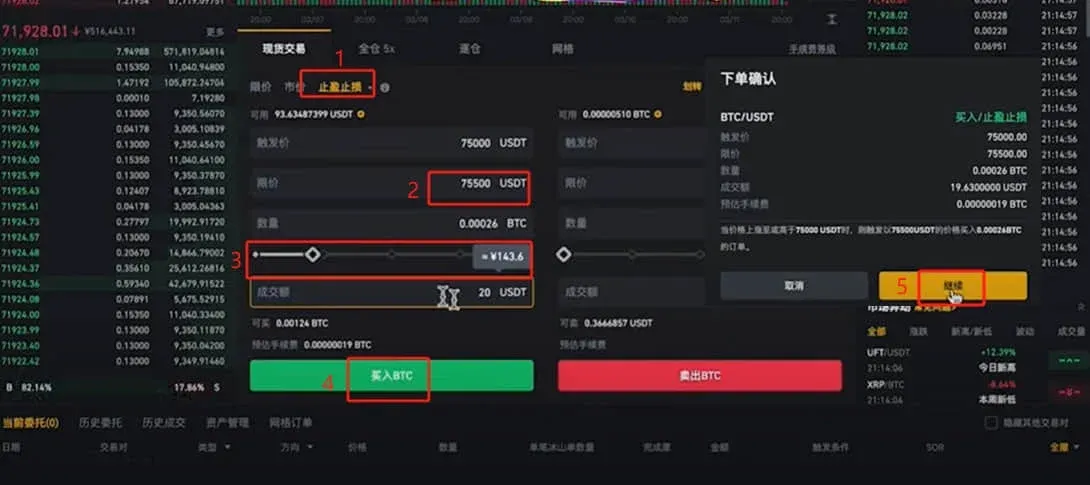
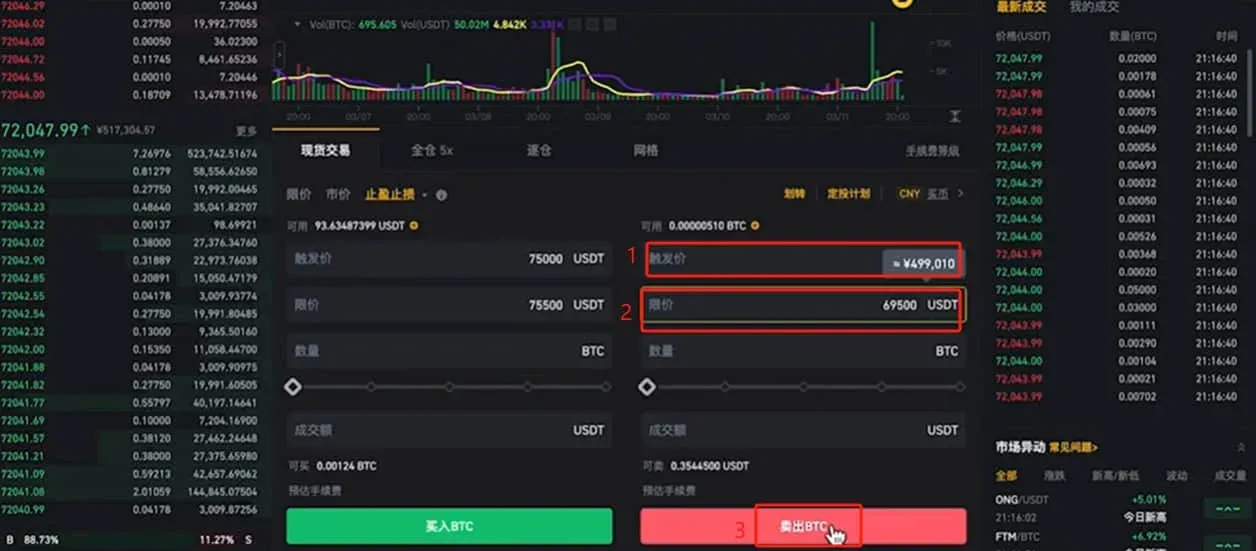
- Likewise, to protect against a drop below 70 000 USD, set a trigger at 70 000 USD, a limit at 69 500 USD, and click Sell BTC to place the stop‑loss order.
3. Converting USDT Back to Fiat (e.g., Chinese Yuan)
After you have finished trading, you may want to withdraw your USDT as fiat. There are two common methods.
- Withdraw to an external wallet
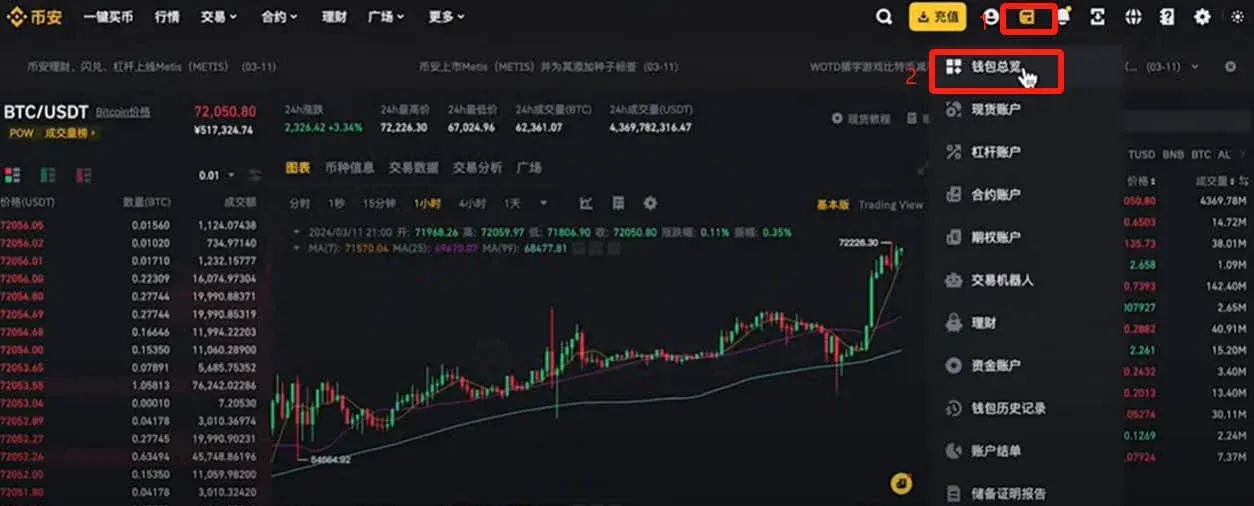
- In the upper‑right corner click Wallet → Overview.
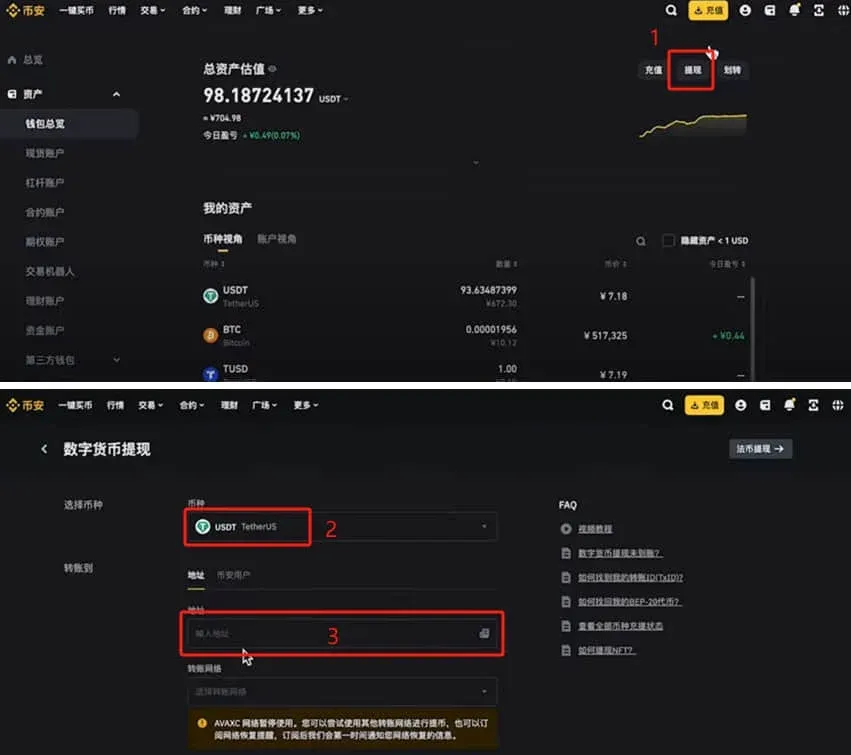
- Choose Withdraw, select USDT, paste the destination address of the other exchange or wallet, and confirm the transaction.
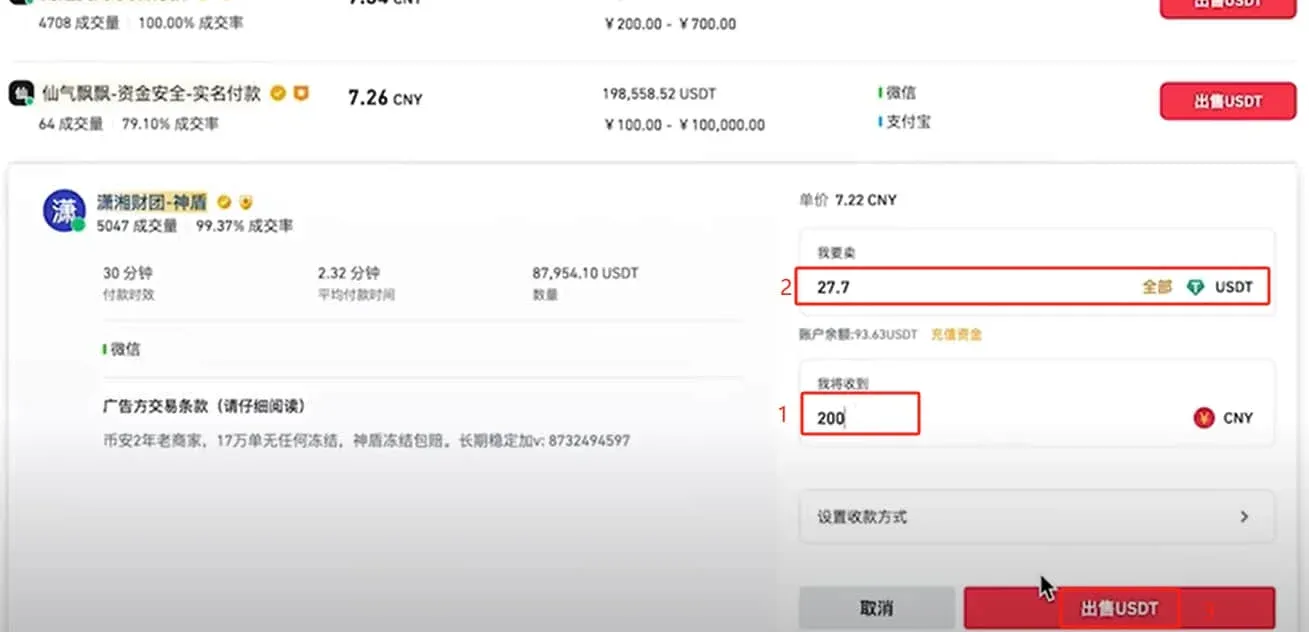
- C2C direct sell (peer‑to‑peer)
- Click Buy Crypto → Custom → Sell.
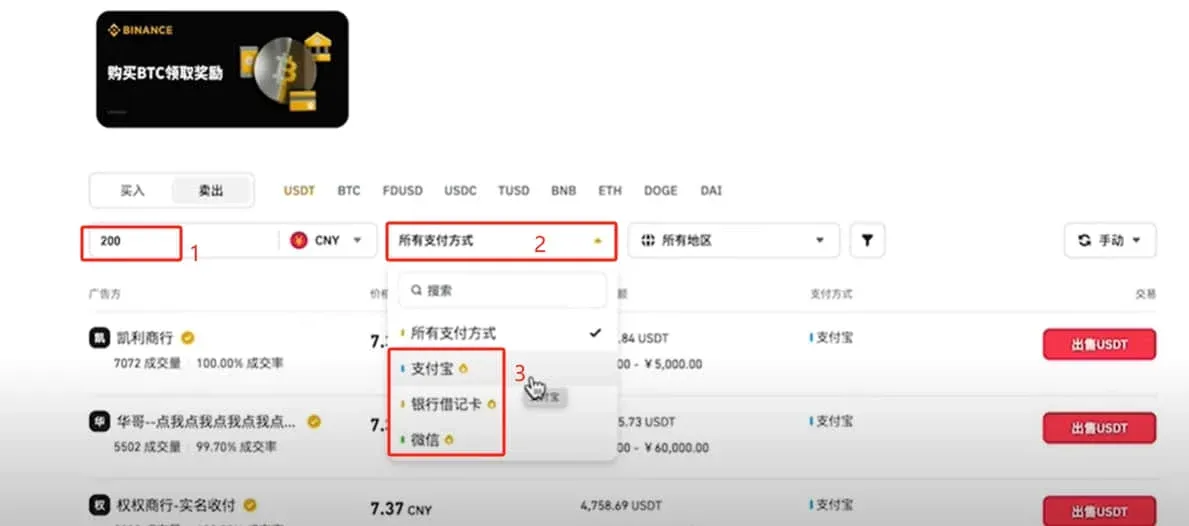
- Choose the asset USDT, enter the amount you wish to sell (e.g., 200 USDT), and select a payment method.
- Recommended payment cards: To reduce the risk of your account being frozen, use a backup bank card that is not linked to payroll, social security, or health insurance. If you prefer WeChat Pay or Alipay, choose an account that is not your primary one, again to avoid potential risk controls.
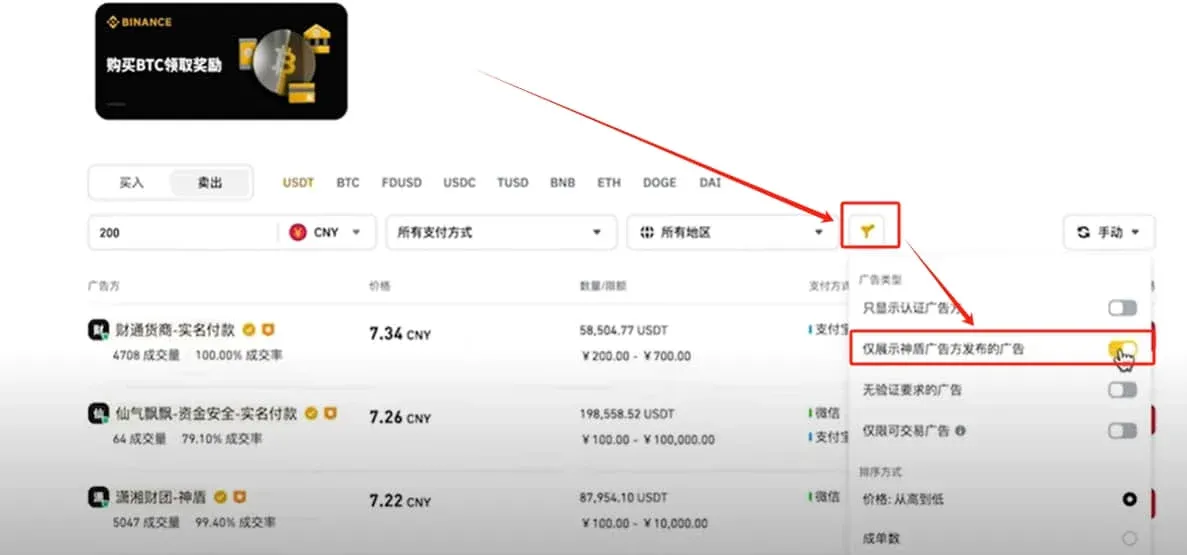
- Filter for reputable merchants
- Tick the box “Show only ads from Shield merchants”.
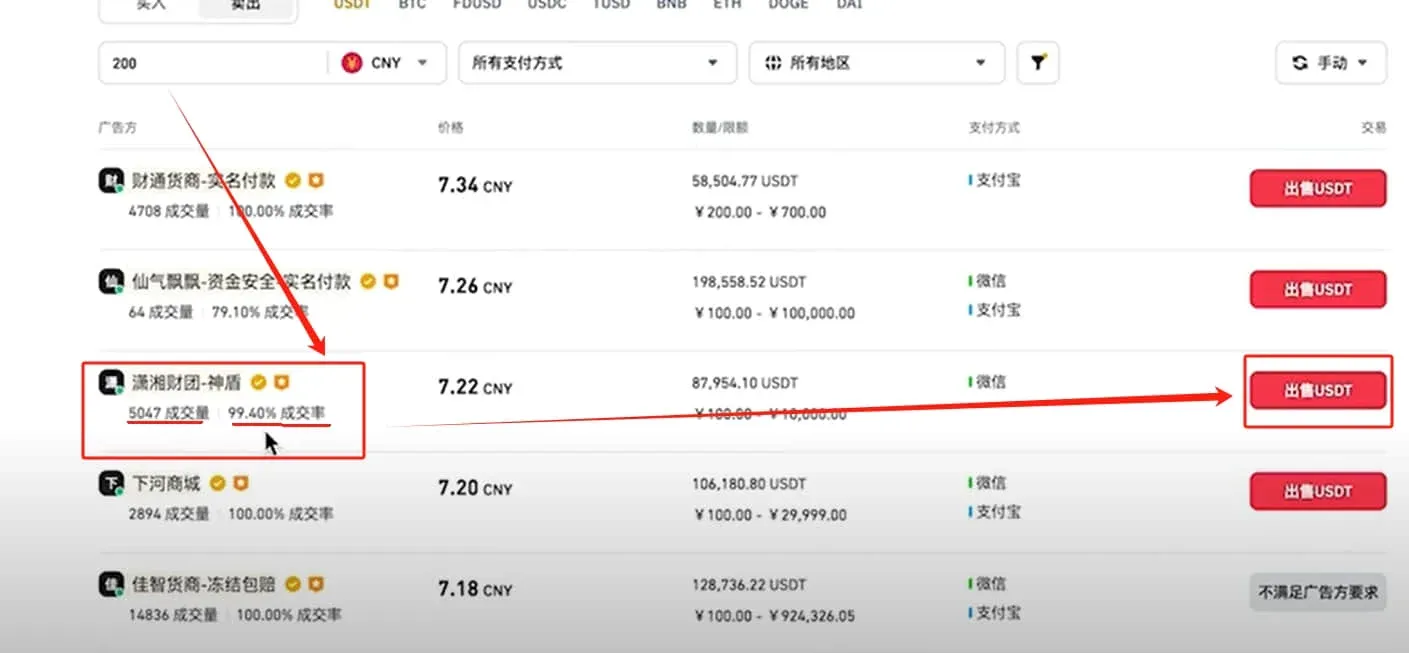
- Prioritise sellers with high trade volume, good rating, and reasonable quotes; avoid overpriced offers that may carry hidden risks.
- Example: Xiaoxiang Consortium, 5 047 trades, 99.4 % positive feedback, competitive price. Click Sell USDT to proceed.
- Confirm the trade
- Re‑enter the amount you wish to sell; the platform will automatically calculate the corresponding fiat amount (e.g., 27.7 USDT ≈ 200 CNY). After verifying the details, click Sell USDT.
- Important: Release the USDT only after you have received the fiat payment, to avoid the counter‑party defaulting.
---
This completes the **Bin
Related Reading
- How to Convert USDT to Bitcoin on Binance in 1 Hour – Guide
- How to Access Binance in Mainland China in 2026 – KYC Guide
- Binance On‑Chain Deposit & Withdrawal Guide: Transfer Crypto
💡 Register on Binance with referral code B2345 for the maximum trading fee discount. See Binance complete guide.



