
 Bitaigen Research
 How to Use CNY to Buy and Sell USDT on BiyaPay?
On BiyaPay, after completing identity verification you can quickly buy or sell USDT with Chinese Yuan (CNY) via the “Buy & Sell” entry, or transfer USDT to/from other exchanges or wallets.
This article walks BiyaPay newcomers through the entire process—from completing KYC to using CNY for fast USDT purchases or sales. It also explains on‑chain deposits, third‑party platform purchases, and withdrawal procedures, helping you get started easily and manage digital assets safely and efficiently. *(Note: crypto gains may be taxable in your jurisdiction; consult a tax professional.)*
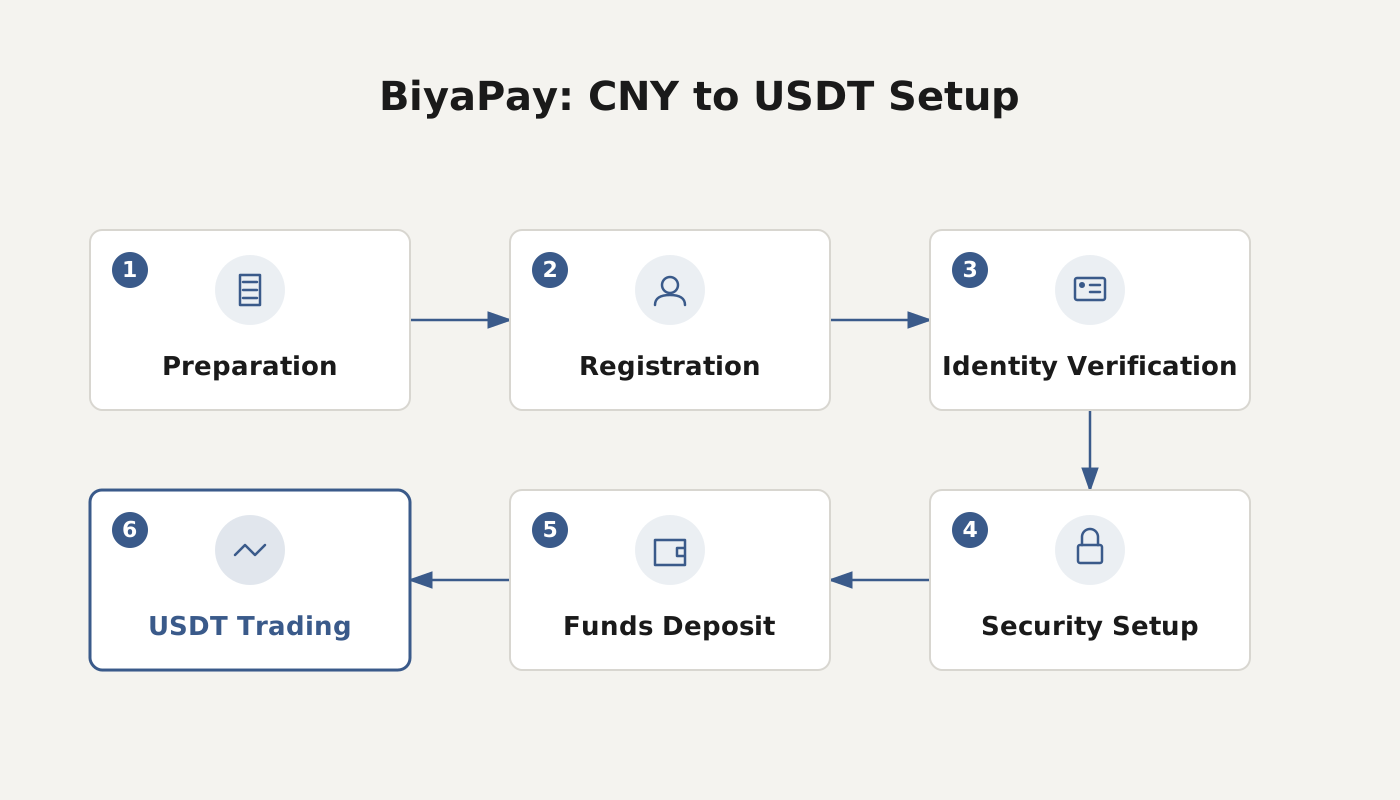
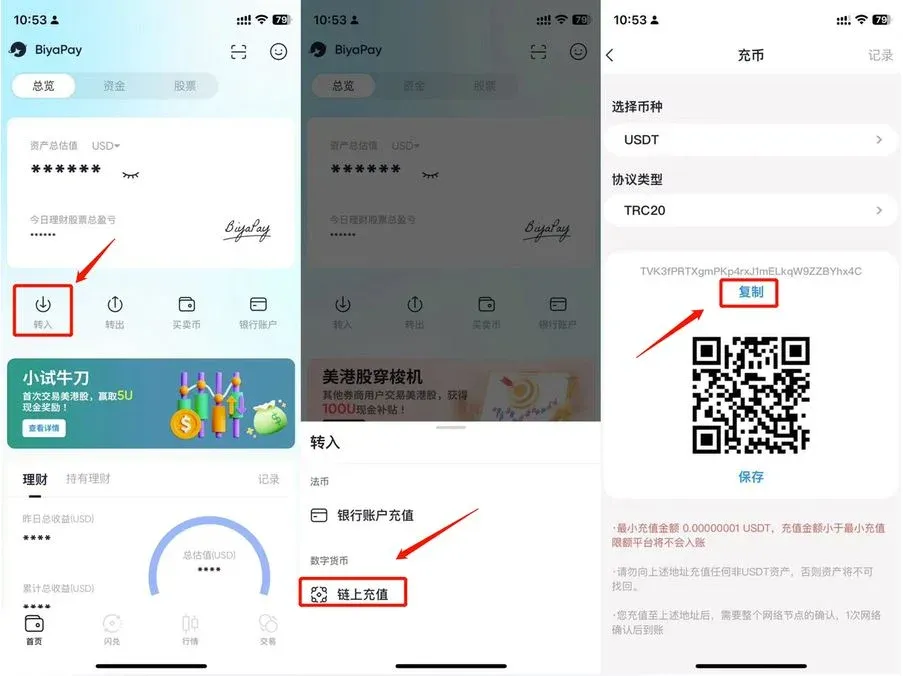
1. Deposit or Purchase USDT
1. On‑Chain Deposit
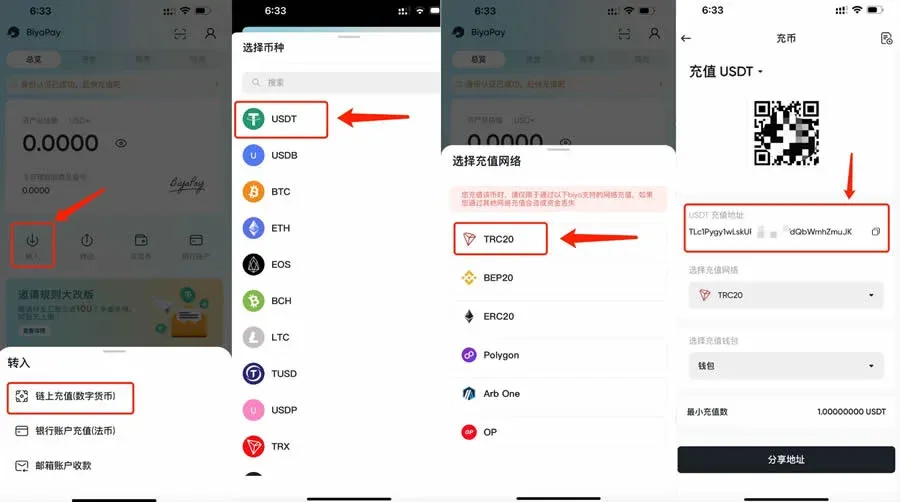
- Open BiyaPay, tap Transfer In → On‑Chain Deposit.
- Select the coin USDT and the protocol type (we recommend TRC20), then generate a deposit address and QR code.
- Copy the address from another exchange or wallet and complete the transfer.
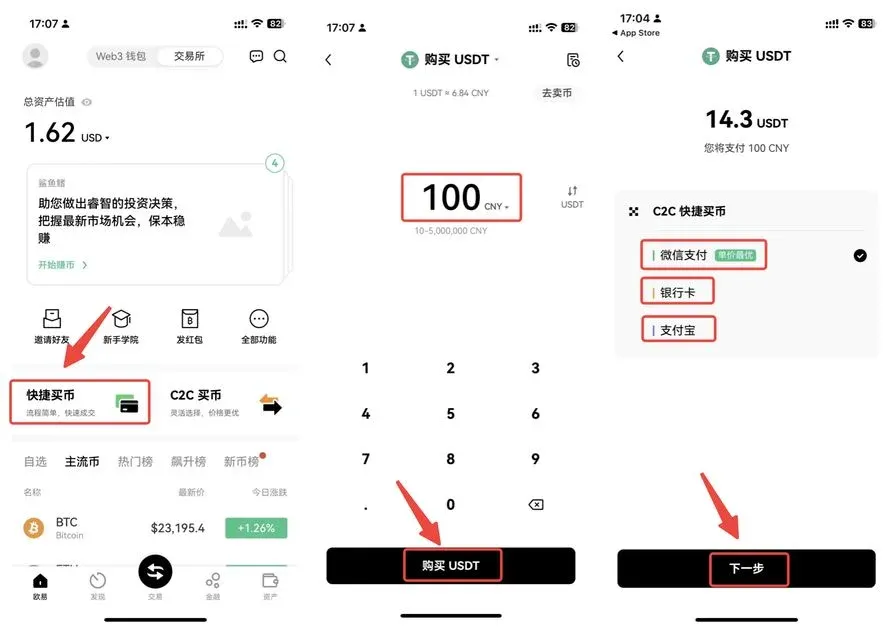
2. Buy Coins via a Third‑Party Exchange (Example: OKX)
Purchase Steps
- Visit the OKX website and download the official app (registration link).
- Complete account registration, login, and identity verification.
- Go to Quick Buy, enter the purchase amount, select USDT, and pay with WeChat, Alipay, or a bank card.
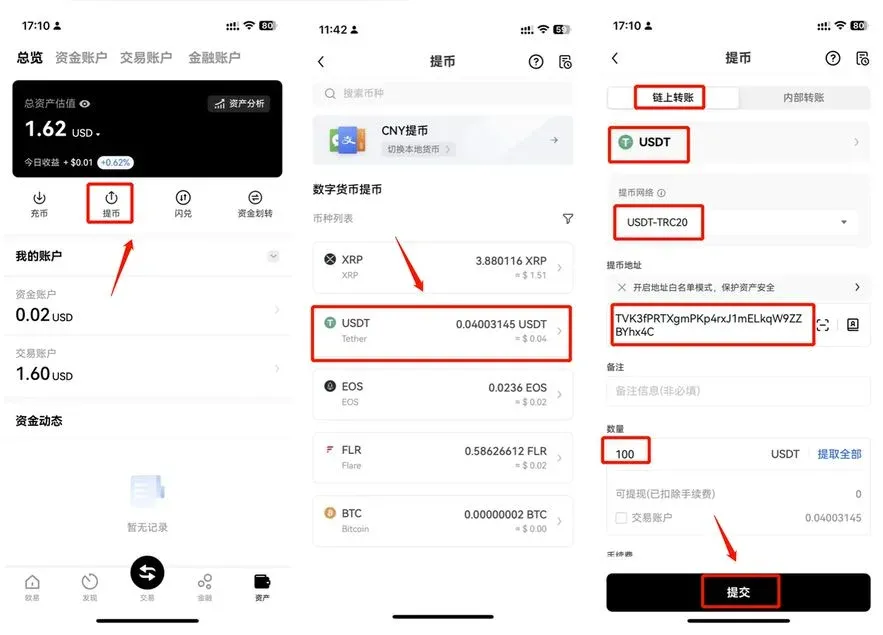
Withdraw to BiyaPay
- In BiyaPay, follow the On‑Chain Deposit steps above to obtain a USDT‑TRC20 address.
- In OKX → Assets → Withdraw, choose USDT‑TRC20, paste the address, enter the amount, and submit the withdrawal.
- After on‑chain confirmation, the USDT will appear in your BiyaPay account.
3. Use BESTOTC for Quick Purchase
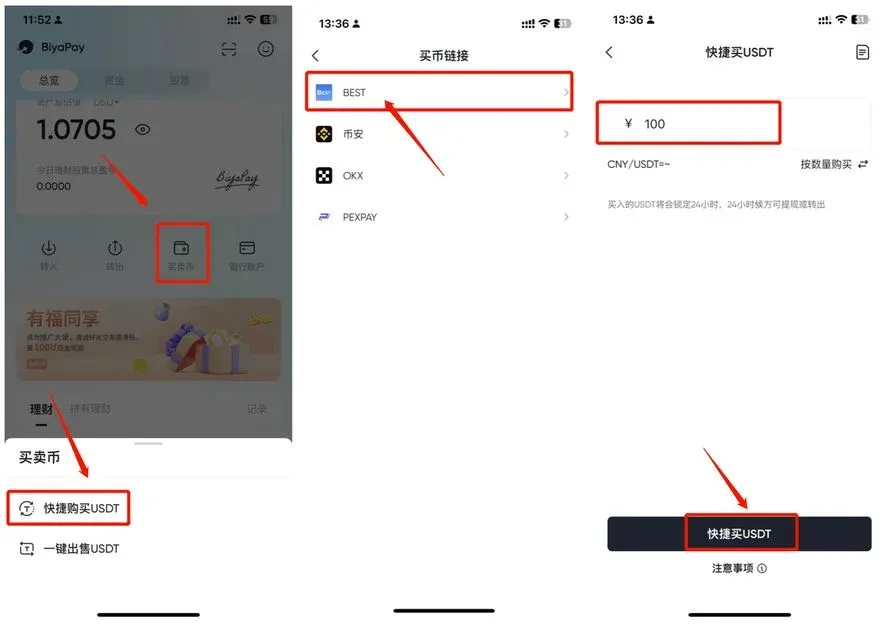
- In BiyaPay go to Buy & Sell, select Quick Buy USDT → BEST.
- Enter a CNY amount (we suggest ≥ 1,000 CNY) or a USDT quantity, then click Quick Buy USDT.
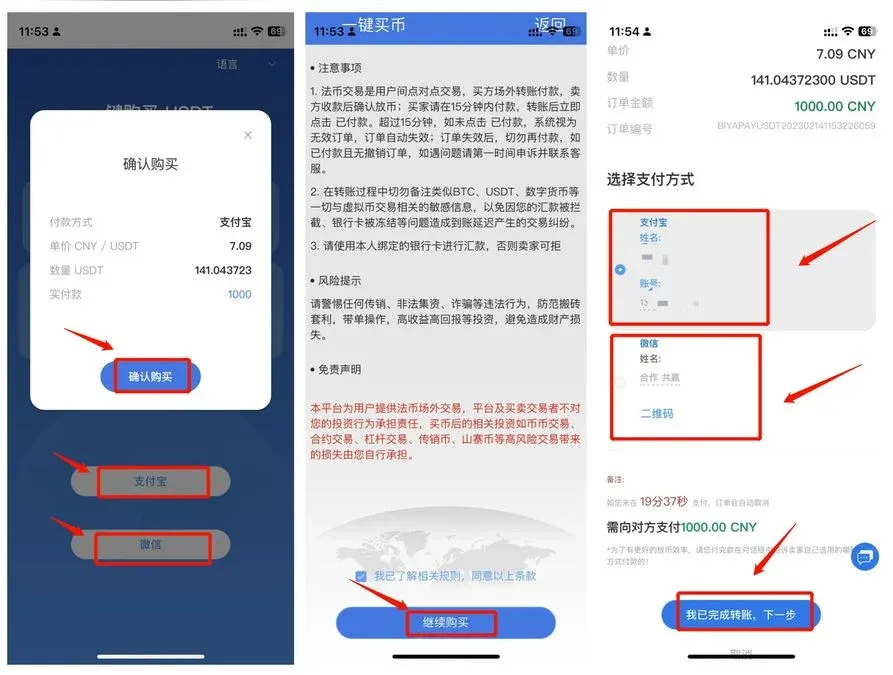
- Choose Alipay or WeChat Pay, confirm, and an order will be generated.
- After payment, click I Have Completed the Transfer; once the counter‑party confirms, the USDT will be credited to your account.
2. Sell or Withdraw USDT
1. Withdraw to Another Exchange or Wallet
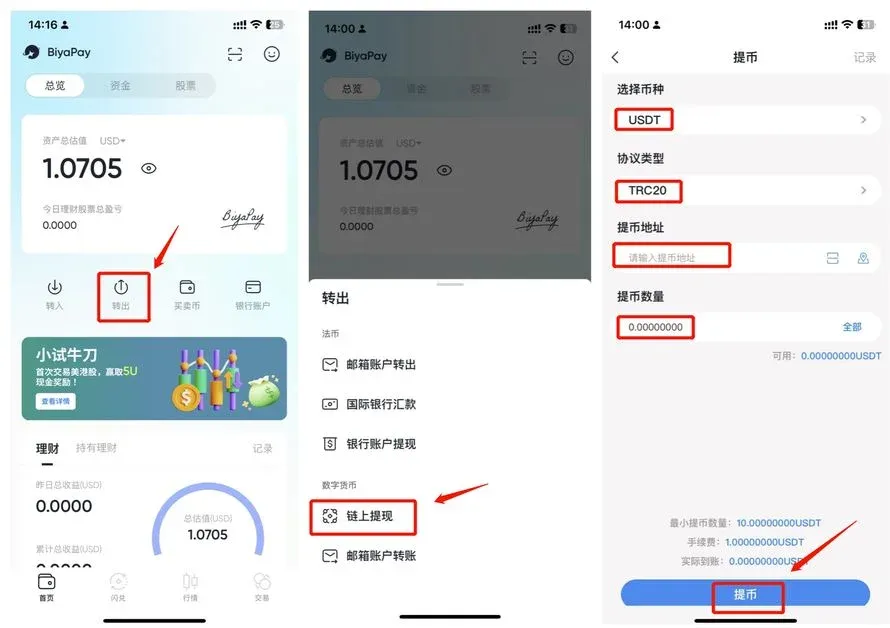
- BiyaPay → Transfer Out → On‑Chain Withdrawal.
- Choose the coin and protocol, paste the destination address, enter the withdrawal amount, and confirm submission.
2. Sell USDT on BESTOTC
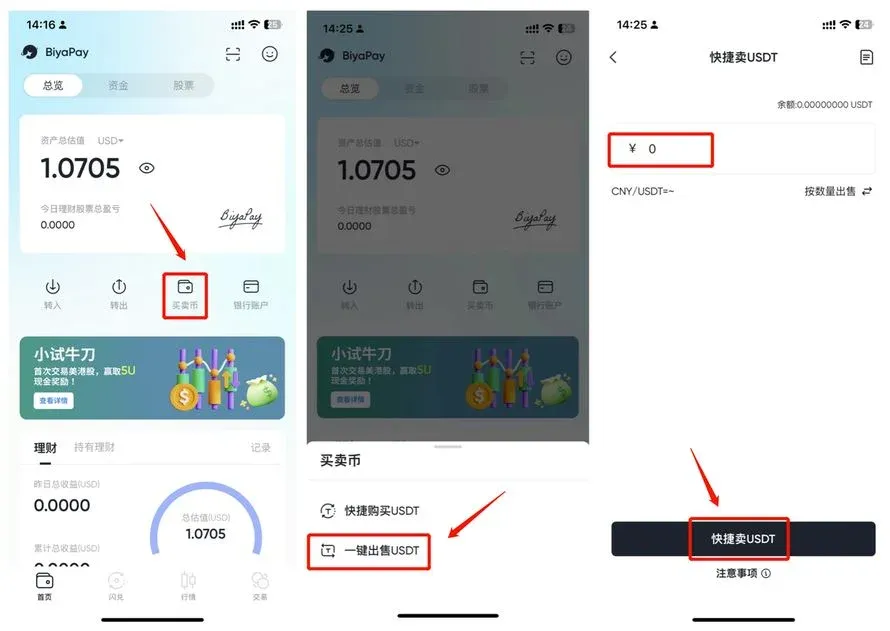
- Open BiyaPay, go to Buy & Sell, and tap One‑Click Sell USDT.
- Enter the amount you wish to sell; the system will automatically execute the sale and generate the corresponding order.
Tip: The buy‑sell function is linked to third‑party exchanges or wallets. Once you have completed identity verification, you can use CNY to trade USDT. If you have questions, contact the relevant exchange’s support desk or BiyaPay’s online customer service.
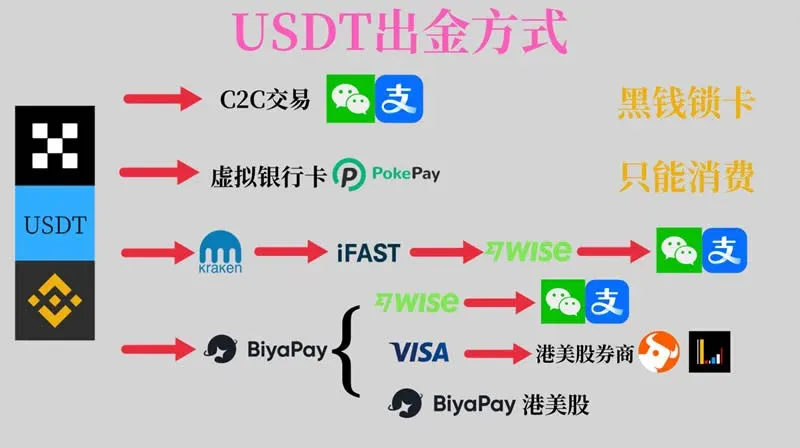
About BiyaPay
BiyaPay is a multi‑asset trading wallet that supports free inflow and outflow as well as conversion between fiat and digital assets. The platform currently covers more than 20 fiat currencies and over 10 major cryptocurrencies, and also offers access to U.S. and Hong Kong stock markets. Future plans include a Visa physical card for online, offline, and ATM transactions. The mobile app is already live, providing a more convenient experience.
BiyaPay Licenses
Security is the top priority for any financial product. BiyaPay holds the following regulatory licenses:
- Canada MSB (Money Services Business) license
- United States MSB license
- U.S. Securities and Exchange Commission (SEC) RIA license
- New Zealand FSP securities license
Full Process: Registration, Verification, and USDT Operations
1. Register an Account
Sign up with your email on the BiyaPay website to create an account.
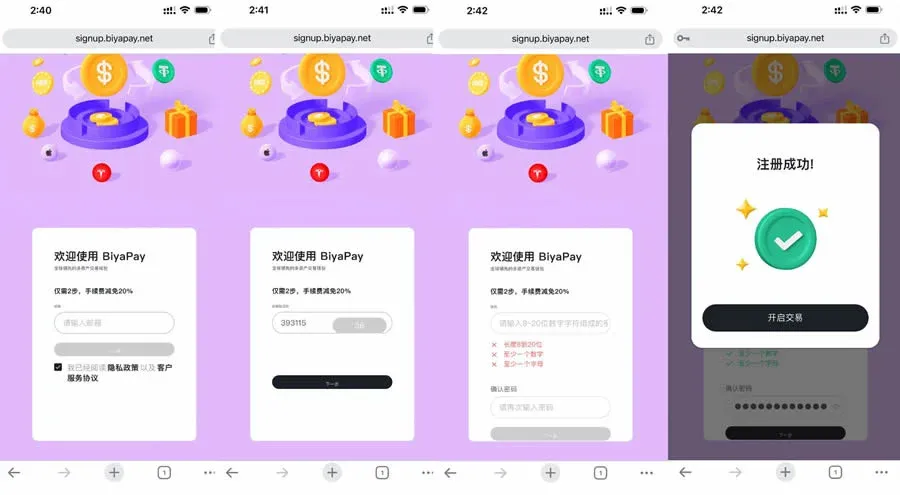
2. Download the Client
After successful registration a download link appears; you can obtain the app from overseas app stores or use the provided installation package.
3. Log In
Log in to the client with the email and password you set during registration.
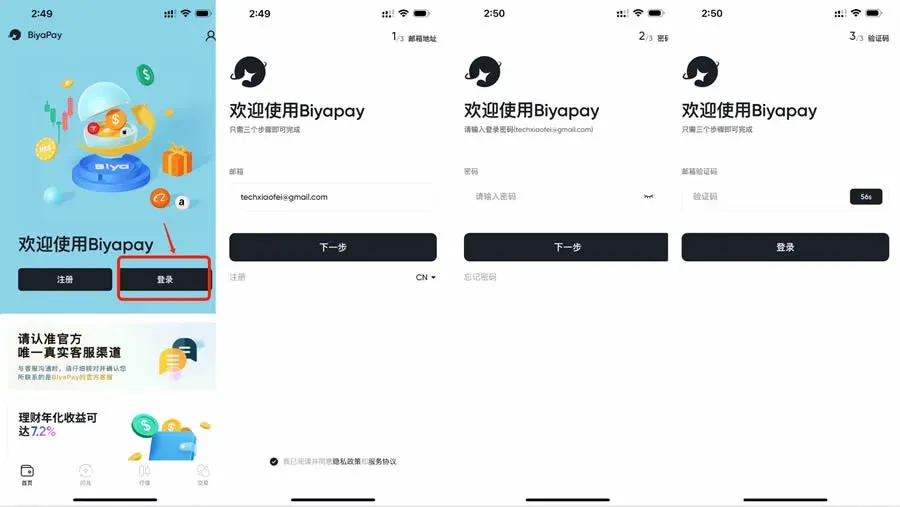
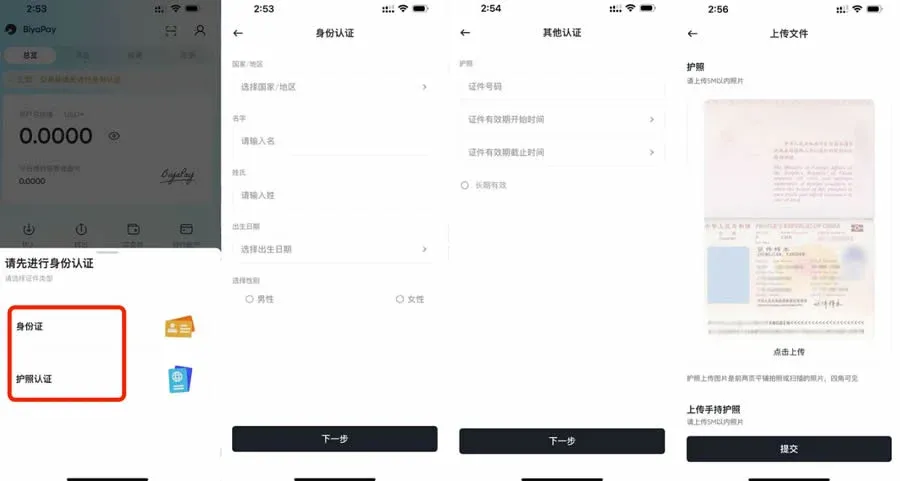
4. Identity Verification
Once logged in, complete KYC by uploading a passport or national ID (passport is recommended). Verification usually completes within one hour.
5. Obtain a USDT Deposit Address
After your KYC is approved, tap Transfer In to generate a USDT deposit address.
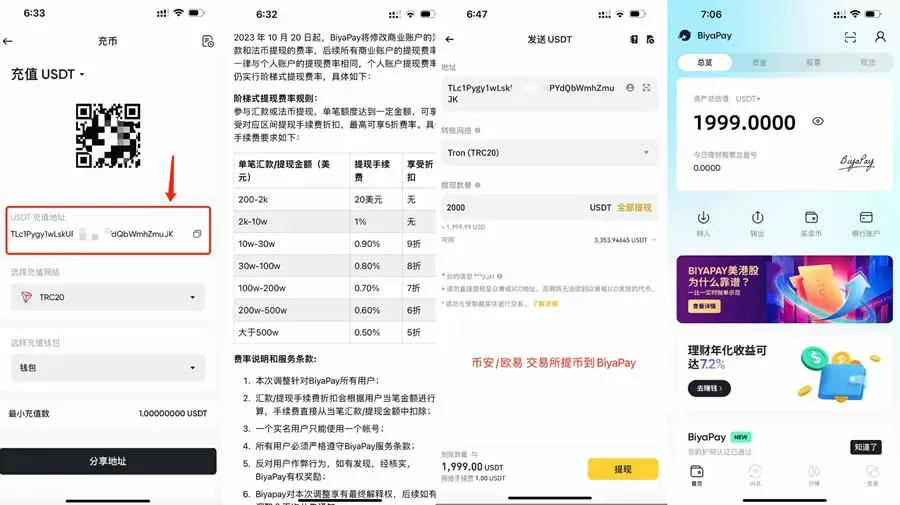
6. Fund USDT
Transfer USDT from platforms such as OKX, Binance (U.S. users should use Binance.US), or other exchanges to the address above. Network fees are roughly 1 USDT; BiyaPay does not charge a deposit fee. Subsequent withdrawals or remittances incur a 1 % service fee.
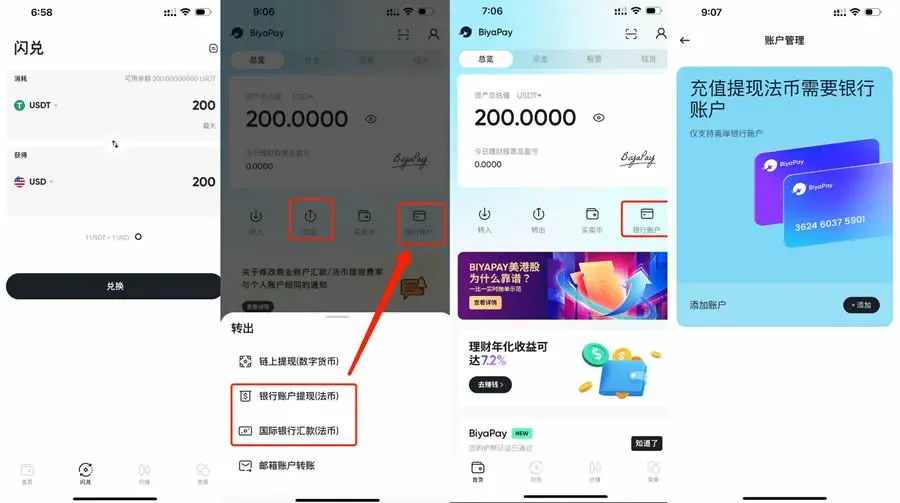
7. Bind a Bank Card
- Use the Instant Exchange feature to convert USDT 1:1 into USD.
- On the Bank Account page, link an overseas bank card or a Wise (formerly TransferWise) account; you will need to provide the SWIFT CODE, account number, and other relevant details.
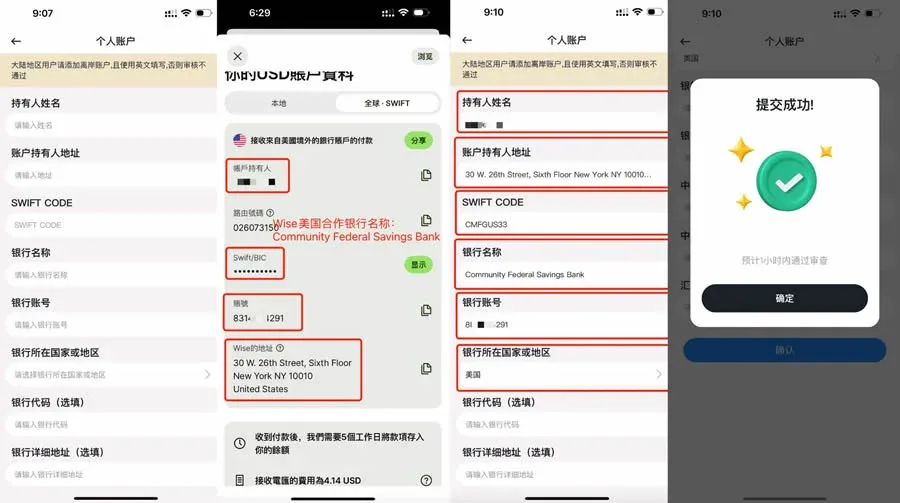
8. Remit to a Fiat Account
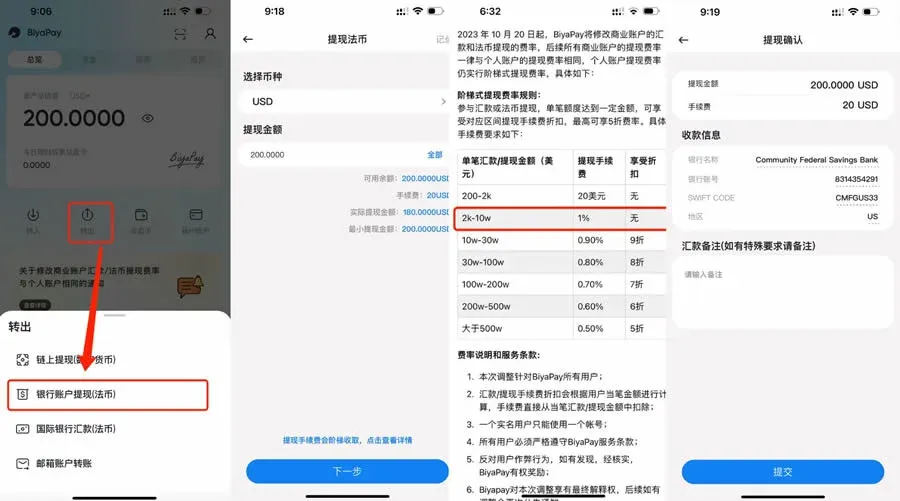
- Go to Transfer Out → Bank Account Withdrawal (Fiat), enter the withdrawal amount and select the previously linked bank card.
- We recommend a single transaction of ≥ 2,000 USD; the fee is 1 %. For amounts below 2,000 USD a flat fee of 20 USD applies.
9. Funds Arrival
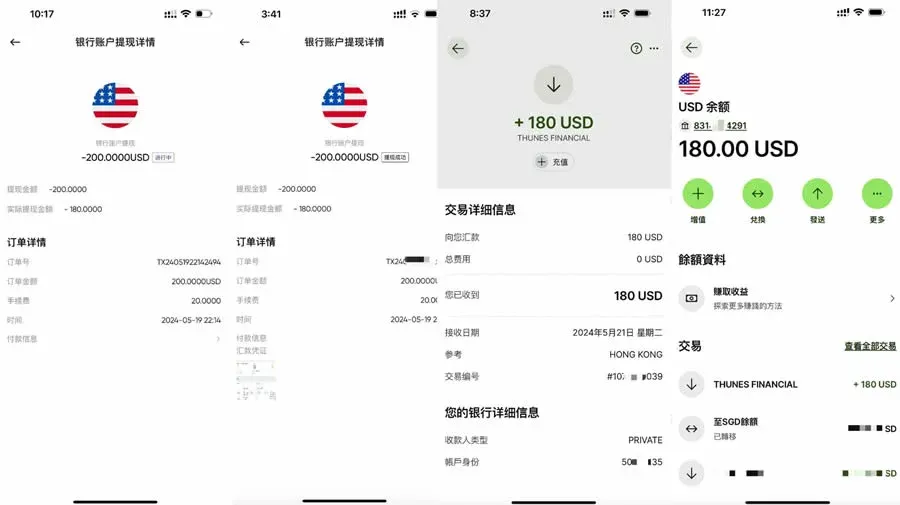
- Wise transfers typically arrive within 1 business day.
- Overseas bank cards usually take 2–3 business days to credit.
10. Convert to CNY
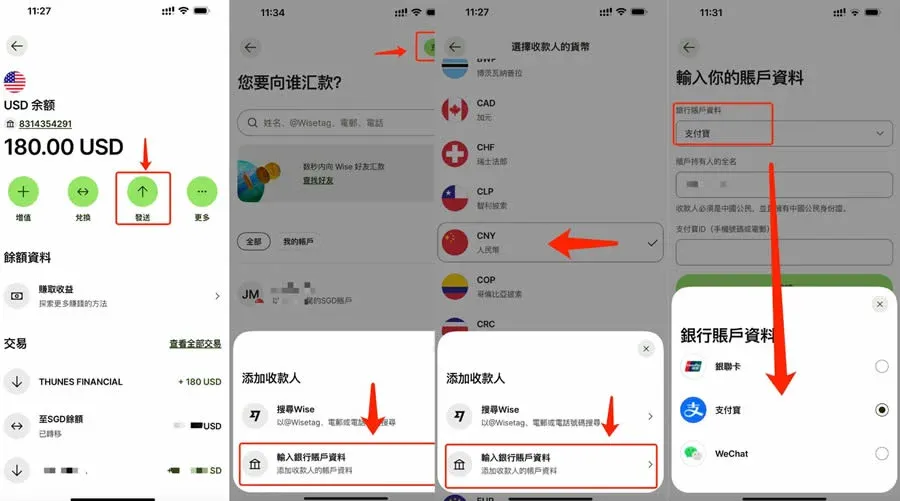
Wise allows you to send USD directly to a domestic Chinese bank card, Alipay, or WeChat Pay. The source of funds remains transparent and the process is secure.
The above constitutes a complete beginner’s guide to using CNY for buying and selling USDT on BiyaPay. For more tips on operating the BiyaPay wallet, follow Bitaigen.
Related Reading
- BiyaPay USDT Withdrawals: Safety, Regulations & Full-Chain Traceability
- Deribit Review: Top Cryptocurrency Futures & Options Exchange
- USDT to CNY Exchange Rate June 2026 – Quick Conversion Guide
💡 Register on Binance with referral code B2345 for the maximum trading fee discount. See Binance complete guide.



