
 Bitaigen Research
In common knowledge, stablecoins are often used to settle payments when trading. Below we will explore how to generate returns by leveraging stablecoins.
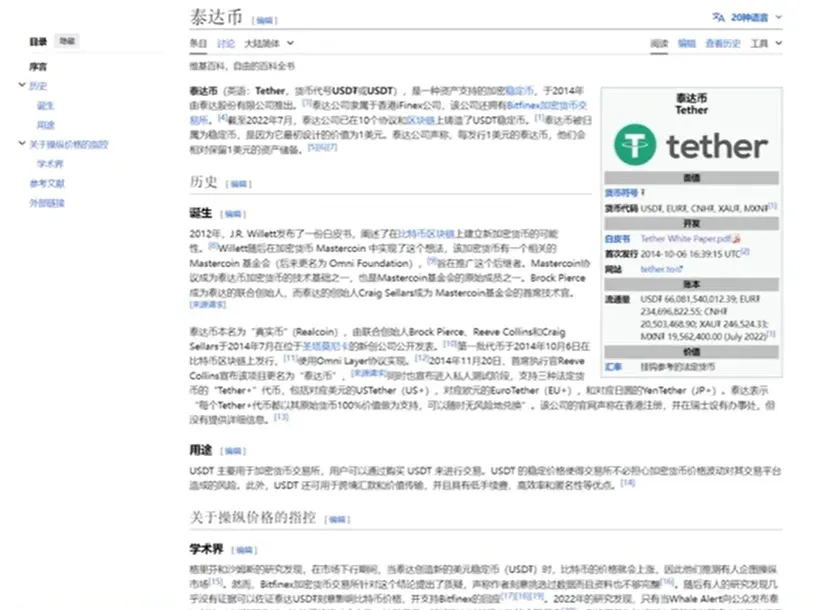
USDT, also known as Tether, is currently the most widely recognized stablecoin on the market. It first appeared publicly in July 2014 and was officially issued on the blockchain on October 6 of the same year, making it close to a decade old. The core function of USDT is to act as a fiat‑currency anchor, linking fiat money and crypto assets, and it plays a particularly important role in cross‑border remittance scenarios. For example, when purchasing goods in Europe you can pay with USDT that is pegged 1:1 to the US dollar. At the same time, USDT is also frequently used in some opaque over‑the‑counter (OTC) trades.
If you want to earn a return with USDT, the common routes are mainly twofold:
1️⃣ Directly convert fiat currency into USDT and then buy or sell it on various platforms;
2️⃣ First swap fiat for USDT, then use the USDT to purchase other digital assets that have investment potential, thereby earning price‑difference profit.
In addition, in‑exchange savings products (such as OKX’s “Simple Earn”) also offer a money‑market‑style daily yield similar to “Yu‑e‑bao” in China, allowing you to withdraw at any time while earning interest. This is considered a convenient way to grow idle funds.
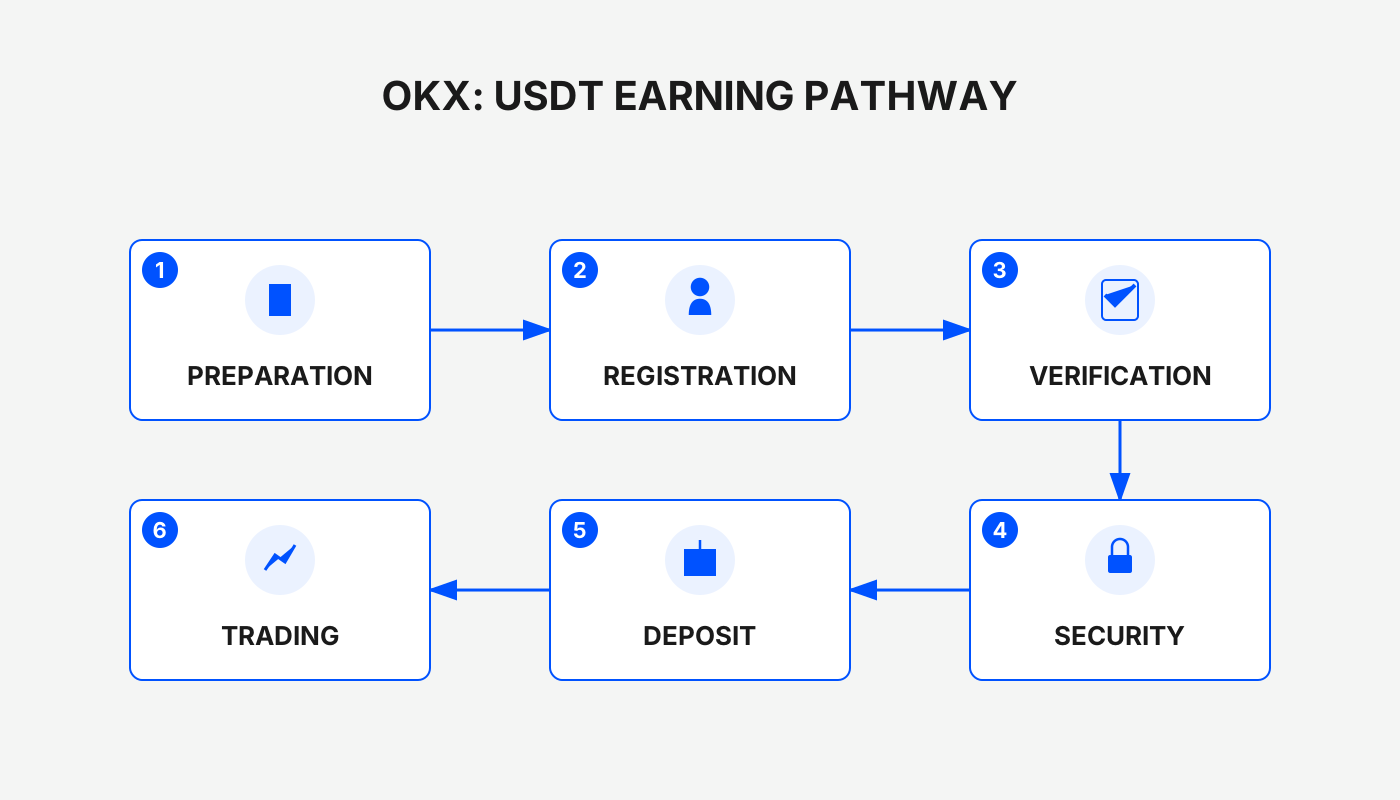
Below we take OKX (formerly known as OKEx) as an example and walk through the entire workflow—from account registration, identity verification, purchasing USDT, conducting pair trading, using a savings product, to on‑chain transfers.
In this article we systematically outline the full‑chain USDT operations on the OKX platform, covering account creation, KYC completion, fiat‑to‑crypto funding, basic spot trading, and the use of several savings products. The guide is aimed at newcomers who want to quickly get started and understand how to grow assets in a stable‑coin environment.
1. Register an Account
Click the link below to open the registration page. If you are on a mobile device, copy the link into your phone’s browser (e.g., Chrome, Edge).
OKX new‑user registration: Click to Register
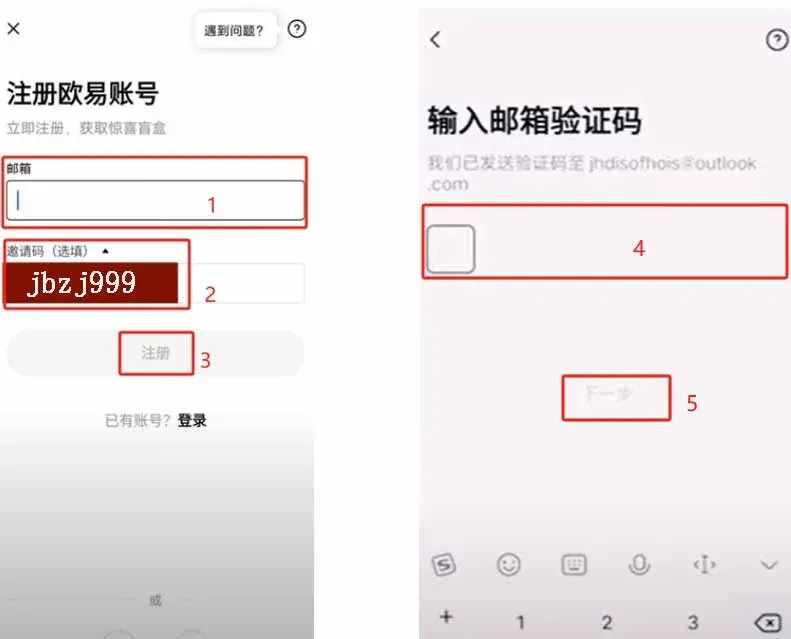
After the page loads, enter an email address that can receive verification codes. If the invitation code field is not auto‑filled, type `B2345` next to the verification code input box to claim the network‑wide permanent 20 % fee discount.
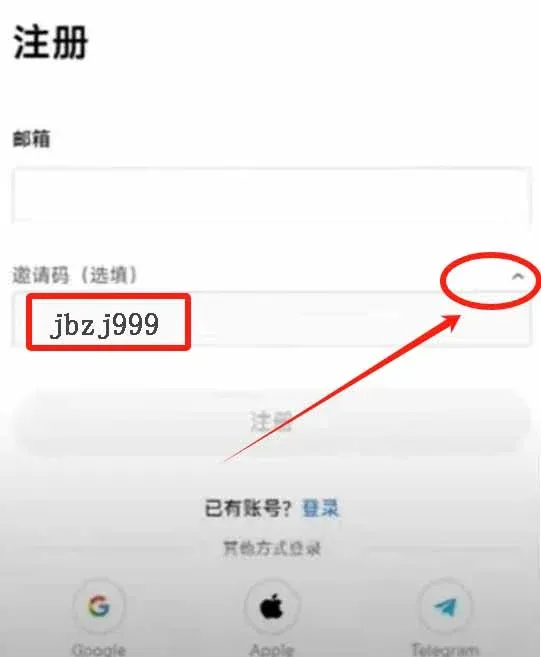
Once the email is entered, click Register, then input the verification code you received by email to proceed to the next step.
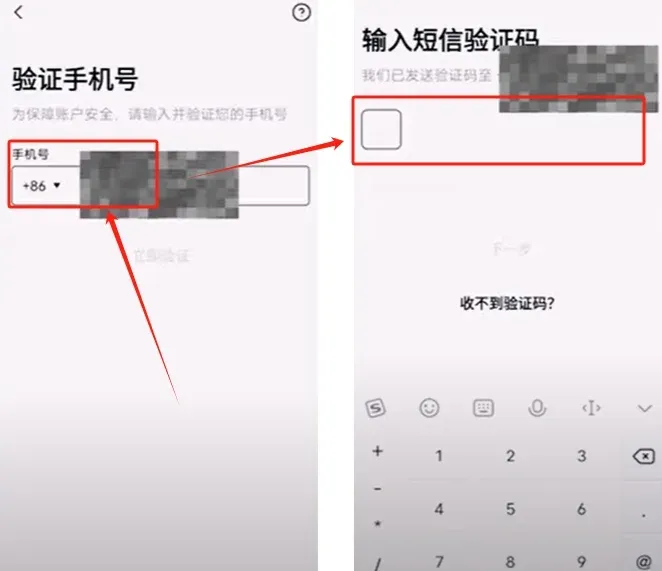
Next you will be asked to bind a frequently used phone number; this will be required for password recovery and security verification later. Holding Bitcoin in your personal wallet is legal in many jurisdictions, and personal‑information security is generally well‑protected. After entering your phone number, type the SMS verification code you received.
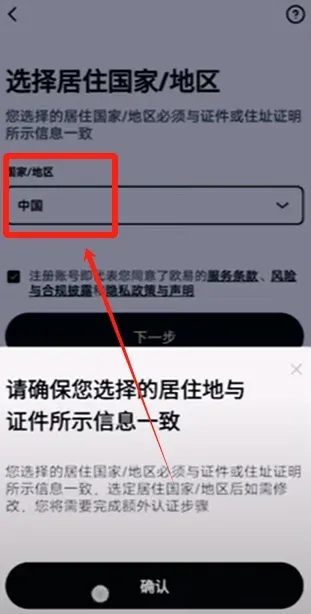
On the document‑information page, select the country/region where you reside. If you possess a passport you may select that; this tutorial uses a Chinese national ID card as an example.
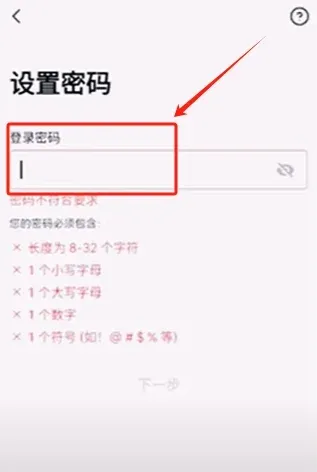
Follow the prompts to set a login password, then the registration flow is complete.
2. Download the App and Complete Identity Verification
If you have not yet installed the OKX mobile client, download it via the link below.
OKX APP download link: Click to Download
*Friendly reminder*: New users who register through the above link or use invitation code `B2345` can claim a reward of up to 50 USDT; be sure to enter the code during registration.
After the download finishes, log in with the account you just created. The app will ask whether you want to enable a passkey (e.g., fingerprint or facial recognition); choose according to your personal preference.
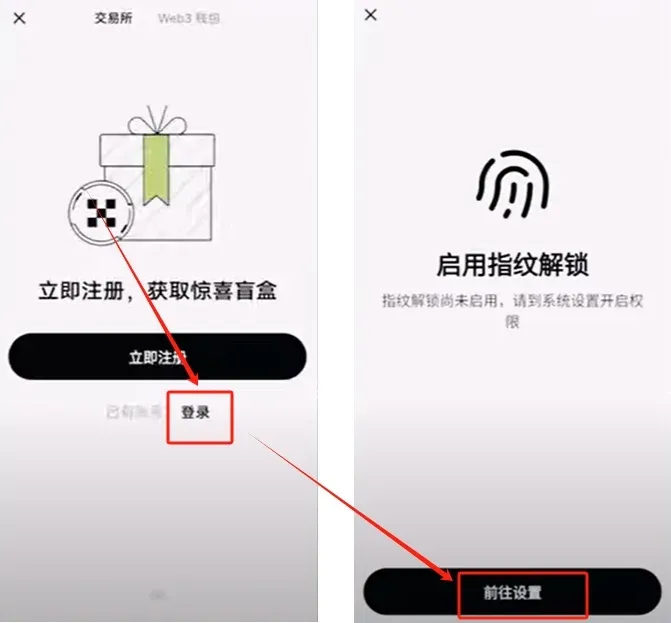
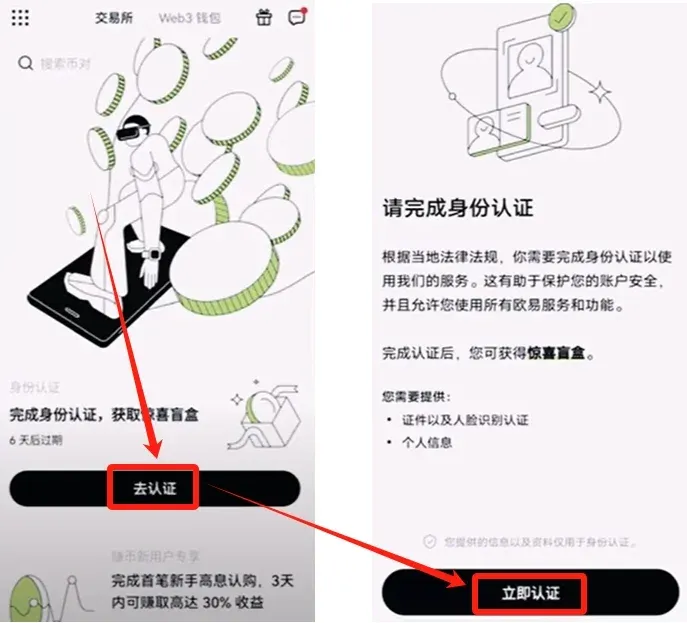
Once logged in, follow the on‑screen instructions to complete real‑name verification. Tap Go Verify → Verify Now.
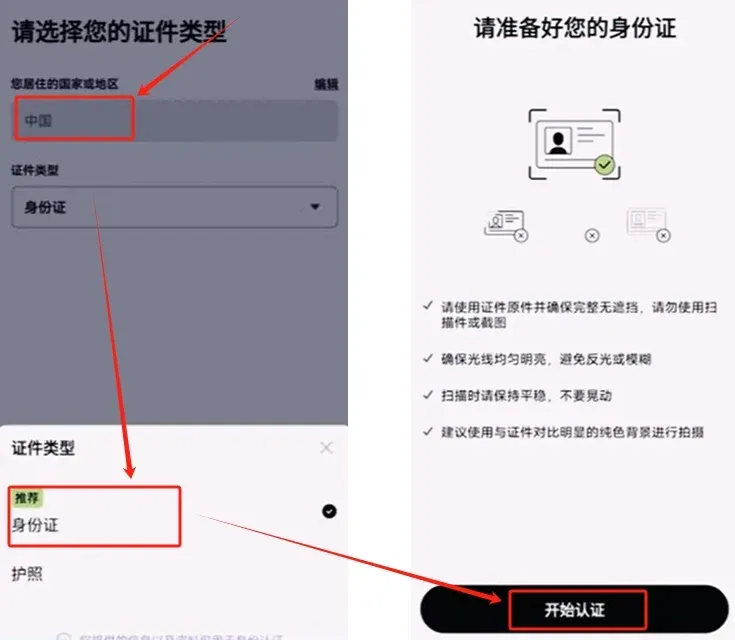
After selecting China as the country/region, you can choose either ID card or passport as the document type. This guide continues with the ID card option; click Start Verification.
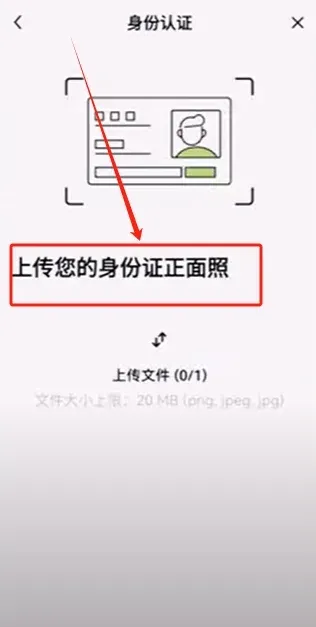
Upload photos of the front and back of your ID card; the app will then move to a facial‑recognition step. Follow the prompts to finish; OKX’s onboarding flow is relatively user‑friendly.
When verification succeeds, tap the nine‑grid icon at the top‑left to open your profile, then go to Security Settings → Security Center to configure additional account‑security options.
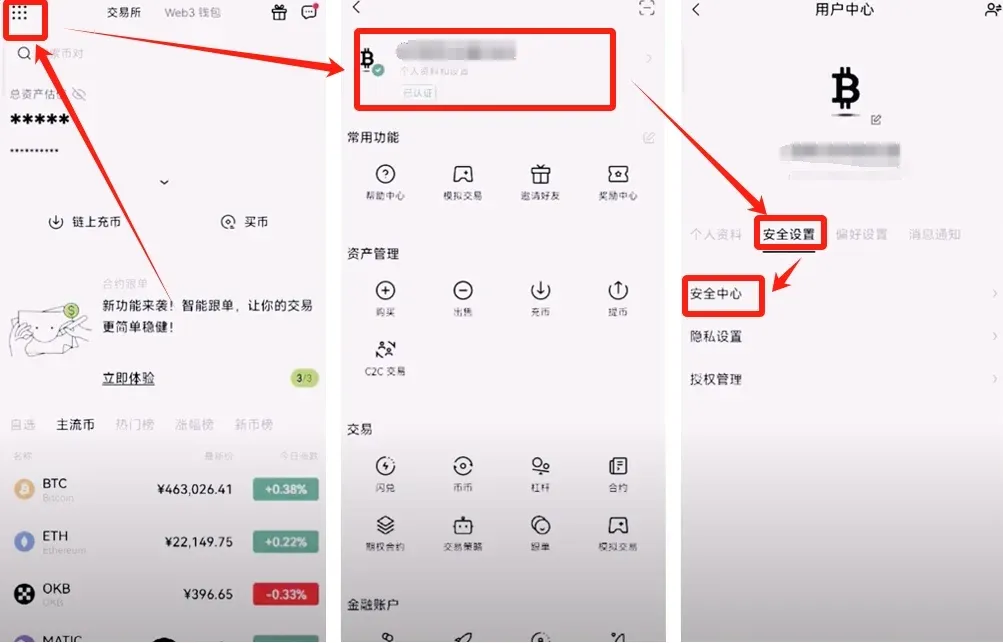
At present only email registration is supported; you will need to bind a phone number before you can trade. If you forget your password, the system will require both email and phone verification codes, which enhances security. Other optional security features (e.g., withdrawal whitelist, device management) can be enabled according to personal risk appetite.
Return to the profile page and you will see a C2C Video Verification option. Completing this video KYC raises your single‑transaction limit, allowing larger deposits without extra restrictions. After that you can move on to the actual funding step.
3. Deposit (Buy USDT)
Depositing on OKX means buying USDT through the platform. USDT is pegged 1:1 to the US dollar and is one of the most widely accepted stablecoins.
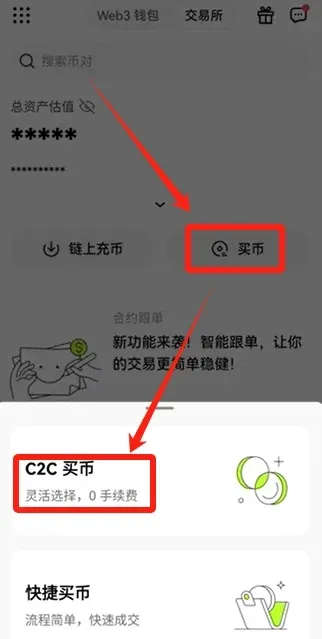
On the home screen tap the Buy Crypto entry; you will see two options: “C2C Buy” and “Instant Buy”. We recommend using C2C Buy first because you can manually select reputable sellers, which reduces counter‑party risk. The system‑matched Instant Buy sometimes lists sellers offering unusually low prices, which can be riskier.
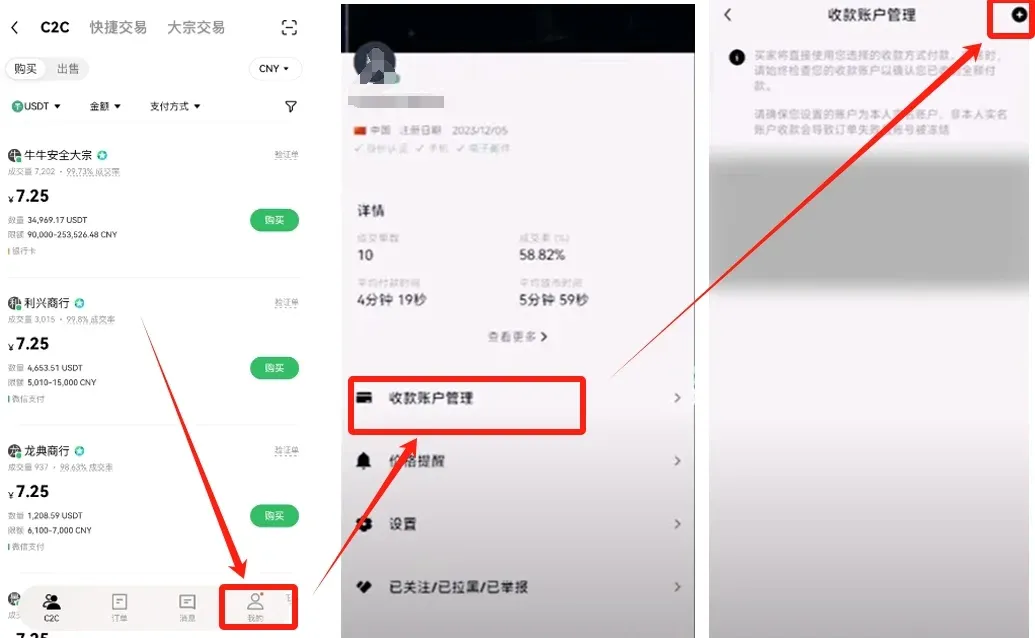
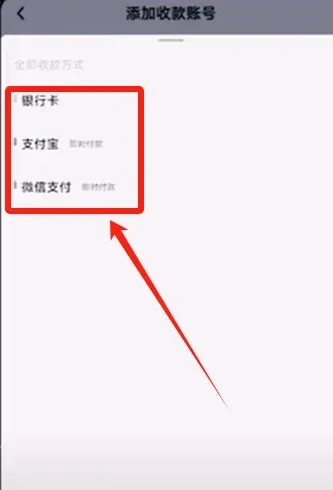
After entering the C2C Buy page, you must first bind a receiving account. Go to Me → Receive Account Management → tap the “+” at the top‑right to add a bank card, Alipay, WeChat Pay, etc. Small‑value trades commonly use Alipay or WeChat; for larger amounts we suggest a less‑frequented bank card to limit exposure to daily‑life finances.
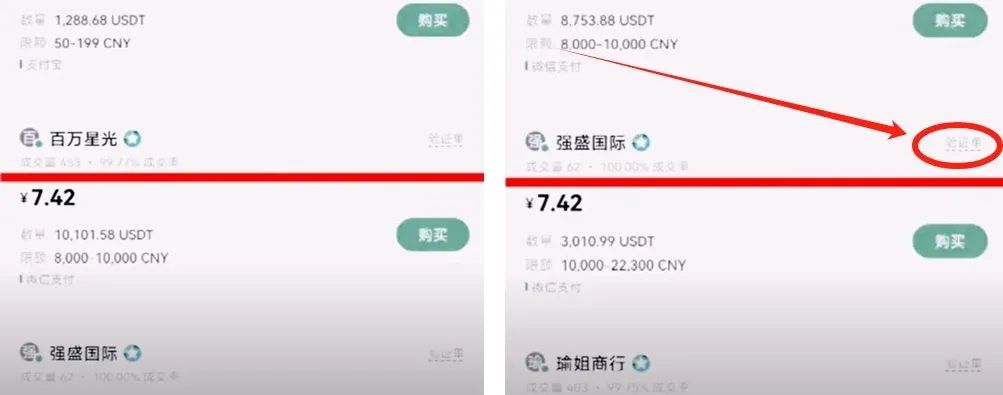
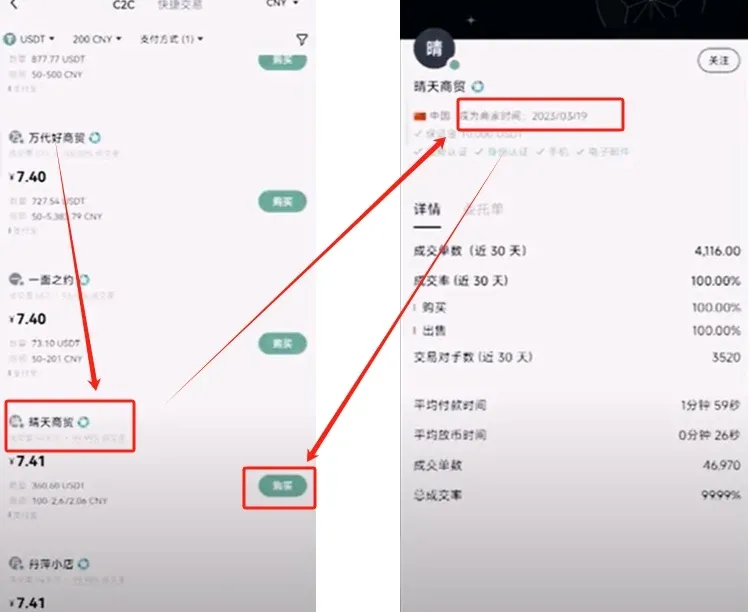
Next you will be taken to the merchant‑selection screen. Prioritize the following metrics:
- Trade volume ≥ 3,000 units
- Order‑completion rate ≥ 99 %
- Merchant tenure ≥ 1 year
Merchants meeting these criteria are generally more trustworthy. If a single order exceeds 5,000 USDT, the system will request additional income‑statement documentation for security verification.
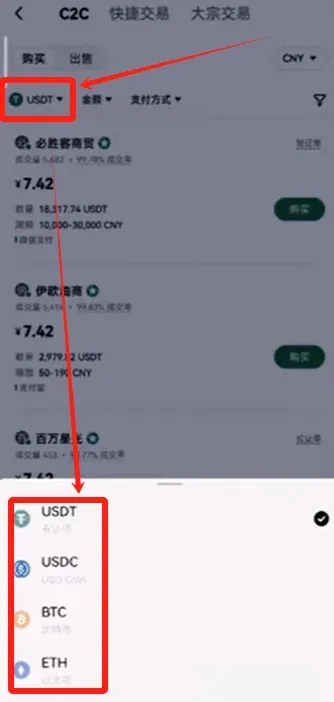
In the product list, the first column shows the cryptocurrency (e.g., USDT, BTC, ETH), the second column shows the transaction amount, and the third column shows the payment method. For C2C trades we recommend purchasing USDT directly to avoid extra costs caused by cross‑currency price spreads.
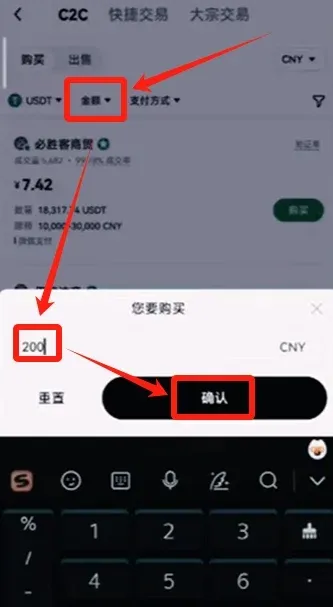
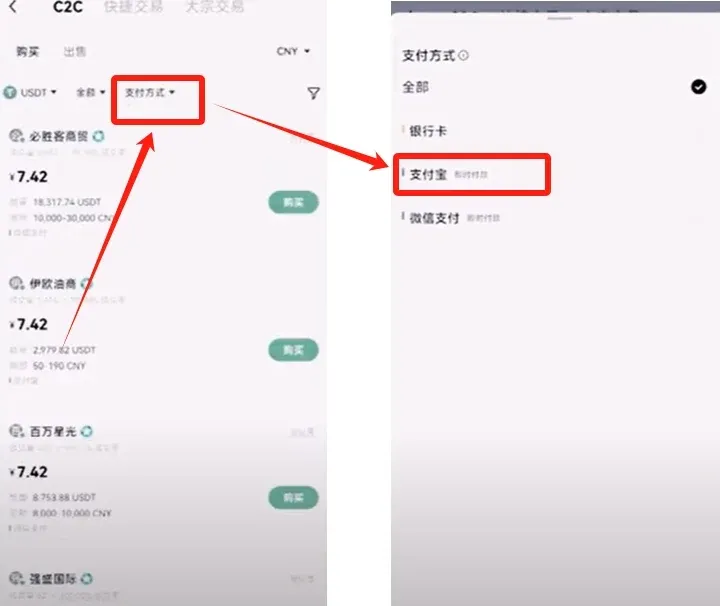
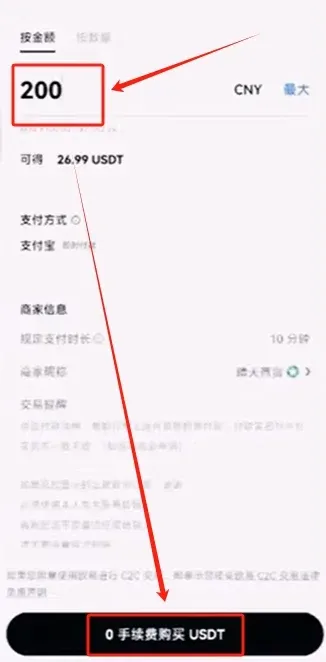
Example operation: In the currency column select USDT, type 200 in the amount field, then click Confirm and choose the payment method (the example uses Alipay). The platform will filter merchants that satisfy the criteria. Because the amount is modest, the unit price may be slightly higher; we pick a merchant named “Sunny Trade” that shows both high volume and high completion rate, then click Buy on its detail page.
In the pop‑up order window, input the purchase amount and click 0 Fee Purchase to generate the order.
You will then be taken to a chat window with the merchant. Follow the seller’s instructions to confirm the payment details. Sellers usually require that the payment account name matches the platform‑registered real name for safety. After completing the Alipay transfer, click I Have Paid to notify the seller.
Once the seller confirms receipt, the system automatically releases the USDT. A “Completed” banner appears at the top‑left; tap View Assets to see the newly credited USDT in your funding account. The deposit process is now finished.
4. Spot Pair Trading
USDT residing in the funding account must first be transferred to the trading account before it can be used for spot trades. Tap the BTC icon on the home page to open the market view; the BTC/USDT pair at the top‑left is the entry point for pair trading. Other pairs such as BTC/ETH, ETH/USDT, etc., work the same way.
For this demonstration we will trade OKB. You can type “OKB” into the search bar or simply click the token from the list of mainstream coins to open its trading page.
On the trading interface you’ll see a market snapshot, historical data, and a star icon that lets you add the token to your favorites. Click Trade to start buying or selling.


