
 Bitaigen Research
 This guide provides a step‑by‑step walkthrough for completing account registration, identity verification, fiat deposits, and spot trading on the OKX platform, helping newcomers get up to speed quickly and trade safely.
The Bitaigen editorial team has carefully compiled a full‑process OKX (formerly known as OKEx) operation manual, covering everything from app download and account registration to identity verification, fiat top‑up, and spot trading. Illustrated with screenshots, it helps beginners avoid common pitfalls and start trading efficiently. To launch your digital‑asset journey smoothly, continue reading for the complete set of steps.
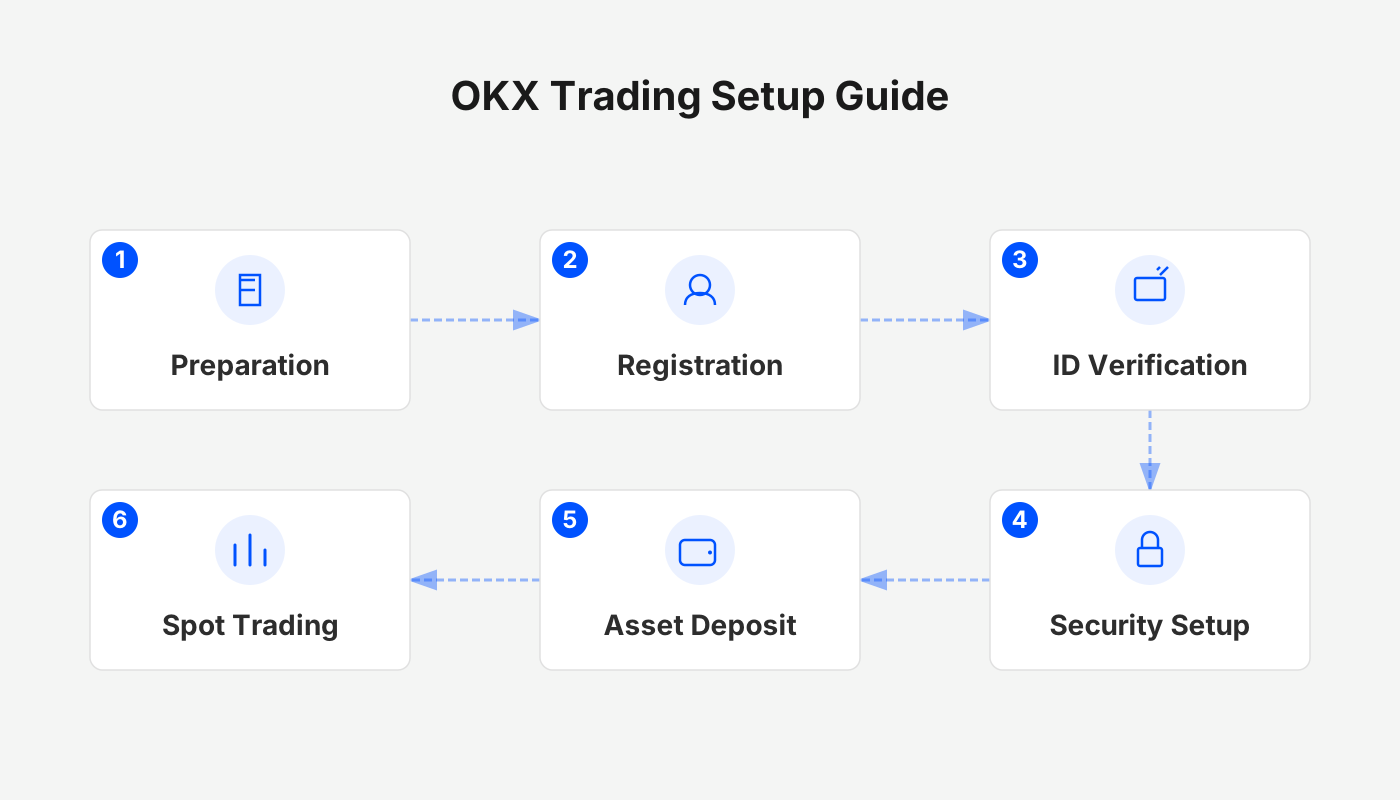
Detailed Steps for Registering on the OKX Exchange
1. Download the OKX App
Android users: Visit the official OKX website (www.okx.com), scan the QR code to obtain the APK, or download directly from the official app store. If the system prompts “Allow installation from this source,” grant the permission in your device settings before proceeding.
iOS users: It is recommended to log into the App Store with an overseas Apple ID, search for “OKX,” and install the app.
Reference tutorial: *How to safely download the official OKX app?* A must‑read guide for users in mainland China.
2. Register an Account
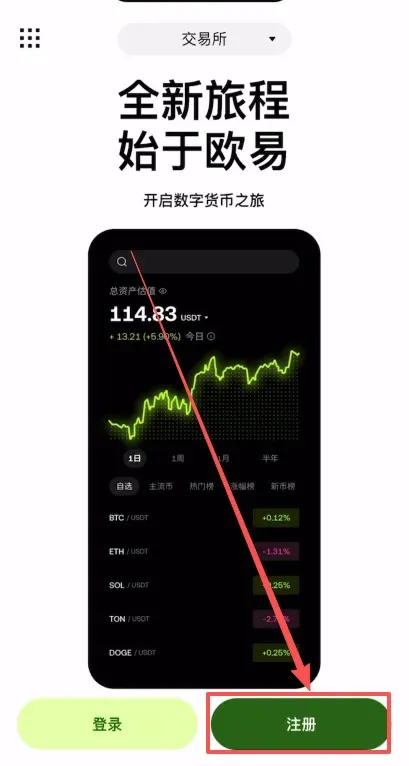
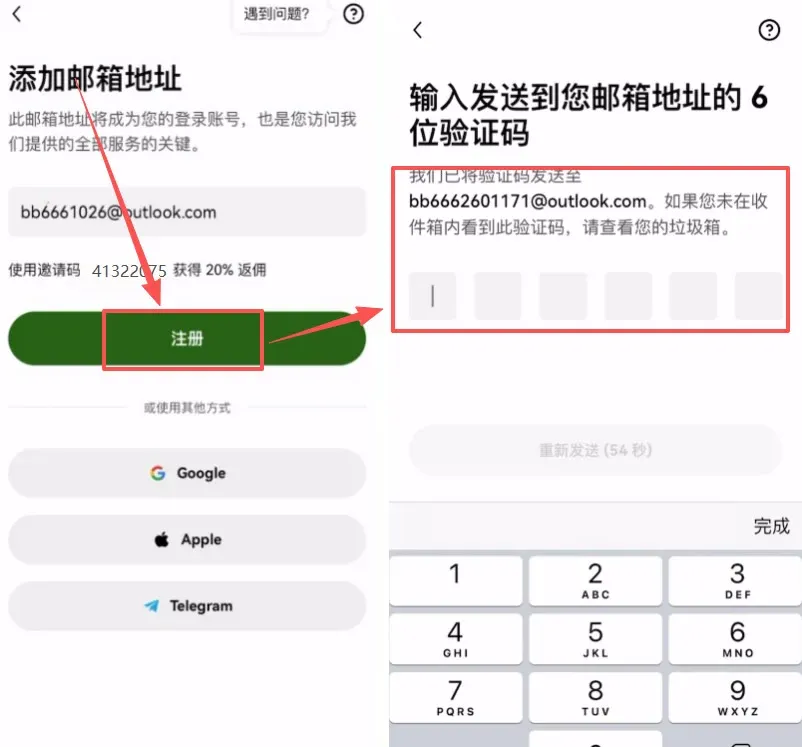
After installing and opening the OKX app, tap [Register].
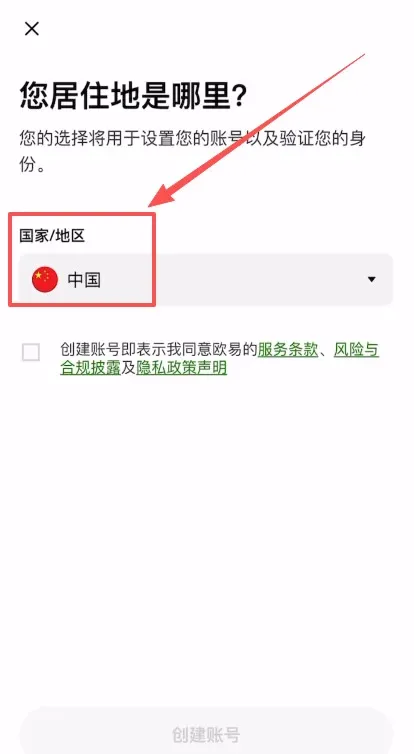
2.1 Choose Your Region
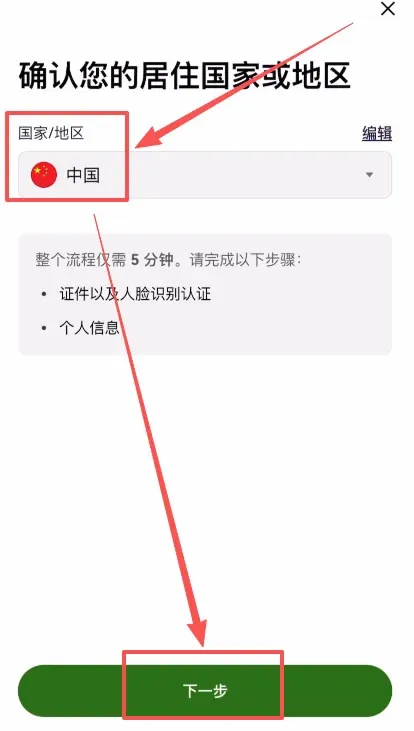
Select China in the “Country/Region of Residence” field.
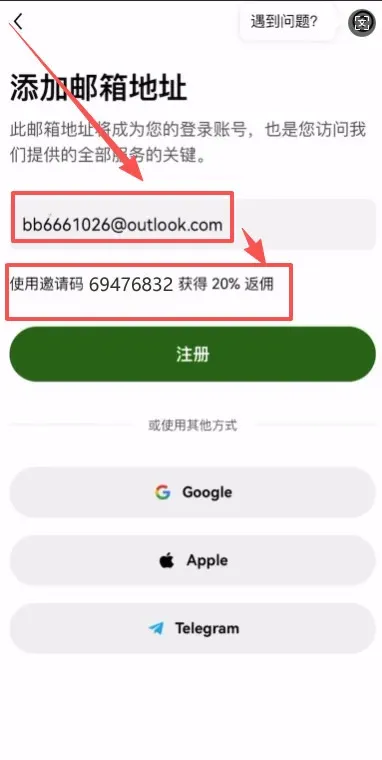
2.2 Fill in Your Information
- Enter a valid email address.
- Key step: Input the invitation code `B2345` in the referral field to enjoy a 20 % permanent fee discount.
Alternative methods: You can also register quickly via Google, Apple, Telegram, or a wallet account.
2.3 Verify Email and Bind Phone Number
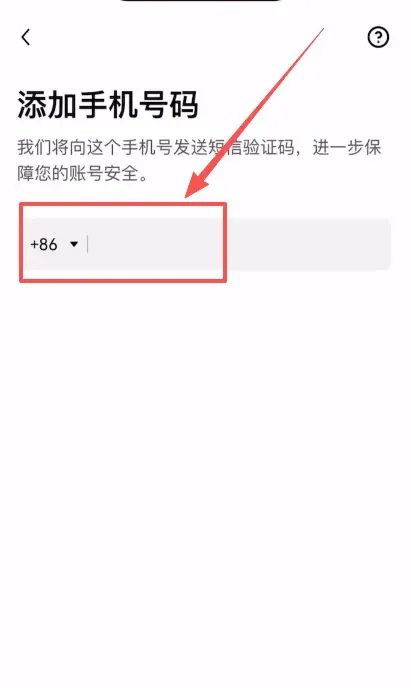
A verification code will be sent to your email; enter it to complete email verification. Then bind your mobile number – the platform fully supports the +86 country code for mainland China.
3. Complete Identity Verification (KYC)
KYC is a regulatory requirement for compliant trading and forms the foundation of account security. After successful registration, the system automatically redirects you to the verification page:
- Confirm Region: Re‑confirm that your residence is China.
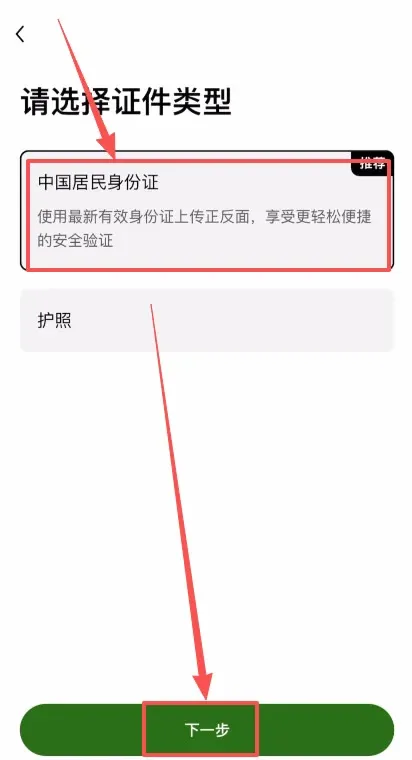
- Select Document Type: The platform recommends choosing National ID Card and then tap Next.
- Upload Documents: Capture and upload clear photos of the front and back of your ID card.
- Facial Recognition: Complete the live‑face check and submit; verification is usually finished within a short period.
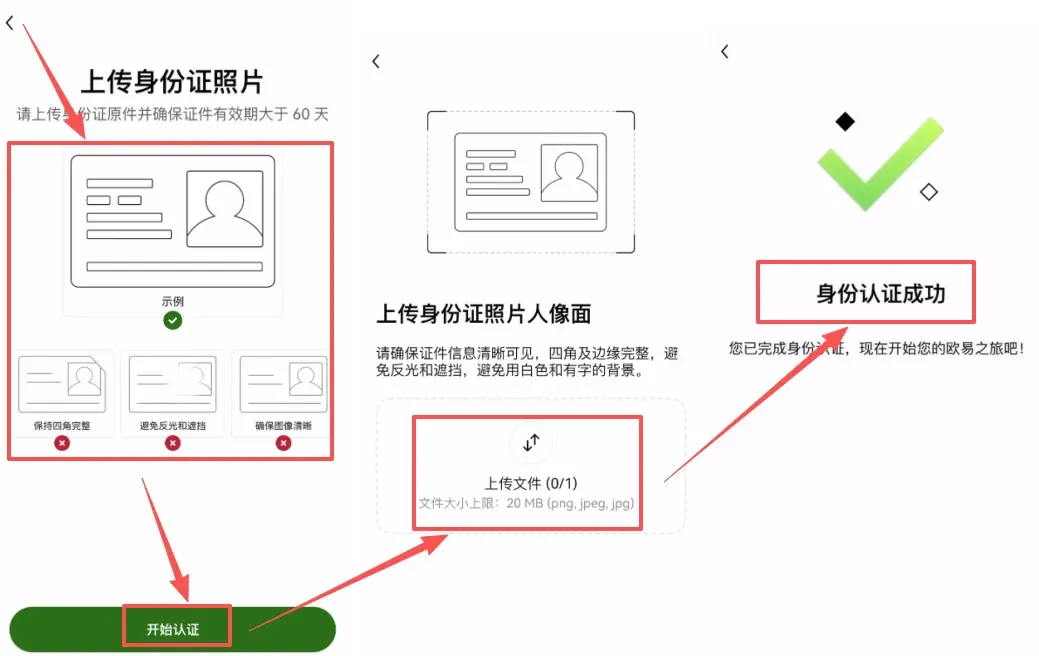
Verification tip: Major platforms like OKX employ bank‑grade encryption for personal data, so you can submit your documents with confidence.
4. Security Settings: Enable Two‑Factor Authentication (2FA)
Immediately after registration, bind a two‑factor authentication method – a core safeguard for your account:
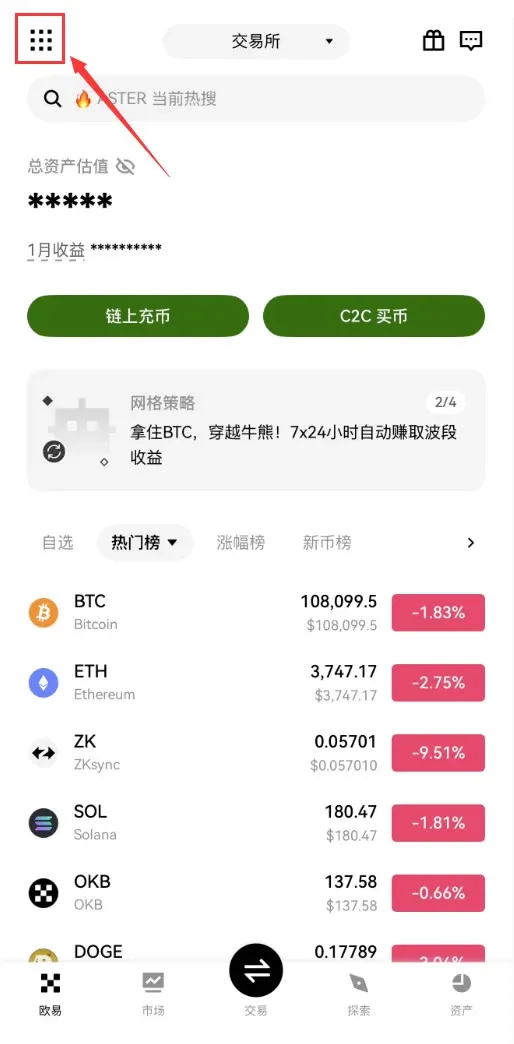
- Open the OKX app and tap the Full‑Feature icon at the top‑left corner.
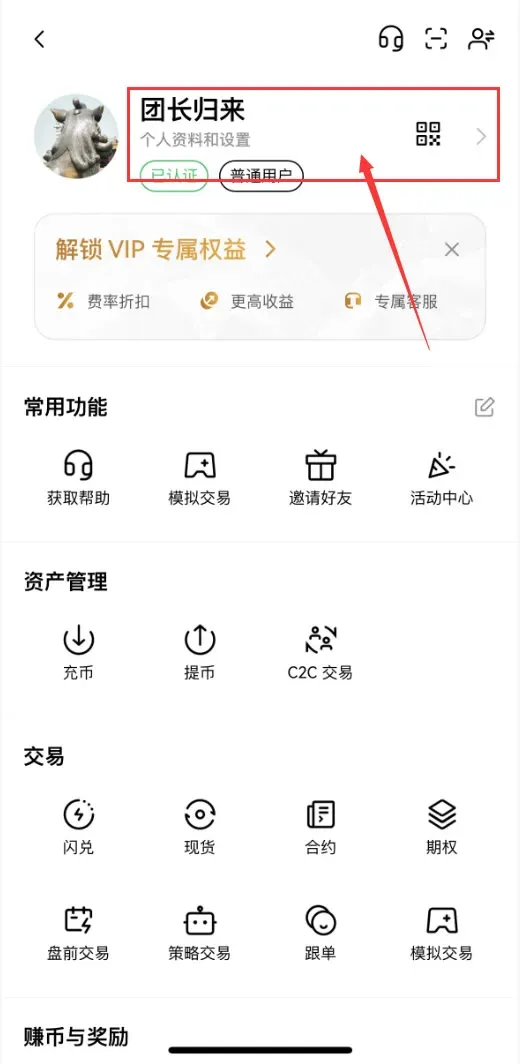
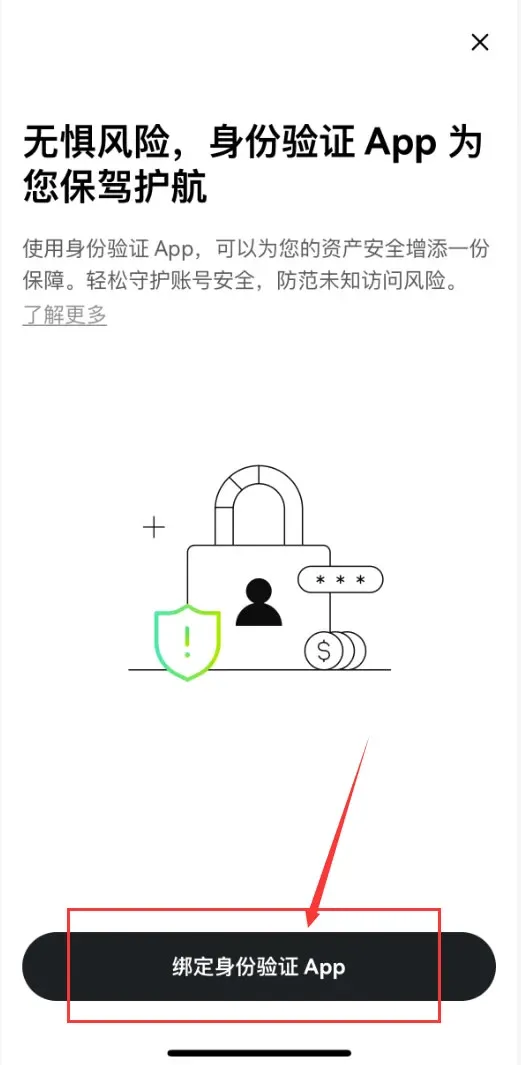
- Navigate to [Profile & Settings] → [Security] → [Authentication App].
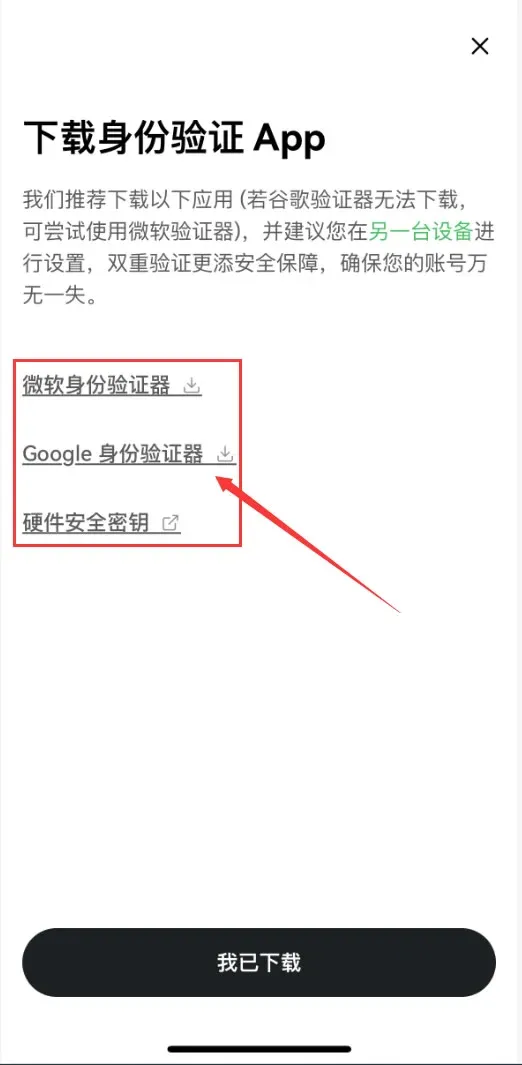
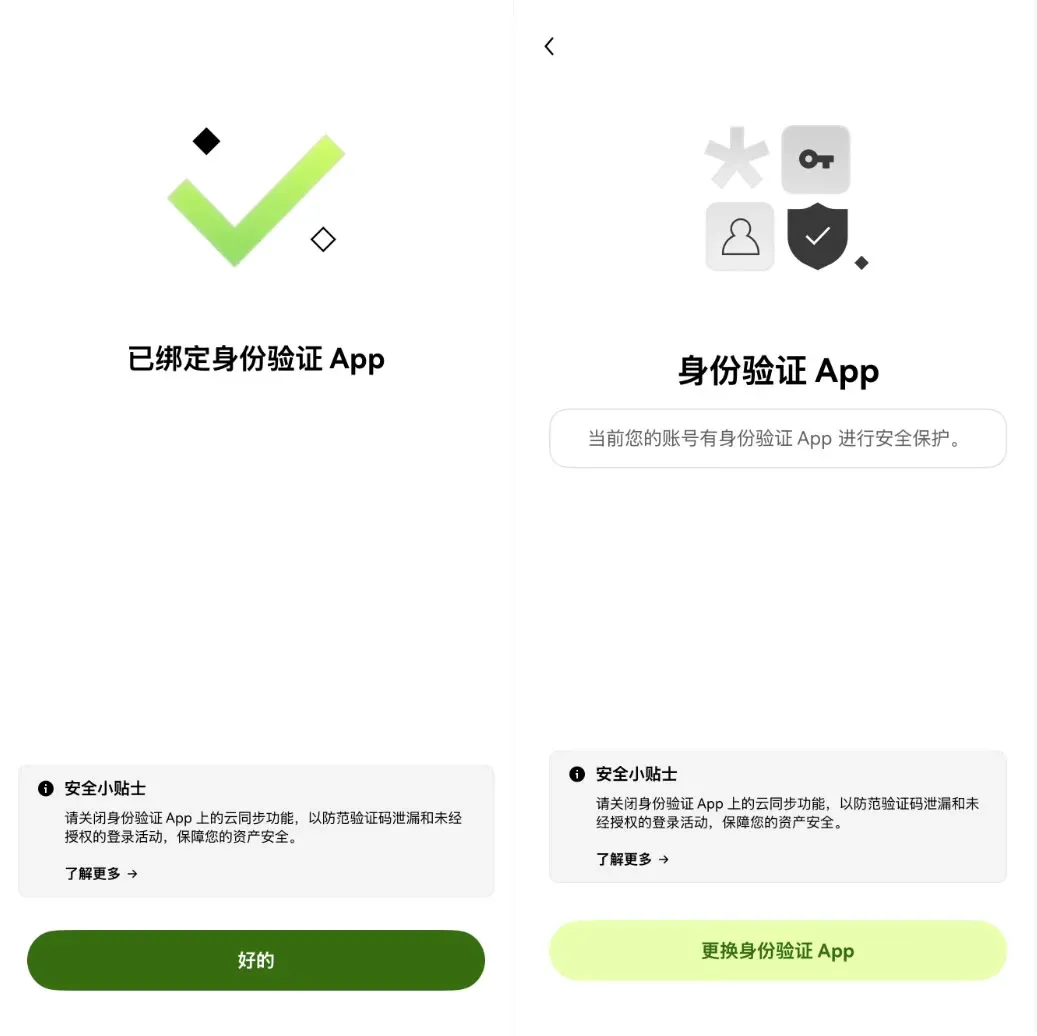
- Choose [Bind Authentication App], then download Google Authenticator (or Microsoft Authenticator, or a hardware security key).
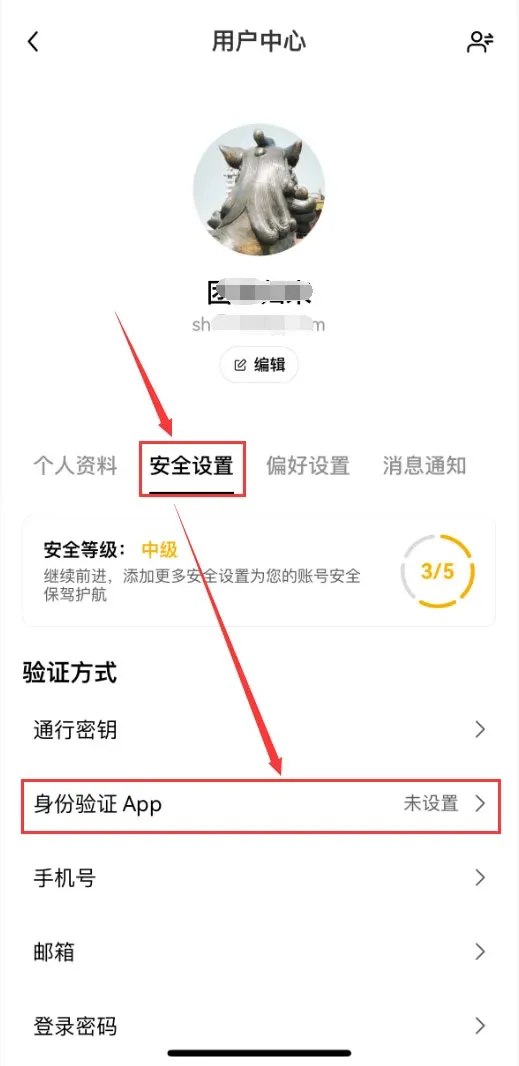
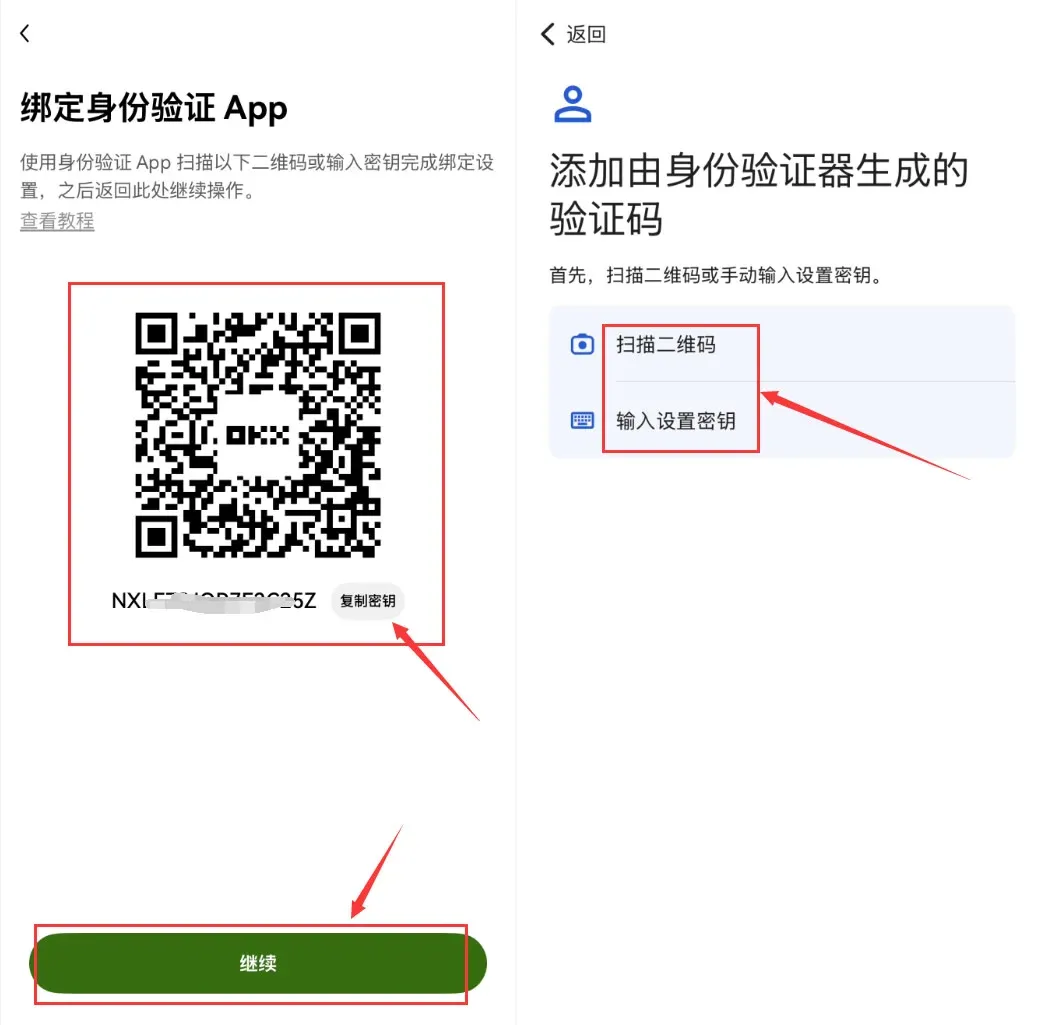
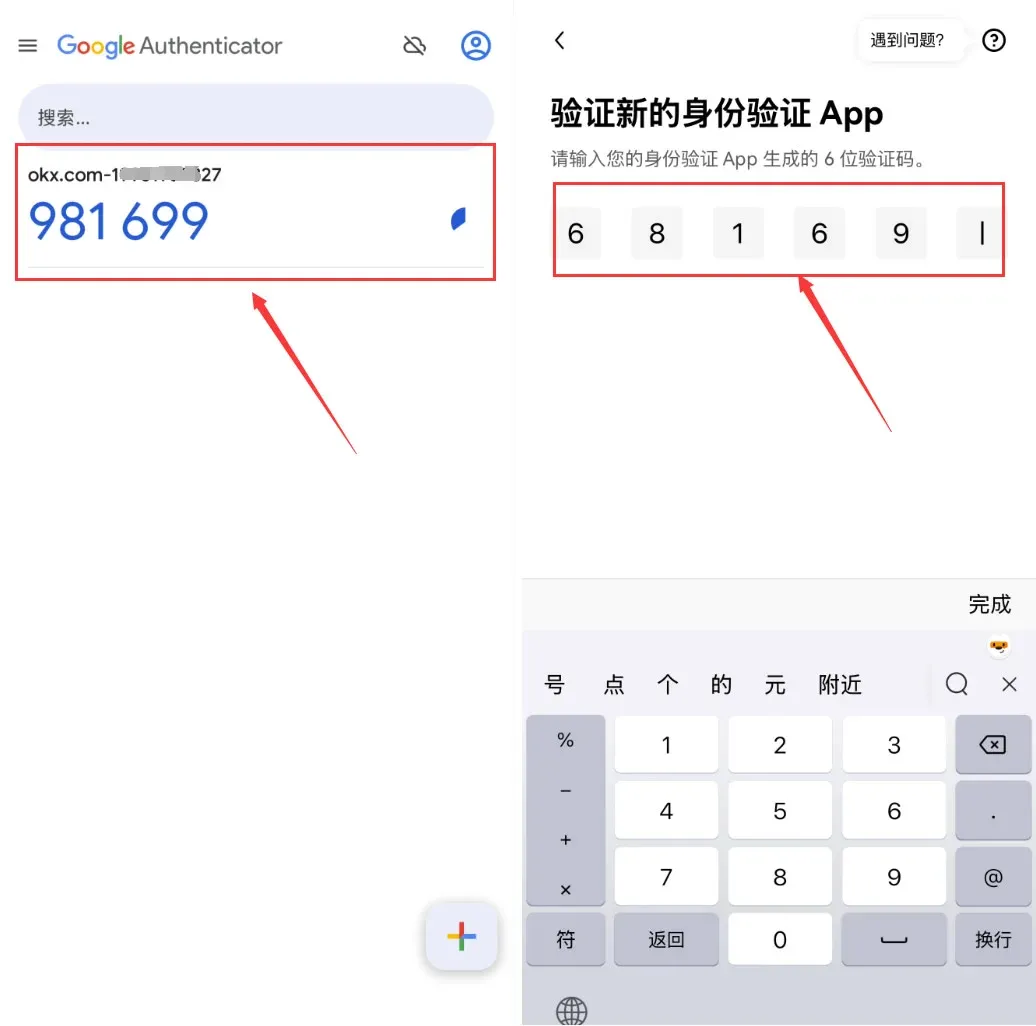
- You can bind either by scanning the QR code or by manually entering the secret key. After scanning, retrieve the 6‑digit code from the authenticator app and input it into OKX to finish the 2FA setup.
How to Purchase Crypto on OKX
For beginners we recommend two methods: C2C (peer‑to‑peer) trading or Instant Buy.
Method 1: C2C Trading (Peer‑to‑Peer, Funds Remain Secured)
C2C trading means you exchange fiat directly with a platform‑verified merchant for USDT, while OKX holds the funds in escrow throughout the process.
Steps:
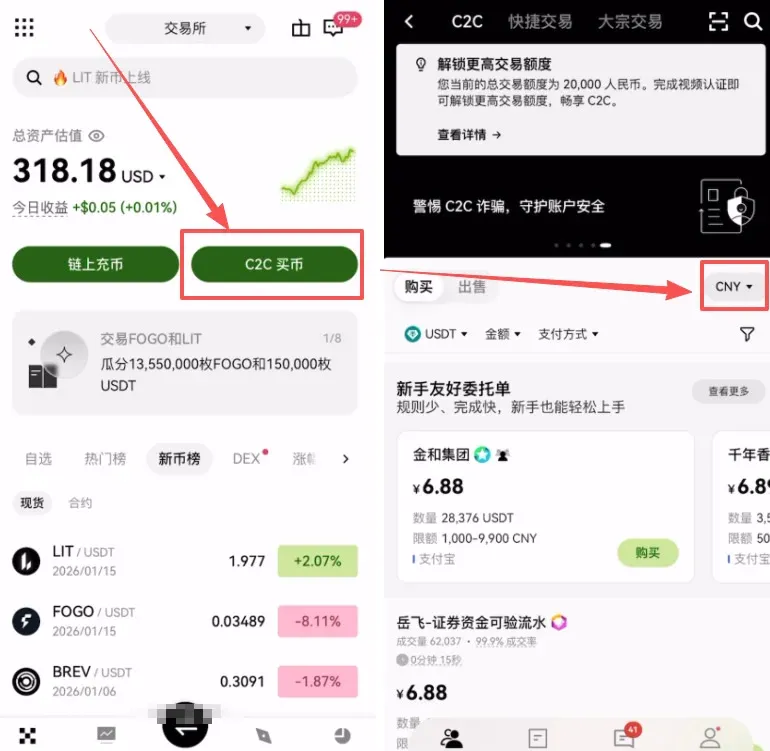
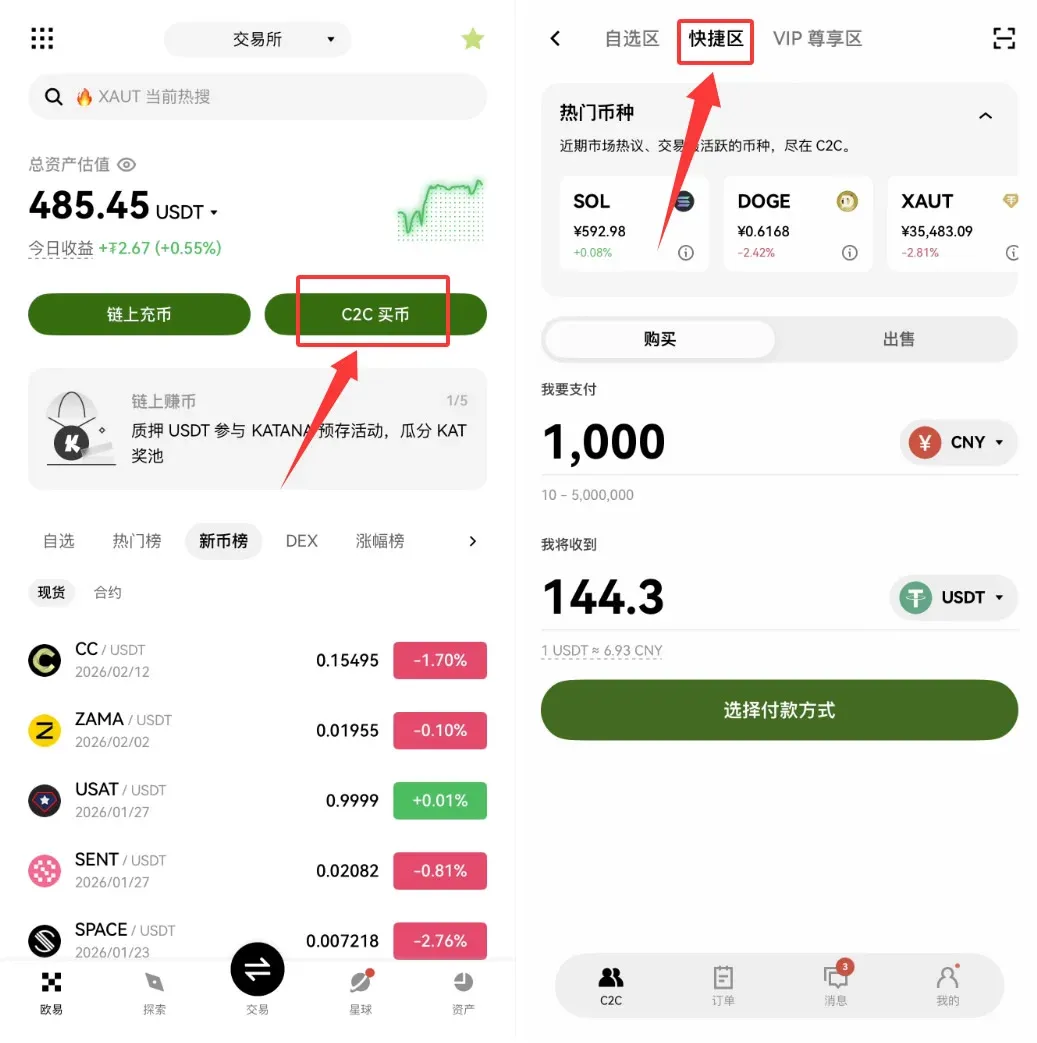
- On the OKX app home screen, tap [C2C Buy] and select CNY (Chinese Yuan) as the fiat currency.
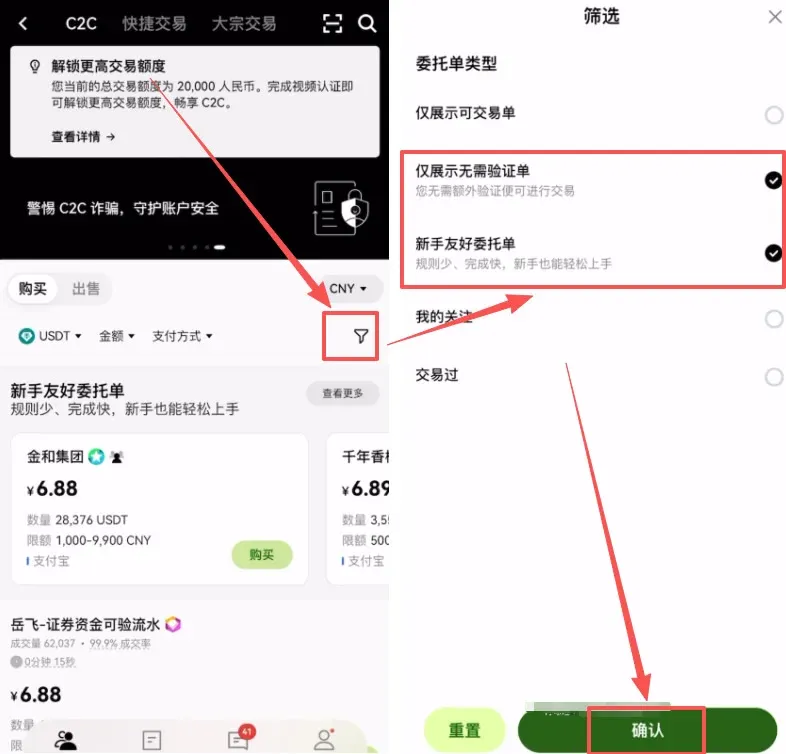
- Tap the filter icon (funnel) and check “Show only orders that do not require verification” and “Beginner‑friendly orders.”
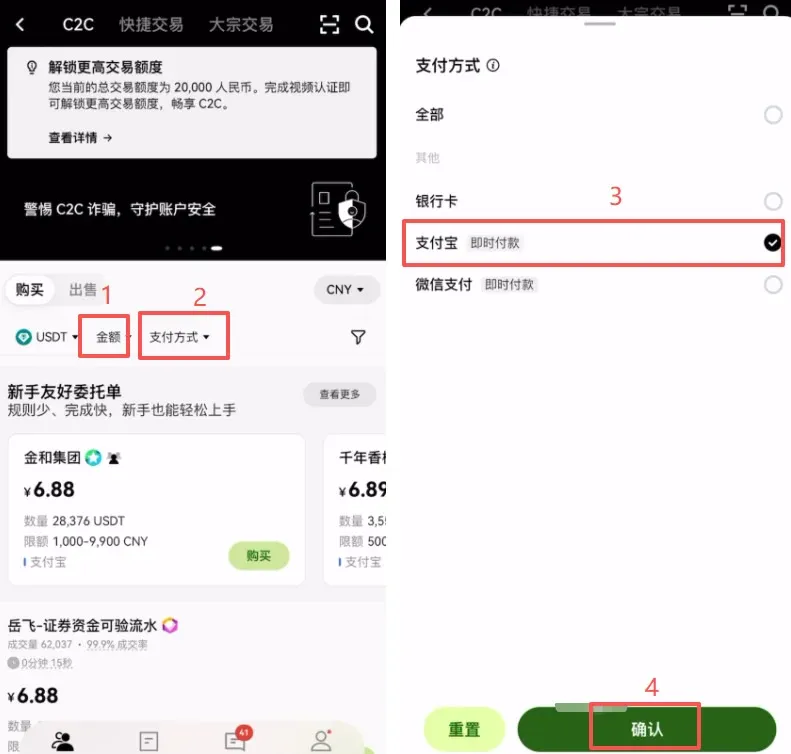
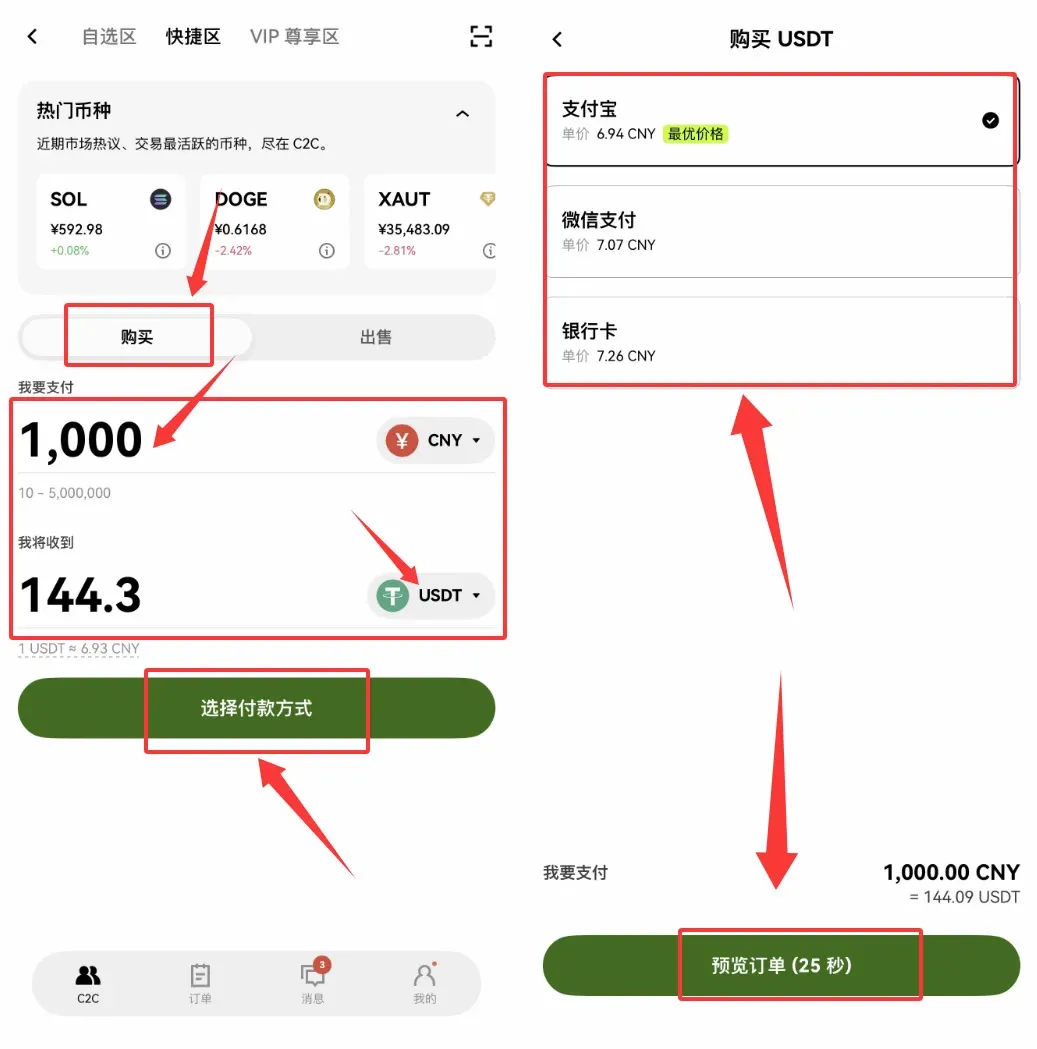
- Enter the amount you wish to purchase and choose Alipay as the payment method (WeChat Pay or bank card are also available).
Select a Reliable Merchant:
- Account Age: Prefer merchants who have been registered for ≥ 6 months.
- Trading History: Choose those with high transaction volume and high order‑completion rates.
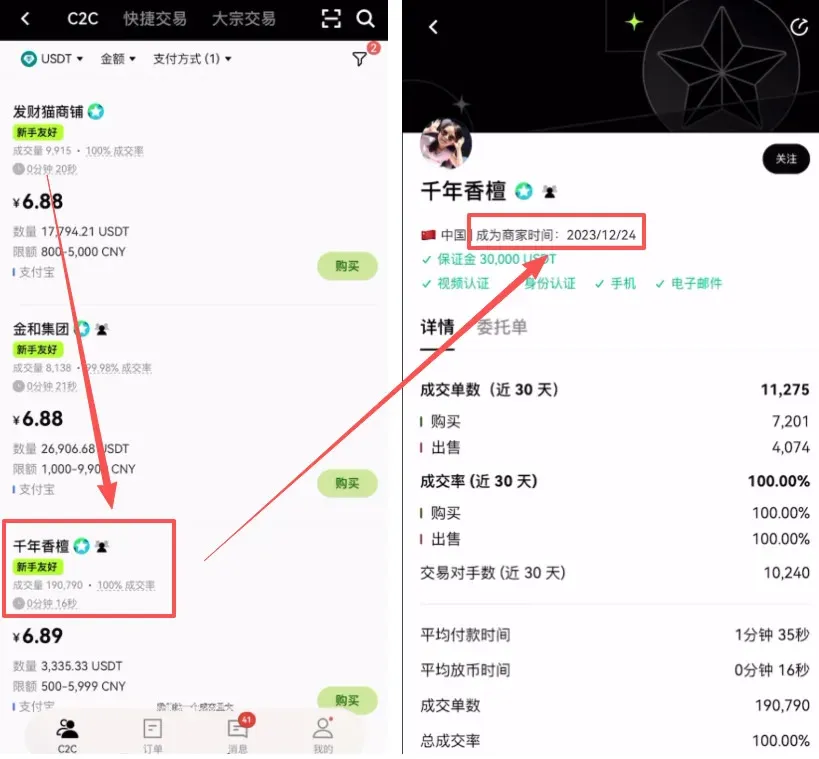
Place Order and Pay:
- Input the desired amount and click “0 % fee purchase.”
- A chat window opens; the merchant’s Alipay account details will appear.
- Open Alipay and complete the transfer.
- Return to OKX, tap “I have paid.” The merchant will release the USDT once the payment is confirmed.
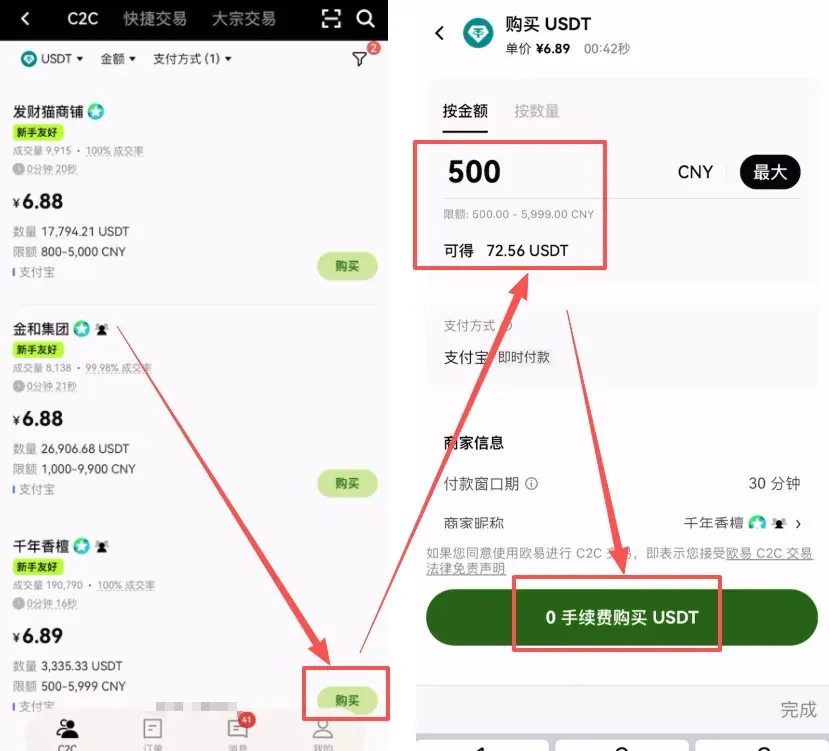
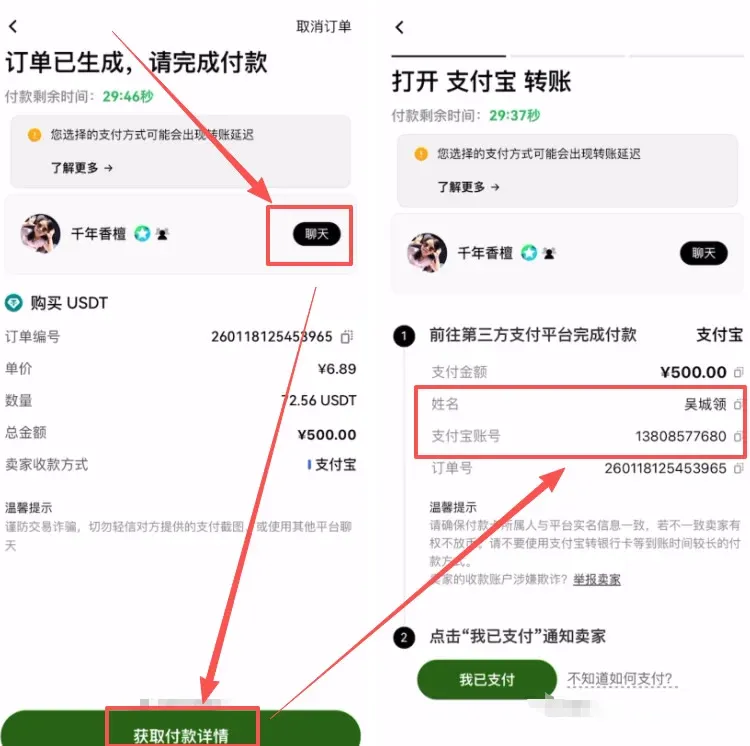
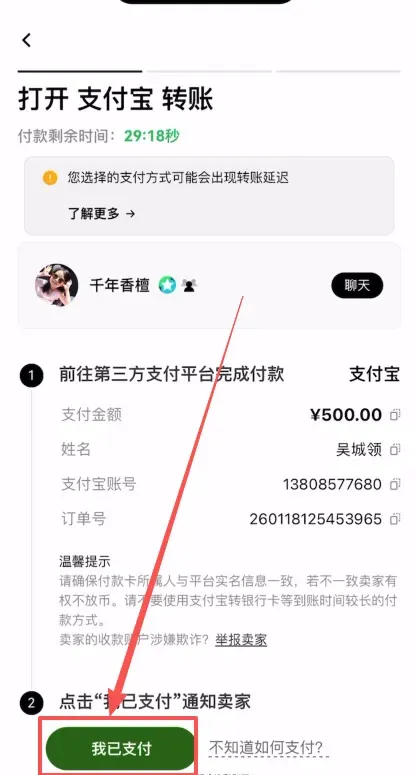
Method 2: Instant Buy (Suitable for Small Amounts or Urgent Needs)
- From the OKX app home screen tap [C2C Buy] → [Instant].
- Choose USDT, enter the amount you wish to spend, and select a payment method (Alipay, WeChat Pay, or bank card).
- The system automatically matches you with the best‑priced merchant; confirm and follow the on‑screen prompts to complete the payment.
Core Safety Principles for C2C Trading
- Only trade with verified merchants; avoid unverified strangers.
- Keep the entire transaction inside the platform – never conduct off‑platform transfers.
- Leave the payment note blank to prevent triggering anti‑money‑laundering filters.
- Save screenshots of the payment receipt and chat logs as evidence.
Spot Trading Tutorial for Bitcoin on OKX
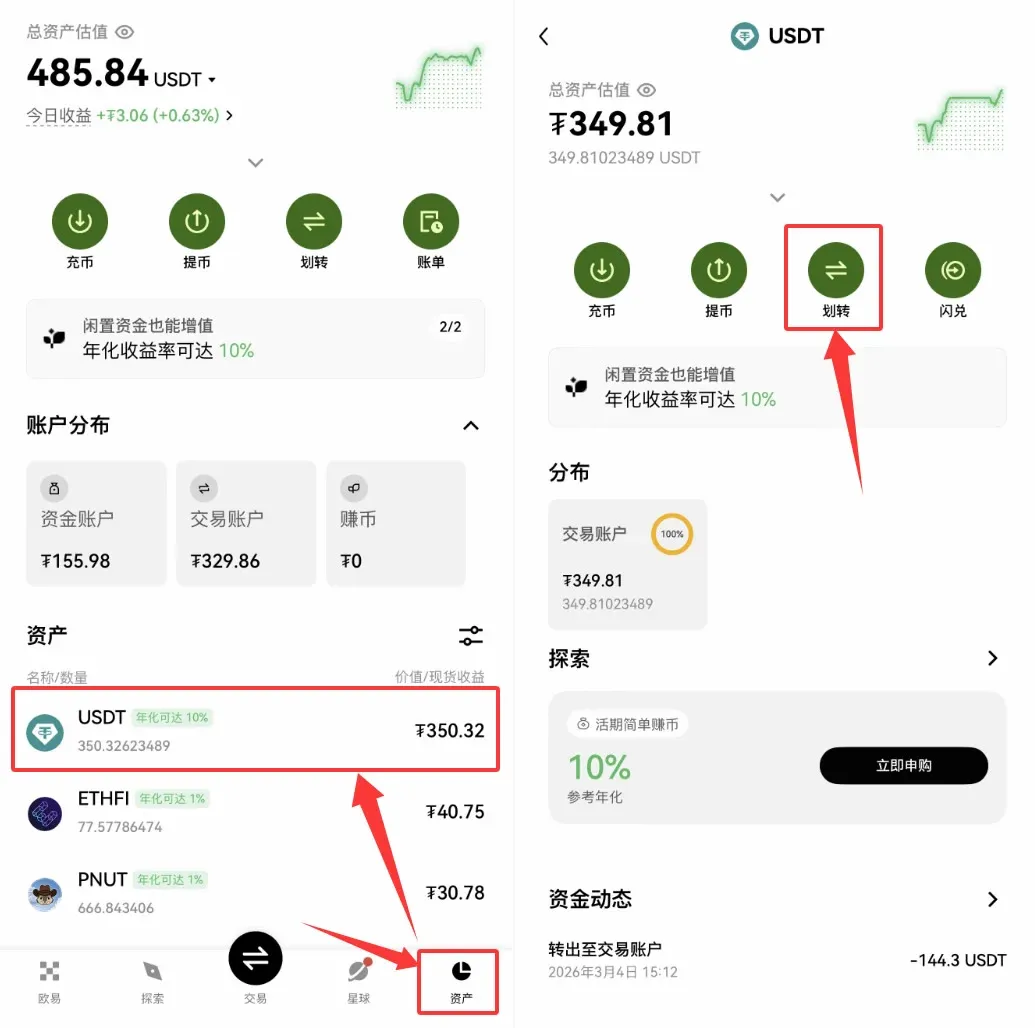
1. Transfer USDT from the Funding Account to the Spot Trading Account
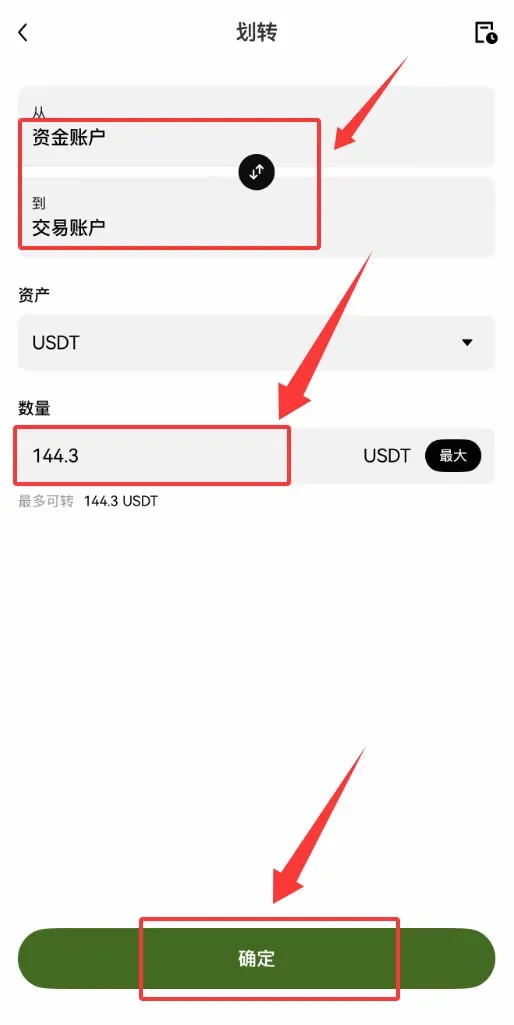
After buying USDT via C2C, the tokens reside in your Funding Account. Navigate to [Assets], locate USDT, tap [Transfer], choose Funding → Spot (Trading) Account, enter the amount, and confirm. The transfer is fee‑free.
2. Spot Trading (Buy Bitcoin with USDT)
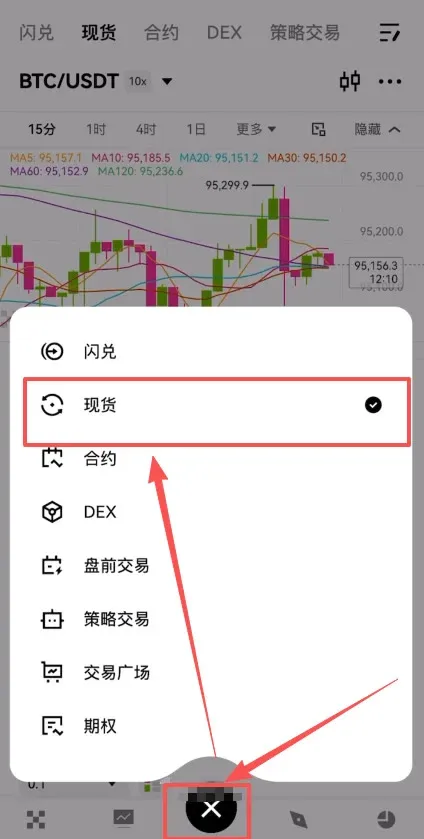
- Tap the Trade button at the bottom centre of the app and select Spot.
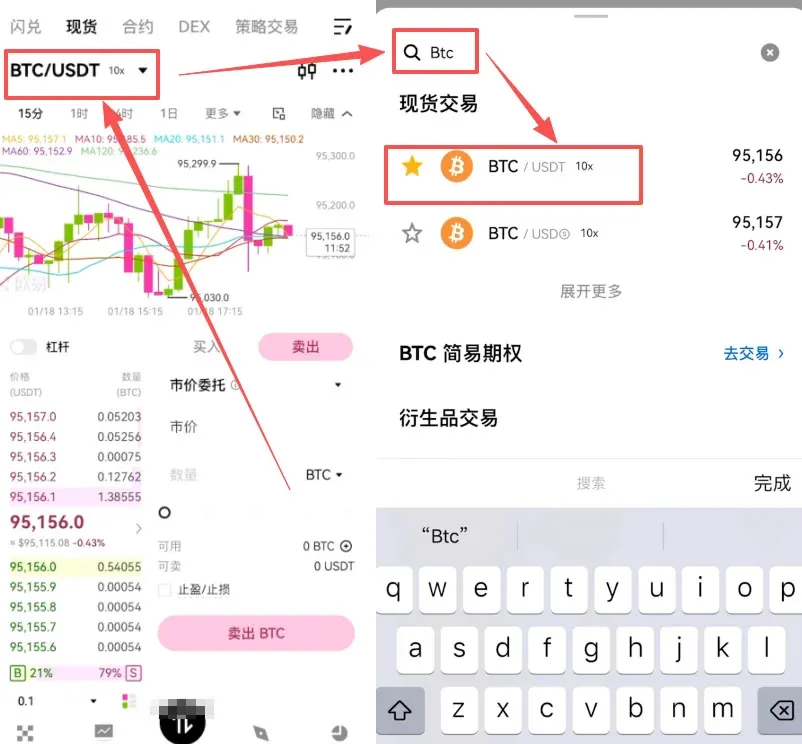
- Use the search bar at the top‑left to find and select the BTC/USDT pair.
- For beginners, we recommend a Market Order – the system will execute the trade instantly at the best available price. Enter the amount you wish to spend and press “Buy BTC.”
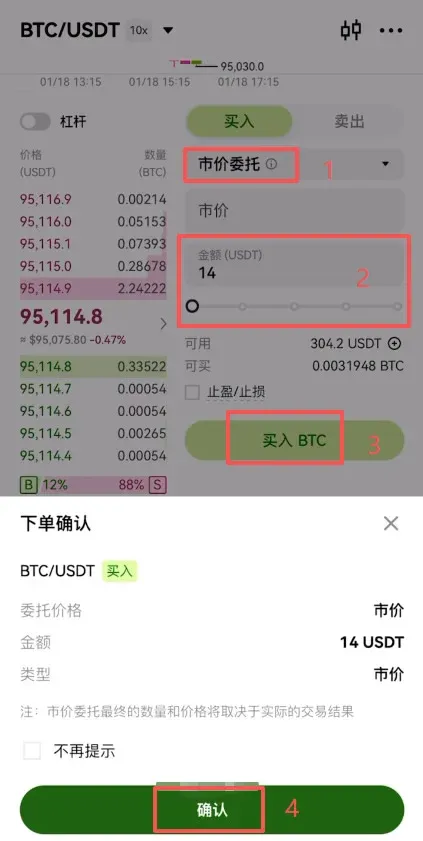
Selling: Switch to the Sell tab on the same trading screen, adjust the quantity, and confirm to convert BTC back to USDT.



