
 Bitaigen Research
 We break down the entire process of buying crypto using the C2C feature inside the Binance Wallet, balancing safety and convenience. With this guide, you can quickly get started with Binance Connect, avoid the hassle of switching platforms, and smoothly convert fiat currency into digital assets. For detailed steps and important considerations, keep reading!
What Is Binance Connect? How Does It Work With Binance Wallet?
Binance Connect acts as a bridge between fiat money and digital assets, leveraging a wide‑reaching network of fiat services to enable seamless on‑chain and off‑chain trading. The service aims to lower the technical barrier for acquiring cryptocurrencies in Web3 scenarios, allowing users to purchase directly with credit cards, debit cards, Apple Pay, Google Pay, or the balance in their Binance spot account.
After integrating Binance Connect into the Binance Wallet, users can select any of the above payment methods with a single tap inside the wallet app and instantly exchange fiat for more than 300 cryptocurrencies—all without leaving the app or being redirected to another platform.
Note for U.S. users: Access to Binance Connect is provided through Binance.US rather than the global Binance platform.
What Is Binance Wallet?
Binance Wallet is a self‑custodial Web3 wallet that offers a clean interface for storing and transacting digital assets. Unlike centralized custodial wallets, the private keys and assets in Binance Wallet are fully controlled by the user, ensuring that on‑chain ownership remains personal.
To further improve the user experience, Binance Wallet comes with Binance Connect pre‑installed, so users can buy crypto with fiat directly inside the wallet instead of first converting fiat to crypto on an exchange and then transferring the assets.
How to Purchase Cryptocurrency via C2C in Binance Wallet?
If you do not yet have a Binance account, refer to the tutorials below to complete registration and security setup:
- 2026 Latest Guide for Mainland China Users to Register on Binance Exchange
- How to Download the Binance App? Binance App Download & Installation Guide for Mainland China (Android / iOS)
- Detailed Binance Account Security Settings (including Binance App download steps)
Once your account is ready, follow these steps to complete a C2C purchase inside the wallet:
- Open Binance Wallet Official Registration Link, tap Receive, then choose Buy via C2C.
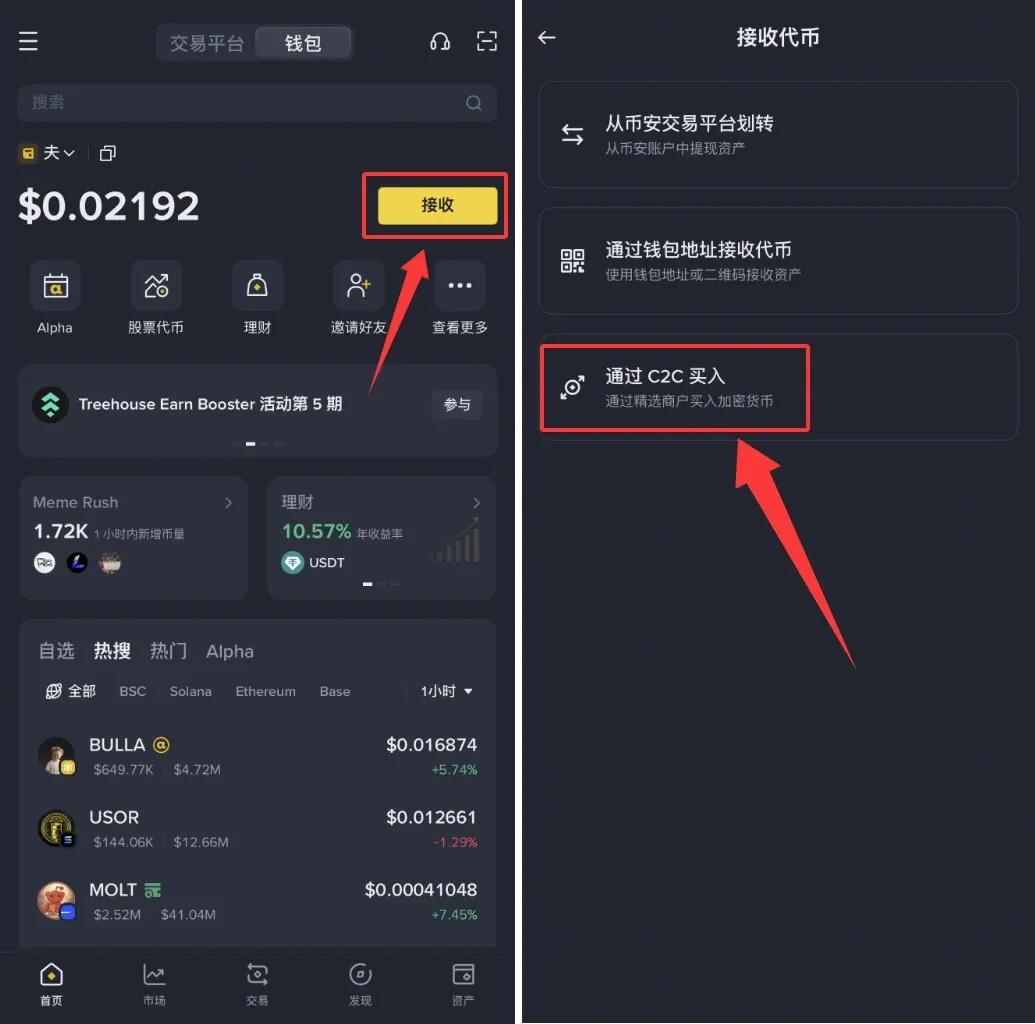
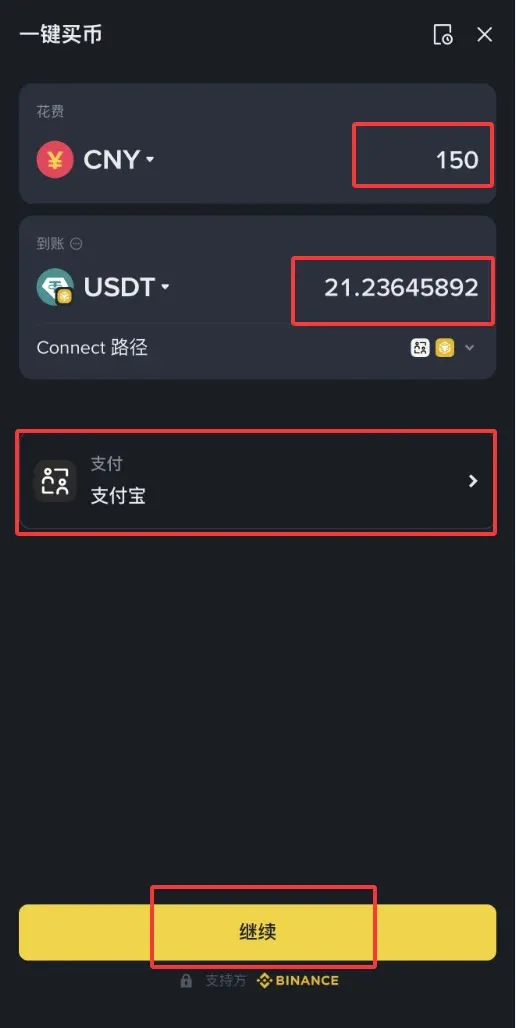
- In the pop‑up window, enter the amount you plan to pay, select the cryptocurrency you wish to receive, and pick an appropriate payment method from the dropdown menu.
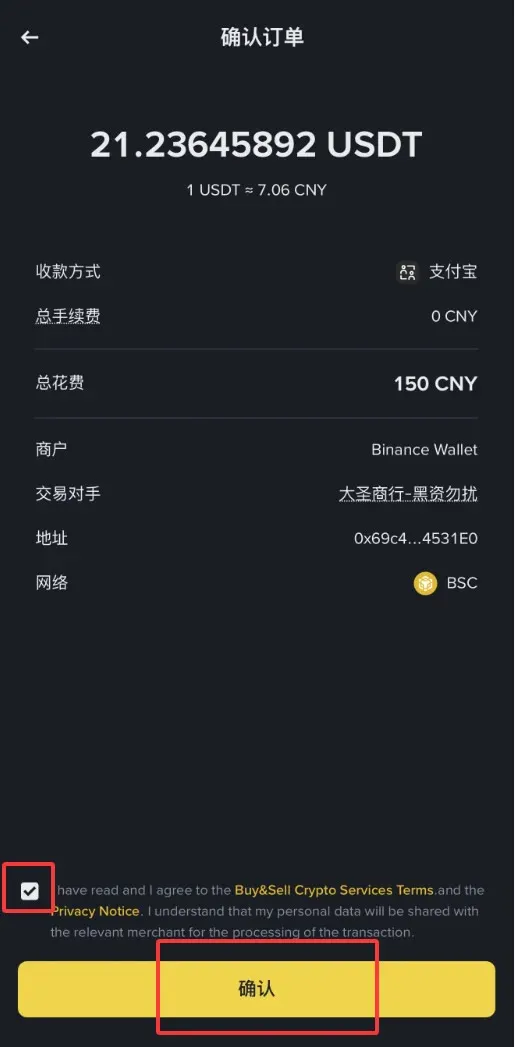
- The system will display detailed order information, including execution price, fees, network costs, and the receiving address. After confirming everything is correct, tick the agreement box and click Confirm to submit.
- Follow the on‑screen instructions to complete the transfer using your chosen payment method, then click Transferred – Notify Seller.
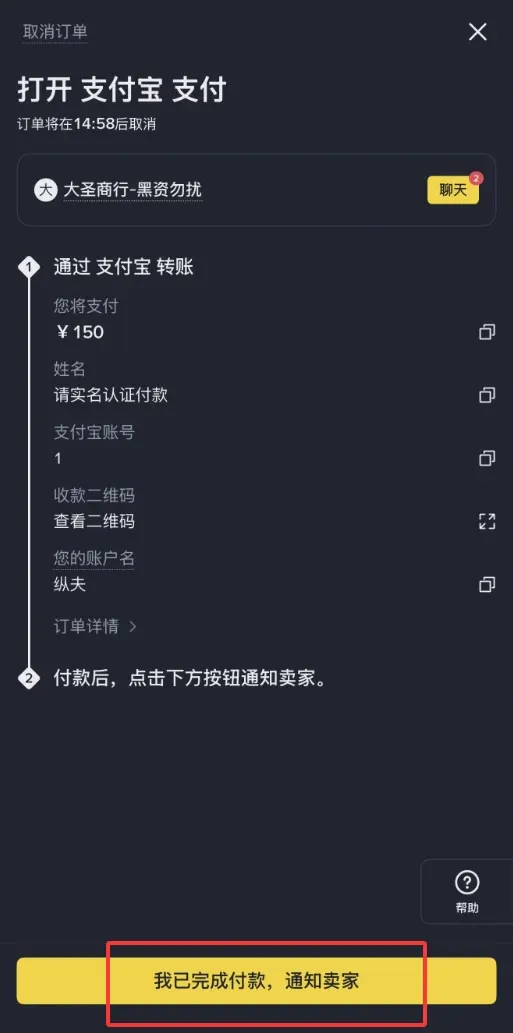
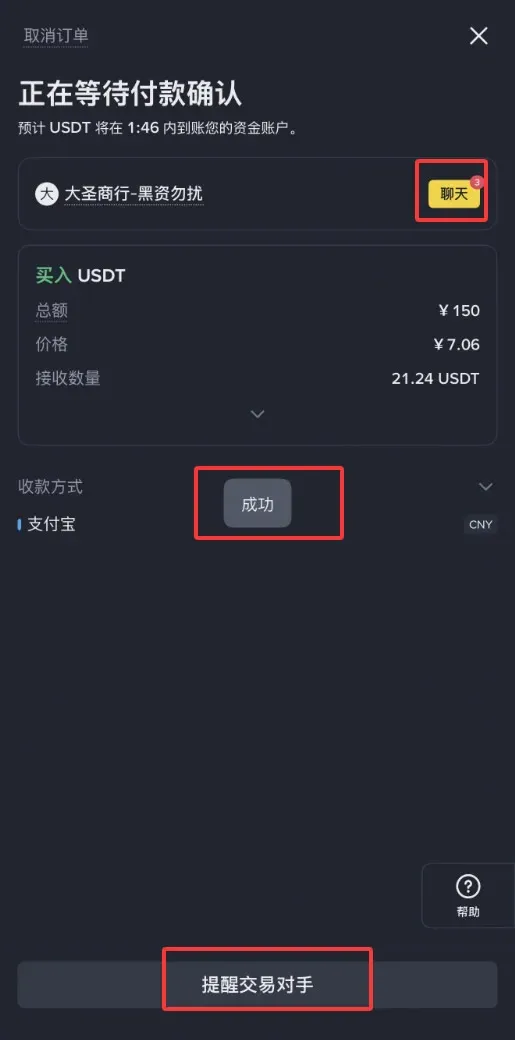
- After a successful payment, the order status changes to “Waiting for Payment Confirmation.” If you need to prompt the counter‑party, you can use the Remind Seller or Chat functions to communicate.
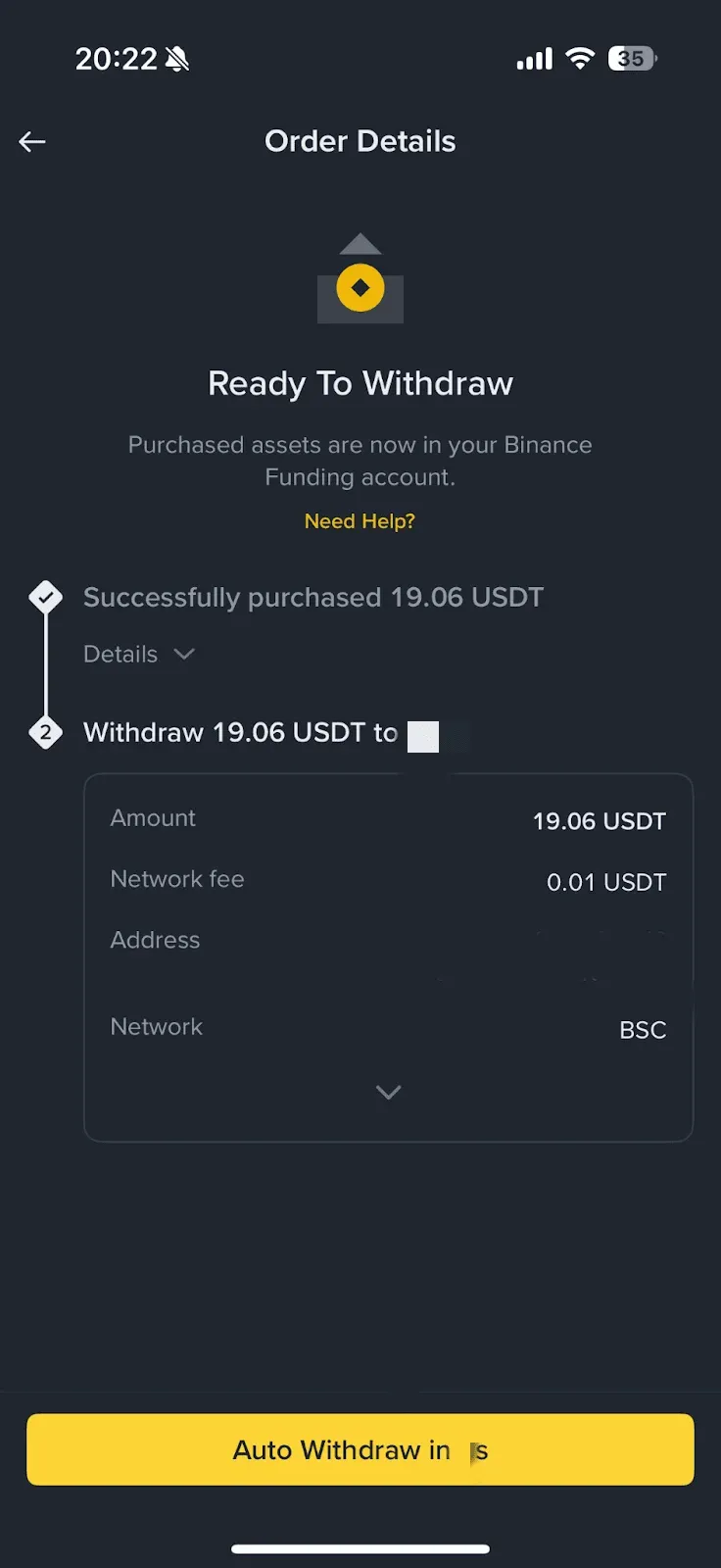
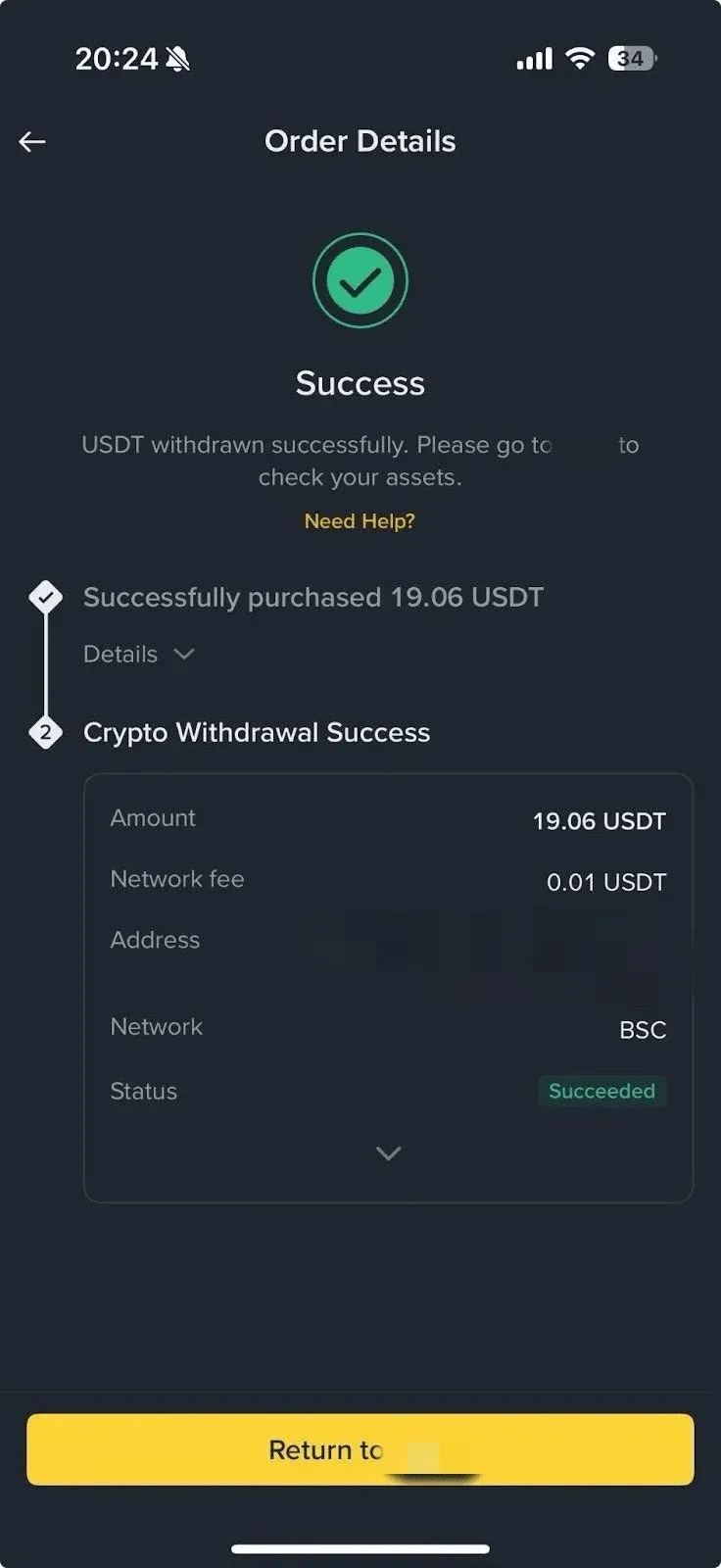
- Once the seller releases the assets, you will see the corresponding cryptocurrency appear in your Funding account. Then you can tap Auto‑Withdraw to transfer it into your Binance Wallet.
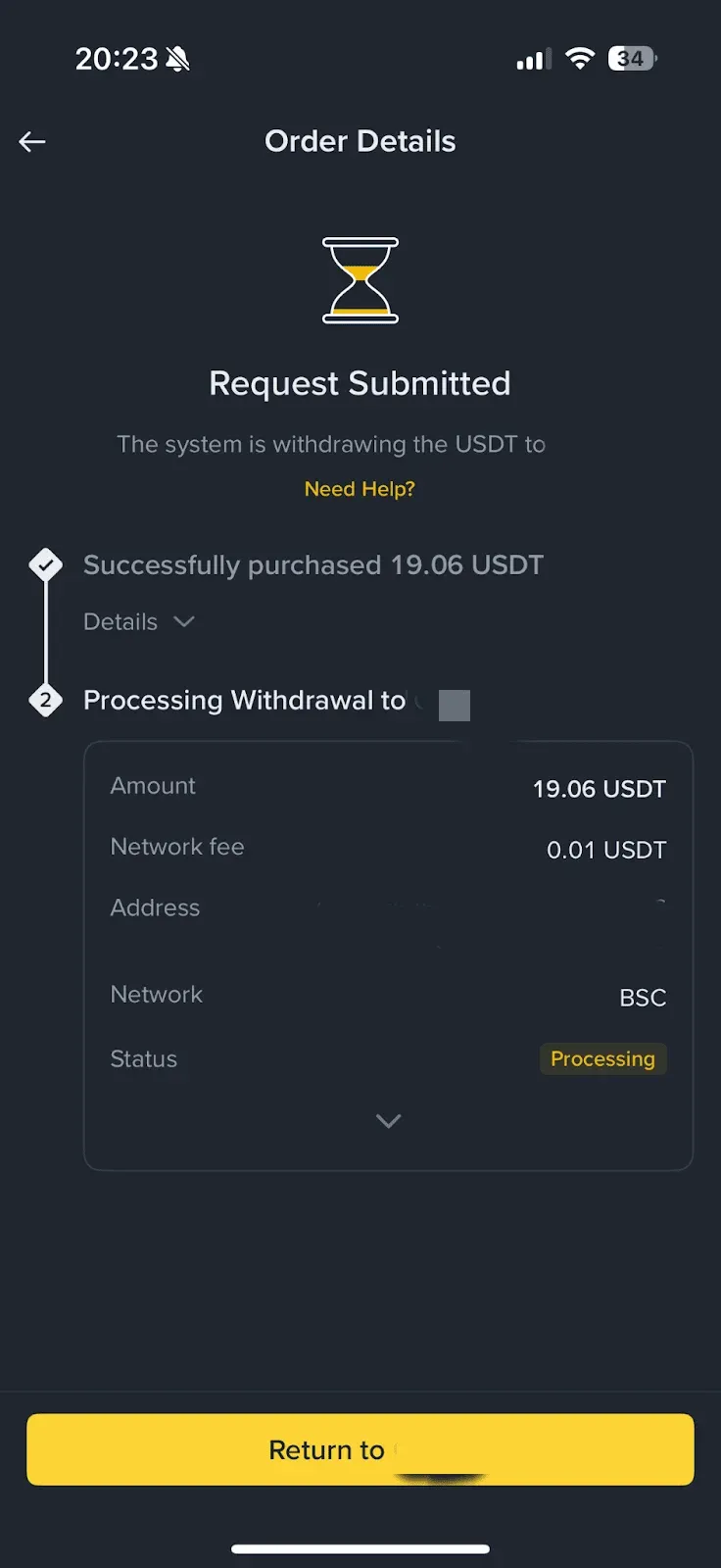
- The system processes the withdrawal request and completes the transfer.
- After the withdrawal finishes, the order status updates to “Completed,” and the purchased crypto is displayed in your Binance Wallet.
Key Advantages of Using Binance Wallet for Fiat‑to‑Crypto Transactions
- Supports VISA, Mastercard, Apple Pay, Google Pay, and Binance spot‑account balances, allowing direct fiat purchases of over 300 crypto assets with competitive pricing.
- A few simple steps enable a one‑stop fiat‑to‑crypto experience entirely inside the Binance Wallet app, ensuring a smooth workflow.
- Transactions are linked to your verified Binance account, providing regulatory compliance and enhanced security.
- Fiat options include USD transfers via SEPA/SWIFT for international users; regional payment methods may vary.
The guide above outlines the complete procedure for buying cryptocurrency via the C2C method inside Binance Wallet. For more tutorials, follow Bitaigen (比特根) for additional articles.
Tax Reminder: Crypto gains may be subject to taxation in your jurisdiction. Consult a tax professional to understand your local tax obligations.
💡 Register on Binance with referral code B2345 for the maximum trading fee discount. See Binance complete guide.



