
 Bitaigen Research
 In this article we outline the three usage modes of the HyperPay wallet, demonstrating step‑by‑step how to interact with DApps using a watch‑only wallet, a self‑custodial wallet, and a hardware wallet. We also provide key security preparation points to help newcomers get started quickly. Subsequent sections will reveal detailed operational steps for each stage, so stay tuned.
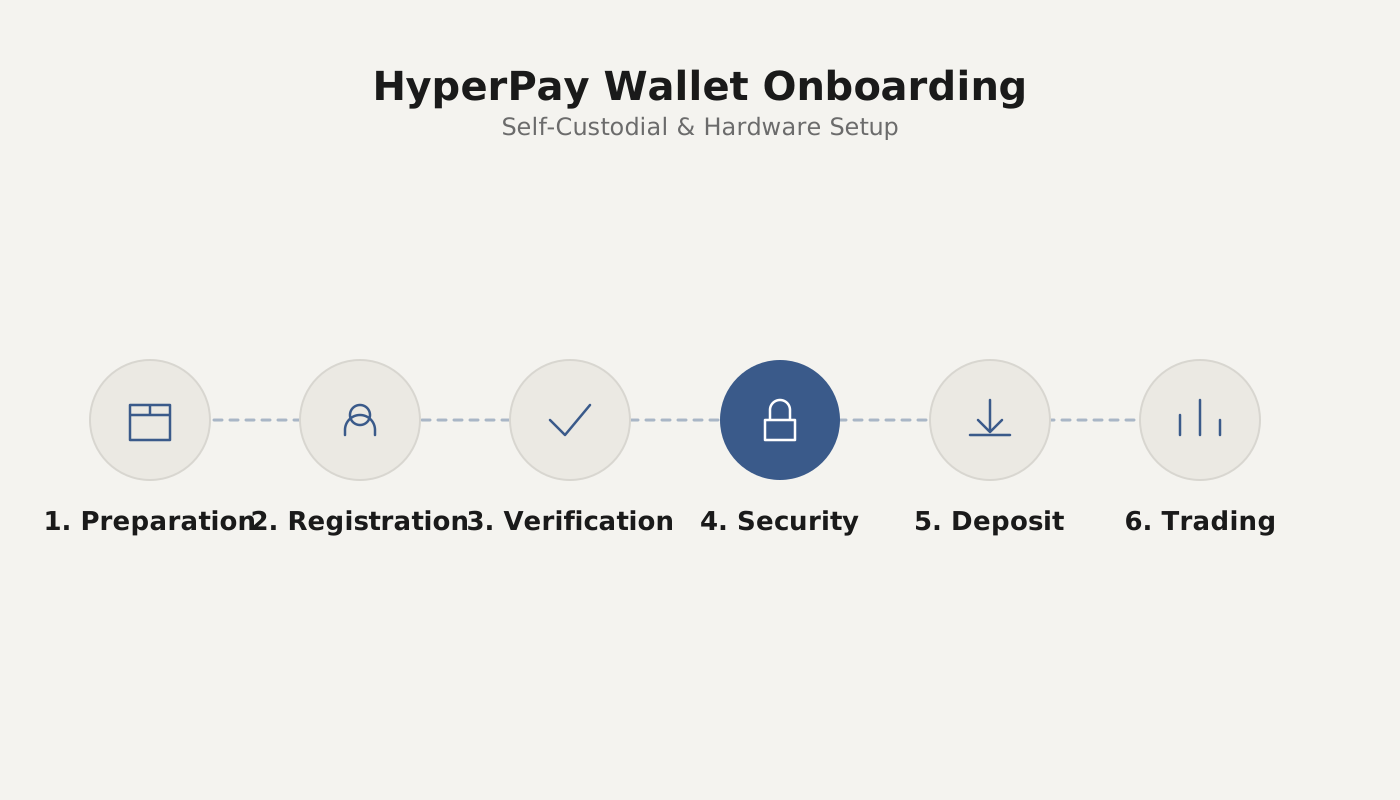
HyperPay wallet is currently the only digital‑asset management tool on the market that supports both on‑chain and off‑chain technologies, and its multifunctional nature has attracted many users. Nevertheless, many people are still unsure how to invoke a DApp across the different wallet types. Below we systematically explain the procedures for the three modes in the order watch‑only wallet → self‑custodial wallet → hardware wallet, helping everyone get up to speed.
---
Preparation before using a DApp with a watch‑only wallet:
- Two smartphones that can be kept secure; one must have the latest HyperPay app installed, and the other must have the HyperKey offline‑wallet app installed.
- The phone running HyperKey must operate in offline or airplane mode; the offline signing function only works when the device is disconnected from the internet.
Download links:
- HyperPay: <https://hyperpay.me/download?lang=zh-cn>
- HyperKey: <https://hyperpay.tech/hyperkey_down?lang=zh-cn>
Usage Guide
- After selecting the watch‑only wallet, initiate a transfer or an authorization request.
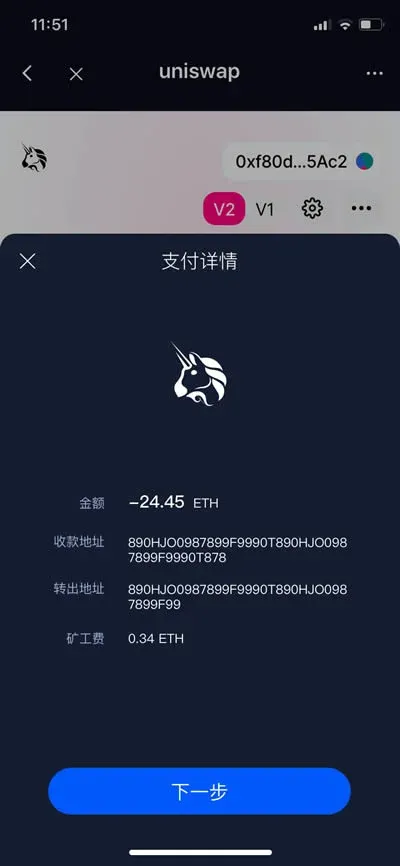
- On the confirmation popup, tap Confirm or Next, then use the other phone with HyperKey to scan the displayed QR code.

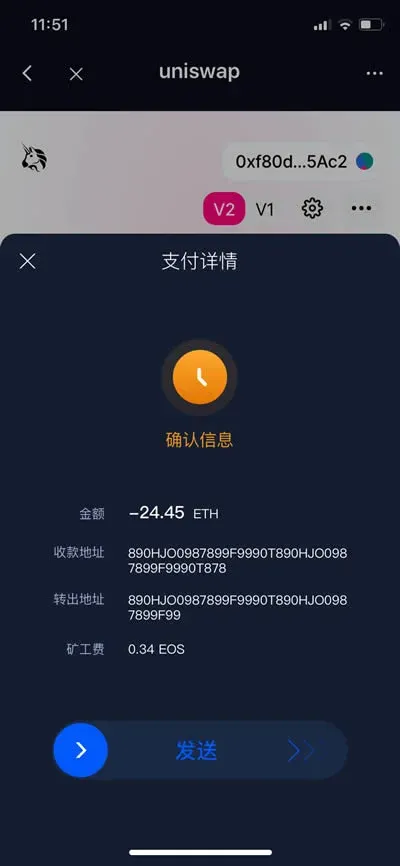
- After verifying that all information is correct, slide to complete the payment confirmation.
---
Preparation before using a DApp with a self‑custodial wallet:
- One smartphone with the latest HyperPay app installed;
- An activated self‑custodial wallet account.
Usage Guide
- When performing a transfer or requesting authorization within the self‑custodial wallet, simply tap Next to proceed to the following step.
- Enter your transaction password and confirm; the system will automatically wait for on‑chain data synchronization to finish.

---
Preparation before using a DApp with a hardware wallet (HyperMate):
- One smartphone with the latest HyperPay app installed;
- A HyperMate hardware wallet that has been activated and successfully linked to the HyperPay app.
HyperPay wallet download page: <https://www.hyperpay.tech/app_down>
Usage Guide
- When initiating a transfer or an authorization, ensure that the HyperMate hardware wallet is connected and remains online.

- After a successful connection, enter the PIN of the hardware wallet to complete identity verification.

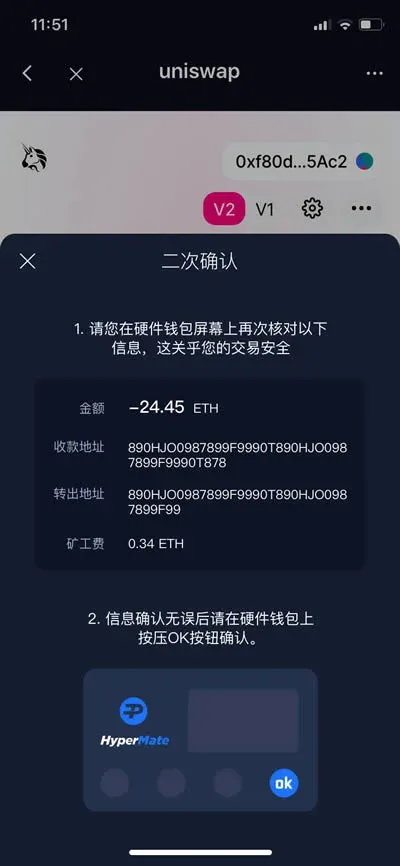
- Finally, confirm the transaction a second time on the hardware wallet device itself to finalize the operation.
---
The above outlines the complete steps for invoking a DApp with the HyperPay wallet across its three different forms. For more detailed HyperPay usage instructions, stay tuned to future articles on the Bitaigen (BitRoot) platform.
Related Reading
- Best Hardware & Mobile Wallets for Binance Futures Trading
- Top Bitcoin Hardware Wallets for Secure Large Holdings
- OneKey Cold Wallet 2024: Offline Signing & Secure Storage
💡 Register on Binance with referral code B2345 for the maximum trading fee discount. See Binance complete guide.



