
 Bitaigen Research
 To track token movements on the Ethereum blockchain or verify the holdings of a specific address, you first need to understand the basic functions of a block explorer. Block explorers provide public query interfaces for transactions, smart contracts, and token holders. They are essential tools for developers debugging contracts and also help ordinary users quickly obtain on‑chain information.
Core Functions of an Ethereum Explorer
An Ethereum block explorer is a class of online tools that can display all on‑chain activity in real time. Its main features include:
- Transaction detail lookup: Enter any address to view its transfer history, amounts, timestamps, and gas fees.
- Smart‑contract tracking: Users can view contract source code, invocation logs, and execution results, which is especially important for verification before deployment.
- Network‑status analysis: By browsing block height, block‑time intervals, and transaction volume, you can gauge the current level of network congestion.
- Token monitoring: In addition to the native ETH, transfers, balances, and holder distribution of ERC‑20 tokens are also presented clearly in the explorer.
After familiarising yourself with these basic capabilities, the next step is the concrete procedure for querying token‑holder addresses.
In this article we systematically outline the core functions of Ethereum block explorers and demonstrate the complete steps for quickly locating token‑holder addresses on mainstream platforms such as Etherscan. With clear, step‑by‑step instructions, even blockchain newcomers can easily retrieve account balances and transaction histories, helping you trace asset flows more effectively. For practical tips, keep reading.
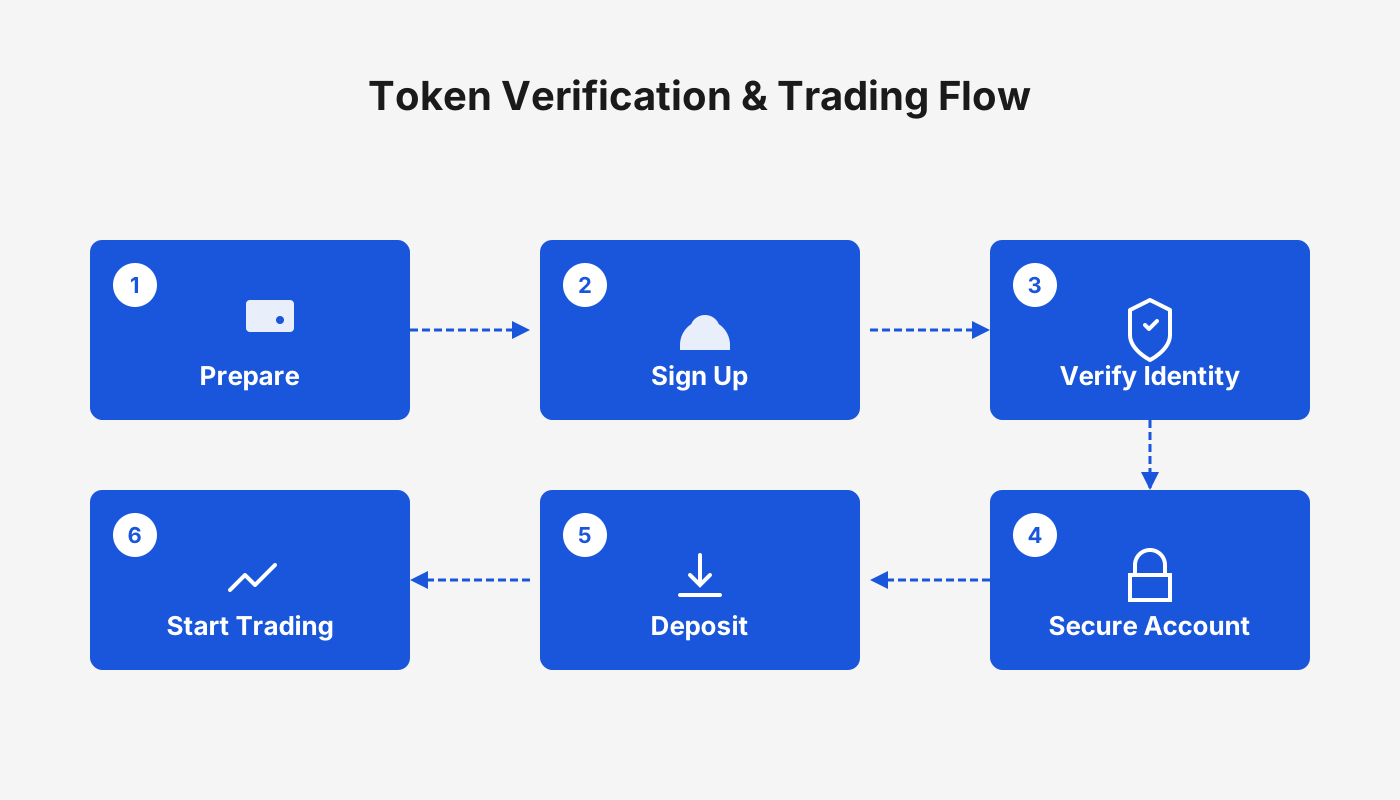
How to Query Token‑Holder Addresses in an Ethereum Explorer?
In practice, the most widely used explorer is Etherscan. Below are two example workflows to help you get started quickly.
Tutorial 1 (Using Etherscan)
- Open the official website
Search for “Etherscan” in your browser and make sure you land on the official domain to avoid phishing sites.
- Obtain the token contract address
The contract address can usually be found on the token’s official website, social media channels, or exchange listings. Once you have it, paste it into the search bar at the top of Etherscan and hit Enter.
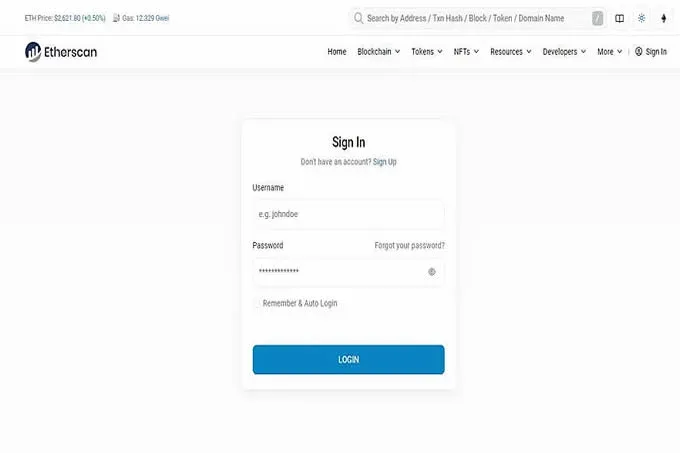
- Enter the token’s detail page
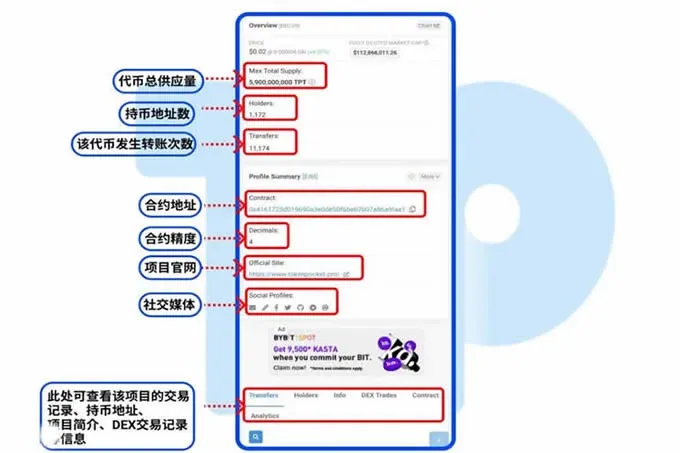
The page will display the token’s total supply, number of holder addresses, contract precision, and other basic data. Click the tab labelled “Holders” or “Token Holders” to see a list of all addresses that hold the token, sorted by balance in descending order by default.
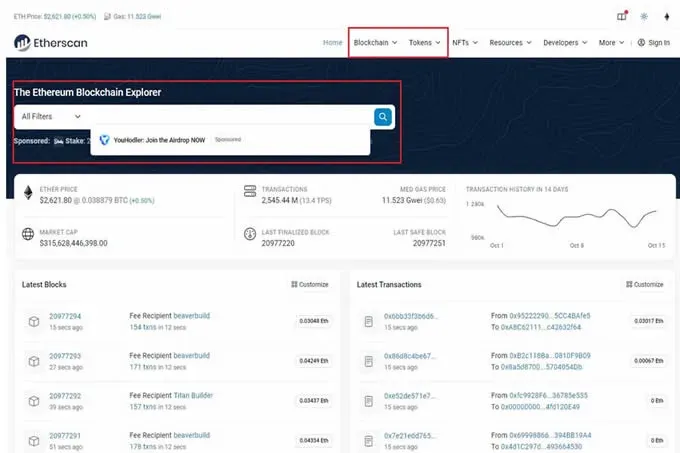
- Query a single address
If you only want to check the holdings of a particular address, enter that address in the search bar and press Enter. The explorer will navigate to the address’s detail page, listing its transaction history, the types of tokens it holds, and the current balances.
When using any block explorer, always verify that you are on the official or a trusted site to avoid misinformation or scams.
Tutorial 2 (Using the DApp Browser of the TP Wallet)
- Launch the browser
Open the TPAPP, switch to the DApp browser, and type `https://cn.etherscan.com/` into the address bar to access the Ethereum block explorer.
- Search the contract address
Paste the target token’s contract address into the page’s search field and press Enter. You will see a token overview; click the token name to open its detailed page.
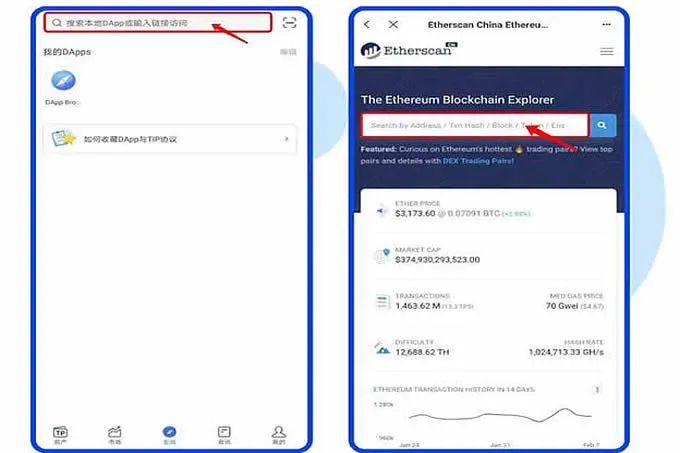
- View holding information
The token detail page lists the total supply, number of holder addresses, contract address, contract precision, official website link, and other key metrics.
How to Find a Token’s Contract Address?
There are two common ways to obtain a token’s contract address: search directly on the relevant block explorer, or locate it on the project’s official website. The following example uses Uniswap’s UNI token to illustrate the steps on Etherscan:
- Visit the Etherscan homepage.
- In the search box at the top left, type the full token name “Uniswap” and click the magnifying glass.
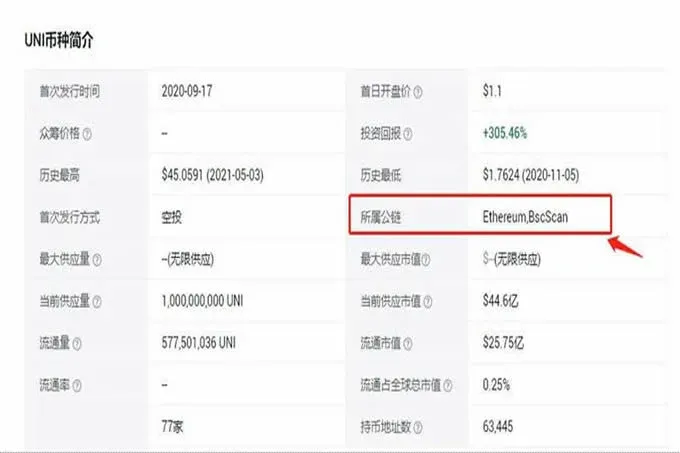
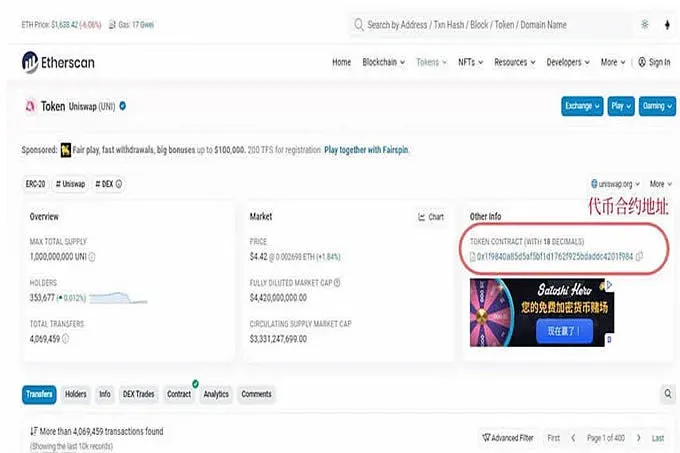
- After entering the UNI information page, you will see the contract address displayed as `0x1f9840a85d5aF5bf1D1762F925BDADdC4201F984`.
At this point you have mastered the complete workflow for querying token‑holder addresses and retrieving contract information using an Ethereum block explorer. For more advanced techniques on Ethereum address lookup, you can refer to previous articles on Bitaigen (比特根) or continue browsing related content on this site. We appreciate your ongoing interest and support!
*Note: Crypto transactions may be taxable in your jurisdiction. Be sure to consult local tax regulations and consider reporting any gains in USD (or the appropriate fiat currency) via SEPA, SWIFT, or other compliant channels. U.S. residents should use Binance.US for fiat on‑ramps instead of the global Binance platform.*
💡 Register on Binance with referral code B2345 for the maximum trading fee discount. See Binance complete guide.



