
 Bitaigen Research
 TronScan is the first blockchain explorer in the TRON ecosystem, integrating a network wallet and supporting the sending, receiving, asset management, and cross‑chain DApp interaction of TRX and various TRC tokens. It can satisfy multi‑dimensional needs ranging from full‑node data statistics to smart‑contract triggers.
Official website: https://tronscan.org
In this article we systematically outline TronScan’s core functions and usage steps, helping users quickly complete transaction tracking, wallet management, token lookup, and network‑governance participation. With concise operational guidance, you can easily create an account, browse smart‑contract details, and further improve the efficiency of asset management within the TRON ecosystem. The following sections will elaborate on each topic in detail.
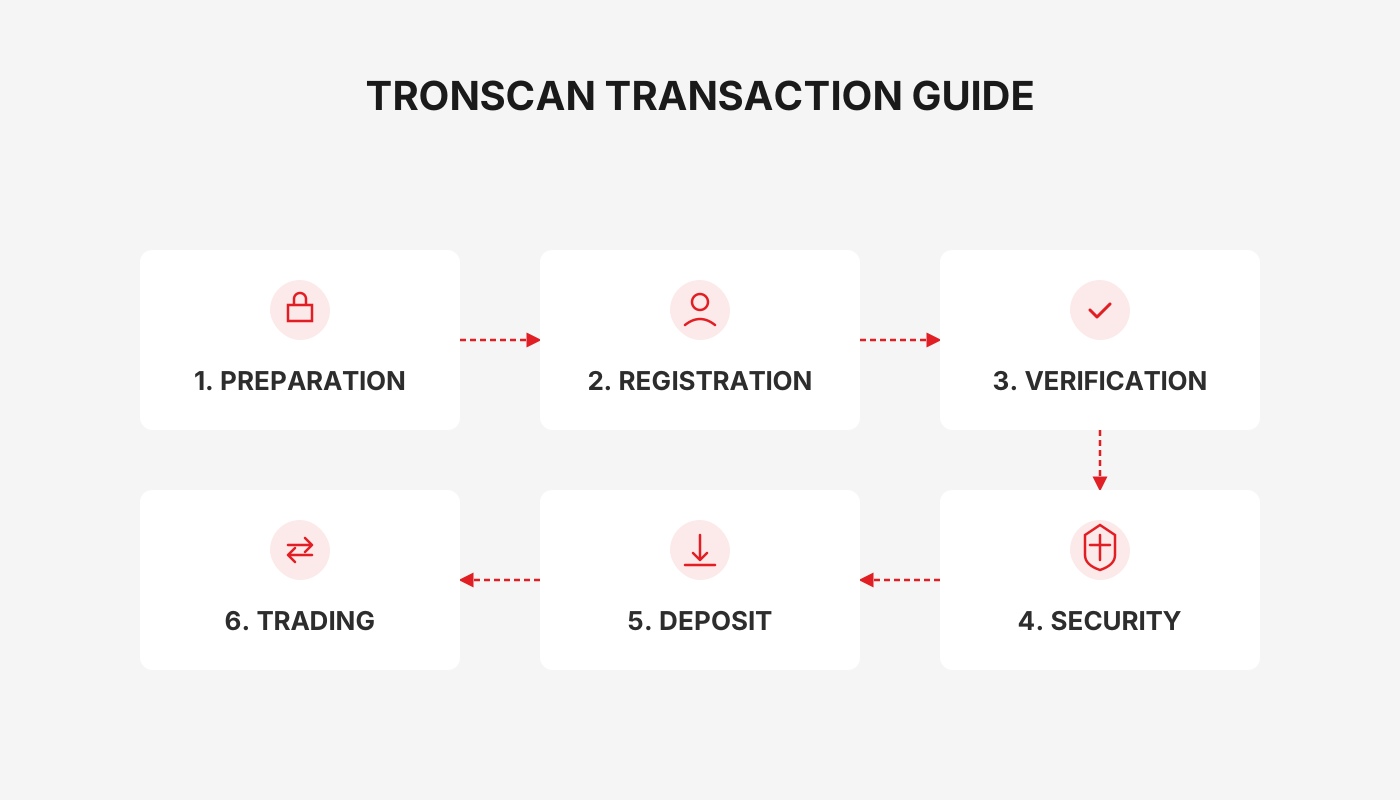
Features of TronScan
TronScan offers a range of core capabilities that enable users to perform transaction tracking, wallet management, token queries, governance participation, and smart‑contract analysis.
Transaction Tracking
The platform displays TRON network transactions in real time; users can view the flow of TRX and all TRC tokens, review transaction details, and verify on‑chain information.
Wallet Management
Through TronScan, users can create a brand‑new TRON wallet or import an existing one, achieving secure storage and unified management of their assets.
Token Balances
The page lists the amounts of TRX and every TRC token you hold, providing an intuitive basis for asset allocation and risk control.
Governance Participation
TRX holders can stake their tokens and vote to elect Super Representatives, directly taking part in TRON network governance decisions.
Smart Contracts
TronScan provides execution monitoring, source‑code browsing, and interaction assessment for on‑chain smart contracts, helping developers and investors gain deep insight into the DApp ecosystem.
All functions are publicly available for free; registering an account also unlocks additional premium services.
How to Create a TronScan Account
- Open the official website and locate the registration entry on the homepage.
- Enter a valid email address and password; you may also choose to register with a mobile phone number, or directly link a decentralized wallet such as TronLink or Ledger.
- The system will send an activation link to your email; click the link to complete activation, after which you can log in to the platform with your new account.
How to Use TronScan
Access the TronScan Wallet and Manage Wallet Assets
- Click the “Connect” button at the top‑right corner of the page and select the TronLink wallet for integration.
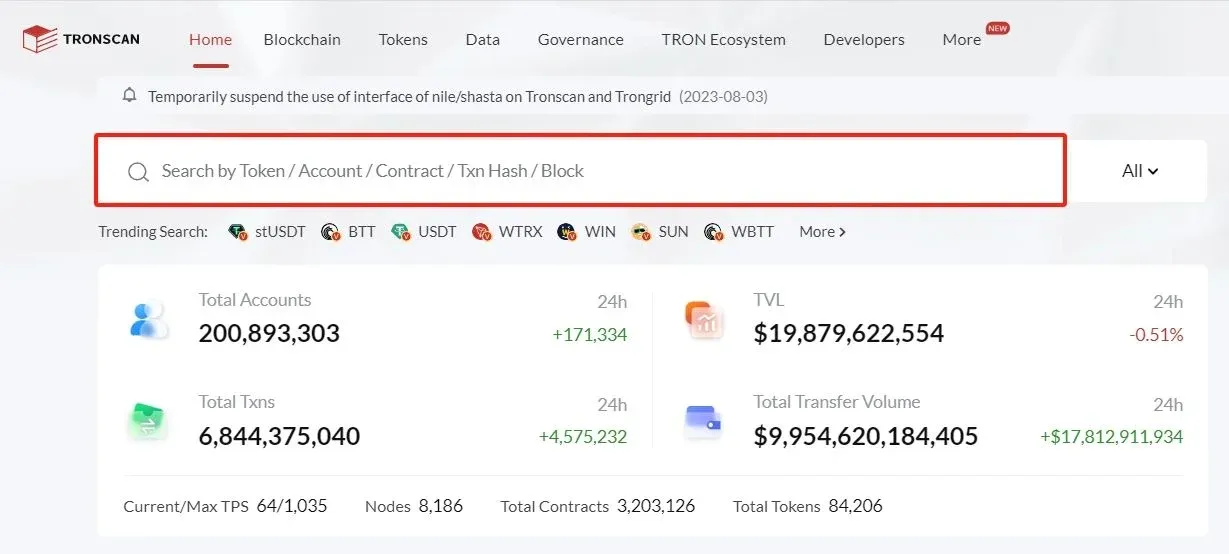
- If you have already installed the TronLink extension on Chrome and created a wallet, you can import it directly; if the extension is missing, the system will prompt you to download and install it.
- Follow the prompts to set a username and password, and be sure to safely store the mnemonic phrase (record it in order).
- After the wallet is created, click “Connect” again to bind the wallet to TronScan. If any error occurs, simply refresh the page and repeat the steps.
Once the connection succeeds, you can view the types of tokens you own, their quantities, and the corresponding market value (shown in USD) on the interface.
Initiating and Tracking a Transfer
- In the TronLink wallet, click “Send.”
- Fill in the recipient address, the amount to transfer, and any other required information.
- After confirming, the transaction will be broadcast to the TRON network and can then be tracked in real time on TronScan’s transaction page.
TronScan Dashboard
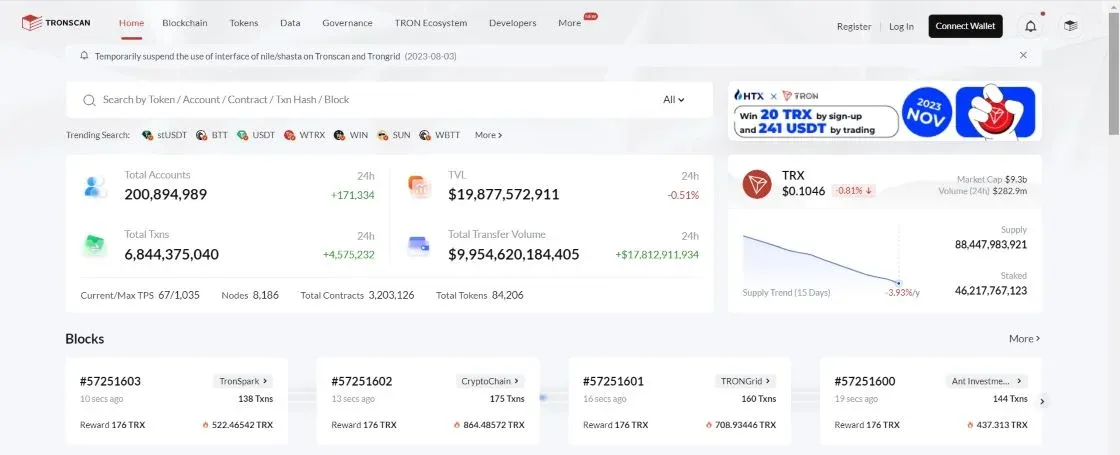
Home
The home page provides an overall snapshot of the TRON network, including the TRX price in USD, market capitalization, total number of activated accounts, total value locked (TVL) in protocols, cumulative transaction count, and total transfer volume of popular tokens, among other key metrics.
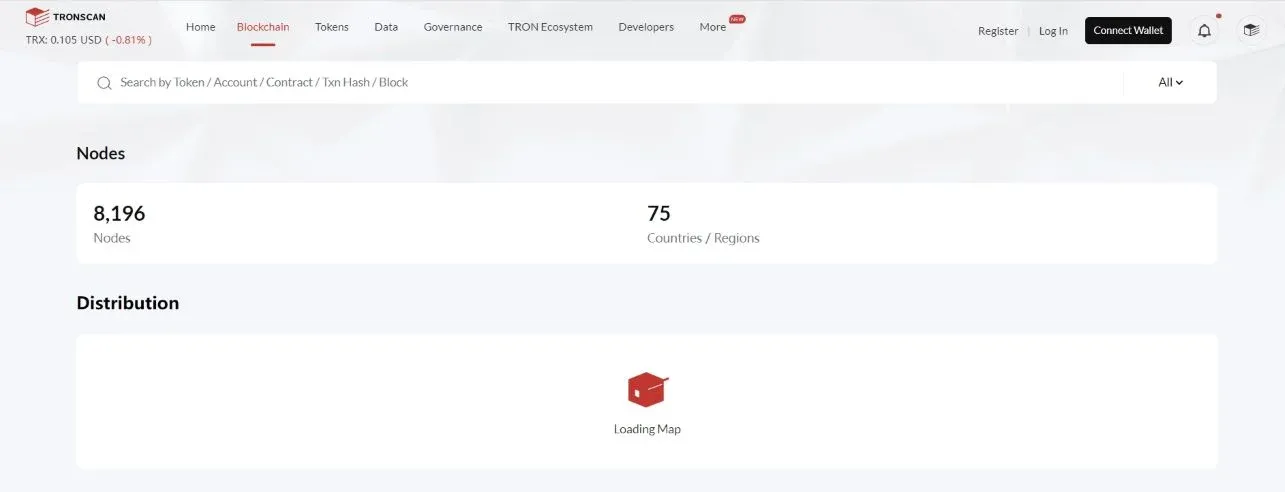
Nodes
This section displays the global distribution of TRON nodes, offering statistics on the number of nodes per country/region as well as a map visualization, helping users understand network accessibility in their own area.
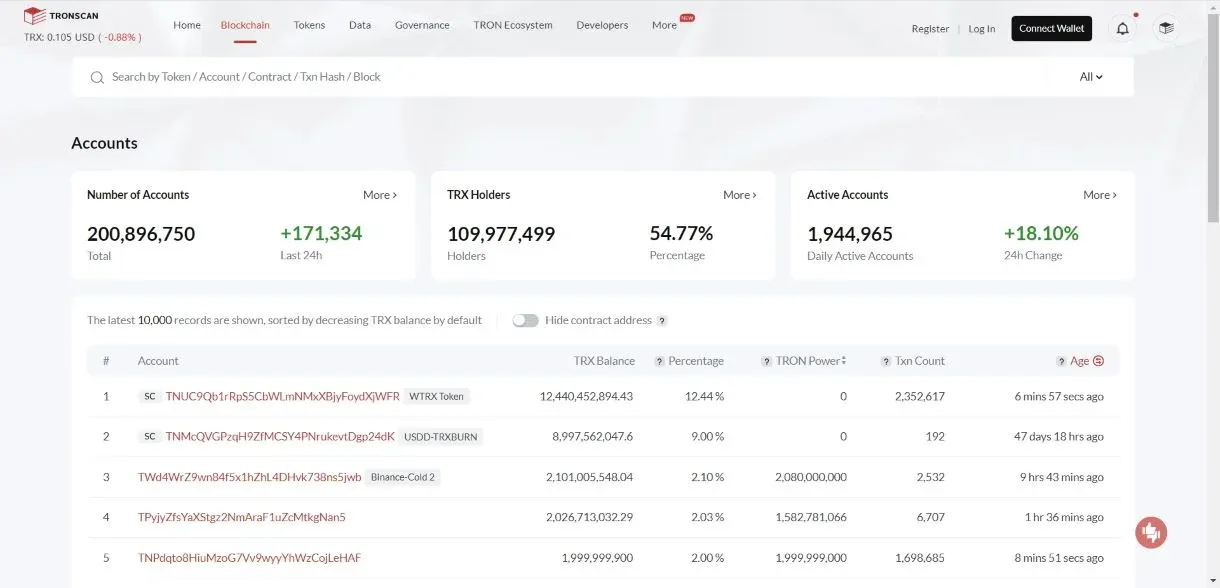
Accounts
- Data such as total accounts, TRX holders, and active accounts can be viewed here.
- Clicking “More” under “Account Count” reveals a trend chart that includes both regular wallets and contract accounts, showing cumulative account changes over time.
- Expanding the “TRX Holders” section provides a time‑series curve of the number of token‑holding accounts, assisting investors in assessing ecosystem activity.
- Selecting any wallet allows you to inspect its total asset value, transaction history, and cross‑token asset allocation.
Contracts
The contracts page lists the total number of on‑chain contracts and the count of verified contracts; a 24‑hour “Best Contracts” leaderboard helps users quickly locate high‑performing smart contracts and view detailed information about them.
Tokens
In the token section, users can search for information on any token within the TRON ecosystem, such as TRX, USDT, USDD, etc. Clicking a specific token (e.g., TRX) displays its total supply, circulating supply, official website, whitepaper, social links, trading volume, and other relevant data.
Data
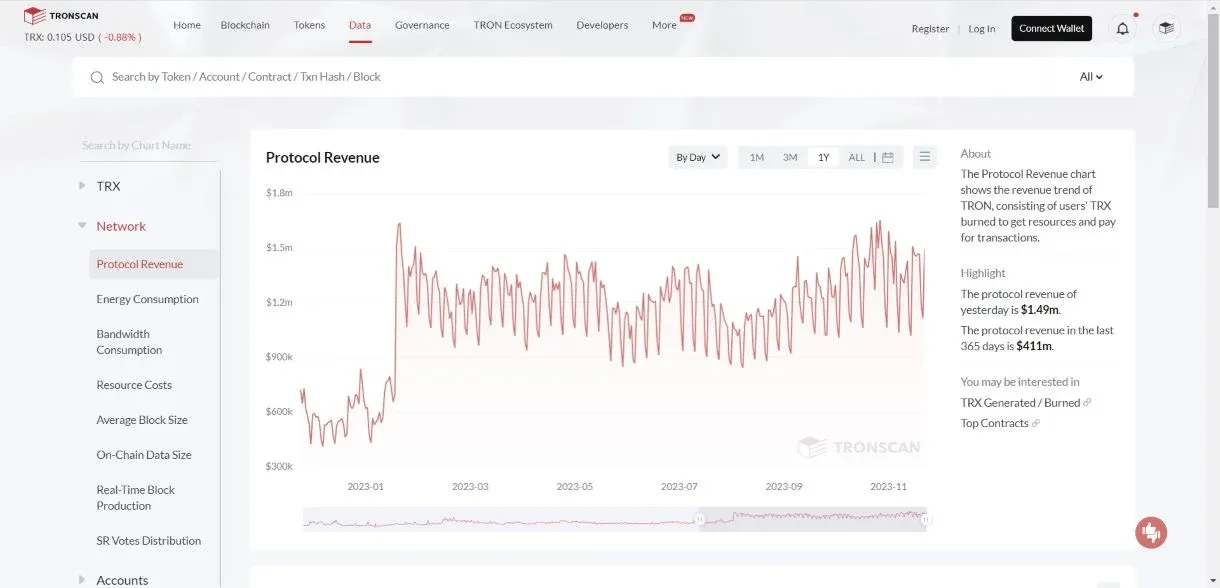
This section offers multidimensional charts, rankings, and analytical reports. For example, under Charts → Protocol Revenue, you can see the amount of TRX that has been burned due to resource consumption and transaction fees, together with its trend over time.
Governance
Users can browse the list of Super Representatives, cast votes, participate in TRX staking governance, and even submit applications to become a Super Representative.
TRON Ecosystem
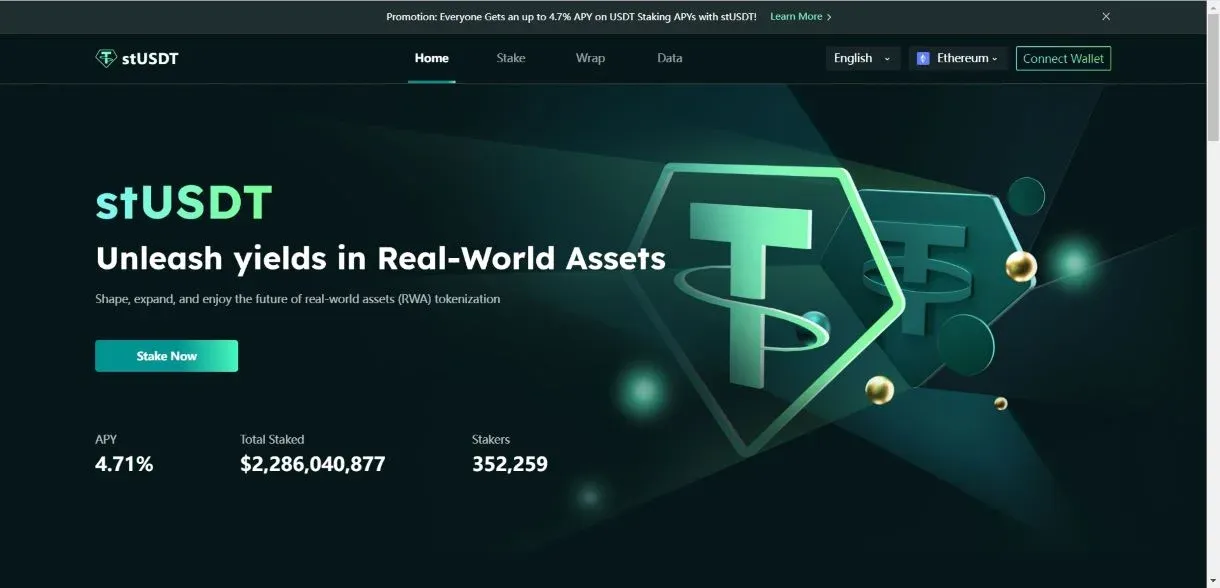
This area aggregates DeFi projects (e.g., stUSDT, SUN, APENFT) and infrastructure services (e.g., TronLink, BTTC, BTFS). Clicking any project redirects you to its official website for further interaction.
Developers
The developers’ section provides Tron APIs, development tools, and resource downloads, assisting technical personnel in building applications on the TRON and BTTC networks. For instance, selecting Tools → TronGrid takes you to the TronGrid website, where you can obtain hosted APIs, load‑balancing nodes, and other scalable services.
Checking TRON Blockchain Transactions
Copy the target wallet address, paste it into the search bar, and you will instantly see all transaction records, staking status, and voting participation for that address. Both logged‑in and anonymous users can perform the lookup.
Exploring TRON Blockchain Blocks
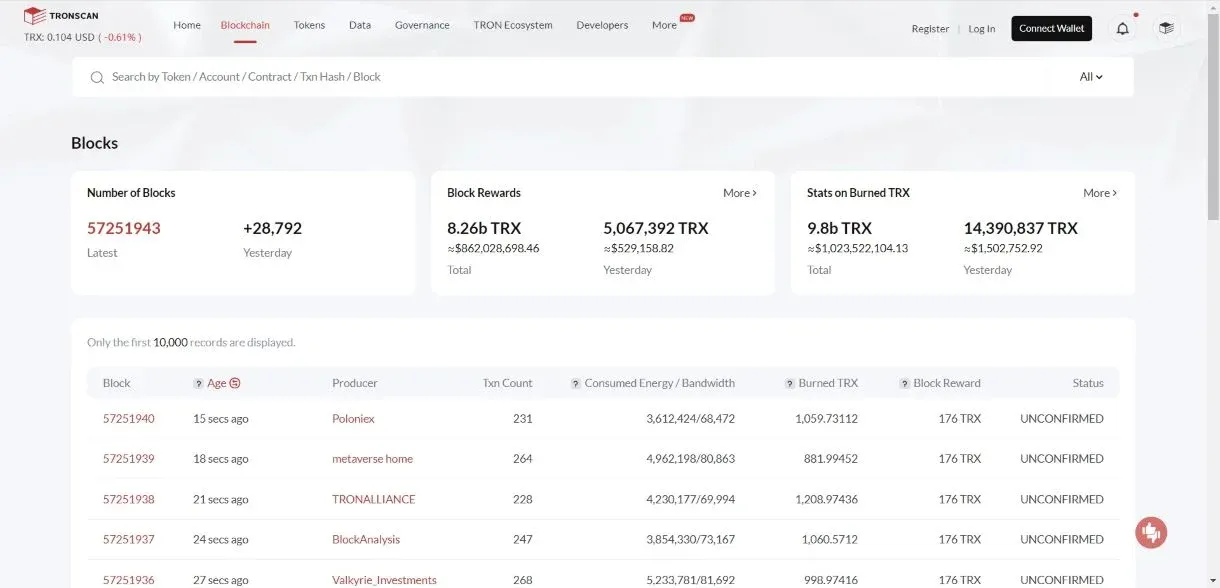
Navigate to Blockchain → Blocks to browse statistics such as total block count, latest block height, cumulative rewards, and total TRX burned. Clicking any block number expands the view to reveal the full list of transactions contained in that block.
Staking and Voting on TronScan
- Go to the Asset Management area of the wallet section and click “Obtain Tron Power.”
- Lock at least 1 TRX (the lock‑up period is 3 days); the system will automatically generate the corresponding amount of Tron Power.
- After the lock‑up, switch to the Governance section, click “Vote,” select the Super Representative you wish to support, and confirm. Upon successful voting you may receive reward tokens, which can later be swapped back to TRX on the TronScan DEX.
Security of TronScan
User Responsibility
The platform’s security largely depends on the protective measures taken by users. It is recommended to use a strong, unique password and enable two‑factor authentication (2FA). Never disclose your login credentials to anyone.
Scams and Phishing
To avoid phishing sites, always access the platform through the official URL tronscan.org and never provide your private key or password to third parties.
Smart‑Contract Safety
When interacting with DApps, first verify the trustworthiness of the contract code and only use contracts that have undergone audits or received community endorsement.
Tax reminder: Crypto‑related gains may be taxable in your jurisdiction. Please consult local tax regulations or a professional advisor to ensure compliance.
In summary, TronScan delivers a comprehensive suite of features covering transaction lookup, asset management, token monitoring, governance participation, and smart‑contract auditing, providing users with a secure and convenient entry point for browsing and interacting with the TRON blockchain.
*Note for U.S. users:* If you need to convert fiat to crypto or vice‑versa, use Binance.US rather than the global Binance platform, and for fiat transfers consider SEPA (Euro) or SWIFT (USD) corridors where applicable.
💡 Register on Binance with referral code B2345 for the maximum trading fee discount. See Binance complete guide.



