
 Bitaigen Research
 Binance has surpassed 300 million global active users in 2026, retaining its position as the industry leader in trading volume. The platform offers spot, futures, leveraged, and fiat‑paired trading, supporting common order types such as limit, market, and stop‑loss. Users can place orders via the website, mobile apps, or API at any time. Thanks to a market‑leading matching engine, the system can peak at 1.4 million trades per second, delivering fast and stable execution.
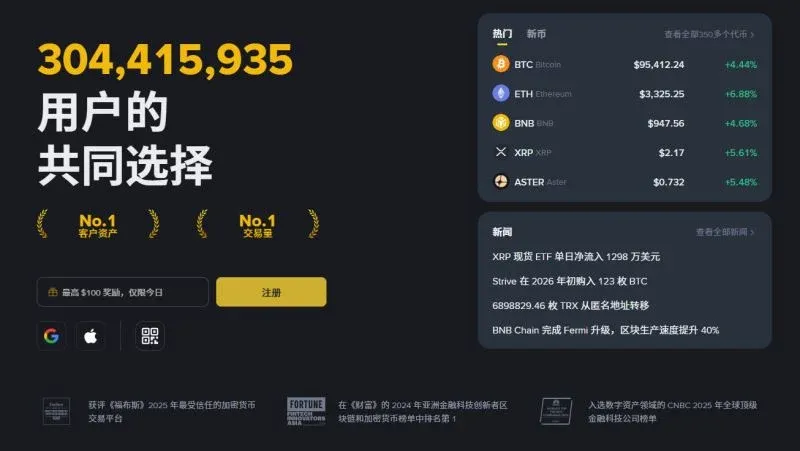
This guide walks you through Binance’s latest registration and KYC (Know‑Your‑Customer) procedures, covering the web, app, and API entry points. We also give a concise overview of the platform’s core functions and ecosystem layout. By following this tutorial you can quickly open an account, safely enter the full‑stack trading system, and later we’ll briefly discuss fees and risks to help you use Binance’s diversified services more responsibly.
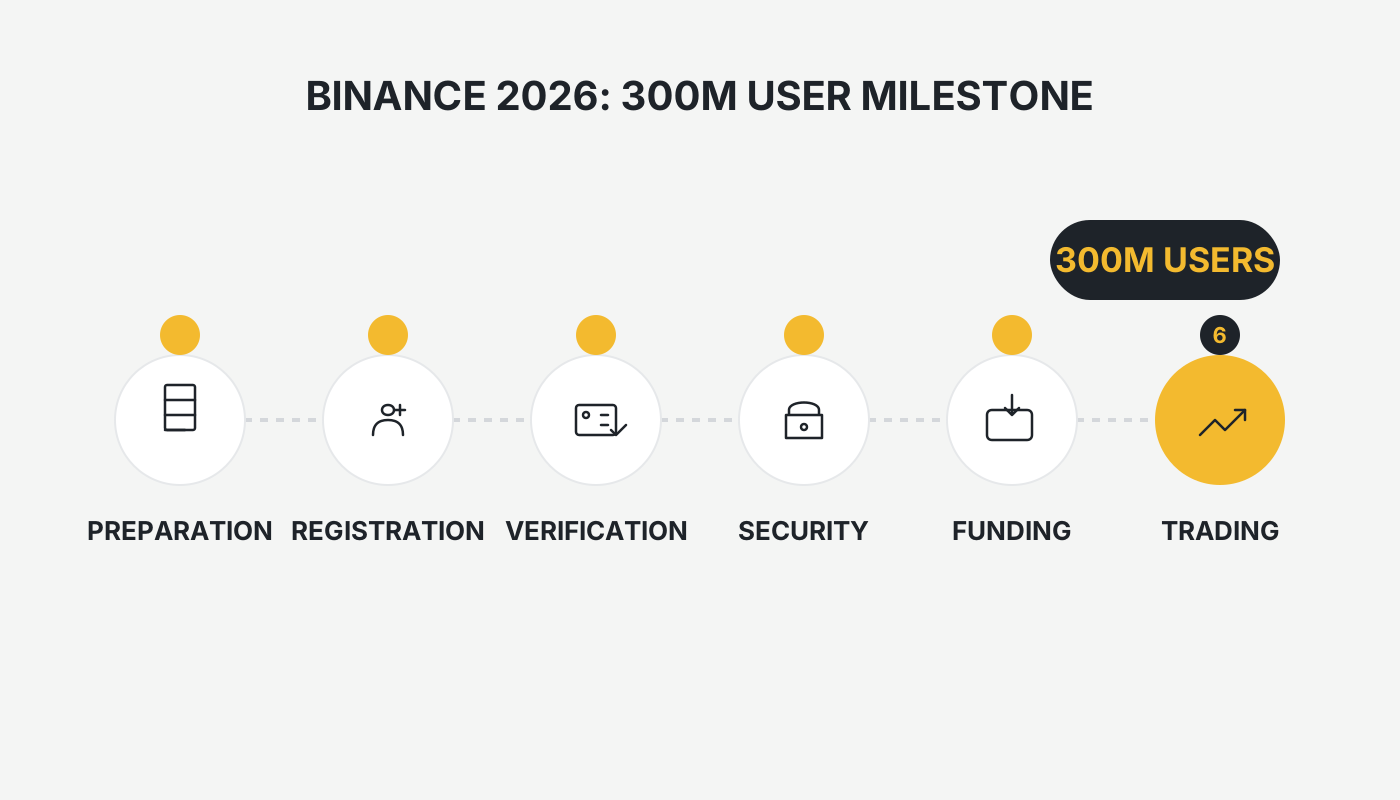
Binance Ecosystem
As a comprehensive platform in the blockchain space, Binance’s business scope extends far beyond a simple exchange. Its main products include:
- BNB Chain – a community‑driven public blockchain network that gathers developers worldwide to maintain the ecosystem.
- Trust Wallet – the official decentralized wallet, supporting receipt, sending, and secure storage of assets.
- Binance Research – delivers data‑driven industry reports and deep analyses to help investors understand market dynamics.
- Launchpad – provides token‑issuance channels for promising blockchain projects, connecting them to Binance’s massive user base.
- Binance Labs – focuses on incubating and investing in blockchain projects, supporting innovative teams.
- Binance Charity Foundation – the first organization to leverage blockchain’s transparency for philanthropic work.
- Binance Academy – a multilingual, free‑education platform covering everything from blockchain basics to advanced practice.
These subsidiaries work together to form a complete blockchain ecosystem, offering a one‑stop service that spans learning, trading, and asset management.
Binance Exchange Overview
Binance was founded by Changpeng Zhao (CZ) in 2017, with its headquarters in Malta and regional offices across Asia, Europe, and North America. Growing from zero to the world’s largest crypto‑asset exchange within 180 days, Binance consistently ranks NO. 1 on global composite exchange leaderboards.
- Founding Team: CZ handles overall strategy and product direction; co‑founder and CMO He Yi (also known as “He One”) leads marketing and brand building, having previously served at OKCoin and held senior roles at several tech firms.
- Product Timeline: The web platform launched in July 2017, followed by H5, iOS/Android apps, Windows client, and macOS version, achieving multi‑platform coverage.
- Trading Variety: Over 350 digital assets and more than 2,000 trading pairs are supported, including mainstream coins such as BTC, ETH, XRP, and USDT.
- Fees: Certain Bitcoin spot pairs can be traded with zero fees.
- Security Framework: Multiple layers—firewalls, encryption algorithms, risk‑control systems, etc.—protect user assets.
Note for U.S. users: Because the global Binance platform is not available in the United States, residents must use Binance.US (or a local regulated exchange) for compliance with U.S. regulations.
Quick Registration Highlights
- IP Environment: It is advisable to use a VPN in “global mode” with an endpoint in Hong Kong, Taiwan, or similar regions, avoiding restricted locations such as the United States, Canada, Singapore, Japan, the United Kingdom, etc.
- Referral Code: During first‑time registration, be sure to enter the site‑specific referral code `B2345` to receive a 20 % rebate on spot and futures fees.
- Identity Verification: Completing KYC unlocks additional features; selecting Mainland China as your residence generally yields a smoother process.
- App Download: iOS users should log into the Apple App Store with a Taiwan‑region Apple ID; avoid mistakenly downloading the Binance US version.
For instructions on creating or switching Apple IDs, refer to the simple guide provided on this site.
Detailed Registration Process
Visit the official Binance registration page at https://www.bitaigen.com/binance. The entire procedure takes roughly three minutes.
- Open the registration link (preferably using a Taiwan IP). Choose “Register with Email/Phone”. If Safari shows a “Deceptive Site Warning”, go to Settings → Safari → Turn Off Deceptive Site Warning, then refresh the page.
- Users connecting from a Hong Kong IP may see a “Not available for Hong Kong residents” notice; simply click I understand to proceed.
- Enter basic information: Provide a phone number or email address, tick the box agreeing to the Terms of Service, and click Next.
- For Chinese mobile numbers, use the country code +86; acceptable email providers include 163, QQ, Outlook, Gmail, etc.
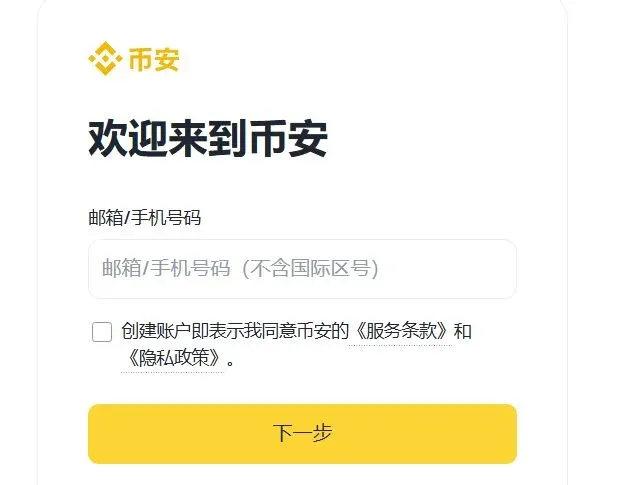
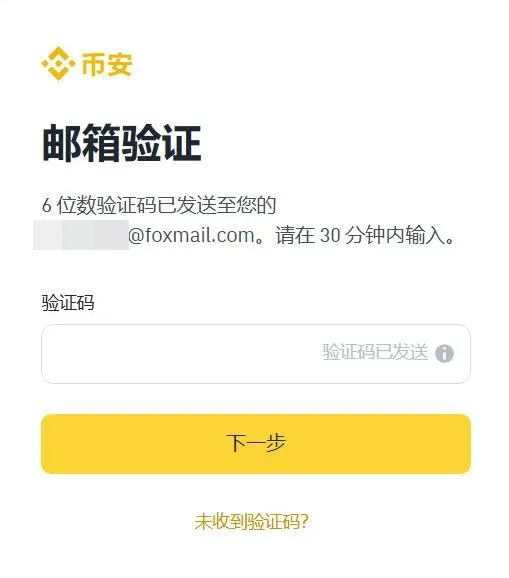
- Verify the code: Binance will send a verification code via SMS or email; enter it to continue.
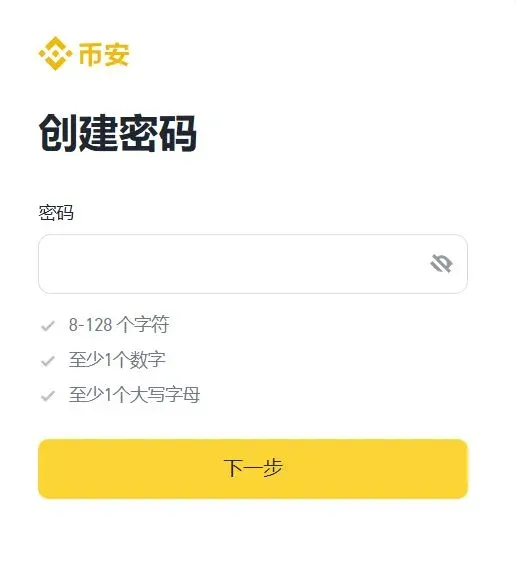
- Set a login password: The password must be at least 8 characters long and contain at least one digit and one uppercase letter.
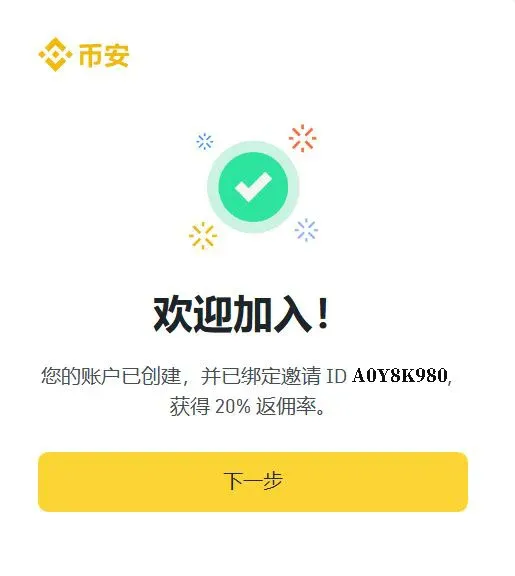
- Enter the referral code: After setting your password, a prompt will appear—enter `B2345` and submit to claim the 20 % fee rebate.
If you encounter a “region‑restricted” message, switch your VPN to a Taiwan or other unrestricted node and retry.
Downloading the Binance App
Android Version
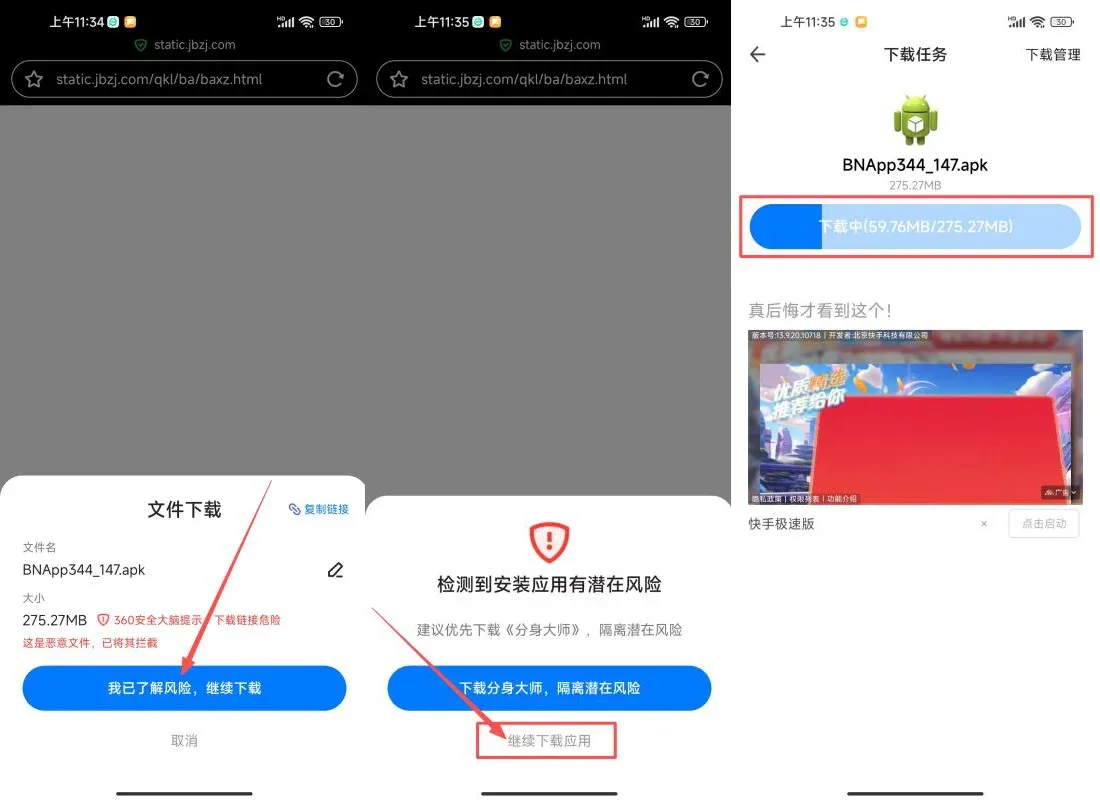
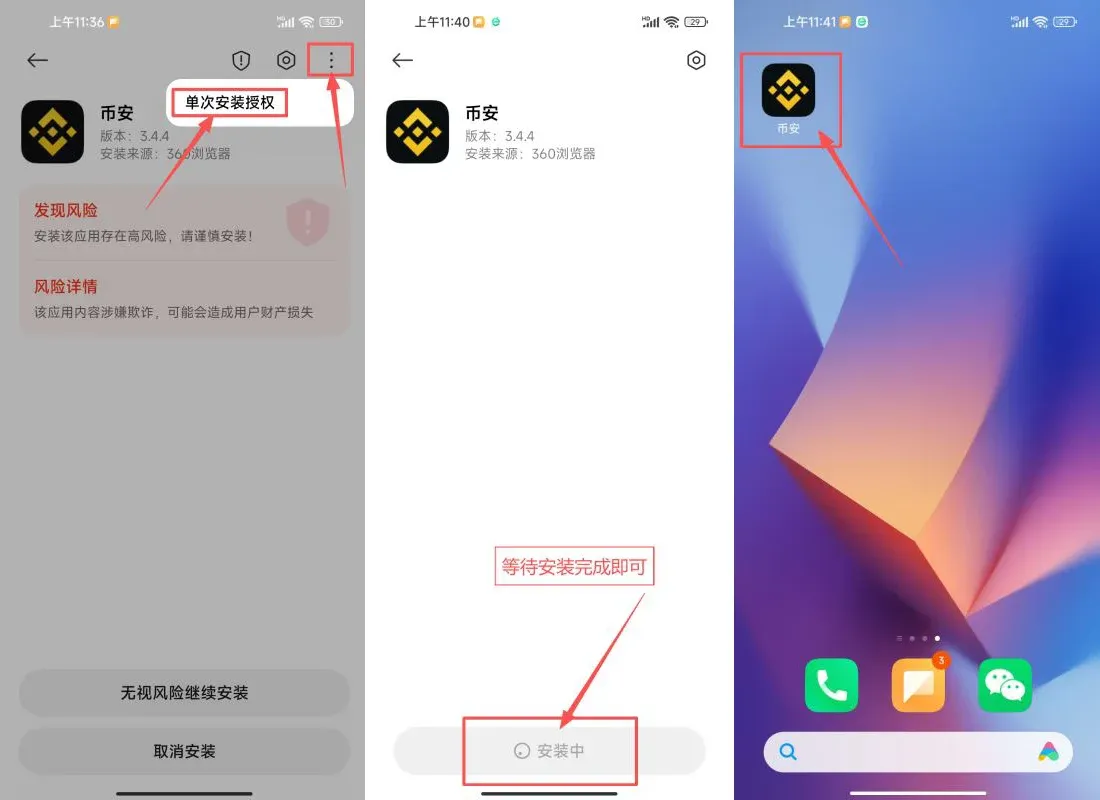
- Visit the Binance app download page and confirm “I understand the risks, continue download”.
- You may see a warning “Potential risk detected for this app”; click Continue Download.
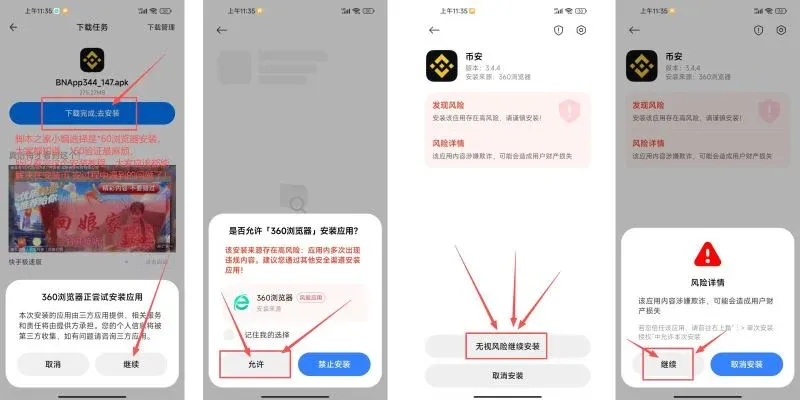
- After the file finishes downloading, tap to install. If your device asks for “Allow installation from unknown sources”, grant permission.
- In the installer, tap the three‑dot menu at the top‑right → Single‑time installation authorization, then finish the setup.
iOS Version
- Why you need an overseas Apple ID: The official Binance app is only available in certain regional App Stores; using a Taiwan‑region Apple ID allows you to search for and download the correct version.
- Registration tip: Create your own Apple ID rather than using a shared one to avoid privacy leaks or device‑locking issues.
- Materials needed: A working email address, a phone number capable of receiving SMS, and a virtual Taiwanese address generated by an online tool.
Overview of Registration Steps
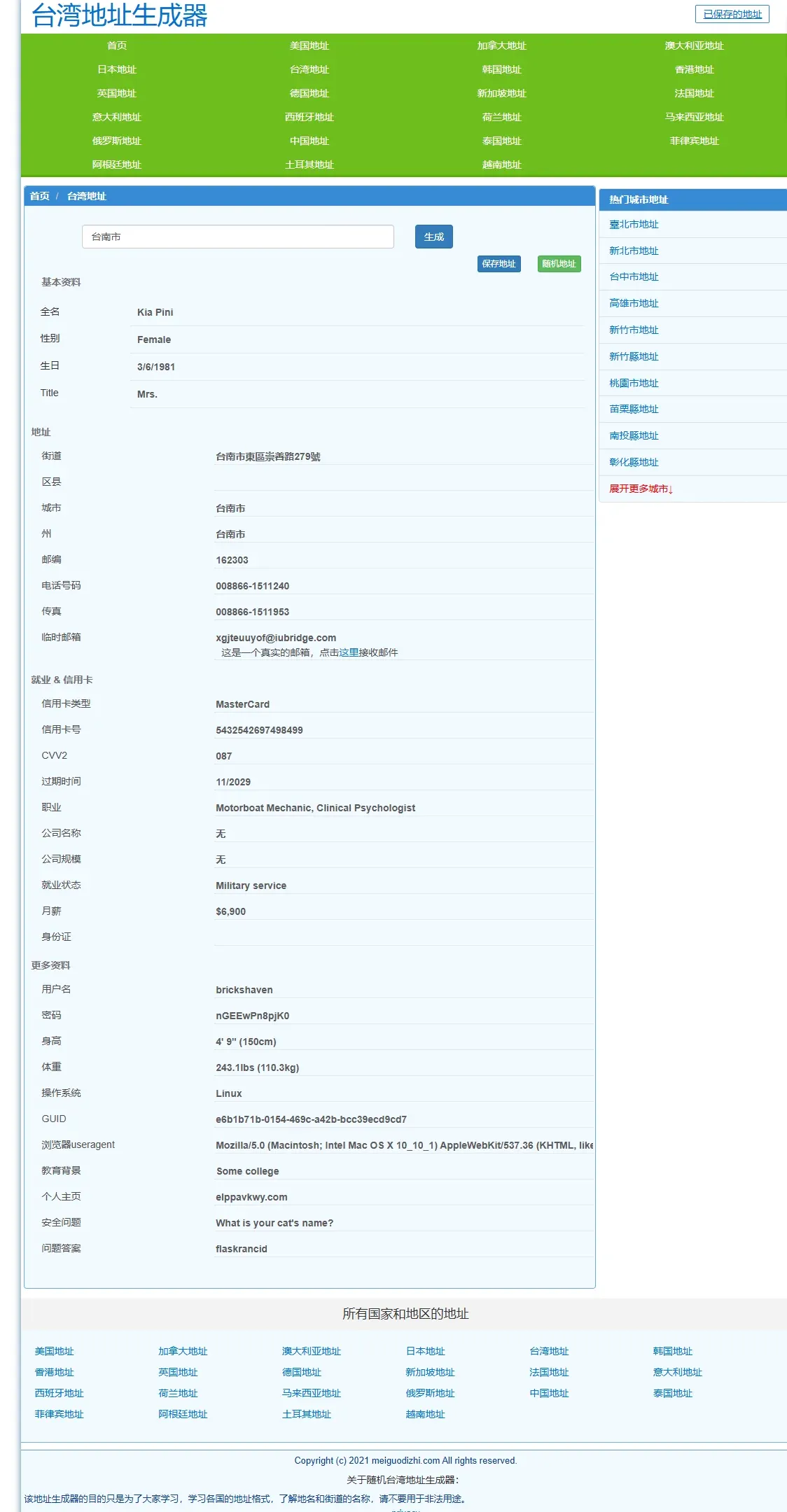
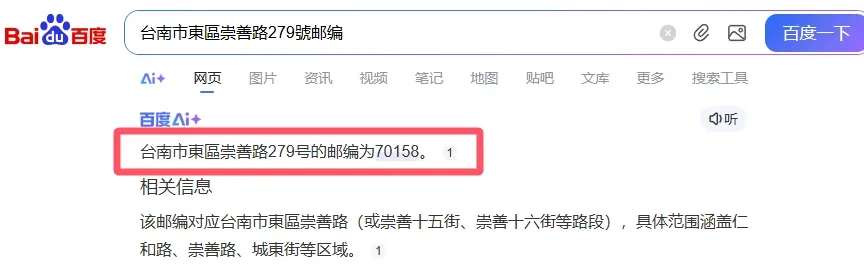
- Go to the address generator, select “Taiwan address”, type “Tainan City”, and generate street, city, postal code, etc.
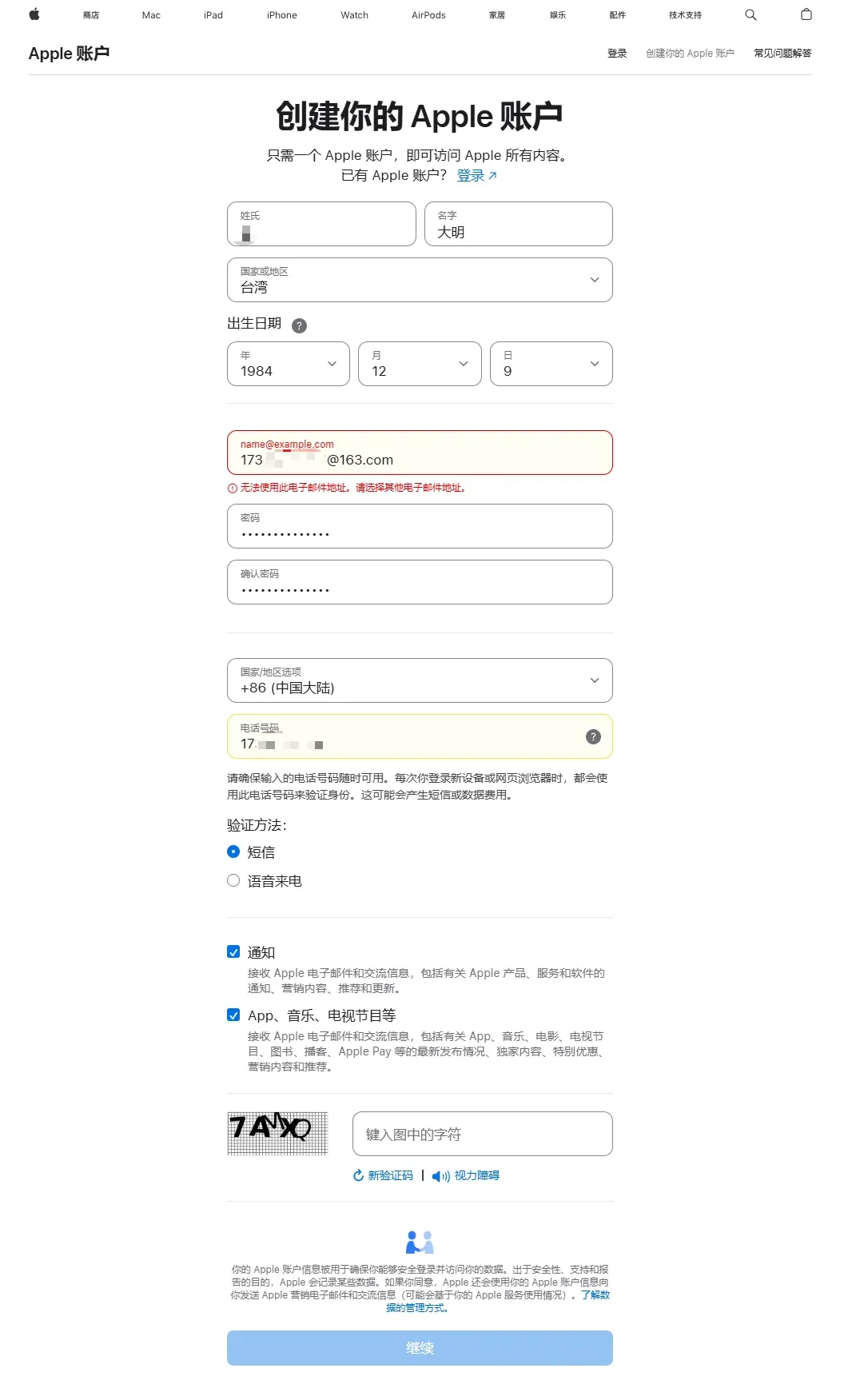
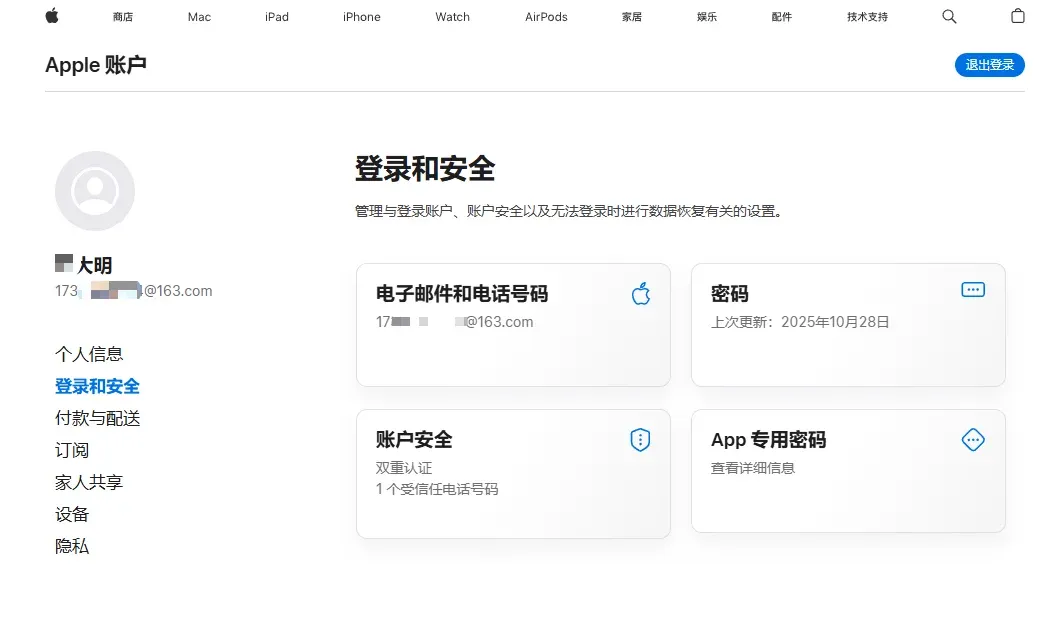
- Visit Apple’s website and click Create Your Apple ID. Fill in the fields in order:
- Name – any name you prefer;
- Country/Region – select Taiwan;
- Date of Birth – enter a date that confirms you are of legal age;
- Email – use a real, accessible email for verification;
- Password – choose and remember it;
- Residence Country/Region – select Mainland China (this is optional but often required for payment methods);
- Phone Number – provide a number that can receive SMS (a mainland Chinese number works as well).
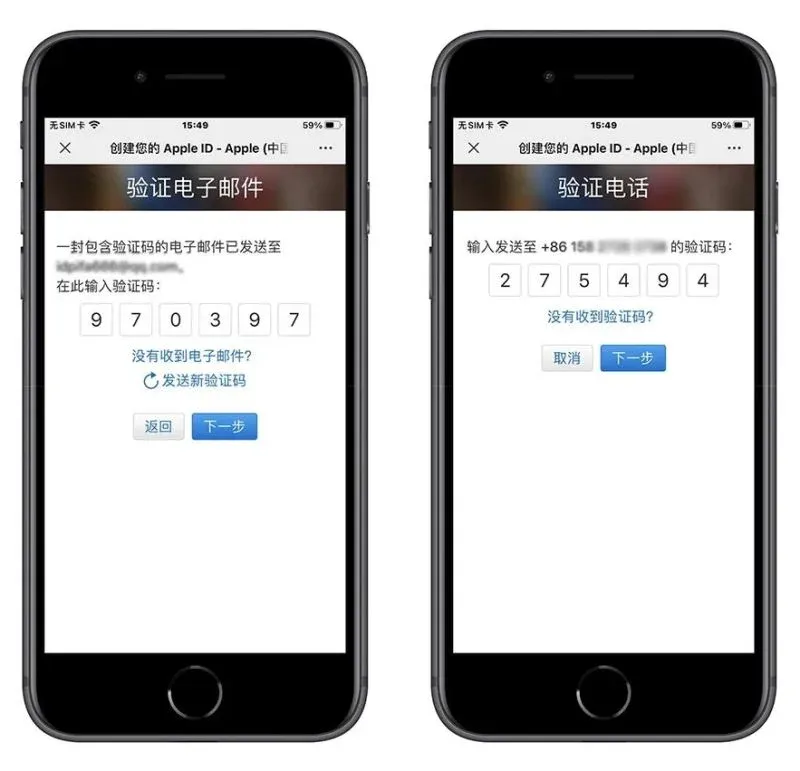
- After receiving the email verification code, enter it; then Apple will send an SMS code to the phone you supplied. Enter that code to complete Apple ID creation.
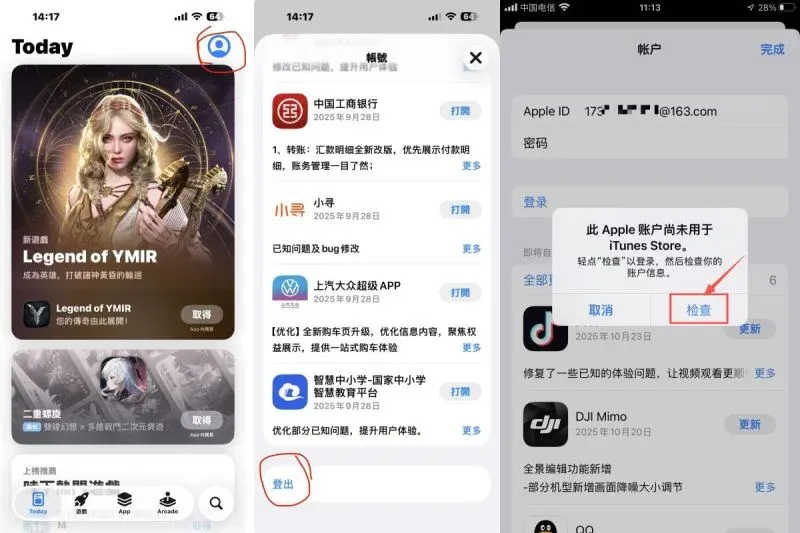
- Open the App Store. If you are already logged in with an older account, tap the avatar at the top‑right, Sign Out, then sign in with the newly created ID.
- When prompted for address information, enter the generated street on the first line; the second line can be left blank. Use the city, postal code, and phone number supplied by the generator for the remaining fields.
- After completing all steps, search for Binance in the App Store, download the official version, and log in.
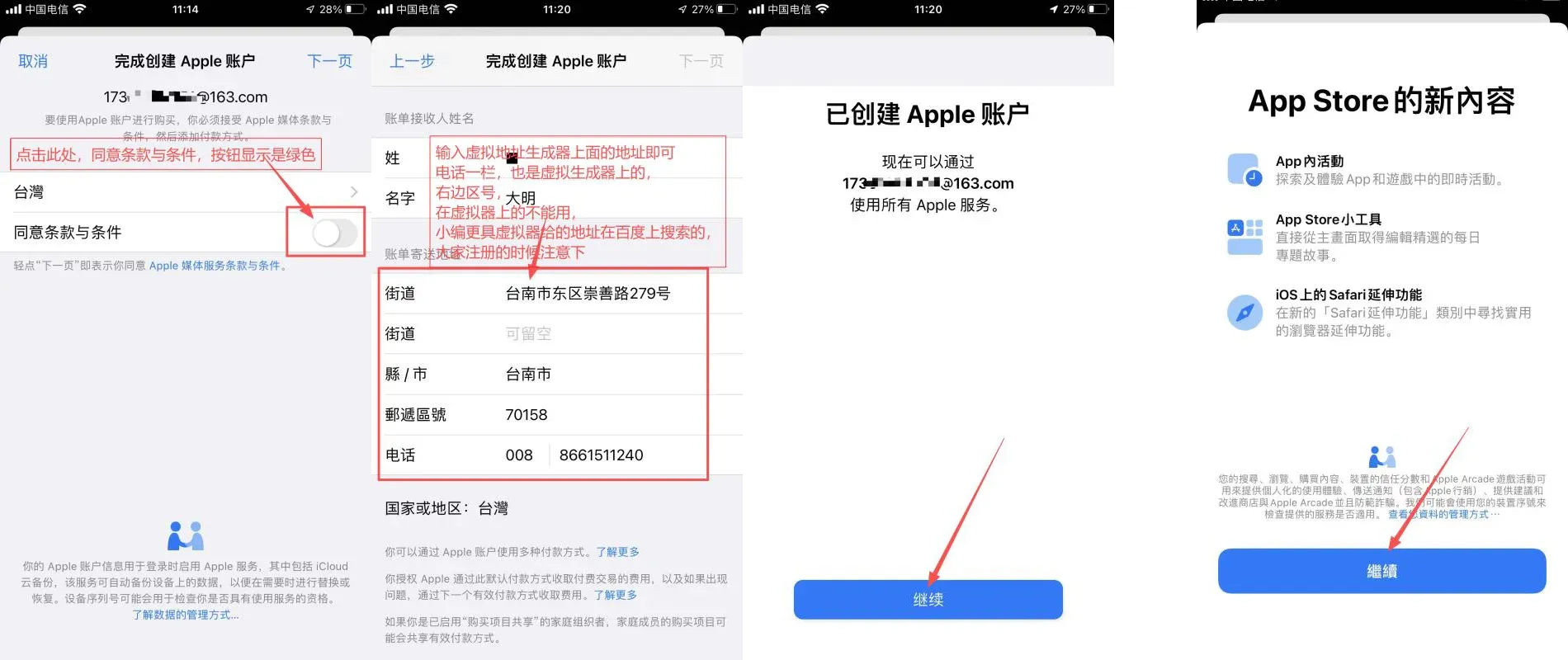
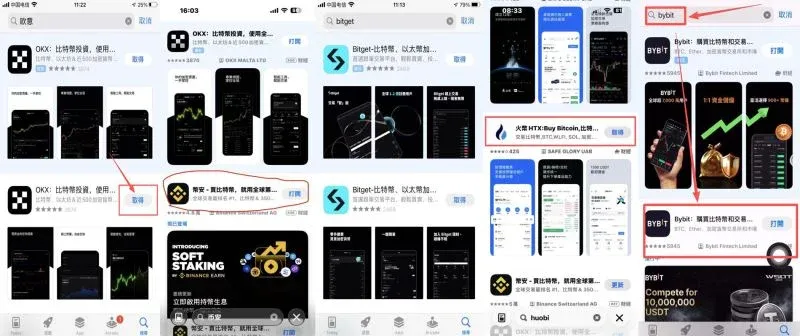
If the “None” option does not appear when entering billing information, you can skip the step or handle it later.
Identity Verification (KYC) Guide
After registration, open the Binance app, tap the avatar at the top‑left, and select Identity Verification. The system will request the following:
- Residence Country & Document Issuing Country – both can be set to China. Even if you are abroad, using a Mainland China ID card generally yields the smoothest verification.
- Upload Document Photos – front and back must be clear, without glare or obstruction.
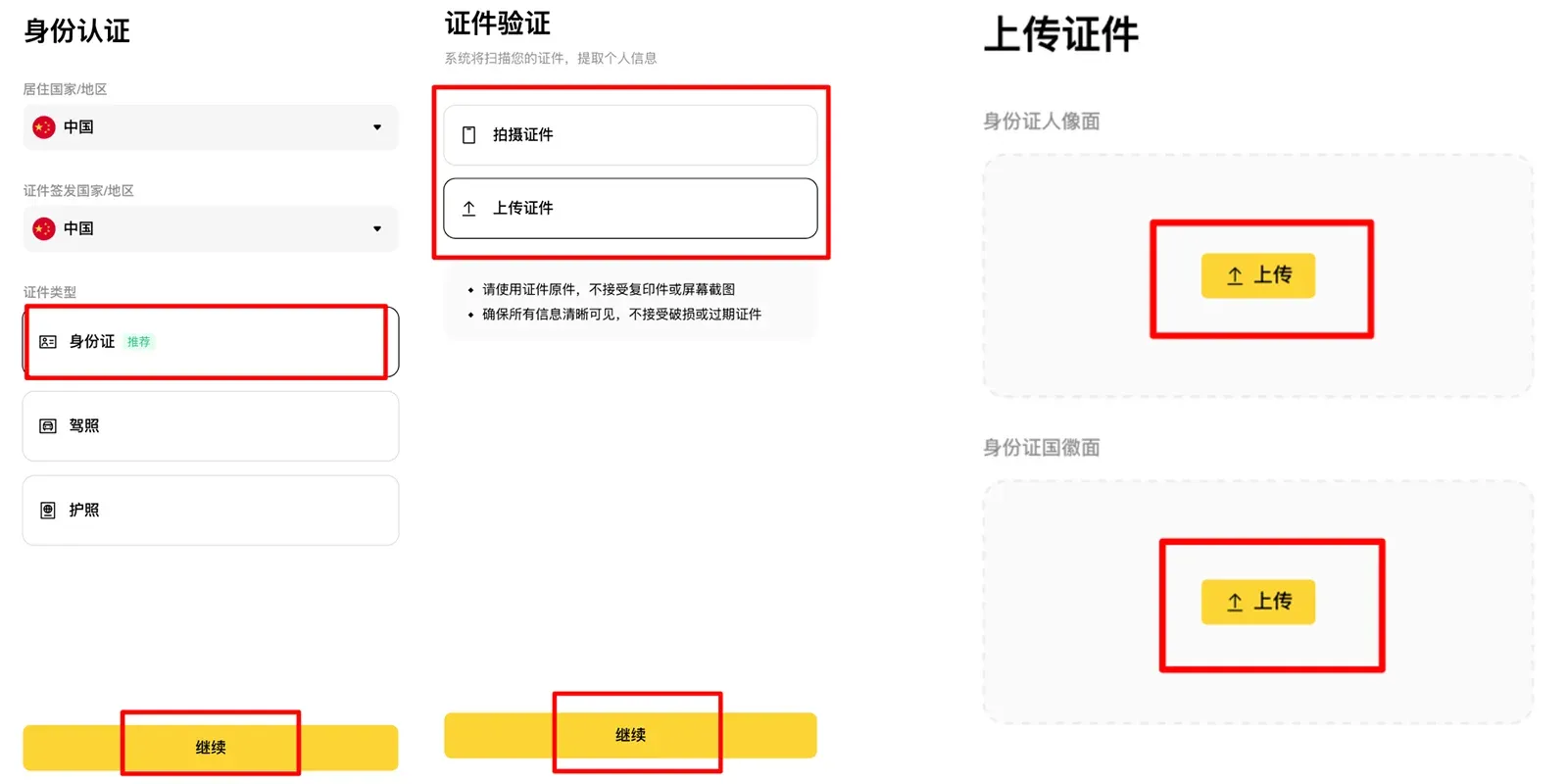
- Facial Recognition – follow the prompts to turn your head, open your mouth, etc.
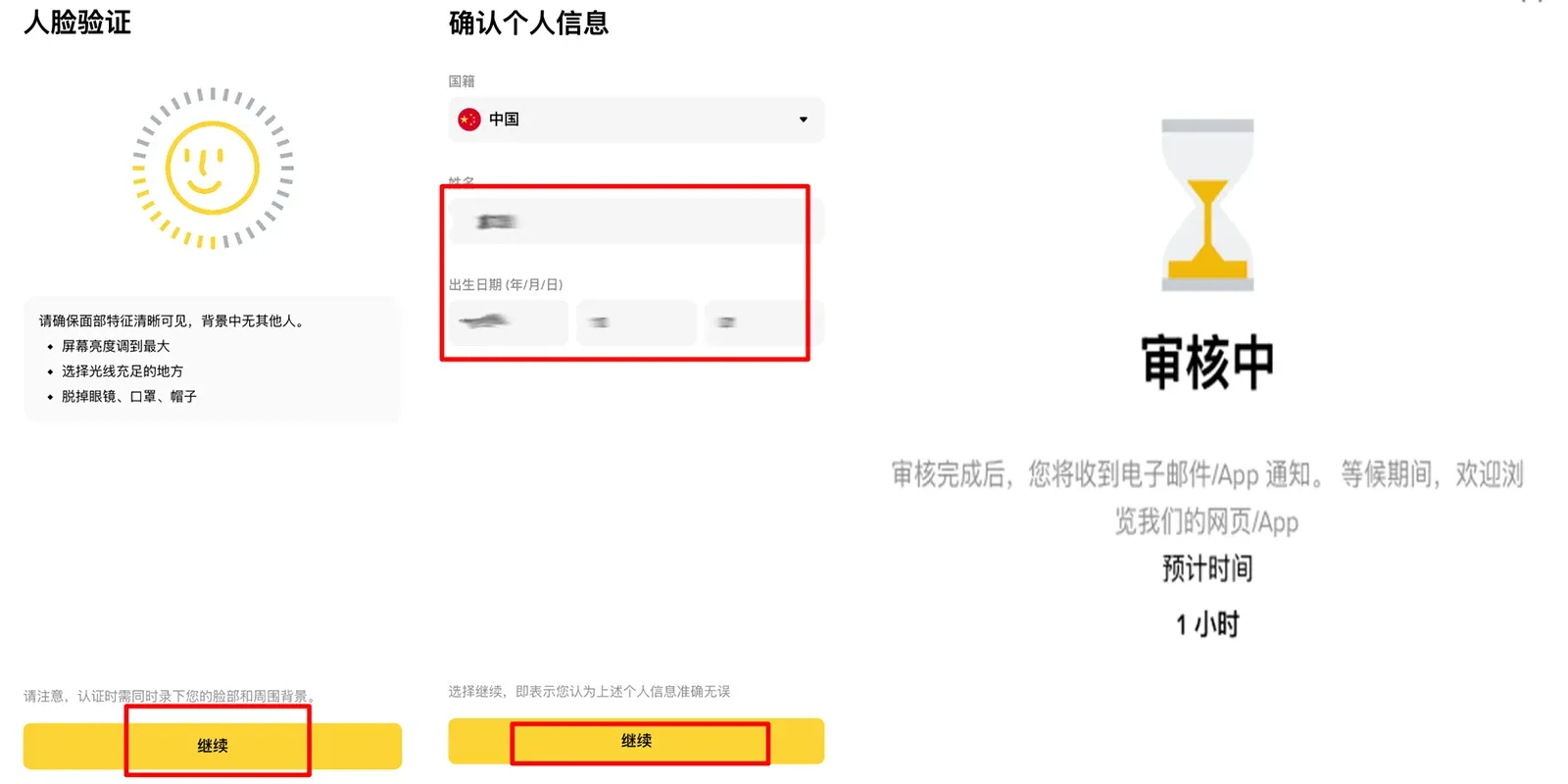
- Information Review – confirm that name, nationality, birthdate and other details match the uploaded ID, then submit. Review typically finishes within a few hours, after which you can trade normally.
Tax reminder: Crypto‑related gains may be taxable in your jurisdiction. Consult a local tax professional to understand your obligations, especially when converting crypto to fiat via SEPA, SWIFT, or other bank transfers.
Frequently Asked Questions
- Q: I see the message “The service you are trying to access is not available in your region.”
A: This indicates your current IP belongs to a region blocked by Binance (e.g., United States, Singapore). Switch your VPN to Hong Kong, Taiwan, or another allowed node and retry.
- Q: Can I register with a phone number?
A: Yes. Choose the +86 country code for Chinese mobile numbers.
- Q: The Binance website won’t load for me. What should I do?
A: Use a domestic mirror site; it will load normally.
- **Q: How does the buying process work
Related Reading
- Buy Cryptocurrency on Binance: Card, C2C, Instant & Spot
- Best Platforms to Buy Bitcoin (BTC) for Beginners in 2024
- Top 3 Secure Cryptocurrency Exchanges 2026: Binance, OKX & More
💡 Register on Binance with referral code B2345 for the maximum trading fee discount. See Binance complete guide.



