
 Bitaigen Research
 This article was meticulously compiled by the Bitaigen editorial team, providing a comprehensive step‑by‑step guide to placing limit orders and limit‑price take‑profit/take‑loss orders for Alpha tokens on the Binance mobile app. We cover the functional concepts, key ordering considerations, and common risk warnings to help you achieve more precise price control and position management. For practical trading tips, keep reading.
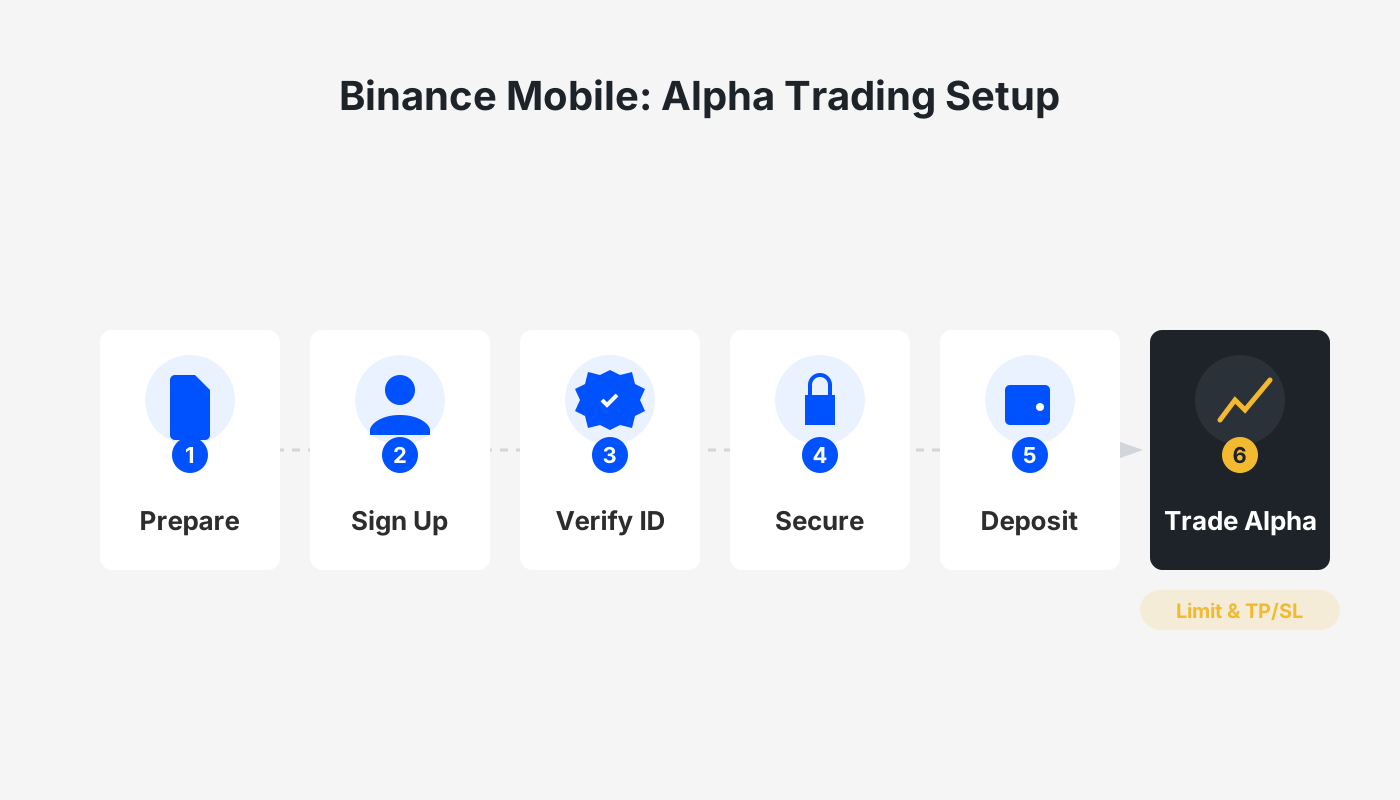
How to Use the Limit Order and Limit‑Price Take‑Profit/Take‑Loss Features for Alpha Tokens on the Binance App?
When trading Alpha tokens on the Binance app, you can employ either a limit order or a limit‑price take‑profit/take‑loss order to precisely control the execution price of your buy or sell.
Open the Alpha trading page in the Binance app, select the target token, then switch to the “Limit” or “Limit‑Price Take‑Profit/Take‑Loss” tab, fill in the trigger price, limit price, and quantity, confirm the order, and make sure you have enough USDC (a stablecoin pegged to USD) in your account.
What Are Limit Orders and Limit‑Price Take‑Profit/Take‑Loss Orders?
- Limit Order: A type of order that lets you set the highest price you are willing to pay when buying or the lowest price you are willing to accept when selling. The order will only be filled if the market price meets your specified condition.
- Limit‑Price Take‑Profit/Take‑Loss Order: Builds on a standard limit order by adding a trigger price. When the market reaches the trigger price, the system submits a limit order to the order book; once the market subsequently reaches the limit price, the order is executed.
Tip: For sell orders, set the trigger price slightly above the limit price; for buy orders, set the trigger price slightly below the limit price. This provides a safety buffer and reduces the risk of the order remaining unfilled.

Step 1: Open the Limit Order or Limit‑Price Take‑Profit/Take‑Loss Interface for Alpha Tokens
- Launch the Binance APP (official registration: https://accounts.binance.com/register?ref=B2345 | official download: https://www.bitaigen.com/binance/download). Tap [Market] or directly search “Alpha” to navigate to the token’s page.
- After entering the Alpha page, select the specific token you wish to trade to open the trading interface.
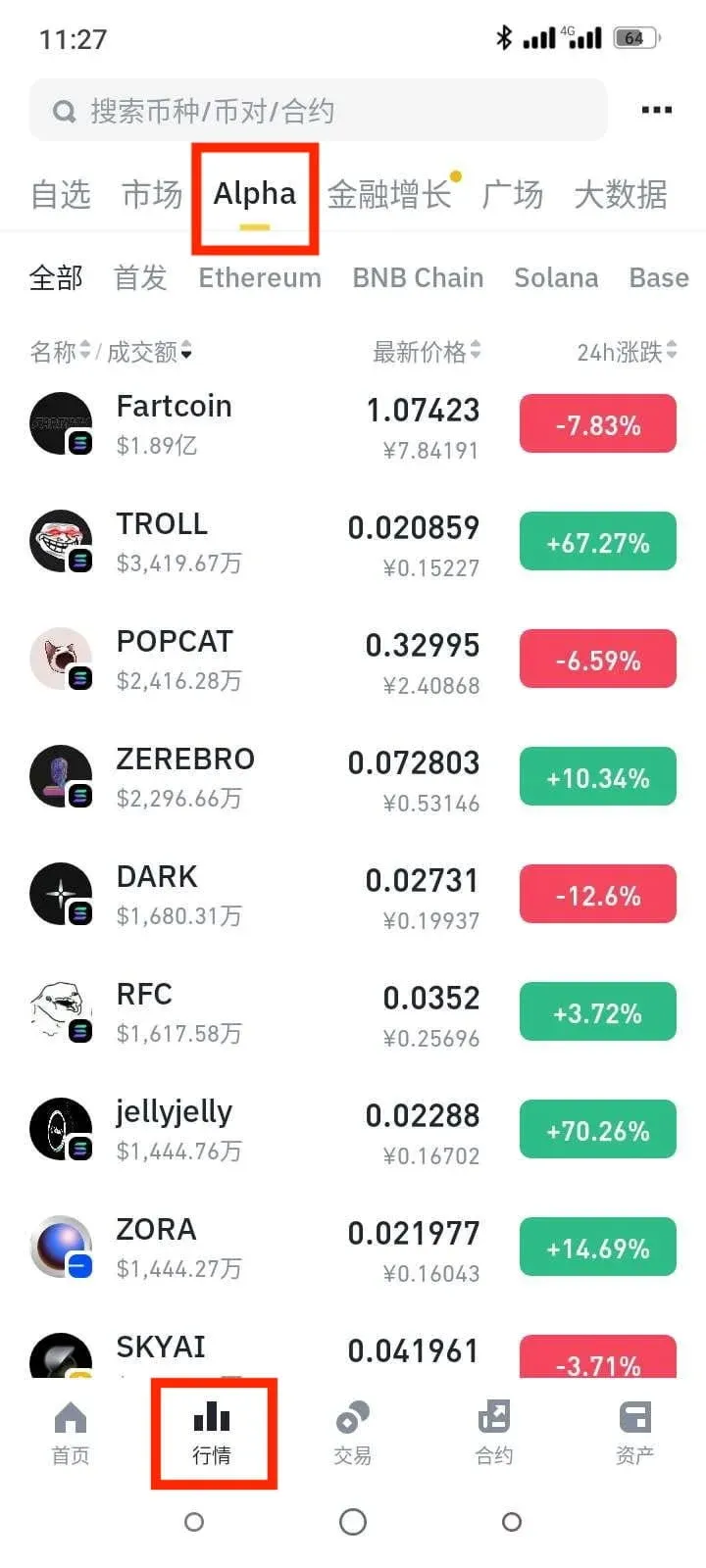
- On the trading page, tap [Spot]. In the pop‑up window, choose [Limit] to access the limit‑order screen, or select [Limit‑Price Take‑Profit/Take‑Loss] to open the corresponding feature page.
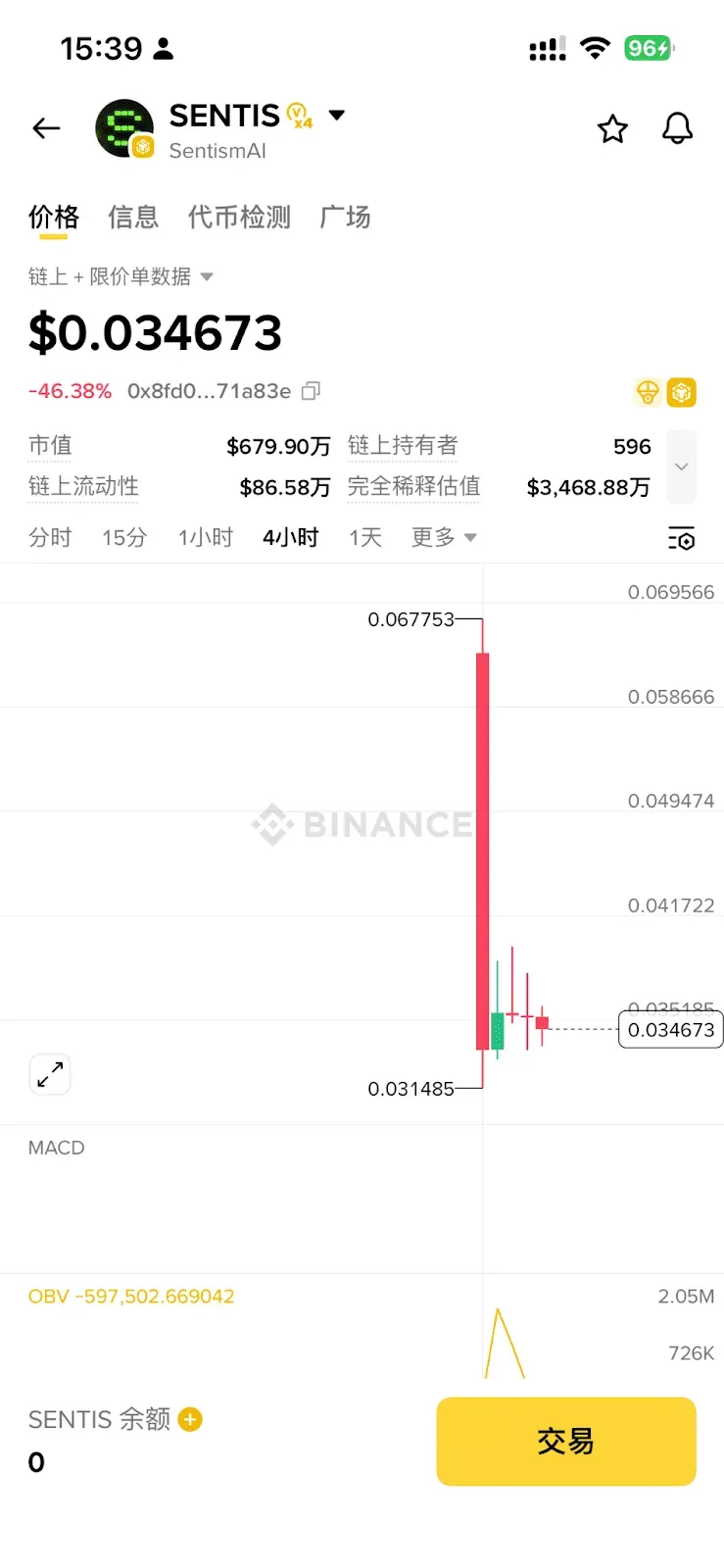
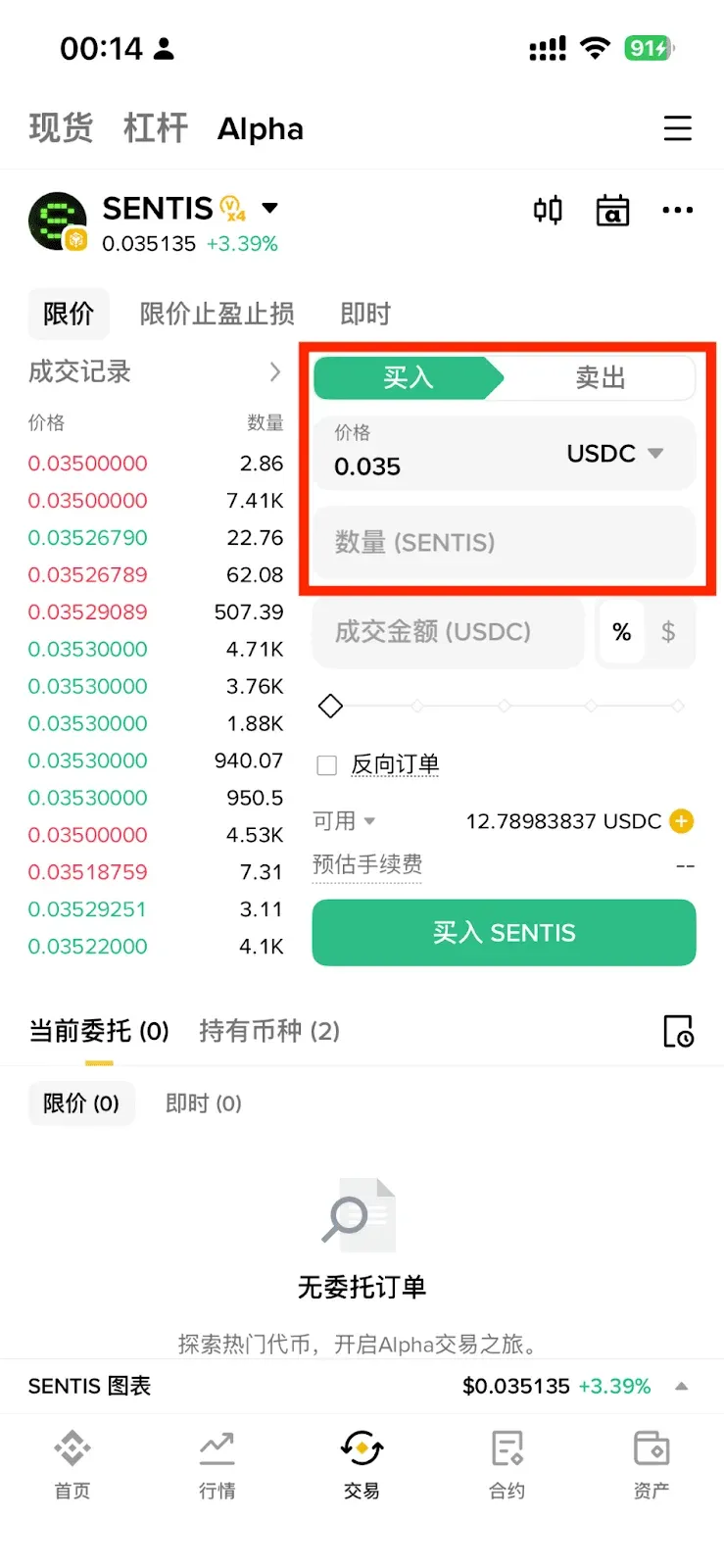
- Choose the [Buy] or [Sell] direction.
Limit Order Procedure
- Enter the desired price and the amount of tokens. The system will automatically display an estimated USDC consumption amount.
Limit‑Price Take‑Profit/Take‑Loss Procedure
- Fill in the Trigger Price, Limit Price, and token quantity. The system will likewise calculate the estimated USDC amount in real time.
Important Points
- Prices update in real time according to on‑chain market data.
- Ensure that your account holds sufficient available balance. Minimum transaction amounts differ by blockchain:
- BASE / BSC / SOL chains: ≥ $10 USD equivalent
- Ethereum chain: ≥ $20 USD equivalent
- Minimum amounts are subject to change; always check the product page for the latest thresholds.
- Binance Alpha will add support for additional assets in the future (e.g., BNB).
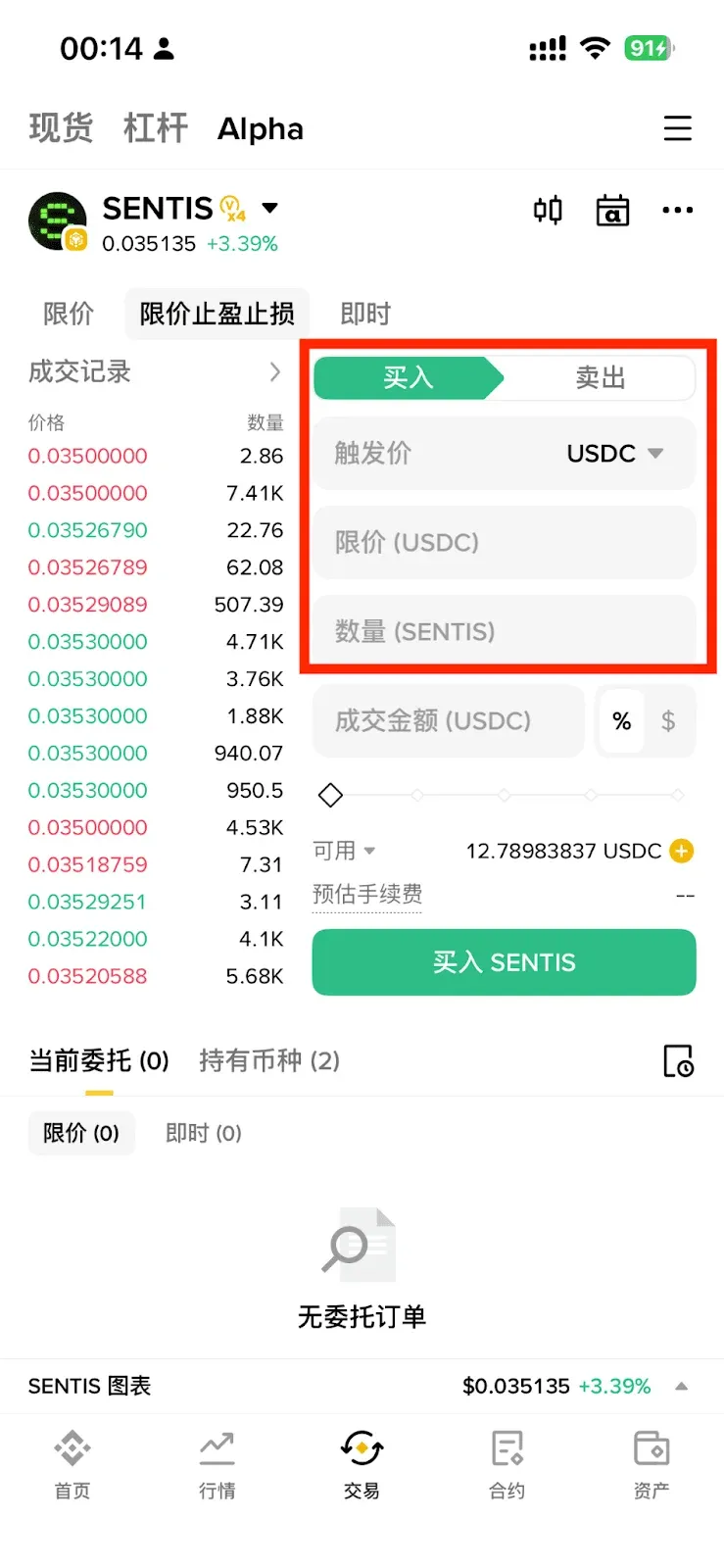
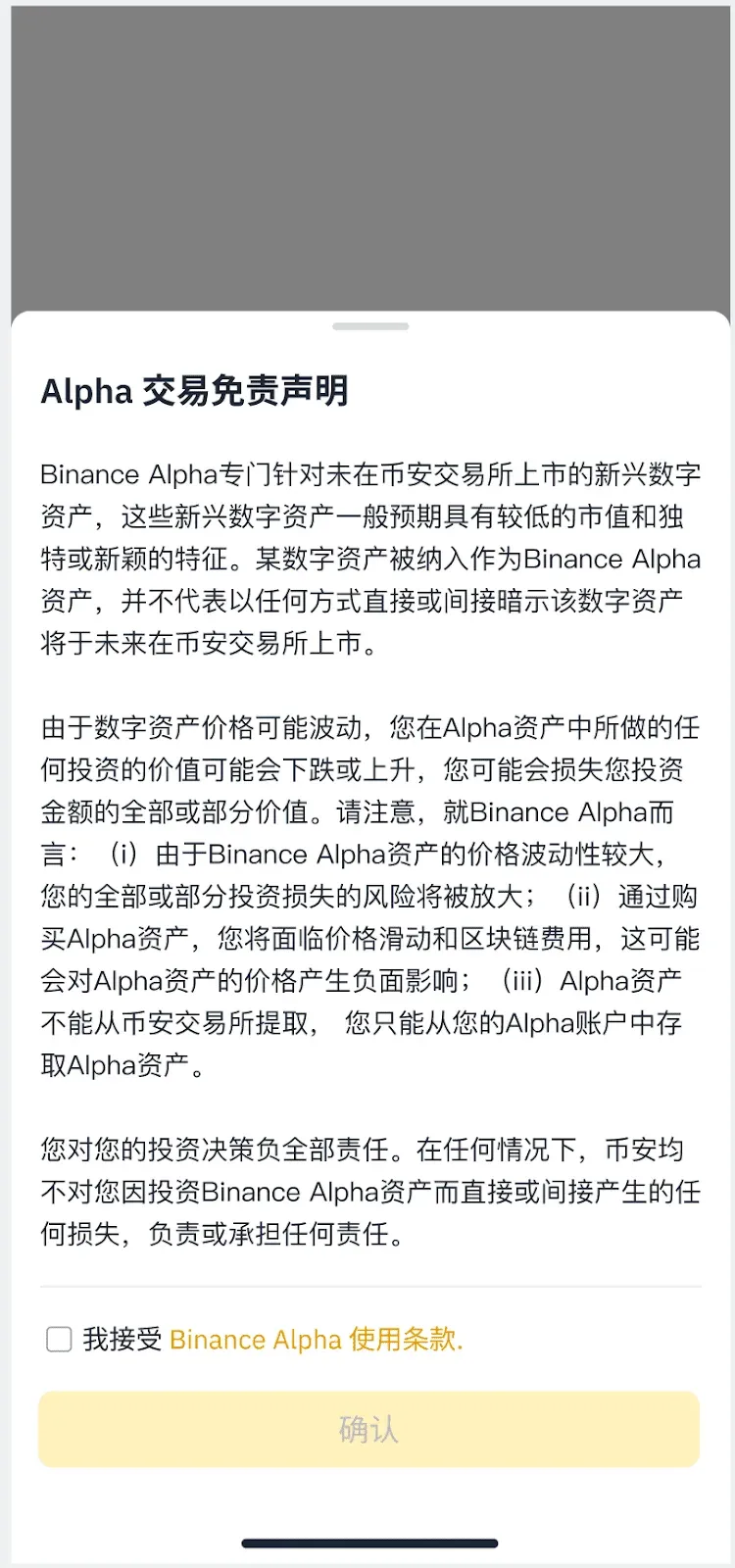
- Before confirming, read and tick the “Alpha Trading Disclaimer.” This disclaimer applies only to users placing their first trade on the Binance Alpha platform.
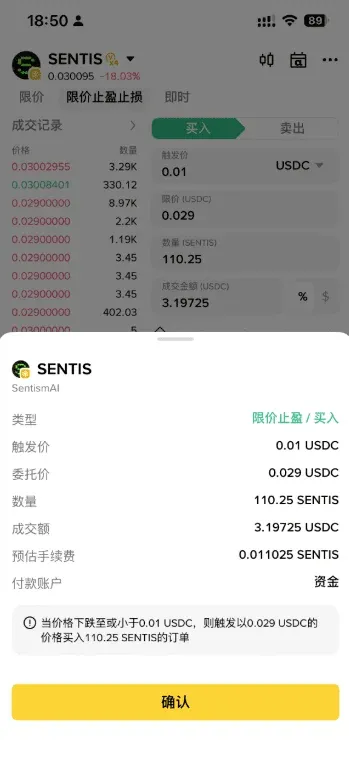
- After verifying all details, tap [Confirm] to submit the order. A “Order Successful” pop‑up will appear.
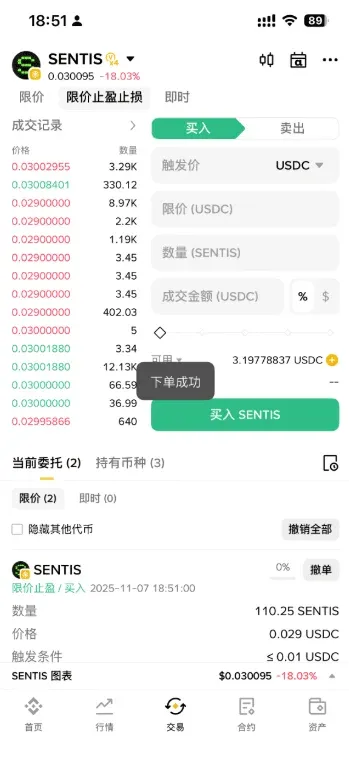
Viewing Open Orders and Order History
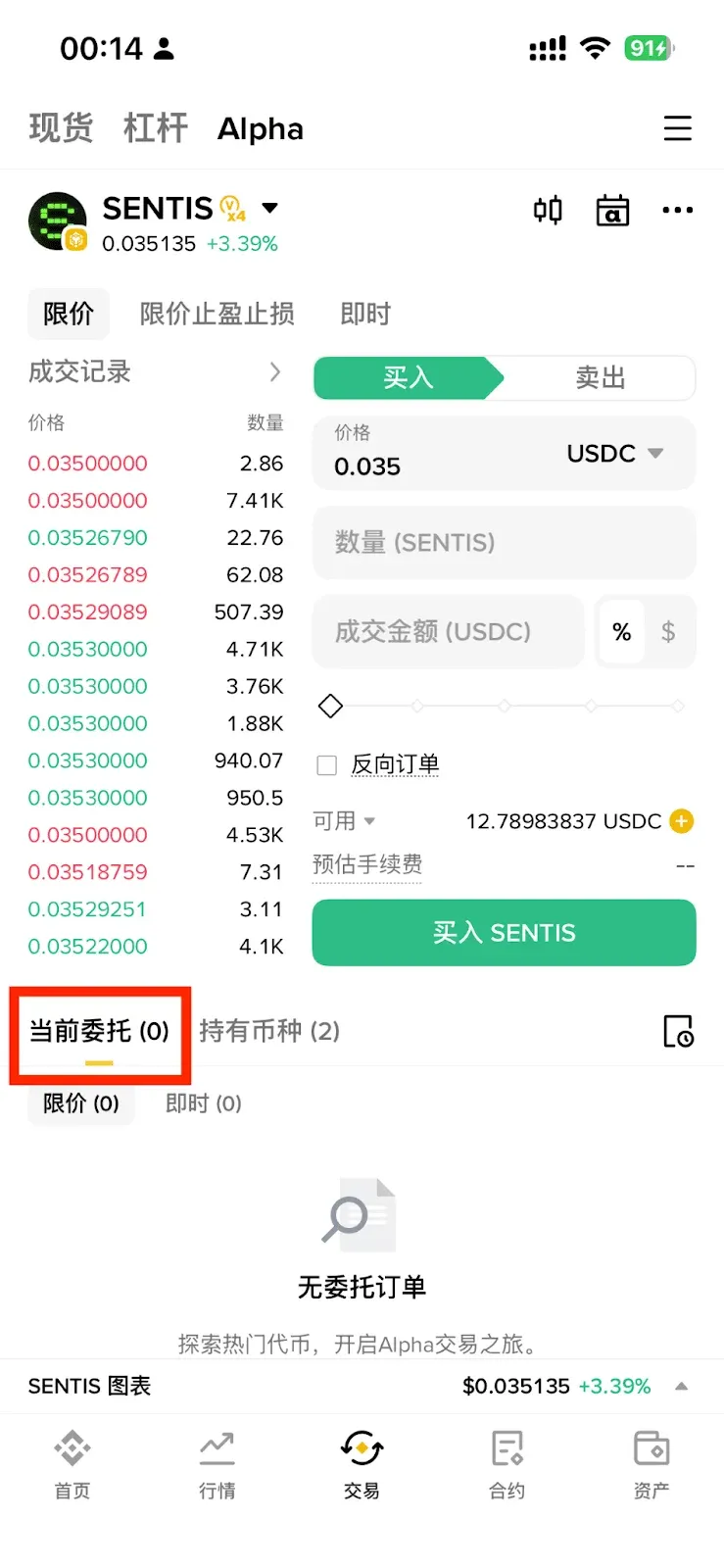
- Current Orders: This tab shows all limit or take‑profit/take‑loss orders that have not yet been filled.
- Holdings: After an order is executed, you can view your asset balance on this page.
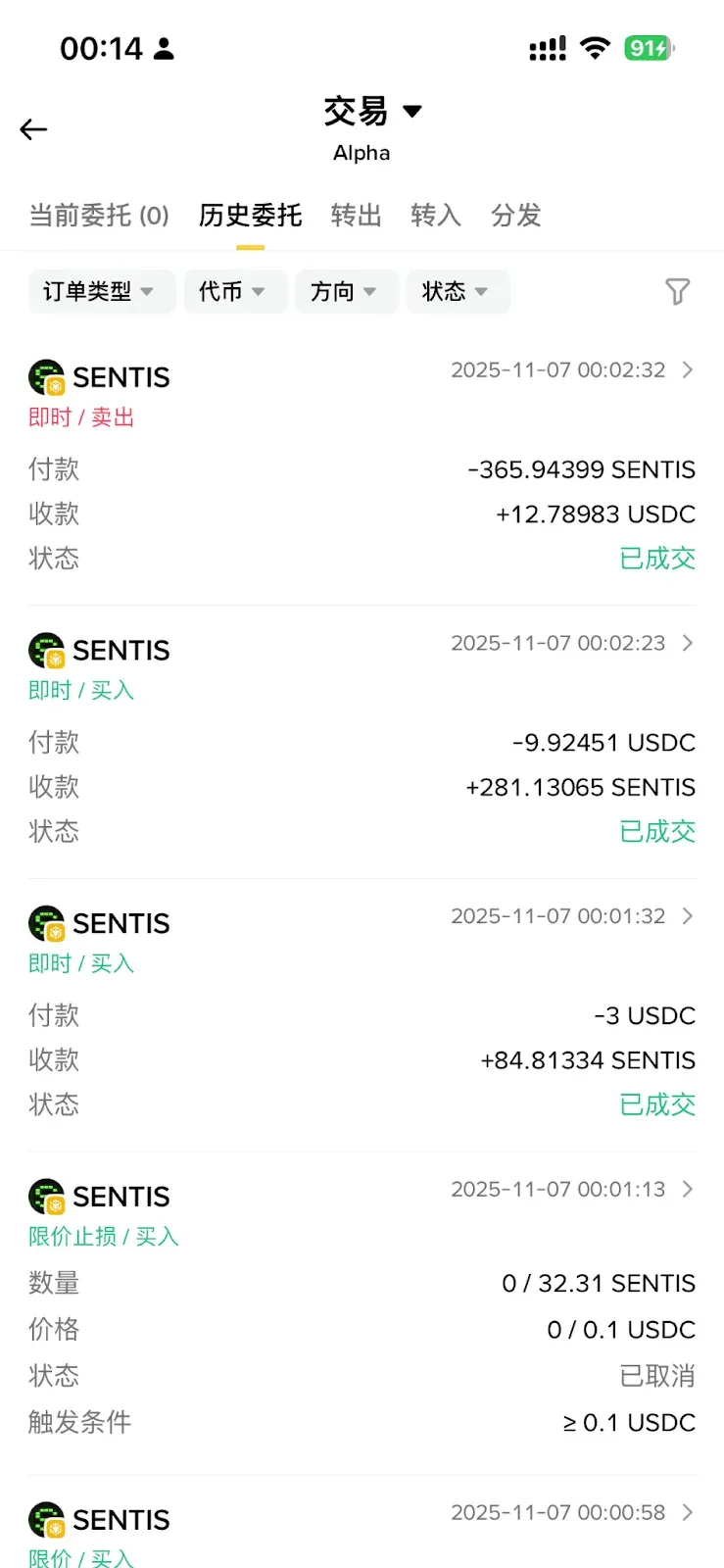
- The Trade page also provides Current Orders and Order History sections; the latter lists every order that has been filled or cancelled.
Canceling Orders
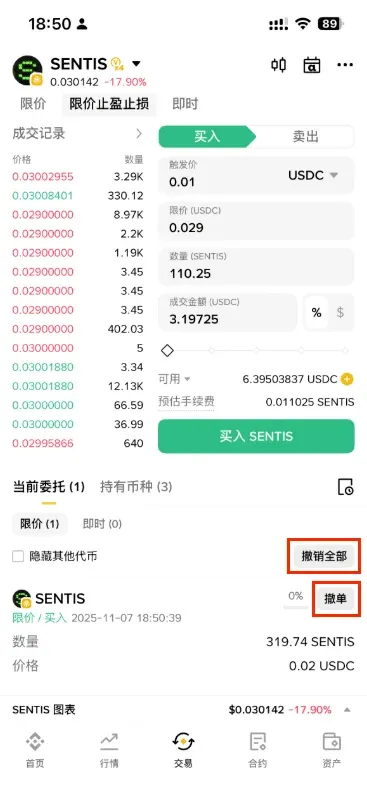
- Single order: Tap the [Cancel] button on the right side of the specific order.
- Batch cancellation: Tap [Cancel All] to remove every outstanding order in one step.
Buying or Selling Alpha Tokens
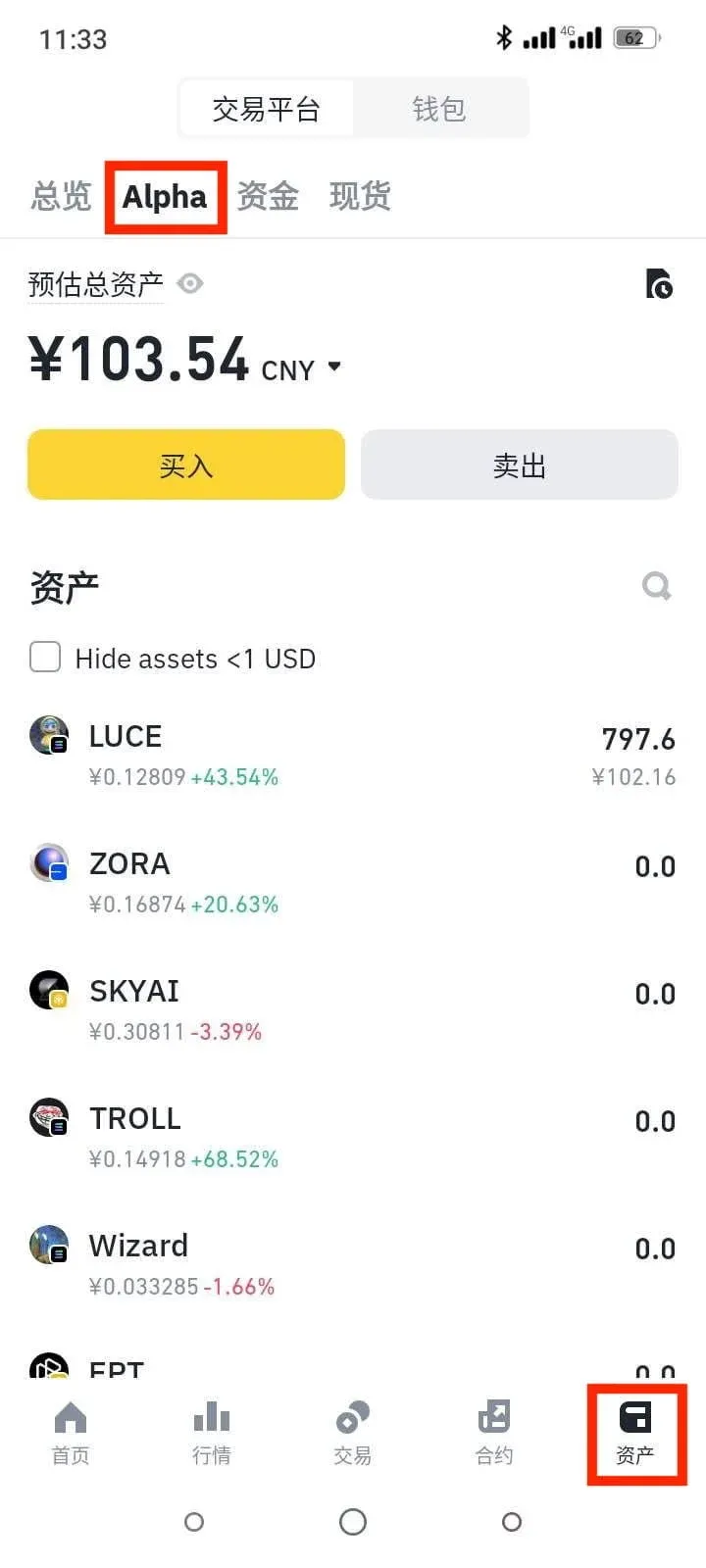
Navigate to [Wallet] → [Trade] → [Alpha] to perform a buy or sell of Alpha tokens.
Friendly Reminder
- Not all Alpha tokens support limit or limit‑price take‑profit/take‑loss orders; please consult the product page for the exact list of supported assets.
- Some tokens may only allow instant orders at present; the limit functionality will be rolled out later.
Frequently Asked Questions
1. Why can’t I find the limit order or limit‑price take‑profit/take‑loss feature?
- Limit orders require the app version 2.99.2 or higher.
- Limit‑price take‑profit/take‑loss orders require version 3.6.0 or higher.
2. Why do certain Alpha tokens only support instant orders?
- Factors such as liquidity, price restrictions, and regional regulatory compliance may prevent a token from offering limit or take‑profit/take‑loss functionality. Always refer to the product page for the most current information.
3. The market reached my limit price, but the order didn’t fill—why?
Common reasons include:
| Reason | Explanation |
|---|---|
| Auction‑type matching window | Limit orders are matched during a specific auction window; if your order is placed outside the next matching interval, execution may be delayed. |
| Low token liquidity | Insufficient counterparties exist to satisfy the order. |
| Uncompetitive price | The limit price is far from the prevailing market price, making matches unlikely. |
| Network congestion | High on‑chain traffic can cause matching delays. |
Consider adjusting the price upward (for sells) or downward (for buys), or use an instant order for immediate execution.
4. How are trading fees calculated?
The order screen displays an estimated fee. Limit orders do not incur additional on‑chain gas fees beyond the normal transaction fee shown.
5. What happens if a token is removed or the limit feature is discontinued?
- Token removed from Alpha trading: All unfilled orders are automatically cancelled and the funds are returned to your Alpha account.
- Limit/Take‑Profit/Take‑Loss support discontinued: Unfilled orders are likewise cancelled and funds are returned to either the Alpha account or the main wallet, after which you can still trade the token using the instant function.
6. Why does the execution price differ from the price shown on the candlestick chart?
Alpha’s candlestick data are sourced from third‑party providers and are intended for reference only. Real‑time execution prices are derived from on‑chain data and may diverge from the chart. Binance continuously works to improve price consistency.
7. Why do fee rates differ across trading pairs?
Fee rates are periodically adjusted based on market conditions. Always rely on the rate displayed on the order entry page for the most accurate information.
8. Why can’t I locate my limit order on a blockchain explorer?
Alpha’s limit and take‑profit/take‑loss orders are off‑chain; they are matched within Binance’s internal Alpha trading system. Execution may occur off‑chain or via an on‑chain third‑party liquidity pool, so the order does not appear directly on a public blockchain explorer.
Order flow:
- User places order → order is sent to the Alpha system.
- The system matches off‑chain or routes to an on‑chain external liquidity source.
- Once conditions are met, the trade is executed.
If no suitable quote is found, the order remains open until it is matched or the user cancels it.
---
Regulatory Note: Crypto trading may generate taxable events in many jurisdictions. Users should consult local tax regulations and consider seeking professional advice regarding the tax treatment of crypto gains.
Regional Usage: Users located in the United States must access the platform via Binance.US rather than the global Binance website or app.
This completes the full guide to using limit orders and limit‑price take‑profit/take‑loss orders for Alpha tokens on the Binance app. For additional tutorials, follow Bitaigen (比特根) for more articles.
Related Reading
💡 Register on Binance with referral code B2345 for the maximum trading fee discount. See Binance complete guide.



