
 Bitaigen Research
OKX is one of the most popular cryptocurrency exchanges in the region, offering reliable technology, a rich set of features, and high security, making it suitable for both newcomers and experienced traders.
New users can complete the entire process—from account opening to trading—by registering on the web, downloading the mobile app, and following the C2C purchase, asset transfer, and order‑placement steps on the official website.
The Bitaigen editorial team presents a complete beginner’s guide to OKX, covering web registration, identity verification, app download, C2C buying, and order placement. Illustrated step‑by‑step instructions help newcomers get started quickly while avoiding common pitfalls. Later sections will detail asset transfers and security settings, so keep reading.
Note for U.S. residents: Access to OKX may be restricted; U.S. users should use Binance.US instead of the global Binance platform.
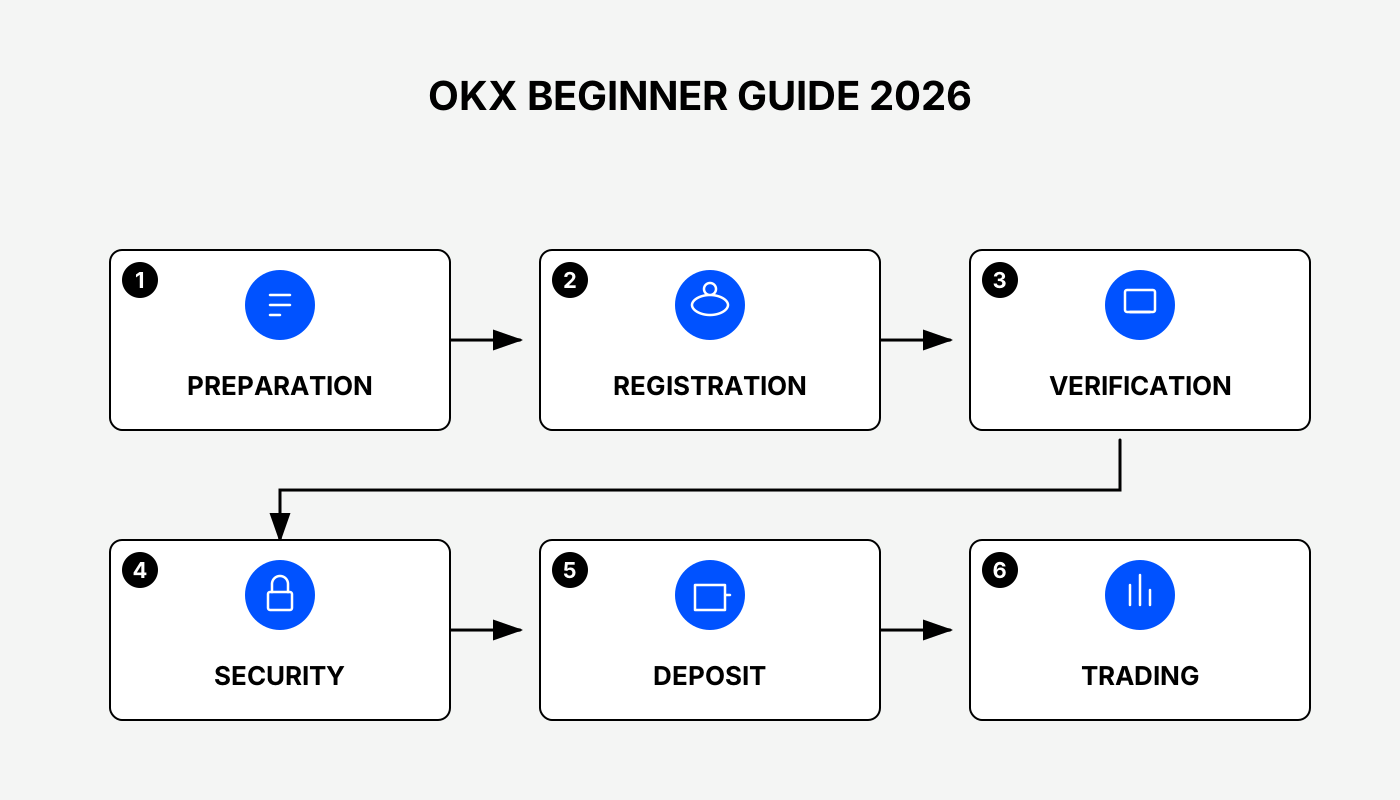
1. OKX Account Registration and Identity Verification
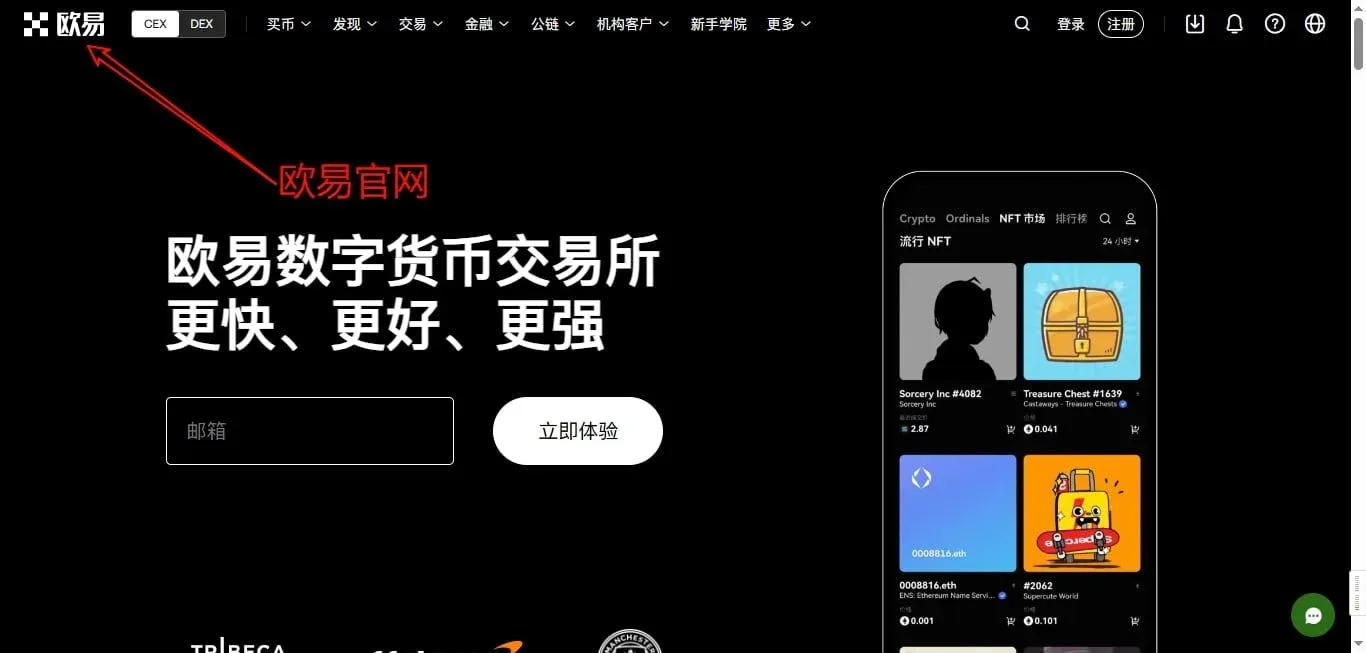
1. Visit the Official OKX Website
Enter the official OKX URL in your browser’s address bar. Once the homepage loads, you can begin the registration process.
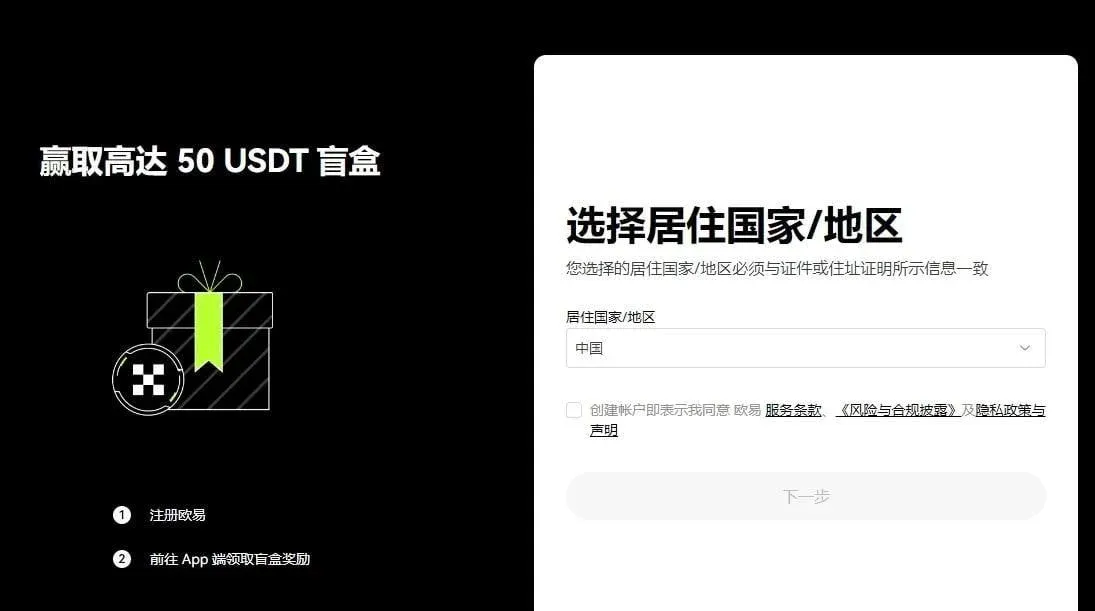
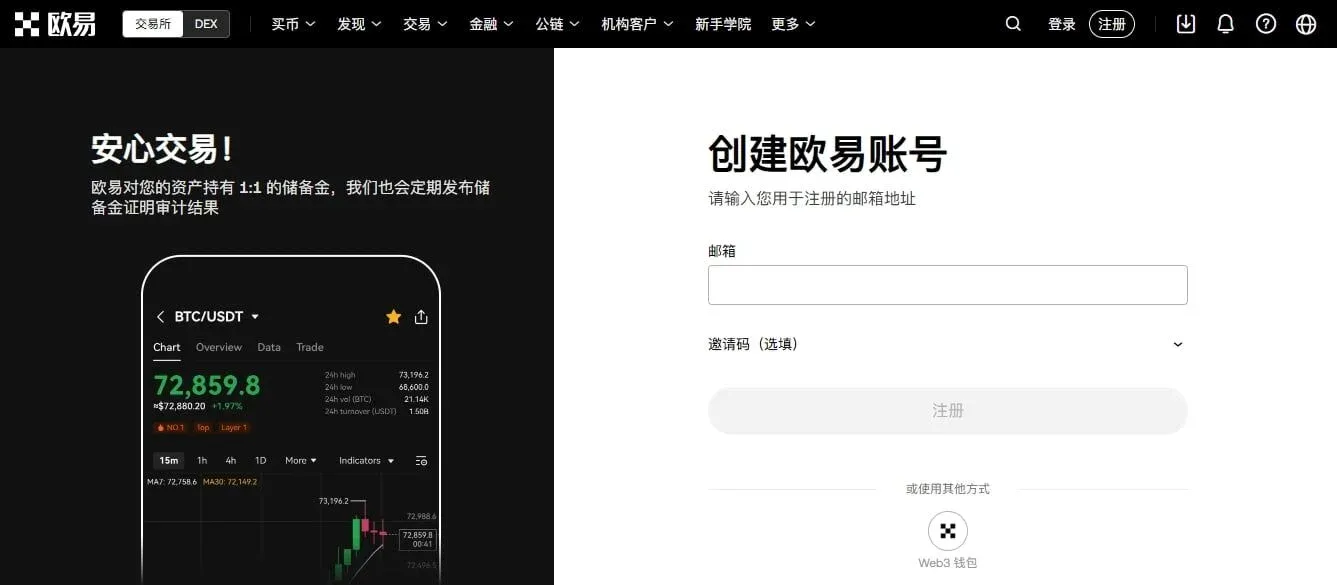
2. Register an OKX Account
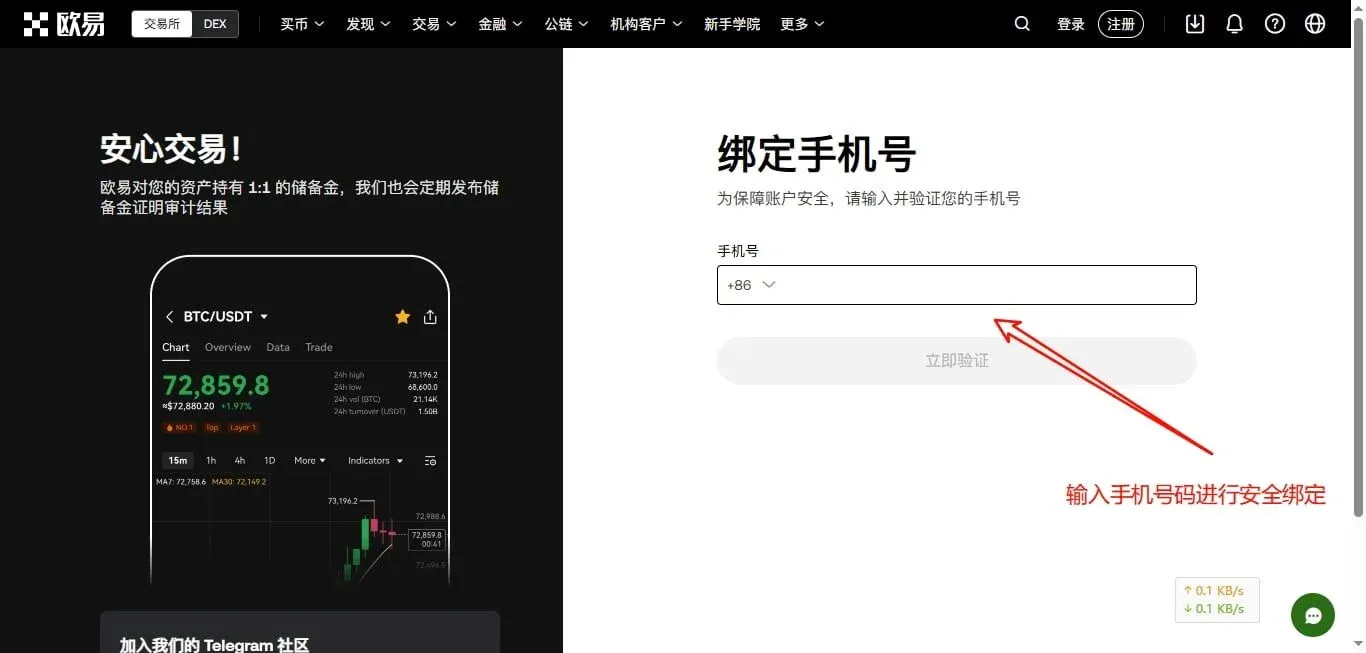
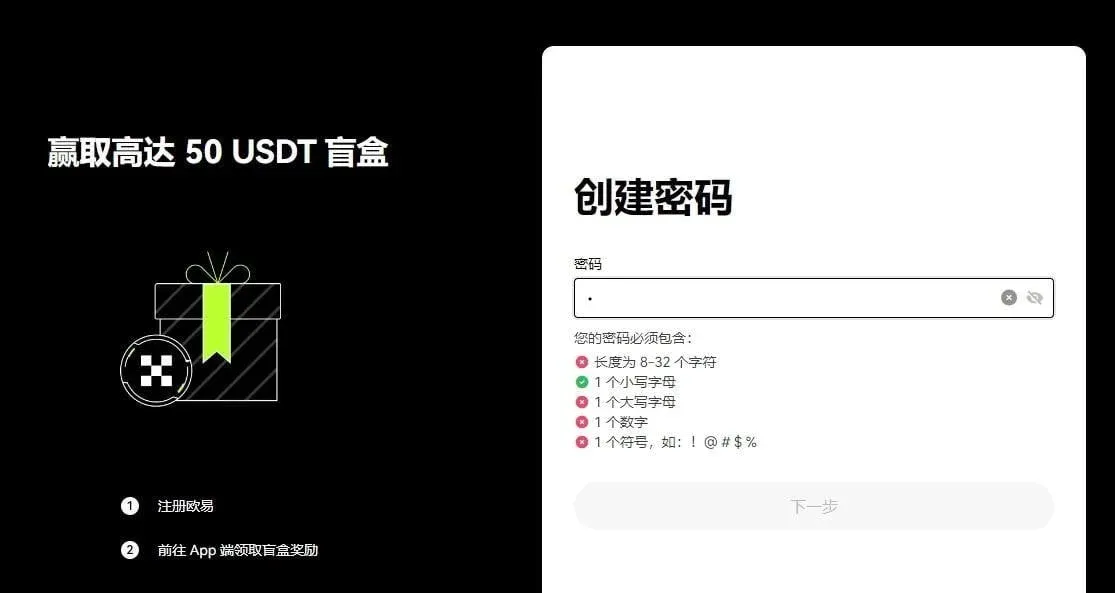
On the registration page, fill in your phone number, email address, password, and other required fields. It is recommended that the password contain letters, numbers, and special characters for enhanced security. After submitting, the system will send a verification code via email or SMS; enter the code to complete account creation.
3. Complete Identity Verification (KYC)
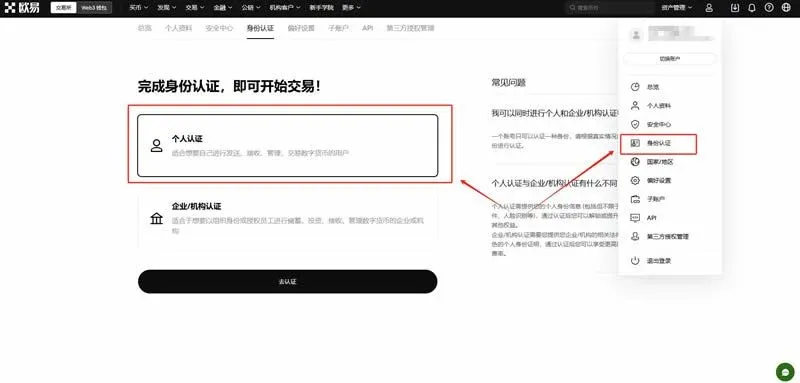
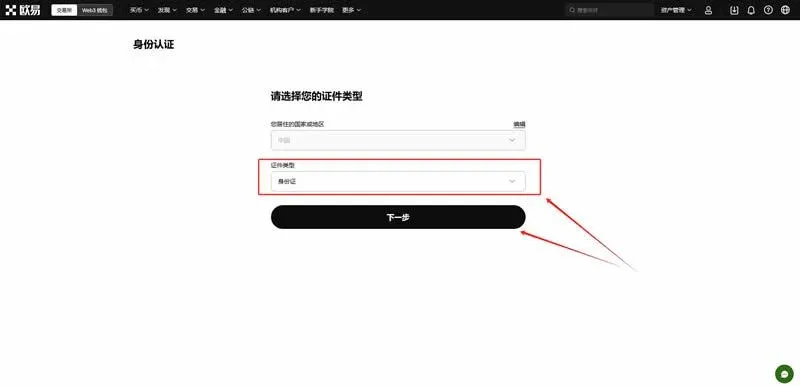
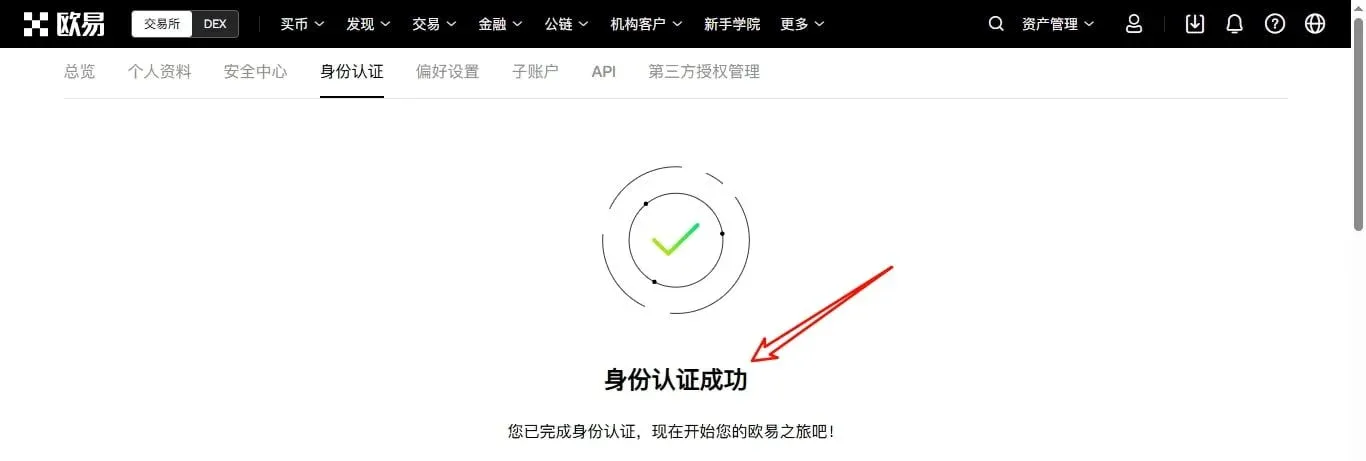
Identity verification improves account security and lifts withdrawal limits. After logging in, click “Personal Center” in the upper‑right corner and go to “Identity Verification.” Enter your real name, national ID number, and upload high‑resolution front‑ and back‑side photos of your ID. The platform typically completes the review within one business day, and the result is sent via email or an in‑app message.
2. OKX App Download
OKX offers both a web client and mobile applications; users may download whichever best fits their needs.
1. Android Users
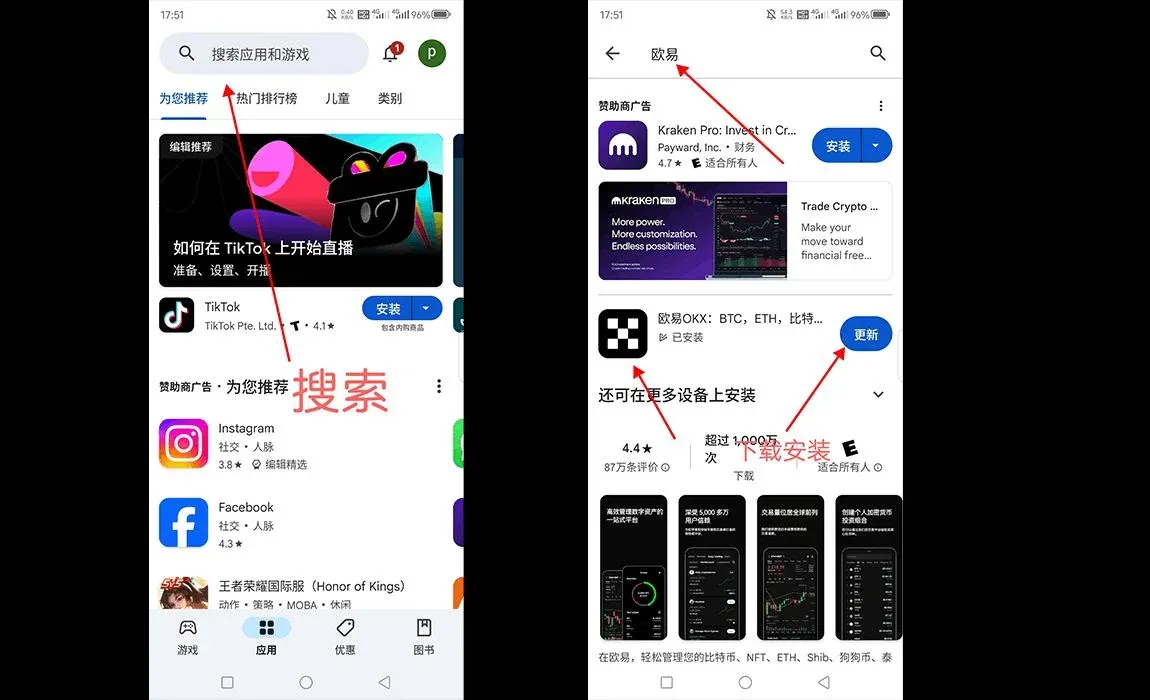
- Search for “OKX” in Google Play and install the app;
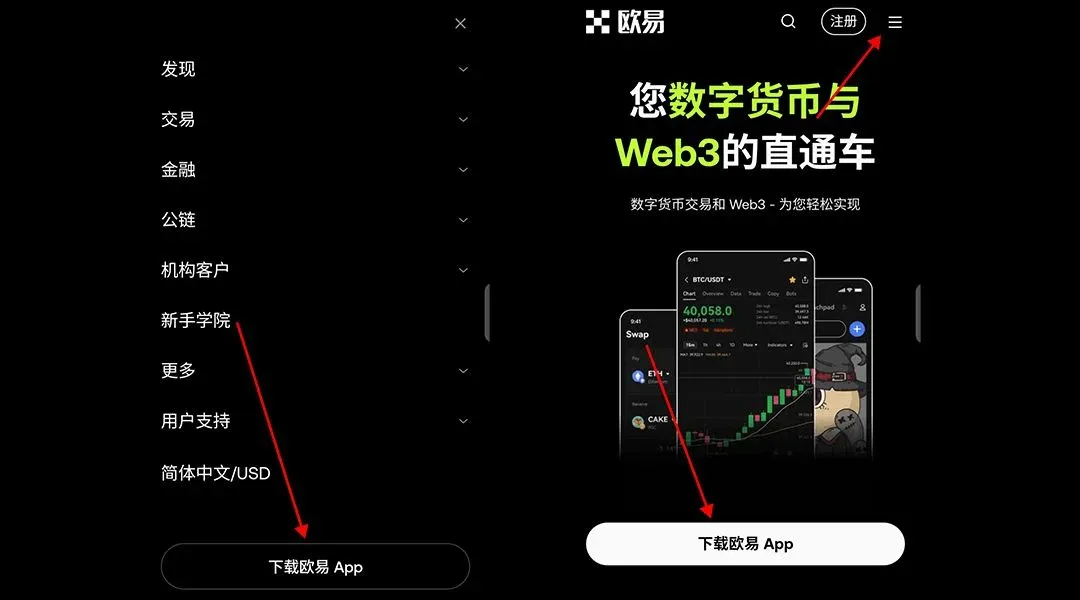
- Or click “Download App” on the official homepage and select the Android version.
2. Desktop (Windows / macOS)
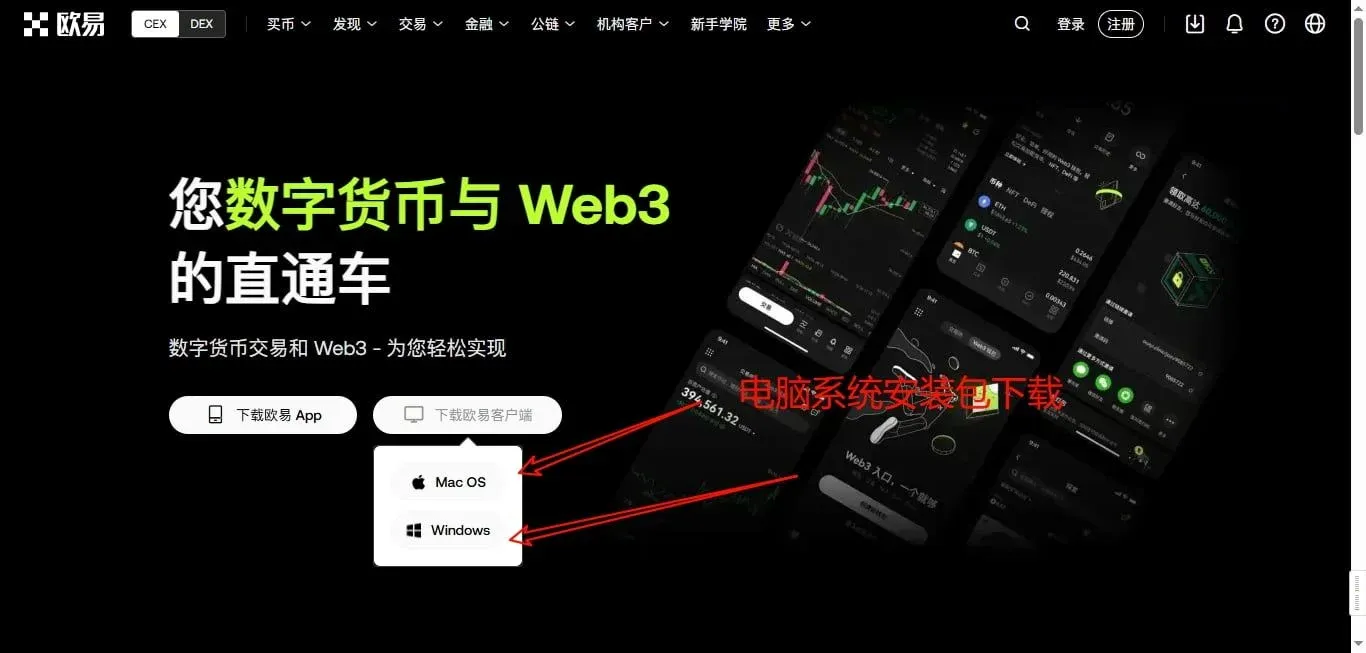
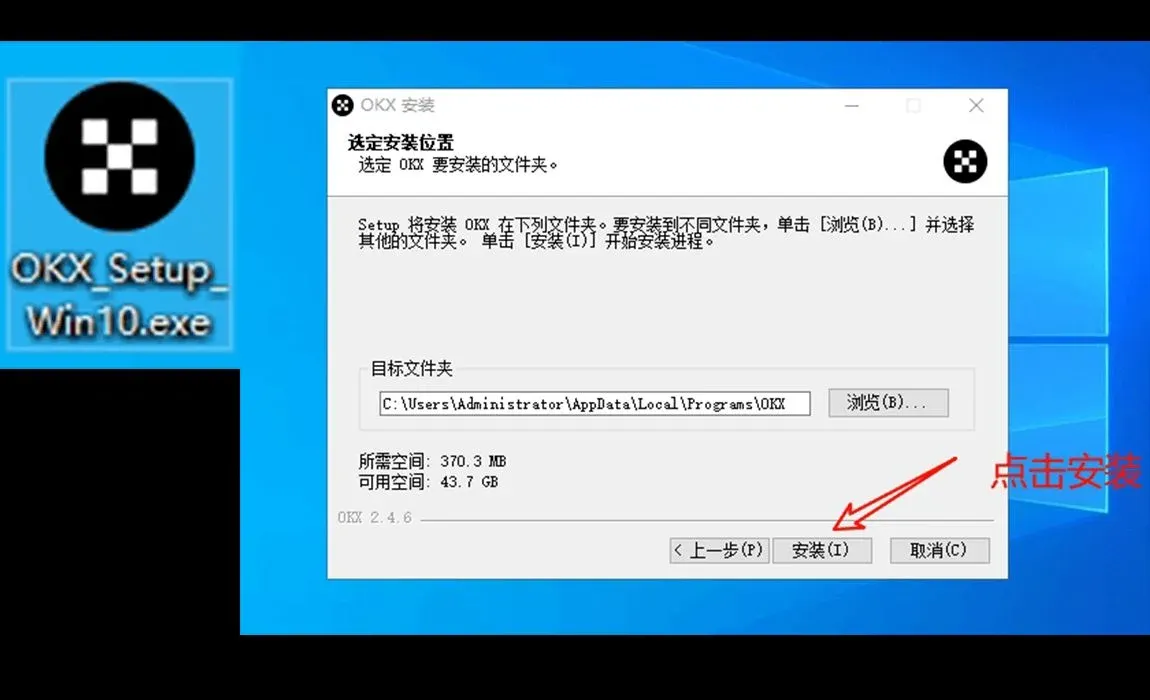
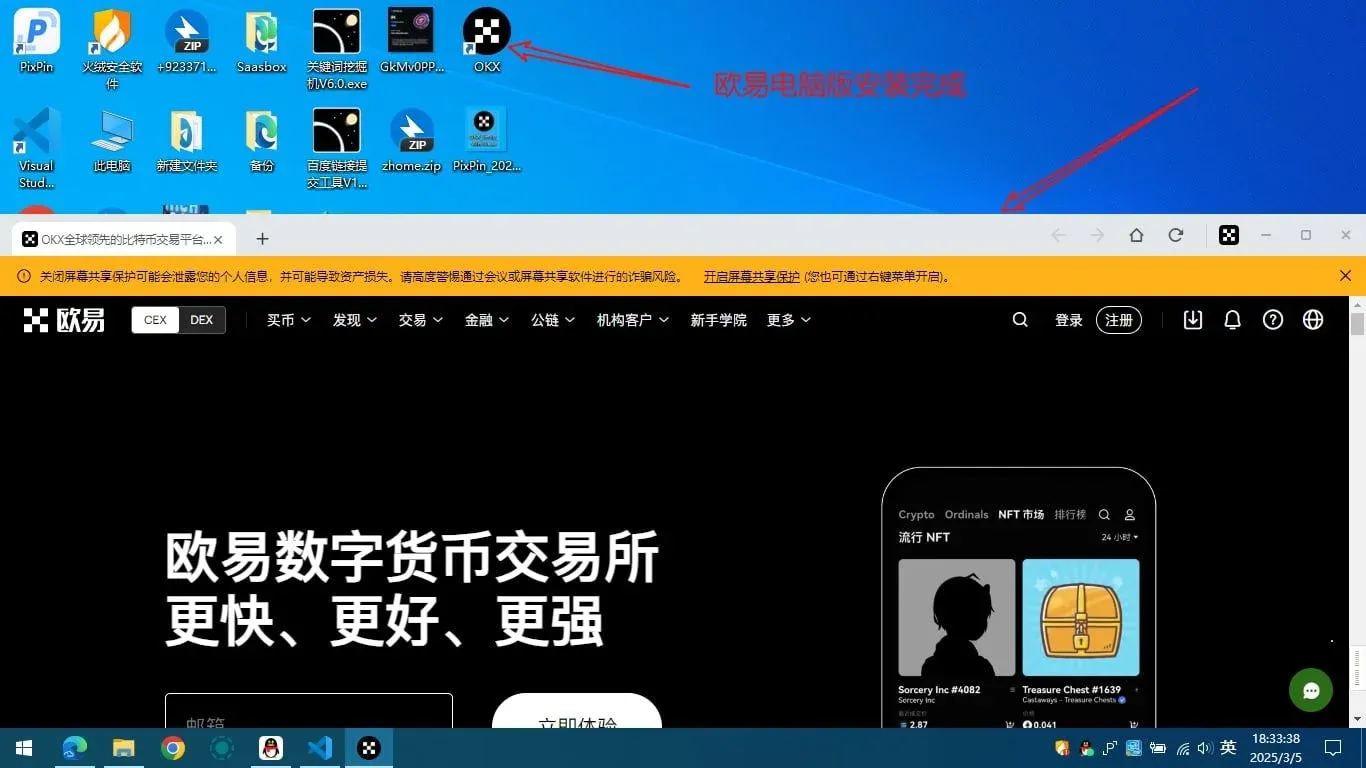
In the “Download Center” on the website, select the installer that matches your operating system. After downloading, follow the prompts to complete the installation. Once installed, a shortcut named “OKX App” will appear on your desktop; double‑click it to launch the client.
3. iPhone Users
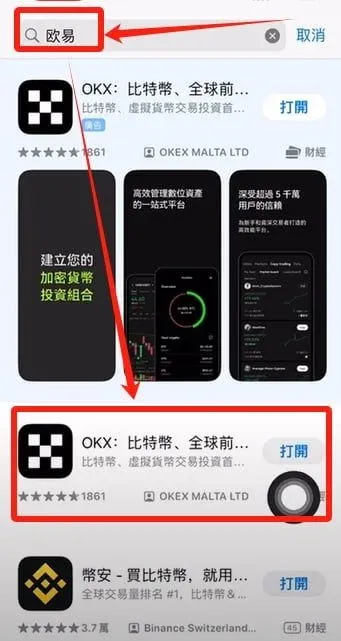
- Search for “OKX” in the App Store and tap “Get.”
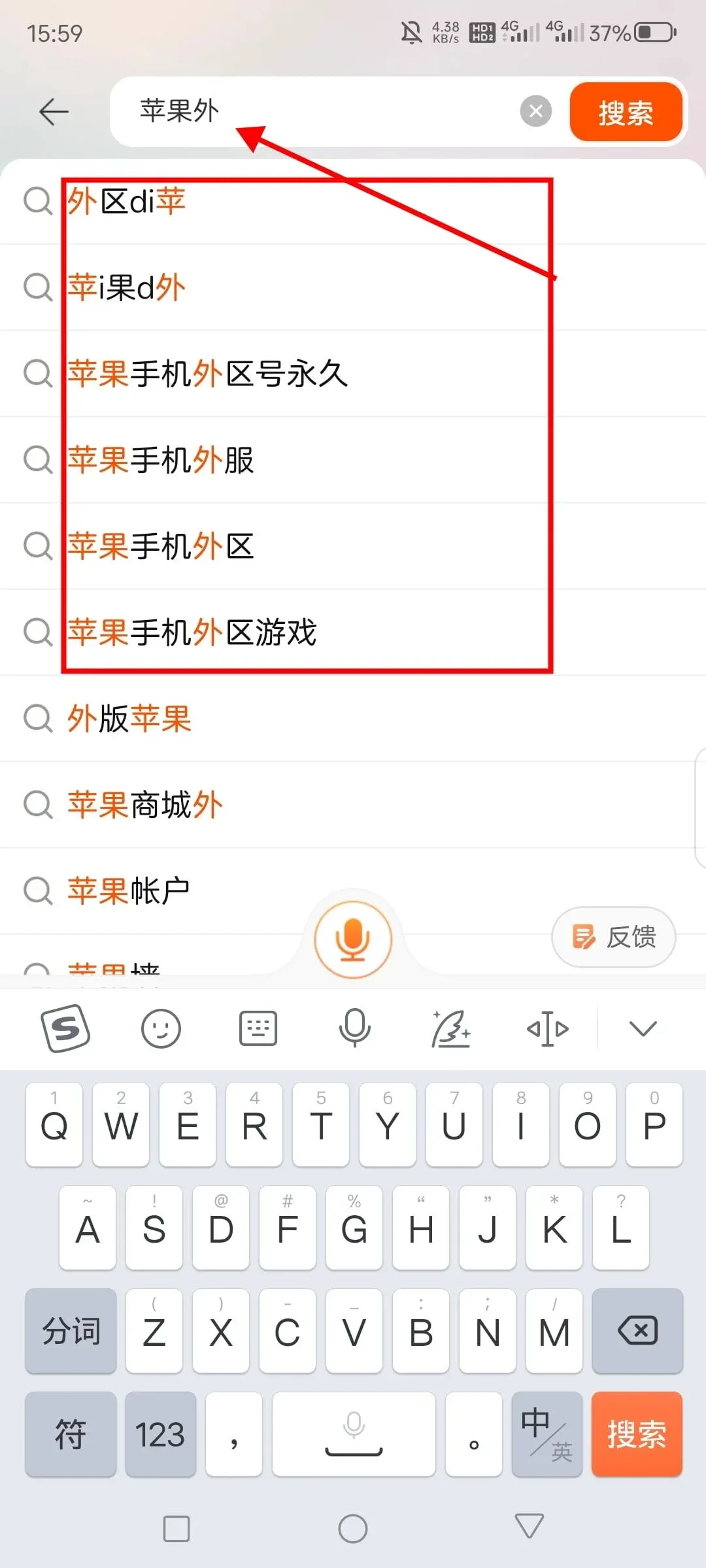
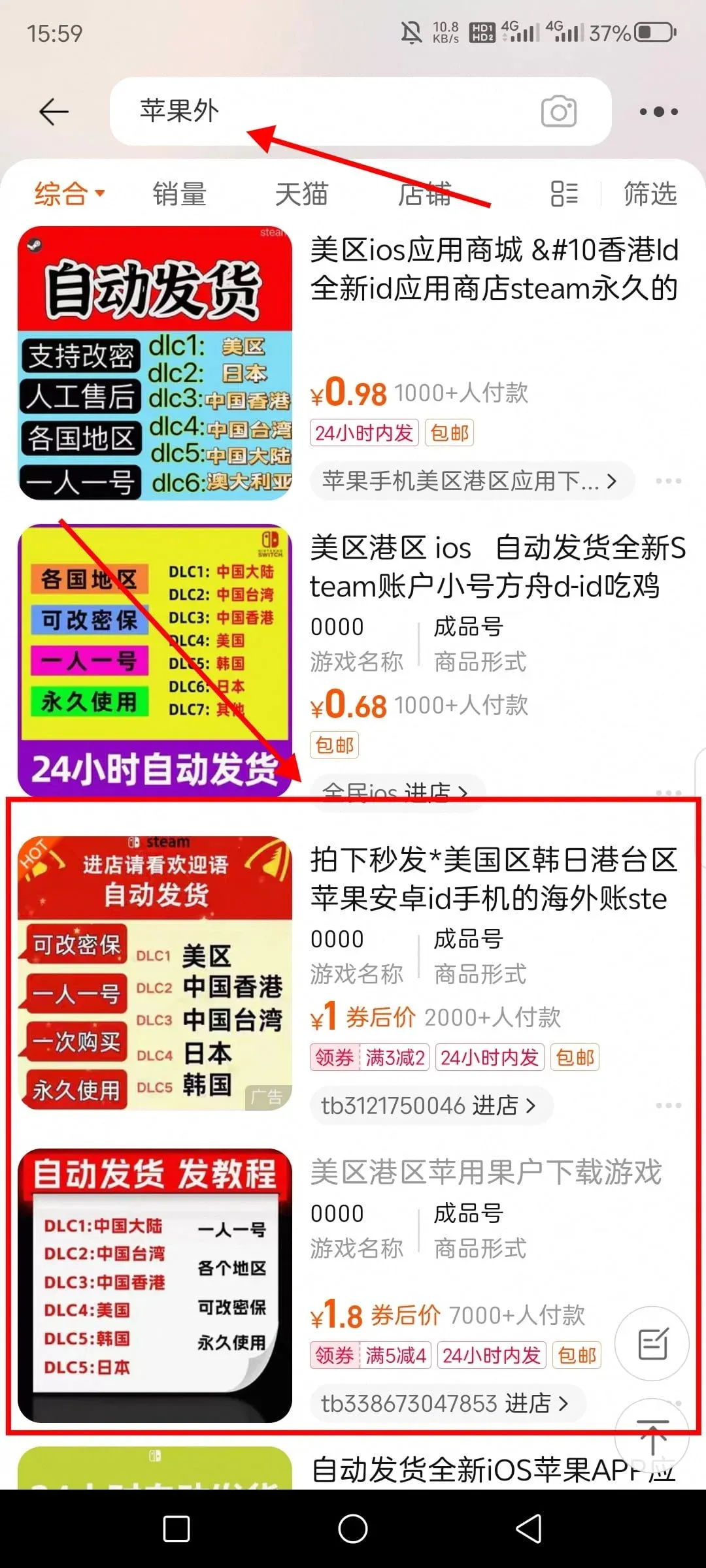
- If you encounter a regional restriction, switch to an overseas Apple ID that is supported (e.g., Korea, Australia). The steps are as follows:
- Search “overseas Apple ID” on Taobao.
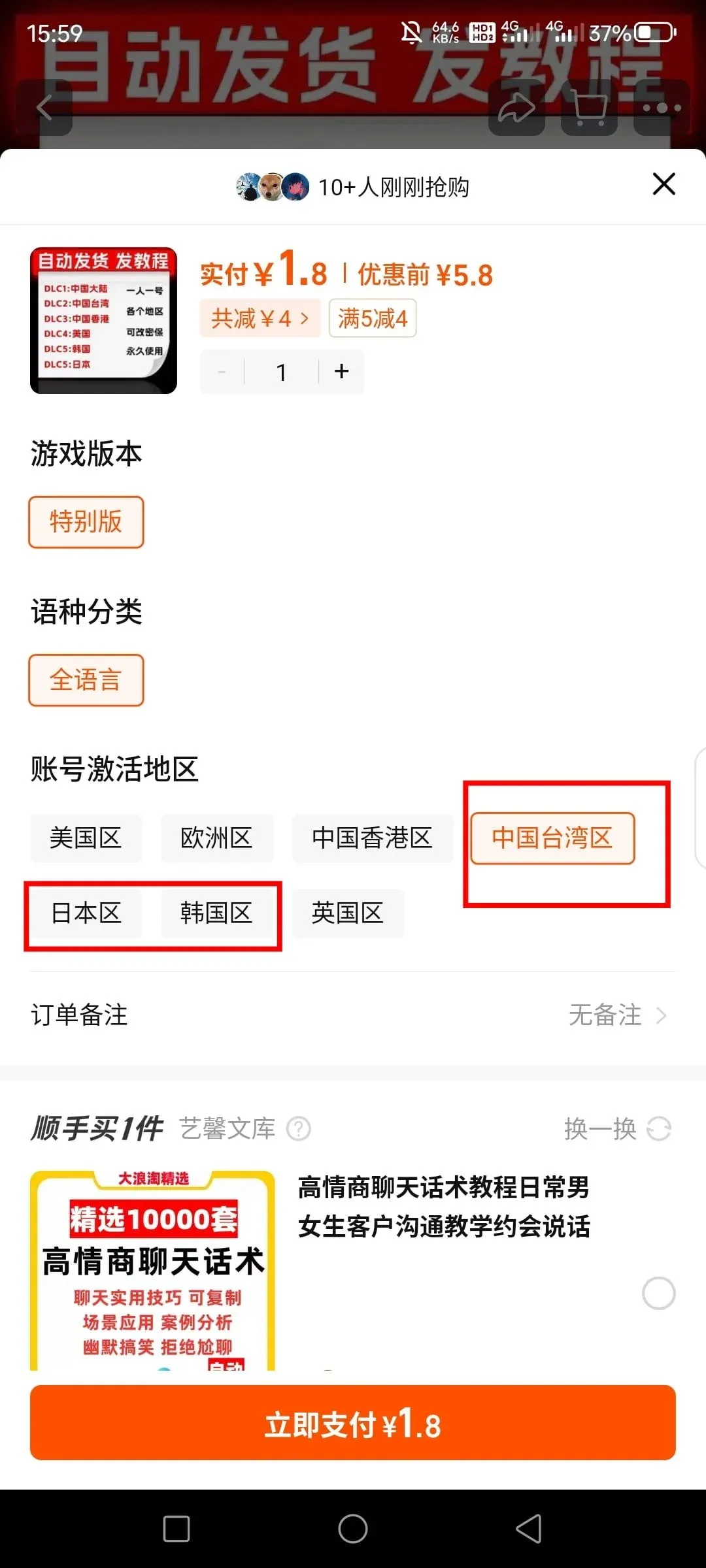
- Purchase the service and confirm the supported region with the seller.
- Log in to the App Store with the newly purchased Apple ID, search for “OKX” again, and download.
3. C2C Purchase Steps
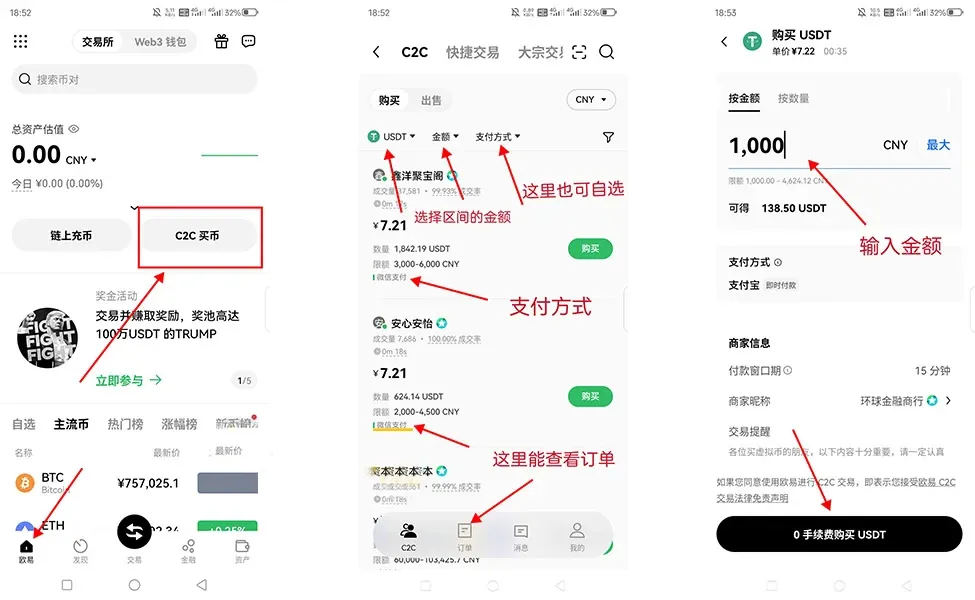
- Navigate to “C2C Buy,” select USDT, and enter the amount you wish to purchase.
- Choose a seller with a high number of completed trades and a high fulfillment rate, then open the purchase page.
- Input the purchase quantity, select your preferred payment method, and click “Buy USDT with 0% Fee.”
- Complete the payment using your real‑name account. After payment, you can communicate with the seller via the order chat window or contact platform support.
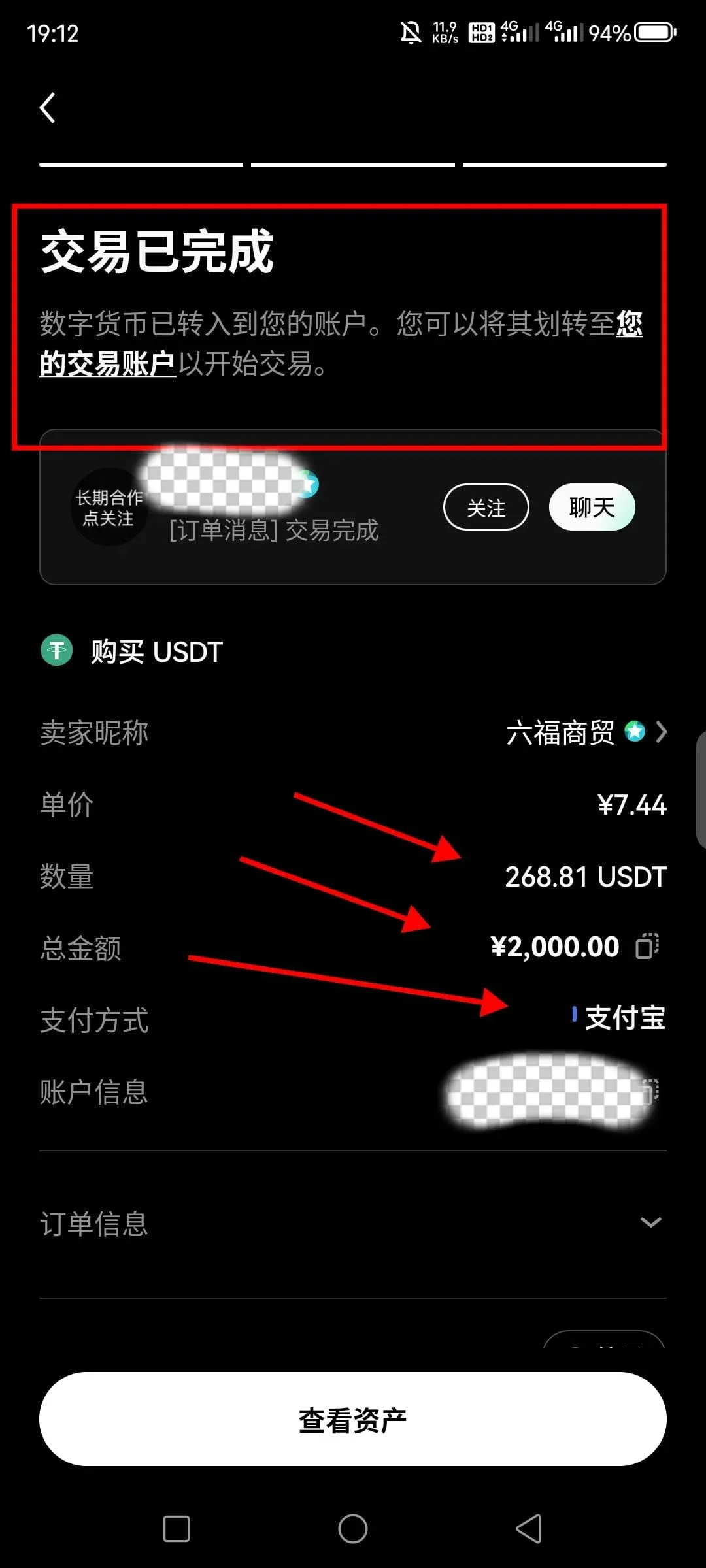
4. OKX Trading Operation Guide
1. Asset Transfer
Transfer the purchased USDT from your funding account to your trading account before you can place spot trades.
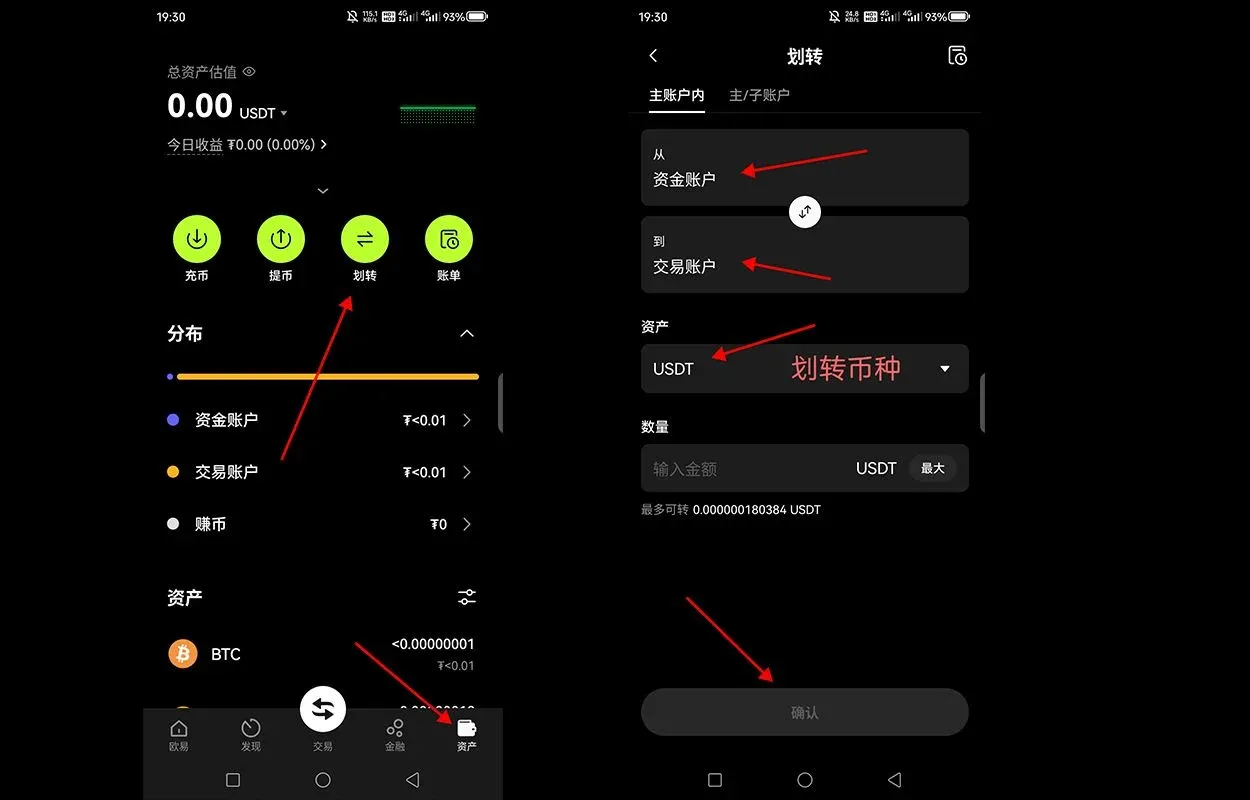
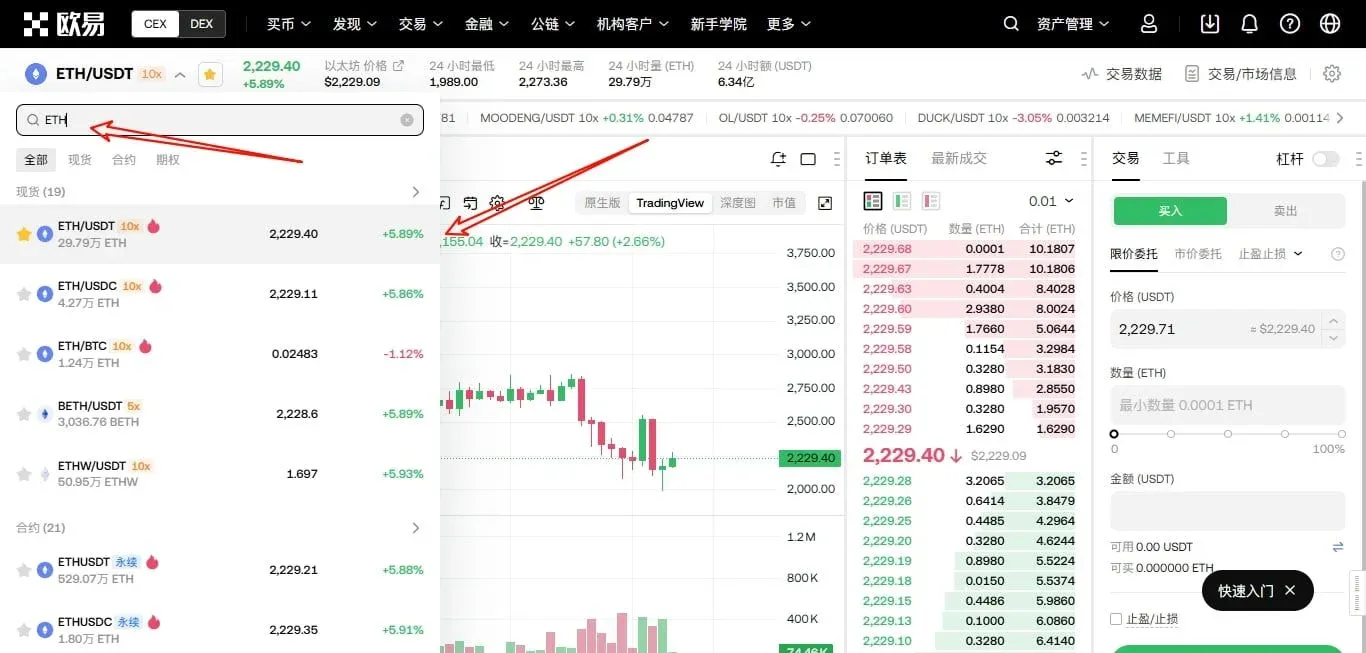
2. Search and Select a Trading Pair
In the market view, search for the desired cryptocurrency (e.g., ETH). The platform will list common pairs such as ETH/USDT, ETH/USDC, and ETH/BTC.
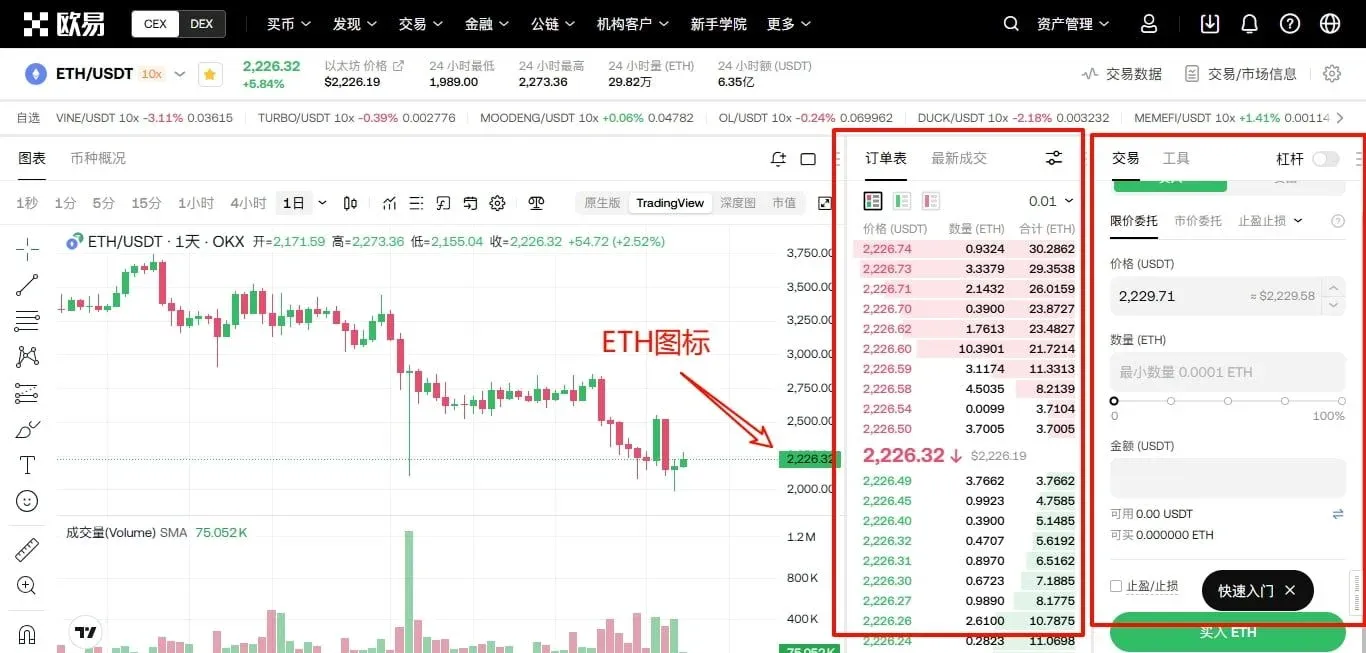
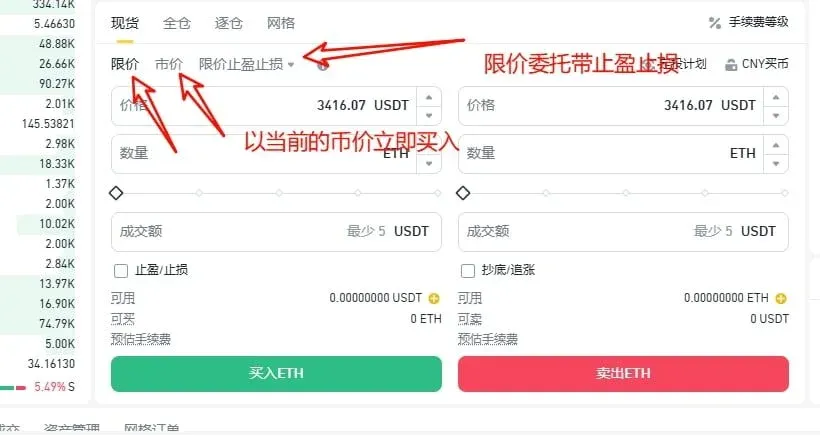
3. Order Types
| Order Type | Description | Fee |
|---|---|---|
| Limit Order | Set a desired purchase price; the order executes automatically when the market reaches that price | 0.08 % |
| Market Order | Buy immediately at the best available price | 0.10 % |
Enter the amount you wish to buy and confirm the order.
4. Set a Sell Target
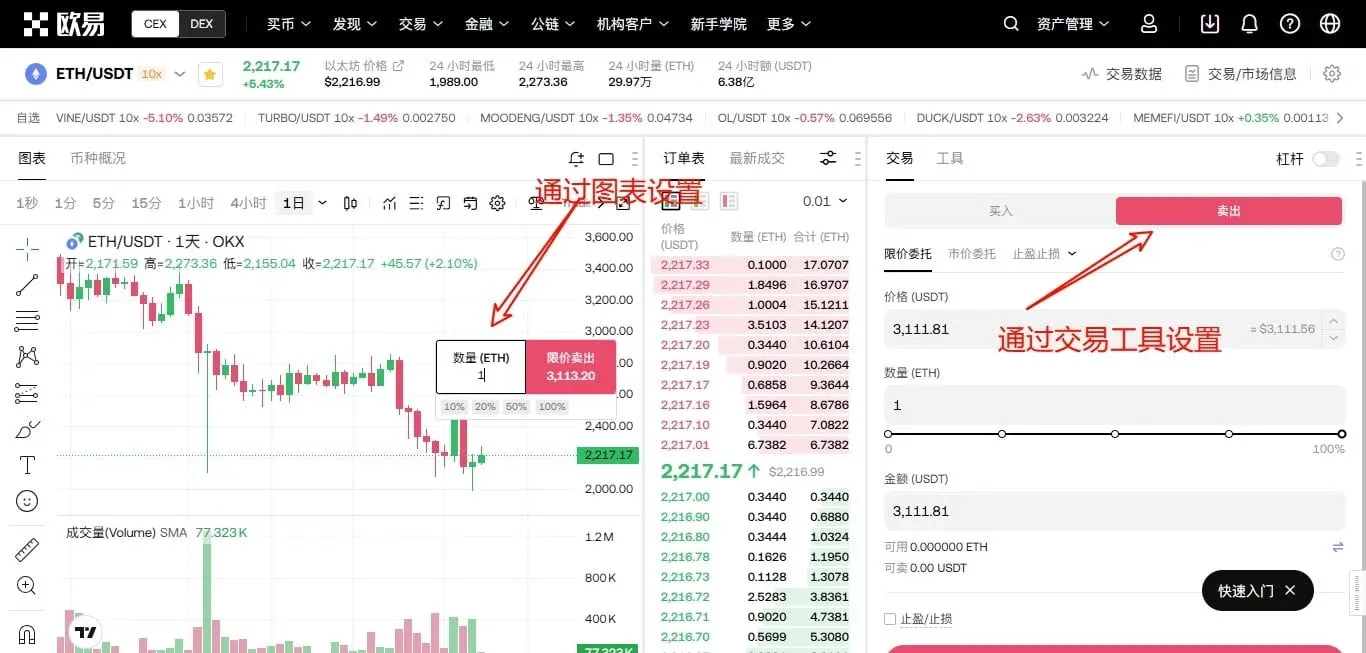
- Chart‑Based Sell: Click the “+” icon in the upper‑right corner of the price chart, fill in the sell price and amount, and the system will execute automatically.
- Sell Tool: Click the “Sell” button next to the buy button, then choose either a limit order or a market order to complete the sale.
5. Instant Swap (Flash Exchange)
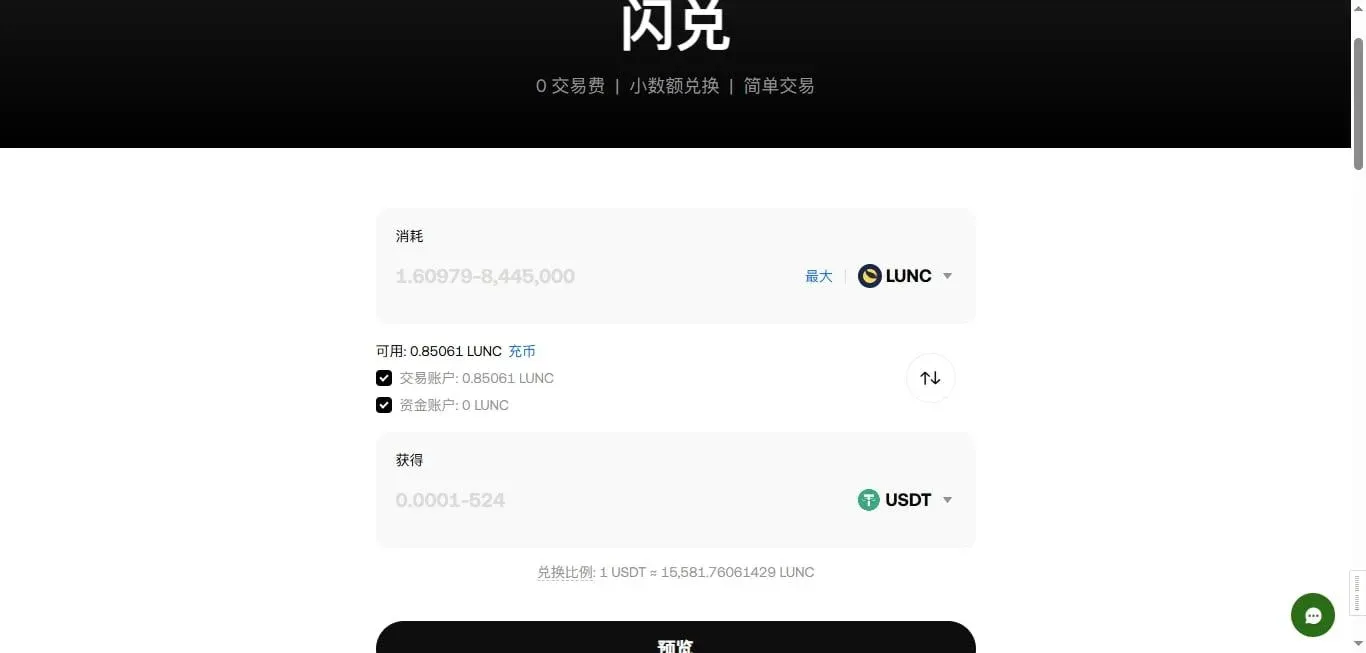
Select “Flash Swap” from the transaction type menu to exchange assets instantly with no fees. For example, you can convert ETH directly to USDT, USDC, LUNC, or swap USDT for BTC.
5. C2C Sell (USDT → Fiat)
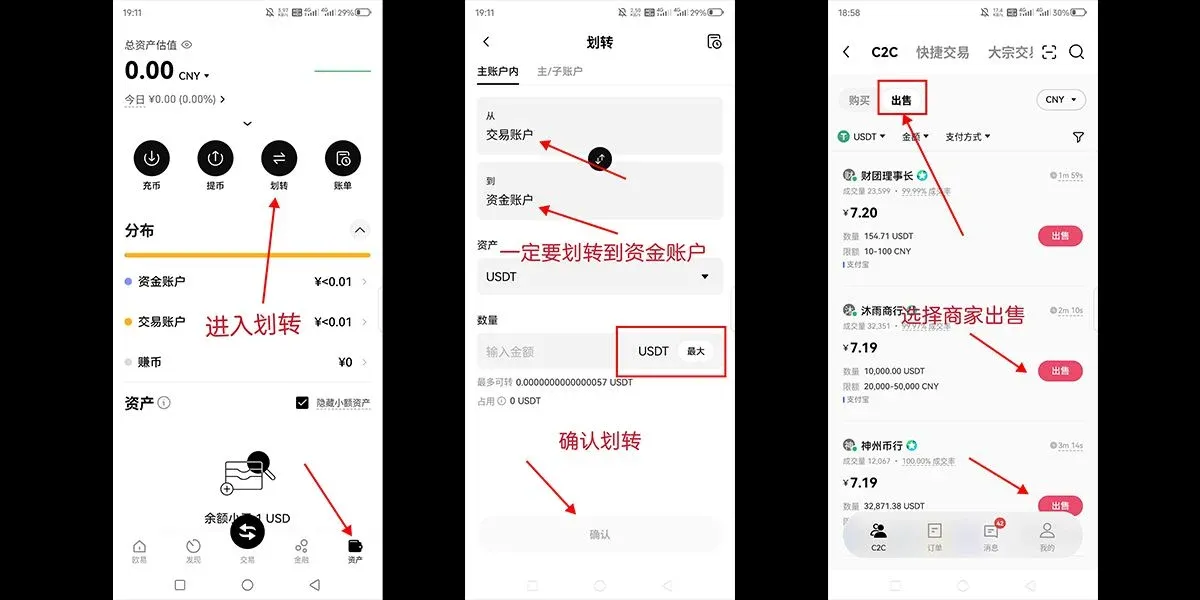
- Transfer USDT back to the funding account.
- Go to the C2C page, click “Sell,” select a buyer, and fill in the amount you wish to sell along with your preferred fiat receipt method (e.g., SEPA, SWIFT).
- Verify that the counterparty uses a real‑name account for payment. After you receive the funds, confirm the amount and finalize the transaction. If anything looks suspicious, report it to platform support.
6. Overview of OKX
OKX (formerly OKEx) was founded by Star Xu in 2017 and has grown into a globally leading exchange in terms of trading volume and user count, supporting 22 languages. The platform offers spot, futures, margin, and options products, as well as fiat on‑ramps, lending, staking, and asset‑management services. Its robust technology and high liquidity deliver a smooth trading experience for users worldwide.
7. OKX’s Ranking Among Exchanges
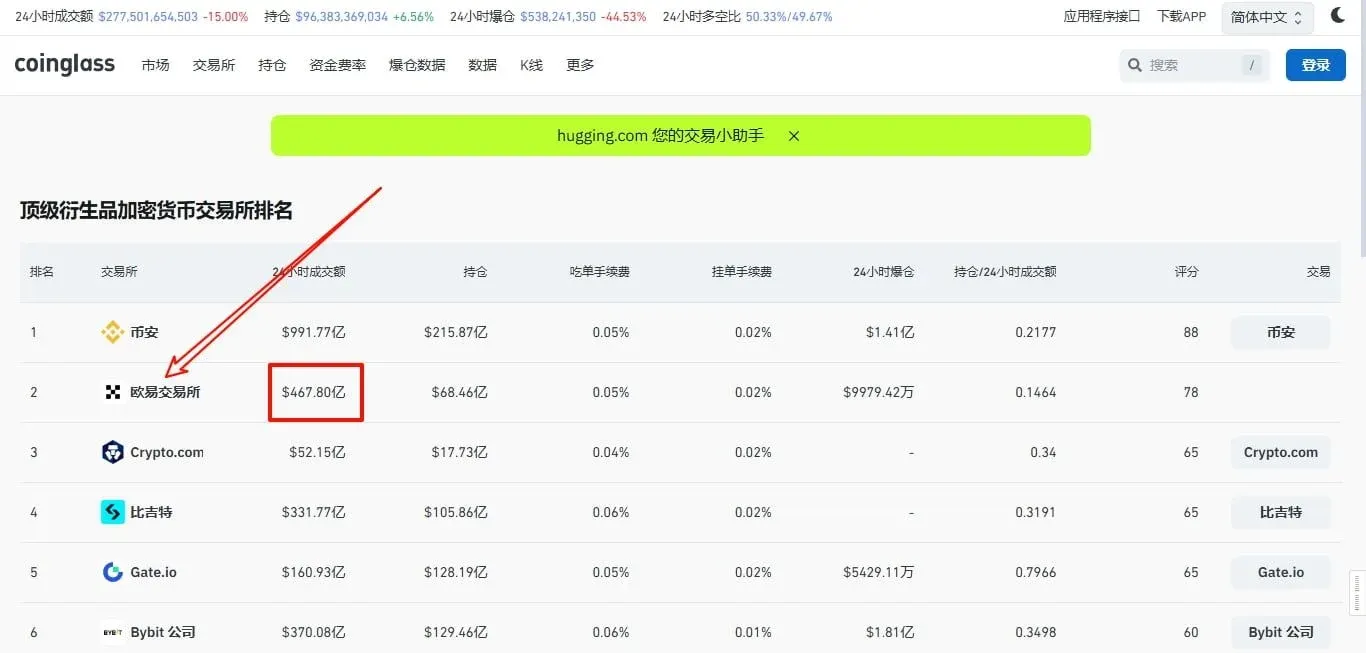
According to data from CoinGlass, OKX’s 24‑hour derivatives turnover recently reached roughly $46.78 billion, with open interest around $6.846 billion, placing the platform second in overall rankings.
8. Security Guarantees
1. Technical Measures
- SSL Encryption – protects data in transit.
- Two‑Factor Authentication (2FA) – adds an extra layer of login protection.
- Cold‑Hot Wallet Separation – the majority of assets are stored offline in cold storage, reducing theft risk.
- Multi‑Signature – transactions require multiple keys to be signed before execution.
2. Risk Management and Compliance
- A dedicated risk team monitors platform security in real time.
- OKX holds regulatory licences in the United States, Canada, the European Union, and other jurisdictions, complying with local regulatory requirements.
3. User Education
The exchange publishes security guides and risk alerts via its website and social media channels to help users improve their anti‑scam awareness.
4. Feedback and Continuous Improvement
Customer‑service teams respond promptly to user inquiries, and security measures are continuously refined to ensure a reliable user experience.
---
Conclusion
This article provides a systematic walkthrough of OKX—from web registration and mobile‑app download, through identity verification, C2C buying, asset transfer, order placement, and finally C2C selling—
Related Reading
- Buy Bitcoin on OKX: Beginner's Step‑by‑Step Guide
- OKX Beginner Guide: Register Verify Deposit Trade Withdraw
- Backpack Exchange: Register, Deposit, Withdraw & Trade Guide
💡 Register on Binance with referral code B2345 for the maximum trading fee discount. See Binance complete guide.



