
 Bitaigen Research
 This article will detail the installation, creation, and usage of the MetaMask Fox Wallet.
MetaMask Fox Wallet is a browser extension wallet that supports Ethereum mainnet, testnet, Huobi Eco Chain, and Binance Smart Chain, allowing asset management via installing the extension, creating or importing a wallet, and adding networks and tokens.
Recently, many wallets downloaded online are fake; the Fox Wallet does not have a specific APK file and is generally downloaded and installed via browsers, Google Play Store, or the App Store.
This article is interpreted by the Bitaigen editorial team, providing a complete guide to the installation, creation, and daily use of the MetaMask Fox Wallet. Illustrated steps are clear and easy to understand, helping you get started quickly, avoid risks, and securely manage assets. Please continue reading to master the core techniques of decentralized wallets.
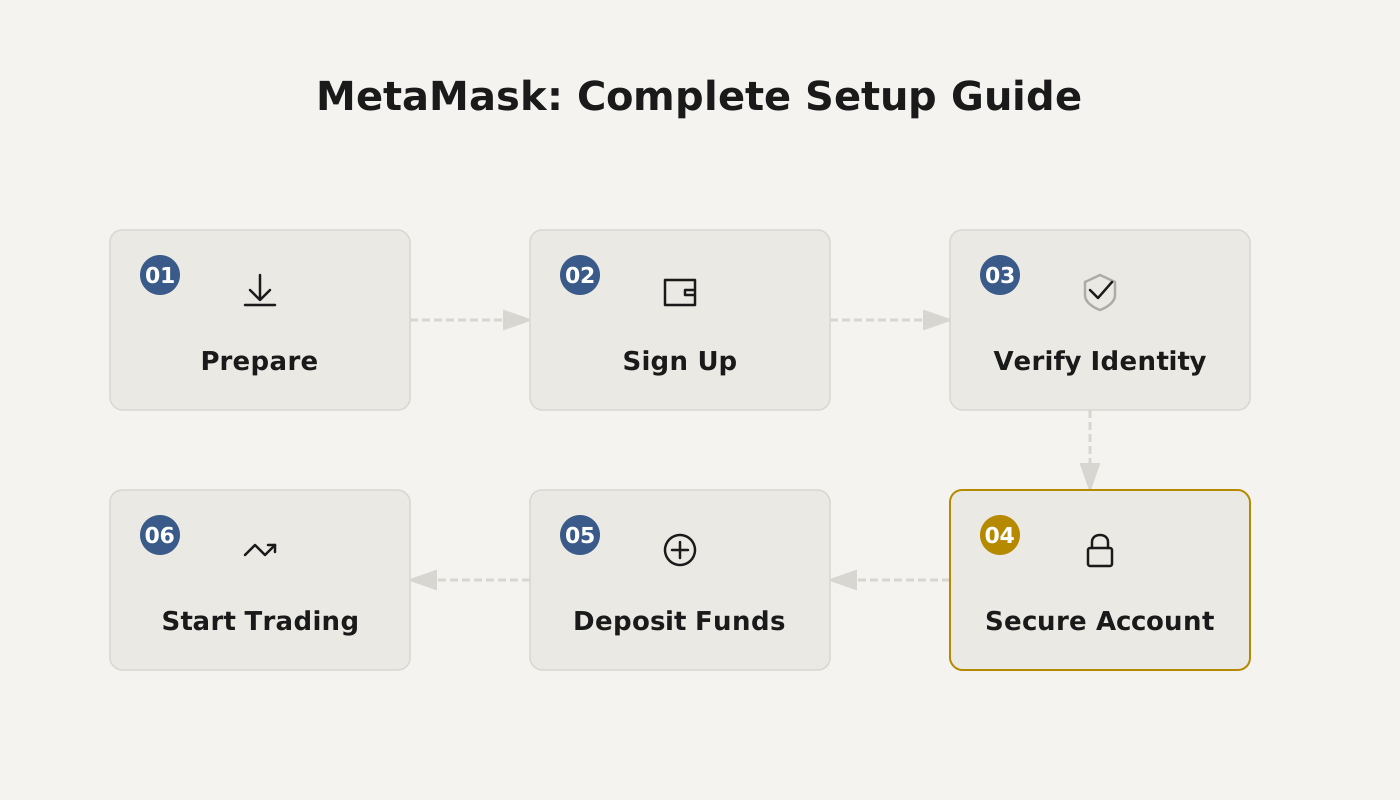
One, How to Create the Fox Wallet
1、It is recommended to use the official Microsoft browser (of course you can also use Chrome, Firefox, 360, etc.)
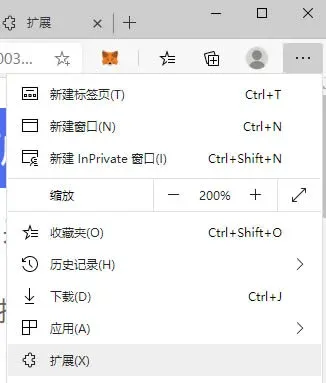
2、Open Microsoft Edge browser, click the “...” in the upper‑right corner, and open “Extensions (X)” from the pop‑up menu.
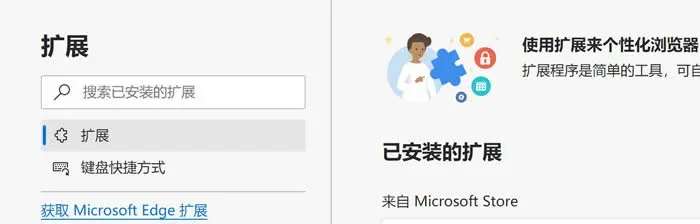
3、On the “Extensions” page click “Get Microsoft Edge Extensions”. You will enter the page shown below.
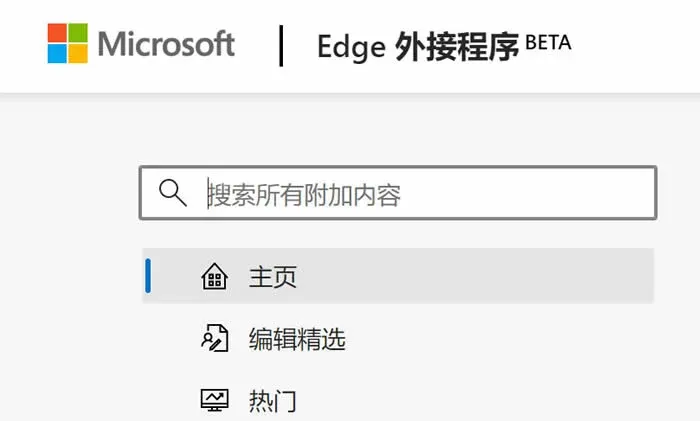
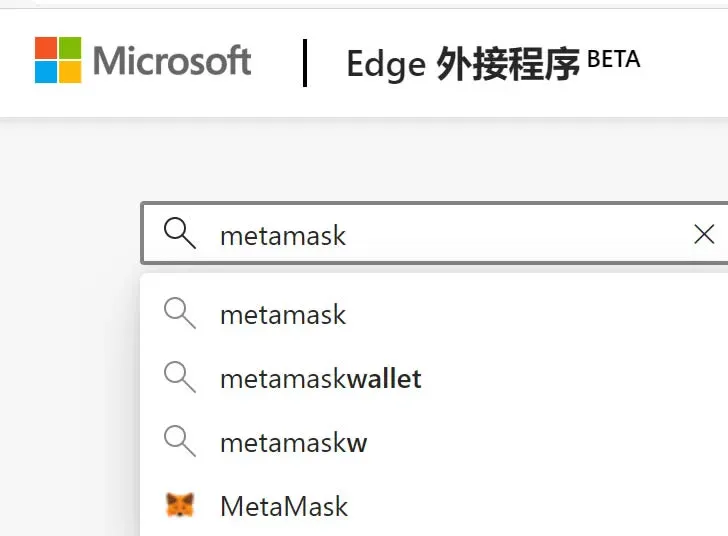
4、After entering the page above, search for “MetaMask”, select the fox‑head icon at the bottom, click to go and install MetaMask.
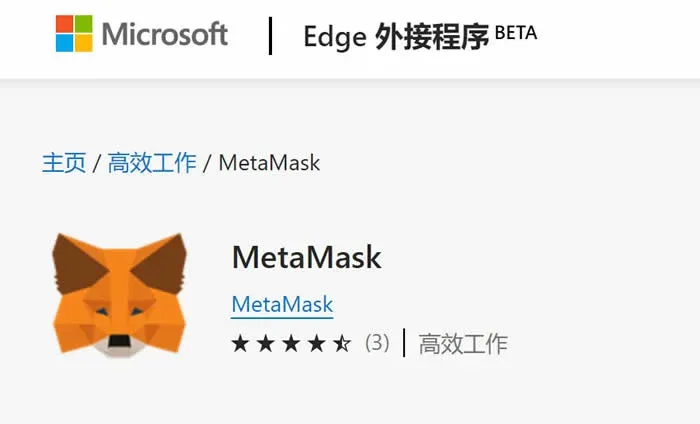
5、After installation is complete, you will see a fox‑head icon appear in the upper part of your browser.
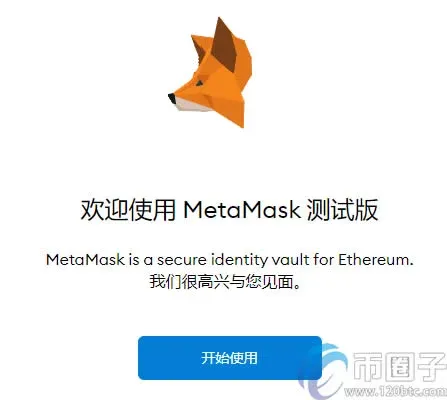
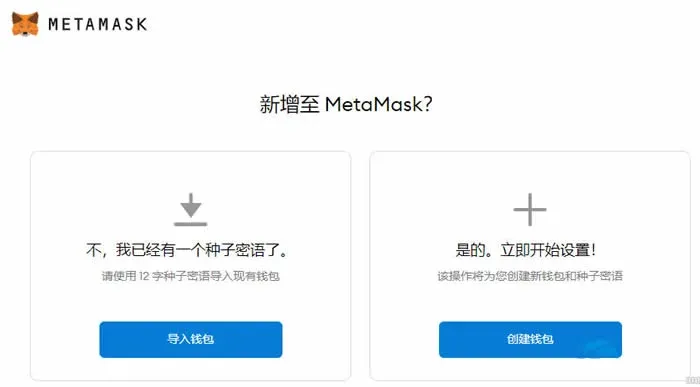
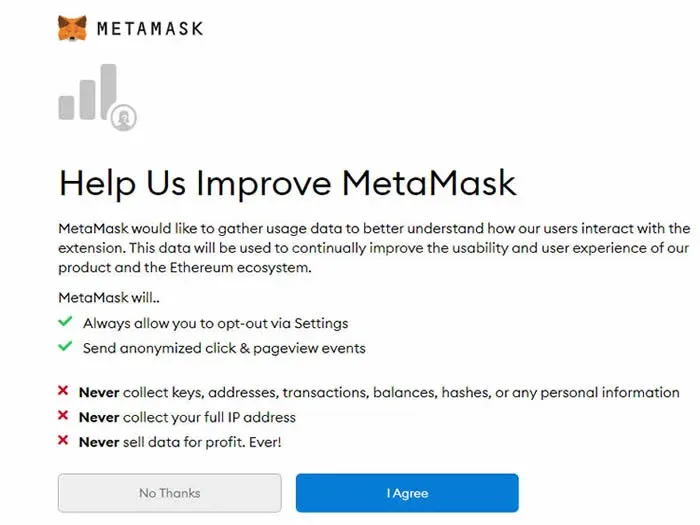
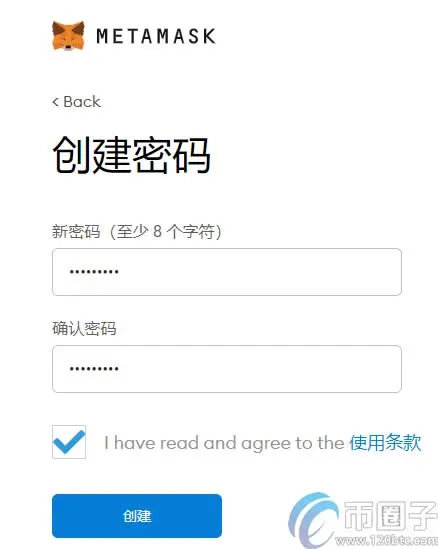
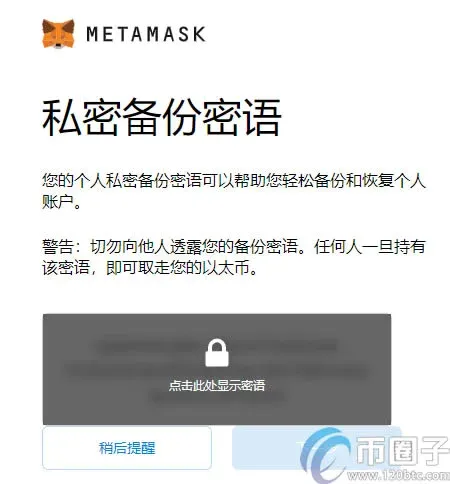
6、Register MetaMask wallet
Create wallet → I Agree → Create password → Backup seed phrase. At this point your Fox Wallet is created.
Two, How to Use the Fox Wallet
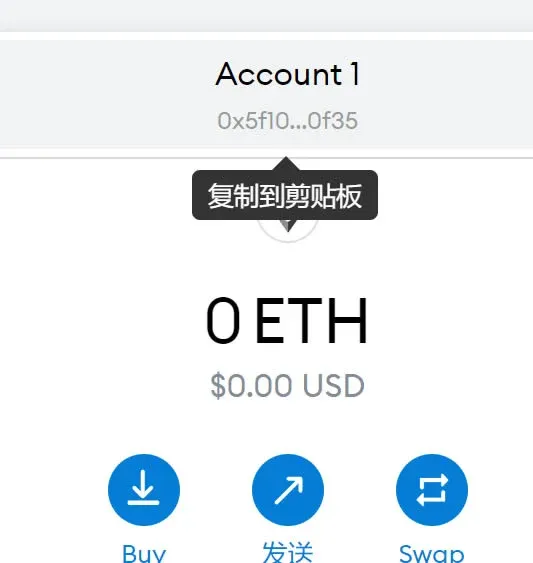
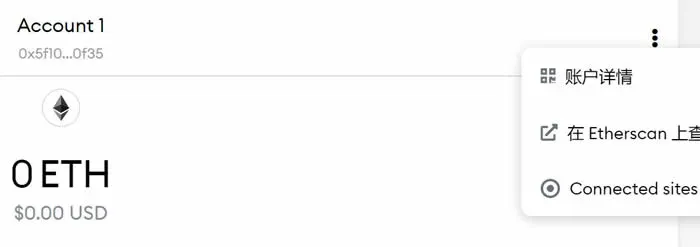
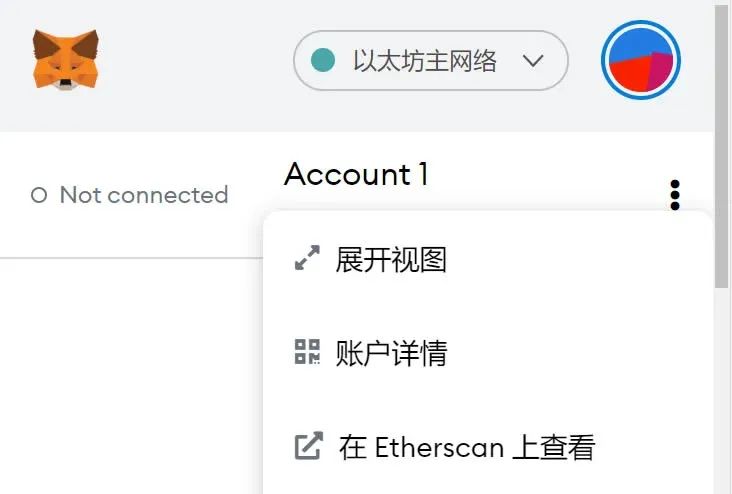
1、Your Ethereum wallet address can be copied with a single click. If you want to view the full address, click the “...” on the right, then click “Account Details”, locate the address, and you can top up Ethereum and various tokens.
2、How to add Binance Smart Chain and Huobi Eco Chain
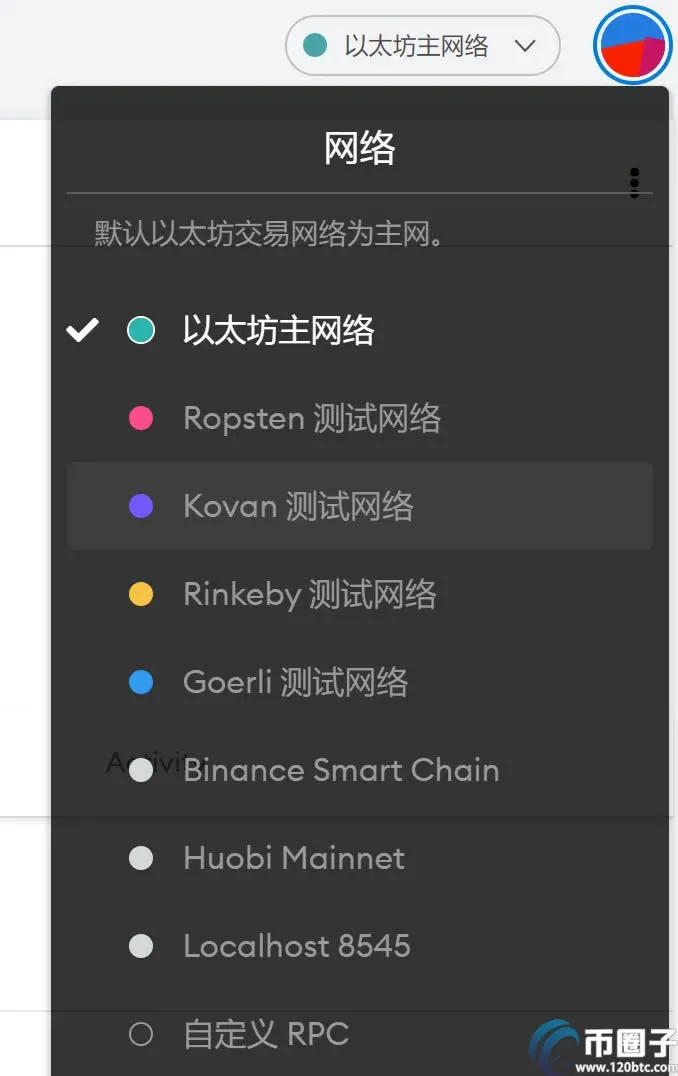
Click the wallet’s upper‑right “Ethereum Network”, scroll to the bottom, click “Custom RPC”, and you can add the Binance and Huobi networks yourself.
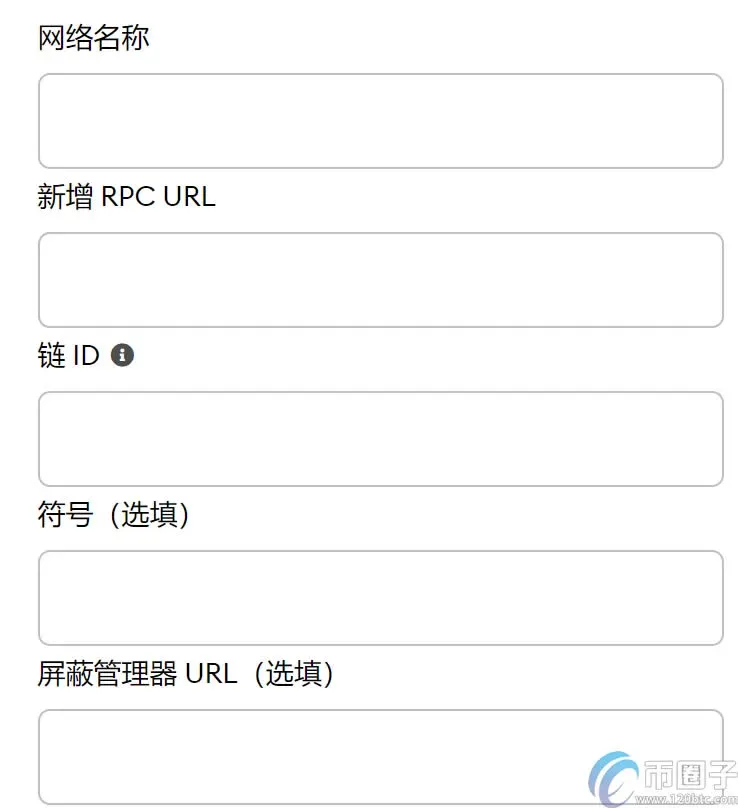
To add Huobi Eco Chain, fill in the following:
Network name: Huobi Mainnet
New RPC URL: https://http-mainnet.hecochain.com
ChainID: 128
Symbol: HT
Block Explorer URL: https://scan.hecochain.com
To add Binance Smart Chain, fill in the following:
Network name: Binance Smart Chain
New RPC URL: https://bsc-dataseed1.binance.org
ChainID: 56
Symbol: BNB
Block Explorer URL: https://explorer.binance.org/smart
3、How to enable full‑screen view – click “Expand View” to go full screen.
4、MetaMask USDT addition tutorial
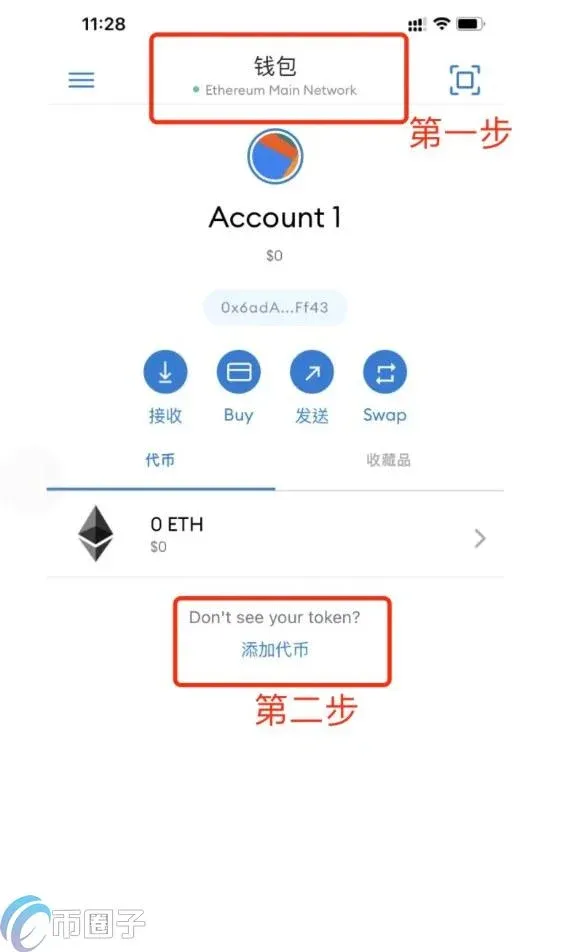
- Open MetaMask Fox Wallet, select Ethereum Mainnet (Ethereum Mainnet).
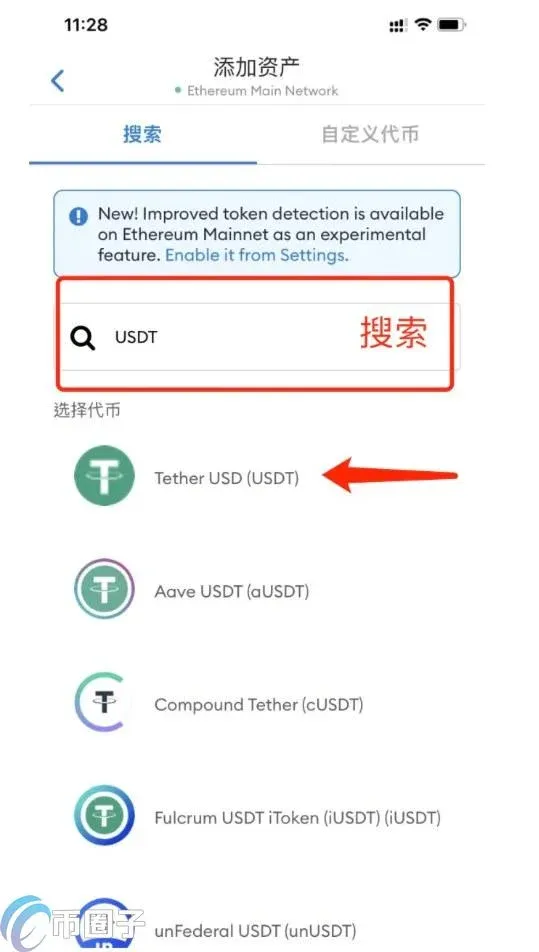
- In the search bar type USDT; the displayed Tether USD is the USDT we commonly refer to. Friendly reminder: there are many stablecoins, and their names differ across chains, so be sure not to select the wrong one.
Important notes when adding tokens to Fox Wallet
Typically, MetaMask will display any ERC‑20 standard tokens you hold on your account page. However, due to the rapid proliferation of tokens on Ethereum and other networks, MetaMask does not maintain an authoritative list, but you can add any ERC‑20‑compliant token you hold.
There are two different ways to add unlisted tokens to your MetaMask wallet:
First, you can enable an advanced feature that automatically detects tokens held by your address and adds them to your wallet. This uses a token list aggregated from various community token lists; MetaMask does not retain a proprietary list of “approved” or “valid” tokens. If you choose this option, remember to exercise caution with unfamiliar tokens:
- Do not interact with, or connect your wallet to, any website you are unfamiliar with, have not researched, or do not trust.
- Treat airdropped tokens or unfamiliar tokens with caution; carefully review them before interacting.
- When a transaction fails, a blockchain explorer may display an error crafted by a scammer that redirects you to a website, which could be a phishing site—avoid clicking such links.
- Always stay aware of how scammers attempt to steal funds; recognize that information you see online may not be reliably verified.
If you prefer not to use the automatic service, or if you hold a token that is uncommon and not yet included in community lists, the second method is to add the token manually.
By following the above MetaMask USDT addition tutorial, investors should now understand how to add USDT to the Fox Wallet. MetaMask is a browser extension that lets you run dApps without needing to operate as an Ethereum node. Instead, it allows you to connect to an Ethereum node called INFURA and run smart contracts on that node. MetaMask manages your Ethereum wallet, which contains your Ether (or funds), and enables you to send and receive Ether via any dApp you are interested in, making it a very streamlined tool.
Three, Advanced Play
1、Open: https://metamask.io
2、At the bottom find “GitHub”, click to enter.
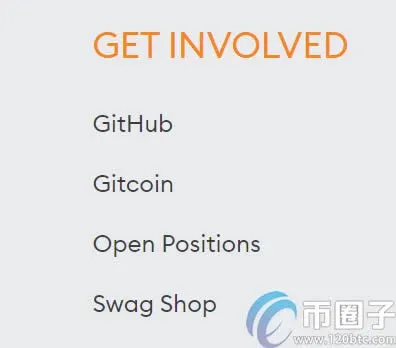
3、On the opened page locate this item (on the right side).
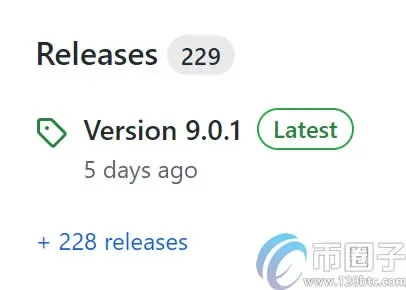
4、Clicking it allows you to download the extension.
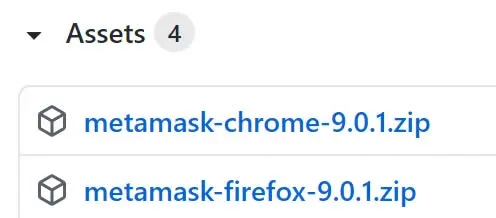
For Chrome browser download the first file; for Firefox browser download the second. How to install a browser extension—search for a tutorial yourself.
Hope this helps investors who want to use the Fox Wallet. For investors, choosing a digital currency wallet that suits your needs is most important. Generally, you should consider how you intend to invest: if you plan to hold long‑term, you need a digital currency wallet; if you only hold short‑term, you can keep assets directly on an exchange. Regardless of the method, always pay attention to security. If you choose an exchange, select a secure one for trading. If you choose a digital currency wallet, opt for a reputable brand and safeguard your private keys to prevent leakage.
That concludes the detailed guide on using the MetaMask Fox Wallet. For more information on Fox Wallet usage tutorials, please follow Bitaigen (Bitroot) and its other related articles!
Related Reading
- Step-by-Step Guide to Setting Up MetaMask Fox Wallet
- MetaMask (Fox Wallet) Setup: Add BSC & HECO on Android
- Fix MetaMask Errors on Heco Chain – Step-by-Step
💡 Register on Binance with referral code B2345 for the maximum trading fee discount. See Binance complete guide.



