
 Bitaigen Research
 We have prepared this guide to explain how Monad works with MetaMask and to provide two safe and fast methods for adding it. By using the official RPC parameters you can switch networks seamlessly, helping newcomers get started quickly while avoiding common risks. For detailed step‑by‑step instructions, keep reading.
Overview of Monad and MetaMask Compatibility
Monad follows the same EVM specification as Ethereum, so it can be used directly with mainstream Ethereum wallets such as MetaMask. By entering the official RPC endpoint, chain ID, and token symbol into the wallet, you can convert an existing EVM address into a secure account that operates on the Monad network. This design lets users switch networks without having to recreate accounts, giving seamless access to the Monad mainnet or testnet.
Security Tips for Adding
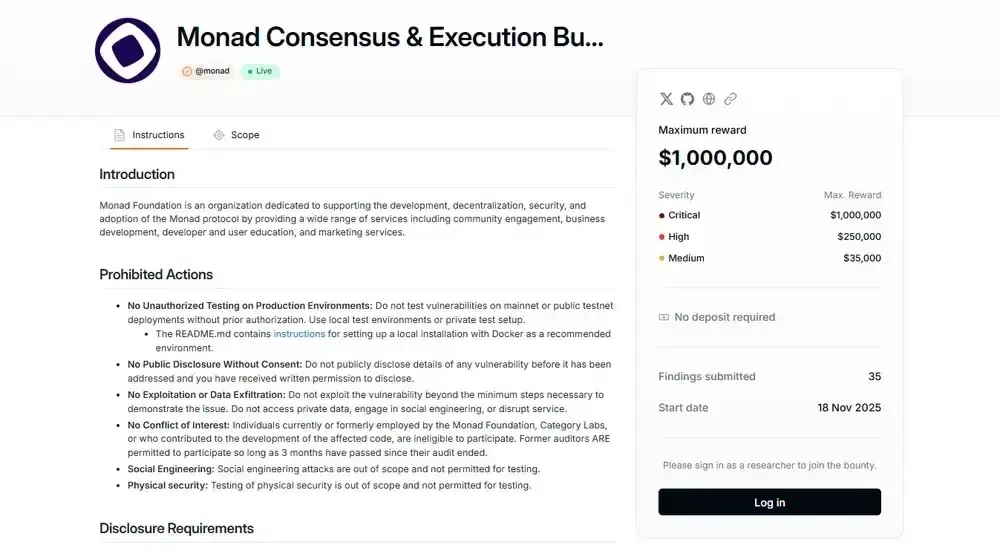
When adding a custom chain in MetaMask, using the officially verified RPC endpoint is generally safe. MetaMask stores network parameters locally; the main risks stem from forged RPC URLs, phishing links, or unreliable third‑party pages. Monad has undergone multiple testnet validation rounds, including security audits, bug‑bounty programs, and community audit competitions, and it recently launched its mainnet. Although still in an early stage, its decentralized validator set and low transaction fees provide a degree of censorship resistance for DeFi, gaming, and social applications.
Two Quick Ways to Add Monad to MetaMask
Option A: Directly via Official Documentation Button
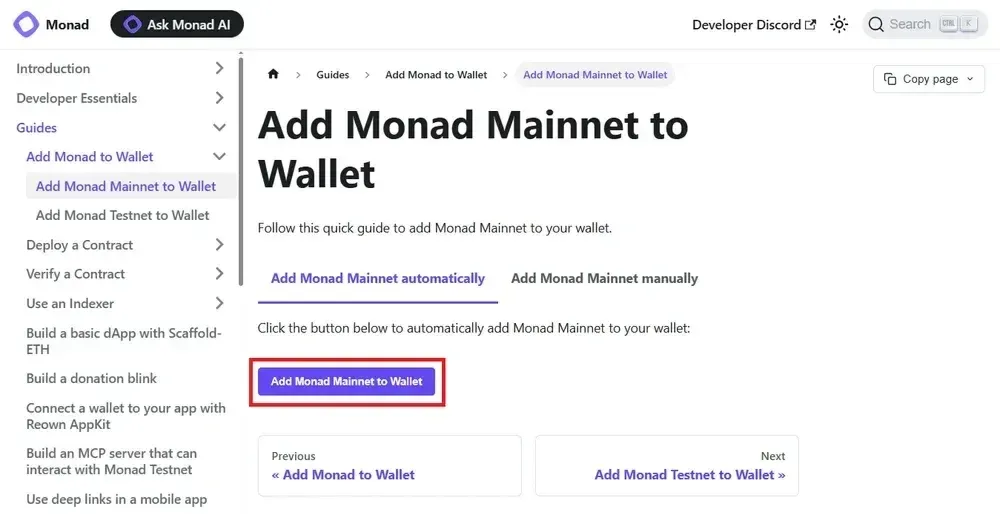
- Visit the official guide page for Monad Mainnet: `https://docs.monad.xyz/guides/add-monad-to-wallet/mainnet`.
- Click the “Add Mainnet” button on the page; a MetaMask confirmation window will pop up—approve it.
- Wait for MetaMask to automatically write the corresponding RPC URL, chain ID, and other details.
- Switch to Monad Mainnet in the wallet’s network dropdown and verify that the displayed RPC URL and chain ID match the documentation.
To add Monad Testnet, open the “Add Monad Testnet to Wallet” page in the same documentation, click the corresponding “Add to Wallet” button, and complete the confirmation.
Option B: Using the ChainList Platform
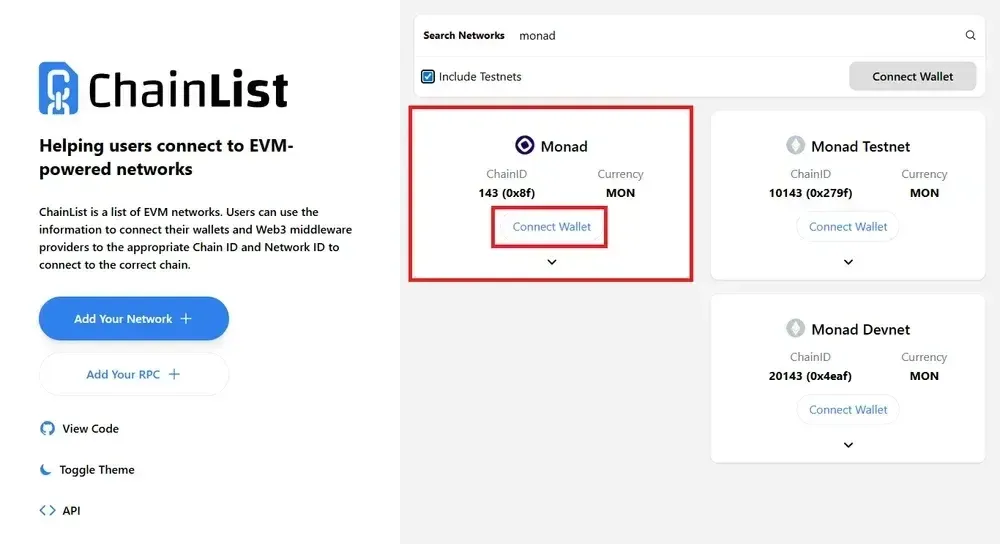
- Open ChainList (`https://chainlist.org/`) and click “Connect Wallet”, granting MetaMask permission to connect.
- In the search box, type Monad and locate the Monad Mainnet entry.
- Click the “Add Chain” button next to the entry, then confirm the addition in MetaMask.
- Verify that the network now appears in MetaMask’s network list.
When you want to connect to the testnet, simply search for Monad Testnet on ChainList and repeat the steps above.
Official Network Parameters Overview
Mainnet
- Network Name: Monad Mainnet
- RPC URL: `https://rpc.monad.xyz`
- Chain ID: 143
- Token Symbol: MON
- Block Explorer: `https://monadvision.com`
Testnet
- Network Name: Monad Testnet
- RPC URL: `https://testnet-rpc.monad.xyz`
- Chain ID: 10143
- Token Symbol: MON
- Block Explorer: `https://testnet.monadvision.com`
Overview of the Monad Project
Monad is a layer‑1 blockchain that is compatible with Ethereum’s Solidity development tools while implementing parallelized and pipelined block processing at the protocol level to boost throughput and reduce transaction latency. The network relies on a decentralized model with hundreds of independent validators rather than a small set of permissioned validators or sequencers, aiming to provide a low‑fee, censorship‑resistant environment for large‑scale DeFi, gaming, and social applications.
The 2025 roadmap focuses on testnet iterations, security competitions, staged mainnet roll‑outs, and ecosystem development, covering a wide range of use cases from DeFi protocols to NFT marketplaces and infrastructure tools. The project highlights its EVM compatibility and high‑performance positioning.
Recommendations Before Use and Next Steps
Once you have successfully imported the Monad network into MetaMask, you can start cross‑chain asset transfers, explore decentralized applications, or conduct functional testing on the testnet. Whether dealing with airdrops, brand‑new dApps, or unfamiliar contracts, always double‑check the RPC address, official links, and requested permissions before approving any transaction.
It is advisable to bookmark the official Monad documentation, join community discussion groups, and monitor security announcements to stay informed about ecosystem updates and potential risk notices.
Please note: Cryptocurrency gains may be taxable in your local jurisdiction; consult a tax professional for guidance.
---
That concludes the complete step‑by‑step guide titled “How to Add Monad to MetaMask?”. For more details and follow‑up coverage, stay tuned to Bitaigen’s related articles.
💡 Register on Binance with referral code B2345 for the maximum trading fee discount. See Binance complete guide.



