
 Bitaigen Research
 In this article we systematically outline the complete steps for participating in SUN mining using the Bitpie wallet, covering wallet preparation, TRX locking, genesis and regular mining—all on‑chain operations at a glance. We will then analyze SUN’s governance model within the TRON ecosystem and its long‑term value proposition, helping you assess the project’s potential. Continue reading for the practical guide.
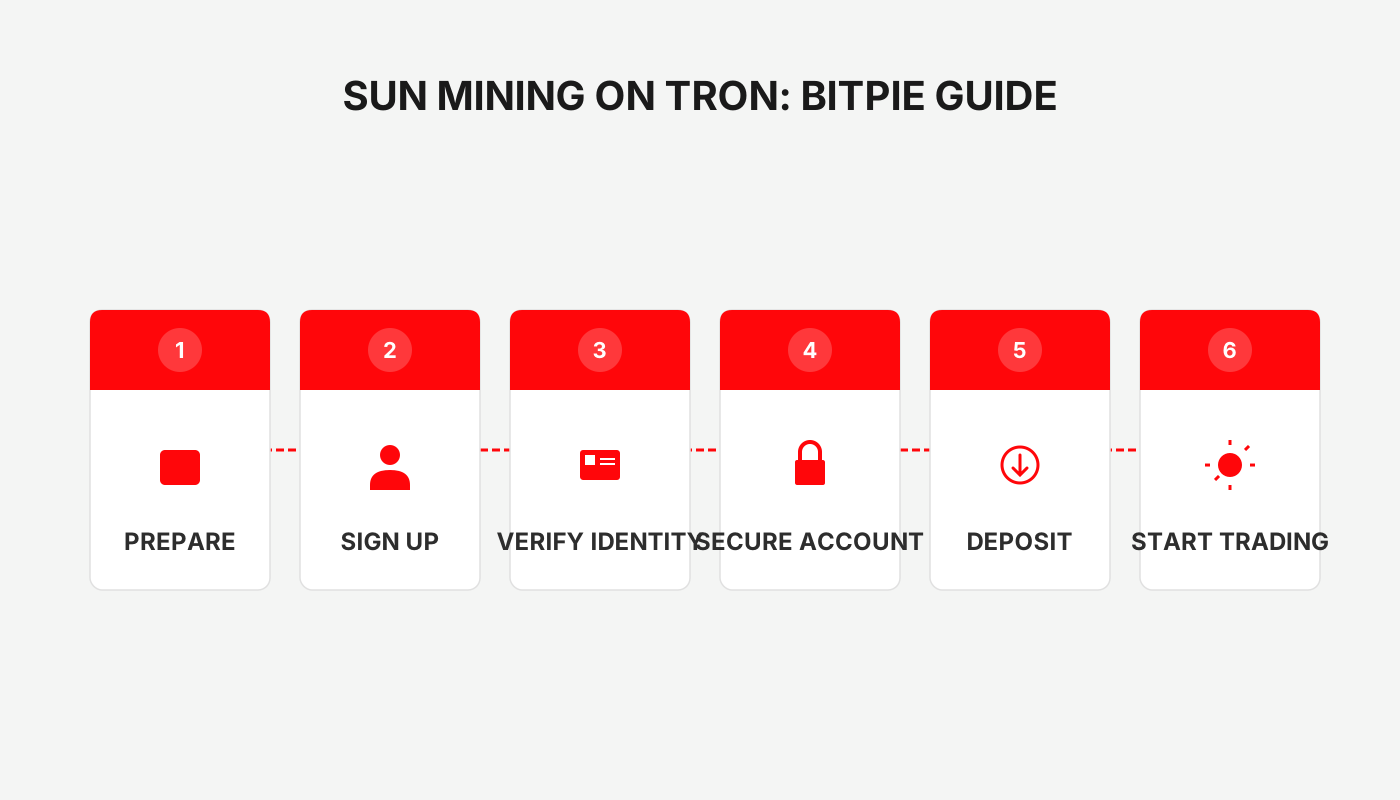
DeFi Mining SUN Tutorial: Complete Steps to Mine SUN on the TRON Ecosystem Using Bitpie Wallet
By locking TRX on the SUN.market platform with Bitpie Wallet, you can follow the official contract to perform genesis mining and subsequent regular mining. The entire process occurs on‑chain, and funds are fully returned after the lock‑up period ends.
SUN (Solar) Overview
SUN positions itself as the “Bitcoin” of the TRON network, featuring zero VC funding, zero private sale, zero pre‑mining, and zero team allocation. It relies entirely on the community and open‑source smart contracts. SUN is TRON’s first meme coin, symbolizing community self‑governance and a tongue‑in‑cheek crypto culture.
SUN aims to advance DeFi on TRON by borrowing governance models from MakerDAO, Compound, AAVE, YFI, and other Ethereum projects, promoting decentralized autonomous development within the TRON ecosystem. The project’s ambition goes beyond pure DeFi; it seeks to create a sustainable decentralized autonomous zone where community value outweighs simple price or profit metrics.
SUN’s governance builds on Bitcoin‑style fair distribution and adds a community voting mechanism, allowing token holders to directly influence decisions. The founder also participates as an ordinary community member, hoping that collective effort will nurture a healthy TRON ecosystem.
- Launch date: Genesis mining started on September 2; official mining began on September 16 (the “Solar Festival”).
- Total supply: 19,900,730 SUN tokens.
Genesis Mining
- Transfer TRX to the SUN.market‑certified genesis mining pool contract address to join.
- Genesis mining is an early‑bird phase that yields 10 % more than regular mining.
- After a 14‑day lock‑up, the contract automatically returns the full amount; the platform charges no fees.
- On September 16, genesis rewards are distributed and regular mining commences.
Regular Mining
- Supported assets include TRX, BTT, JST, WIN, as well as TRON‑based stablecoins such as USDT and USDJ.
- A portion of mining rewards is allocated to liquidity providers on the corresponding JustSwap trading pairs.
- SUN will continuously expand liquidity mining pools across the TRON ecosystem, building a full‑stack environment that spans lending, staking, wealth management, trading, liquidity provision, and stablecoins.
Step‑by‑Step Guide to Mine SUN Using Bitpie Wallet
- Deposit TRX
Send a sufficient amount of TRX to your TRON address within the Bitpie wallet.
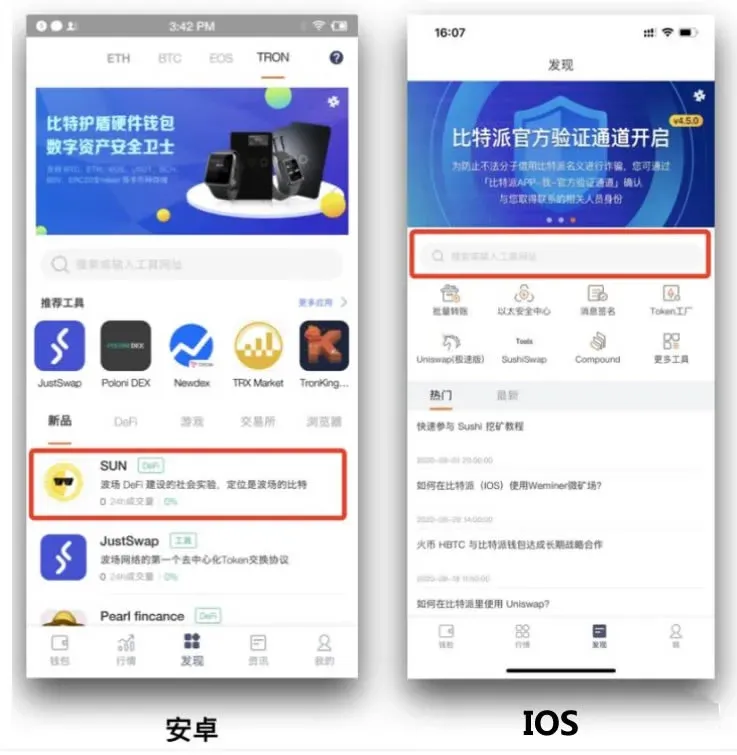
- Open Bitpie
Launch the wallet and navigate to the Discover page.
- Access the Mining Page
- iOS users: enter `https://sun.market/#/home` in the Discover page’s search bar.
- Android users: open the Discover page and tap SUN.
- Start Genesis Mining
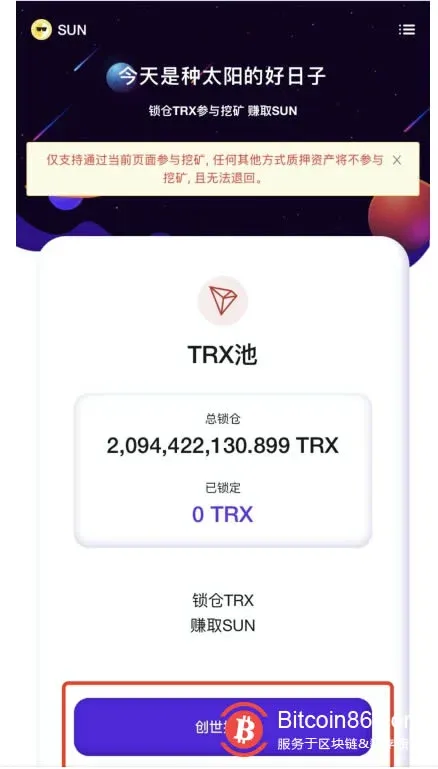
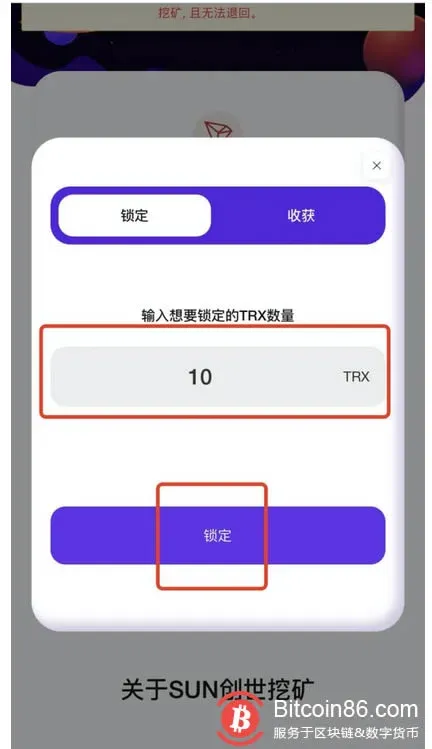
- Tap “Genesis Mining” and input the amount of TRX you wish to lock.
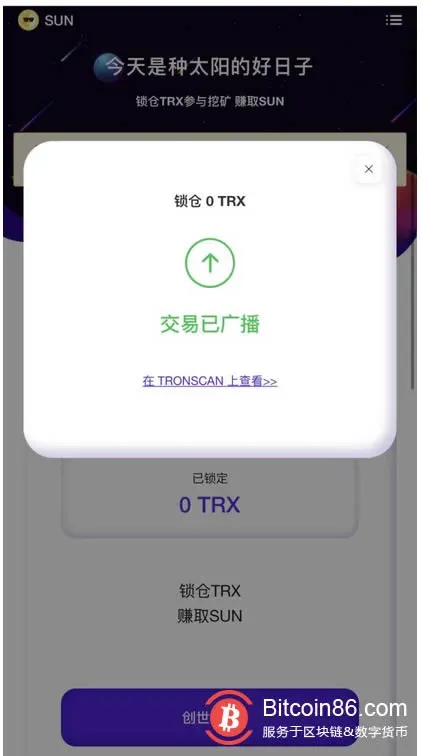
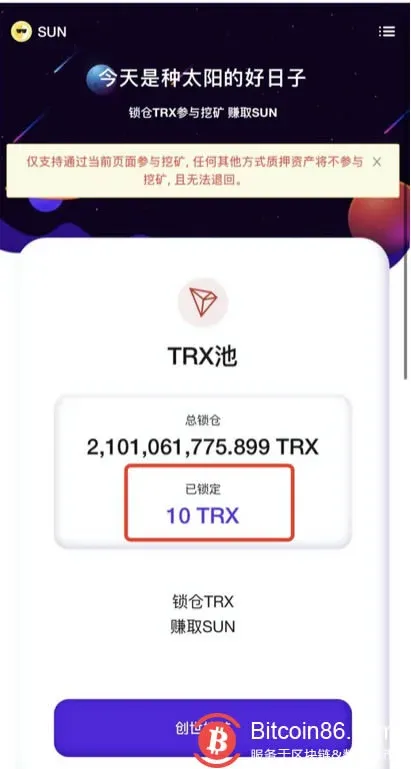
- Confirm the transaction, wait for the broadcast to succeed, and verify the locked amount on the page.
- Lock‑Up and Redemption
- The locked TRX remains frozen for 14 days. After the period ends, you can redeem the collateral from the Harvest screen.
Important Notes
- Official contract address: Always use the address displayed on the page to avoid scams.
- Genesis mining supports only TRX; after it ends, the system automatically switches to regular mining.
- Regular mining supports the following tokens: TRX, BTT, JST, WIN, USDT, USDJ.
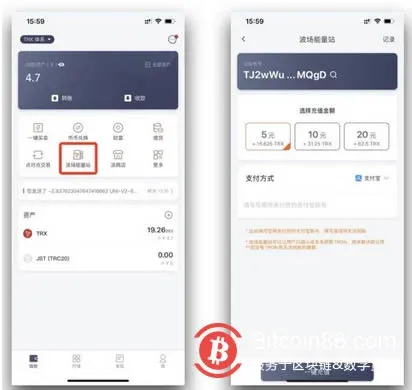
- If your TRX Energy is insufficient, you can top it up via Bitpie’s “TRON Energy Station” feature.
This article provides a wallet‑side operational guide only and does not constitute any investment advice. Investing in cryptocurrencies carries risk; please assess your situation carefully.
Tax disclaimer: Crypto gains may be taxable in your local jurisdiction. Consult a qualified tax professional to understand your obligations.
Regional note for U.S. users: If you reside in the United States, you must use Binance.US (or another compliant platform) instead of the global Binance exchange for any fiat‑on‑ramp or off‑ramp activities.
The above constitutes the complete DeFi Mining SUN tutorial using Bitpie Wallet. For additional resources, follow future posts from Bitaigen (比特根).
Related Reading
- Cryptocurrency Mining: How It Secures Blockchain Transactions
- Cloud Hashing Power: Rent Mining Capacity Without Hardware
- Cloud Mining Profitability, Costs & Security Overview
💡 Register on Binance with referral code B2345 for the maximum trading fee discount. See Binance complete guide.



