
 Bitaigen Research
 In this article we break down the CNY (Chinese Yuan) withdrawal pathway for the OKX Web3 wallet. First we clarify the functional limits of the wallet itself, then compare two common solutions—peer‑to‑peer swaps and exchange‑based C2C trading—listing the key steps and precautions in detail to help users avoid pitfalls and complete fiat cash‑out smoothly. If you want the full step‑by‑step guide and practical tips, keep reading.
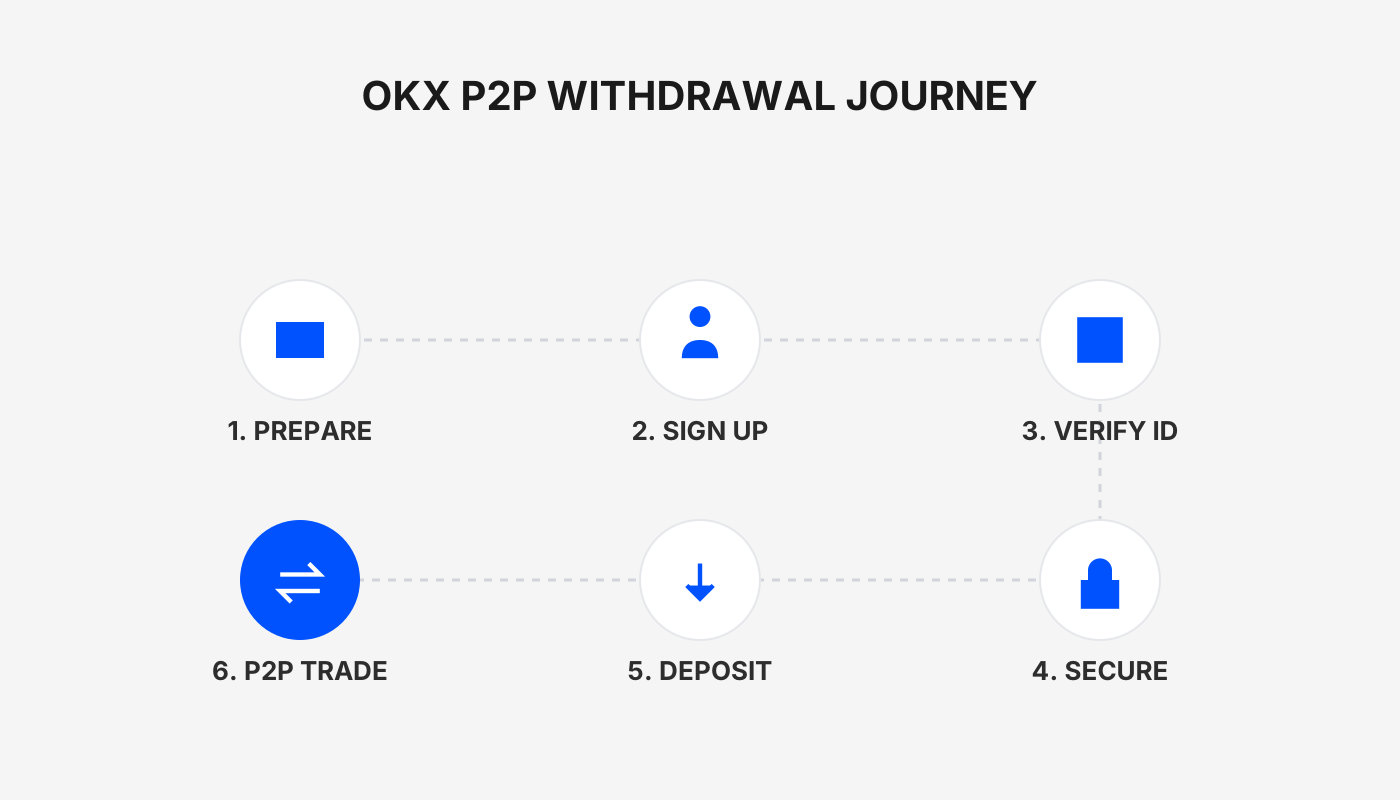
How to withdraw CNY from a Web3 wallet
The basic flow for withdrawing CNY from the OKX Web3 wallet is: first transfer digital assets such as USDT to the deposit address designated by the OKX exchange, then sell them on the exchange’s C2C marketplace, and finally receive the CNY in your linked bank account.
This is because a Web 3.0 wallet only supports receiving and sending crypto; it does not provide a direct channel to convert to fiat currencies (such as CNY). Converting to fiat must therefore be done either through a personal swap with another individual or by executing a buy‑sell transaction on an exchange. The two most common methods are explained below.
1. Peer‑to‑peer swap with a friend or acquaintance
- Transfer CNY to the counterparty using a traceable method (bank transfer, SEPA, SWIFT, etc.).
- Once the counterparty confirms receipt of the CNY, they send an equivalent amount of cryptocurrency to your wallet address.
- Because the CNY transfer leaves an audit trail, this method is usually limited to people you know, making the risk relatively manageable.
2. Withdrawal via an exchange
An exchange handles deposits and withdrawals in a way that resembles a wallet—it uses blockchain addresses for transfers. However, you must also pay the on‑chain network fee before you can convert the assets to fiat.
Step‑by‑step (using OKX as an example):
- Move assets from the wallet to the exchange address
- Obtain the appropriate deposit address for the relevant token on the exchange.
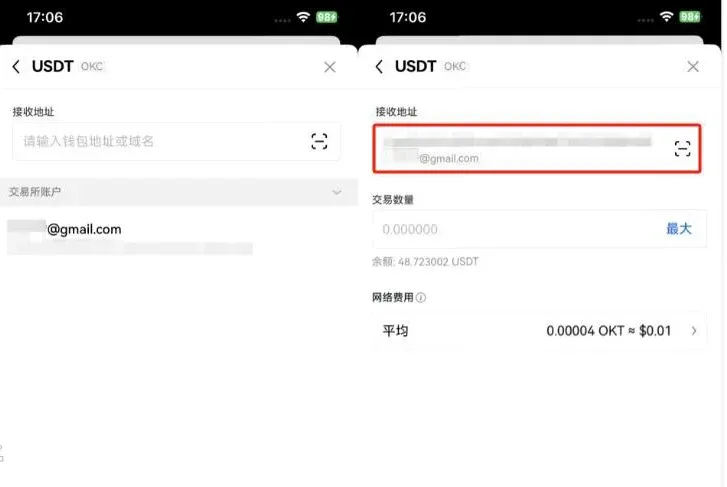
- Initiate a transfer from your Web3 wallet, paste the address, and confirm the amount.
- Find a buyer in the exchange’s C2C marketplace
- On the exchange homepage, go to “Buy Crypto” or “C2C Buy”.
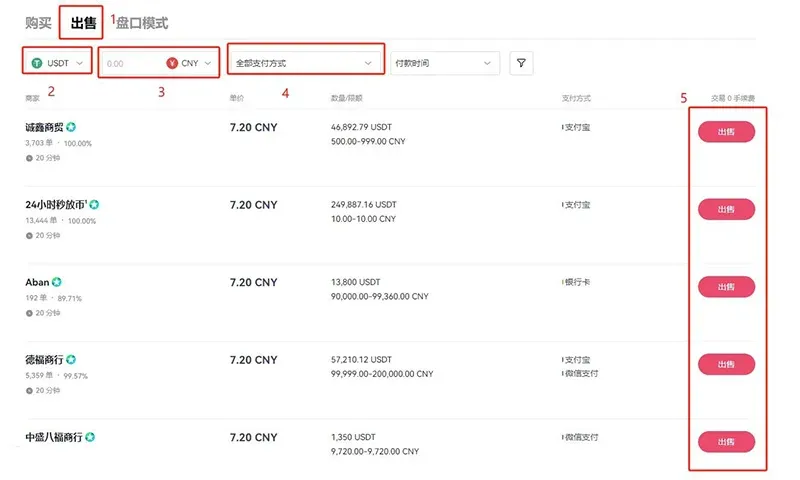
- Select the USDT (or any other token you hold) ↔ CNY trading pair.
- Filter for counterparties with a high number of completed trades and good reputation to lower counter‑party risk.
- Complete the sale and receive CNY
- After agreeing on the payment method with the buyer, submit your sell order.
- When the buyer pays, the platform will credit the CNY to your exchange account or to the bank account you have linked.
Summary
- Network fee: Moving tokens on‑chain incurs a blockchain transaction fee.
- Trading fee: C2C trades are subject to a platform commission; exact rates are published by the exchange.
- Safety tip: Double‑check the deposit address to avoid sending funds to the wrong destination (mistakes are irreversible). Choose reputable buyers to reduce the chance of fraud.
Tax note: Crypto‑related gains may be taxable in your jurisdiction. Consult a local tax professional to understand your obligations.
---
How does the OKX Web3 wallet convert to CNY?
The OKX Web3 wallet is a non‑custodial, decentralized multi‑chain wallet. Its strengths—full ownership of assets, fast transaction signing, support for multiple mnemonic imports and derived addresses—have earned it a solid reputation. Nevertheless, the assets stored inside the wallet are purely digital; they cannot be spent directly as CNY. The conversion must follow the steps outlined below.
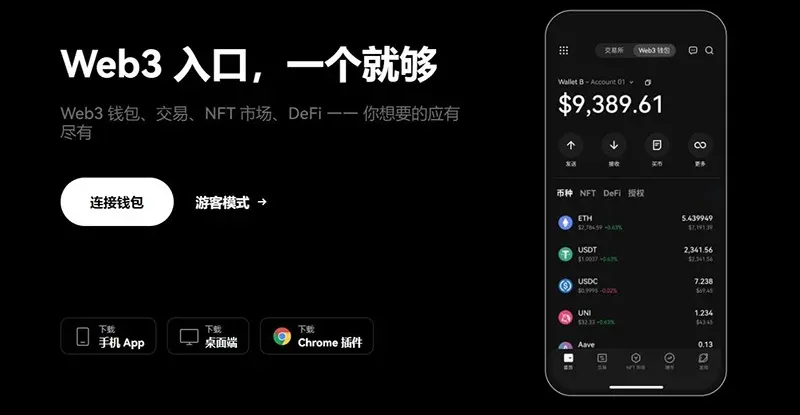
Step 1: Deposit to OKX exchange
- Log in to the OKX exchange (new users can click here to register).
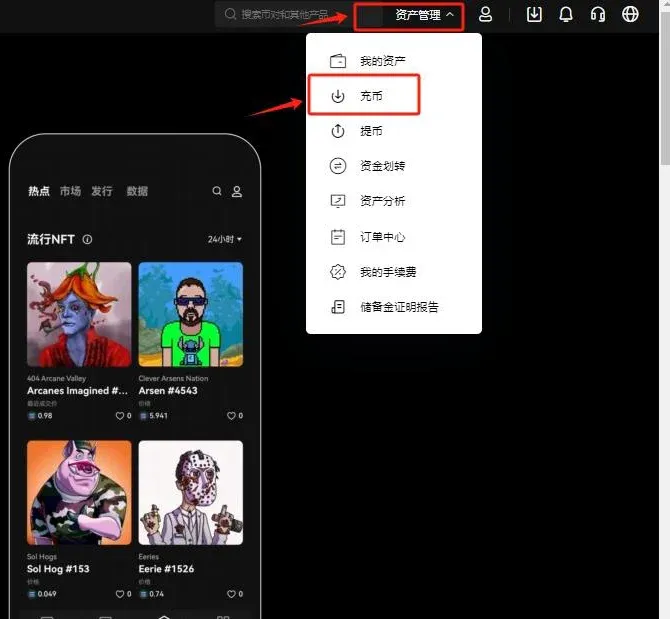
- From the homepage select Asset Management → Deposit.
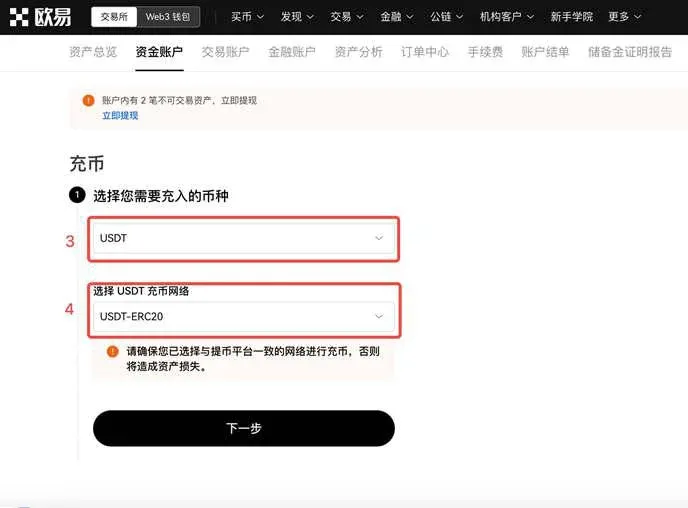
- Choose the token you wish to deposit, USDT, and in the popup select the appropriate network (e.g., USDT‑ERC20, USDT‑TRC20, USDT‑OKTC), then click Next.
- Important: This address only accepts USDT. Sending any other token will result in loss of funds that cannot be recovered.
- On the deposit details page, click Copy Address; you will need this address for the next step in your Web3 wallet.
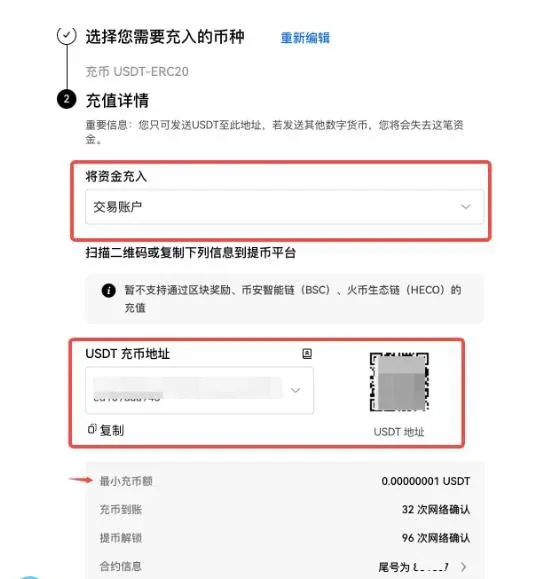
Step 2: Transfer USDT from the Web3 wallet
- Open the Web3 wallet’s main screen, tap Send, and select USDT.
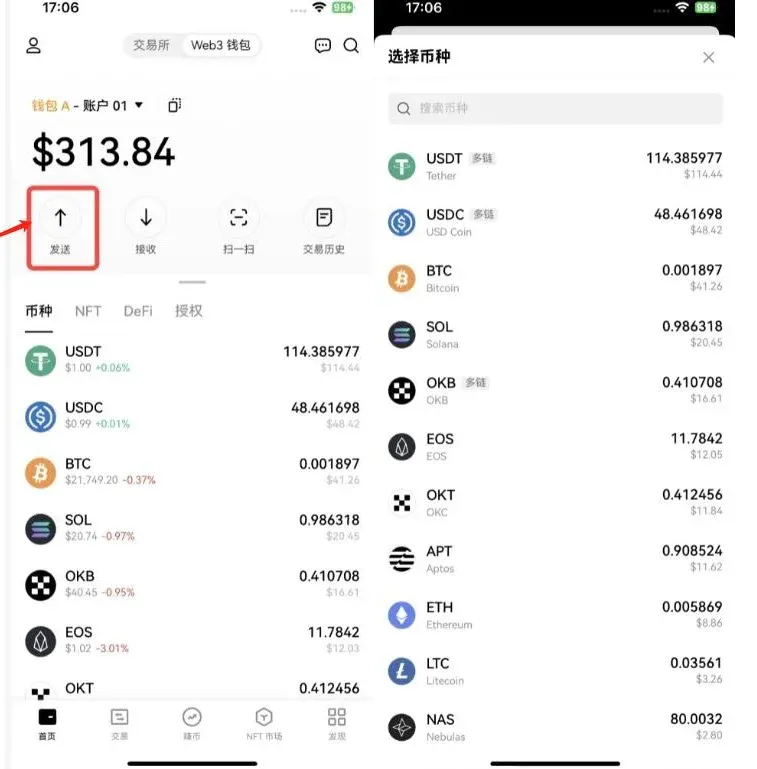
- Paste the copied deposit address, enter the amount you wish to transfer, and confirm the transaction.
Step 3: Complete the C2C sale on the exchange
- After the USDT arrives, return to the OKX homepage and click Buy Crypto → C2C Buy.
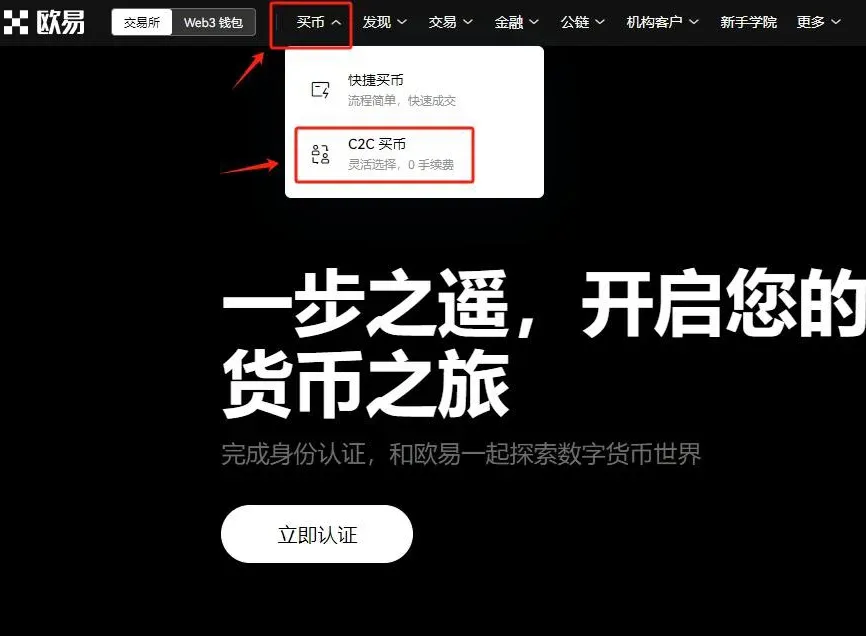
- Choose Sell → USDT → CNY, set your preferred payment method, and select a suitable buyer to finalize the transaction. Once completed, the USDT will be converted into CNY and credited to your linked bank account.
At this point the full CNY withdrawal process for the OKX Web3 wallet is complete. For more historical articles on Web3 wallets and CNY conversion, you can search for Bitaigen’s archives or continue browsing the related links below. Thank you for following and supporting Bitaigen!
Related Reading
- OKX C2C Guide: Register, Buy Crypto & Withdraw Funds
- Binance C2C & Quick Buy: USDT Purchase Guide for Beginners
- OKX Registration Guide: Verify Identity & Buy USDT Fast
💡 Register on Binance with referral code B2345 for the maximum trading fee discount. See Binance complete guide.



