
 Bitaigen Research
 We at the Bitaigen editorial team have compiled a practical guide for unified cross‑chain wallet management. By exporting a private key once, you can have MetaMask, TP, and the Avalanche web wallet display assets synchronously, eliminating the hassle of switching between multiple wallets. The article walks through each step, helping you get started quickly while keeping your assets secure. Continue reading to learn the full process.
Complete workflow for sharing MetaMask “Fox”, TP wallet, and Avalanche wallet
Using the same private key, you can have the Avalanche (Avalanche) web wallet, TP wallet, and MetaMask “Fox” all show and manage C‑Chain assets simultaneously. Just follow the steps below.
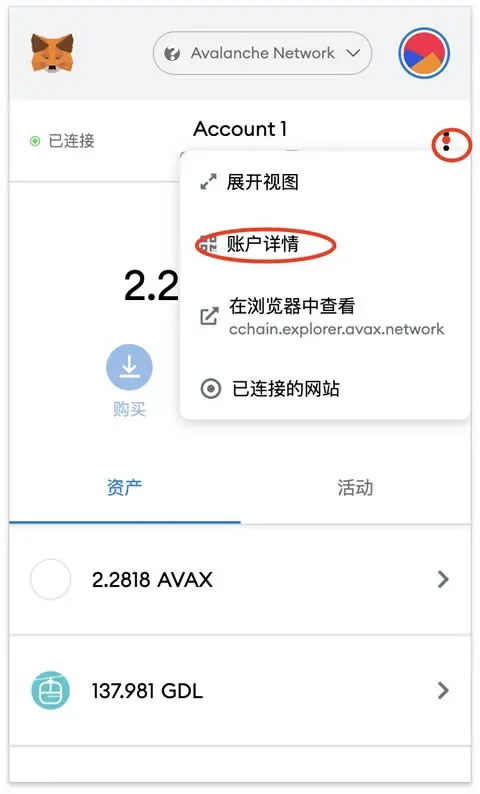
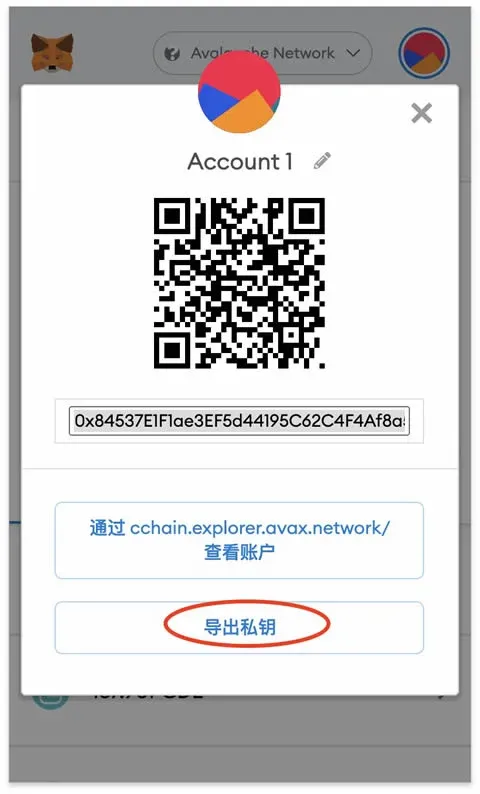
1️⃣ Export the private key from your existing Fox wallet first
- Open MetaMask, locate the Export Private Key option for the relevant account.
- Copy the private key and store it safely; you will use it in the other wallets later.
2️⃣ Log into the Avalanche web wallet with that private key
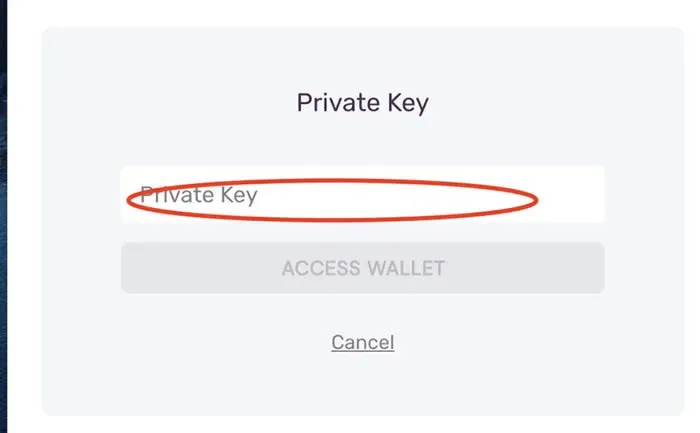
- Visit the Avalanche Wallet: Store Your Avalanche Assets page.
- Choose Private Key Login, paste the private key you obtained in the previous step, and complete the verification.
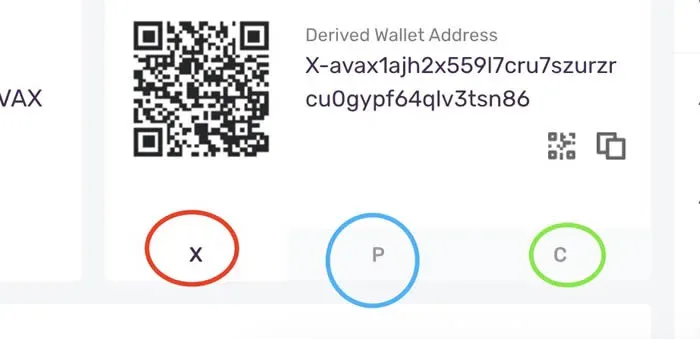
3️⃣ Copy your X‑Chain address and use it on exchanges for cross‑chain deposits
- Both Binance and Huobi currently support X‑Chain deposits and withdrawals.
- Important for U.S. users: Use Binance.US rather than the global Binance platform.
- On the exchange’s deposit page, copy your X‑Chain address; you’ll need it for subsequent asset transfers.
Tax note: Cryptocurrency gains may be taxable in your local jurisdiction; consult a tax professional for guidance.
4️⃣ Perform the X‑Chain → C‑Chain cross‑chain transfer within the Avalanche web wallet
- After entering the AVAX section, select the Bridge (cross‑chain) function and move assets from X‑Chain to C‑Chain.
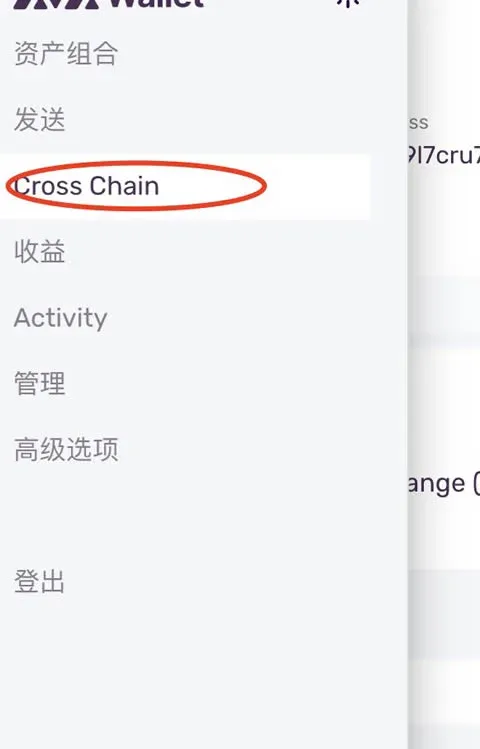
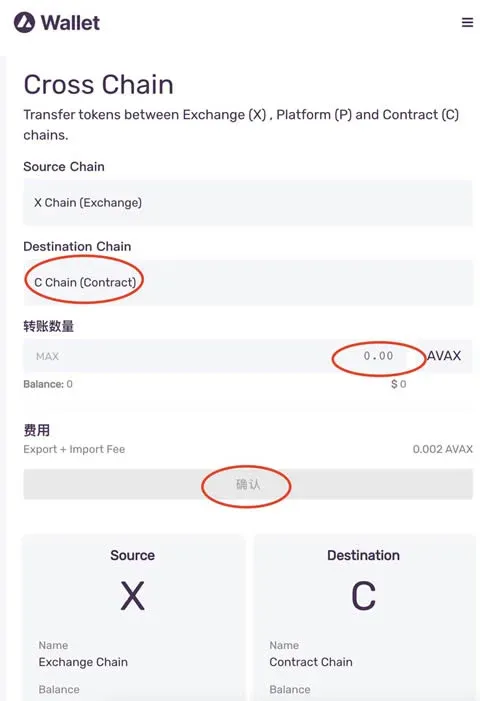
5️⃣ Import the same private key into the TP wallet to enable multi‑chain sharing
- Open the TP wallet and click Import Private Key.
- Paste the private key, then follow the prompts to set a name and create a password to complete the import.
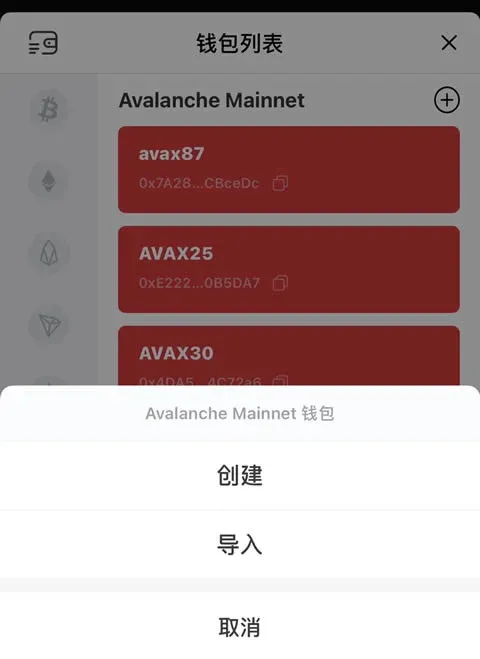
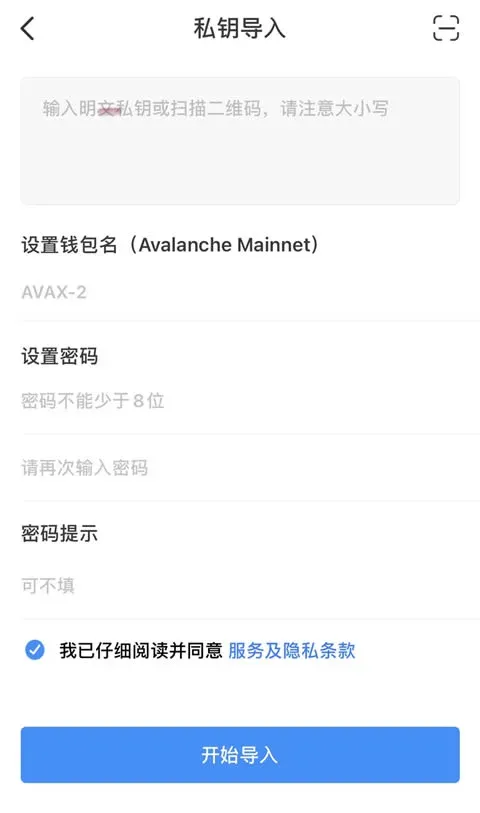
By following the steps above, all three wallets (Avalanche web wallet, TP wallet, and MetaMask “Fox”) will display C‑Chain assets under the same private key, achieving true asset sharing.
---
This is the detailed operational guide for sharing MetaMask “Fox”, TP wallet, and Avalanche wallet. For more tips and updates, feel free to follow other articles from Bitaigen.
💡 Register on Binance with referral code B2345 for the maximum trading fee discount. See Binance complete guide.



