
 Bitaigen Research
 To mine BSV on Poolin using an Antminer S9, you must create a sub‑account, enter a payout address, configure the miner’s IP and pool URL, and set the worker name and password. After these steps the device will start mining.
In this article we systematically outline the complete BSV mining workflow on Poolin, from opening a sub‑account and entering a payout address to configuring the network and IP settings of the Antminer S9. Illustrated diagrams are included to help beginners get up to speed quickly. If you want to save time and effort during deployment, keep reading for the full step‑by‑step guide.
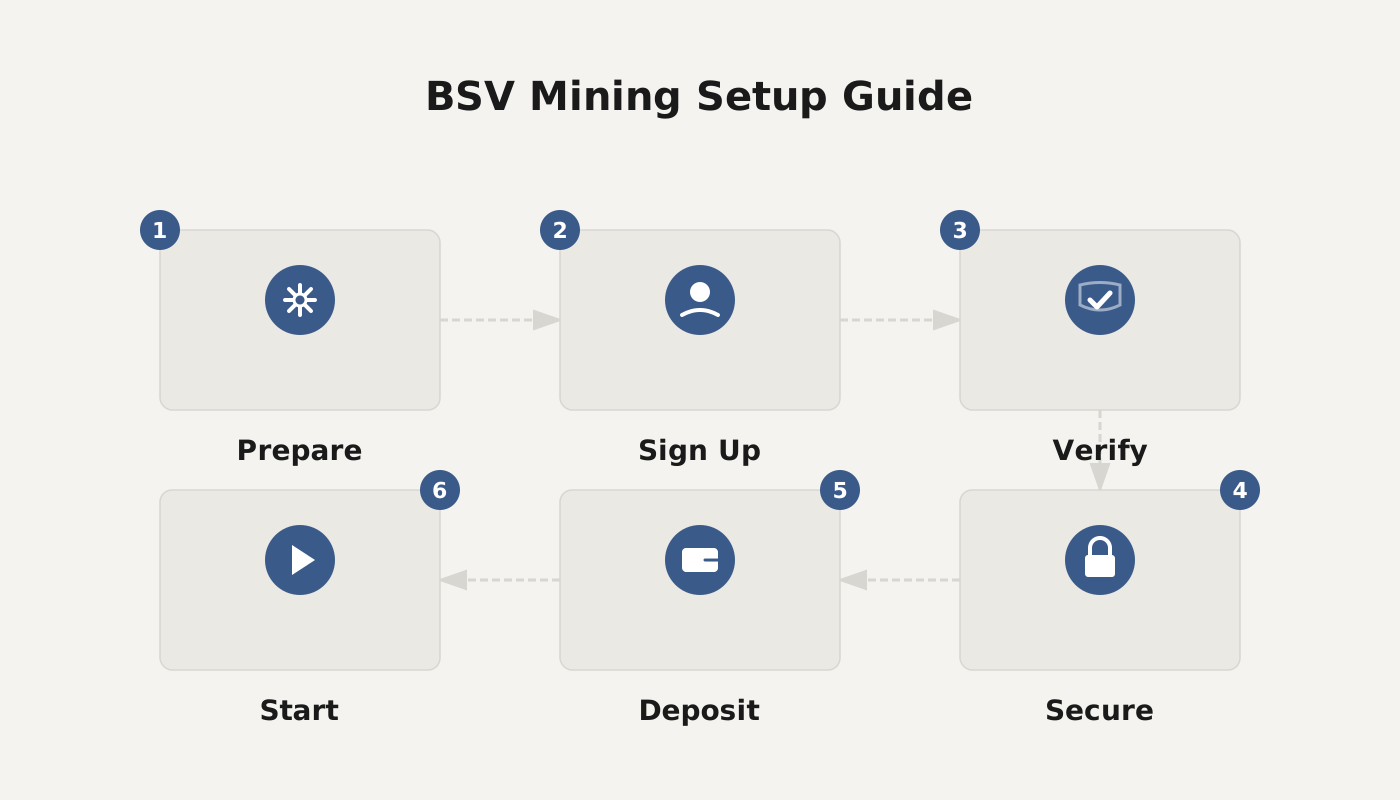
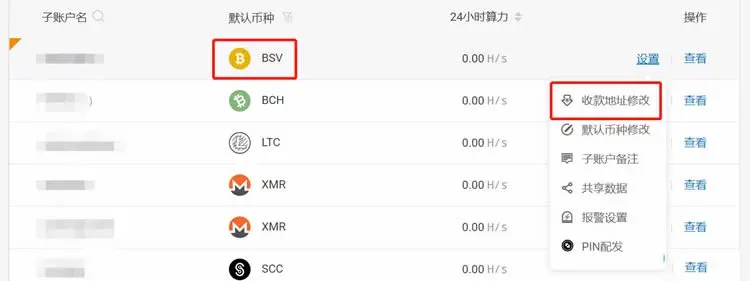
1. Create a Sub‑Account and Obtain a Mining URL
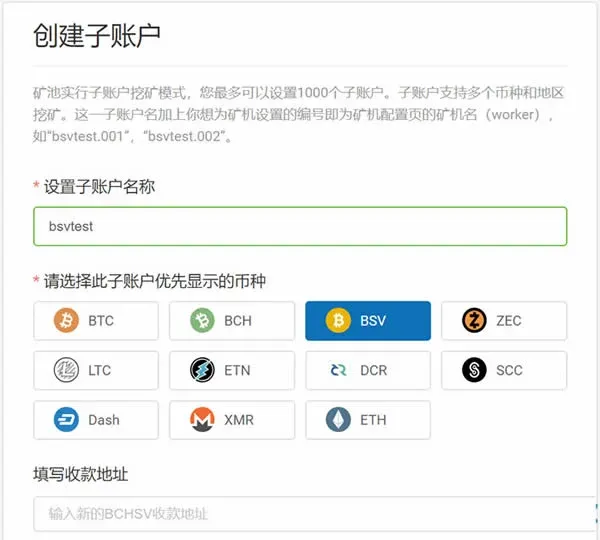
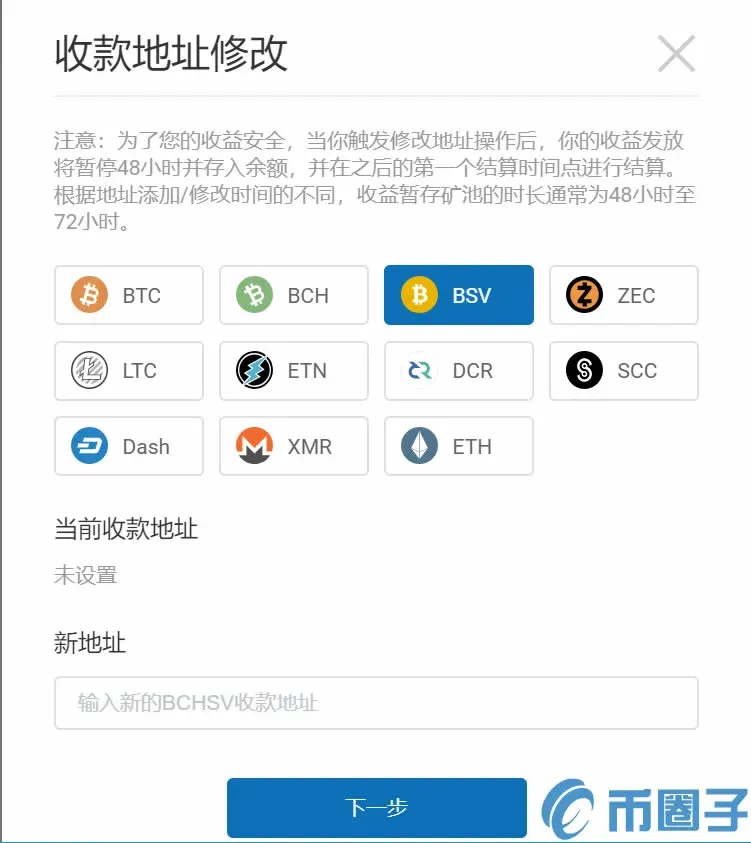
- Visit the official Poolin website at poolin.com, register, and create a BSV mining sub‑account. Fill in your BSV payout address.
- Once the sub‑account is created successfully, a sample miner configuration will be displayed on the page.
BSV mining URLs (choose any one):
| # | Mining URL |
|---|---|
| 1 | `stratum+tcp://bsv.ss.poolin.com:443` |
| 2 | `stratum+tcp://bsv.ss.poolin.com:1883` |
| 3 | `stratum+tcp://bsv.ss.poolin.com:25` |
2. Hardware Installation and Network Configuration
- Power on and connect to the network, then open a web browser and navigate to the miner’s management IP address.
- If the IP printed on the label does not match the actual address, first connect your computer to the same router or switch, run an IP scanner on the local subnet, and locate the miner’s IP.
- Access the discovered IP; the default login credentials are `root` / `root`. If these have been changed, refer to the user manual or contact the hardware vendor.
3. Set Mining Parameters in the Miner’s Web Interface
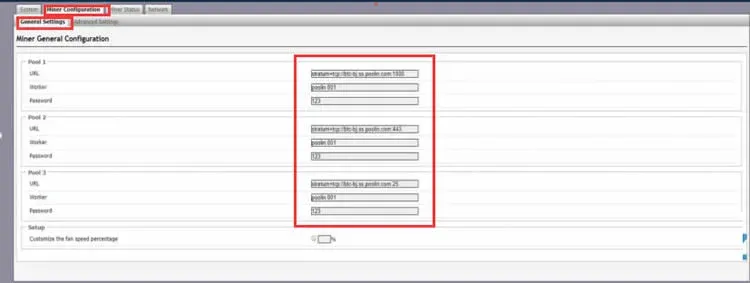
- After logging in, go to Miner Configuration → General Settings.
- In the fields Pool 1 / 2 / 3, paste the URL obtained in step 1. For Worker, enter `subaccount.minerID` (e.g., `mySubAccount.ANTMINER_S9`). For Password, enter the password you set for the sub‑account.
- Click the Save & Apply button at the bottom‑right of the page to store the configuration.
4. Verify Mining Status
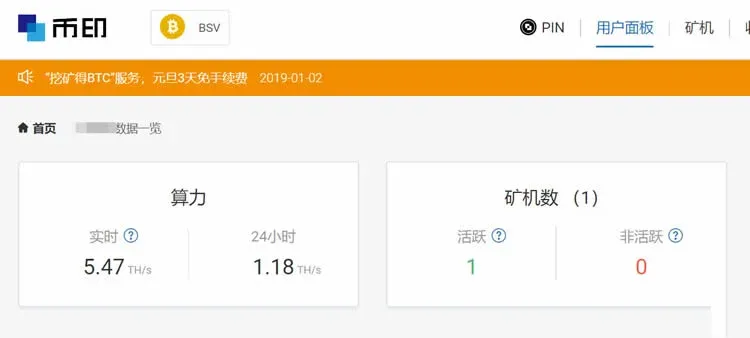
- Miner Dashboard: On the Miner Status page you can see real‑time hashrate, uptime, and other metrics.
- Poolin Dashboard: Log into your BSV sub‑account on Poolin; the interface will display current hashrate, number of active miners, and payout statistics.
5. Set Your Wallet Payout Address
Log into Poolin, go to Account Settings, and enter the wallet address where you want to receive mining rewards.
That completes the full configuration process for mining BSV on Poolin with an Antminer S9. For additional tips and advanced usage of Poolin, follow the other articles published by Bitaigen (比特根).
---
Additional notes for a global audience
- When converting BSV mining rewards to fiat currencies, most major exchanges support withdrawals in USD via SEPA or SWIFT. Residents of the United States should use Binance.US (instead of the global Binance platform) for compliance with local regulations.
- Mining income may be subject to taxation in your jurisdiction; please consult a tax professional to ensure proper reporting.
Related Reading
- Best Ethereum Mining Pools 2024: BTC.com Tops Returns
- Poolin Litecoin Mining: LTC Setup & Scrypt Addresses
- Top 10 Cryptocurrency Mining Platforms of 2021 – Technical Strength & Security
💡 Register on Binance with referral code B2345 for the maximum trading fee discount. See Binance complete guide.



