
 Bitaigen Research
 Grid trading is a strategy that automates buying and selling by exploiting price fluctuations within a defined range. After a trader sets upper and lower limits, the system places orders at fixed intervals inside that band, buying at lower levels and selling at higher ones, thereby capturing spread profits in sideways markets.
The following sections will help you gain a comprehensive understanding of how Binance Futures grid trading works and walk you through the practical steps, enabling newcomers to get started quickly.
In this article we systematically outline the core principles and operational workflow of Binance Futures grids, helping beginners master the automated buy‑sell logic under range‑bound price movements. We also highlight key configuration points that can boost execution efficiency in volatile sideways markets. Through illustrated examples, we demonstrate common risk‑control techniques so you can deploy the strategy more robustly—worth a careful read.
Core Concepts of Futures Grids
A grid‑trading bot is built specifically for futures contracts and can automatically place orders at predefined time or price intervals within a user‑specified price band.
When the market oscillates between the set upper and lower bounds, the bot triggers buy and sell orders at each grid line, creating a “buy low, sell high” or “sell high, buy low” loop. More grid lines increase trade frequency but reduce the profit per individual trade, representing a trade‑off between the number of occurrences and the size of each gain.
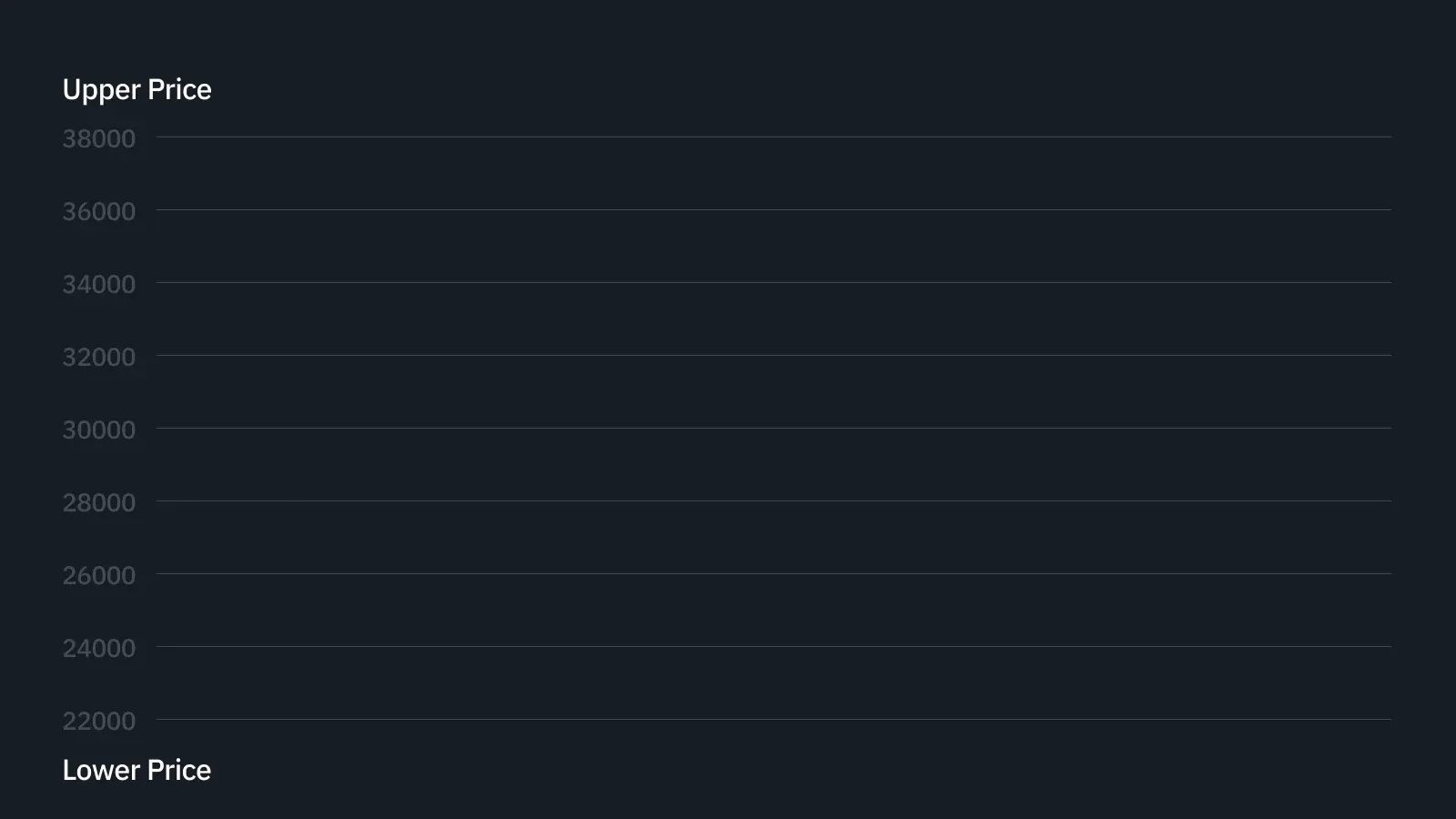
Therefore, investors must decide between “many small profits” and “few large profits”.
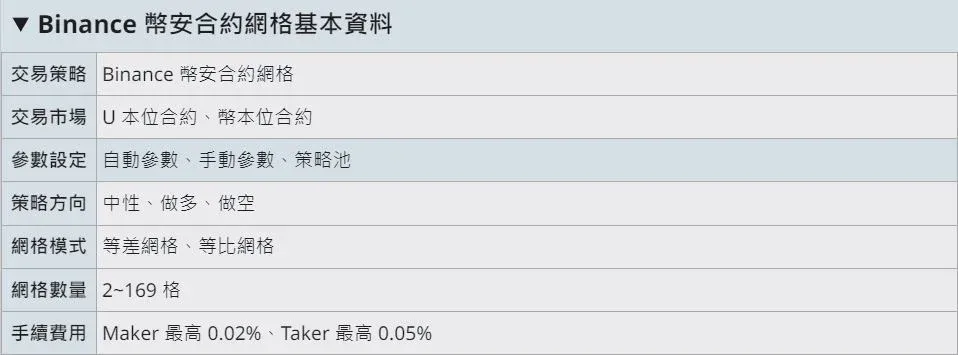
Binance currently supports grid functionality for both US‑margin‑denominated (USDT‑margined) and coin‑margin‑denominated (Coin‑margined) futures contracts. Users can freely set the upper and lower bounds as well as the number of grids; the system will then automatically place orders at those price points.
For example, if you anticipate that Bitcoin will trade between 50,000 USD and 60,000 USD over the next 24 hours, simply input that price range, the desired number of grids, and the price step between each grid into the panel. The bot will distribute buy and sell orders throughout the interval.
In the grid‑trading panel, the main parameters you need to configure are:
- Upper and lower price limits
- Number of grid orders
- Price difference between adjacent grids
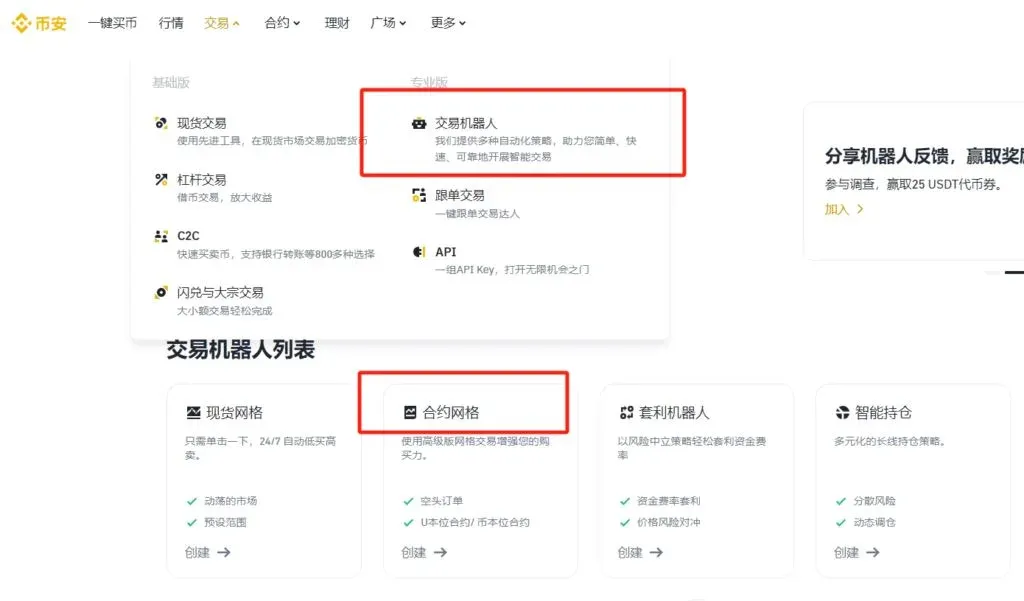
How Futures Grids Operate
Binance provides a futures‑grid bot that executes the strategy on the Binance Futures market, supporting three directional modes: Neutral, Long, and Short. Grid spacing can be set as arithmetic (equal price steps) or geometric (equal percentage steps). Users may rely on system‑suggested automatic parameters or manually fine‑tune them.
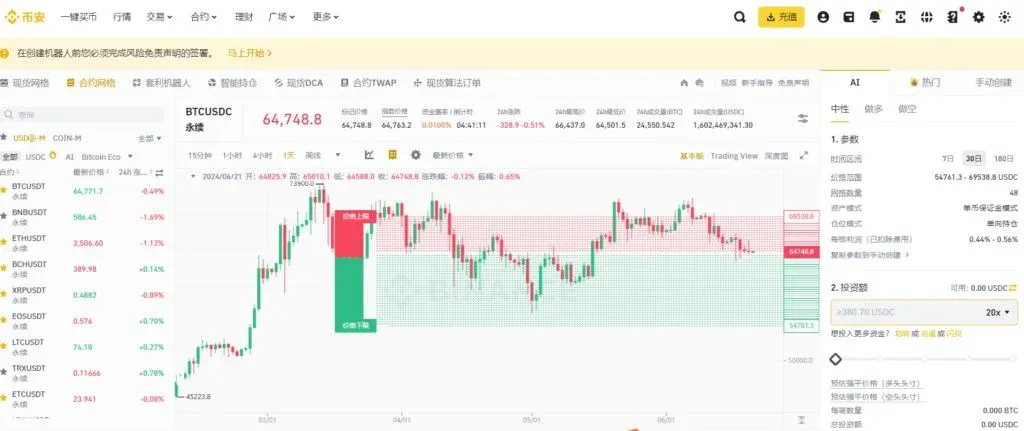
Taking a USDT‑margined contract as an example, suppose you expect BTC to swing between 20,000 USD and 40,000 USD, with the current price at 30,000 USD. After depositing the required margin into your futures account and setting the grid parameters, the bot will automatically place orders as follows:
- Arithmetic grid: Sell orders at 30,100 USD, 30,200 USD, 30,300 USD …; buy orders at 29,900 USD, 29,800 USD, 29,700 USD …
- When the price reaches 29,900 USD the bot executes a buy, then immediately reposts a sell order at 30,000 USD, and the cycle repeats.
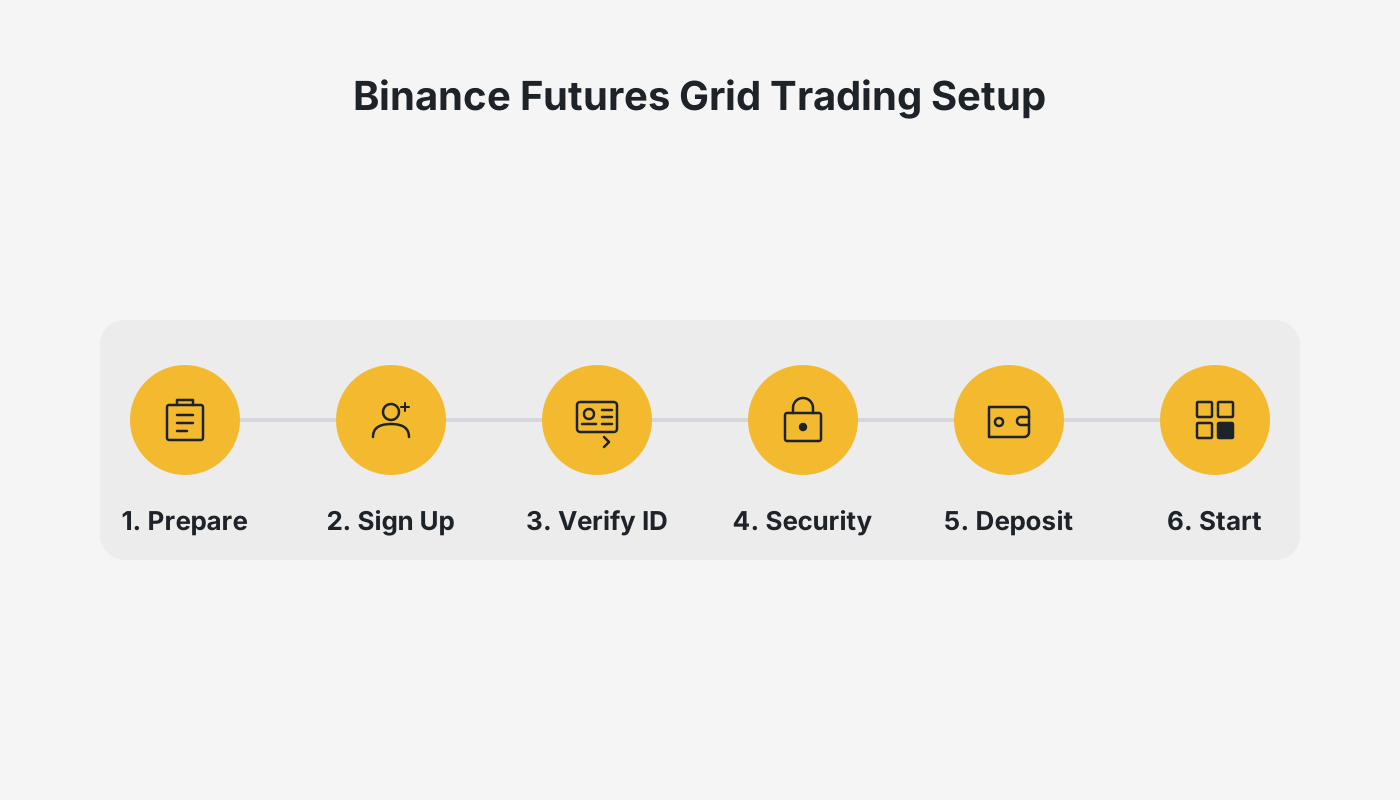
Step‑by‑Step Guide
- Log In and Prepare
Existing Binance users simply sign in. New users can register via the official Binance website or mobile app (e.g., [Official registration](https://www.okx.com/zh-hans/join/B2345) / [Official download](https://www.bitaigen.com/binance/download)).
*Note for United States residents: you must use Binance.US rather than the global Binance platform.*
- Transfer Funds
Before launching a grid, the system will automatically move the necessary margin from your USDT‑margined or Coin‑margined futures wallet into the trading‑bot account.
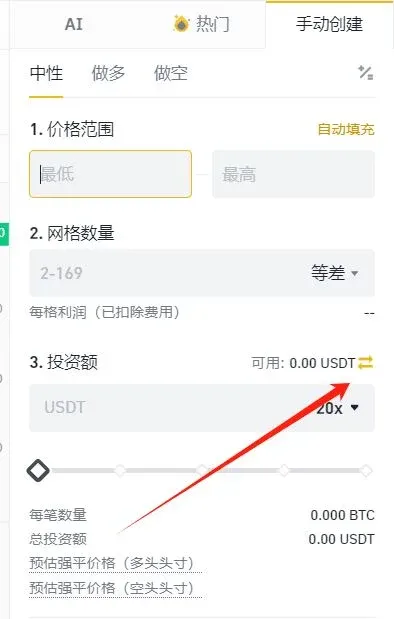
- Create a Grid
Navigate to the Futures Grid page and search for the target contract in the upper‑left corner (e.g., BTCBUSD perpetual). After selecting it, proceed to the creation interface.
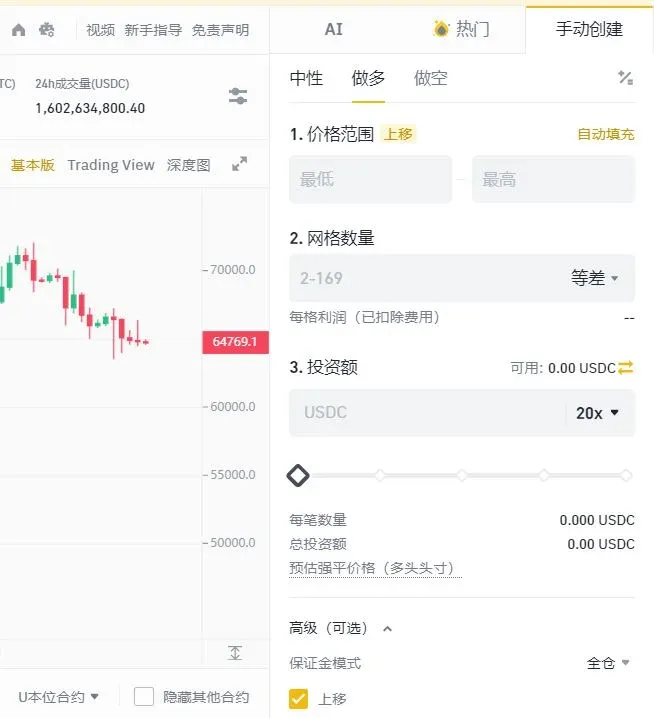
- One‑click creation: Use Binance’s recommended parameters to quickly set the price range and number of grids.
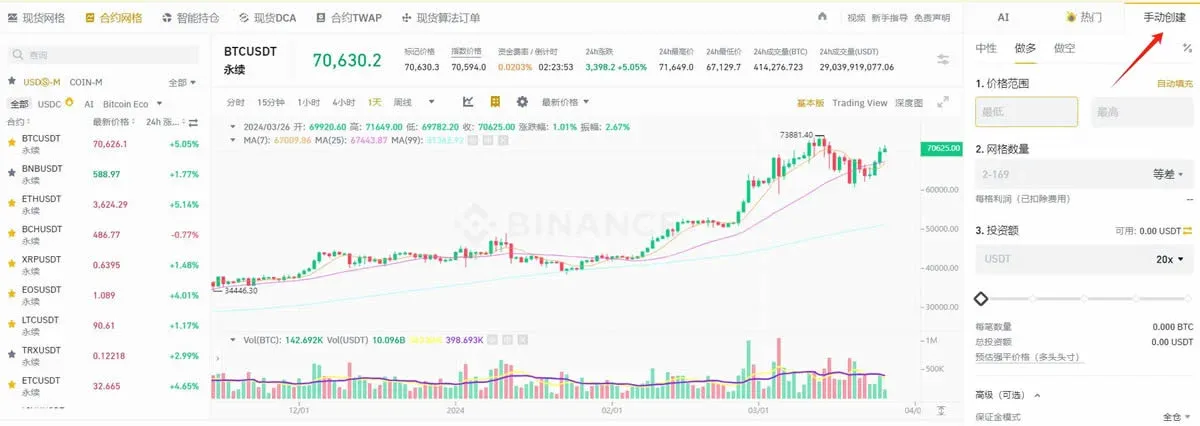
- Manual creation: Fill in each field yourself, which is suitable for experienced traders who want granular control. After the grid finishes, any remaining assets are automatically returned to the original wallet within about 30 seconds.
- Parameter Configuration
In manual mode, pay attention to the following items:
- Strategy direction:
- *Neutral*: No initial position; suited for range‑bound markets.
- *Long*: Opens a bullish position; appropriate when you anticipate upward movement.
- *Short*: Opens a bearish position; appropriate when you anticipate downward movement.
- Price range: Once the upper and lower limits are set, the bot will only place orders inside that band. If the market breaks out, the bot stops opening new positions.
- Grid type: Arithmetic grids have equal price gaps; geometric grids maintain a constant percentage gap between levels.
- Number of grids: Choose between 2 and 149. More grids create a denser lattice, increasing trade frequency but reducing per‑trade profit.
- Investment amount: The margin allocated to this strategy; it must meet Binance’s minimum margin requirement.
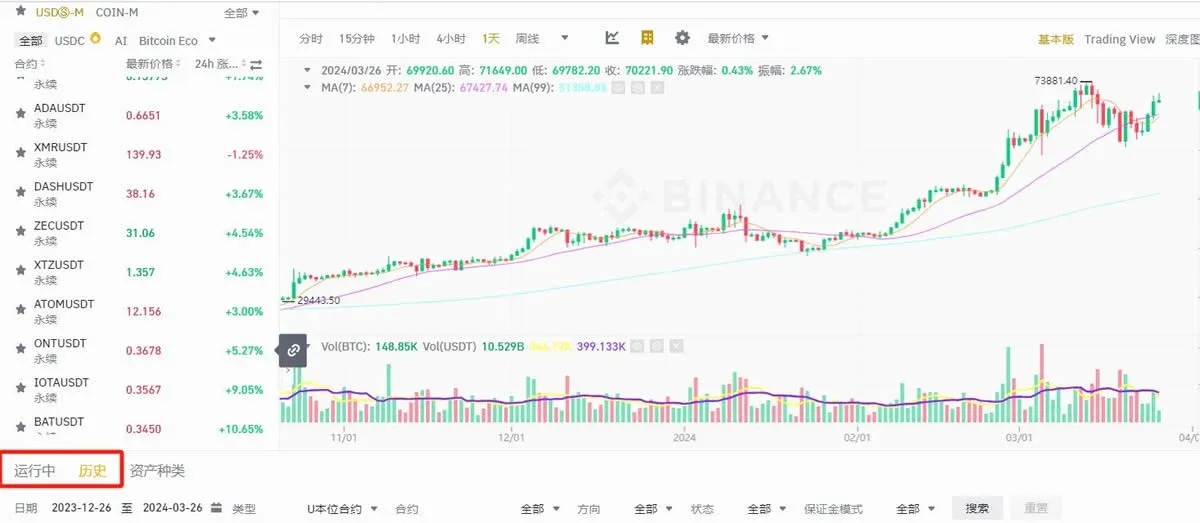
- Leverage: Leverage amplifies both gains and losses. Beginners are advised to stay within 1×–3× leverage. Records of leveraged positions can be viewed under [Orders] → [Trading‑Bot Orders] → [Trade History] → [USDT‑margined / Coin‑margined].
- Termination and Settlement
When the grid is manually stopped or automatically ends, you can review the trade details, fees, and liquidation information on the same page.
Advantages of Grid Trading
- Fully automated execution: The bot follows the preset rules, minimizing human‑error‑induced deviations.
- Risk dispersion: Capital is spread across multiple price levels, reducing exposure to any single large trade.
- Flexible adaptation: Parameters can be adjusted on‑the‑fly to match evolving market volatility, making the approach compatible with various market regimes.
- Relatively low risk: Buying and selling only within a predefined band helps avoid the extreme risk associated with single‑point entry strategies.
- Bidirectional profit potential: Whether the market trends upward or downward, as long as price stays inside the grid range, the bot can generate profit.
Key Risk‑Management Considerations
- Stop‑loss configuration: Employ stop‑loss orders to cap losses during sudden price spikes or crashes.
- Grid size selection: An appropriate step size determines how quickly and how much profit can be realized.
- Position sizing: Avoid excessive leverage that could trigger liquidation, while also ensuring the position isn’t so small that it yields negligible returns.
- Liquidity assessment: Low‑liquidity markets may experience abrupt price swings, increasing execution risk.
- Real‑time monitoring: Regularly check market developments and adjust grid parameters as needed.
Even though grid strategies can mitigate certain risks, no trading method is risk‑free. Users should evaluate the approach against their own risk tolerance, financial situation, and investment objectives.
*Tax reminder: In many jurisdictions, profits from cryptocurrency trading are taxable. Consult a local tax professional to understand your reporting obligations.*
Conclusion
For investors seeking a systematic way to capture price oscillations and automate trade execution, grid trading offers a viable pathway. Selecting the right market conditions, configuring sensible parameters, and applying disciplined risk management are essential for achieving steady returns in volatile environments.
This article has fully explained the principles, operational mechanics, and step‑by‑step tutorial for Binance Futures grid trading. For additional tutorials, stay tuned to Bitaigen’s upcoming publications.
Related Reading
- Binance AI: AI-Powered Tools for Faster Crypto Trading
- How to Log In to Binance Web Platform in 2026 (China)
- HashKey Exchange HK Account Opening: Registration & KYC
💡 Register on Binance with referral code B2345 for the maximum trading fee discount. See Binance complete guide.



