
 Bitaigen Research
 Token Pocket (TP) Wallet is a multi‑chain self‑custody wallet that creates and stores private keys locally on the user’s device. It can manage assets such as BTC, ETH, TRON and many others.
TokenPocket (also known as TP Wallet) is a globally leading multi‑chain self‑custody wallet. Private keys reside only on the user’s device and are never uploaded to a server, giving users full control over their crypto holdings. The wallet has served more than 10 million users, with over 5 million monthly active users, and is available in more than 200 countries and regions.
Main Features
- Multi‑chain support: Compatible with mainstream public chains including Bitcoin (BTC), Ethereum (ETH), Binance Smart Chain (BSC), Polygon, Solana, HECO, Klaytn, Avalanche, Tron, OEC, HSC, Fantom, Polkadot, Kusama, EOS and many others.
- Fully self‑custodial: Private keys and mnemonic phrases are stored only on the local device; the user is the sole holder of the credentials.
- Security extensions: Offers cold wallets, watch‑only wallets and multi‑signature wallets as various security options.
- Cross‑platform: Available on Android, iOS and as a browser extension. It is recommended to open the app in an environment with unrestricted internet access (e.g., using a VPN) to avoid missing features such as the Token List.
In this article we dissect the core functions and security advantages of the Token Pocket (TP) wallet in detail, accompanied by step‑by‑step screenshots. The guide helps beginners quickly install the app, create a wallet and manage assets. Master the essentials of multi‑chain self‑custody so you can start using the wallet safely and confidently.
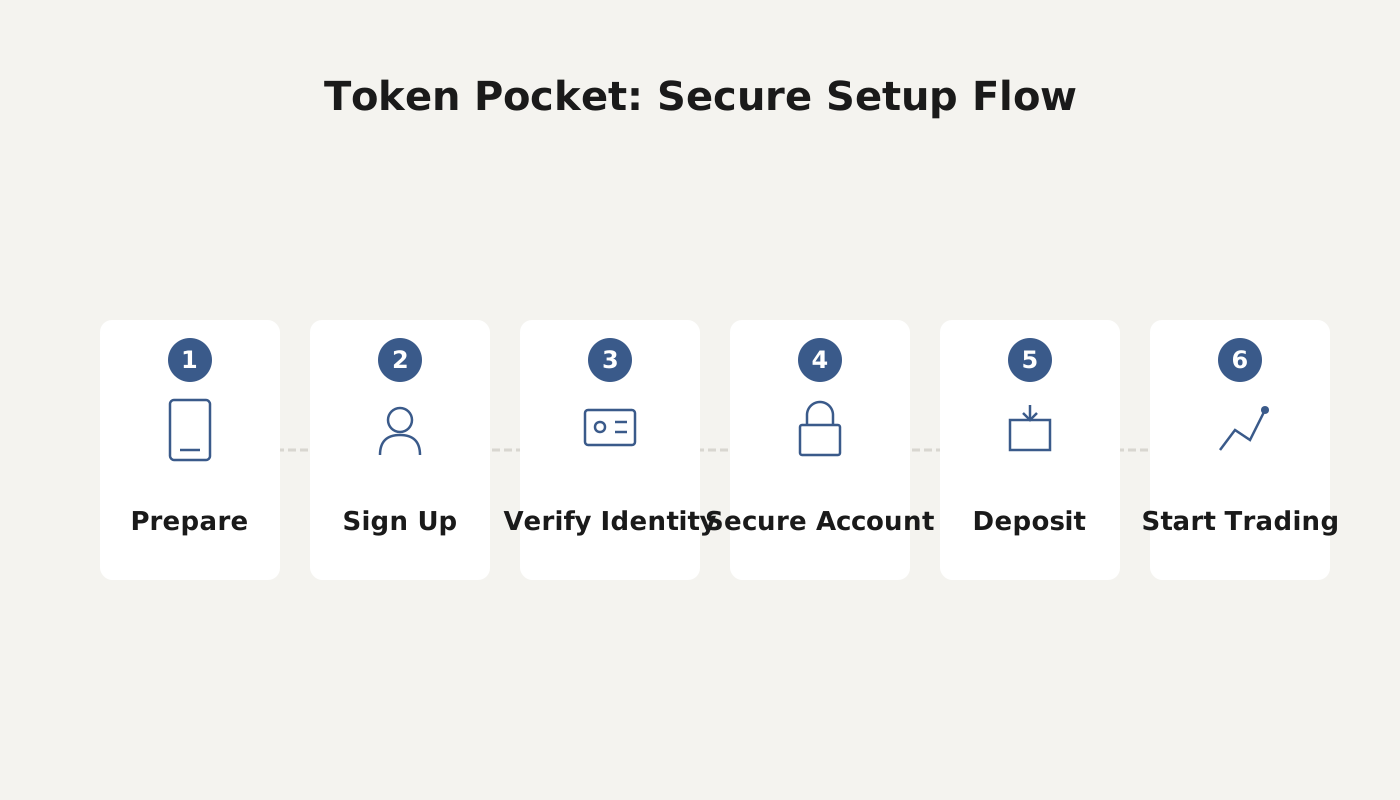
How to Use TokenPocket
1. Download and Install
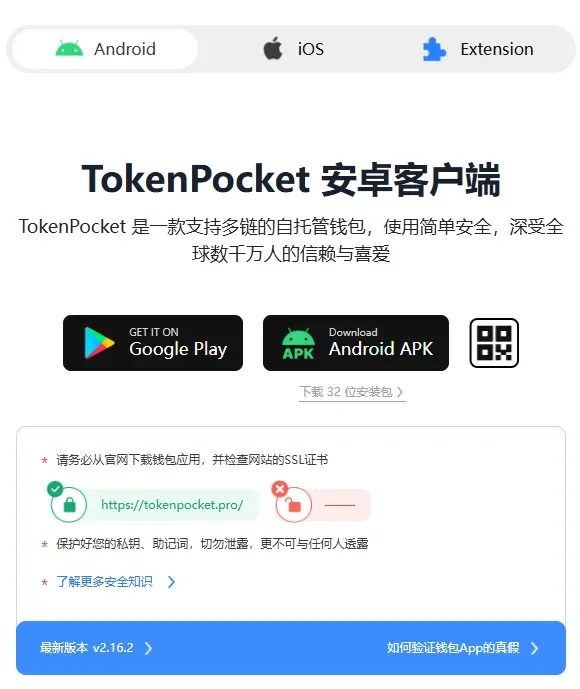
- Visit the official TokenPocket website: <https://www.tokenpocket.pro/>.
- Android users tap “Android apk” to download the installer.
- iOS users must use an overseas Apple ID to complete the download.
2. Create a TRON Wallet
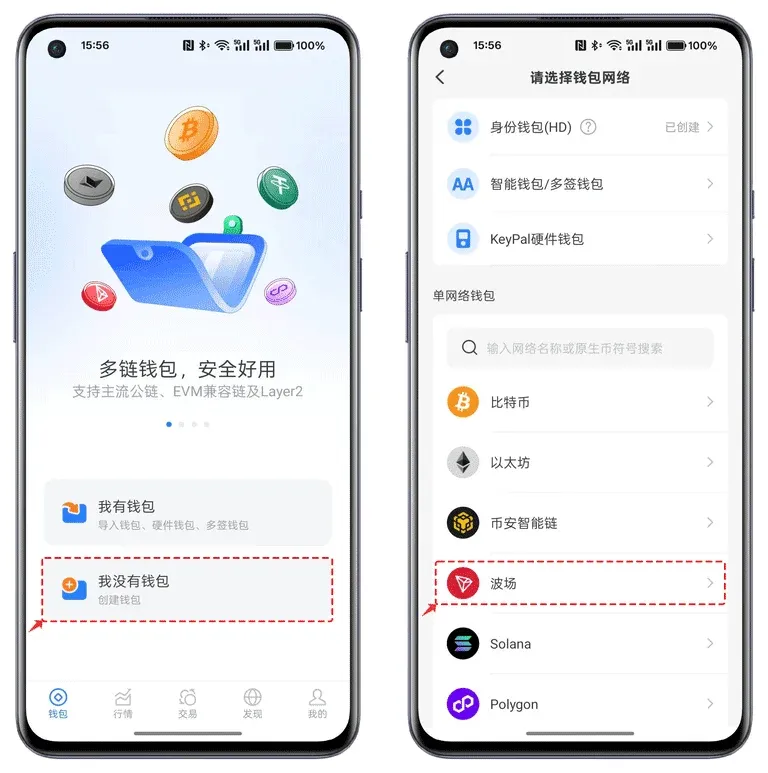
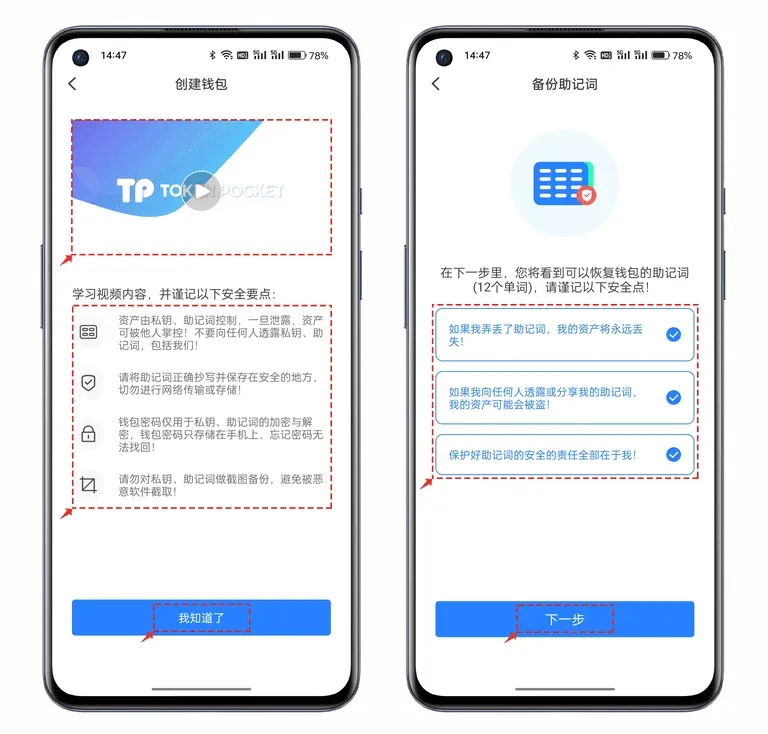
- Open TokenPocket. On first launch select “I don’t have a wallet”, choose “TRON” from the chain list, and click “Create Wallet”.
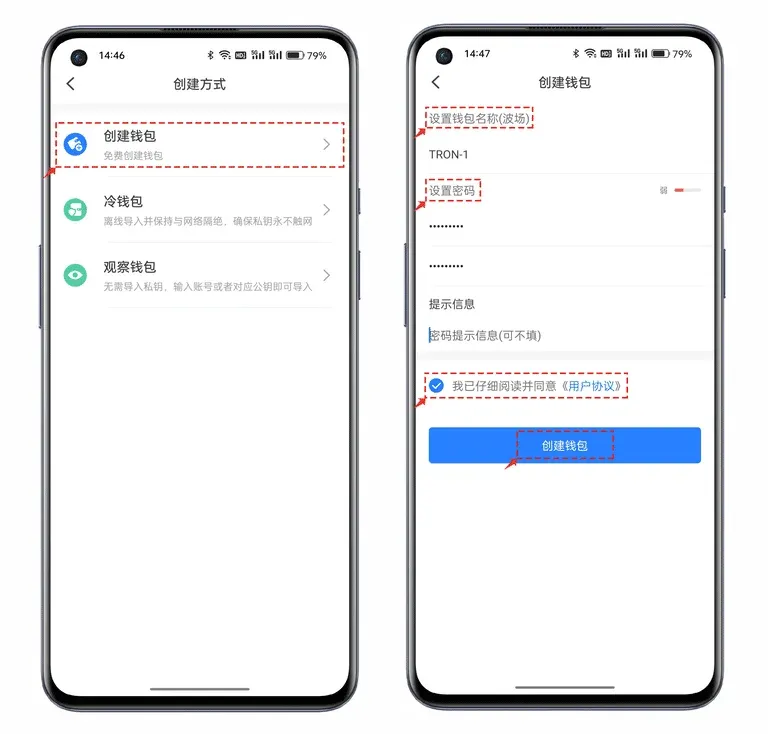
- There are three creation modes:
- Cold wallet: Created or imported on an offline device; it can only be used to view assets belonging to the same address.
- Watch‑only wallet: Allows you to import any address that conforms to the chain’s format; often paired with a cold wallet for monitoring purposes.
- Standard wallet: This tutorial defaults to this type, which supports full sending and receiving functions.
Provide a custom wallet name, set a password of at least 8 characters (a high‑entropy combination is recommended), check the user agreement, and then press “Create Wallet”.
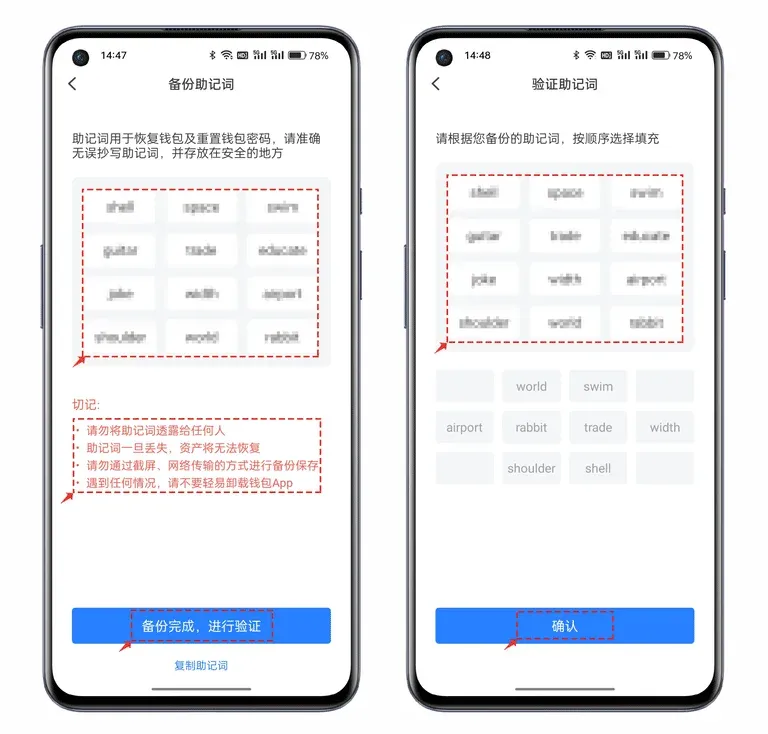
- Back up the mnemonic phrase: After the wallet is generated, the app displays a 12‑ or 24‑word mnemonic. Write these words down on paper or another offline medium and store them securely; never share them online.
- Mnemonic verification: TokenPocket includes a verification step. Follow the prompts to confirm each word in the correct order, then click “Confirm” to complete the TRON wallet creation.
3. Initial Use and Learning Resources
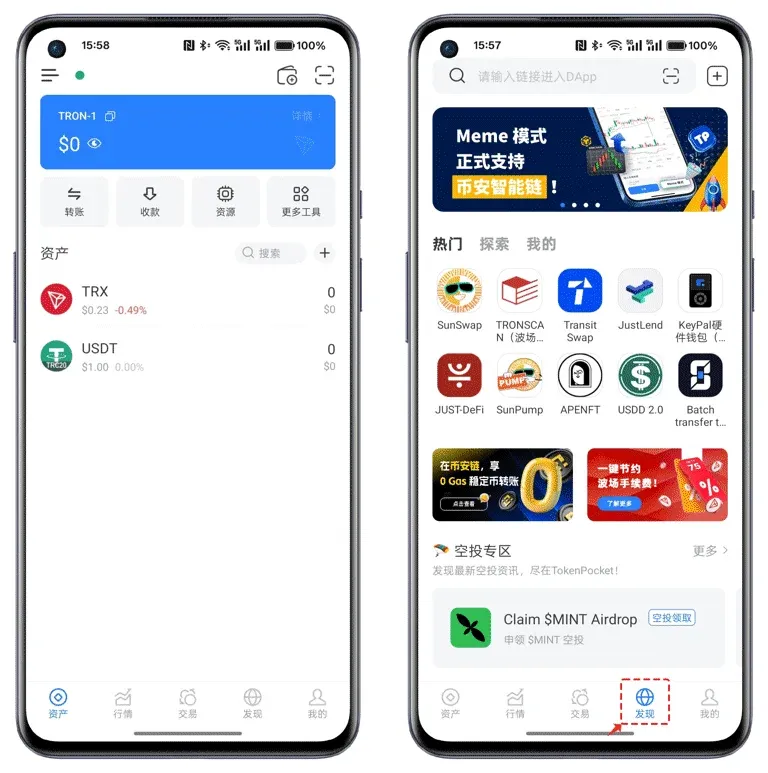
- After successful creation, take some time to explore the wallet’s UI and available functions.
- The “Learn” tab at the bottom provides common security tips and anti‑scam guidelines.
- The “Discover” tab aggregates a variety of decentralized applications (DApps); note that the iOS version may not display the full list due to App Store policy restrictions.
4. Quick Reference for Frequently Asked Questions
| Question | Solution |
|---|---|
| The wallet does not display all tokens | Ensure you are using a VPN or other unrestricted internet connection, or manually add the token contract address. |
| I lost my mnemonic phrase | Without the backup, the assets cannot be recovered. Always save the phrase offline immediately after wallet creation. |
| I want to use a cold wallet | Choose the **Cold wallet** option during creation, then import the mnemonic on an offline device for management. |
The above constitutes a complete tutorial for the Token Pocket (TP) wallet. For additional details, please refer to related articles on the Bitaigen (比特根) platform.
Note on fiat and taxation: While TokenPocket itself does not handle fiat transactions, users who convert crypto to USD, EUR or other fiat currencies typically do so via exchanges that support SEPA, SWIFT or other international transfer methods. In many jurisdictions, crypto gains may be subject to tax; users should consult local tax regulations or a qualified professional to ensure compliance.
Related Reading
- Block.io Multi-Chain Web Wallet for Bitcoin, Litecoin & Dogecoin
- imToken Wallet Withdrawal Issues & Solutions Guide
- imToken Wallet: Multi‑Chain Crypto Management & DApp Browser
💡 Register on Binance with referral code B2345 for the maximum trading fee discount. See Binance complete guide.



