
 Bitaigen Research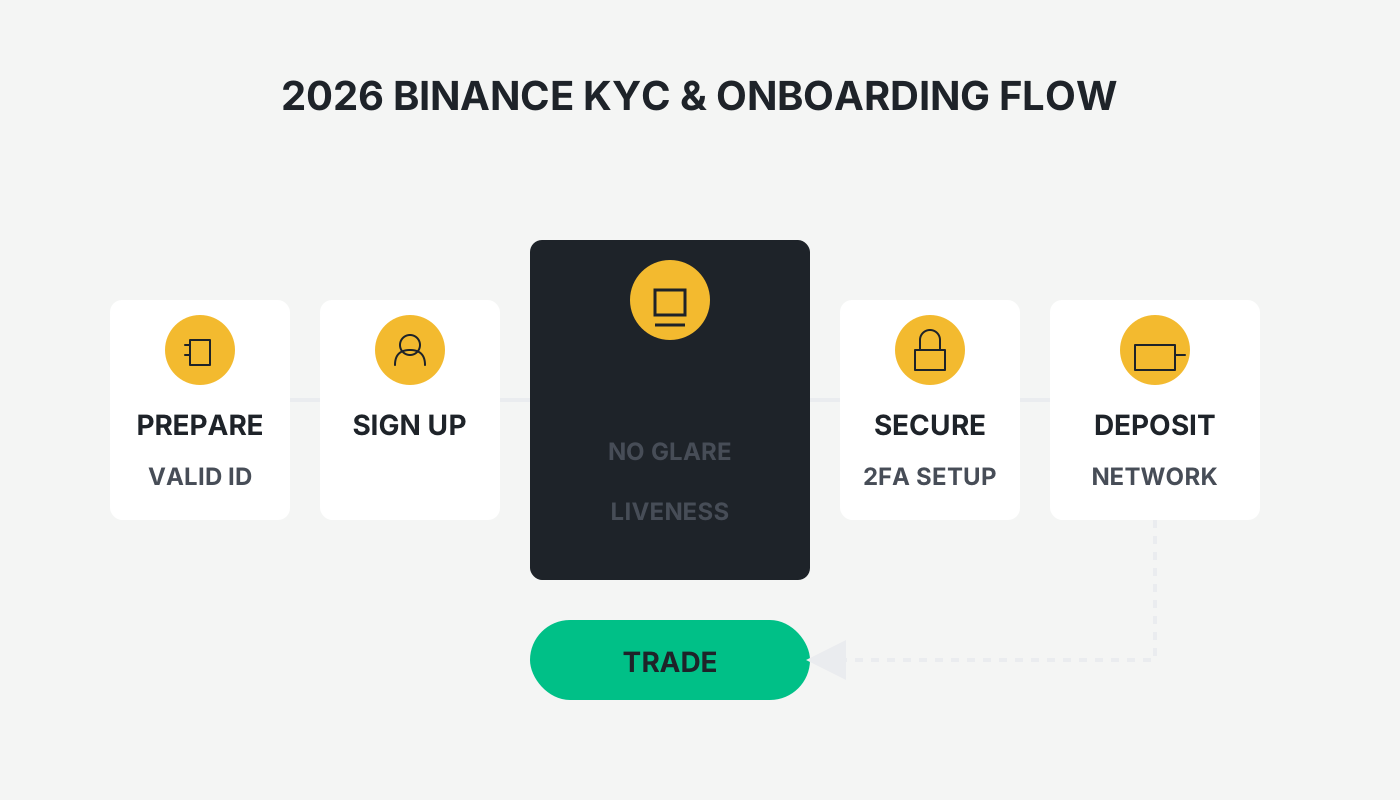
Before conducting large‑volume trades, withdrawals, or joining a Launchpad project on Binance, you must complete identity verification (KYC).
If you receive a “verification failed” notice after submitting your documents, some account functions will be restricted. Below is a systematic overview of the eight most common Binance KYC failure reasons in 2026, together with corresponding solutions and practical troubleshooting tips to help you pass the review in one go.

We have compiled the typical factors that cause Binance KYC to fail and provided concrete diagnostic and remediation steps. Follow the guide to quickly pinpoint the problem, complete verification successfully, and unlock full account functionality and security. The article also aggregates the latest review criteria from the platform to help you avoid common pitfalls.
Why perform KYC?
Binance uses a tiered certification system. Completing KYC not only raises the limits for single‑transaction amounts, withdrawals, and other services, but also establishes a solid compliance and security foundation for your account.
After KYC is completed, the available features of your account are gradually unlocked as your verification tier rises.
---
The 8 Most Common KYC Failure Reasons and Their Remedies
1. Poor‑quality document photos (account for > 60 % of failures)
Typical issues
- Dim lighting or strong glare;
- Edges of the ID card are cut off;
- Skewed angle causing text distortion;
- Using a screenshot of a screen capture or an old photo.
Improvement suggestions
- Choose a well‑lit indoor environment, preferably with natural light;
- Place the ID on a solid‑color (white or black) surface and keep it flat;
- Hold the phone vertically and frame all four corners of the document;
- Turn off the flash to avoid hotspots;
- Take the picture first, save it to your gallery, then upload from the gallery – this is usually clearer than a live capture.
iPhone users should use “Live Photo”; Android users can switch to “Pro mode” and manually focus.
2. Mismatch between personal information and the document
Typical issues
- Entering the name in pinyin instead of Chinese characters (e.g., “Zhang San” vs. “张三”);
- Mistyping a digit in the ID number;
- Using the wrong birth‑date format (e.g., 1990/1/1 vs. 1990‑01‑01).
Resolution
- Cross‑check each character against the physical ID;
- The name field must be filled in the full Chinese name – a hard requirement for Binance’s China‑region KYC;
- Enter the ID number and birth date exactly as they appear on the document, without adding spaces or symbols.
3. Facial‑recognition verification failed
Typical issues
- Wearing glasses, a hat, or a mask;
- Cluttered background (bookshelf, window, etc.);
- Uneven facial lighting that creates shadows;
- Not performing the required blink, head‑turn, or mouth‑move actions as prompted.
Remediation steps
- Remove all facial coverings first;
- Stand in front of a plain‑colored wall (white works best);
- Ensure even illumination on the face – a desk lamp can be used for fill‑light;
- Follow the voice prompts precisely; movements should be clear and complete;
- If you fail repeatedly, restart the app and clear its cache before trying again.
Note: Binance limits facial‑verification attempts to 3 per hour. Consecutive failures may trigger risk controls, so avoid rapid repeated tries.
4. Expired or unsupported documents submitted
Typical issues
- The ID card is past its expiration date;
- Using a passport or driver’s license but selecting the wrong document type;
- Temporary resident IDs that are not supported.
Recommendations
- Use a valid mainland‑China resident ID card – this is the most widely accepted document on the platform;
- If you use a passport, make sure the page shows both the Chinese name and the English name;
- Avoid driver’s licenses, as they are unsupported in many jurisdictions.
5. Network or device‑related anomalies
Typical issues
- Using a proxy, VPN, or other “science‑back” tools;
- The phone has not granted camera permissions to the app;
- Running an outdated version of the Binance app.
Solutions
- Disable all proxy tools and use a local internet connection for verification;
- Verify that the app has camera and storage permissions enabled;
- Download the latest client from the official site: Download Binance.
6. Conflicting account information
Typical issues
- Selecting “United States” during registration but submitting a Chinese ID for KYC;
- Switching between multiple accounts on the same device during verification.
Handling
- The country/region entered for KYC must match the one chosen at sign‑up;
- If you selected the wrong country, contact official support to amend it and provide proof of residence (e.g., utility bill, bank statement).
7. System flags the activity as high‑risk
Typical issues
- Submitting KYC multiple times within a short period;
- Using a virtual phone number or disposable email address;
- The account has a history of abnormal login attempts.
Counter‑measures
- Wait a 24‑hour cooling period before resubmitting;
- Replace the virtual number with a personal, real‑name mobile number and use a regular Gmail address;
- Clear browser cache or restart the phone before the next attempt.
8. “Violation of Terms of Service” warning
Typical issues
- The same document has already been used to register another account;
- The account is linked to suspicious transactions or behavior.
Resolution workflow
- Prepare the materials
- A clear photo of you holding the ID (both your face and the document information must be visible);
- A short video (no face‑covering) where you verbally describe the verification failure.
- Contact support
- In the app go to Help Center → Submit a Ticket;
- Choose “Identity verification failed” and upload the above files.
- Await review
- The official team usually completes the review within 1–3 business days.
---
Five Golden Tips for Efficient KYC (2026 Real‑World Test)
- Prioritize the ID card – success rate is roughly 30 % higher than with passports or driver’s licenses;
- Submit between 09:00 – 11:00 UTC – more staff are on shift, so processing is faster;
- Turn off beauty filters – the facial image must be authentic and unedited;
- Pre‑check the camera – take a quick selfie with your camera app to confirm clarity;
- Fill everything correctly in one go – frequent edits can trigger risk controls, so aim for a single, accurate submission.
---
KYC Review Timeframes and Status Checking
- Standard automated review: 5 minutes – 2 hours;
- Manual re‑review: 24 – 72 hours;
- How to check: App → User Center → Identity Verification → View Current Status.
If no result is returned after 72 hours, submit a support ticket to expedite the review.
---
Full Verification Process Walkthrough
Step 1: Choose Country and Document Type
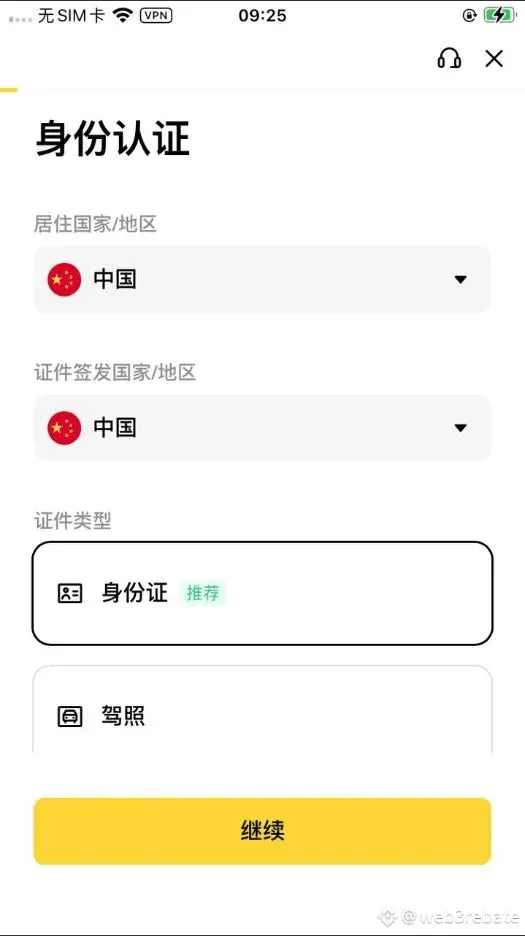
- Manually confirm “China” (the default may differ);
- Select “Identity Card” as the document type;
- The name entered must exactly match the ID; once submitted, it cannot be changed.
Note for U.S. residents: Binance Global is not available in the United States. Use Binance.US for any fiat‑on‑ramp, withdrawal, or KYC activity, and follow the same document‑quality guidelines.
Step 2: Upload Document Photos
The platform offers three upload methods:
- Direct upload from the current device (recommended)
- Upload clear front‑ and back‑side photos of the ID, with all four corners visible, no glare, and legible text.
- Scan via mobile QR code
- Scan the page‑displayed QR code, capture the document on your phone in real time; the system auto‑crops the borders.
- Binance App verification
- Users with the app installed can complete the upload by scanning the QR code within the app.
Photography tips
- Use a solid white or black background;
- Turn off the flash to prevent reflections;
- Ensure every piece of information on the ID is readable.
Step 3: Perform Facial‑Recognition Verification
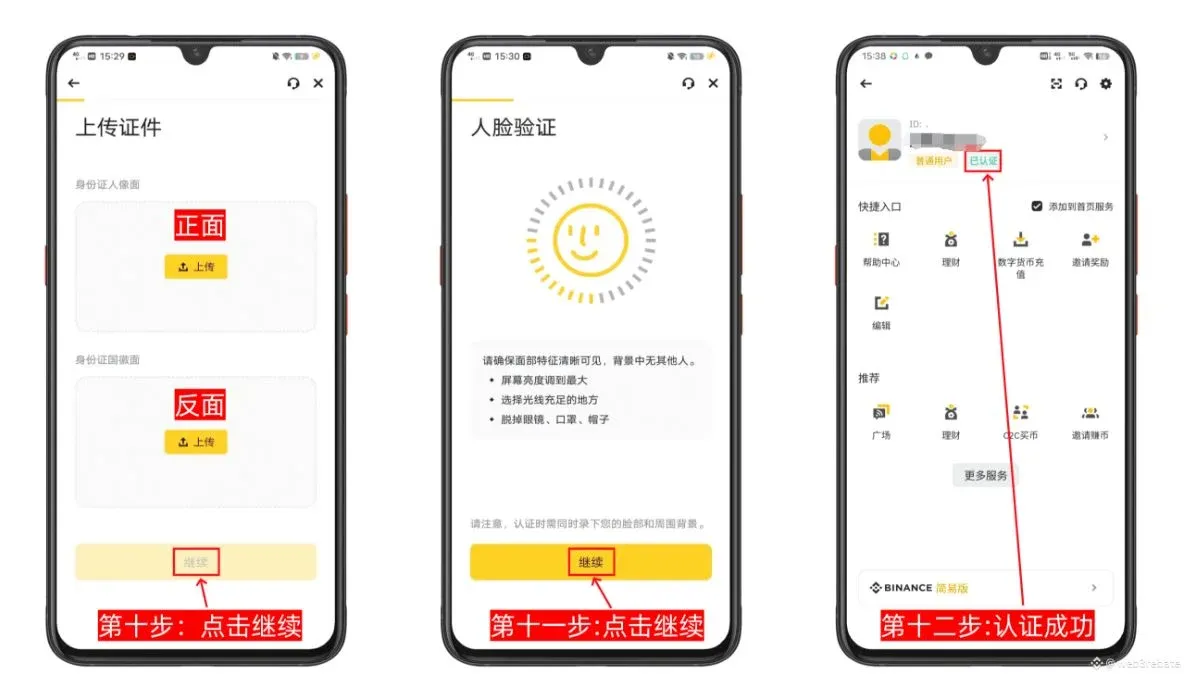
- Follow the on‑screen prompts to shake your head, open your mouth, etc.;
- Keep your face fully inside the frame and avoid glasses, hats, or masks;
- The review is usually completed within 2 hours; if it fails, Binance will notify you via email.
---
Summary: Failure Is Not Fatal – Methodology Matters
Binance’s KYC essentially checks “information consistency + image clarity.” Satisfying the four checkpoints below yields a success rate above 95 %:
- ✅ The document is authentic and still within its validity period;
- ✅ Photos are sharp, with all corners captured;
- ✅ All entered data matches the document character‑for‑character;
- ✅ The shooting environment provides ample lighting.
Final reminder: Never use someone else’s documents or edit photos with Photoshop or similar tools. Detection will result in a permanent account ban.
After resubmitting following the steps in this guide, your Binance account should quickly regain full functionality. For more solutions to Binance identity‑verification issues, stay tuned to Bitaigen’s future articles.
---
Additional Note on Taxes
Cryptocurrency transactions, including gains from trading or staking, may be taxable in your jurisdiction. Consult a qualified tax professional or refer to local tax regulations to ensure compliance when converting crypto to fiat (USD, EUR via SEPA/SWIFT, etc.).
Related Reading
- Binance On‑Chain Earn: Beginner’s Guide to Earning Tokens
- Binance Registration & Verification Guide for Mainland China
- Binance BNB Fee Discount: How to Enable & Maximize Savings
💡 Register on Binance with referral code B2345 for the maximum trading fee discount. See Binance complete guide.



