
 Bitaigen Research
 We have compiled a complete step‑by‑step guide for mainland users who wish to fund their Binance account, covering everything from linking a bank card to confirming a deposit. The article lists every key action point, provides practical screenshot instructions, and offers solutions to common issues, helping you complete the transfer quickly while staying safe and compliant. Continue reading for detailed operational instructions.
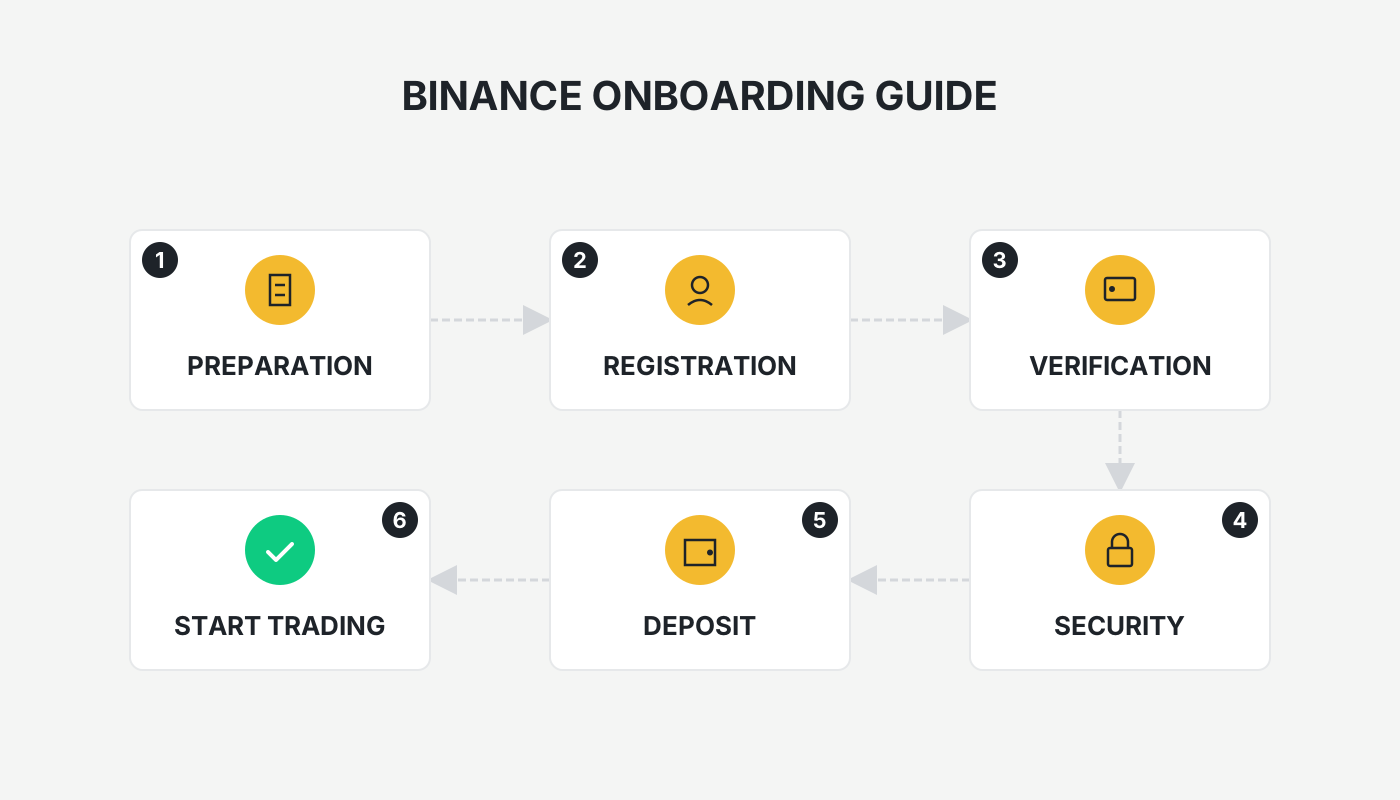
Binance holds a leading position in the global crypto market, serving millions of active users. This article provides mainland Chinese users with the full procedure for depositing funds from a bank card into Binance, enabling a swift top‑up.
On the Binance APP home page tap Add Funds → select C2C Trading → enter the Curated Zone and choose Bank Debit Card → enter the amount and place the order → after completing the offline bank transfer, upload the payment proof to finish the card deposit.
1. Preparation
- If you have not yet created an account, use the links below to register and download the official app.
- New Binance user registration: Register here
- Binance Android app download: Download here
Note for U.S. residents: Use Binance.US (https://www.binance.us) instead of the global Binance platform.
2. Access the Deposit Entry
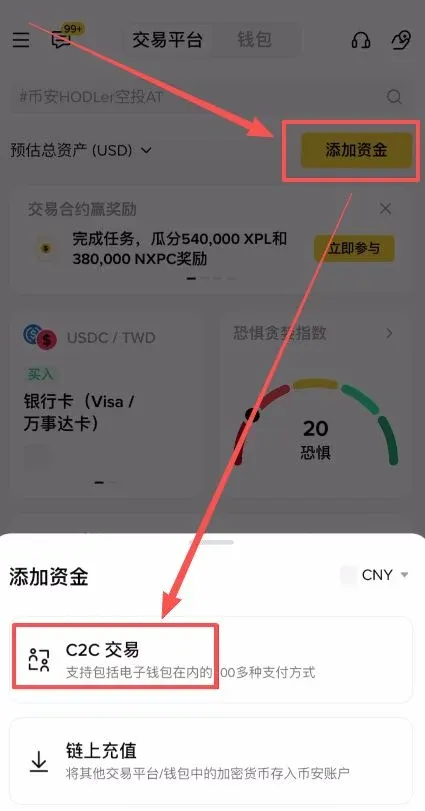
- Open the Binance APP and tap Add Funds on the home screen.
- In the pop‑up window select C2C Trading.
After entering the C2C page, you will see four panels: Quick Zone, Custom Zone, Curated Zone, and Bulk Zone.
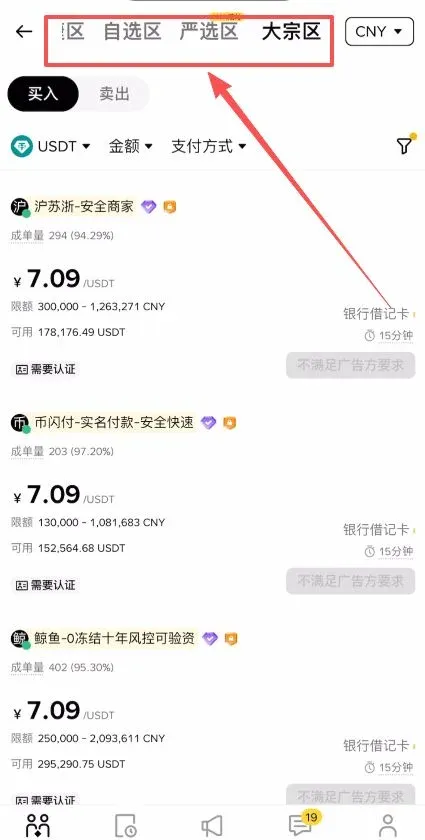
- Bulk Zone: Intended for large‑volume trades, featuring higher limits.
- Custom Zone and Curated Zone: Layouts are similar; you need to manually select a counter‑party.
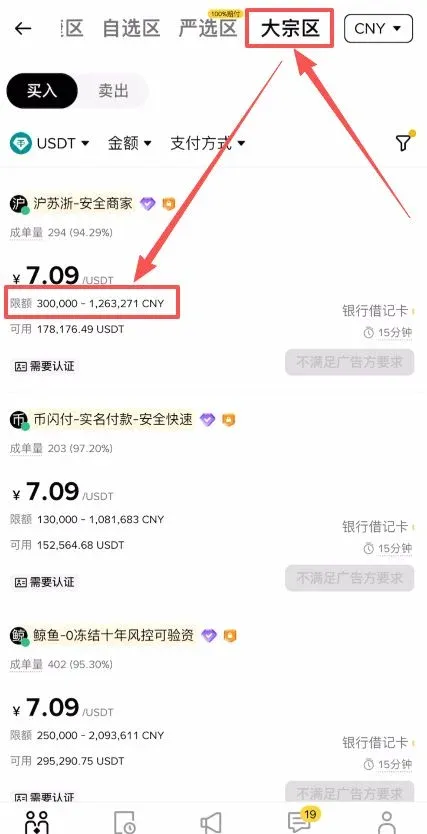
The Curated Zone is a newly launched section where Binance promises a 100 % compensation guarantee if a transaction issue occurs, offering the highest level of safety. This guide demonstrates the deposit process using this zone.
3. Choose Trading Parameters
- In the Amount field, type the amount you wish to purchase, e.g., 1000 USD worth of USDT.
- For Payment Method, select Bank Debit Card.
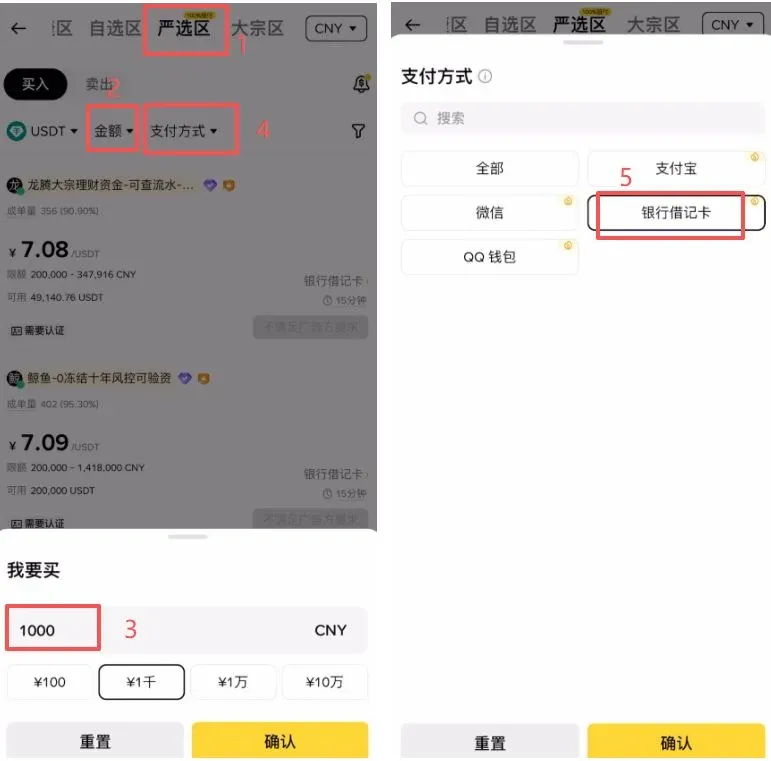
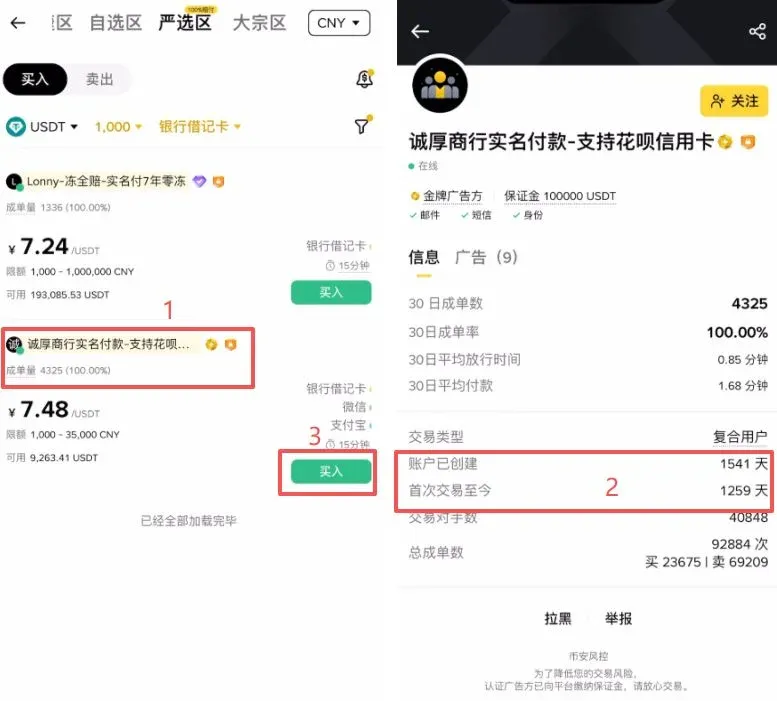
The system will display a list of merchants that match your criteria. When comparing merchants, pay particular attention to:
| Key Metric | Explanation |
|---|---|
| Order Volume | Higher values indicate more active trading activity |
| Success Rate | Higher values mean the merchant has a better track record |
| Account Age | Older accounts suggest more established credibility |
| Time Since First Trade | Longer duration reflects a longer history of secure asset handling |
Click a merchant’s profile to verify the information above, then tap the Buy button on the right side.
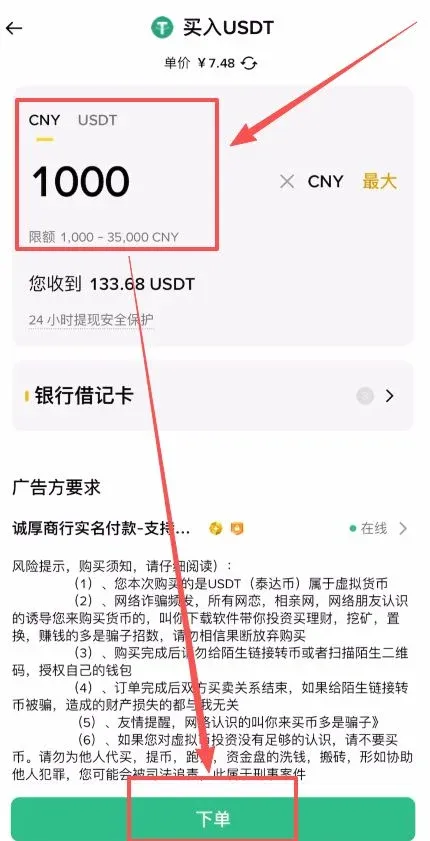
In the pop‑up window, enter either the fiat amount or the crypto quantity you wish to purchase, then click Place Order.
Once the order is generated, tap Chat to view the merchant’s instructions (e.g., real‑name verification for the payment). The chat window will show:
- Merchant’s name
- Bank card number
- Bank and branch details
If the merchant requests additional information within the conversation, reply directly in the chat to obtain it privately.
4. Complete the Offline Transfer and Upload Proof
- Using the bank details supplied by the merchant, perform the transfer outside the Binance platform (e.g., via your online banking portal, SEPA for Euro transfers, or SWIFT for other currencies).
- After the transfer succeeds, return to the Binance APP, tap Upload Payment Proof, and attach a screenshot of the transfer receipt.
- Verify the information and tap I Have Completed the Payment – Notify Seller.
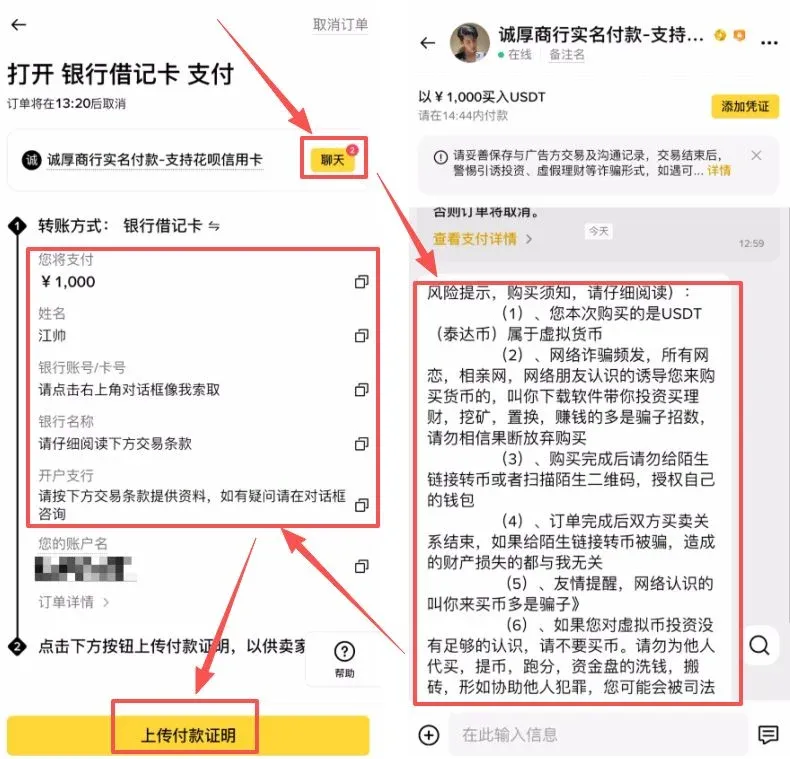
When the seller confirms receipt of the funds, they will release the corresponding USDT on the platform, completing the deposit.
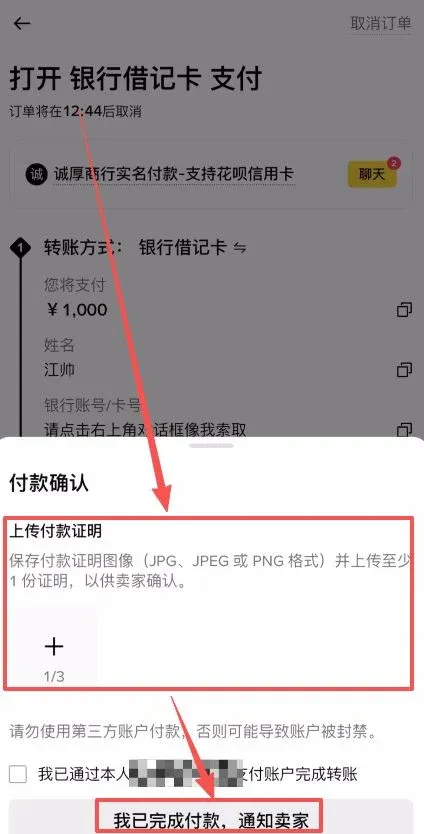
5. Post‑Deposit Recommendations
- After a successful top‑up, navigate to Wallet → Spot to verify that the assets have arrived.
- To safeguard your holdings, enable Two‑Factor Authentication (2FA) and change your login password regularly.
This article has outlined the entire process for mainland users to fund their Binance accounts via a bank card. For additional Binance deposit tutorials, search Bitaigen to find archived articles or continue browsing the recommended content below. Thank you for your attention and support!
Related Reading
💡 Register on Binance with referral code B2345 for the maximum trading fee discount. See Binance complete guide.



