
 Bitaigen Research
 Binance Futures Grid Trading: A Comprehensive Guide for Global Users
Binance’s futures grid trading is an automated quantitative strategy that places buy‑low and sell‑high orders within a predefined price range. Users simply select the Grid Bot on the Binance Futures page, set the upper and lower price limits, the number of grid levels, leverage, and other parameters, and the system will execute the trades automatically within that range.
If you have not yet created a Binance account, you can register through the referral link below and download the official app.
- Binance Global registration (for users outside the United States): <https://accounts.binance.com/register?ref=B2345> (copy the link into your browser).
- Binance.US registration (for U.S. residents): use the Binance.US platform instead of the global site.
- Android app download: <https://www.bitaigen.com/binance/download>
In this article we systematically outline the basic principles and practical steps of Binance Futures Grid Trading, helping newcomers get started quickly while avoiding common pitfalls. Through illustrated screenshots you will learn how to set the price interval, grid count, and leverage parameters so that the bot can automatically buy low and sell high as the market fluctuates. To master the core concepts of this quantitative tool, keep reading.
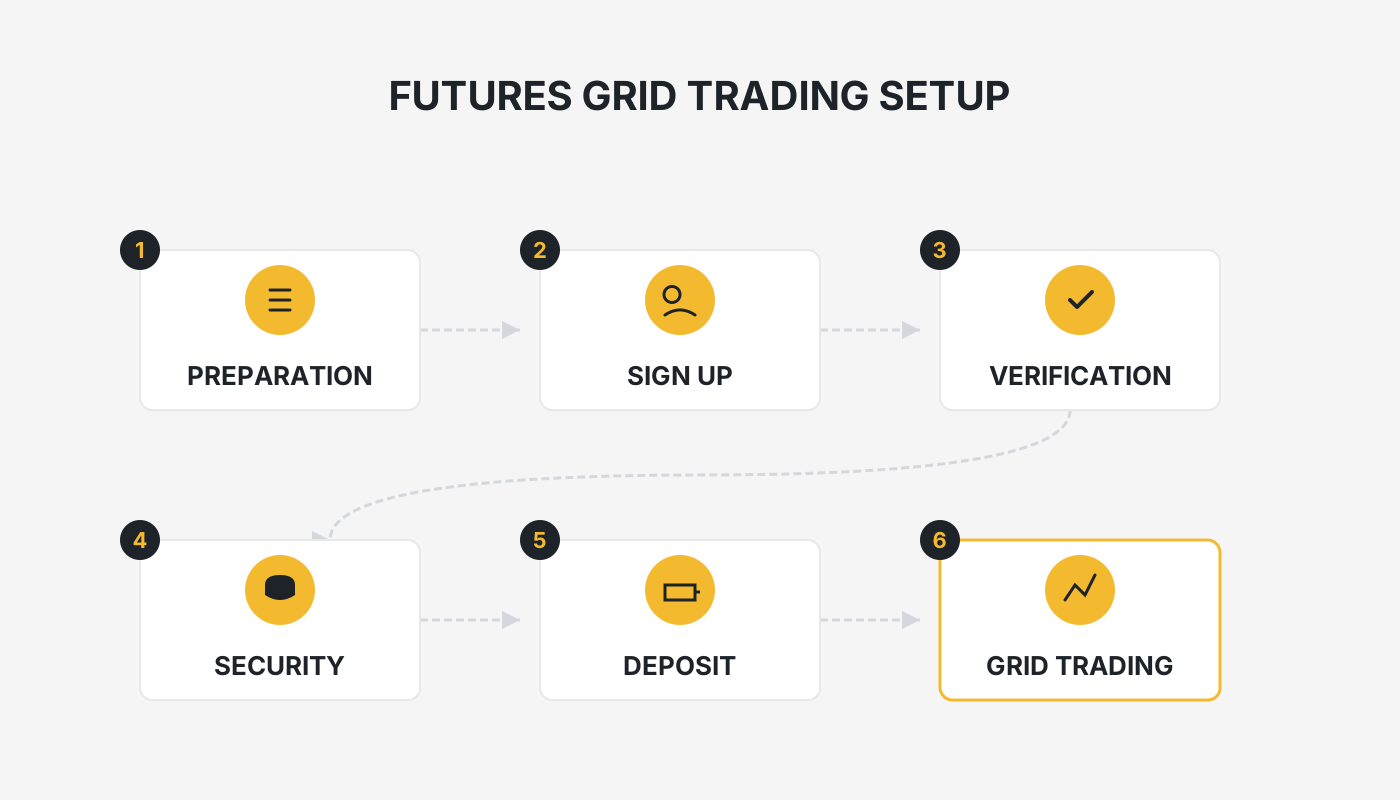
What Is Futures Grid Trading? How Does It Differ From Spot Grid Trading?
Before you begin, it is essential to understand the terminology.
Futures Grid Trading (Futures Grid Bot) is an automated strategy that operates on the futures contract market. Its core logic is: within a preset price interval, place equally‑spaced buy and sell orders to form a “grid”. When the price moves, the bot automatically executes “buy low‑sell high” or “sell high‑buy low” trades, capturing the spread on each execution.
Key Differences Between Spot and Futures Grids
| Aspect | Spot Grid | Futures Grid |
|---|---|---|
| **Leverage** | No leverage | Leverage available, amplifying position size |
| **Shorting** | Long‑only | Supports both long and short positions |
| **Funding Fees** | No holding fee | Positions incur positive or negative funding fees, which must be factored into profit calculations |
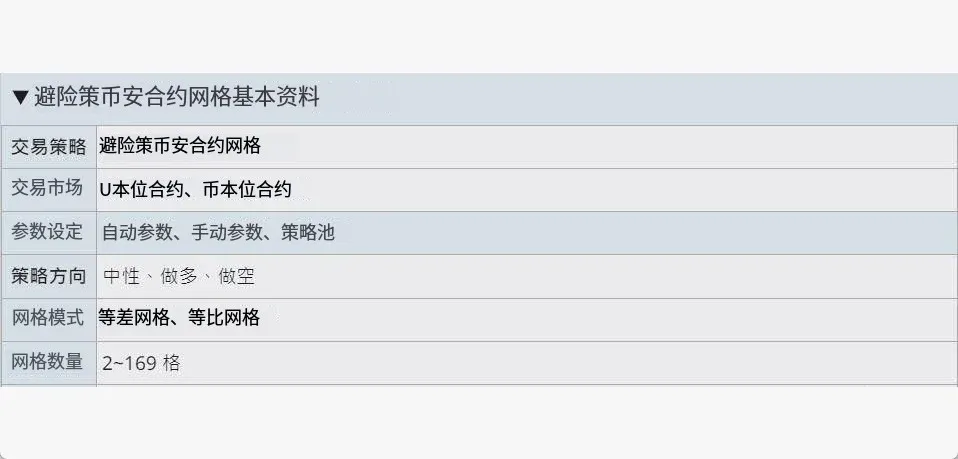
Binance grid trading supports USDT‑Margined and Coin‑Margined futures. Users can define the grid’s upper and lower bounds as well as the number of grid levels; the system will automatically place the orders according to those settings.
Example
Assume you expect Bitcoin (BTC) to fluctuate between $50,000 USD and $60,000 USD over the next 24 hours. In the grid panel you could set:
- Upper and lower price limits
- Number of grid levels (order count)
- Price difference for each limit order
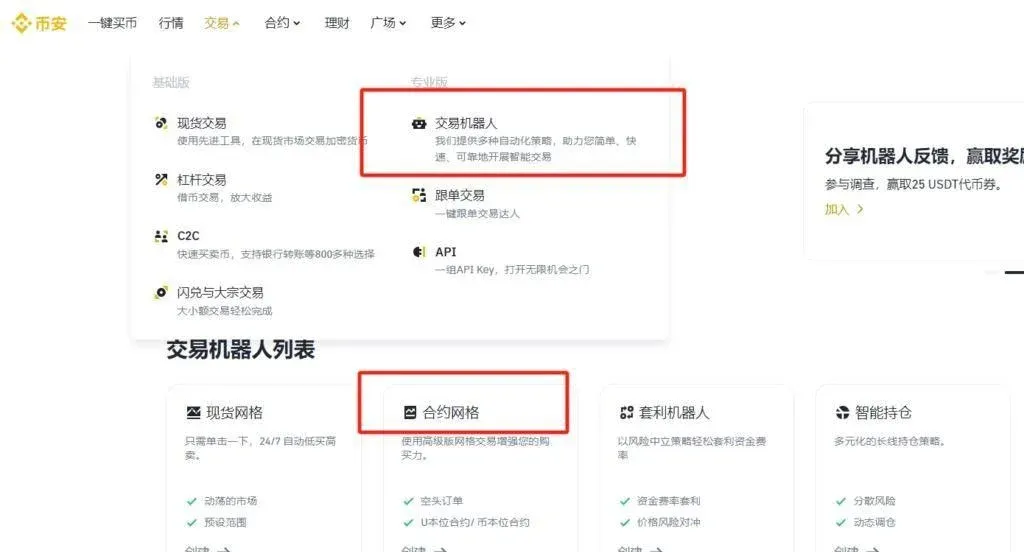
The Futures Grid Bot is specifically designed for Binance Futures. It can rapidly deploy increasing or decreasing grid orders within the chosen price range and automatically handle the corresponding buy‑sell actions.
- Supports three strategy directions: Neutral, Long, Short
- Grid mode can be Arithmetic (equal price steps) or Geometric (equal percentage steps)
- Parameters can be chosen from Binance’s built‑in strategy pool, auto‑generated, or manually customized
How Does Binance Futures Grid Trading Operate?
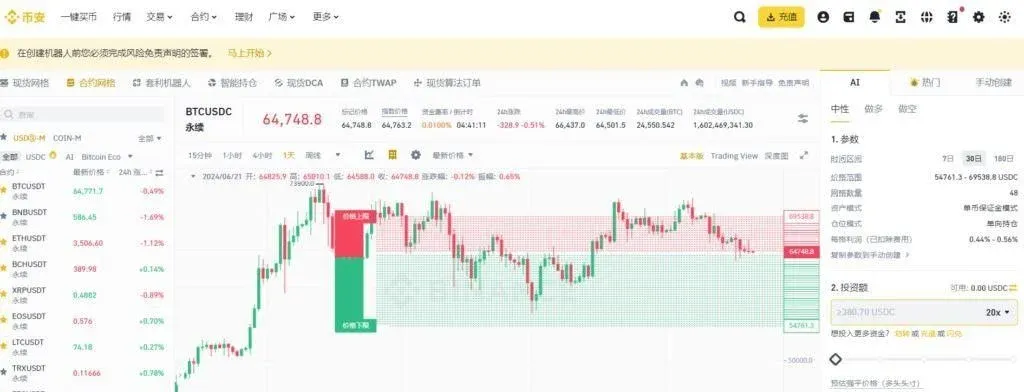
A grid strategy is fundamentally “buy low‑sell high” (or the inverse). As long as the market price oscillates inside the predefined interval, the bot will trigger trades at each grid level. Even if a temporary floating loss occurs, the profit from subsequent grid completions can offset it, provided the price does not break out of the set range.
Illustration using a USDT‑Margined contract:
- Expect BTC to stay between $20,000 USD and $40,000 USD, current price $30,000 USD.
- Deposit margin into your futures account and configure the grid parameters.
- With an arithmetic grid, the system places limit sell orders at $30,100, $30,200, $30,300 … and limit buy orders at $29,900, $29,800, $29,700 …
- When the price drops to $29,900, the bot buys, and simultaneously a corresponding sell order is set at $30,000, forming a closed loop.
Step‑by‑Step Tutorial for Beginners
- Log in to your Binance account (or Binance.US for U.S. residents). If you do not have an account yet, complete the registration and download the official app first.
- On the trading interface, select the target futures contract (e.g., BTC/USDT Perpetual).
1. Transfer Funds
After the grid is launched, the system automatically transfers the required margin from your USDT‑Margined or Coin‑Margined futures wallet to the trading‑bot account.
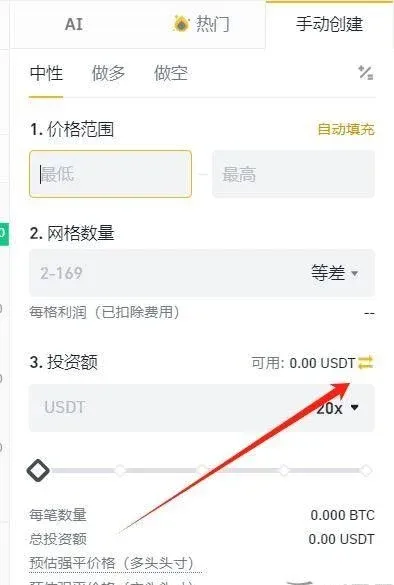
2. Create a Grid
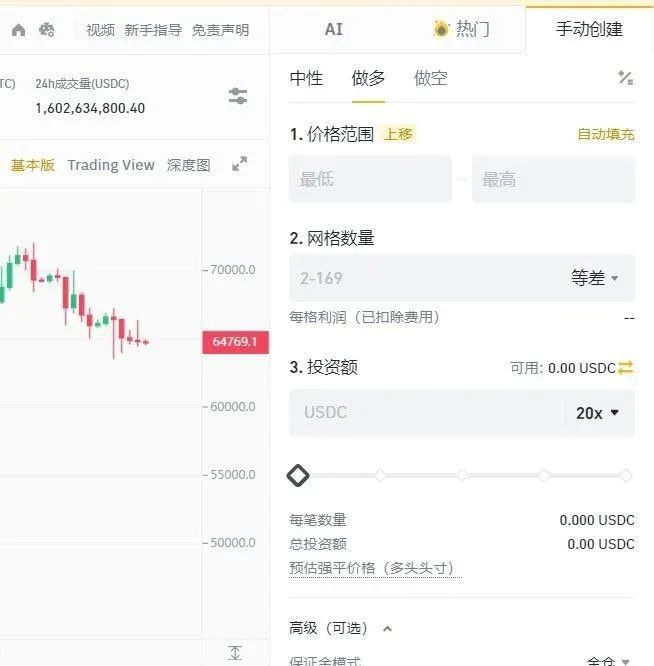
Open the Futures Grid Trading page and search for the desired contract in the top‑left corner. After selecting it, you will be taken to the creation screen where you can choose either:
- One‑Click Creation: Use Binance’s recommended parameters to quickly set the price range and grid count.
- Manual Creation: Define every parameter yourself, which is suitable for experienced traders. Once the grid finishes, the system automatically returns any remaining assets to the original wallet within about 30 seconds.
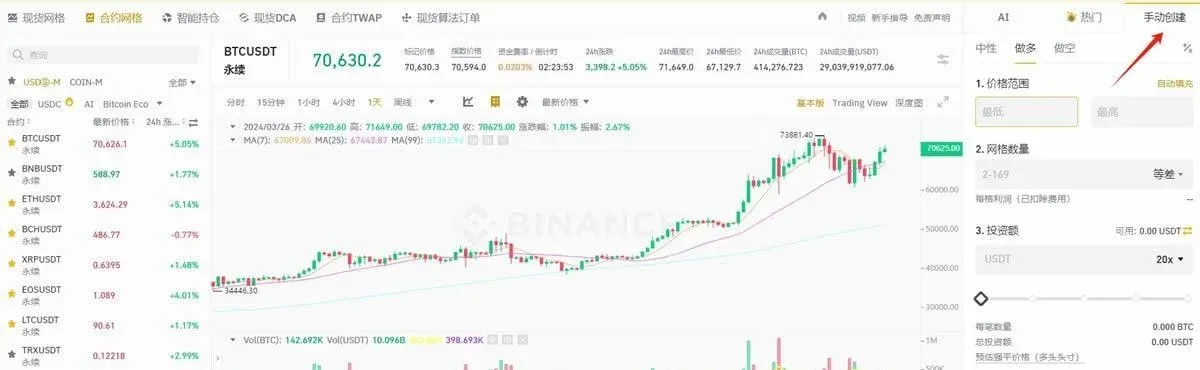
3. Parameter Settings (When Using Manual Creation)
| Parameter | Description |
|---|---|
| **Strategy Direction** | **Neutral** (no initial position, suited for ranging markets), **Long** (open a bullish position), **Short** (open a bearish position) |
| **Price Range** | Upper and lower bounds; the bot only places orders inside this interval and stops opening new positions outside it |
| **Grid Mode** | **Arithmetic Grid** (equal price gaps) or **Geometric Grid** (equal percentage gaps) |
| **Number of Grids** | 2‑149 levels; more levels mean a denser grid, higher trade frequency, but lower profit per individual grid |
| **Investment Amount** | Total amount used for margin; must meet Binance’s minimum initial margin requirement |
| **Leverage Ratio** | Amplifies both profit and risk; beginners are advised to stay within **1×‑3×** low leverage |
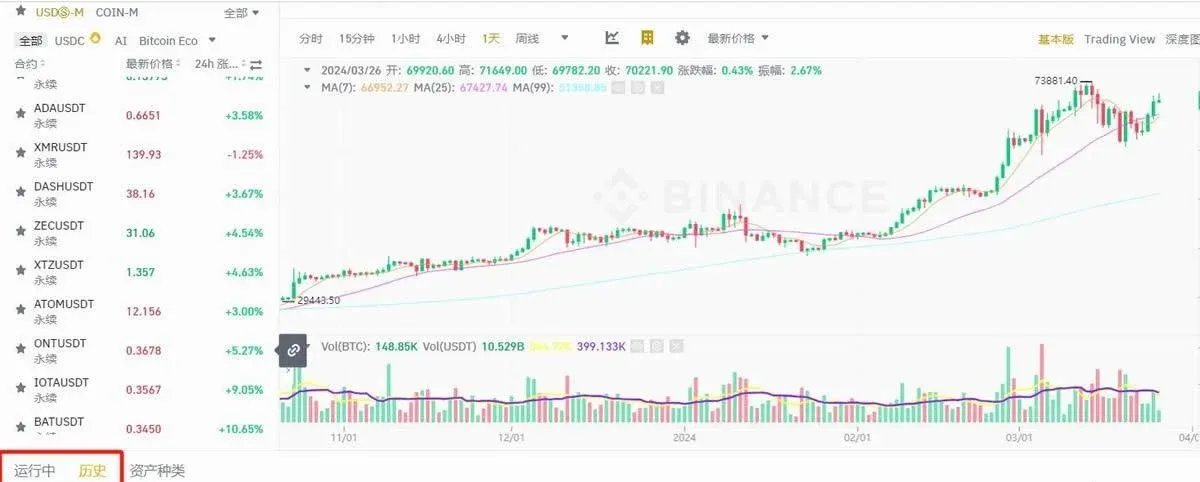
After confirming the settings, you can view execution details, funding fees, liquidation events, etc., via [Orders] → [Trading Bot Orders] → [Trade History] → [USDT‑Margined / Coin‑Margined].
Risk‑Management Essentials
- Stop‑Loss Orders: Limit maximum loss in case of sudden market moves.
- Grid Size: Choose a sensible spacing; it directly influences profit speed and magnitude.
- Position Control: Avoid excessive leverage that could trigger liquidation.
- Liquidity Check: Low‑liquidity markets may cause significant slippage.
- Real‑Time Monitoring: Regularly review market conditions and adjust parameters as needed.
Grid trading can help diversify risk and automate execution, but it does not eliminate all risk. Evaluate your own risk tolerance and implement sound money‑management practices before using the bot.
Tax Note: Profits from cryptocurrency trading, including futures grid gains, may be subject to taxation in your local jurisdiction. Please consult a qualified tax professional to understand your obligations.
Summary
Binance’s futures grid trading condenses a complex quantitative strategy into a few configuration steps, making it accessible for traders who wish to automate their activity during price volatility. Success hinges on sound market assessment, sensible parameter choices, and disciplined risk control.
For further reading, search for Bitaigen (比特根) to discover additional articles and tutorials. Happy trading!
Related Reading
- How Binance Futures Grid Trading Works: Step-by-Step Guide
- Spot Margin Trading on OKX: Using Crypto as Collateral
- How to Leverage RWUSD for Binance Futures Trading
💡 Register on Binance with referral code B2345 for the maximum trading fee discount. See Binance complete guide.



